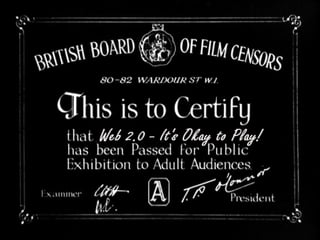
Web 2.0 It's Okay to Play! Dave Pattern, Library Systems Manager University of Huddersfield [email_address]
Workshop menu Web 2.0 & Library 2.0 Blogs RSS feeds Tagging, folksonomies and mashups LibraryThing and Flickr Wikis Social networking Facebook and ning.com Social bookmarking
 
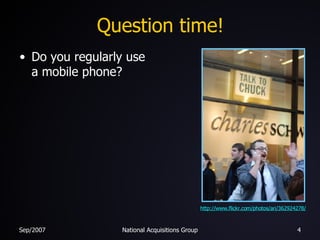
Question time! Do you regularly use a mobile phone? http://www.flickr.com/photos/ari/362924278/
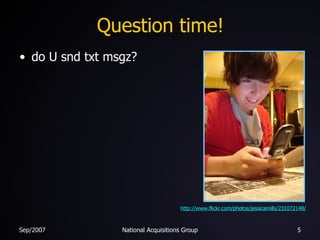
Question time! do U snd txt msgz? http://www.flickr.com/photos/jessicamills/231072148/
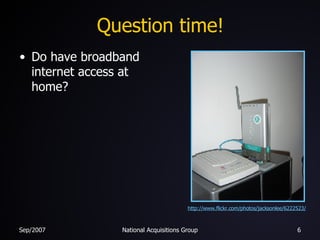
Question time! Do have broadband internet access at home? http://www.flickr.com/photos/jacksonlee/6222523/
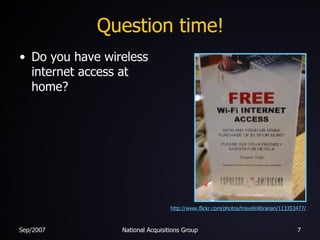
Question time! Do you have wireless internet access at home? http://www.flickr.com/photos/travelinlibrarian/113353477/
Question time! Do you regularly use your home PC or laptop for more than an hour each evening? http://www.flickr.com/photos/richardholden/340601444/
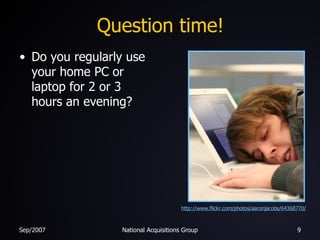
Question time! Do you regularly use your home PC or laptop for 2 or 3 hours an evening? http://www.flickr.com/photos/aaronjacobs/64368770/
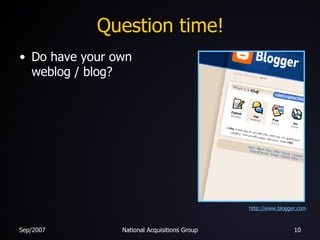
Question time! Do have your own weblog / blog? http:// www.blogger.com
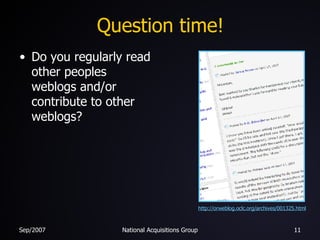
Question time! Do you regularly read other peoples weblogs and/or contribute to other weblogs? http://orweblog.oclc.org/archives/001325.html
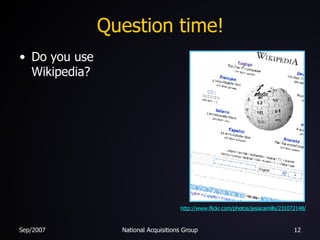
Question time! Do you use Wikipedia? http://www.flickr.com/photos/jessicamills/231072148/
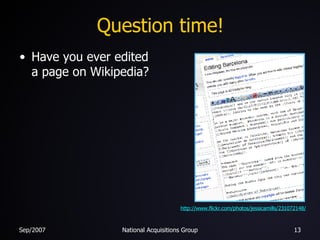
Question time! Have you ever edited a page on Wikipedia? http://www.flickr.com/photos/jessicamills/231072148/
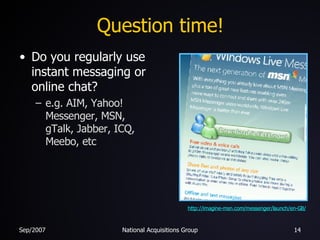
Question time! Do you regularly use instant messaging or online chat? e.g. AIM, Yahoo! Messenger, MSN, gTalk, Jabber, ICQ, Meebo, etc http://imagine-msn.com/messenger/launch/en-GB/
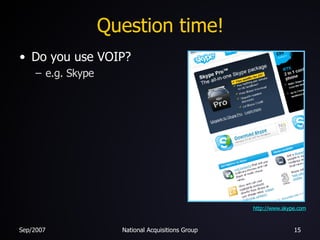
Question time! Do you use VOIP? e.g. Skype http://www.skype.com
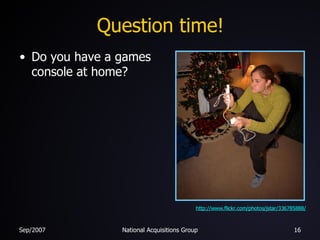
Question time! Do you have a games console at home? http://www.flickr.com/photos/jstar/336785888/
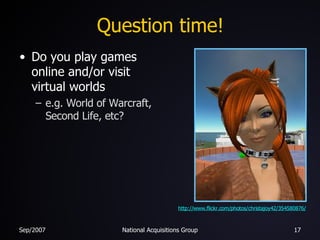
Question time! Do you play games online and/or visit virtual worlds e.g. World of Warcraft, Second Life, etc? http://www.flickr.com/photos/christajoy42/354580876/
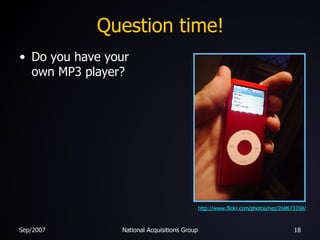
Question time! Do you have your own MP3 player? http://www.flickr.com/photos/nez/268673268/
 
Web 1.0
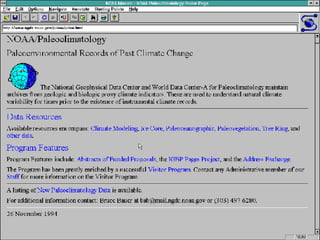
Web 1.0 Slow access speeds (e.g. dial-up modem) Limited availability Static web pages Little interactivity Mostly text …lots and lots of text …on a grey background! Web sites that would only work with one type of web browser The “Read Only Web”
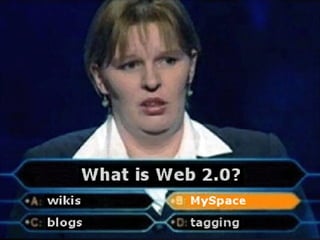
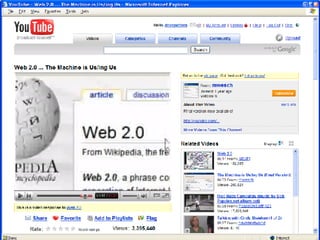
Web 2.0 Fast access speeds (e.g. broadband) Wide availability (e.g. wireless) Dynamic web pages High interactivity Lots of multimedia Web sites that work on many devices (e.g. PCs, mobile phones, etc) The “Read/Write Web”
 
Some Web 2.0 concepts Applications delivered via a web browser Exploiting and (sometimes freely) sharing data User participation, empowerment, and collaboration Social networking Communities of interest Tagging and folksonomies Mashups and other unintended uses
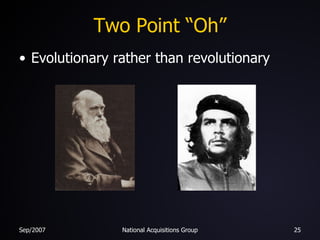
Two Point “Oh” Evolutionary rather than revolutionary
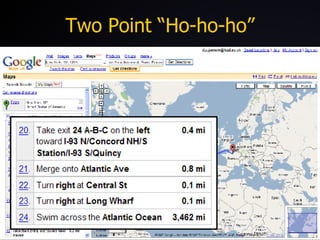
Two Point “Ho-ho-ho”
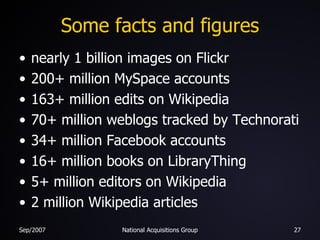
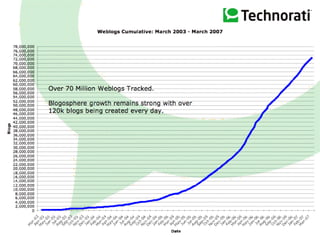
Some facts and figures nearly 1 billion images on Flickr 200+ million MySpace accounts 163+ million edits on Wikipedia 70+ million weblogs tracked by Technorati 34+ million Facebook accounts 16+ million books on LibraryThing 5+ million editors on Wikipedia 2 million Wikipedia articles
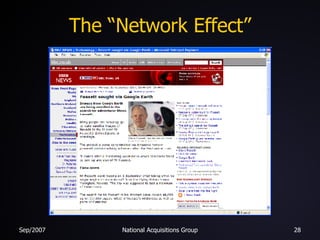
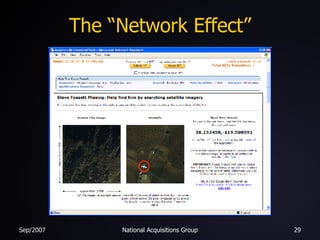
The “Network Effect”
So, who’s doing all this stuff?
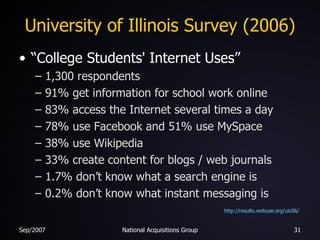
University of Illinois Survey (2006) “College Students' Internet Uses” 1,300 respondents 91% get information for school work online 83% access the Internet several times a day 78% use Facebook and 51% use MySpace 38% use Wikipedia 33% create content for blogs / web journals 1.7% don’t know what a search engine is 0.2% don’t know what instant messaging is http://results.webuse.org/uic06/
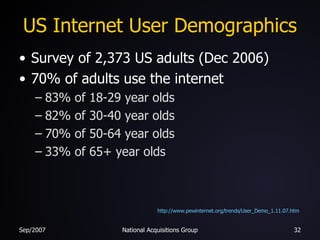
US Internet User Demographics Survey of 2,373 US adults (Dec 2006) 70% of adults use the internet 83% of 18-29 year olds 82% of 30-40 year olds 70% of 50-64 year olds 33% of 65+ year olds http://www.pewinternet.org/trends/User_Demo_1.11.07.htm
 
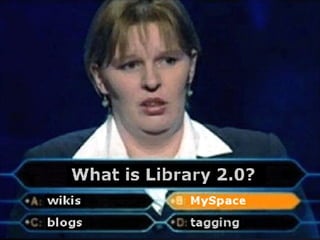
Library 2.0 “...a loosely defined model for a modernized form of library service that reflects a transition within the library world in the way that services are delivered to users.  This includes online services such as the use of OPAC systems and an increased flow of information from the user back to the library.” Wikipedia article for “ Library 2.0 ”
Library 2.0 Use of “2.0” technologies (blogs, wikis, RSS feeds, etc) Actively involve users in service developments User centric developments & initiatives Delivering services directly to users Libraries without walls (“ The Third Place ”) The “Read/Write Library”
Library 2.0 Challenges us to: be more flexible embrace change be more willing to take risks give library staff the opportunity to play and experiment go to where our users are, rather than force them to come to us give our users opportunities to contribute
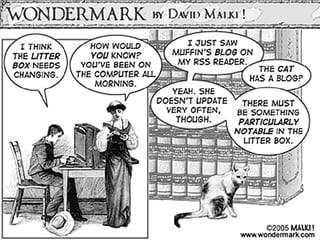
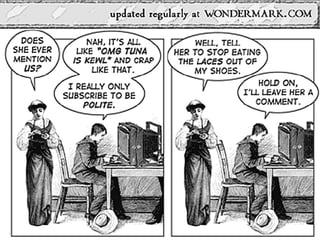
Blogs and blogging A blog (a portmanteau of “web log”) is a website where entries are written in chronological order and commonly displayed in reverse chronological order. “Blog” can also be used as a verb, meaning to maintain or add content to a blog. Wikipedia
Blogs types and libraries Institution blogs usually formal usually publicity and news Personal blogs (librarians & library staff) around 25% blog anonymously online diary community and topical discussion advocacy personal development
Library blogs University of Glamorgan, LRC Blog New York Institute of Technology Library Blog Ann Arbor District Library Ohio University Libraries News Cambridge Libraries Blog (Canada) Thomas Ford Memorial Library Delany  Library News University of Worcester ILS Matters
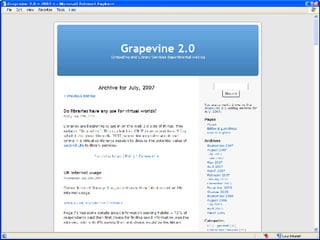
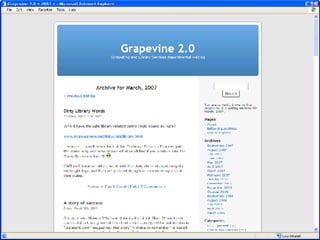
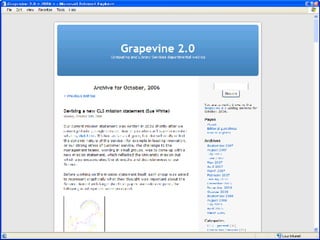
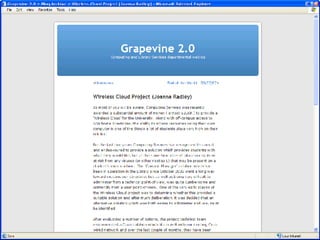
Internal library blogs BarnardRefDesk Bibliographic Services, McMaster University Libraries Grapevine, University of Huddersfield


Library staff blogs Moira Bent, Moira's Info Lit Blog David  Bigwood ,  Catalogablog Tom Roper's Weblog Metalibrarian David Lee King Annoyed Librarian Peter Godwin Jane Secker Pete Smith, Library Too
Blogs
 
 
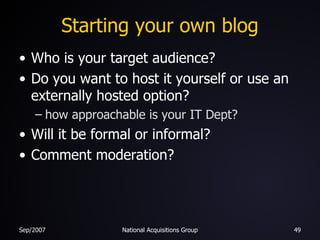
Starting your own blog Who is your target audience? Do you want to host it yourself or use an externally hosted option? how approachable is your IT Dept? Will it be formal or informal? Comment moderation?
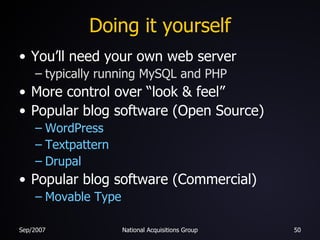
Doing it yourself You’ll need your own web server typically running MySQL and PHP More control over “look & feel” Popular blog software (Open Source) WordPress Textpattern Drupal Popular blog software (Commercial) Movable Type
Externally hosted options Usually free, although there might be adverts Less control over “look & feel” WordPress LiveJournal MySpace TypePad Blogger
Finding blogs Look at the blogrolls on your fave blogs General blog search engines… Technorati Google Blog Search … or just Library blogs… LibWorm LISZEN HotStuff  (Huddersfield)
Micro-blogging Micro-blogging is a form of blogging that allows users to write brief text updates (usually less than 200 characters) and publish them … These messages can be submitted by a variety of means, including text messaging, instant messaging, email, MP3 or the web. Wikipedia
Micro-blogging Twitter: Casa Grande Library Nebraska Library Commission, reference questions University of Illinois, UGL alerts “ A Guide to Twitter in Libraries ” “ Twitter  Explained for Librarians, or 10 ways to use Twitter ”
RSS feeds
RSS feeds RSS is a family of Web feed formats used to publish frequently updated content such as blog entries, news headlines or podcasts … RSS makes it possible for people to keep up with their favourite web sites in an automated manner that's easier than checking them manually. Wikipedia
RSS feeds Keep up with what’s new! RSS feeds are designed to be read by a computer rather than by a human e.g. RSS aggregator software Many websites can also display RSS feeds Bloglines iGoogle  and  Google Reader MyYahoo
Some general RSS feeds BBC News Met Office BBC Weather Centre Radio 4, Today National Library for Health Highways Agency 10 Downing Street UK National Newspaper RSS Feeds
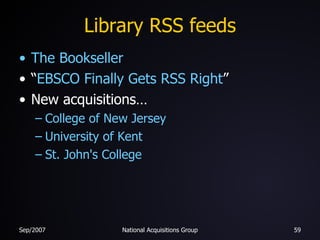
Library RSS feeds The Bookseller “ EBSCO Finally Gets RSS Right ” New acquisitions… College of New Jersey University of Kent St. John's College
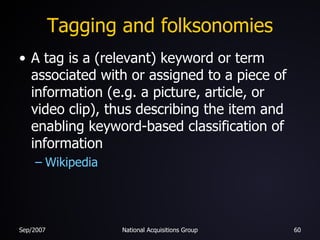
Tagging and folksonomies A tag is a (relevant) keyword or term associated with or assigned to a piece of information (e.g. a picture, article, or video clip), thus describing the item and enabling keyword-based classification of information Wikipedia
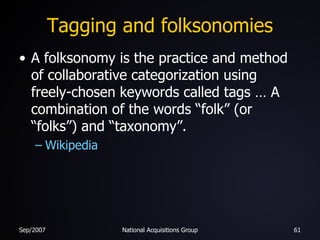
Tagging and folksonomies A folksonomy is the practice and method of collaborative categorization using freely-chosen keywords called tags … A combination of the words “folk” (or “folks”) and “taxonomy”. Wikipedia
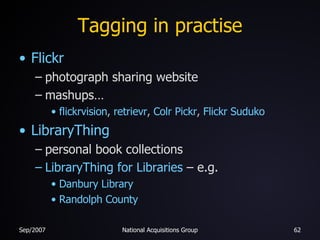
Tagging in practise Flickr photograph sharing website mashups… flickrvision ,  retrievr ,  Colr   Pickr ,  Flickr   Suduko LibraryThing personal book collections LibraryThing for Libraries  – e.g. Danbury Library Randolph County
Web services and mashups FRBR services: OCLC xISBN LibraryThing thingISBN Amazon Amazon Web Services  (reviews, covers, etc) Example mashups: Harry Potter  (xISBN + Amazon) amaztype  (Amazon) dartmaps  (Google Maps)
Wikis A wiki is a collaborative website which can be directly edited by anyone with access to it ... A wiki is essentially a database for creating, browsing and searching information. Wikipedia
Library wikis University of Connecticut Libraries' Staff Stevens County Rural Library District Huddersfield, Electronic Resources Huddersfield, Info Desk University of South Carolina Aiken Library Ohio University Libraries Biz Wiki Library Success: A Best Practices Wiki
Setting up a wiki Hosting it yourself MediaWiki  (PHP + MySQL) TWiki  (Perl) PmWiki  (PHP)
Setting up a wiki Externally hosted usually with adverts pbwiki Wikispaces Even more options at… WikiMatrix
Social networking Communities of common interest hobbies, work, organisations, music, etc Users… create profiles  add friends join groups discover new “stuff”
Social networking Facebook library20.ning.com MySpace
Social bookmarking Social bookmarking is a way for internet users to store, classify, share and search Internet bookmarks.  Other users with similar interests can view the links by topic, category, tags, or even randomly. Wikipedia
Social bookmarking del.icio.us Connotea
Thank you!  Any questions?

NAG2007

  • 1.
    Web 2.0 It'sOkay to Play! Dave Pattern, Library Systems Manager University of Huddersfield [email_address]
  • 2.
    Workshop menu Web2.0 & Library 2.0 Blogs RSS feeds Tagging, folksonomies and mashups LibraryThing and Flickr Wikis Social networking Facebook and ning.com Social bookmarking
  • 3.
  • 4.
    Question time! Doyou regularly use a mobile phone? http://www.flickr.com/photos/ari/362924278/
  • 5.
    Question time! doU snd txt msgz? http://www.flickr.com/photos/jessicamills/231072148/
  • 6.
    Question time! Dohave broadband internet access at home? http://www.flickr.com/photos/jacksonlee/6222523/
  • 7.
    Question time! Doyou have wireless internet access at home? http://www.flickr.com/photos/travelinlibrarian/113353477/
  • 8.
    Question time! Doyou regularly use your home PC or laptop for more than an hour each evening? http://www.flickr.com/photos/richardholden/340601444/
  • 9.
    Question time! Doyou regularly use your home PC or laptop for 2 or 3 hours an evening? http://www.flickr.com/photos/aaronjacobs/64368770/
  • 10.
    Question time! Dohave your own weblog / blog? http:// www.blogger.com
  • 11.
    Question time! Doyou regularly read other peoples weblogs and/or contribute to other weblogs? http://orweblog.oclc.org/archives/001325.html
  • 12.
    Question time! Doyou use Wikipedia? http://www.flickr.com/photos/jessicamills/231072148/
  • 13.
    Question time! Haveyou ever edited a page on Wikipedia? http://www.flickr.com/photos/jessicamills/231072148/
  • 14.
    Question time! Doyou regularly use instant messaging or online chat? e.g. AIM, Yahoo! Messenger, MSN, gTalk, Jabber, ICQ, Meebo, etc http://imagine-msn.com/messenger/launch/en-GB/
  • 15.
    Question time! Doyou use VOIP? e.g. Skype http://www.skype.com
  • 16.
    Question time! Doyou have a games console at home? http://www.flickr.com/photos/jstar/336785888/
  • 17.
    Question time! Doyou play games online and/or visit virtual worlds e.g. World of Warcraft, Second Life, etc? http://www.flickr.com/photos/christajoy42/354580876/
  • 18.
    Question time! Doyou have your own MP3 player? http://www.flickr.com/photos/nez/268673268/
  • 19.
  • 20.
  • 21.
    Web 1.0 Slowaccess speeds (e.g. dial-up modem) Limited availability Static web pages Little interactivity Mostly text …lots and lots of text …on a grey background! Web sites that would only work with one type of web browser The “Read Only Web”
  • 22.
    Web 2.0 Fastaccess speeds (e.g. broadband) Wide availability (e.g. wireless) Dynamic web pages High interactivity Lots of multimedia Web sites that work on many devices (e.g. PCs, mobile phones, etc) The “Read/Write Web”
  • 23.
  • 24.
    Some Web 2.0concepts Applications delivered via a web browser Exploiting and (sometimes freely) sharing data User participation, empowerment, and collaboration Social networking Communities of interest Tagging and folksonomies Mashups and other unintended uses
  • 25.
    Two Point “Oh”Evolutionary rather than revolutionary
  • 26.
  • 27.
    Some facts andfigures nearly 1 billion images on Flickr 200+ million MySpace accounts 163+ million edits on Wikipedia 70+ million weblogs tracked by Technorati 34+ million Facebook accounts 16+ million books on LibraryThing 5+ million editors on Wikipedia 2 million Wikipedia articles
  • 28.
  • 29.
  • 30.
    So, who’s doingall this stuff?
  • 31.
    University of IllinoisSurvey (2006) “College Students' Internet Uses” 1,300 respondents 91% get information for school work online 83% access the Internet several times a day 78% use Facebook and 51% use MySpace 38% use Wikipedia 33% create content for blogs / web journals 1.7% don’t know what a search engine is 0.2% don’t know what instant messaging is http://results.webuse.org/uic06/
  • 32.
    US Internet UserDemographics Survey of 2,373 US adults (Dec 2006) 70% of adults use the internet 83% of 18-29 year olds 82% of 30-40 year olds 70% of 50-64 year olds 33% of 65+ year olds http://www.pewinternet.org/trends/User_Demo_1.11.07.htm
  • 33.
  • 34.
    Library 2.0 “...aloosely defined model for a modernized form of library service that reflects a transition within the library world in the way that services are delivered to users. This includes online services such as the use of OPAC systems and an increased flow of information from the user back to the library.” Wikipedia article for “ Library 2.0 ”
  • 35.
    Library 2.0 Useof “2.0” technologies (blogs, wikis, RSS feeds, etc) Actively involve users in service developments User centric developments & initiatives Delivering services directly to users Libraries without walls (“ The Third Place ”) The “Read/Write Library”
  • 36.
    Library 2.0 Challengesus to: be more flexible embrace change be more willing to take risks give library staff the opportunity to play and experiment go to where our users are, rather than force them to come to us give our users opportunities to contribute
  • 37.
    Blogs and bloggingA blog (a portmanteau of “web log”) is a website where entries are written in chronological order and commonly displayed in reverse chronological order. “Blog” can also be used as a verb, meaning to maintain or add content to a blog. Wikipedia
  • 38.
    Blogs types andlibraries Institution blogs usually formal usually publicity and news Personal blogs (librarians & library staff) around 25% blog anonymously online diary community and topical discussion advocacy personal development
  • 39.
    Library blogs Universityof Glamorgan, LRC Blog New York Institute of Technology Library Blog Ann Arbor District Library Ohio University Libraries News Cambridge Libraries Blog (Canada) Thomas Ford Memorial Library Delany Library News University of Worcester ILS Matters
  • 40.
    Internal library blogsBarnardRefDesk Bibliographic Services, McMaster University Libraries Grapevine, University of Huddersfield
  • 41.
  • 42.
  • 43.
  • 44.
  • 45.
    Library staff blogsMoira Bent, Moira's Info Lit Blog David Bigwood , Catalogablog Tom Roper's Weblog Metalibrarian David Lee King Annoyed Librarian Peter Godwin Jane Secker Pete Smith, Library Too
  • 46.
  • 47.
  • 48.
  • 49.
    Starting your ownblog Who is your target audience? Do you want to host it yourself or use an externally hosted option? how approachable is your IT Dept? Will it be formal or informal? Comment moderation?
  • 50.
    Doing it yourselfYou’ll need your own web server typically running MySQL and PHP More control over “look & feel” Popular blog software (Open Source) WordPress Textpattern Drupal Popular blog software (Commercial) Movable Type
  • 51.
    Externally hosted optionsUsually free, although there might be adverts Less control over “look & feel” WordPress LiveJournal MySpace TypePad Blogger
  • 52.
    Finding blogs Lookat the blogrolls on your fave blogs General blog search engines… Technorati Google Blog Search … or just Library blogs… LibWorm LISZEN HotStuff (Huddersfield)
  • 53.
    Micro-blogging Micro-blogging isa form of blogging that allows users to write brief text updates (usually less than 200 characters) and publish them … These messages can be submitted by a variety of means, including text messaging, instant messaging, email, MP3 or the web. Wikipedia
  • 54.
    Micro-blogging Twitter: CasaGrande Library Nebraska Library Commission, reference questions University of Illinois, UGL alerts “ A Guide to Twitter in Libraries ” “ Twitter Explained for Librarians, or 10 ways to use Twitter ”
  • 55.
  • 56.
    RSS feeds RSSis a family of Web feed formats used to publish frequently updated content such as blog entries, news headlines or podcasts … RSS makes it possible for people to keep up with their favourite web sites in an automated manner that's easier than checking them manually. Wikipedia
  • 57.
    RSS feeds Keepup with what’s new! RSS feeds are designed to be read by a computer rather than by a human e.g. RSS aggregator software Many websites can also display RSS feeds Bloglines iGoogle and Google Reader MyYahoo
  • 58.
    Some general RSSfeeds BBC News Met Office BBC Weather Centre Radio 4, Today National Library for Health Highways Agency 10 Downing Street UK National Newspaper RSS Feeds
  • 59.
    Library RSS feedsThe Bookseller “ EBSCO Finally Gets RSS Right ” New acquisitions… College of New Jersey University of Kent St. John's College
  • 60.
    Tagging and folksonomiesA tag is a (relevant) keyword or term associated with or assigned to a piece of information (e.g. a picture, article, or video clip), thus describing the item and enabling keyword-based classification of information Wikipedia
  • 61.
    Tagging and folksonomiesA folksonomy is the practice and method of collaborative categorization using freely-chosen keywords called tags … A combination of the words “folk” (or “folks”) and “taxonomy”. Wikipedia
  • 62.
    Tagging in practiseFlickr photograph sharing website mashups… flickrvision , retrievr , Colr Pickr , Flickr Suduko LibraryThing personal book collections LibraryThing for Libraries – e.g. Danbury Library Randolph County
  • 63.
    Web services andmashups FRBR services: OCLC xISBN LibraryThing thingISBN Amazon Amazon Web Services (reviews, covers, etc) Example mashups: Harry Potter (xISBN + Amazon) amaztype (Amazon) dartmaps (Google Maps)
  • 64.
    Wikis A wikiis a collaborative website which can be directly edited by anyone with access to it ... A wiki is essentially a database for creating, browsing and searching information. Wikipedia
  • 65.
    Library wikis Universityof Connecticut Libraries' Staff Stevens County Rural Library District Huddersfield, Electronic Resources Huddersfield, Info Desk University of South Carolina Aiken Library Ohio University Libraries Biz Wiki Library Success: A Best Practices Wiki
  • 66.
    Setting up awiki Hosting it yourself MediaWiki (PHP + MySQL) TWiki (Perl) PmWiki (PHP)
  • 67.
    Setting up awiki Externally hosted usually with adverts pbwiki Wikispaces Even more options at… WikiMatrix
  • 68.
    Social networking Communitiesof common interest hobbies, work, organisations, music, etc Users… create profiles add friends join groups discover new “stuff”
  • 69.
    Social networking Facebooklibrary20.ning.com MySpace
  • 70.
    Social bookmarking Socialbookmarking is a way for internet users to store, classify, share and search Internet bookmarks. Other users with similar interests can view the links by topic, category, tags, or even randomly. Wikipedia
  • 71.
  • 72.
    Thank you! Any questions?