IT Innovation – Web 2.0 Library and Information Service Staff Conference Innovation and Improvement Briefing 4
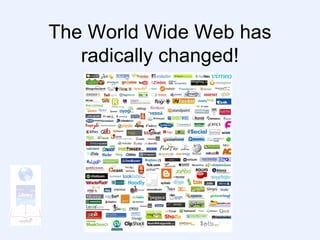
The World Wide Web has radically changed!
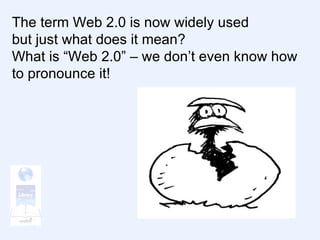
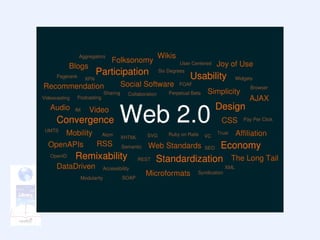
The term Web 2.0 is now widely used but just what does it mean? What is “Web 2.0” – we don’t even know how to pronounce it!
Even Sir Tim Berners-Lee, who invented the Web, said: “…I think Web 2.0 is…a piece of jargon, nobody even knows what it means.”
Web 2.0 is not an application, it is a state of mind. “an attitude, not a technology”  - Ian Davis Three characteristics of Web 2.0 “Rich user interface” It’s attractive, not bland   “The Web as a platform” You can do things on it “Users add value” It’s interactive
Web 2.0 Includes but is not limited to: Blogs Wikis (? Including Engage) RSS / Newsreaders Tags & Social  Bookmarking Social networks Podcasts Video Blogs Video Sharing (Get it loud) Photo Sharing (Flickr, Slideshare) IM / Twitter Mashups
Blogs Short for “web log” it’s an online diary that users can read content arranged in reverse date order Air your views List new events Talk to users and colleagues Comments can be controlled Other web 2.0 facets can be embedded or included
Blog software can be locally or remotely hosted
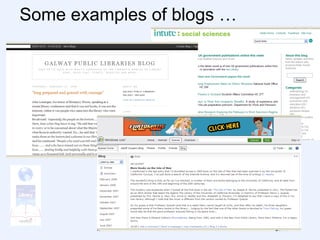
Some examples of blogs …
Wikis  A Hawaiian word meaning “quick”  (“the wiki wiki web”) A searchable knowledgebase Collaborative – users can edit it Shared – less bulk email!
Software can be locally or remotely hosted…
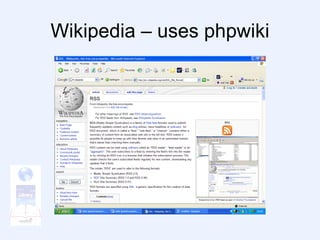
Wikipedia – uses phpwiki
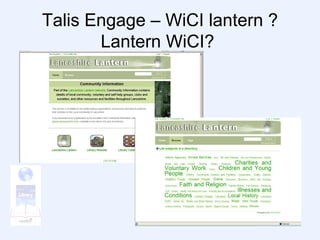
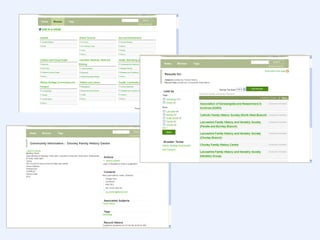
Talis Engage – WiCI lantern ? Lantern WiCI?
 
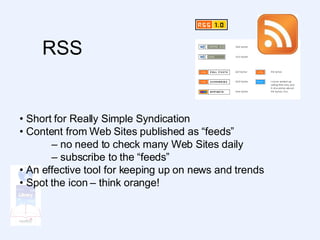
RSS  •  Short for Really Simple Syndication •  Content from Web Sites published as “feeds” –  no need to check many Web Sites daily –  subscribe to the “feeds” •  An effective tool for keeping up on news and trends •  Spot the icon – think orange!
Newsreaders Need a Newsreader for RSS feeds (RSS Reader, Feed Reader or Aggregator) A type of customisable newspaper pulls content from a variety of sources into one place
Social bookmarking (tags) Access your bookmarks from anywhere with an Internet connection Not tied to Internet Explorer Favorites, Firefox Bookmarks, or other browsers Stop “Folder” mentality Categorise sites using TAGS Tags are a way to label data with your own words or popular words others have used Share them with others
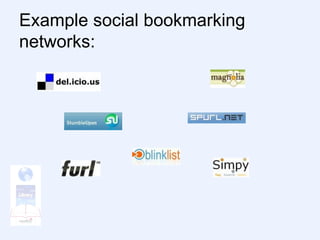
Example social bookmarking networks:
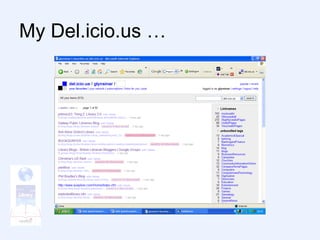
My Del.icio.us …
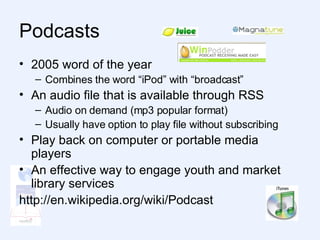
Podcasts  2005 word of the year Combines the word “iPod” with “broadcast” An audio file that is available through RSS Audio on demand (mp3 popular format) Usually have option to play file without subscribing Play back on computer or portable media players An effective way to engage youth and market library services http://en.wikipedia.org/wiki/Podcast
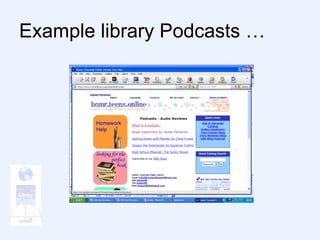
Example library Podcasts …
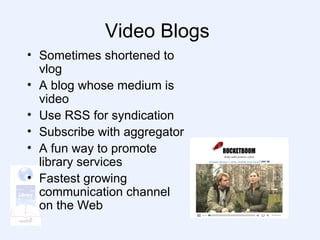
Video Blogs  Sometimes shortened to vlog A blog whose medium is video Use RSS for syndication Subscribe with aggregator A fun way to promote library services Fastest growing communication channel on the Web
Video hosting services YouTube Vimeo DailyMotion blip.tv Google video Yahoo! Video
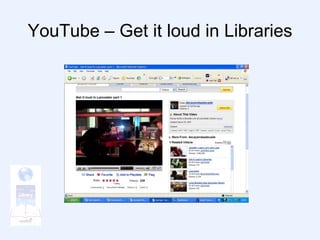
YouTube – Get it loud in Libraries
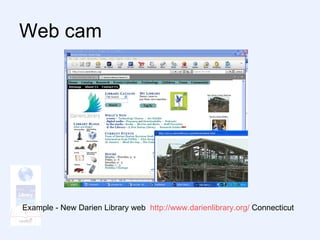
Web cam  Example - New Darien Library web  http:// www.darienlibrary.org /  Connecticut
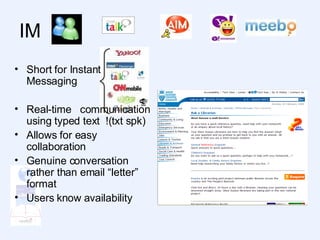
IM Short for Instant Messaging Real-time  communication using typed text  !(txt spk) Allows for easy collaboration Genuine conversation rather than email “letter” format Users know availability
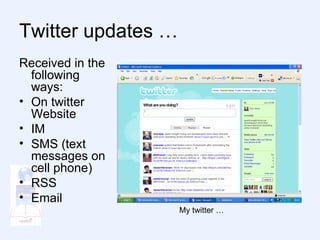
Twitter A form of IM The site states: “ Twitter is a service for friends, family, and co–workers to communicate and stay connected through the exchange of quick, frequent answers to one simple question: What are you doing? “ Micro-blogging
Twitter updates … Received in the following ways: On twitter Website IM SMS (text messages on cell phone) RSS Email My twitter …
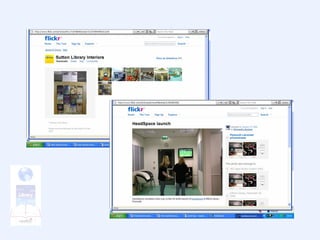
flickr  Photo-sharing site Online community One of earliest Web 2.0 applications Many bloggers use as a photo repository Allows photos to be tagged and browsed Hosts over 2 billion images
 
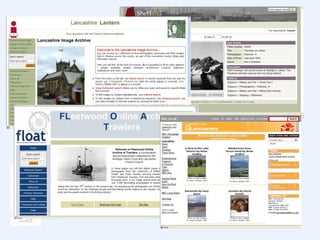
Photo sharing sites Many libraries are now using Web 2.0 photo sharing sites to host their images and allow users to submit their own photos of libraries, events, and contests In Lancashire we are exploring several image projects –  Lantern Image Archive (iBase) FLOAT (iBase) Your View of Lancashire (website)
 
Social Networking Services  Communities of people who share interests and activities Allow you to create a profile Picture Description Uses: Making “friends” – keeping in touch Making business contacts/networking Allow you to create groups Upload videos, pictures, etc.
Four biggest sites –  MySpace Facebook Bebo LinkedIn
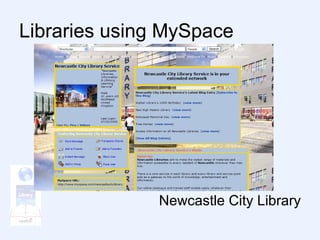
Libraries using MySpace Newcastle City Library
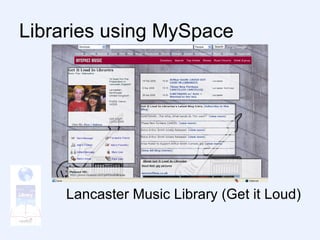
Libraries using MySpace Lancaster Music Library (Get it Loud)
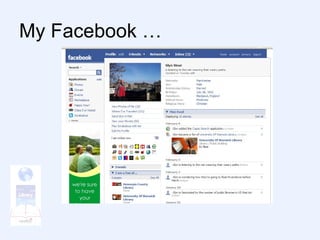
My Facebook …
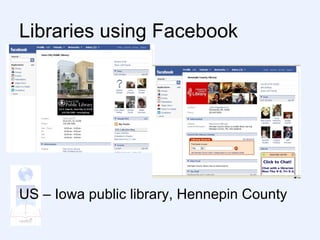
Libraries using Facebook US – Iowa public library, Hennepin County
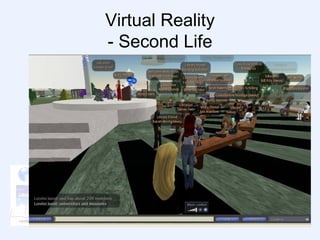
Virtual Reality - Second Life
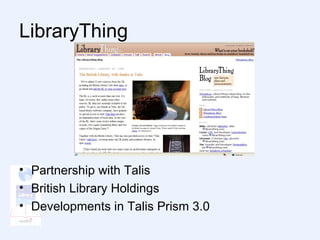
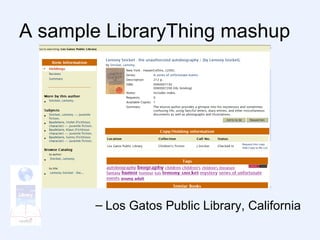
LibraryThing Partnership with Talis British Library Holdings Developments in Talis Prism 3.0
A sample LibraryThing mashup Los Gatos Public Library, California
An  interactive  library? Familiar: Programs Catalogues Websites Social Networking: Potential to connect these 3 pillars and take user interaction to a new dimension Challenge: Convincing the doubters
It’s Not Just MySpace!  Social web much richer than MySpace alone It represents a cultural shift towards: Expression Collaboration Interaction Internet users not satisfied with just reading Web pages They interact online with bank, shops, and (why not?) their library!
How Do We Get There? Education today is just the start Imagination Apply the social web to the library Interaction Make your library interactive Communication Get key people enthused to integrate social networking into existing library activities
Why do we need to do it? Some statistics … Over 66% of Britons use the Internet (www.internetworldstats.com) A higher percentage of UK population have broadband at home than in the US Over 85% of parents with teenagers use the Internet (www.pewinternet.org) There were 72,000,000 visitors to MySpace in October 2007 (http://www.techcrunch.com/2007/11/28/social- site-rankings-october-2007/)
Challenges to Web 2.0 Change of culture  affecting staff and users Time Access  through secure local authority network  Inward looking policy  (must we hold everything on OUR website?)
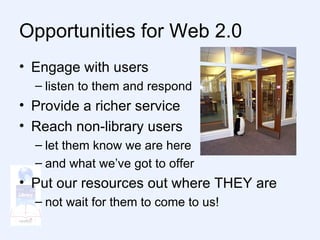
Opportunities for Web 2.0 Engage with users listen to them and respond Provide a richer service Reach non-library users let them know we are here and what we’ve got to offer Put our resources out where THEY are not wait for them to come to us!
 

It Innovation – Web 2 Point 0 Speed Briefing Web

  • 1.
    IT Innovation –Web 2.0 Library and Information Service Staff Conference Innovation and Improvement Briefing 4
  • 2.
    The World WideWeb has radically changed!
  • 3.
    The term Web2.0 is now widely used but just what does it mean? What is “Web 2.0” – we don’t even know how to pronounce it!
  • 4.
    Even Sir TimBerners-Lee, who invented the Web, said: “…I think Web 2.0 is…a piece of jargon, nobody even knows what it means.”
  • 5.
    Web 2.0 isnot an application, it is a state of mind. “an attitude, not a technology” - Ian Davis Three characteristics of Web 2.0 “Rich user interface” It’s attractive, not bland “The Web as a platform” You can do things on it “Users add value” It’s interactive
  • 6.
    Web 2.0 Includesbut is not limited to: Blogs Wikis (? Including Engage) RSS / Newsreaders Tags & Social Bookmarking Social networks Podcasts Video Blogs Video Sharing (Get it loud) Photo Sharing (Flickr, Slideshare) IM / Twitter Mashups
  • 7.
    Blogs Short for“web log” it’s an online diary that users can read content arranged in reverse date order Air your views List new events Talk to users and colleagues Comments can be controlled Other web 2.0 facets can be embedded or included
  • 8.
    Blog software canbe locally or remotely hosted
  • 9.
  • 10.
    Wikis AHawaiian word meaning “quick” (“the wiki wiki web”) A searchable knowledgebase Collaborative – users can edit it Shared – less bulk email!
  • 11.
    Software can belocally or remotely hosted…
  • 12.
  • 13.
    Talis Engage –WiCI lantern ? Lantern WiCI?
  • 14.
  • 15.
    RSS • Short for Really Simple Syndication • Content from Web Sites published as “feeds” – no need to check many Web Sites daily – subscribe to the “feeds” • An effective tool for keeping up on news and trends • Spot the icon – think orange!
  • 16.
    Newsreaders Need aNewsreader for RSS feeds (RSS Reader, Feed Reader or Aggregator) A type of customisable newspaper pulls content from a variety of sources into one place
  • 17.
    Social bookmarking (tags)Access your bookmarks from anywhere with an Internet connection Not tied to Internet Explorer Favorites, Firefox Bookmarks, or other browsers Stop “Folder” mentality Categorise sites using TAGS Tags are a way to label data with your own words or popular words others have used Share them with others
  • 18.
  • 19.
  • 20.
    Podcasts 2005word of the year Combines the word “iPod” with “broadcast” An audio file that is available through RSS Audio on demand (mp3 popular format) Usually have option to play file without subscribing Play back on computer or portable media players An effective way to engage youth and market library services http://en.wikipedia.org/wiki/Podcast
  • 21.
  • 22.
    Video Blogs Sometimes shortened to vlog A blog whose medium is video Use RSS for syndication Subscribe with aggregator A fun way to promote library services Fastest growing communication channel on the Web
  • 23.
    Video hosting servicesYouTube Vimeo DailyMotion blip.tv Google video Yahoo! Video
  • 24.
    YouTube – Getit loud in Libraries
  • 25.
    Web cam Example - New Darien Library web http:// www.darienlibrary.org / Connecticut
  • 26.
    IM Short forInstant Messaging Real-time communication using typed text !(txt spk) Allows for easy collaboration Genuine conversation rather than email “letter” format Users know availability
  • 27.
    Twitter A formof IM The site states: “ Twitter is a service for friends, family, and co–workers to communicate and stay connected through the exchange of quick, frequent answers to one simple question: What are you doing? “ Micro-blogging
  • 28.
    Twitter updates …Received in the following ways: On twitter Website IM SMS (text messages on cell phone) RSS Email My twitter …
  • 29.
    flickr Photo-sharingsite Online community One of earliest Web 2.0 applications Many bloggers use as a photo repository Allows photos to be tagged and browsed Hosts over 2 billion images
  • 30.
  • 31.
    Photo sharing sitesMany libraries are now using Web 2.0 photo sharing sites to host their images and allow users to submit their own photos of libraries, events, and contests In Lancashire we are exploring several image projects – Lantern Image Archive (iBase) FLOAT (iBase) Your View of Lancashire (website)
  • 32.
  • 33.
    Social Networking Services Communities of people who share interests and activities Allow you to create a profile Picture Description Uses: Making “friends” – keeping in touch Making business contacts/networking Allow you to create groups Upload videos, pictures, etc.
  • 34.
    Four biggest sites– MySpace Facebook Bebo LinkedIn
  • 35.
    Libraries using MySpaceNewcastle City Library
  • 36.
    Libraries using MySpaceLancaster Music Library (Get it Loud)
  • 37.
  • 38.
    Libraries using FacebookUS – Iowa public library, Hennepin County
  • 39.
    Virtual Reality -Second Life
  • 40.
    LibraryThing Partnership withTalis British Library Holdings Developments in Talis Prism 3.0
  • 41.
    A sample LibraryThingmashup Los Gatos Public Library, California
  • 42.
    An interactive library? Familiar: Programs Catalogues Websites Social Networking: Potential to connect these 3 pillars and take user interaction to a new dimension Challenge: Convincing the doubters
  • 43.
    It’s Not JustMySpace! Social web much richer than MySpace alone It represents a cultural shift towards: Expression Collaboration Interaction Internet users not satisfied with just reading Web pages They interact online with bank, shops, and (why not?) their library!
  • 44.
    How Do WeGet There? Education today is just the start Imagination Apply the social web to the library Interaction Make your library interactive Communication Get key people enthused to integrate social networking into existing library activities
  • 45.
    Why do weneed to do it? Some statistics … Over 66% of Britons use the Internet (www.internetworldstats.com) A higher percentage of UK population have broadband at home than in the US Over 85% of parents with teenagers use the Internet (www.pewinternet.org) There were 72,000,000 visitors to MySpace in October 2007 (http://www.techcrunch.com/2007/11/28/social- site-rankings-october-2007/)
  • 46.
    Challenges to Web2.0 Change of culture affecting staff and users Time Access through secure local authority network Inward looking policy (must we hold everything on OUR website?)
  • 47.
    Opportunities for Web2.0 Engage with users listen to them and respond Provide a richer service Reach non-library users let them know we are here and what we’ve got to offer Put our resources out where THEY are not wait for them to come to us!
  • 48.

Editor's Notes

  • #2 Library and Information Service Staff Conference Innovation and Improvement Briefing 4 – IT Innovation