Web 2.0 for libraries Wikis ,  Blogs ,  RSS  Photo sharing ,  Podcasts , Tagging,  Social bookmarking   Video sharing  virtual worlds
What is Web 2.0? The Social web Social networking Social software Shared resources User communities From desktop to web-based tools Personalised space A natural progression of the web? Applications for library?
Easy to use… Easy to upload content Easy to create (no HTML knowledge) Easy to share Easy to find – it finds you (RSS) Easy metadata (tagging) Easy to communicate … .easy!... for your learners at least!
You might know… Wikipedia Blogger Google Reader Flickr iTunes Librarything De.licio.us YouTube Teachertube Second Life
Wikis A website allowing Collaboration Editing Sharing Planning
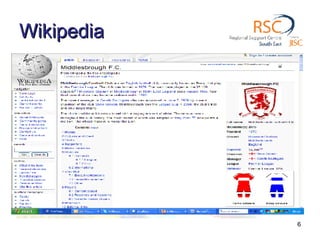
Wikipedia
Wikipedia vs Britannica  Typifies old vs new Rapid updates vs scheduled editions Many to many vs One to many Currency vs authority? Popular vs academic? Room for both sources, apply  info skills   Evaluate, question, compare
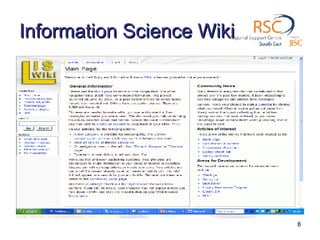
Information Science Wiki
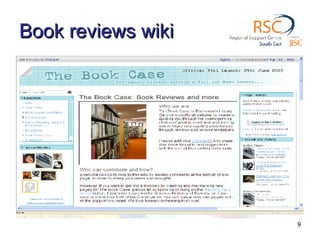
Book reviews wiki
Blogs Easy web-site creation – no HTML needed Online journal  Reflective comments Reader comments Closed or open to all Individual, organisational or themed?
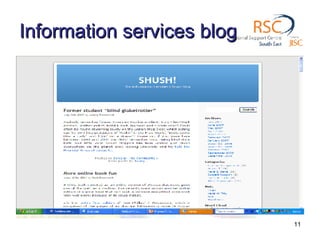
Information services blog
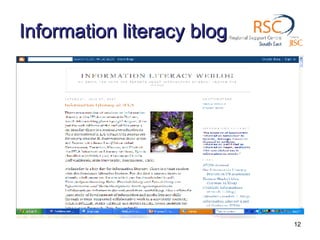
Information literacy blog
RSS Really simple syndication View new content from favourite websites Share new content from your website One click to headlines from  all  sites The info  comes to you –  via a reader Automatically updated
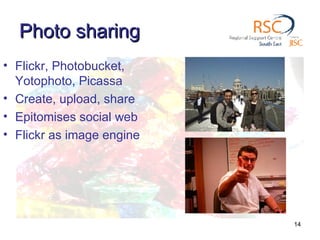
Photo sharing Flickr, Photobucket, Yotophoto, Picassa Create, upload, share Epitomises social web Flickr as image engine
Photosharing Web-based User comments Visual blog Uses include Library newbuild project Display Exhibition Library tour Subject collections
Build up your online album
Organising - Tagging Common to  all applications Allows for searching A basic metadata - folksonomy A basic repository of info / images etc Has limitations Sometimes only single words Inconsistencies, lacking standards
Podcasting Audio file + RSS = Podcast Video file + RSS + Vodcast Upload to iTunes Use for library tours Study Skills / Revision notes Presentations Self-paced
Social bookmarking Bring favourites list to the web Arrange by topic Share with users Easy reference and retrieval Embed into subject pages on VLE or blog Remember the tagging!
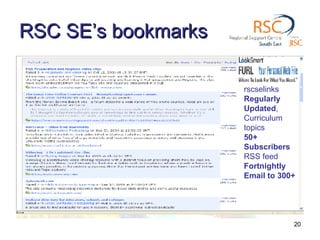
RSC SE’s bookmarks rscselinks Regularly  Updated , Curriculum  topics 50+  Subscribers RSS feed Fortnightly  Email to 300+
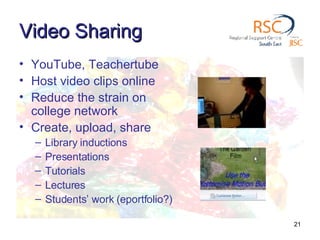
Video Sharing YouTube, Teachertube Host video clips online  Reduce the strain on college network Create, upload, share Library inductions Presentations Tutorials Lectures Students’ work (eportfolio?)
Social networks – more than my space The quest for the perfect e-Portfolio? Facebook, MySpace, Bebo, Ning Social networks tick many of the boxes Wraps up Blogs Portfolio work Wikis for collaboration Communication – with peers & tutors
It’s a Ning thing To contextualise the social web To wrap up the various tools To appreciate the environment students communicate through Please take a look at social networking Here’s one I prepared earlier http://library20.ning.com/group/rscselibrary (Free Membership required – see you there
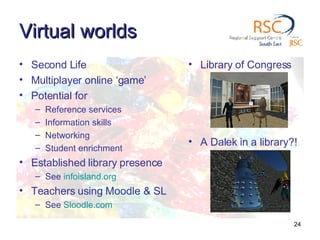
Virtual worlds Second Life Multiplayer online ‘game’ Potential for Reference services Information skills Networking Student enrichment Established library presence See  infoisland.org Teachers using Moodle & SL See  Sloodle.com Library of Congress A Dalek in a library?!
Drawbacks College firewalls Bandwidth issues for streaming media PC specifications Duty of care for young learners More educational focus Culture change Social network fatigue? Time!
But… Can share information very easily Engages with library users Attract stay away students Forward looking Can reinvigorate existing services Its  fun Forget the terminology – look at developing your services making use of appropriate tools Oh, and watch out for Web 3.0!
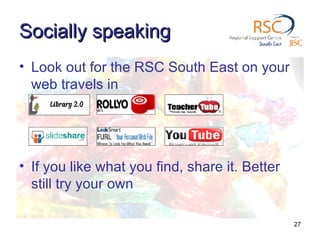
Socially speaking Look out for the RSC South East on your web travels in If you like what you find, share it. Better still try your own

Web 2.0 For Libraries

  • 1.
    Web 2.0 forlibraries Wikis , Blogs , RSS Photo sharing , Podcasts , Tagging, Social bookmarking Video sharing virtual worlds
  • 2.
    What is Web2.0? The Social web Social networking Social software Shared resources User communities From desktop to web-based tools Personalised space A natural progression of the web? Applications for library?
  • 3.
    Easy to use…Easy to upload content Easy to create (no HTML knowledge) Easy to share Easy to find – it finds you (RSS) Easy metadata (tagging) Easy to communicate … .easy!... for your learners at least!
  • 4.
    You might know…Wikipedia Blogger Google Reader Flickr iTunes Librarything De.licio.us YouTube Teachertube Second Life
  • 5.
    Wikis A websiteallowing Collaboration Editing Sharing Planning
  • 6.
  • 7.
    Wikipedia vs Britannica Typifies old vs new Rapid updates vs scheduled editions Many to many vs One to many Currency vs authority? Popular vs academic? Room for both sources, apply info skills Evaluate, question, compare
  • 8.
  • 9.
  • 10.
    Blogs Easy web-sitecreation – no HTML needed Online journal Reflective comments Reader comments Closed or open to all Individual, organisational or themed?
  • 11.
  • 12.
  • 13.
    RSS Really simplesyndication View new content from favourite websites Share new content from your website One click to headlines from all sites The info comes to you – via a reader Automatically updated
  • 14.
    Photo sharing Flickr,Photobucket, Yotophoto, Picassa Create, upload, share Epitomises social web Flickr as image engine
  • 15.
    Photosharing Web-based Usercomments Visual blog Uses include Library newbuild project Display Exhibition Library tour Subject collections
  • 16.
    Build up youronline album
  • 17.
    Organising - TaggingCommon to all applications Allows for searching A basic metadata - folksonomy A basic repository of info / images etc Has limitations Sometimes only single words Inconsistencies, lacking standards
  • 18.
    Podcasting Audio file+ RSS = Podcast Video file + RSS + Vodcast Upload to iTunes Use for library tours Study Skills / Revision notes Presentations Self-paced
  • 19.
    Social bookmarking Bringfavourites list to the web Arrange by topic Share with users Easy reference and retrieval Embed into subject pages on VLE or blog Remember the tagging!
  • 20.
    RSC SE’s bookmarksrscselinks Regularly Updated , Curriculum topics 50+ Subscribers RSS feed Fortnightly Email to 300+
  • 21.
    Video Sharing YouTube,Teachertube Host video clips online Reduce the strain on college network Create, upload, share Library inductions Presentations Tutorials Lectures Students’ work (eportfolio?)
  • 22.
    Social networks –more than my space The quest for the perfect e-Portfolio? Facebook, MySpace, Bebo, Ning Social networks tick many of the boxes Wraps up Blogs Portfolio work Wikis for collaboration Communication – with peers & tutors
  • 23.
    It’s a Ningthing To contextualise the social web To wrap up the various tools To appreciate the environment students communicate through Please take a look at social networking Here’s one I prepared earlier http://library20.ning.com/group/rscselibrary (Free Membership required – see you there
  • 24.
    Virtual worlds SecondLife Multiplayer online ‘game’ Potential for Reference services Information skills Networking Student enrichment Established library presence See infoisland.org Teachers using Moodle & SL See Sloodle.com Library of Congress A Dalek in a library?!
  • 25.
    Drawbacks College firewallsBandwidth issues for streaming media PC specifications Duty of care for young learners More educational focus Culture change Social network fatigue? Time!
  • 26.
    But… Can shareinformation very easily Engages with library users Attract stay away students Forward looking Can reinvigorate existing services Its fun Forget the terminology – look at developing your services making use of appropriate tools Oh, and watch out for Web 3.0!
  • 27.
    Socially speaking Lookout for the RSC South East on your web travels in If you like what you find, share it. Better still try your own