A 21st Student
Her name is Mariel Monzon, 18 years of
age. She finished her formal education in
San Francisco Elementary School and
continue it in Gov. Ferrer Memorial
National High School San Francisco Annex.
She is currently studying in Cavite State
University Don Severino de las Alas
Campus. Currently taking the degree in
Bachelor of Secondary Education Major in
English. She have decided to take this
course as to prove that we should not stay in
her comfort zone.
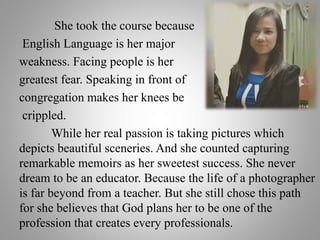
She took the course because
English Language is her major
weakness. Facing people is her
greatest fear. Speaking in front of
congregation makes her knees be
crippled.
While her real passion is taking pictures which
depicts beautiful sceneries. And she counted capturing
remarkable memoirs as her sweetest success. She never
dream to be an educator. Because the life of a photographer
is far beyond from a teacher. But she still chose this path
for she believes that God plans her to be one of the
profession that creates every professionals.
OUTLINE:
A. A 21st Learner
Introduction about the learner.
B. Educational Technology in a Nutshell
Sneak peak of the topics in Educational
Technology
C. Learning Through Edtech 1 and
Edtech 2
The trademark topics last semester
compare and contrast in the present
educational technology topics.
A. The Learner after Edtech
Concluding statement where you can be
motivated along your way of
encountering educational technology in
your learning process.
Educational Technology in a
Nutshell
Educational Technology Defined
Educational Technology is the effective use
of technological tools in learning. As a concept, it
concerns an array of tools, such as media, machines
and networking hardware, as well as considering
underlying theoretical perspectives for their effective
application.
It is most helpful to see useful models of school
learning that is ideal to achieving instructional goals
through preferred application of educational technology.
These are the models of Meaningful Learning,
Discovery learning, Generative Learning and
Constructivism.
I.T Enters a New Learning
Environment
The four conceptual models:
Meaningful learning this gives focus to new experience that is
related to what the learner already knows. A new experience
departs from the learning of a sequence of words or memorization
through rote memory but gives attention to meaning. Discovery
learning this kind of learning is differentiated from reception
learning in which ideas are presented directly to students in a well-
organized way, such as through a detailed set of instructions to
complete an experiment or task. Generative Learning we have
active learners who attend to learning events and generate drawing
from this experience and draw inferences thereby creating a
personal model or explanation to the new experience in the context
of existing knowledge. Constructivism the learner builds a
personal understanding through appropriate learning activities and
a good learning environment.
Computer as Information and
Communication Technology
The Personal Computer (PC) as ICT
Until the nineties, it was still possible to distinguish between
instructional media and the educational communication media.
Instructional media consist of audio-visual aids that served to
enhanced and enrich the teaching-learning process. Examples are the
blackboard, photo, film and video.
On the other hand, educational communication media
comprise the media of communication. For example, the distance
learning was implemented using correspondence, radio, television, or
the computer satellite system.
Close to the turn of the 21st century, however, such a
distinction merged owing to the advent of the microprocessor, also
known as the personal computer (PC). This is due to the fact that the
PC user at home, office and school has before him a tool for both
audio-visual creations and media communication.
Computer as a Tutor
The computer is one of the wonders of human ingenuity,
even in its original design in the 1950s to carry out
complicated mathematical and logical operations. With the
invention of the microcomputer ( now also commonly referred
to PCs or personal computers), the PC has become the tool for
programmed instruction. Educators saw much use of the PC.
It has become affordable to small business, industries and
homes. They saw its potential for individualization in learning,
especially as individualized learning is a problem since
teachers usually with a class of forty one or more learners.
They therefore devised strategies to use the computer to break
the barriers to individualized instruction.
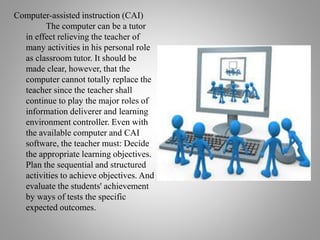
Computer-assisted instruction (CAI)
The computer can be a tutor
in effect relieving the teacher of
many activities in his personal role
as classroom tutor. It should be
made clear, however, that the
computer cannot totally replace the
teacher since the teacher shall
continue to play the major roles of
information deliverer and learning
environment controller. Even with
the available computer and CAI
software, the teacher must: Decide
the appropriate learning objectives.
Plan the sequential and structured
activities to achieve objectives. And
evaluate the students' achievement
by ways of tests the specific
expected outcomes.
SIMULATION PROGRAMS
Simulation software materials are another kind of
software that is constructivist in nature. These simulation
software:
• teaches strategies and rules applied to real-life
problems/situations.
• asks students to make decision on models or scenarios.
• allows students to manipulate elements of a model and get
the experience of the effects of their decisions.
An example of such software is SimCity in which
students are allowed to artificially manage a city given an
imaginary city environment. Decision-making involve such
factors as budget, crime, education, transportation, energy
resources, waste disposal, business/industries available.
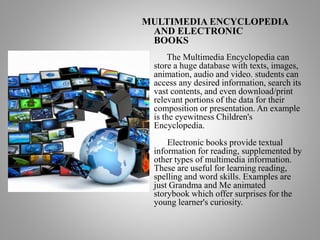
MULTIMEDIA ENCYCLOPEDIA
AND ELECTRONIC
BOOKS
The Multimedia Encyclopedia can
store a huge database with texts, images,
animation, audio and video. students can
access any desired information, search its
vast contents, and even download/print
relevant portions of the data for their
composition or presentation. An example
is the eyewitness Children's
Encyclopedia.
Electronic books provide textual
information for reading, supplemented by
other types of multimedia information.
These are useful for learning reading,
spelling and word skills. Examples are
just Grandma and Me animated
storybook which offer surprises for the
young learner's curiosity.
Computer as a Teachers Handy Tool
Aside from the fact that computer is a learners tutor,
computers can also be a teacher’s handy-tool. In connection, this
idea also support the constructivist and social constructivist
paradigms of learning. Constructivist stress to knowledge discovery
of new meaning/concepts/principles in the learning process,
introduced by Piaget (1981) and Bruner (1990). It engaged students
in gathering unorganized information from which they can induce
ideas and principles. On the other hand, Social constructivism show
that the construction of knowledge is governed by social, historical,
and cultural contexts. The concept of Social constructivist was
supported by a psychologist named Vygotsky who believed
that learning is supported by social influences. However, teachers
can employ the use computer as a tool in both learning theories as
an information, a communication tool, a constructive tool, as co-
constructive tool and a situating tool.
Computer as teacher handy-tool can be observe in
classroom setting wherein teachers incorporate the use of
computers in their way of delivering their lessons. Based on
my past knowledge, our teacher use computer as an
information tool. As I remember, most of my teacher provides
supplementary information through various forms such as
video, pictures, and graphics that help us understand the
concept and idea he/she is discussing. Another factor is
computer use as communication tool. Our teacher integrate the
use of accessing to global information resources in our class
discussion that offers additional and relevant information.
Learning Through Edtech 1 and Edtech
2
Audio- visual presentations could capture the attention
of various students depending on their interest. We have
discussed different principles in creating effective audio-
visual presentations during our Edtech 1. It couldn’t be
called as an effective and meaningful learning if we are
not engaged on it, therefore we also apply these principles
in making effective PowerPoint presentations.
Presentation software are useful when
organizing our daily lesson with a series
of text and graphics. It is often with the
integration and advent of audios and
videos to capture the interest of your
learners. The most popular one is
PowerPoint but you can also explore
many software like Prezi, Powtoon,
Keynote, Prezentit and Slide rocket.
In line with this, we must remember some things
when creating audio-visual presentations. Likewise of
abiding the Rule of Six. Each slides have a maximum
of six lines and each lines with six words. Ensure also
that the font size is a large enough to be seen by the
learners at the back. For the font size of Titles (36-40)
and for normal texts (32). Pictures speak a thousand
words. Add pictures and even video clips to enrich
your presentation. Information must follow the 3 C's:
Correct, Current, and Complete. Also the proper
citation must be observed.
However, the lesson in Edtech 2 that
stabbed in my heart is the "Information
Technology Enters a New Learning
Environment". In here, I realized that learning
will be meaningful if we will apply the new
trends of technology, especially when we
integrate IT in education. You will be consider
as an effective teacher if you best interact with
students through innovative learning activities
while integrating technology to the teaching
learning process.
• “It is important to remember that educational software,
like Textbooks is only one tool in the learning process.
Neither can be a substitute for well- trained teachers,
leaders and parental involvement.”
• Learning is always occurring, but not all are relevant to
the lives of the learner. And therefore, I am the teacher,
responsible in providing those significant things to be
learnt by my called probationer. With the use of
Information Technology as a tool for giving the
instruction, then the assurance of a successful classroom
application will be made possible as ever with the
cooperation of active students. These four conceptual
theories of learning gives us the idea and the realization
“It is important to remember that educational software,
like Textbooks is only one tool in the learning process.
Neither can be a substitute for well- trained teachers,
leaders and parental involvement.”
THE STUDENT AFTER
EDTCH
Learning is always occurring, but not all
are relevant to the lives of the learner. And
therefore, I am the teacher, responsible in
providing those significant things to be learnt
by my called probationer. With the use of
Information Technology as a tool for giving
the instruction, then the assurance of a
successful classroom application will be
made possible as ever with the cooperation
of active students. These four conceptual
theories of learning gives us the idea and the
realization that education ought to enhance
and develop a person’s skills and abilities by
making use of what has been presented in
understanding present situation, or in solving
a problem or explaining the relevance of
what has been previously learned and what
has been currently being learned.
Actually this does not mean that we will
stop memorizing or doing drill activities. But
these things not ought to be the way/method
to educate a student or introduce a concept to
be learned because in the first place only the
memory will be exercised with a drill, after
which, most of the times we forget and
cannot apply it. Integrating technology into
instruction is very helpful especially if it is
address to application of learners to their
different relevant experiences. Accordingly,
effective teacher’s best interact with students
in innovative learning activities, while
integrating technology to the teaching-
learning process. Learning’s seems to be
feckless if this cannot be applied by students
to their everyday life.
My portfolio

My portfolio

  • 2.
    A 21st Student Hername is Mariel Monzon, 18 years of age. She finished her formal education in San Francisco Elementary School and continue it in Gov. Ferrer Memorial National High School San Francisco Annex. She is currently studying in Cavite State University Don Severino de las Alas Campus. Currently taking the degree in Bachelor of Secondary Education Major in English. She have decided to take this course as to prove that we should not stay in her comfort zone.
  • 3.
    She took thecourse because English Language is her major weakness. Facing people is her greatest fear. Speaking in front of congregation makes her knees be crippled. While her real passion is taking pictures which depicts beautiful sceneries. And she counted capturing remarkable memoirs as her sweetest success. She never dream to be an educator. Because the life of a photographer is far beyond from a teacher. But she still chose this path for she believes that God plans her to be one of the profession that creates every professionals.
  • 4.
    OUTLINE: A. A 21stLearner Introduction about the learner. B. Educational Technology in a Nutshell Sneak peak of the topics in Educational Technology C. Learning Through Edtech 1 and Edtech 2 The trademark topics last semester compare and contrast in the present educational technology topics. A. The Learner after Edtech Concluding statement where you can be motivated along your way of encountering educational technology in your learning process.
  • 5.
    Educational Technology ina Nutshell Educational Technology Defined Educational Technology is the effective use of technological tools in learning. As a concept, it concerns an array of tools, such as media, machines and networking hardware, as well as considering underlying theoretical perspectives for their effective application.
  • 6.
    It is mosthelpful to see useful models of school learning that is ideal to achieving instructional goals through preferred application of educational technology. These are the models of Meaningful Learning, Discovery learning, Generative Learning and Constructivism. I.T Enters a New Learning Environment
  • 7.
    The four conceptualmodels: Meaningful learning this gives focus to new experience that is related to what the learner already knows. A new experience departs from the learning of a sequence of words or memorization through rote memory but gives attention to meaning. Discovery learning this kind of learning is differentiated from reception learning in which ideas are presented directly to students in a well- organized way, such as through a detailed set of instructions to complete an experiment or task. Generative Learning we have active learners who attend to learning events and generate drawing from this experience and draw inferences thereby creating a personal model or explanation to the new experience in the context of existing knowledge. Constructivism the learner builds a personal understanding through appropriate learning activities and a good learning environment.
  • 8.
    Computer as Informationand Communication Technology
  • 9.
    The Personal Computer(PC) as ICT Until the nineties, it was still possible to distinguish between instructional media and the educational communication media. Instructional media consist of audio-visual aids that served to enhanced and enrich the teaching-learning process. Examples are the blackboard, photo, film and video. On the other hand, educational communication media comprise the media of communication. For example, the distance learning was implemented using correspondence, radio, television, or the computer satellite system. Close to the turn of the 21st century, however, such a distinction merged owing to the advent of the microprocessor, also known as the personal computer (PC). This is due to the fact that the PC user at home, office and school has before him a tool for both audio-visual creations and media communication.
  • 10.
    Computer as aTutor The computer is one of the wonders of human ingenuity, even in its original design in the 1950s to carry out complicated mathematical and logical operations. With the invention of the microcomputer ( now also commonly referred to PCs or personal computers), the PC has become the tool for programmed instruction. Educators saw much use of the PC. It has become affordable to small business, industries and homes. They saw its potential for individualization in learning, especially as individualized learning is a problem since teachers usually with a class of forty one or more learners. They therefore devised strategies to use the computer to break the barriers to individualized instruction.
  • 11.
    Computer-assisted instruction (CAI) Thecomputer can be a tutor in effect relieving the teacher of many activities in his personal role as classroom tutor. It should be made clear, however, that the computer cannot totally replace the teacher since the teacher shall continue to play the major roles of information deliverer and learning environment controller. Even with the available computer and CAI software, the teacher must: Decide the appropriate learning objectives. Plan the sequential and structured activities to achieve objectives. And evaluate the students' achievement by ways of tests the specific expected outcomes.
  • 12.
    SIMULATION PROGRAMS Simulation softwarematerials are another kind of software that is constructivist in nature. These simulation software: • teaches strategies and rules applied to real-life problems/situations. • asks students to make decision on models or scenarios. • allows students to manipulate elements of a model and get the experience of the effects of their decisions. An example of such software is SimCity in which students are allowed to artificially manage a city given an imaginary city environment. Decision-making involve such factors as budget, crime, education, transportation, energy resources, waste disposal, business/industries available.
  • 13.
    MULTIMEDIA ENCYCLOPEDIA AND ELECTRONIC BOOKS TheMultimedia Encyclopedia can store a huge database with texts, images, animation, audio and video. students can access any desired information, search its vast contents, and even download/print relevant portions of the data for their composition or presentation. An example is the eyewitness Children's Encyclopedia. Electronic books provide textual information for reading, supplemented by other types of multimedia information. These are useful for learning reading, spelling and word skills. Examples are just Grandma and Me animated storybook which offer surprises for the young learner's curiosity.
  • 14.
    Computer as aTeachers Handy Tool Aside from the fact that computer is a learners tutor, computers can also be a teacher’s handy-tool. In connection, this idea also support the constructivist and social constructivist paradigms of learning. Constructivist stress to knowledge discovery of new meaning/concepts/principles in the learning process, introduced by Piaget (1981) and Bruner (1990). It engaged students in gathering unorganized information from which they can induce ideas and principles. On the other hand, Social constructivism show that the construction of knowledge is governed by social, historical, and cultural contexts. The concept of Social constructivist was supported by a psychologist named Vygotsky who believed that learning is supported by social influences. However, teachers can employ the use computer as a tool in both learning theories as an information, a communication tool, a constructive tool, as co- constructive tool and a situating tool.
  • 15.
    Computer as teacherhandy-tool can be observe in classroom setting wherein teachers incorporate the use of computers in their way of delivering their lessons. Based on my past knowledge, our teacher use computer as an information tool. As I remember, most of my teacher provides supplementary information through various forms such as video, pictures, and graphics that help us understand the concept and idea he/she is discussing. Another factor is computer use as communication tool. Our teacher integrate the use of accessing to global information resources in our class discussion that offers additional and relevant information.
  • 16.
    Learning Through Edtech1 and Edtech 2 Audio- visual presentations could capture the attention of various students depending on their interest. We have discussed different principles in creating effective audio- visual presentations during our Edtech 1. It couldn’t be called as an effective and meaningful learning if we are not engaged on it, therefore we also apply these principles in making effective PowerPoint presentations.
  • 17.
    Presentation software areuseful when organizing our daily lesson with a series of text and graphics. It is often with the integration and advent of audios and videos to capture the interest of your learners. The most popular one is PowerPoint but you can also explore many software like Prezi, Powtoon, Keynote, Prezentit and Slide rocket.
  • 18.
    In line withthis, we must remember some things when creating audio-visual presentations. Likewise of abiding the Rule of Six. Each slides have a maximum of six lines and each lines with six words. Ensure also that the font size is a large enough to be seen by the learners at the back. For the font size of Titles (36-40) and for normal texts (32). Pictures speak a thousand words. Add pictures and even video clips to enrich your presentation. Information must follow the 3 C's: Correct, Current, and Complete. Also the proper citation must be observed.
  • 19.
    However, the lessonin Edtech 2 that stabbed in my heart is the "Information Technology Enters a New Learning Environment". In here, I realized that learning will be meaningful if we will apply the new trends of technology, especially when we integrate IT in education. You will be consider as an effective teacher if you best interact with students through innovative learning activities while integrating technology to the teaching learning process.
  • 20.
    • “It isimportant to remember that educational software, like Textbooks is only one tool in the learning process. Neither can be a substitute for well- trained teachers, leaders and parental involvement.” • Learning is always occurring, but not all are relevant to the lives of the learner. And therefore, I am the teacher, responsible in providing those significant things to be learnt by my called probationer. With the use of Information Technology as a tool for giving the instruction, then the assurance of a successful classroom application will be made possible as ever with the cooperation of active students. These four conceptual theories of learning gives us the idea and the realization “It is important to remember that educational software, like Textbooks is only one tool in the learning process. Neither can be a substitute for well- trained teachers, leaders and parental involvement.” THE STUDENT AFTER EDTCH
  • 21.
    Learning is alwaysoccurring, but not all are relevant to the lives of the learner. And therefore, I am the teacher, responsible in providing those significant things to be learnt by my called probationer. With the use of Information Technology as a tool for giving the instruction, then the assurance of a successful classroom application will be made possible as ever with the cooperation of active students. These four conceptual theories of learning gives us the idea and the realization that education ought to enhance and develop a person’s skills and abilities by making use of what has been presented in understanding present situation, or in solving a problem or explaining the relevance of what has been previously learned and what has been currently being learned.
  • 22.
    Actually this doesnot mean that we will stop memorizing or doing drill activities. But these things not ought to be the way/method to educate a student or introduce a concept to be learned because in the first place only the memory will be exercised with a drill, after which, most of the times we forget and cannot apply it. Integrating technology into instruction is very helpful especially if it is address to application of learners to their different relevant experiences. Accordingly, effective teacher’s best interact with students in innovative learning activities, while integrating technology to the teaching- learning process. Learning’s seems to be feckless if this cannot be applied by students to their everyday life.