MOTHERBOARD
CONNECTORES
MIHTIN MATHEW
S5 CSE
CONNECTORS
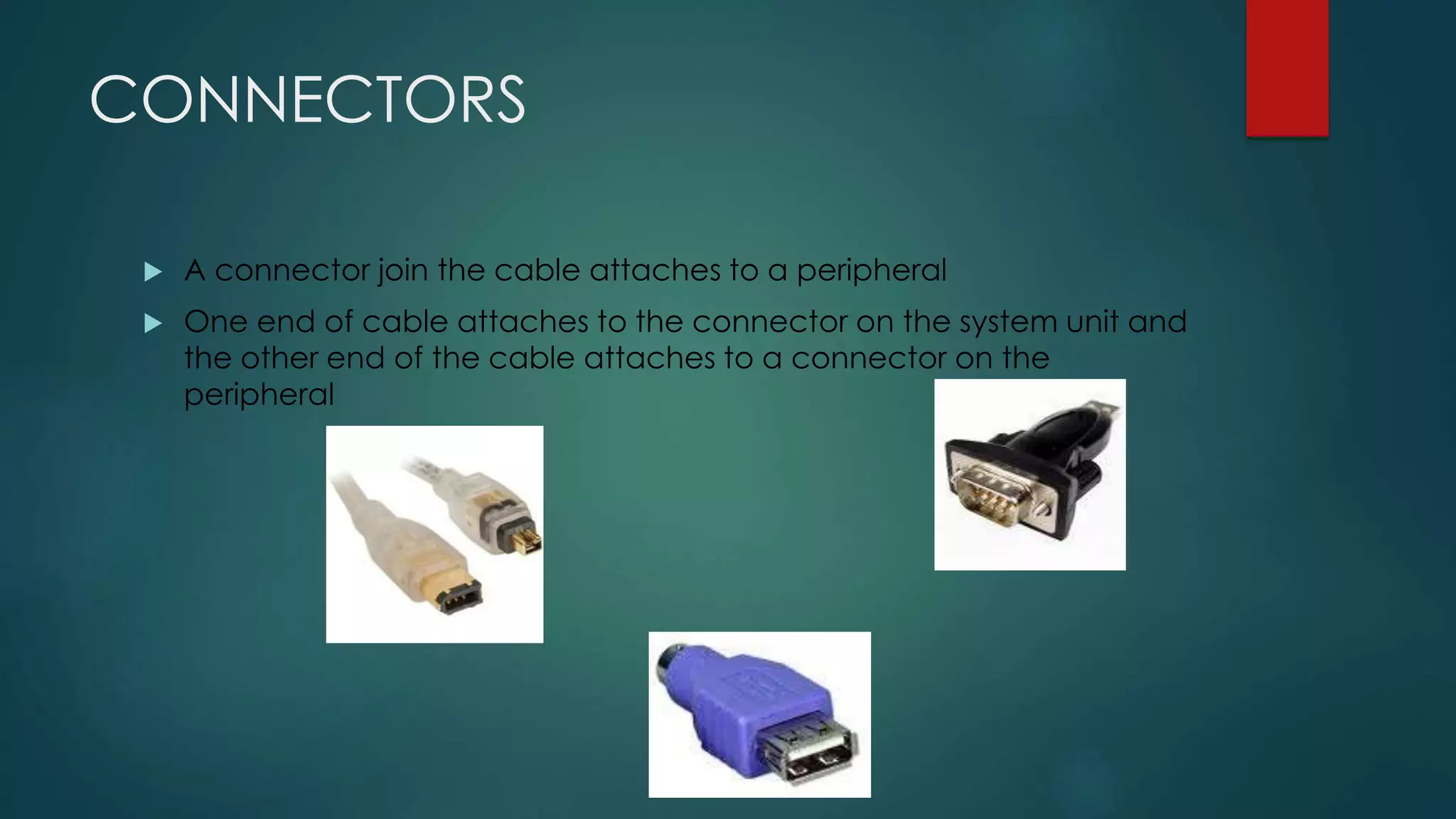
 A connector join the cable attaches to a peripheral
 One end of cable attaches to the connector on the system unit and
the other end of the cable attaches to a connector on the
peripheral
INTERNAL CONNECTORS
• Primary IDE HDD connector
• Secondary IDE HDD connector
• Floppy Drive Connector (FDD)
• USB (Universal Serial Bus)
EXTERNAL CONNECTORS
• Serial port connectors
• Parallel port connectors
• Keyboard connector
• Mouse connector
• Video Display connector
• Game / Midi Port connector
• Power connector
• Firewire connectors
• Telephone & Net connector
• USB connectors
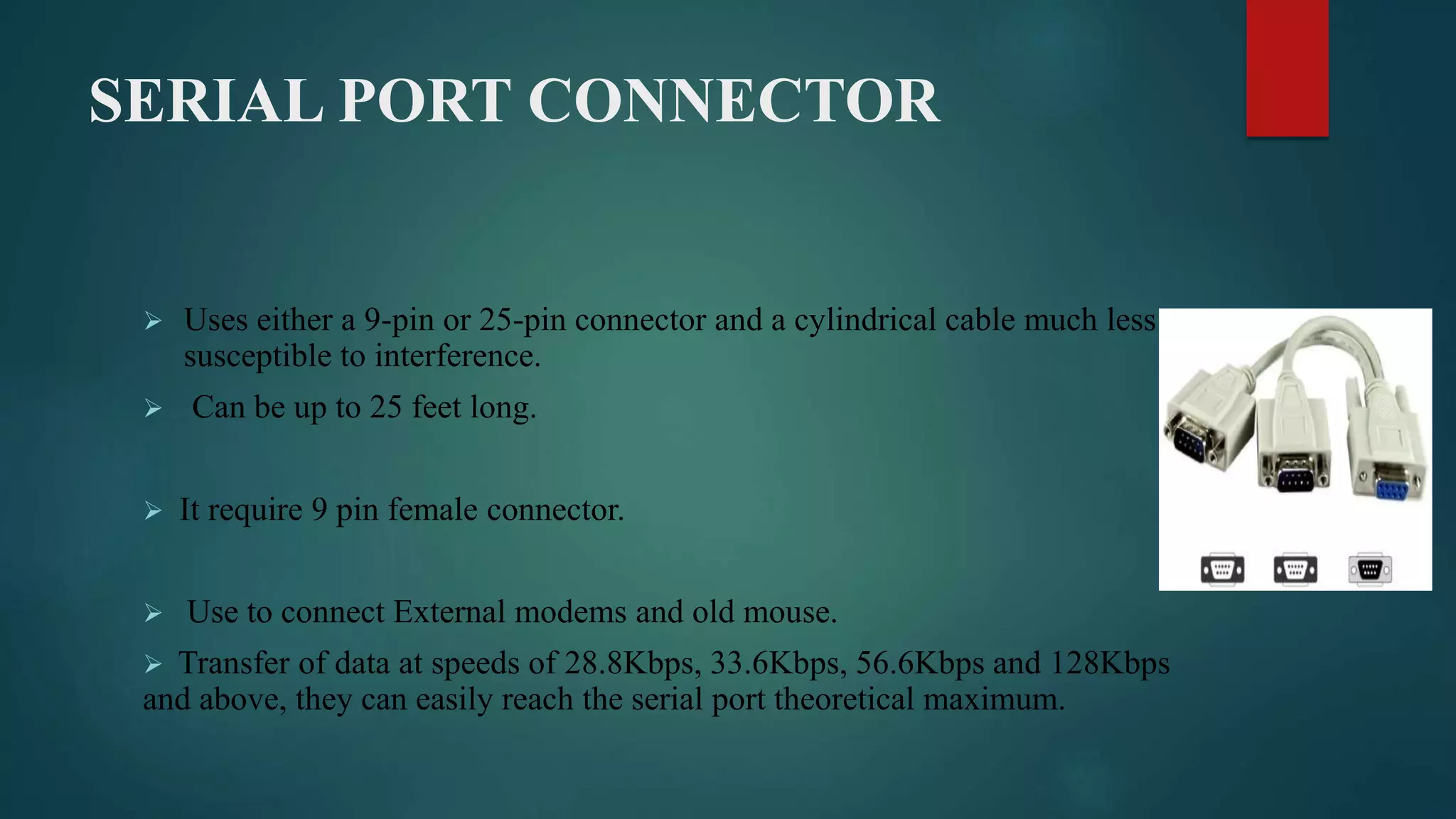
SERIAL PORT CONNECTOR
 Uses either a 9-pin or 25-pin connector and a cylindrical cable much less
susceptible to interference.
 Can be up to 25 feet long.
 It require 9 pin female connector.
 Use to connect External modems and old mouse.
 Transfer of data at speeds of 28.8Kbps, 33.6Kbps, 56.6Kbps and 128Kbps
and above, they can easily reach the serial port theoretical maximum.
Parallel Connectors
 Socket on computer used to connect a printer or other parallel
devices
 Transferring information more than one bit a time
 Developed as an alternative to the slower speed serial port
 Can transfer 8 bits of data (1 byte) simultaneously through 8
separate lines in a single cable
USB Connector
 Can connect up to 127 different peripherals together with a single
connector
 Transfers data to a speed of 12 megabits per second
 Replacing the serial and peripheral ports on a PC, at least 4 USB
ports are standard on every computer
ETHERNET
 Data width : 1 bit
 Data transfer rate : 10, 100, or 1000 Mbps
 Typical use : networked computers and printers
 peer to peer (so any node can initiate sending data) using Carrier
Sense Multiple Access with Collision Detection (CSMA/CD)
Cable with
an 8-wire
RJ45 plug
(male
connector)
on each end
RJ45
receptacle
(8-pin female
connector)
with its Ethernet
icon at the left
Type A plug (above) to a
host or hub, and a Type B
plug (below) to a device on
the ends of a typical
full - size - connector cable
Mini - A plug (left, white) to a
computer, and a Mini - B
plug (right, black) to a
device on the ends of a
typical mini - connector
cable
Male 9-pin D-shell
RS232C serial
connector on a PC
A male 25-pin
D - shell plug (left)
and a female 9-pin
D - shell connector
(right) on a cable
for RS232C serial
communication
between a PC and
EIDE
• EIDE : Enhanced Integrated Device
Electronics
• Data width : 16 bits
• Data transfer : 133 MBps
• Typical use : internal floppy or hard or optical
disk
An EIDE female connector
on a ribbon cable
SATA
• SATA : Serial Advanced Technology
Attachment
• Data width : 1 bit
• Data transfer rate : 150 MBps or 300 MBps
• Typical use : hard or optical disk
• The SATA serial port was designed to replace
the slower EIDE parallel port
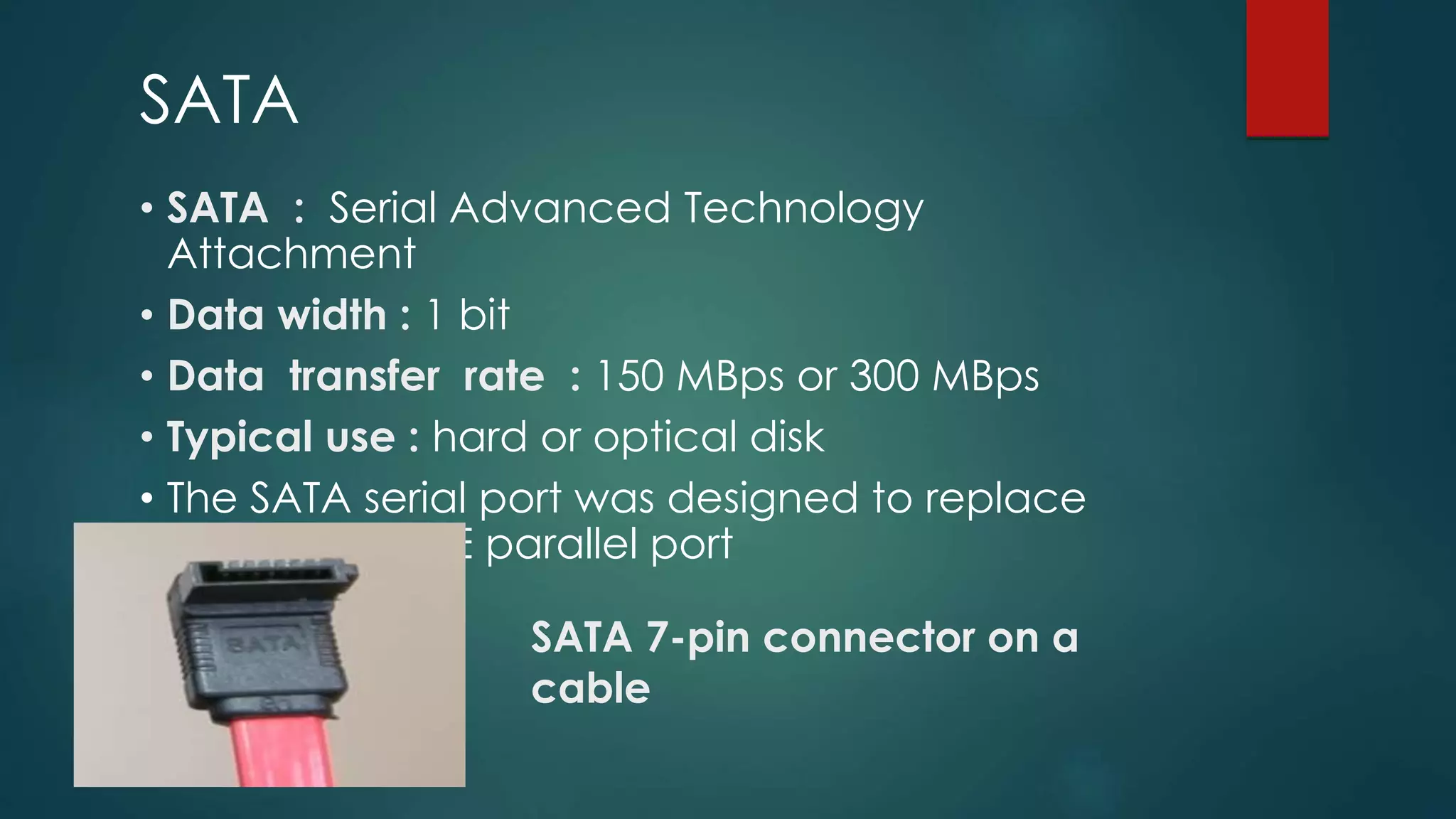
SATA 7-pin connector on a
cable
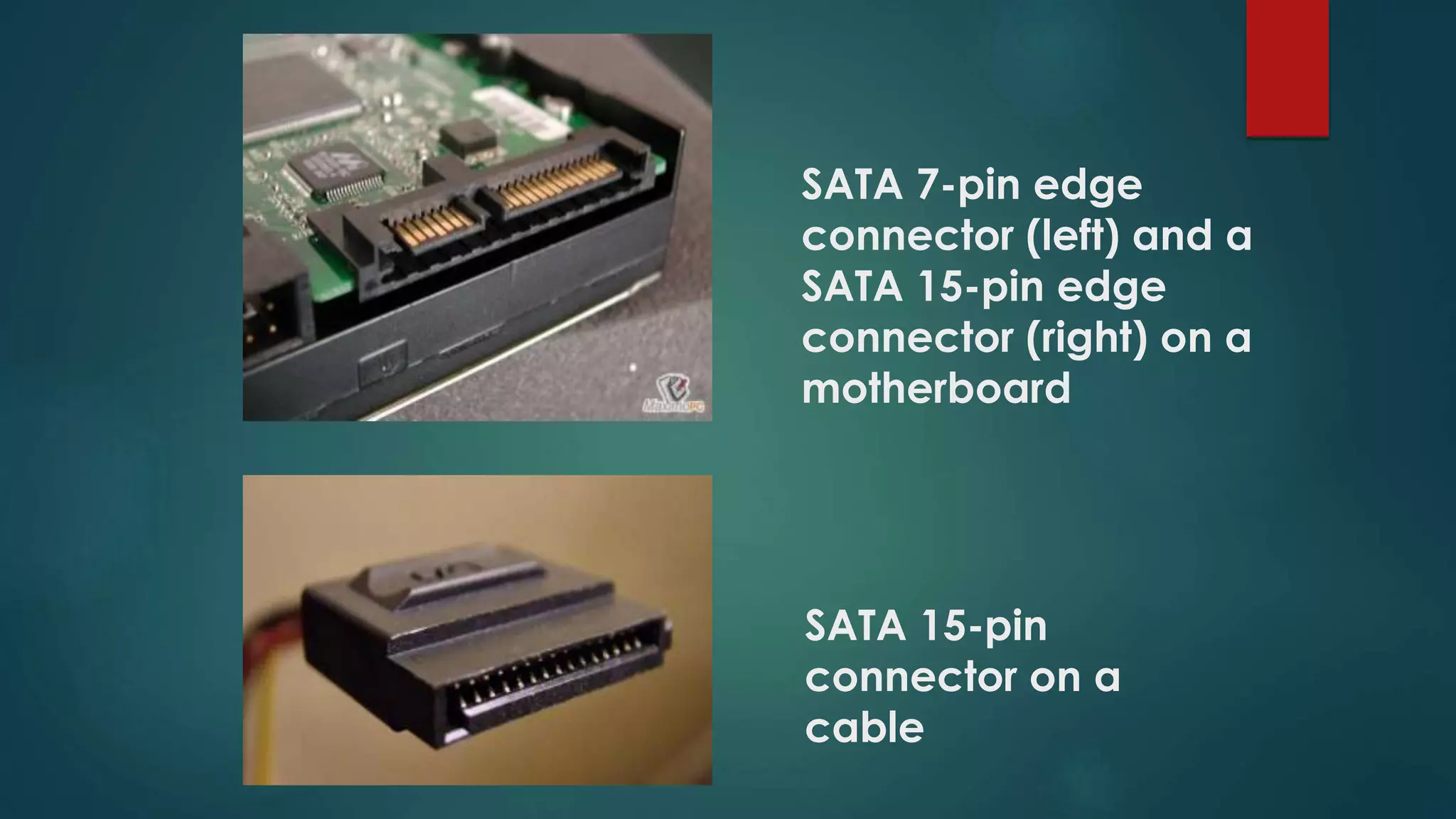
SATA 7-pin edge
connector (left) and a
SATA 15-pin edge
connector (right) on a
motherboard
SATA 15-pin
connector on a
cable
THANK YOU

Motherboard connectores

  • 1.
  • 2.
    CONNECTORS  A connectorjoin the cable attaches to a peripheral  One end of cable attaches to the connector on the system unit and the other end of the cable attaches to a connector on the peripheral
  • 3.
    INTERNAL CONNECTORS • PrimaryIDE HDD connector • Secondary IDE HDD connector • Floppy Drive Connector (FDD) • USB (Universal Serial Bus)
  • 4.
    EXTERNAL CONNECTORS • Serialport connectors • Parallel port connectors • Keyboard connector • Mouse connector • Video Display connector • Game / Midi Port connector • Power connector • Firewire connectors • Telephone & Net connector • USB connectors
  • 5.
    SERIAL PORT CONNECTOR Uses either a 9-pin or 25-pin connector and a cylindrical cable much less susceptible to interference.  Can be up to 25 feet long.  It require 9 pin female connector.  Use to connect External modems and old mouse.  Transfer of data at speeds of 28.8Kbps, 33.6Kbps, 56.6Kbps and 128Kbps and above, they can easily reach the serial port theoretical maximum.
  • 6.
    Parallel Connectors  Socketon computer used to connect a printer or other parallel devices  Transferring information more than one bit a time  Developed as an alternative to the slower speed serial port  Can transfer 8 bits of data (1 byte) simultaneously through 8 separate lines in a single cable
  • 7.
    USB Connector  Canconnect up to 127 different peripherals together with a single connector  Transfers data to a speed of 12 megabits per second  Replacing the serial and peripheral ports on a PC, at least 4 USB ports are standard on every computer
  • 8.
    ETHERNET  Data width: 1 bit  Data transfer rate : 10, 100, or 1000 Mbps  Typical use : networked computers and printers  peer to peer (so any node can initiate sending data) using Carrier Sense Multiple Access with Collision Detection (CSMA/CD) Cable with an 8-wire RJ45 plug (male connector) on each end RJ45 receptacle (8-pin female connector) with its Ethernet icon at the left
  • 9.
    Type A plug(above) to a host or hub, and a Type B plug (below) to a device on the ends of a typical full - size - connector cable Mini - A plug (left, white) to a computer, and a Mini - B plug (right, black) to a device on the ends of a typical mini - connector cable
  • 10.
    Male 9-pin D-shell RS232Cserial connector on a PC A male 25-pin D - shell plug (left) and a female 9-pin D - shell connector (right) on a cable for RS232C serial communication between a PC and
  • 11.
    EIDE • EIDE :Enhanced Integrated Device Electronics • Data width : 16 bits • Data transfer : 133 MBps • Typical use : internal floppy or hard or optical disk An EIDE female connector on a ribbon cable
  • 12.
    SATA • SATA :Serial Advanced Technology Attachment • Data width : 1 bit • Data transfer rate : 150 MBps or 300 MBps • Typical use : hard or optical disk • The SATA serial port was designed to replace the slower EIDE parallel port SATA 7-pin connector on a cable
  • 13.
    SATA 7-pin edge connector(left) and a SATA 15-pin edge connector (right) on a motherboard SATA 15-pin connector on a cable
  • 14.