
Data acquisition for forensics investigation
User guide
By Chris Harrington
 Linux or Windows OS
 Hard drive larger than the one being captured
◦ Hard drive must be forensically wiped so no old
data can be found from previous cases
 Windows Applications
◦ FTK Imager
 Linux Applications
◦ dd
Note: There are other capturing tools available
 Conduct a forensic wipe on the external drive
before capturing
 In Windows OS many tools exist
 FreeShred
 Shred
 Etc…
 In Linux dd is used to write 0’s to all sectors
◦ Command:
dd if=/dev/zero of=/dev/sdX bs=4K conv=noerror,sync
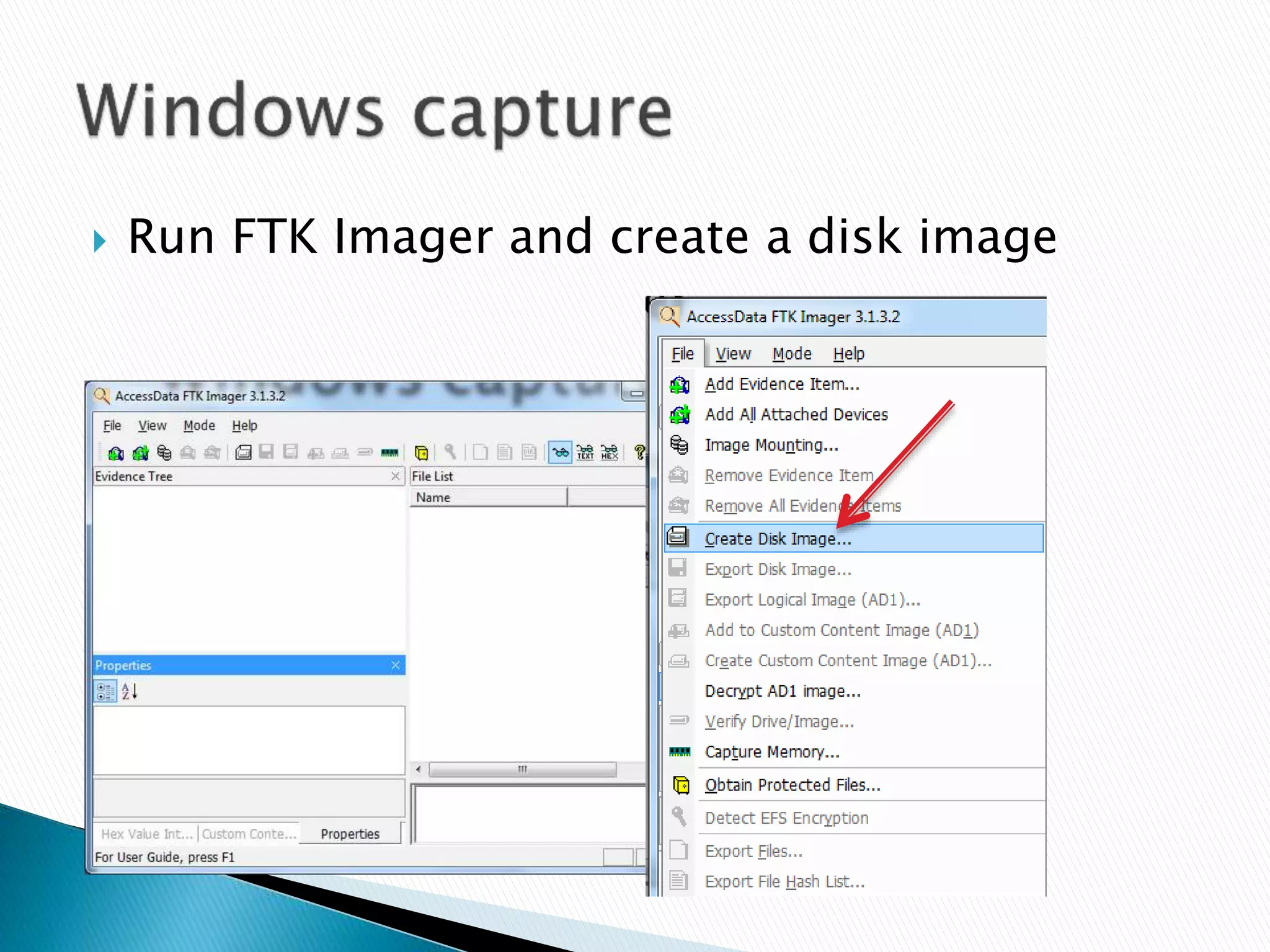
 Run FTK Imager and create a disk image
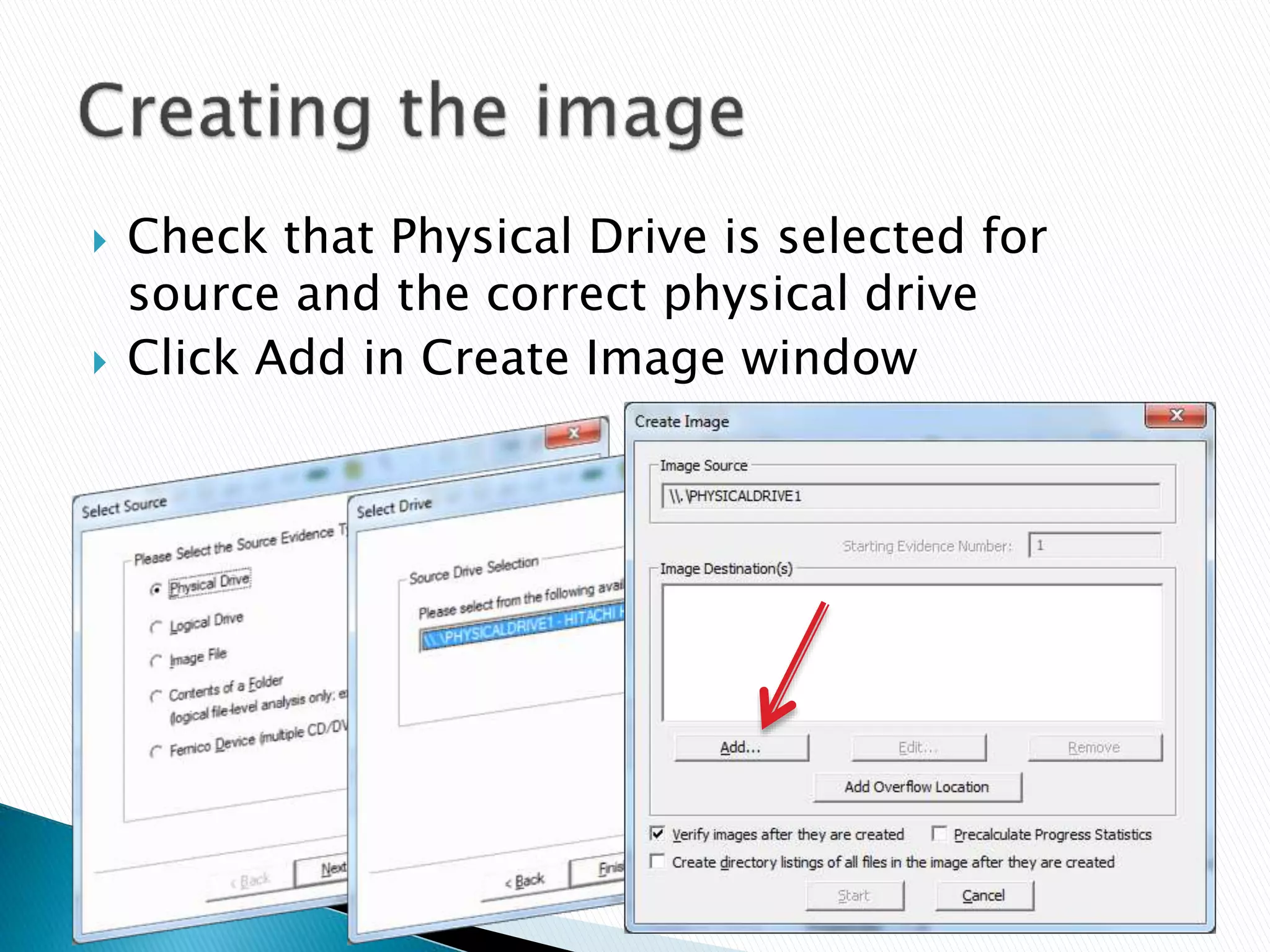
 Check that Physical Drive is selected for
source and the correct physical drive
 Click Add in Create Image window
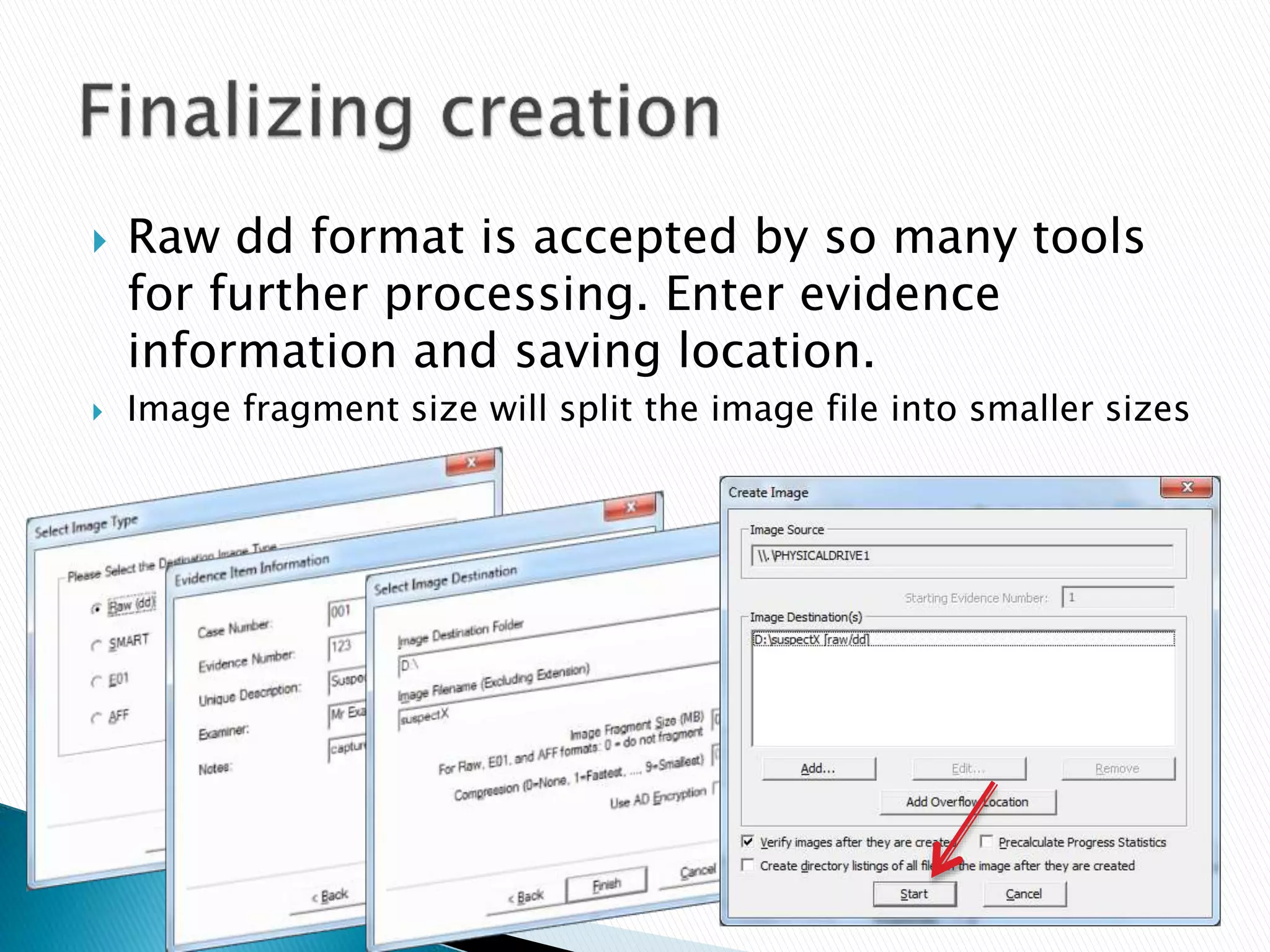
 Raw dd format is accepted by so many tools
for further processing. Enter evidence
information and saving location.
 Image fragment size will split the image file into smaller sizes
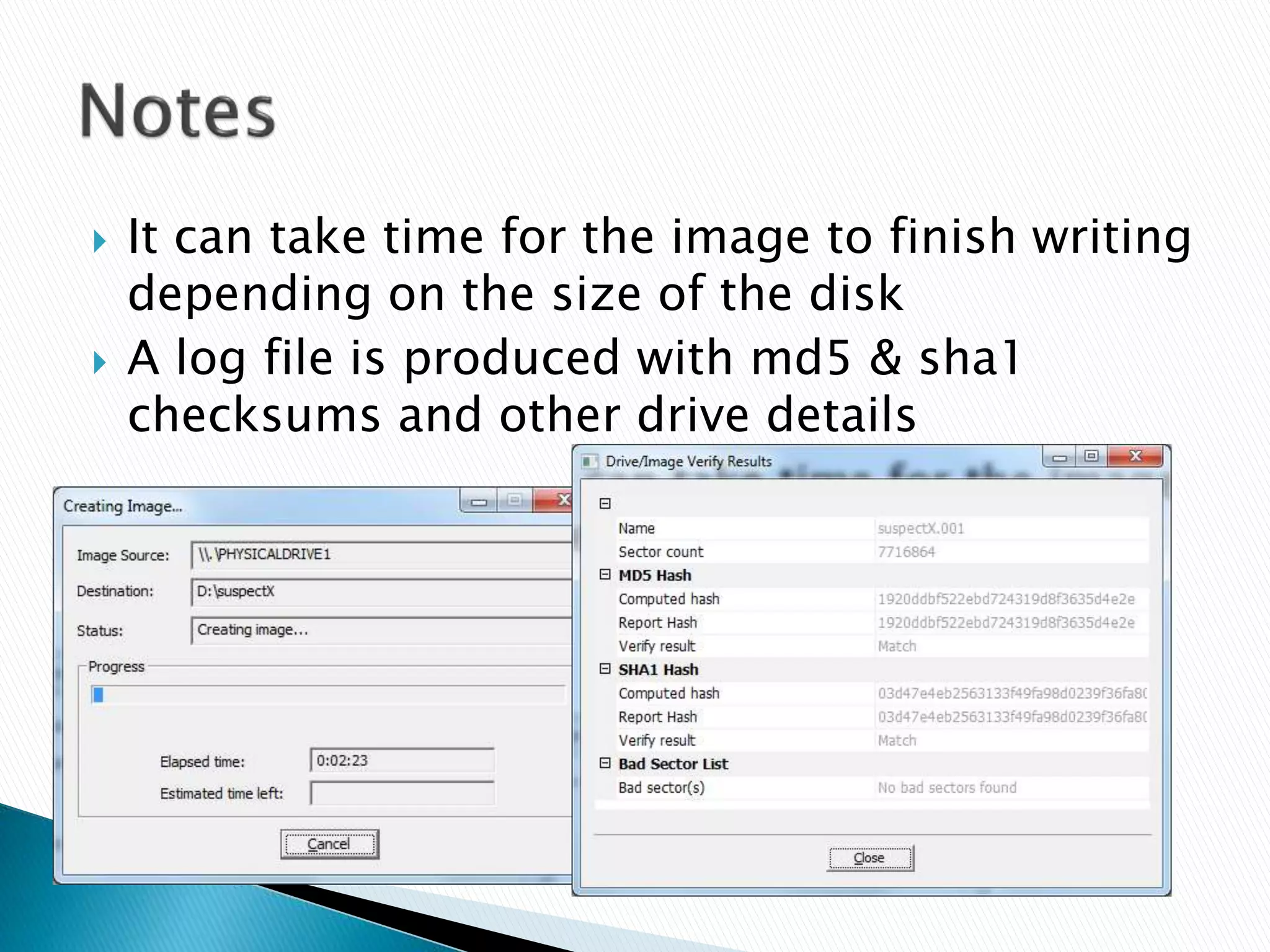
 It can take time for the image to finish writing
depending on the size of the disk
 A log file is produced with md5 & sha1
checksums and other drive details
 Start up the suspect’s computer and boot up
with a Linux live CD. The live CD should avoid
writing to local drives. Many options
available:
◦ Knoppix
◦ Kali
◦ Deft
◦ Etc…
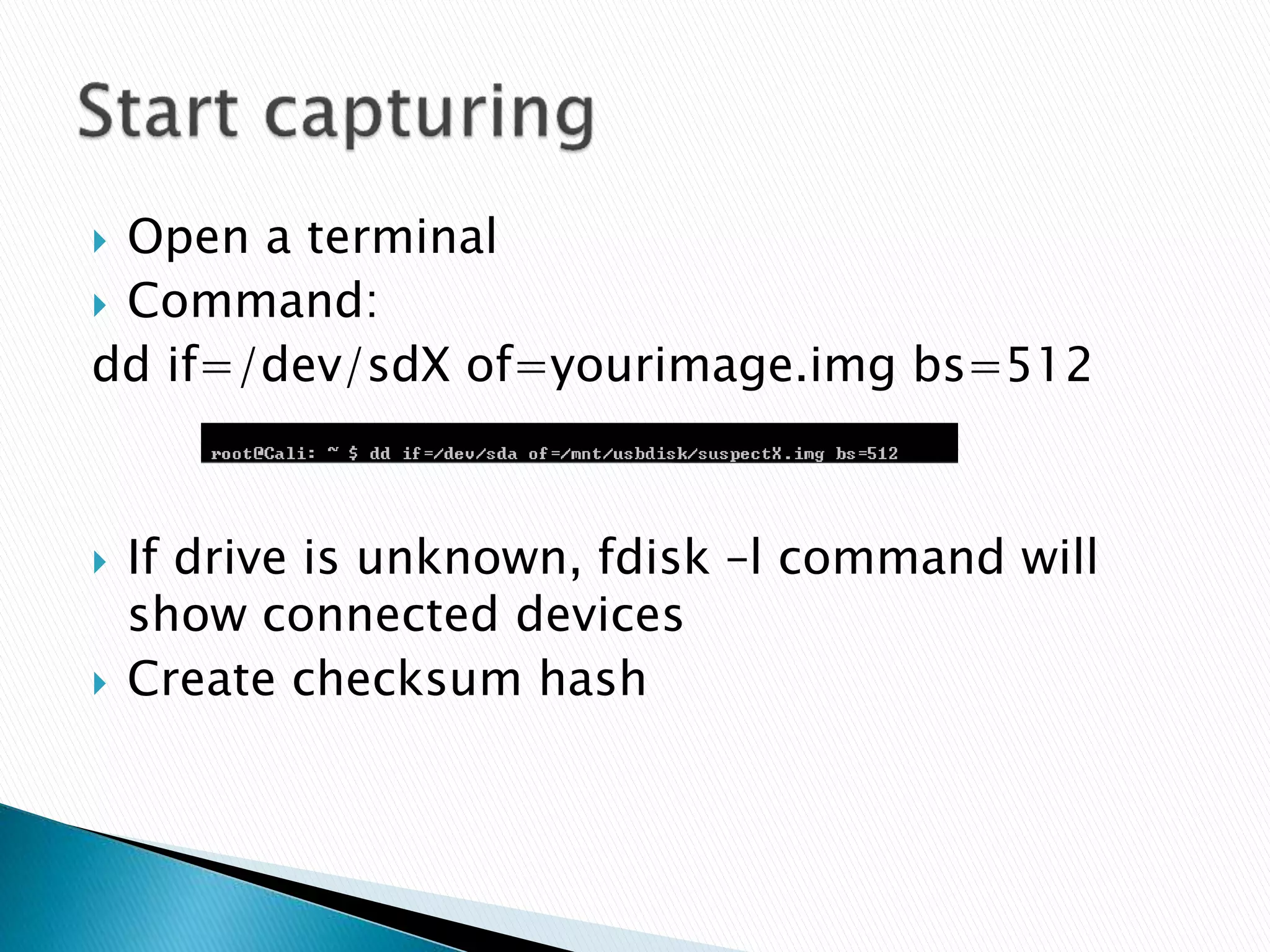
 Open a terminal
 Command:
dd if=/dev/sdX of=yourimage.img bs=512
 If drive is unknown, fdisk –l command will
show connected devices
 Create checksum hash
 Multiple OS available to capture images for
different scenarios
 Toolkits
 Backup toolkits
 Document every move taken
 Avoid changes to suspect’s data
 Is a forensic capture really necessary for this
scenario?
 My contact details
 C.k.harrington@gmail.com

Capturing forensics image

  • 1.
    Data acquisition forforensics investigation User guide By Chris Harrington
  • 2.
     Linux orWindows OS  Hard drive larger than the one being captured ◦ Hard drive must be forensically wiped so no old data can be found from previous cases  Windows Applications ◦ FTK Imager  Linux Applications ◦ dd Note: There are other capturing tools available
  • 3.
     Conduct aforensic wipe on the external drive before capturing  In Windows OS many tools exist  FreeShred  Shred  Etc…  In Linux dd is used to write 0’s to all sectors ◦ Command: dd if=/dev/zero of=/dev/sdX bs=4K conv=noerror,sync
  • 4.
     Run FTKImager and create a disk image
  • 5.
     Check thatPhysical Drive is selected for source and the correct physical drive  Click Add in Create Image window
  • 6.
     Raw ddformat is accepted by so many tools for further processing. Enter evidence information and saving location.  Image fragment size will split the image file into smaller sizes
  • 7.
     It cantake time for the image to finish writing depending on the size of the disk  A log file is produced with md5 & sha1 checksums and other drive details
  • 8.
     Start upthe suspect’s computer and boot up with a Linux live CD. The live CD should avoid writing to local drives. Many options available: ◦ Knoppix ◦ Kali ◦ Deft ◦ Etc…
  • 9.
     Open aterminal  Command: dd if=/dev/sdX of=yourimage.img bs=512  If drive is unknown, fdisk –l command will show connected devices  Create checksum hash
  • 10.
     Multiple OSavailable to capture images for different scenarios  Toolkits  Backup toolkits  Document every move taken  Avoid changes to suspect’s data  Is a forensic capture really necessary for this scenario?
  • 11.
     My contactdetails  C.k.harrington@gmail.com