

Modernizing the Ext
JS Class System
Don Griffin
@dongryphon
Agenda
• Background
- Goals for language and tools
- Tool landscape
• Class system content
- Modules
- Classes & Mixins
- Life-cycle
• Timeline
- WARNING: Code names ahoy!
Goals
Future-proofing
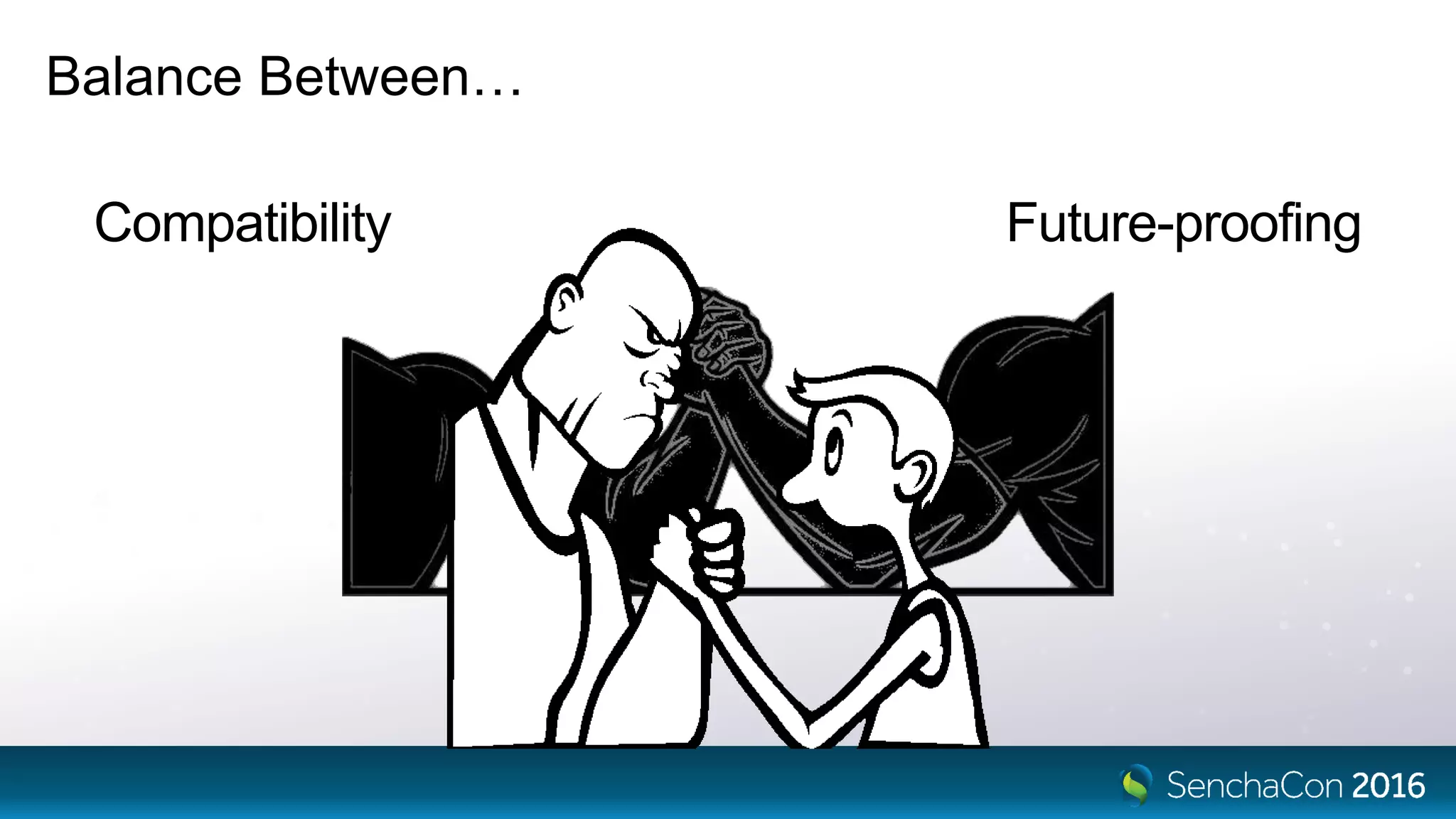
Balance Between…
Compatibility
Future-proofing
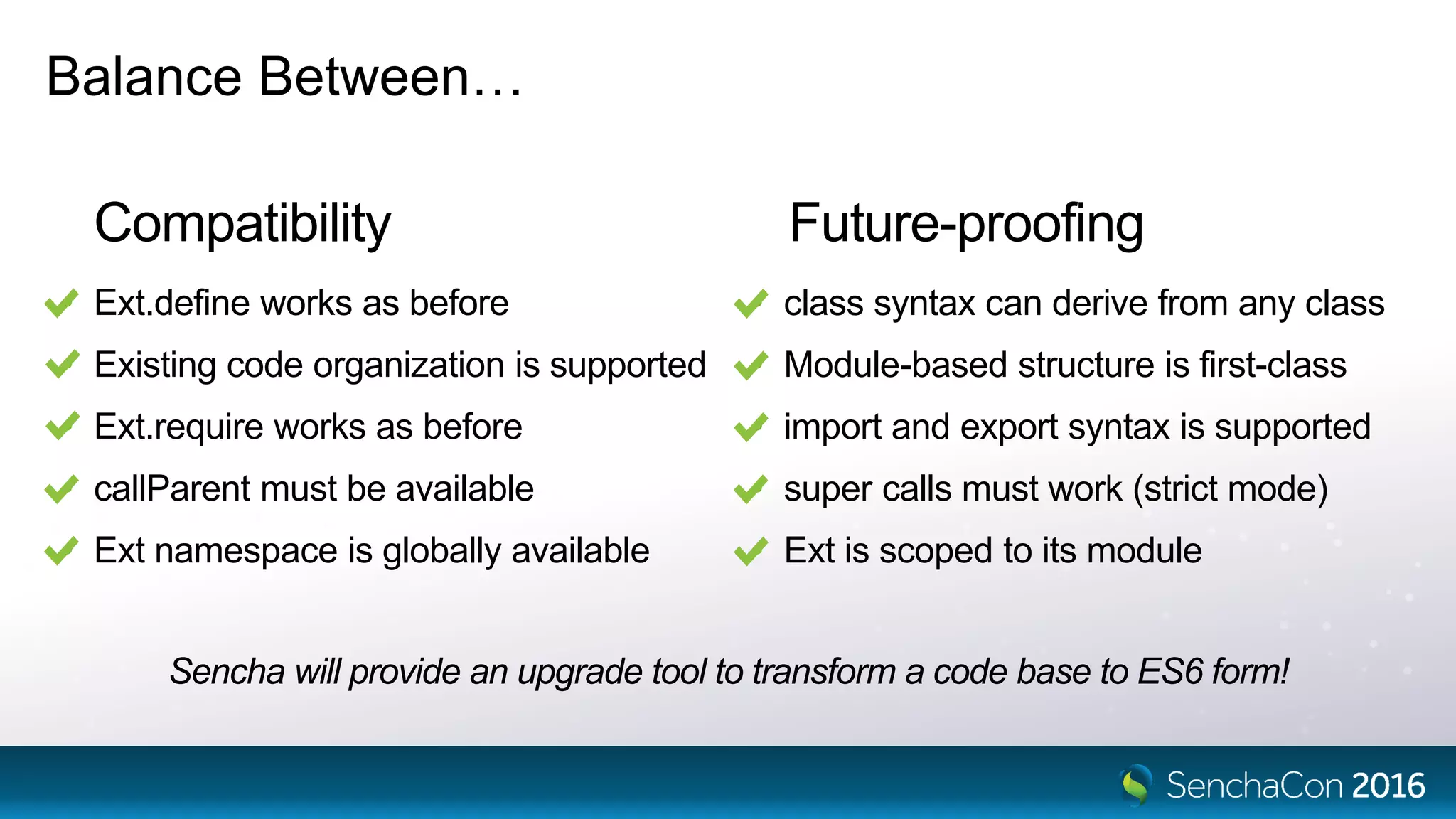
Balance Between…
Compatibility
• Ext.define works as before
• Existing code organization is supported
• Ext.require works as before
• callParent must be available
• Ext namespace is globally available
• class syntax can derive from any class
• Module-based structure is first-class
• import and export syntax is supported
• super calls must work (strict mode)
• Ext is scoped to its module
Sencha will provide an upgrade tool to transform a code base to ES6 form!
Language Standards
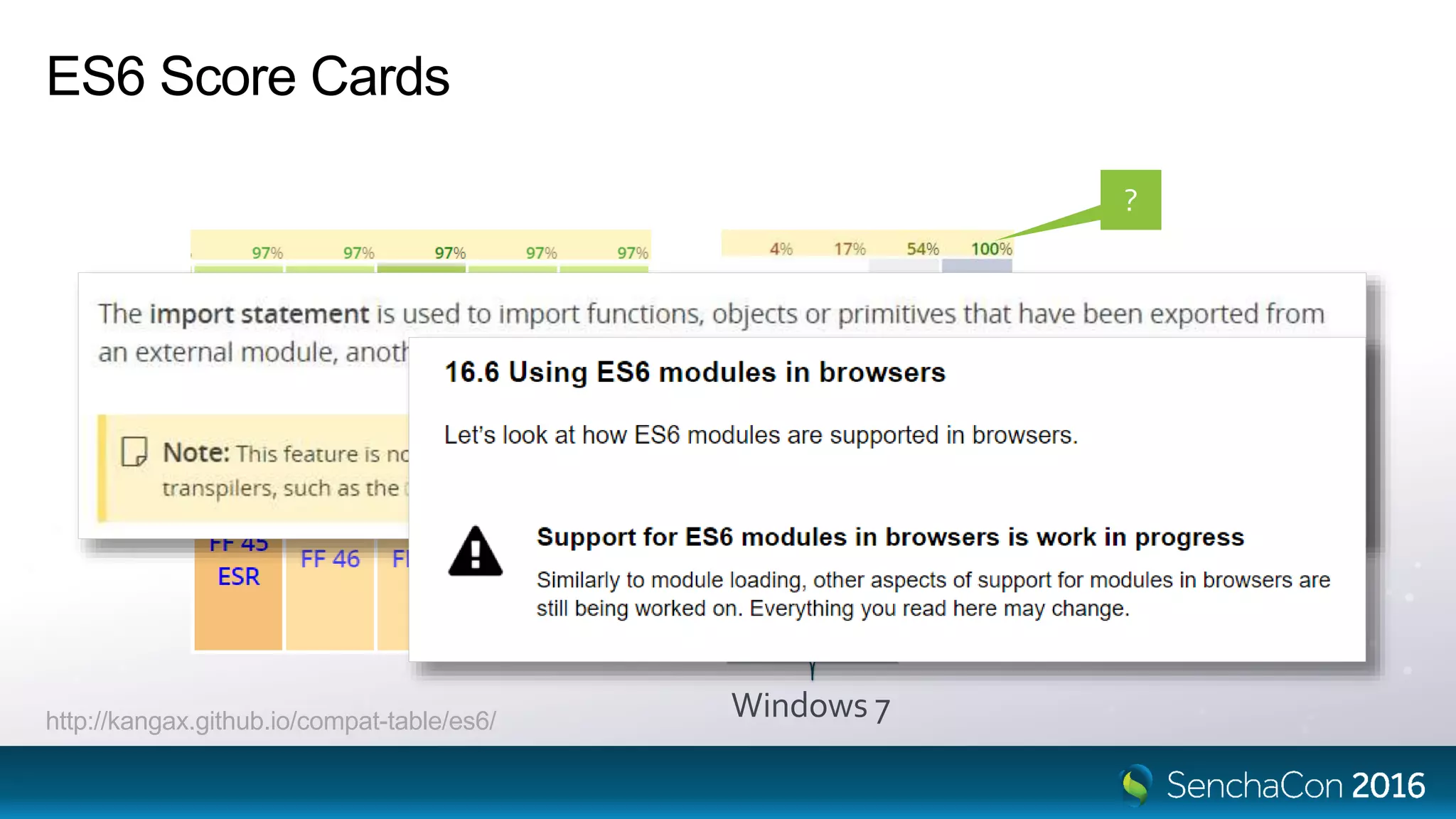
ES6 Score Cards
Windows 7http://kangax.github.io/compat-table/es6/
?
Tools Enable Language Adoption
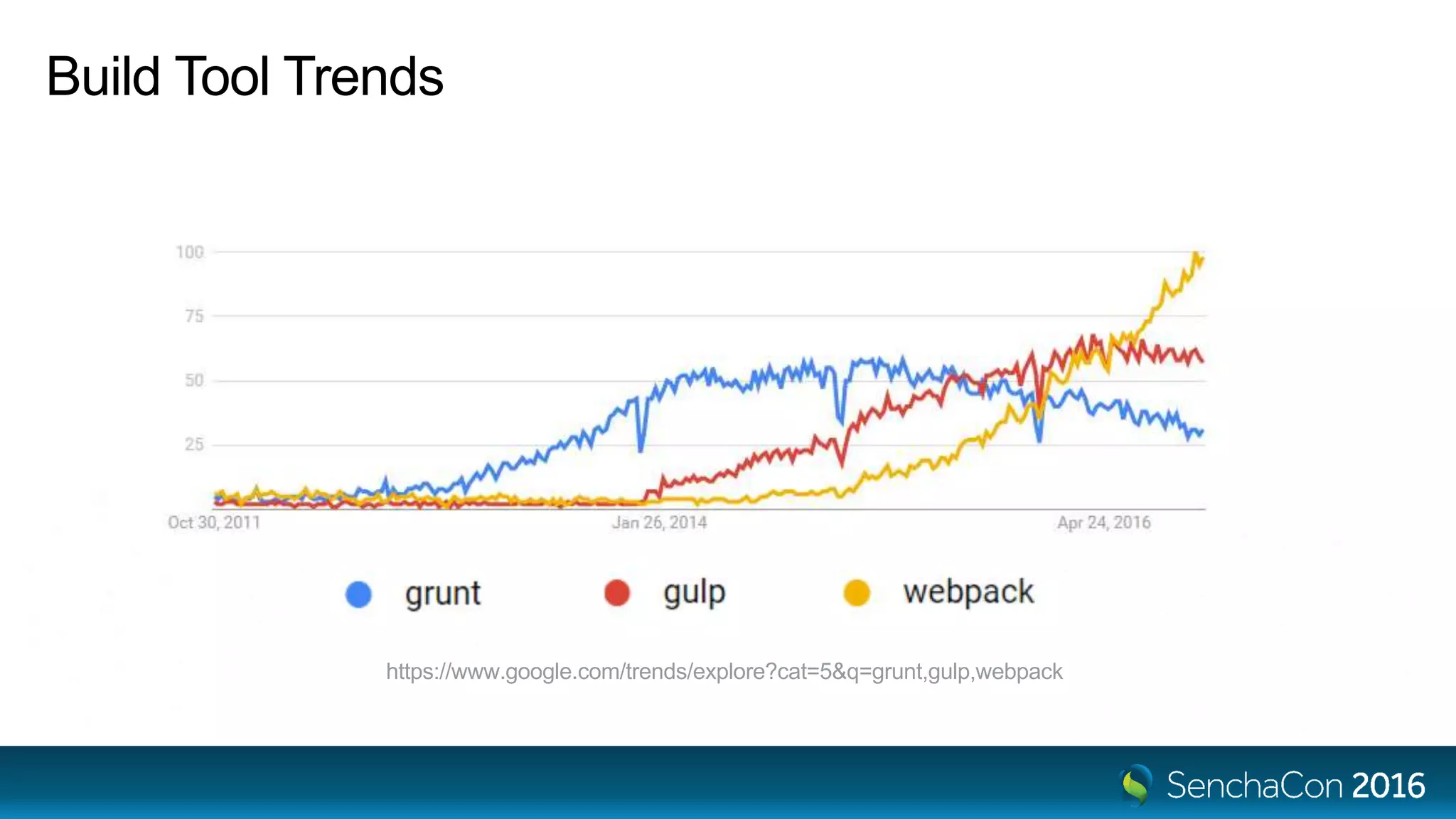
Build Tool Trends
https://www.google.com/trends/explore?cat=5&q=grunt,gulp,webpack
Node.js
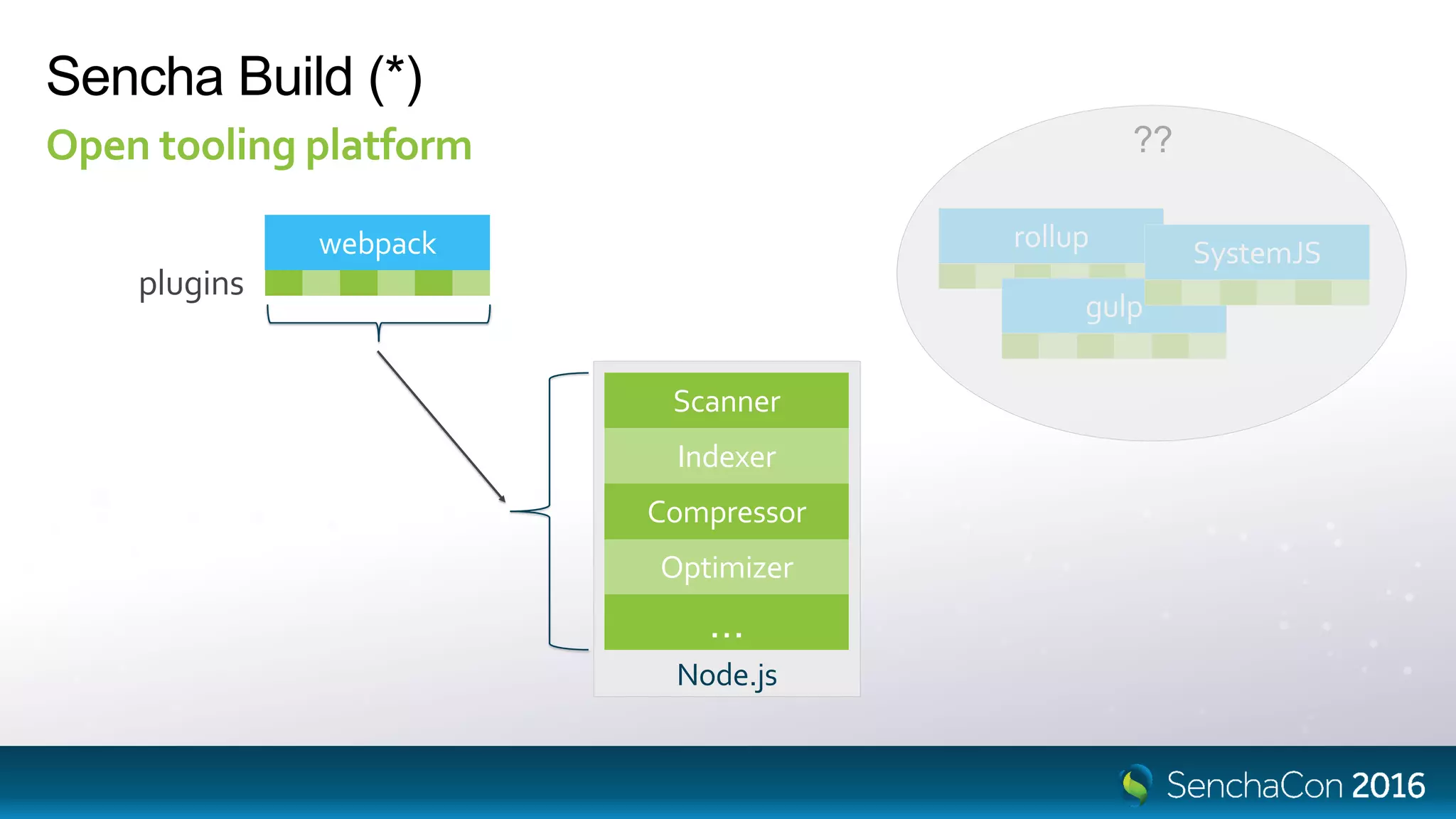
Sencha Build (*)
Open tooling platform
Scanner
Optimizer
Indexer
Compressor
…
webpack
plugins
rollup
gulp
SystemJS
??
Transpilers and Source Maps
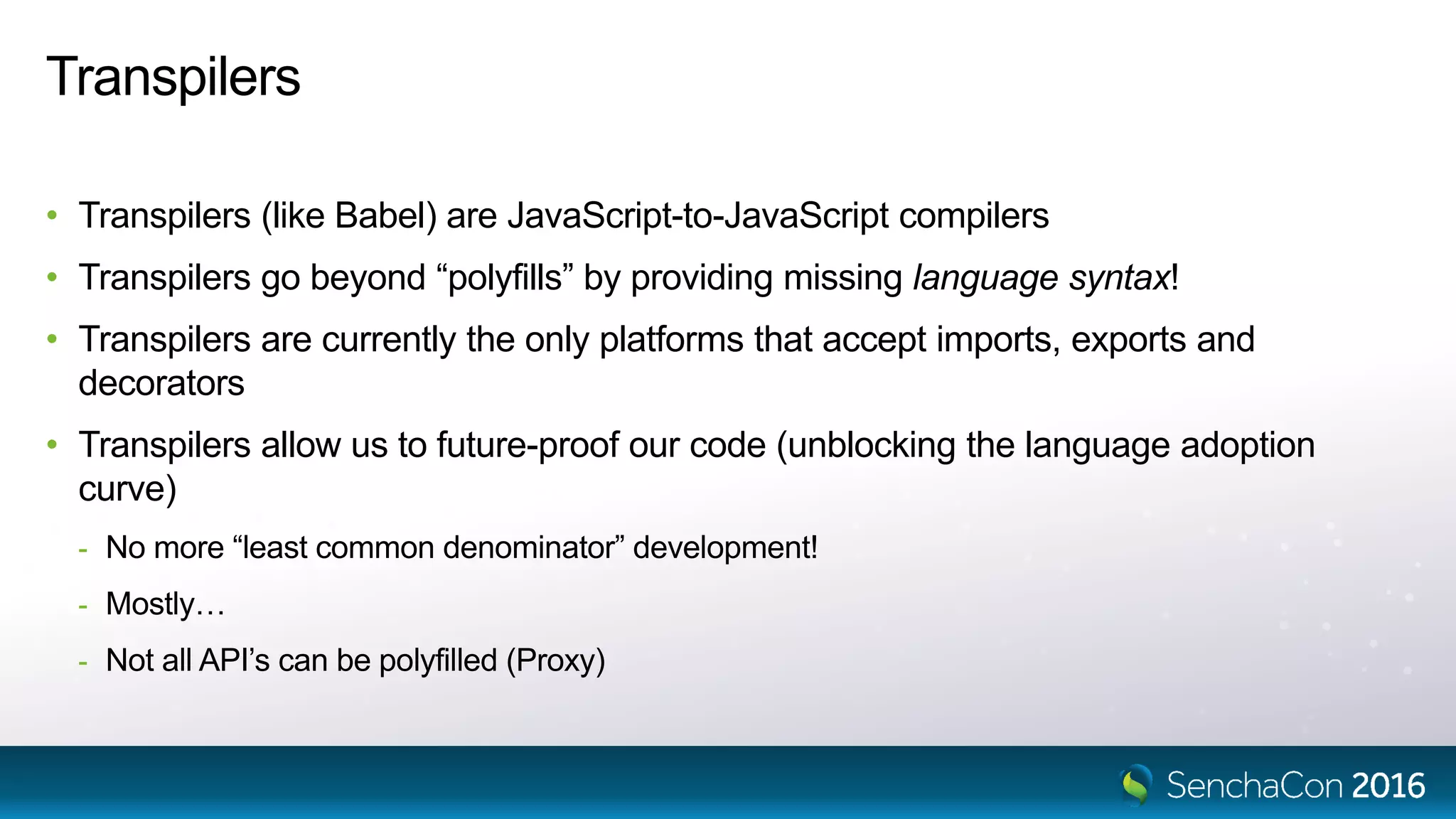
Transpilers
• Transpilers (like Babel) are JavaScript-to-JavaScript compilers
• Transpilers go beyond “polyfills” by providing missing language syntax!
• Transpilers are currently the only platforms that accept imports, exports and
decorators
• Transpilers allow us to future-proof our code (unblocking the language adoption
curve)
- No more “least common denominator” development!
- Mostly…
- Not all API’s can be polyfilled (Proxy)
Source Maps
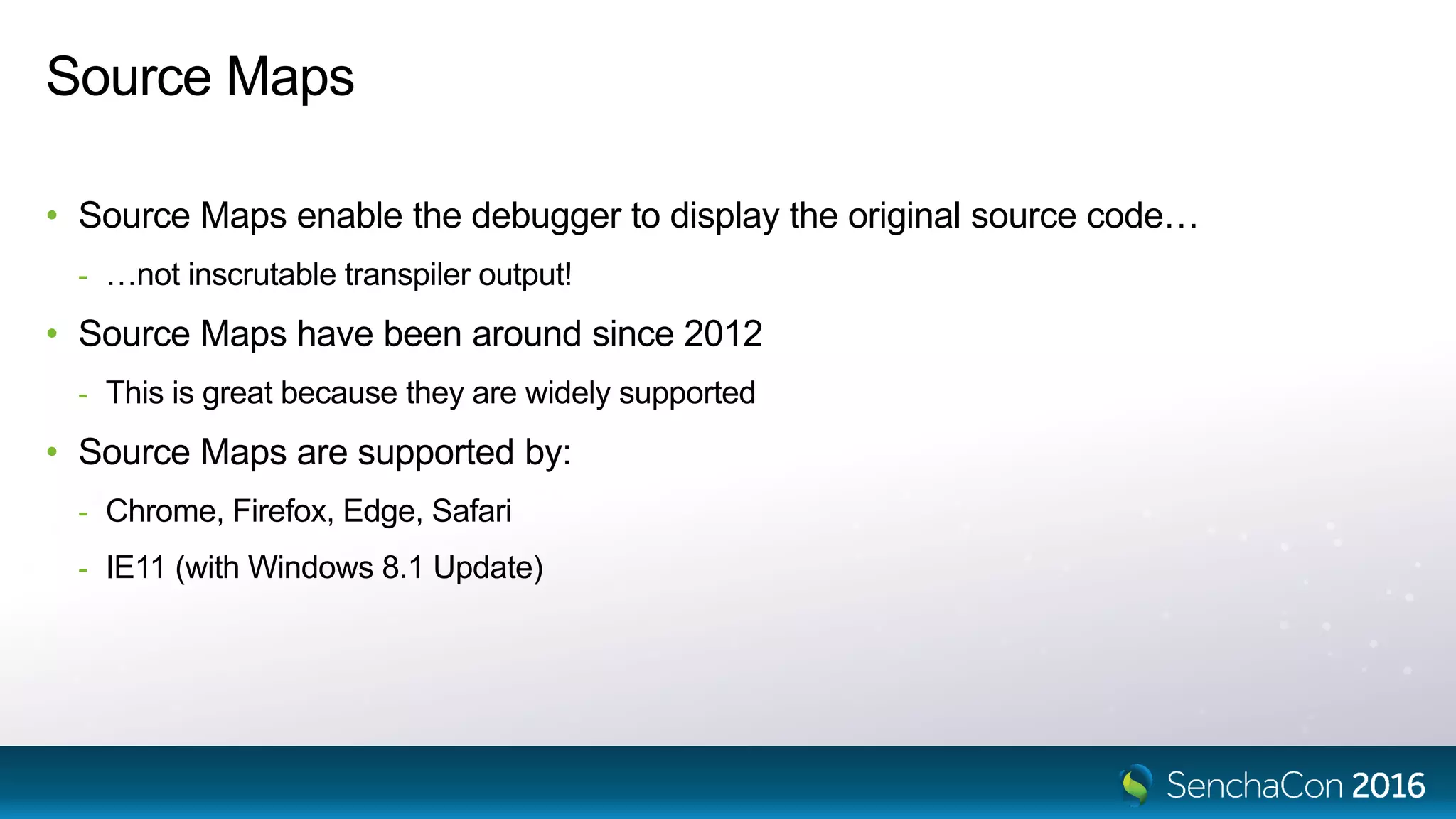
• Source Maps enable the debugger to display the original source code…
- …not inscrutable transpiler output!
• Source Maps have been around since 2012
- This is great because they are widely supported
• Source Maps are supported by:
- Chrome, Firefox, Edge, Safari
- IE11 (with Windows 8.1 Update)
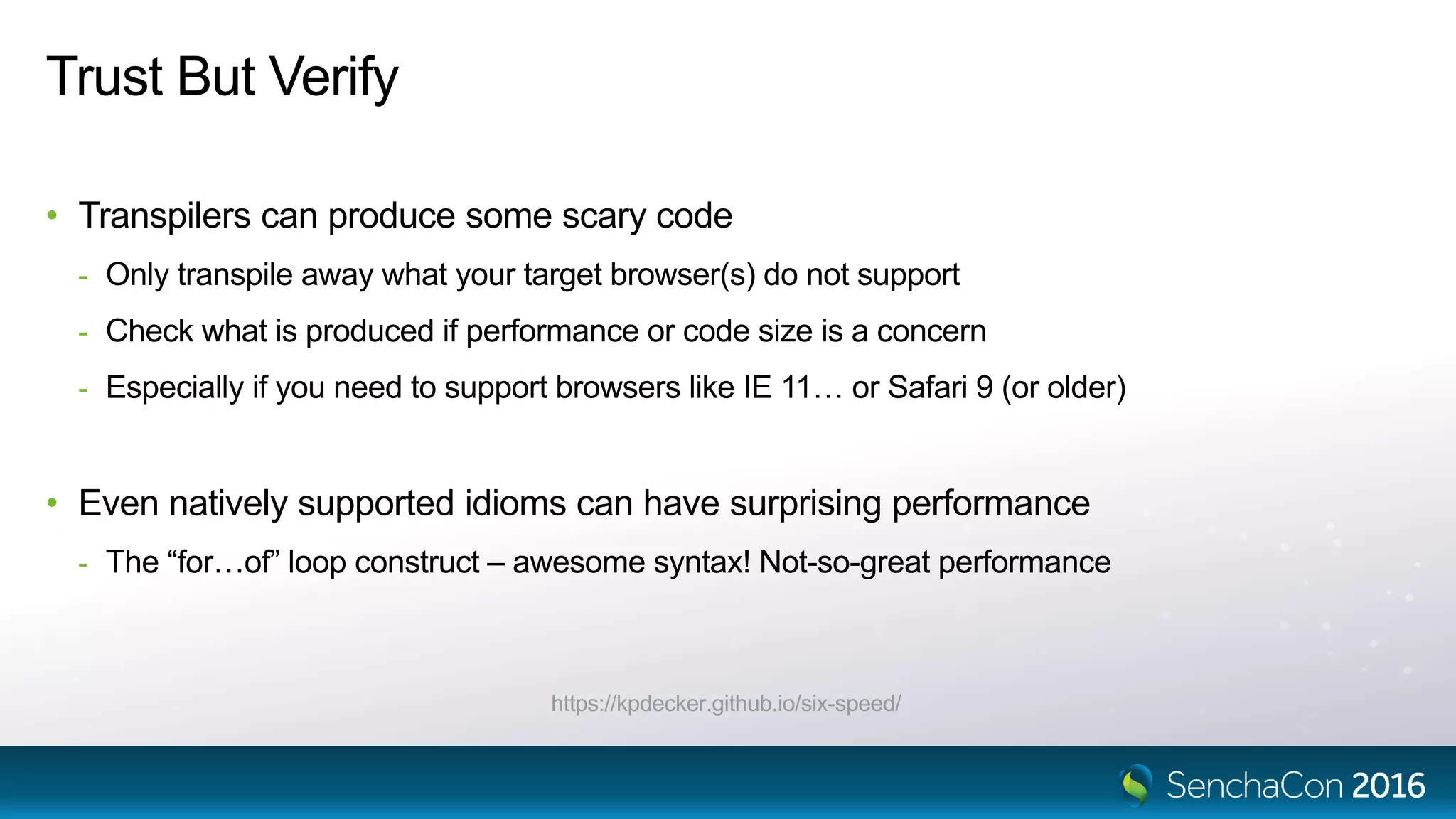
Trust But Verify
• Transpilers can produce some scary code
- Only transpile away what your target browser(s) do not support
- Check what is produced if performance or code size is a concern
- Especially if you need to support browsers like IE 11… or Safari 9 (or older)
• Even natively supported idioms can have surprising performance
- The “for…of” loop construct – awesome syntax! Not-so-great performance
https://kpdecker.github.io/six-speed/
Trust But Verify
for...of
var data = [1, 2, 3];
var ret = '';
for (var value of data) {
ret += value;
}
var data = [1, 2, 3];
var ret = '';
for (var i = 0; i < data.length; ++i) {
ret += data[i];
}
Class System Contents
Namespaces vs Modules
Ext = {};
Ext.global = window;
Ext.global.Ext = Ext;
Ext.define('App.some.Thing', {
extend: 'App.foo.Bar',
requires: [ 'Ext.grid.Panel' ],
Namespaces
• Namespaces are nested objects
• Ext.define() adds to the namespace
• The Loader maps names to URL’s
• Files are loaded at global scope
Ext = {
global: {
Ext: Ext,
App: {
foo: {
Bar: constructor
},
some: {
Thing: constructor
}
}
},
grid: {
Panel: constructor
}
}
Ext.Loader.setPath({
Ext: '../ext/src',
App: './app'
});
// Ext.grid.Panel
// => '../ext/src/grid/Panel.js'
// App.foo.Bar
// => './app/foo/Bar.js'
var foo = 'bar'; // private, not global
export var abc = 'abc';
export default class Bar {
// ...
}
Modules
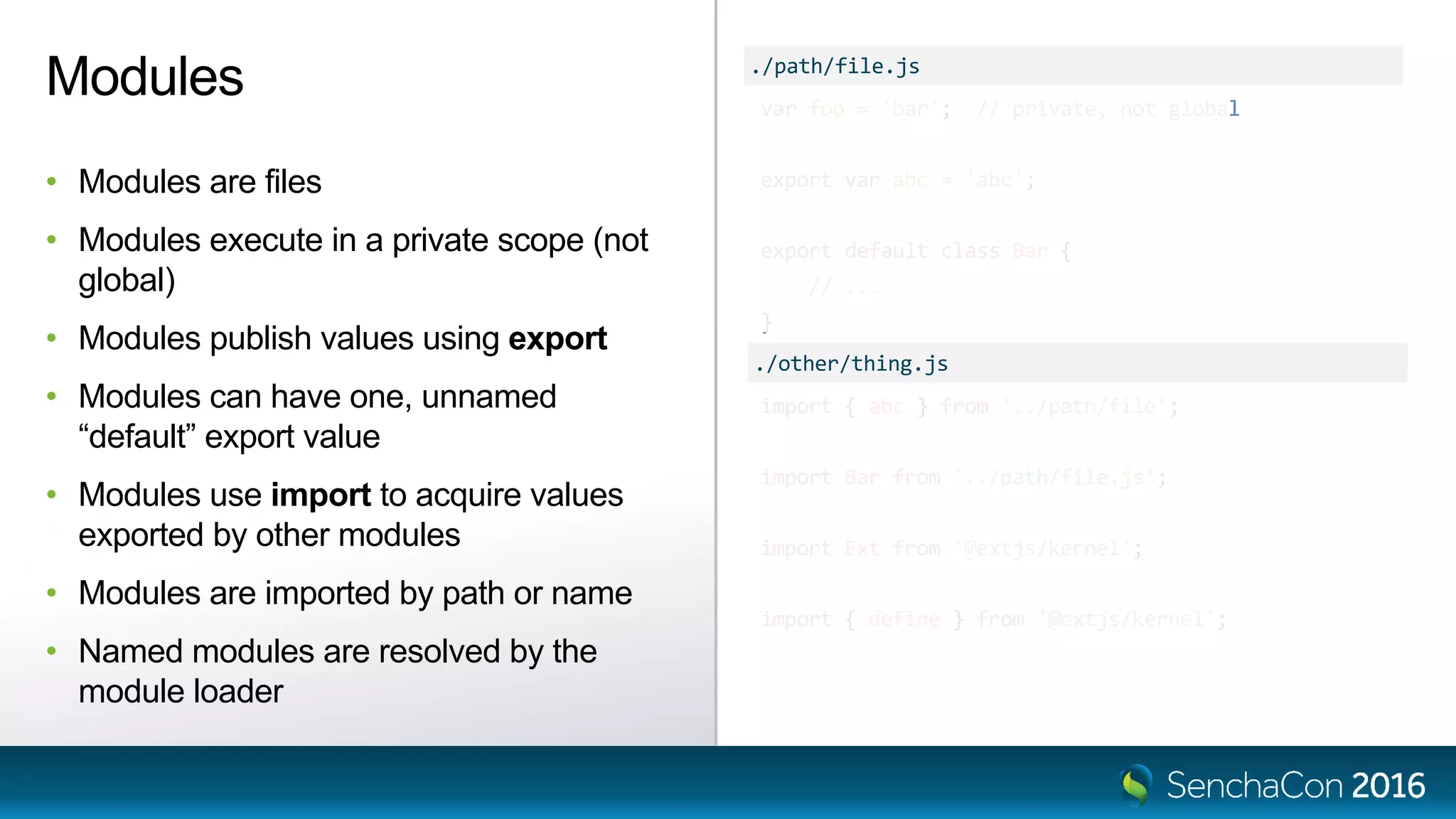
• Modules are files
• Modules execute in a private scope (not
global)
• Modules publish values using export
• Modules can have one, unnamed
“default” export value
• Modules use import to acquire values
exported by other modules
• Modules are imported by path or name
• Named modules are resolved by the
module loader
import { abc } from '../path/file';
import Bar from '../path/file.js';
import Ext from '@extjs/kernel';
import { define } from '@extjs/kernel';
./path/file.js
./other/thing.js
import { button } from '@extjs/modern';
import { hbox } from '@extjs/modern/layout';
import { Ext_Button } from '@extjs/modern';
Importing Components
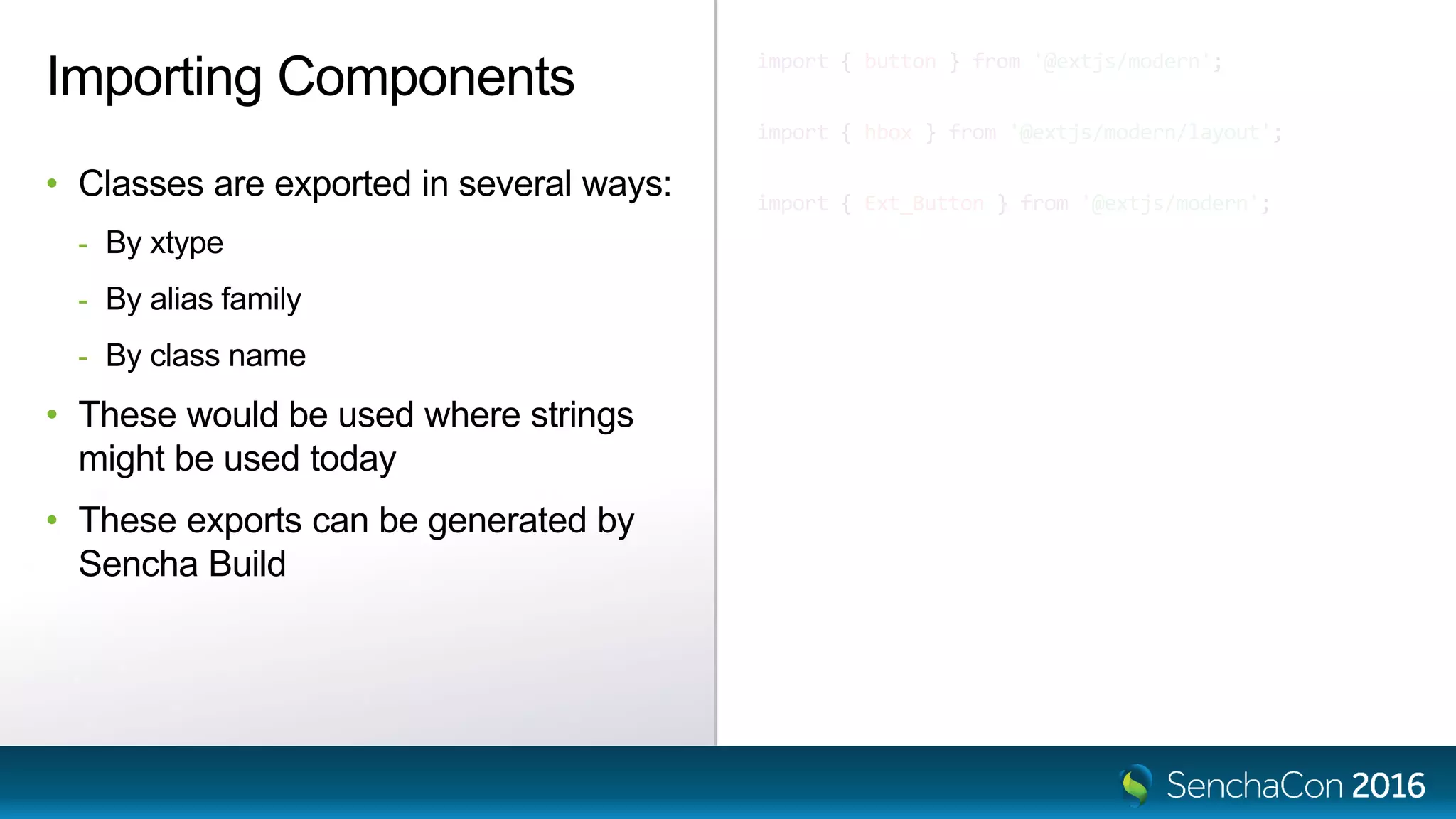
• Classes are exported in several ways:
- By xtype
- By alias family
- By class name
• These would be used where strings
might be used today
• These exports can be generated by
Sencha Build
Sencha Cmd Understands Namespaces
Sencha Build Understands Modules
Classes
Ext.define('App.some.Thing', {
extend: 'App.foo.Bar',
requires: [ 'Ext.grid.Panel' ],
alias: 'thing',
text: 'Hello',
constructor: function (config) {
this.callParent([config]);
},
method: function (x) {
return this.callParent([x]) * 42;
},
statics: {
create: function (cfg) {
cfg.type = 'thing';
return this.callParent([cfg]);
}
}
});
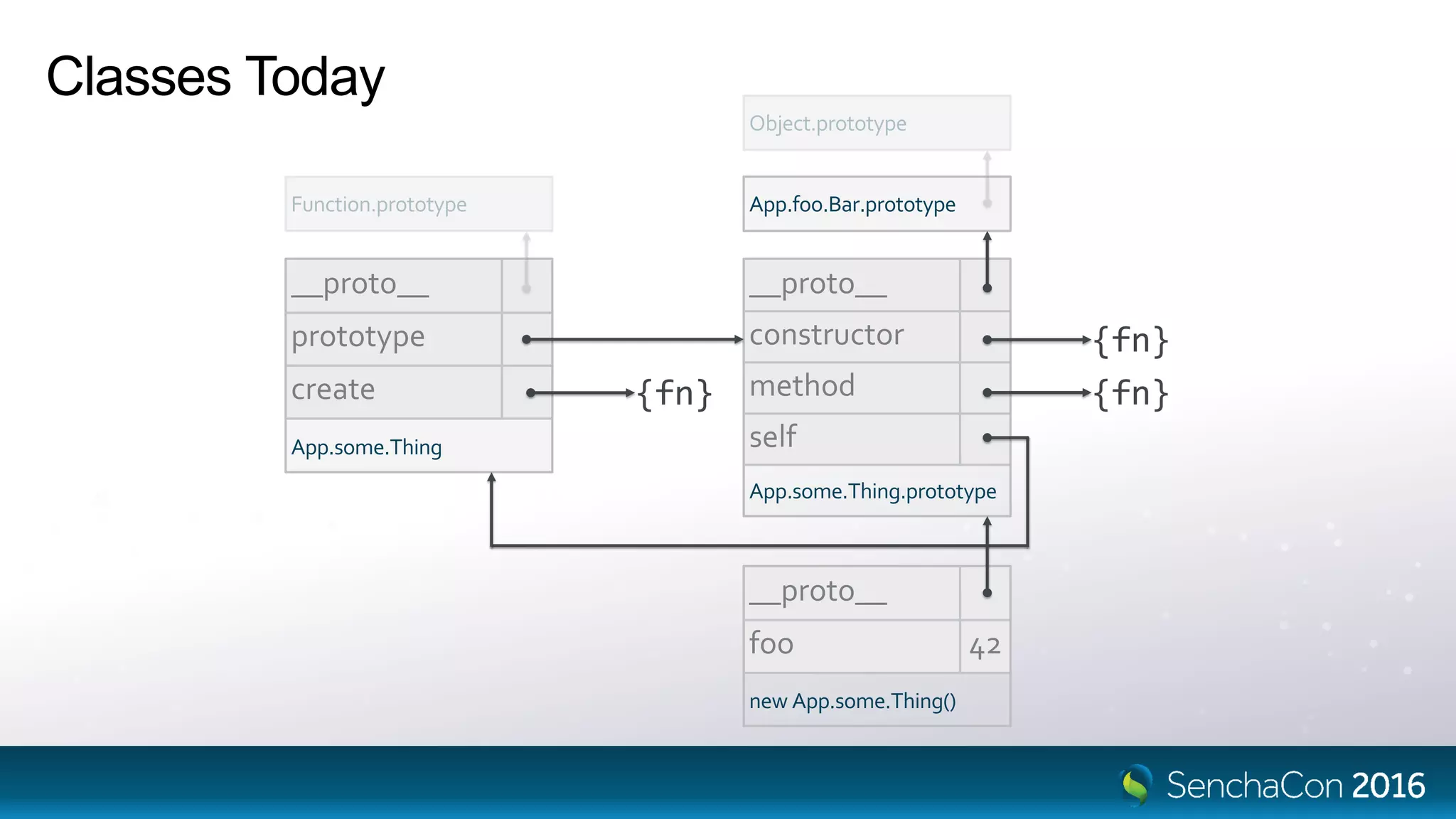
Classes Today
Ext.define()
• Inheritance
• Directives
• Properties
• Constructors
• Methods
• Static methods
• Super calls / callParent
Classes Today
__proto__
prototype
create
App.some.Thing
__proto__
constructor
method
self
App.some.Thing.prototype
{fn} {fn}
{fn}
App.foo.Bar.prototype
__proto__
foo 42
new App.some.Thing()
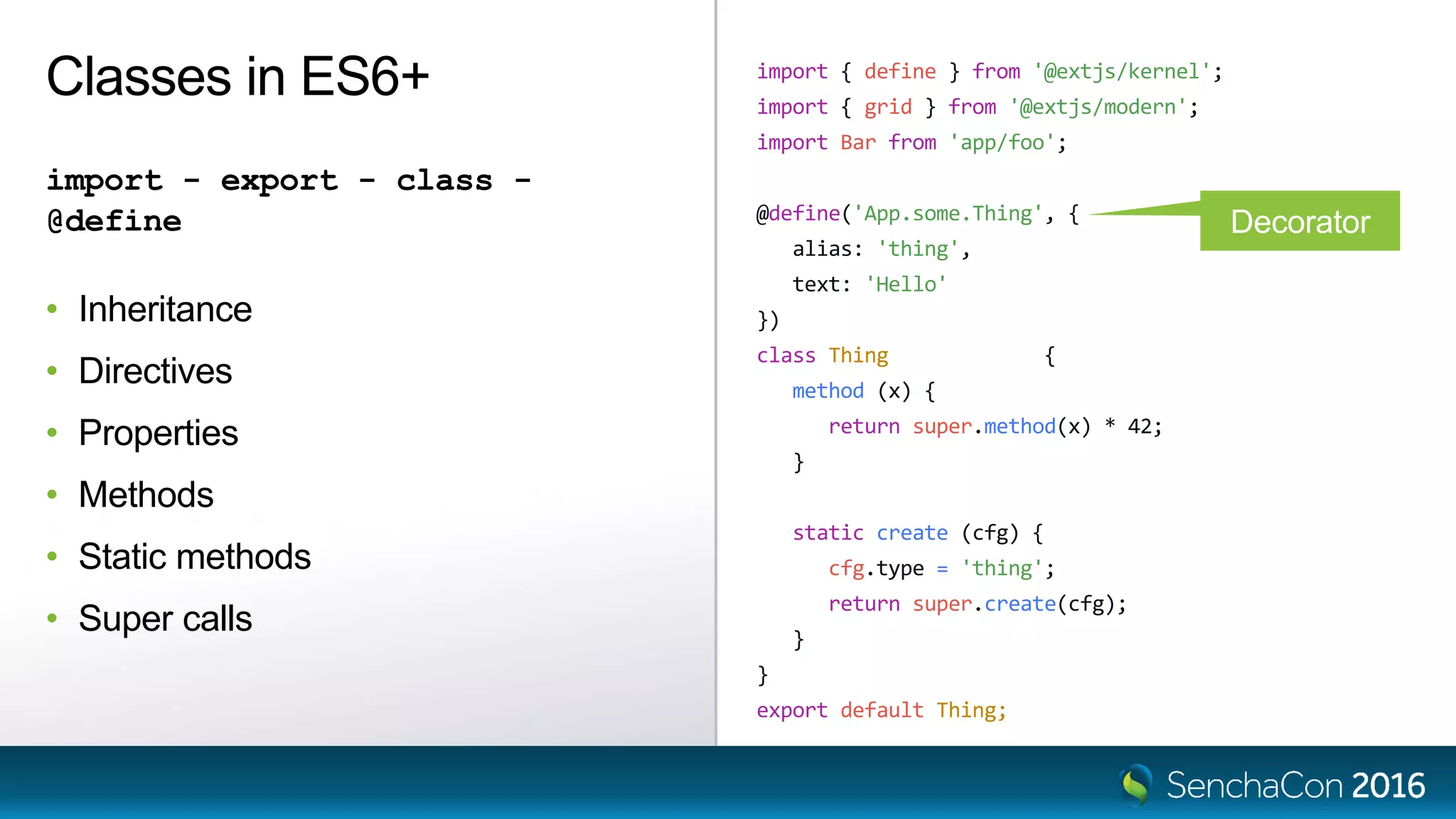
import { define } from '@extjs/kernel';
import { grid } from '@extjs/modern';
import Bar from 'app/foo';
@define('App.some.Thing', {
alias: 'thing',
text: 'Hello'
})
class Thing extends Bar {
method (x) {
return super.method(x) * 42;
}
static create (cfg) {
cfg.type = 'thing';
return super.create(cfg);
}
}
export default Thing;
Classes in ES6+
import - export - class -
@define
• Inheritance
• Directives
• Properties
• Methods
• Static methods
• Super calls
Decorator
function define (className, body) {
return T => {
T.define(className, body);
};
}
@define('App.some.Thing', {
alias: 'thing',
text: 'Hello'
})
class Thing extends Bar {
}
define('App.some.Thing', {
alias: 'thing',
text: 'Hello'
})(Thing);
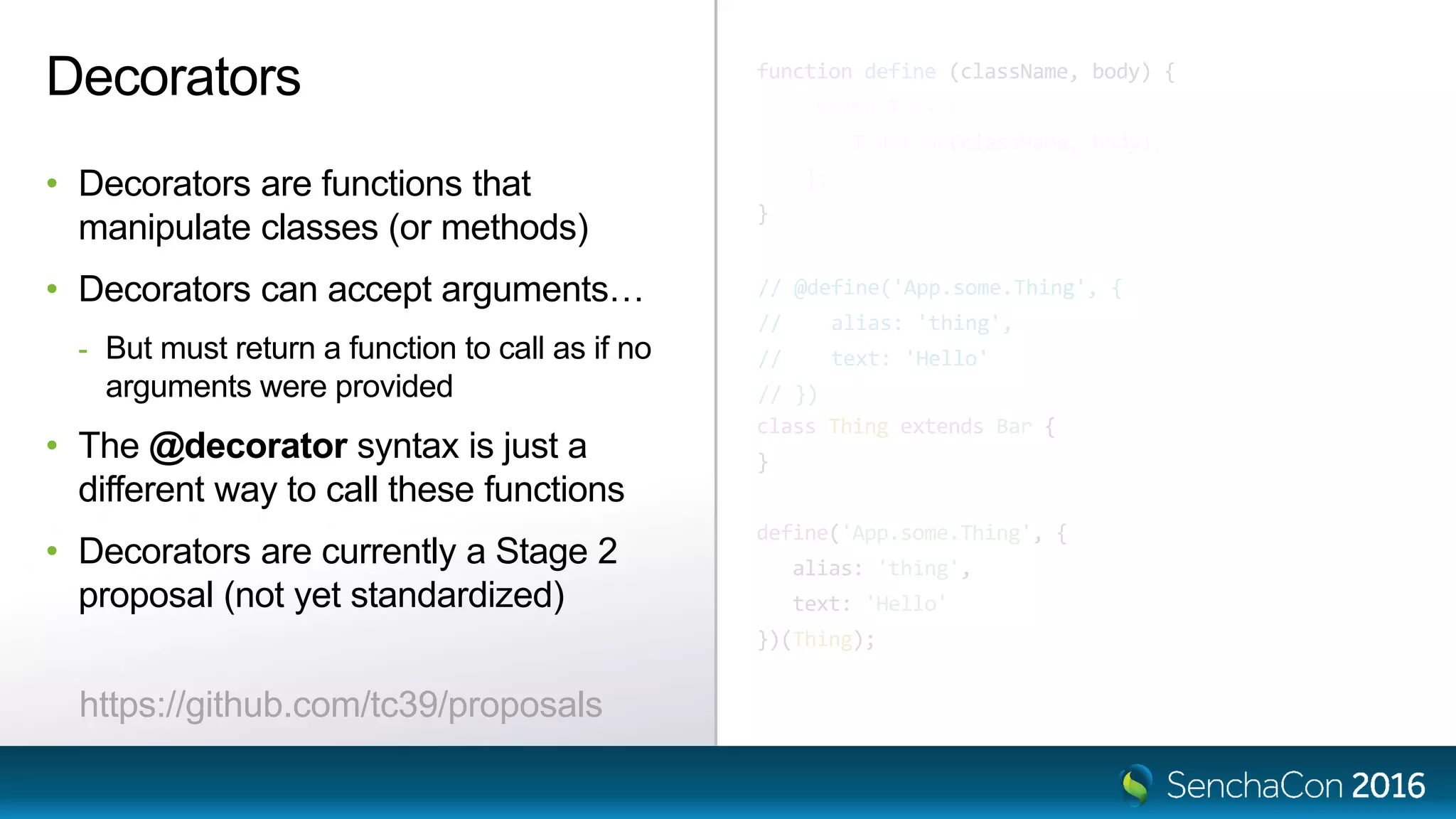
Decorators
• Decorators are functions that
manipulate classes (or methods)
• Decorators can accept arguments…
- But must return a function to call as if no
arguments were provided
• The @decorator syntax is just a
different way to call these functions
• Decorators are currently a Stage 2
proposal (not yet standardized)
// @define('App.some.Thing', {
// alias: 'thing',
// text: 'Hello'
// })
https://github.com/tc39/proposals
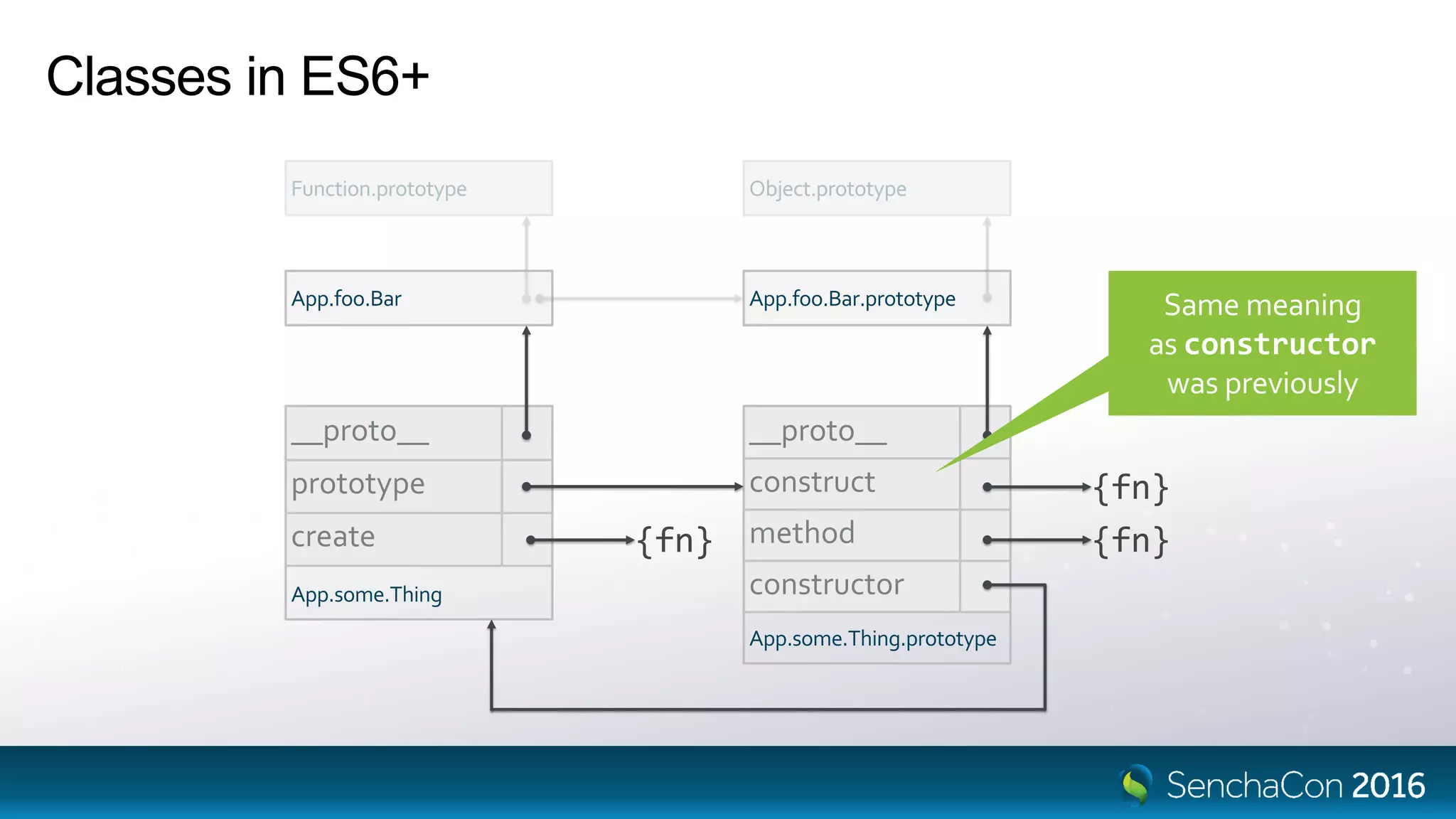
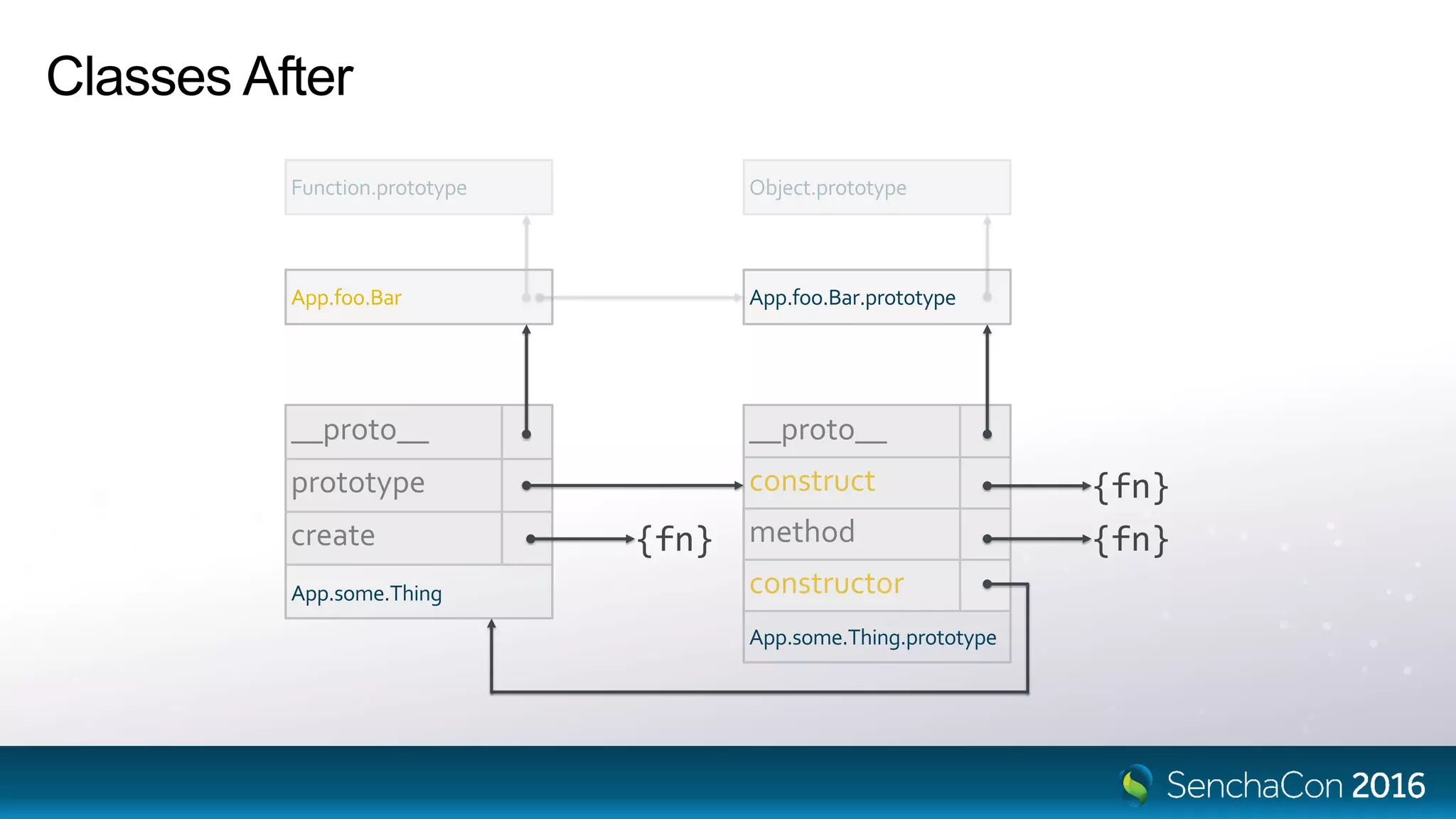
Classes in ES6+
__proto__
prototype
create
App.some.Thing
__proto__
construct
method
constructor
App.some.Thing.prototype
{fn} {fn}
{fn}
App.foo.Bar.prototypeApp.foo.Bar Same meaning
as constructor
was previously
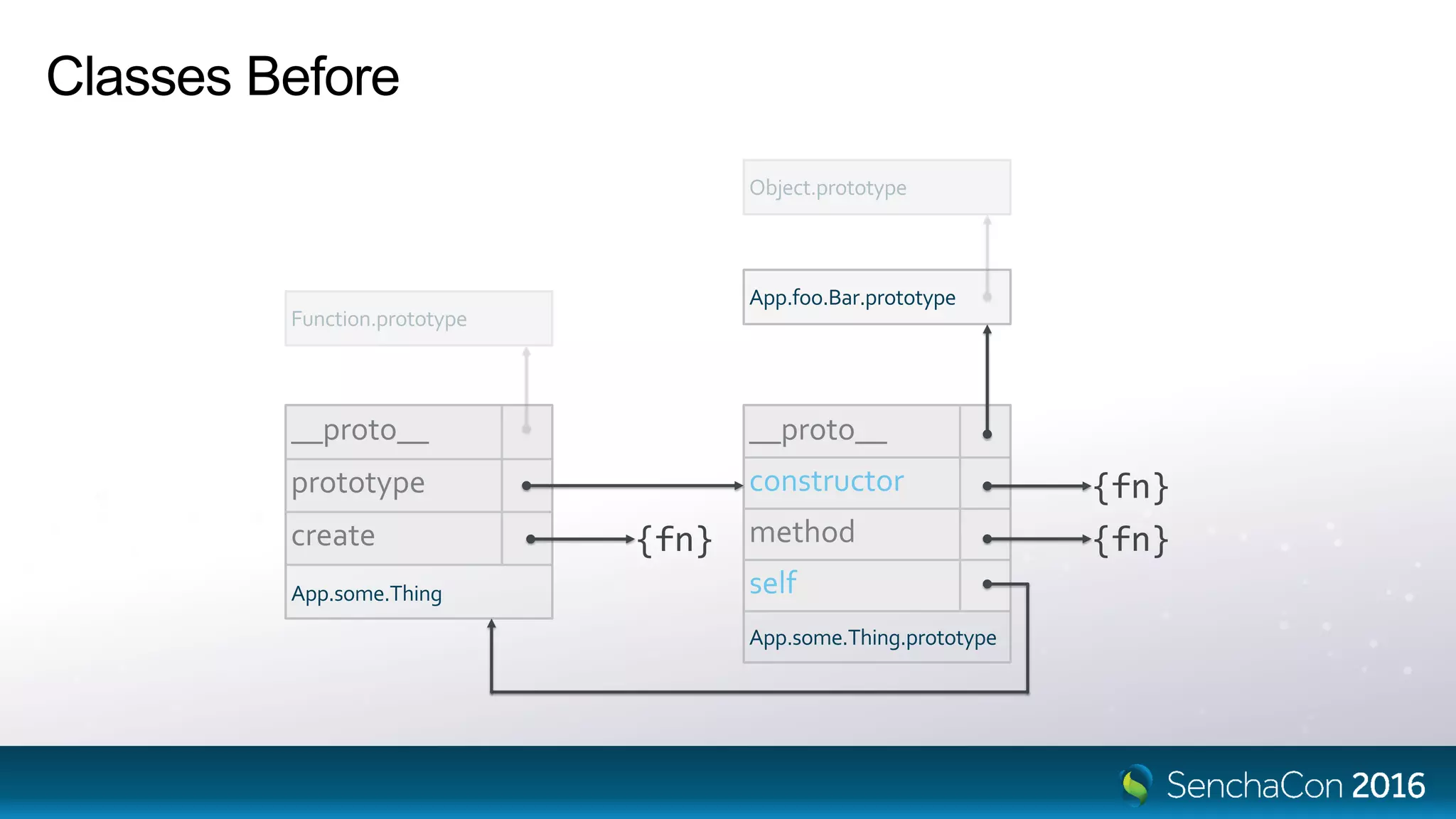
Classes Before
__proto__
prototype
create
App.some.Thing
__proto__
constructor
method
self
App.some.Thing.prototype
{fn} {fn}
{fn}
App.foo.Bar.prototype
Classes After
__proto__
prototype
create
App.some.Thing
__proto__
construct
method
constructor
App.some.Thing.prototype
{fn} {fn}
{fn}
App.foo.Bar.prototypeApp.foo.Bar
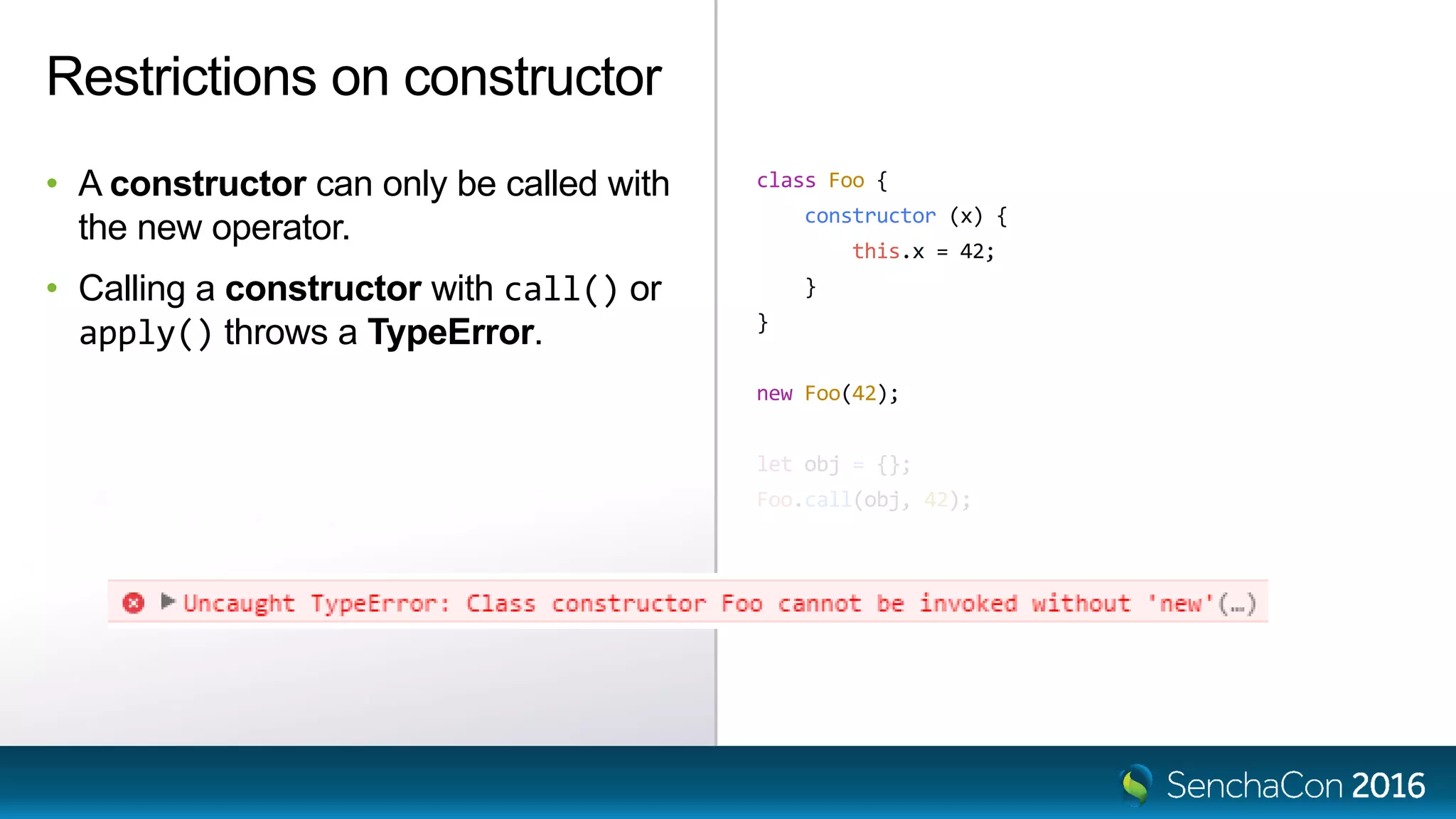
class Foo {
constructor (x) {
this.x = 42;
}
}
new Foo(42);
let obj = {};
Foo.call(obj, 42);
Restrictions on constructor
• A constructor can only be called with
the new operator.
• Calling a constructor with call() or
apply() throws a TypeError.
Mixins
Ext.define('App.mixin.Foo', {
method: function (x) {
return x * 42;
}
});
Ext.define('App.some.Thing', {
extend: 'App.foo.Bar',
mixins: [ 'App.mixin.Foo' ],
});
Ext.define('App.some.OtherThing', {
extend: 'App.foo.Bar',
mixins: [ 'App.mixin.Foo' ],
method: function (x) {
return 10 * this.mixins.foo.method.call(this, x);
}
});
Mixins Today
• Mixins ≈ multiple inheritance
• Mixins are classes
• Methods from the mixin prototype are
copied to the target class prototype
• Unless there is already a method
present
• The mixins object references the
various mixin prototypes
thing.method(2);
this.mixins.observable.constructor.call(this);this.mixins.observable.construct.call(this);
import { Ext, define } from '@extjs/kernel';
import Bar from 'app/foo';
class Mixable extends Ext.Base {
method (x) {
return x * 42;
}
}
@define({ mixins: [ Mixable ] })
class Thing extends Bar {
method (x) {
return 10 * this.mixins.mixable.method.call(this, x);
}
}
@define({ extend: [ Mixable ] })
class OtherThing extends Bar {
method (x) {
return 10 * super.method(x);
}
}
Mixins in ES6+
• Mixins are classes (that extend
Ext.Base)
• Use @define to mix in the mixin(s)
• Mixins will be able to act more like a
true base
- The extend directive accepts mixins
- Calls to overlapping methods are handled
in the super call
Common Object Life-cycle
The Life-cycle of Ext.Base
Creation
• Instances are created with operator new
- or Ext.create() or other factory
• The native constructor is available to ES6 classes
- Not recommended in most cases
• The construct method is available to all classes
- The new name for the old constructor
The Life-cycle of Ext.Base
Configuration
• Use the config directive to define configuration properties
• Config system calls your apply and update methods
• Use the built-in, single-object-parameter form of the construct method
• Ext.Base#construct calls initConfig (if needed)
The Life-cycle of Ext.Base
Destruction
• Cleanup is handled by destroy
• Sets flags like destroying and destroyed
• Ignores multiple calls
• Calls destruct (just once)
• Clears instance properties to avoid memory leaks
The Life-cycle of Ext.Base
Template methods (*)
• ctor
- Called to initialize an instance
- Called after the ctor of all base classes and mixins
• dtor
- Called to cleanup an instance
- Called before the dtor of bases or mixins
• No super calls required
- All implementations of ctor and dtor are called automatically
import Ext from '@extjs/kernel';
class A extends Ext.Base {
construct (x) {
super.construct();
this.x = 42;
this.x2 = this.x * 10;
}
}
class B extends A {
construct (x, y) {
super.construct(x);
this.y = y;
this.y2 = y * 427;
}
}
@define({ mixins: [ B ] })
class C extends Ext.Base {
construct (x, y) {
super.construct();
this.mixins.b.construct(x, y);
this.c = this.x + this.y + this.x2 + this.y2;
}
}
new C(4, 42);
Life-cycles & Diamonds
A
Ext.Base
B
C
import { Ext, define } from '@extjs/kernel';
@define({
config: {
x: 0
}
})
class A extends Ext.Base {
updateX (x) {
this.x2 = x * 10;
}
}
class B extends A {
ctor () {
this.y2 = this.y * 427;
}
}
@define({ mixins: [ B ] })
class C extends Ext.Base {
ctor () {
this.c = this.getX() + this.y + this.x2 + this.y2;
}
}
new C({ x: 2, y: 42 });
Life-cycles & Diamonds
A
Ext.Base
B
C
Life-cycles & Diamonds
A
Ext.Base
B
C
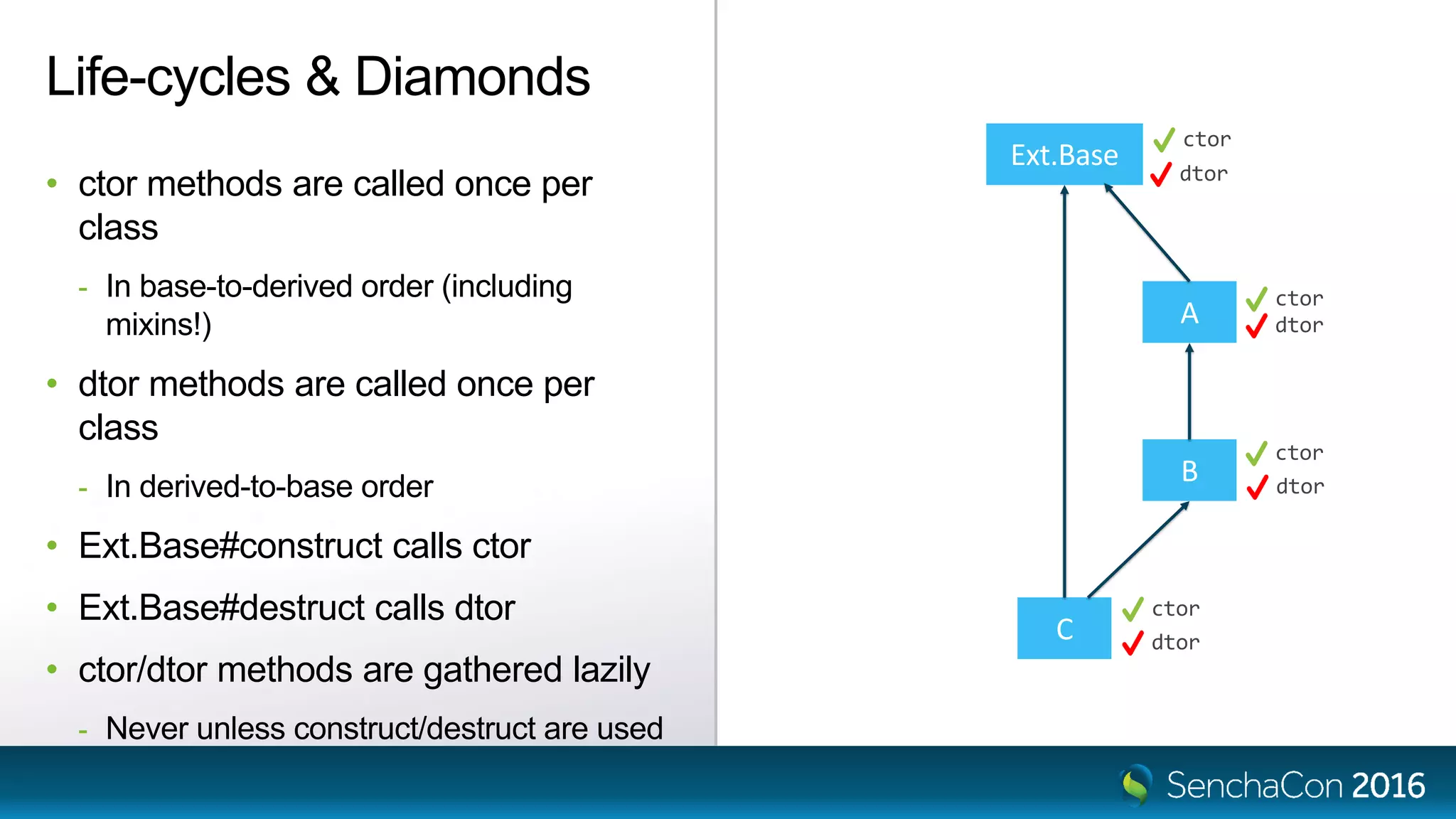
• ctor methods are called once per
class
- In base-to-derived order (including
mixins!)
• dtor methods are called once per
class
- In derived-to-base order
• Ext.Base#construct calls ctor
• Ext.Base#destruct calls dtor
• ctor/dtor methods are gathered lazily
- Never unless construct/destruct are used
ctor
ctor
ctor
ctor
dtor
dtor
dtor
dtor
The Road Ahead
The Road Ahead
Sencha Cmd 6.5
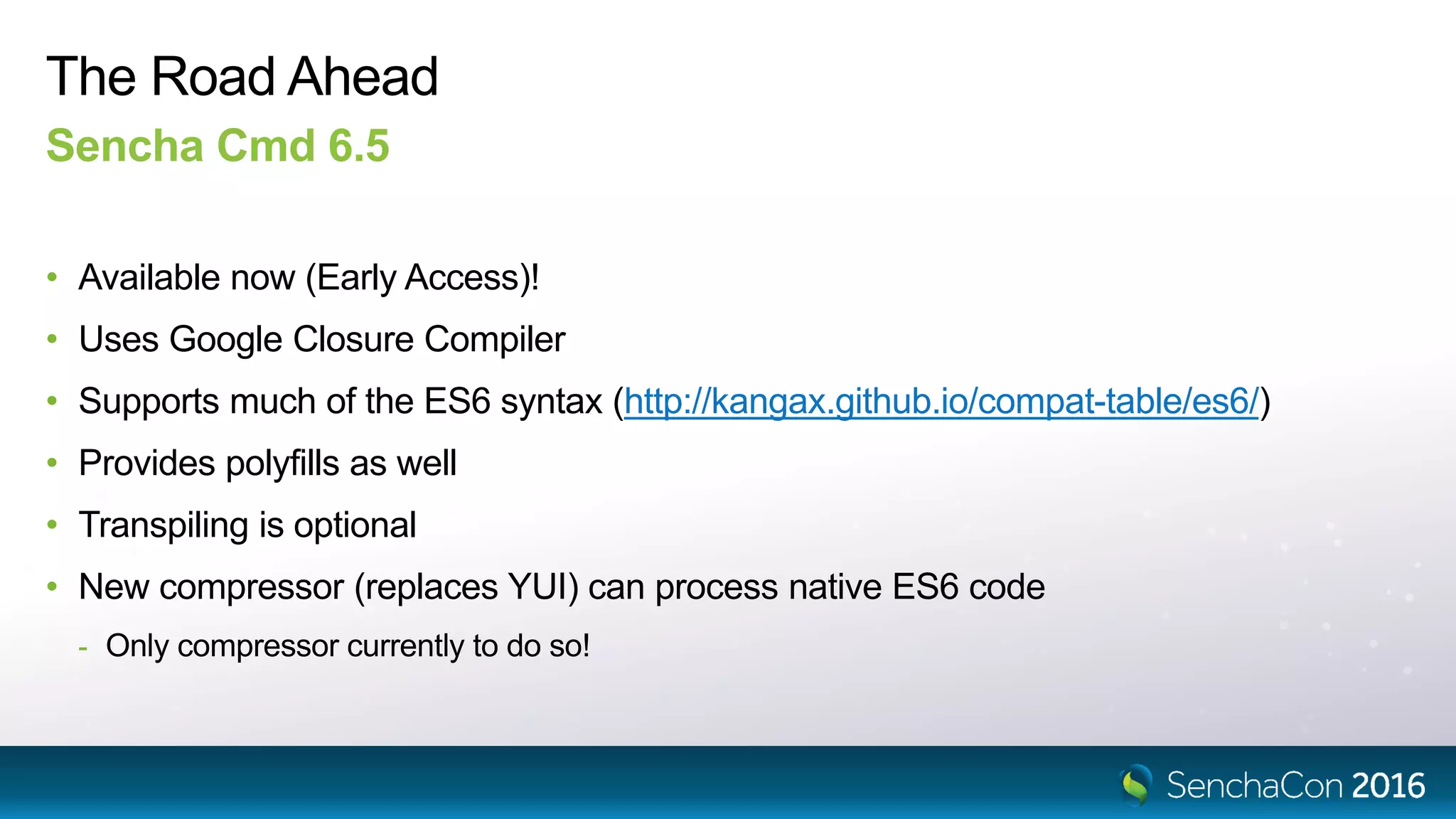
• Available now (Early Access)!
• Uses Google Closure Compiler
• Supports much of the ES6 syntax (http://kangax.github.io/compat-table/es6/)
• Provides polyfills as well
• Transpiling is optional
• New compressor (replaces YUI) can process native ES6 code
- Only compressor currently to do so!
The Road Ahead
Ext JS.Next
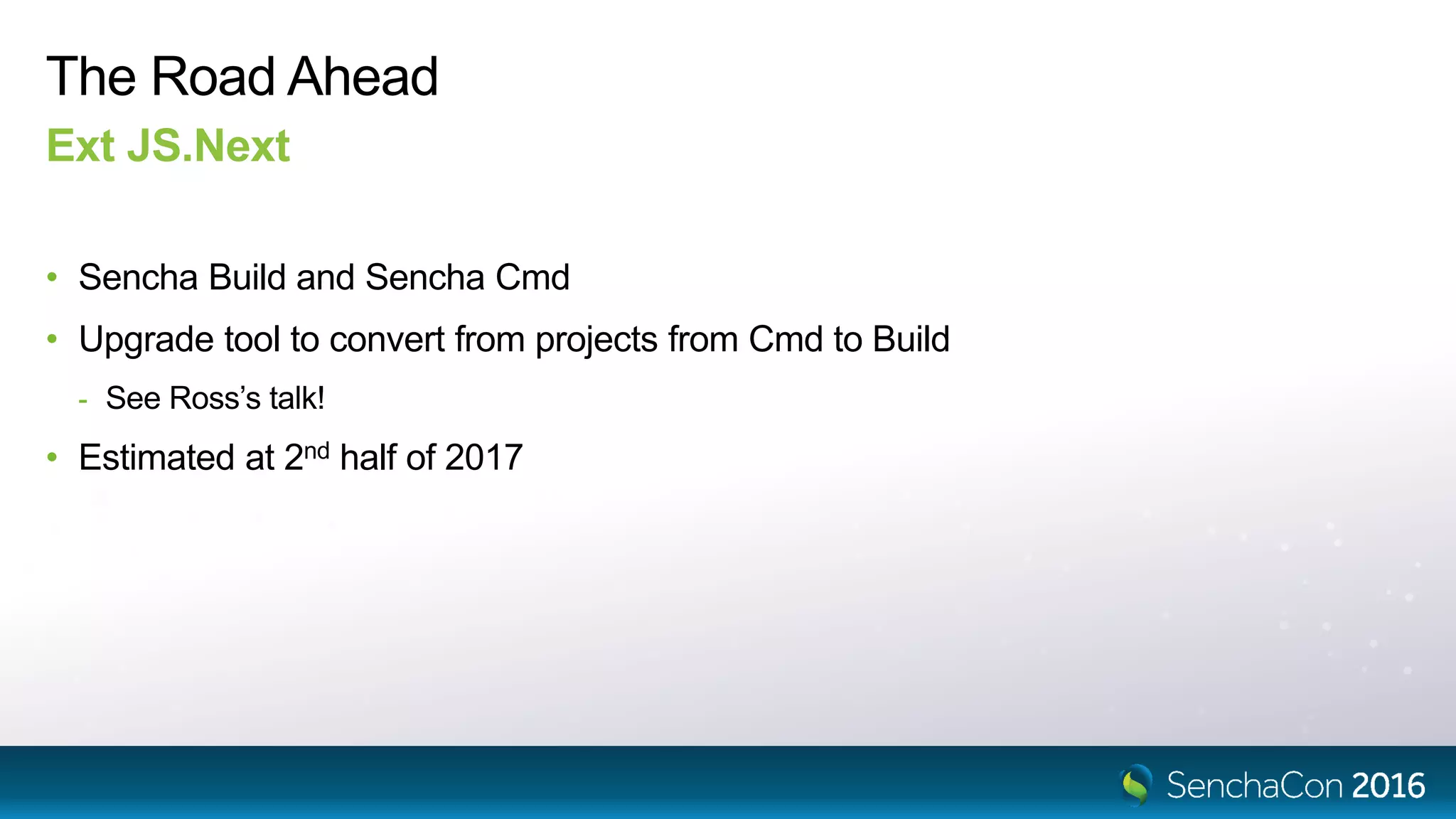
• Sencha Build and Sencha Cmd
• Upgrade tool to convert from projects from Cmd to Build
- See Ross’s talk!
• Estimated at 2nd half of 2017
SenchaCon 2016: Modernizing the Ext JS Class System - Don Griffin

SenchaCon 2016: Modernizing the Ext JS Class System - Don Griffin

  • 1.
    Modernizing the Ext JSClass System Don Griffin @dongryphon
  • 2.
    Agenda • Background - Goalsfor language and tools - Tool landscape • Class system content - Modules - Classes & Mixins - Life-cycle • Timeline - WARNING: Code names ahoy!
  • 3.
  • 4.
  • 5.
    Future-proofing Balance Between… Compatibility • Ext.defineworks as before • Existing code organization is supported • Ext.require works as before • callParent must be available • Ext namespace is globally available • class syntax can derive from any class • Module-based structure is first-class • import and export syntax is supported • super calls must work (strict mode) • Ext is scoped to its module Sencha will provide an upgrade tool to transform a code base to ES6 form!
  • 6.
  • 7.
    ES6 Score Cards Windows7http://kangax.github.io/compat-table/es6/ ?
  • 8.
  • 9.
  • 10.
    Node.js Sencha Build (*) Opentooling platform Scanner Optimizer Indexer Compressor … webpack plugins rollup gulp SystemJS ??
  • 11.
  • 12.
    Transpilers • Transpilers (likeBabel) are JavaScript-to-JavaScript compilers • Transpilers go beyond “polyfills” by providing missing language syntax! • Transpilers are currently the only platforms that accept imports, exports and decorators • Transpilers allow us to future-proof our code (unblocking the language adoption curve) - No more “least common denominator” development! - Mostly… - Not all API’s can be polyfilled (Proxy)
  • 13.
    Source Maps • SourceMaps enable the debugger to display the original source code… - …not inscrutable transpiler output! • Source Maps have been around since 2012 - This is great because they are widely supported • Source Maps are supported by: - Chrome, Firefox, Edge, Safari - IE11 (with Windows 8.1 Update)
  • 14.
    Trust But Verify •Transpilers can produce some scary code - Only transpile away what your target browser(s) do not support - Check what is produced if performance or code size is a concern - Especially if you need to support browsers like IE 11… or Safari 9 (or older) • Even natively supported idioms can have surprising performance - The “for…of” loop construct – awesome syntax! Not-so-great performance https://kpdecker.github.io/six-speed/
  • 15.
    Trust But Verify for...of vardata = [1, 2, 3]; var ret = ''; for (var value of data) { ret += value; } var data = [1, 2, 3]; var ret = ''; for (var i = 0; i < data.length; ++i) { ret += data[i]; }
  • 16.
  • 17.
  • 18.
    Ext = {}; Ext.global= window; Ext.global.Ext = Ext; Ext.define('App.some.Thing', { extend: 'App.foo.Bar', requires: [ 'Ext.grid.Panel' ], Namespaces • Namespaces are nested objects • Ext.define() adds to the namespace • The Loader maps names to URL’s • Files are loaded at global scope Ext = { global: { Ext: Ext, App: { foo: { Bar: constructor }, some: { Thing: constructor } } }, grid: { Panel: constructor } } Ext.Loader.setPath({ Ext: '../ext/src', App: './app' }); // Ext.grid.Panel // => '../ext/src/grid/Panel.js' // App.foo.Bar // => './app/foo/Bar.js'
  • 19.
    var foo ='bar'; // private, not global export var abc = 'abc'; export default class Bar { // ... } Modules • Modules are files • Modules execute in a private scope (not global) • Modules publish values using export • Modules can have one, unnamed “default” export value • Modules use import to acquire values exported by other modules • Modules are imported by path or name • Named modules are resolved by the module loader import { abc } from '../path/file'; import Bar from '../path/file.js'; import Ext from '@extjs/kernel'; import { define } from '@extjs/kernel'; ./path/file.js ./other/thing.js
  • 20.
    import { button} from '@extjs/modern'; import { hbox } from '@extjs/modern/layout'; import { Ext_Button } from '@extjs/modern'; Importing Components • Classes are exported in several ways: - By xtype - By alias family - By class name • These would be used where strings might be used today • These exports can be generated by Sencha Build
  • 21.
    Sencha Cmd UnderstandsNamespaces Sencha Build Understands Modules
  • 22.
  • 23.
    Ext.define('App.some.Thing', { extend: 'App.foo.Bar', requires:[ 'Ext.grid.Panel' ], alias: 'thing', text: 'Hello', constructor: function (config) { this.callParent([config]); }, method: function (x) { return this.callParent([x]) * 42; }, statics: { create: function (cfg) { cfg.type = 'thing'; return this.callParent([cfg]); } } }); Classes Today Ext.define() • Inheritance • Directives • Properties • Constructors • Methods • Static methods • Super calls / callParent
  • 24.
  • 25.
    import { define} from '@extjs/kernel'; import { grid } from '@extjs/modern'; import Bar from 'app/foo'; @define('App.some.Thing', { alias: 'thing', text: 'Hello' }) class Thing extends Bar { method (x) { return super.method(x) * 42; } static create (cfg) { cfg.type = 'thing'; return super.create(cfg); } } export default Thing; Classes in ES6+ import - export - class - @define • Inheritance • Directives • Properties • Methods • Static methods • Super calls Decorator
  • 26.
    function define (className,body) { return T => { T.define(className, body); }; } @define('App.some.Thing', { alias: 'thing', text: 'Hello' }) class Thing extends Bar { } define('App.some.Thing', { alias: 'thing', text: 'Hello' })(Thing); Decorators • Decorators are functions that manipulate classes (or methods) • Decorators can accept arguments… - But must return a function to call as if no arguments were provided • The @decorator syntax is just a different way to call these functions • Decorators are currently a Stage 2 proposal (not yet standardized) // @define('App.some.Thing', { // alias: 'thing', // text: 'Hello' // }) https://github.com/tc39/proposals
  • 27.
    Classes in ES6+ __proto__ prototype create App.some.Thing __proto__ construct method constructor App.some.Thing.prototype {fn}{fn} {fn} App.foo.Bar.prototypeApp.foo.Bar Same meaning as constructor was previously
  • 28.
  • 29.
  • 30.
    class Foo { constructor(x) { this.x = 42; } } new Foo(42); let obj = {}; Foo.call(obj, 42); Restrictions on constructor • A constructor can only be called with the new operator. • Calling a constructor with call() or apply() throws a TypeError.
  • 31.
  • 32.
    Ext.define('App.mixin.Foo', { method: function(x) { return x * 42; } }); Ext.define('App.some.Thing', { extend: 'App.foo.Bar', mixins: [ 'App.mixin.Foo' ], }); Ext.define('App.some.OtherThing', { extend: 'App.foo.Bar', mixins: [ 'App.mixin.Foo' ], method: function (x) { return 10 * this.mixins.foo.method.call(this, x); } }); Mixins Today • Mixins ≈ multiple inheritance • Mixins are classes • Methods from the mixin prototype are copied to the target class prototype • Unless there is already a method present • The mixins object references the various mixin prototypes thing.method(2); this.mixins.observable.constructor.call(this);this.mixins.observable.construct.call(this);
  • 33.
    import { Ext,define } from '@extjs/kernel'; import Bar from 'app/foo'; class Mixable extends Ext.Base { method (x) { return x * 42; } } @define({ mixins: [ Mixable ] }) class Thing extends Bar { method (x) { return 10 * this.mixins.mixable.method.call(this, x); } } @define({ extend: [ Mixable ] }) class OtherThing extends Bar { method (x) { return 10 * super.method(x); } } Mixins in ES6+ • Mixins are classes (that extend Ext.Base) • Use @define to mix in the mixin(s) • Mixins will be able to act more like a true base - The extend directive accepts mixins - Calls to overlapping methods are handled in the super call
  • 34.
  • 35.
    The Life-cycle ofExt.Base Creation • Instances are created with operator new - or Ext.create() or other factory • The native constructor is available to ES6 classes - Not recommended in most cases • The construct method is available to all classes - The new name for the old constructor
  • 36.
    The Life-cycle ofExt.Base Configuration • Use the config directive to define configuration properties • Config system calls your apply and update methods • Use the built-in, single-object-parameter form of the construct method • Ext.Base#construct calls initConfig (if needed)
  • 37.
    The Life-cycle ofExt.Base Destruction • Cleanup is handled by destroy • Sets flags like destroying and destroyed • Ignores multiple calls • Calls destruct (just once) • Clears instance properties to avoid memory leaks
  • 38.
    The Life-cycle ofExt.Base Template methods (*) • ctor - Called to initialize an instance - Called after the ctor of all base classes and mixins • dtor - Called to cleanup an instance - Called before the dtor of bases or mixins • No super calls required - All implementations of ctor and dtor are called automatically
  • 39.
    import Ext from'@extjs/kernel'; class A extends Ext.Base { construct (x) { super.construct(); this.x = 42; this.x2 = this.x * 10; } } class B extends A { construct (x, y) { super.construct(x); this.y = y; this.y2 = y * 427; } } @define({ mixins: [ B ] }) class C extends Ext.Base { construct (x, y) { super.construct(); this.mixins.b.construct(x, y); this.c = this.x + this.y + this.x2 + this.y2; } } new C(4, 42); Life-cycles & Diamonds A Ext.Base B C
  • 40.
    import { Ext,define } from '@extjs/kernel'; @define({ config: { x: 0 } }) class A extends Ext.Base { updateX (x) { this.x2 = x * 10; } } class B extends A { ctor () { this.y2 = this.y * 427; } } @define({ mixins: [ B ] }) class C extends Ext.Base { ctor () { this.c = this.getX() + this.y + this.x2 + this.y2; } } new C({ x: 2, y: 42 }); Life-cycles & Diamonds A Ext.Base B C
  • 41.
    Life-cycles & Diamonds A Ext.Base B C •ctor methods are called once per class - In base-to-derived order (including mixins!) • dtor methods are called once per class - In derived-to-base order • Ext.Base#construct calls ctor • Ext.Base#destruct calls dtor • ctor/dtor methods are gathered lazily - Never unless construct/destruct are used ctor ctor ctor ctor dtor dtor dtor dtor
  • 42.
  • 43.
    The Road Ahead SenchaCmd 6.5 • Available now (Early Access)! • Uses Google Closure Compiler • Supports much of the ES6 syntax (http://kangax.github.io/compat-table/es6/) • Provides polyfills as well • Transpiling is optional • New compressor (replaces YUI) can process native ES6 code - Only compressor currently to do so!
  • 44.
    The Road Ahead ExtJS.Next • Sencha Build and Sencha Cmd • Upgrade tool to convert from projects from Cmd to Build - See Ross’s talk! • Estimated at 2nd half of 2017

Editor's Notes

  • #2 Welcome – Thanks for being part of SenchaCon 2016 Season of politics – Fact Check! I’m Don Griffin That is my twitter handle
  • #5 There is a continuum of possibilities Can feel lopsided or an unfair fight Goal is Best-of-all-possible-worlds outcome
  • #6 We’ve heard and understood the message – Smooth upgrades please! For the largest upgrade in JavaScript history we are delighted that the upgrade path looks clear
  • #7 As we’ll see in a moment… Tool preferences change rapidly Tools come in with great fanfare In 12-24 months few mourn their passing The JavaScript language stays with us
  • #8 Despite high scores on all current browsers… “100%” means it parses the import/export syntax But since the Loader standard is in progress… Nothing is imported!
  • #9 API expansion can be “polyfilled” Syntax expansion cannot
  • #10 This is the challenge of tools… Entirely un-scientific 2012=Grunt 2014=Gulp 2016=webpack
  • #11 * = Code names subject to change Sencha Cmd will continue to support existing semantics Sencha Build will support module-based development Provide free-standing, open source tools Based on Node.js And integrations to popular tools (like webpack) See Ross’s talk
  • #12 These tools are build on a Couple foundations
  • #13  “Mostly” == “not all language features can be transpiled or polyfilled”
  • #15 “…scary code” - You can quote me on that  Sencha is committed to an Enterprise Grade transpiler
  • #16 On the upside – performance is getting better Browser vendors have not had the time to optimize for ES6 Like with older constructs
  • #17 Moving on from the background…
  • #18 This is perhaps the biggest paradigm shift
  • #19 Sencha Cmd was designed for namespaces
  • #20 Sencha Build, webpack etc are based on modules
  • #21 We’ll look closer at decorators shortly But that is why we say “ES6+”
  • #22 Sencha Cmd may support modules Not decided on that
  • #23 Class are a key focus for this talk Lee will talk about general ES6 language features
  • #26 We’ll look closer at decorators shortly But that is why we say “ES6+” ES6 does not give us a way to put properties on the prototype
  • #27 Decorators come from TypeScript Heavily used by Angular 2
  • #28 All statics are inheritable statics!
  • #30 All statics are inheritable statics!
  • #31 Breaks mixins
  • #32 Closely related to classes…
  • #34 We’ll look closer at decorators shortly But that is why we say “ES6+”
  • #35 Closely related to classes…
  • #36 You likely won’t notice much of this change Not all classes call Ext.Base construct
  • #37 Many classes that have constructors do not callParent today
  • #38 Not all classes use Ext.Base destroy Just let the GC collect things
  • #39 Names subject to change
  • #40 Constructors are not the only “diamond” shape method call sequence So is destroy / destruct Observable mixin ran into issues as it evolved
  • #41 Constructors are not the only “diamond” shape method call sequence So is destroy / destruct
  • #42 Constructors are not the only “diamond” shape method call sequence So is destroy / destruct
  • #43 Closely related to classes…
  • #44 No more YUI means no more issues with reserved words as property names!