Dojo for Programmers
Finest tools for programmers by programmers.
About me

• I am Eugene Lazutkin (read: la-ZOOT-kin).
• Started to work with JavaScript since ~1998.
• Worked with Dojo Toolkit since 2005.
• Dojo Committer responsible for core
 improvements, DnD, graphics, and charting.


                       2
This talk is about...

• Programmer's tools of trade.
• Different programming paradigms...
  • ...in JavaScript
     • ...and how Dojo supports them.
• Why do we need them.

                       3
This talk is not about...


• Widgets, maps, charts, grids.
• Browsers, DOM, CSS.
• HTTP, XML, JSON.


                       4
JS before ~2005


• Progressive enhancements:
  • Project code base is small.
  • General complexity is low.
  • No need to structure the code.


                       5
JS now

• Web applications are on the rise:
  • 100s kbytes of minified code.
  • Asynchronous exchange of data with servers.
  • Teams of developers.
  • Reusable components.
  • Modularity.
                       6
Code structure

• Tried and true techniques:
  • Modules
  • OOP
  • AOP
  • EDP
  • FP
                       7
Modules

• Separation of concerns.
• Well-defined API improves maintainability.
• For reusable components: a distribution unit.
• Browsers: a loading unit.
  • Usually roughly corresponds to <script>.

                        8
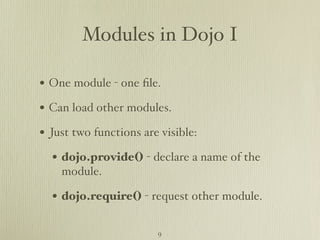
Modules in Dojo I

• One module - one file.
• Can load other modules.
• Just two functions are visible:
  • dojo.provide() - declare a name of the
    module.

  • dojo.require() - request other module. 

                        9
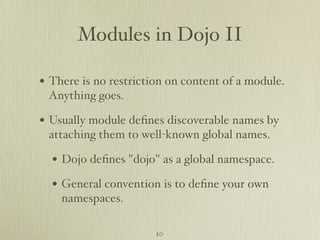
Modules in Dojo II

• There is no restriction on content of a module.
 Anything goes.

• Usually module defines discoverable names by
 attaching them to well-known global names.

  • Dojo defines "dojo" as a global namespace.
  • General convention is to define your own
    namespaces.

                       10
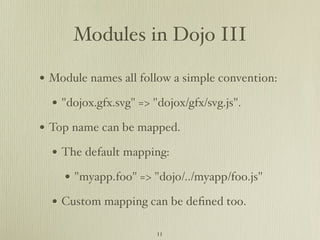
Modules in Dojo III

• Module names all follow a simple convention:
  • "dojox.gfx.svg" => "dojox/gfx/svg.js".
• Top name can be mapped.
  • The default mapping:
    • "myapp.foo" => "dojo/../myapp/foo.js"
  • Custom mapping can be defined too.
                        11
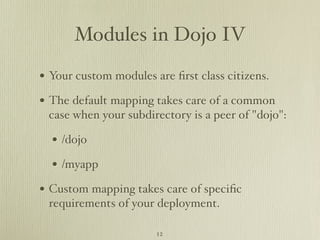
Modules in Dojo IV

• Your custom modules are first class citizens.
• The default mapping takes care of a common
 case when your subdirectory is a peer of "dojo":

  • /dojo
  • /myapp
• Custom mapping takes care of specific
 requirements of your deployment.

                       12
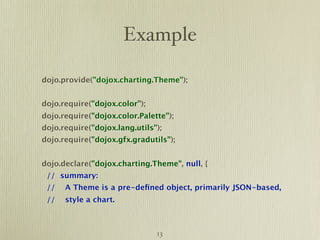
Example

dojo.provide("dojox.charting.Theme");


dojo.require("dojox.color");
dojo.require("dojox.color.Palette");
dojo.require("dojox.lang.utils");
dojo.require("dojox.gfx.gradutils");


dojo.declare("dojox.charting.Theme", null, {
 // summary:
 //   A Theme is a pre-defined object, primarily JSON-based,
 //   style a chart.


                               13
Why?

• We don't need to track dependencies manually.
  • No need to include dependencies manually.
• We can use the same modules in different
 environments.

  • Dojo is used with Rhino, Spidermonkey,
    Node.js...

• We can automatically optimize our application.
                      14
Dojo tools I


• In browser Dojo comes with two loaders:
  • Simple synchronous XHR-based loader for
    debugging.

  • Cross-domain asynchronous loader for
    CDNs.


                      15
Dojo tools II
• Dojo Builder is used to prep an app for
 deployment.

  • Collecting all required modules in one or
    more layer files.

  • Minification of layers.
  • Collecting and minifying CSS files.
  • Inlining external resources (e.g., HTML
    snippets) in JS.
                       16
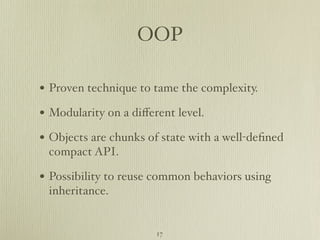
OOP

• Proven technique to tame the complexity.
• Modularity on a different level.
• Objects are chunks of state with a well-defined
 compact API.

• Possibility to reuse common behaviors using
 inheritance.


                       17
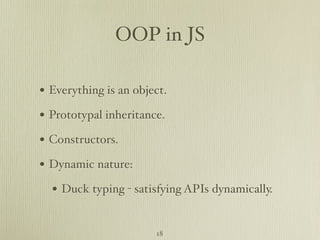
OOP in JS

• Everything is an object.
• Prototypal inheritance.
• Constructors.
• Dynamic nature:
  • Duck typing - satisfying APIs dynamically.

                       18
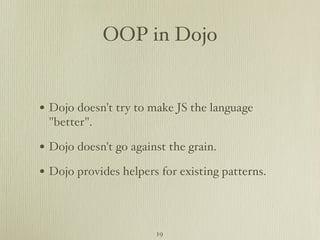
OOP in Dojo


• Dojo doesn't try to make JS the language
 "better".

• Dojo doesn't go against the grain.
• Dojo provides helpers for existing patterns.


                       19
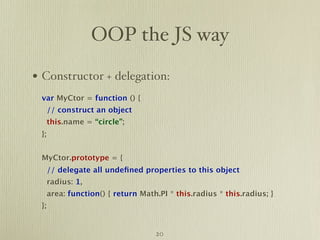
OOP the JS way

• Constructor + delegation:
 var MyCtor = function () {
      // construct an object
      this.name = “circle”;
 };


 MyCtor.prototype = {
      // delegate all undefined properties to this object
      radius: 1,
      area: function() { return Math.PI * this.radius * this.radius; }
 };


                                    20
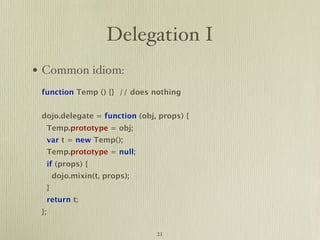
Delegation I
• Common idiom:
 function Temp () {} // does nothing


 dojo.delegate = function (obj, props) {
      Temp.prototype = obj;
      var t = new Temp();
      Temp.prototype = null;
      if (props) {
          dojo.mixin(t, props);
      }
      return t;
 };

                                  21
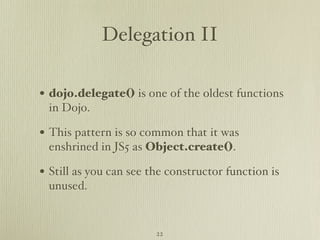
Delegation II

• dojo.delegate() is one of the oldest functions
 in Dojo.

• This pattern is so common that it was
 enshrined in JS5 as Object.create().

• Still as you can see the constructor function is
 unused.


                        22
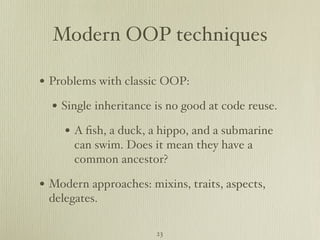
Modern OOP techniques

• Problems with classic OOP:
  • Single inheritance is no good at code reuse.
     • A fish, a duck, a hippo, and a submarine
      can swim. Does it mean they have a
      common ancestor?

• Modern approaches: mixins, traits, aspects,
 delegates.

                       23
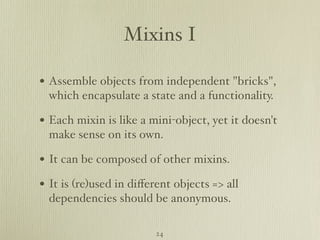
Mixins I

• Assemble objects from independent "bricks",
  which encapsulate a state and a functionality.

• Each mixin is like a mini-object, yet it doesn't
  make sense on its own.

• It can be composed of other mixins.
• It is (re)used in different objects => all
  dependencies should be anonymous.

                         24
Mixins II

• It can reuse and update existing object
  variables and methods.

• It can have its own state and methods.
• It can be composed of other mixins.
• It participates in a lifecycle.


                          25
Object's lifecycle

• Constructing an object.
• Destructing an object.
  • Required if object uses external resources.
• Application-specific events:
  • Dijit defines events before and after building
    DOM for a widget.


                       26
Interaction with mixin I

• Mixin can use host object's variables and
 methods.

  • The simplest way is to use a convention.
     • Mixin knows names it uses.
     • Object provides proper semantic units
       using those names.


                       27
Interaction with mixin II
• Mixin can refer to object's methods
 anonymously.

  • There is a way to specify how certain
    methods are called:

     • Automatically before/after its host's
      method.

     • Replacing a host's method and using some
      means (a super call) to call host.

                       28
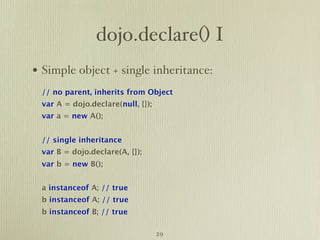
dojo.declare() I
• Simple object + single inheritance:
 // no parent, inherits from Object
 var A = dojo.declare(null, {});
 var a = new A();


 // single inheritance
 var B = dojo.declare(A, {});
 var b = new B();


 a instanceof A; // true
 b instanceof A; // true
 b instanceof B; // true

                                   29
dojo.declare() II

• Mixins:
 var Duck = dojo.declare([Bird, Swimmer], {
      constructor: function (name) {
           this.name = name;
      },
      say: function () { return “Quack!”; }
    });
 var duck_1 = new Duck(“Donald”);
 var duck_2 = new Duck(“Daisy”);
 var duck_3 = new Duck(“Daffy”);


                                30
dojo.declare() III
• Conventions:
  • All mixins and base classes are sorted
    according to C3 MRO (topological sort used
    by Dylan, Perl, Python).

    • All dups are eliminated.
    • Order of dependencies is satisfied.
  • Native prototypal inheritance is used to
    chain all bases and mixins.
                       31
dojo.declare() IV
• Conventions:
  • Constructors are called in reversed order.
    • The deepest one is called first.
  • A super call: this.inherited()
    • No need to know who is "next in chain".
  • Automatic after/before chaining can be
    specified for methods.

                        32
dojo.declare() V


• In general dojo.declare() operates in terms of
 dojo.delegate().

• It automates a frequently occurring pattern
 using simple conventions.

• The only non-trivial addition is a super call.


                        33
How to reach me


• My web site: http://lazutkin.com
• Twitter: http://twitter.com/uhop
• Email: eugene@dojotoolkit.org
• Slides: http://www.slideshare.net/elazutkin


                       34
But wait! There is more!

• Dojo offers much more:
  • AOP tools:
    • Discussed in http://lzt.me/dBc
    • Pete Higgins will talk more about it today.
  • FP tools:
    • Discussed in http://lzt.me/dB6
                      35
And even more!
• Even more tools:
  • EDP:
    • dojo.Deferred is included in the Base to
      handle asynchronous events.

    • dojox.lang.async provides high-level
      primitives to combine/synchronize events:
      seq(), par(), any(), select(), ifThen(),
      loop().

                     36
That’s all for now!


         37

Dojo for programmers (TXJS 2010)

  • 1.
    Dojo for Programmers Finesttools for programmers by programmers.
  • 2.
    About me • Iam Eugene Lazutkin (read: la-ZOOT-kin). • Started to work with JavaScript since ~1998. • Worked with Dojo Toolkit since 2005. • Dojo Committer responsible for core improvements, DnD, graphics, and charting. 2
  • 3.
    This talk isabout... • Programmer's tools of trade. • Different programming paradigms... • ...in JavaScript • ...and how Dojo supports them. • Why do we need them. 3
  • 4.
    This talk isnot about... • Widgets, maps, charts, grids. • Browsers, DOM, CSS. • HTTP, XML, JSON. 4
  • 5.
    JS before ~2005 •Progressive enhancements: • Project code base is small. • General complexity is low. • No need to structure the code. 5
  • 6.
    JS now • Webapplications are on the rise: • 100s kbytes of minified code. • Asynchronous exchange of data with servers. • Teams of developers. • Reusable components. • Modularity. 6
  • 7.
    Code structure • Triedand true techniques: • Modules • OOP • AOP • EDP • FP 7
  • 8.
    Modules • Separation ofconcerns. • Well-defined API improves maintainability. • For reusable components: a distribution unit. • Browsers: a loading unit. • Usually roughly corresponds to <script>. 8
  • 9.
    Modules in DojoI • One module - one file. • Can load other modules. • Just two functions are visible: • dojo.provide() - declare a name of the module. • dojo.require() - request other module.  9
  • 10.
    Modules in DojoII • There is no restriction on content of a module. Anything goes. • Usually module defines discoverable names by attaching them to well-known global names. • Dojo defines "dojo" as a global namespace. • General convention is to define your own namespaces. 10
  • 11.
    Modules in DojoIII • Module names all follow a simple convention: • "dojox.gfx.svg" => "dojox/gfx/svg.js". • Top name can be mapped. • The default mapping: • "myapp.foo" => "dojo/../myapp/foo.js" • Custom mapping can be defined too. 11
  • 12.
    Modules in DojoIV • Your custom modules are first class citizens. • The default mapping takes care of a common case when your subdirectory is a peer of "dojo": • /dojo • /myapp • Custom mapping takes care of specific requirements of your deployment. 12
  • 13.
  • 14.
    Why? • We don'tneed to track dependencies manually. • No need to include dependencies manually. • We can use the same modules in different environments. • Dojo is used with Rhino, Spidermonkey, Node.js... • We can automatically optimize our application. 14
  • 15.
    Dojo tools I •In browser Dojo comes with two loaders: • Simple synchronous XHR-based loader for debugging. • Cross-domain asynchronous loader for CDNs. 15
  • 16.
    Dojo tools II •Dojo Builder is used to prep an app for deployment. • Collecting all required modules in one or more layer files. • Minification of layers. • Collecting and minifying CSS files. • Inlining external resources (e.g., HTML snippets) in JS. 16
  • 17.
    OOP • Proven techniqueto tame the complexity. • Modularity on a different level. • Objects are chunks of state with a well-defined compact API. • Possibility to reuse common behaviors using inheritance. 17
  • 18.
    OOP in JS •Everything is an object. • Prototypal inheritance. • Constructors. • Dynamic nature: • Duck typing - satisfying APIs dynamically. 18
  • 19.
    OOP in Dojo •Dojo doesn't try to make JS the language "better". • Dojo doesn't go against the grain. • Dojo provides helpers for existing patterns. 19
  • 20.
    OOP the JSway • Constructor + delegation: var MyCtor = function () { // construct an object this.name = “circle”; }; MyCtor.prototype = { // delegate all undefined properties to this object radius: 1, area: function() { return Math.PI * this.radius * this.radius; } }; 20
  • 21.
    Delegation I • Commonidiom: function Temp () {} // does nothing dojo.delegate = function (obj, props) { Temp.prototype = obj; var t = new Temp(); Temp.prototype = null; if (props) { dojo.mixin(t, props); } return t; }; 21
  • 22.
    Delegation II • dojo.delegate()is one of the oldest functions in Dojo. • This pattern is so common that it was enshrined in JS5 as Object.create(). • Still as you can see the constructor function is unused. 22
  • 23.
    Modern OOP techniques •Problems with classic OOP: • Single inheritance is no good at code reuse. • A fish, a duck, a hippo, and a submarine can swim. Does it mean they have a common ancestor? • Modern approaches: mixins, traits, aspects, delegates. 23
  • 24.
    Mixins I • Assembleobjects from independent "bricks", which encapsulate a state and a functionality. • Each mixin is like a mini-object, yet it doesn't make sense on its own. • It can be composed of other mixins. • It is (re)used in different objects => all dependencies should be anonymous. 24
  • 25.
    Mixins II • Itcan reuse and update existing object variables and methods. • It can have its own state and methods. • It can be composed of other mixins. • It participates in a lifecycle. 25
  • 26.
    Object's lifecycle • Constructingan object. • Destructing an object. • Required if object uses external resources. • Application-specific events: • Dijit defines events before and after building DOM for a widget. 26
  • 27.
    Interaction with mixinI • Mixin can use host object's variables and methods. • The simplest way is to use a convention. • Mixin knows names it uses. • Object provides proper semantic units using those names. 27
  • 28.
    Interaction with mixinII • Mixin can refer to object's methods anonymously. • There is a way to specify how certain methods are called: • Automatically before/after its host's method. • Replacing a host's method and using some means (a super call) to call host. 28
  • 29.
    dojo.declare() I • Simpleobject + single inheritance: // no parent, inherits from Object var A = dojo.declare(null, {}); var a = new A(); // single inheritance var B = dojo.declare(A, {}); var b = new B(); a instanceof A; // true b instanceof A; // true b instanceof B; // true 29
  • 30.
    dojo.declare() II • Mixins: var Duck = dojo.declare([Bird, Swimmer], { constructor: function (name) { this.name = name; }, say: function () { return “Quack!”; } }); var duck_1 = new Duck(“Donald”); var duck_2 = new Duck(“Daisy”); var duck_3 = new Duck(“Daffy”); 30
  • 31.
    dojo.declare() III • Conventions: • All mixins and base classes are sorted according to C3 MRO (topological sort used by Dylan, Perl, Python). • All dups are eliminated. • Order of dependencies is satisfied. • Native prototypal inheritance is used to chain all bases and mixins. 31
  • 32.
    dojo.declare() IV • Conventions: • Constructors are called in reversed order. • The deepest one is called first. • A super call: this.inherited() • No need to know who is "next in chain". • Automatic after/before chaining can be specified for methods. 32
  • 33.
    dojo.declare() V • Ingeneral dojo.declare() operates in terms of dojo.delegate(). • It automates a frequently occurring pattern using simple conventions. • The only non-trivial addition is a super call. 33
  • 34.
    How to reachme • My web site: http://lazutkin.com • Twitter: http://twitter.com/uhop • Email: eugene@dojotoolkit.org • Slides: http://www.slideshare.net/elazutkin 34
  • 35.
    But wait! Thereis more! • Dojo offers much more: • AOP tools: • Discussed in http://lzt.me/dBc • Pete Higgins will talk more about it today. • FP tools: • Discussed in http://lzt.me/dB6 35
  • 36.
    And even more! •Even more tools: • EDP: • dojo.Deferred is included in the Base to handle asynchronous events. • dojox.lang.async provides high-level primitives to combine/synchronize events: seq(), par(), any(), select(), ifThen(), loop(). 36
  • 37.