An Introduction to Sencha
Touch 2.0
www.folio3.com@folio_3
www.folio3.com
www.folio3.com
Agenda
 Folio3 – Company Overview
 What is Sencha Touch?
 How it differs from other HTML5 Mobile Application Frameworks
 What it looks like (Quick Demo)
 Anatomy of an Application
 Getting started with Sencha Touch
 Sencha Touch SDK & Sencha Touch SDK-Tools
 Concepts
 Case Study – SixthSense
 Next Steps
Folio3 – An Overview
www.folio3.com@folio_3
Folio3 At a Glance
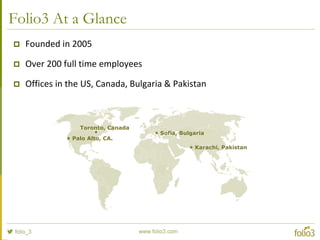
 Founded in 2005
 Over 200 full time employees
 Offices in the US, Canada, Bulgaria & Pakistan
 Palo Alto, CA.
 Sofia, Bulgaria
 Karachi, Pakistan
Toronto, Canada
What We Do
 We are a Development Partner for our customers
 Design software solutions, not just implement them
 Focus on the solution – Platform and technology agnostic
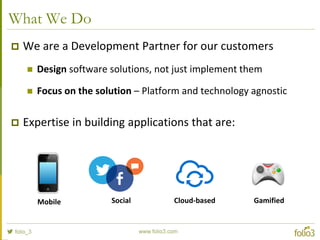
 Expertise in building applications that are:
Mobile Social Cloud-based Gamified
What We Do
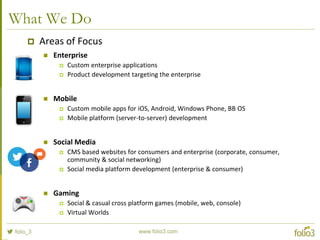
 Areas of Focus
 Enterprise
 Custom enterprise applications
 Product development targeting the enterprise
 Mobile
 Custom mobile apps for iOS, Android, Windows Phone, BB OS
 Mobile platform (server-to-server) development
 Social Media
 CMS based websites for consumers and enterprise (corporate, consumer,
community & social networking)
 Social media platform development (enterprise & consumer)
 Gaming
 Social & casual cross platform games (mobile, web, console)
 Virtual Worlds
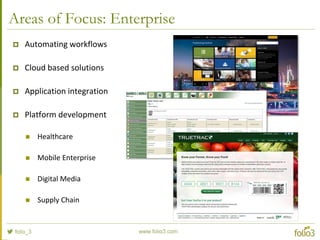
Areas of Focus: Enterprise
 Automating workflows
 Cloud based solutions
 Application integration
 Platform development
 Healthcare
 Mobile Enterprise
 Digital Media
 Supply Chain
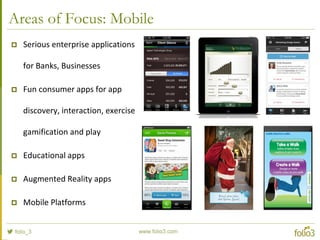
Areas of Focus: Mobile
 Serious enterprise applications
for Banks, Businesses
 Fun consumer apps for app
discovery, interaction, exercise
gamification and play
 Educational apps
 Augmented Reality apps
 Mobile Platforms
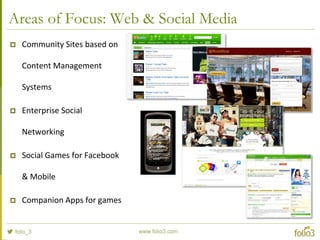
Areas of Focus: Web & Social Media
 Community Sites based on
Content Management
Systems
 Enterprise Social
Networking
 Social Games for Facebook
& Mobile
 Companion Apps for games
What is Sencha Touch
www.folio3.com@folio_3
What is Sencha Touch?
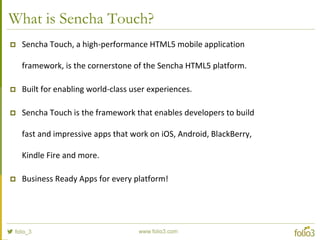
 Sencha Touch, a high-performance HTML5 mobile application
framework, is the cornerstone of the Sencha HTML5 platform.
 Built for enabling world-class user experiences.
 Sencha Touch is the framework that enables developers to build
fast and impressive apps that work on iOS, Android, BlackBerry,
Kindle Fire and more.
 Business Ready Apps for every platform!
How It Differs from other HTML5 Mobile App Frameworks
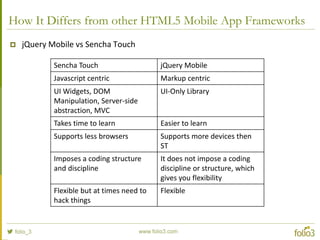
 jQuery Mobile vs Sencha Touch
Sencha Touch jQuery Mobile
Javascript centric Markup centric
UI Widgets, DOM
Manipulation, Server-side
abstraction, MVC
UI-Only Library
Takes time to learn Easier to learn
Supports less browsers Supports more devices then
ST
Imposes a coding structure
and discipline
It does not impose a coding
discipline or structure, which
gives you flexibility
Flexible but at times need to
hack things
Flexible
What It Looks Like
www.folio3.com@folio_3
Anatomy of an Application
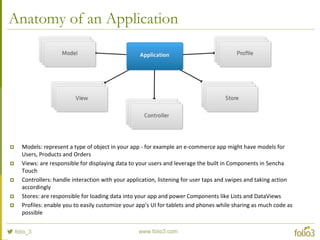
 Models: represent a type of object in your app - for example an e-commerce app might have models for
Users, Products and Orders
 Views: are responsible for displaying data to your users and leverage the built in Components in Sencha
Touch
 Controllers: handle interaction with your application, listening for user taps and swipes and taking action
accordingly
 Stores: are responsible for loading data into your app and power Components like Lists and DataViews
 Profiles: enable you to easily customize your app's UI for tablets and phones while sharing as much code as
possible
Getting Started With Sencha Touch
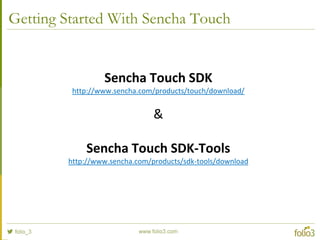
Sencha Touch SDK
http://www.sencha.com/products/touch/download/
&
Sencha Touch SDK-Tools
http://www.sencha.com/products/sdk-tools/download
Generate Code – Directory Structure
Inside the app
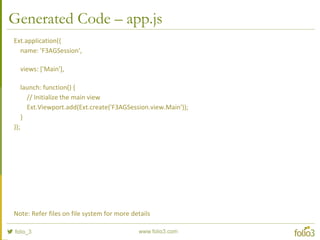
Generated Code – app.js
Ext.application({
name: 'F3AGSession',
views: ['Main'],
launch: function() {
// Initialize the main view
Ext.Viewport.add(Ext.create('F3AGSession.view.Main'));
}
});
Note: Refer files on file system for more details
Concepts
 The Class System
 Components
 Containers
 Layouts
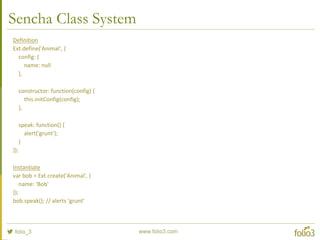
Sencha Class System
Definition
Ext.define('Animal', {
config: {
name: null
},
constructor: function(config) {
this.initConfig(config);
},
speak: function() {
alert('grunt');
}
});
Instantiate
var bob = Ext.create('Animal', {
name: 'Bob'
});
bob.speak(); // alerts ‘grunt’
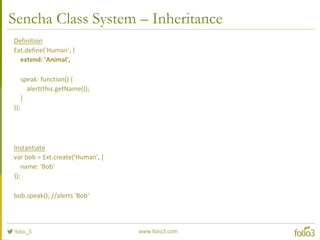
Sencha Class System – Inheritance
Definition
Ext.define('Human', {
extend: 'Animal',
speak: function() {
alert(this.getName());
}
});
Instantiate
var bob = Ext.create('Human', {
name: 'Bob'
});
bob.speak(); //alerts 'Bob'
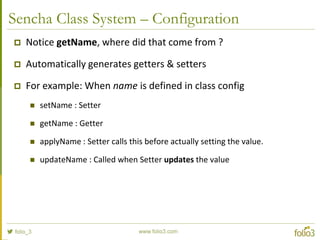
Sencha Class System – Configuration
 Notice getName, where did that come from ?
 Automatically generates getters & setters
 For example: When name is defined in class config
 setName : Setter
 getName : Getter
 applyName : Setter calls this before actually setting the value.
 updateName : Called when Setter updates the value
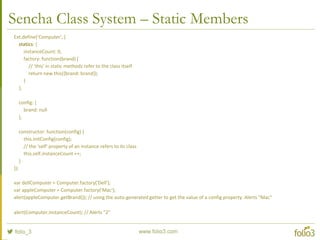
Sencha Class System – Static Members
Ext.define('Computer', {
statics: {
instanceCount: 0,
factory: function(brand) {
// 'this' in static methods refer to the class itself
return new this({brand: brand});
}
},
config: {
brand: null
},
constructor: function(config) {
this.initConfig(config);
// the 'self' property of an instance refers to its class
this.self.instanceCount ++;
}
});
var dellComputer = Computer.factory('Dell');
var appleComputer = Computer.factory('Mac');
alert(appleComputer.getBrand()); // using the auto-generated getter to get the value of a config property. Alerts "Mac"
alert(Computer.instanceCount); // Alerts "2"
Concepts
 The Class System
 Components
 Containers
 Layouts
What is a Component?
 Visual Classes
 Every Component in Sencha Touch is a subclass of
Ext.Component
What is a Container?
 Sub-class of Component
 Can contain child components
 Can specify Layouts
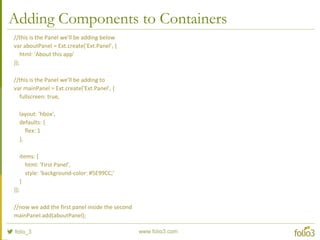
Adding Components to Containers
//this is the Panel we'll be adding below
var aboutPanel = Ext.create('Ext.Panel', {
html: 'About this app'
});
//this is the Panel we'll be adding to
var mainPanel = Ext.create('Ext.Panel', {
fullscreen: true,
layout: 'hbox',
defaults: {
flex: 1
},
items: {
html: 'First Panel',
style: 'background-color: #5E99CC;'
}
});
//now we add the first panel inside the second
mainPanel.add(aboutPanel);
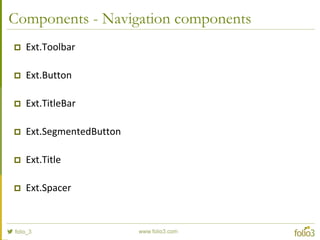
Components - Navigation components
 Ext.Toolbar
 Ext.Button
 Ext.TitleBar
 Ext.SegmentedButton
 Ext.Title
 Ext.Spacer
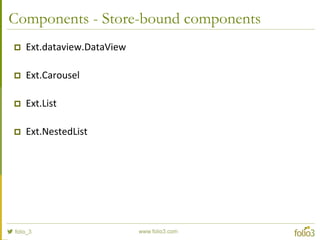
Components - Store-bound components
 Ext.dataview.DataView
 Ext.Carousel
 Ext.List
 Ext.NestedList
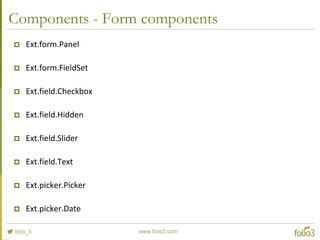
Components - Form components
 Ext.form.Panel
 Ext.form.FieldSet
 Ext.field.Checkbox
 Ext.field.Hidden
 Ext.field.Slider
 Ext.field.Text
 Ext.picker.Picker
 Ext.picker.Date
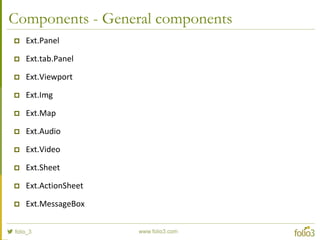
Components - General components
 Ext.Panel
 Ext.tab.Panel
 Ext.Viewport
 Ext.Img
 Ext.Map
 Ext.Audio
 Ext.Video
 Ext.Sheet
 Ext.ActionSheet
 Ext.MessageBox
Concepts
 The Class System
 Components
 Containers
 Layouts
Layouts - HBox
Ext.create('Ext.Container', {
fullscreen: true,
layout: 'hbox',
items: [
{
xtype: 'panel',
html: 'message list',
flex: 1
},
{
xtype: 'panel',
html: 'message preview',
flex: 2
}
]
});
Layouts - VBox
Ext.create('Ext.Container', {
fullscreen: true,
layout: 'vbox',
items: [
{
xtype: 'panel',
html: 'message list',
flex: 1
},
{
xtype: 'panel',
html: 'message preview',
flex: 2
}
]
});
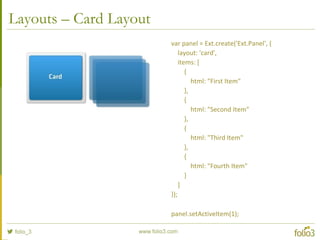
Layouts – Card Layout
var panel = Ext.create('Ext.Panel', {
layout: 'card',
items: [
{
html: "First Item"
},
{
html: "Second Item"
},
{
html: "Third Item"
},
{
html: "Fourth Item"
}
]
});
panel.setActiveItem(1);
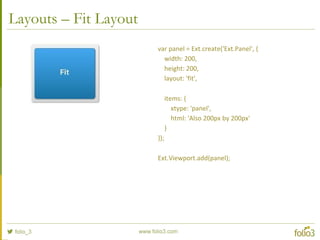
Layouts – Fit Layout
var panel = Ext.create('Ext.Panel', {
width: 200,
height: 200,
layout: 'fit',
items: {
xtype: 'panel',
html: 'Also 200px by 200px'
}
});
Ext.Viewport.add(panel);
MVC
 Model extends Ext.data.Model
 View extends Ext.Component
 Controller extends Ext.app.Controller
MVC - Models
Ext.define('User', {
extend: 'Ext.data.Model',
config: {
fields: [
{ name: 'id', type: 'int' },
{ name: 'name', type: 'string' }
]
}
});
MVC - Controller
Ext.define('MyApp.controller.Main', {
extend: 'Ext.app.Controller',
config: {
control: {
loginButton: {
tap: 'doLogin'
},
'button[action=logout]': {
tap: 'doLogout'
}
},
refs: {
loginButton: 'button[action=login]'
}
},
doLogin: function() {
// called whenever the Login button is tapped
},
doLogout: function() {
// called whenever any Button with action=logout is tapped
}
});
Case Study - SixthSense
www.folio3.com@folio_3
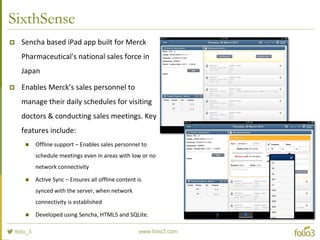
SixthSense
 Sencha based iPad app built for Merck
Pharmaceutical's national sales force in
Japan
 Enables Merck’s sales personnel to
manage their daily schedules for visiting
doctors & conducting sales meetings. Key
features include:
 Offline support – Enables sales personnel to
schedule meetings even in areas with low or no
network connectivity
 Active Sync – Ensures all offline content is
synced with the server, when network
connectivity is established
 Developed using Sencha, HTML5 and SQLite.
Next Steps
www.folio3.com@folio_3
Next Steps
 http://docs.sencha.com/touch/2-0/
 http://miamicoder.com/2012/how-to-create-a-sencha-
touch-2-app-part-1/ (5 Part Series)
References
 http://www.sencha.com
 http://docs.sencha.com/touch/2-0/
 http://miamicoder.com/2012/how-to-create-a-sencha-
touch-2-app-part-1 (5 Part Series)
Contact
 For more details about our cross platform, mobile app
development services, please get in touch with us.
contact@folio3.com
US Office: (408) 365-4638
www.folio3.com

Cross Platform Mobile App Development - An Introduction to Sencha Touch

  • 1.
    An Introduction toSencha Touch 2.0 www.folio3.com@folio_3
  • 2.
    www.folio3.com www.folio3.com Agenda  Folio3 –Company Overview  What is Sencha Touch?  How it differs from other HTML5 Mobile Application Frameworks  What it looks like (Quick Demo)  Anatomy of an Application  Getting started with Sencha Touch  Sencha Touch SDK & Sencha Touch SDK-Tools  Concepts  Case Study – SixthSense  Next Steps
  • 3.
    Folio3 – AnOverview www.folio3.com@folio_3
  • 4.
    Folio3 At aGlance  Founded in 2005  Over 200 full time employees  Offices in the US, Canada, Bulgaria & Pakistan  Palo Alto, CA.  Sofia, Bulgaria  Karachi, Pakistan Toronto, Canada
  • 5.
    What We Do We are a Development Partner for our customers  Design software solutions, not just implement them  Focus on the solution – Platform and technology agnostic  Expertise in building applications that are: Mobile Social Cloud-based Gamified
  • 6.
    What We Do Areas of Focus  Enterprise  Custom enterprise applications  Product development targeting the enterprise  Mobile  Custom mobile apps for iOS, Android, Windows Phone, BB OS  Mobile platform (server-to-server) development  Social Media  CMS based websites for consumers and enterprise (corporate, consumer, community & social networking)  Social media platform development (enterprise & consumer)  Gaming  Social & casual cross platform games (mobile, web, console)  Virtual Worlds
  • 7.
    Areas of Focus:Enterprise  Automating workflows  Cloud based solutions  Application integration  Platform development  Healthcare  Mobile Enterprise  Digital Media  Supply Chain
  • 8.
    Areas of Focus:Mobile  Serious enterprise applications for Banks, Businesses  Fun consumer apps for app discovery, interaction, exercise gamification and play  Educational apps  Augmented Reality apps  Mobile Platforms
  • 9.
    Areas of Focus:Web & Social Media  Community Sites based on Content Management Systems  Enterprise Social Networking  Social Games for Facebook & Mobile  Companion Apps for games
  • 10.
    What is SenchaTouch www.folio3.com@folio_3
  • 11.
    What is SenchaTouch?  Sencha Touch, a high-performance HTML5 mobile application framework, is the cornerstone of the Sencha HTML5 platform.  Built for enabling world-class user experiences.  Sencha Touch is the framework that enables developers to build fast and impressive apps that work on iOS, Android, BlackBerry, Kindle Fire and more.  Business Ready Apps for every platform!
  • 12.
    How It Differsfrom other HTML5 Mobile App Frameworks  jQuery Mobile vs Sencha Touch Sencha Touch jQuery Mobile Javascript centric Markup centric UI Widgets, DOM Manipulation, Server-side abstraction, MVC UI-Only Library Takes time to learn Easier to learn Supports less browsers Supports more devices then ST Imposes a coding structure and discipline It does not impose a coding discipline or structure, which gives you flexibility Flexible but at times need to hack things Flexible
  • 13.
    What It LooksLike www.folio3.com@folio_3
  • 14.
    Anatomy of anApplication  Models: represent a type of object in your app - for example an e-commerce app might have models for Users, Products and Orders  Views: are responsible for displaying data to your users and leverage the built in Components in Sencha Touch  Controllers: handle interaction with your application, listening for user taps and swipes and taking action accordingly  Stores: are responsible for loading data into your app and power Components like Lists and DataViews  Profiles: enable you to easily customize your app's UI for tablets and phones while sharing as much code as possible
  • 15.
    Getting Started WithSencha Touch Sencha Touch SDK http://www.sencha.com/products/touch/download/ & Sencha Touch SDK-Tools http://www.sencha.com/products/sdk-tools/download
  • 16.
    Generate Code –Directory Structure Inside the app
  • 17.
    Generated Code –app.js Ext.application({ name: 'F3AGSession', views: ['Main'], launch: function() { // Initialize the main view Ext.Viewport.add(Ext.create('F3AGSession.view.Main')); } }); Note: Refer files on file system for more details
  • 18.
    Concepts  The ClassSystem  Components  Containers  Layouts
  • 19.
    Sencha Class System Definition Ext.define('Animal',{ config: { name: null }, constructor: function(config) { this.initConfig(config); }, speak: function() { alert('grunt'); } }); Instantiate var bob = Ext.create('Animal', { name: 'Bob' }); bob.speak(); // alerts ‘grunt’
  • 20.
    Sencha Class System– Inheritance Definition Ext.define('Human', { extend: 'Animal', speak: function() { alert(this.getName()); } }); Instantiate var bob = Ext.create('Human', { name: 'Bob' }); bob.speak(); //alerts 'Bob'
  • 21.
    Sencha Class System– Configuration  Notice getName, where did that come from ?  Automatically generates getters & setters  For example: When name is defined in class config  setName : Setter  getName : Getter  applyName : Setter calls this before actually setting the value.  updateName : Called when Setter updates the value
  • 22.
    Sencha Class System– Static Members Ext.define('Computer', { statics: { instanceCount: 0, factory: function(brand) { // 'this' in static methods refer to the class itself return new this({brand: brand}); } }, config: { brand: null }, constructor: function(config) { this.initConfig(config); // the 'self' property of an instance refers to its class this.self.instanceCount ++; } }); var dellComputer = Computer.factory('Dell'); var appleComputer = Computer.factory('Mac'); alert(appleComputer.getBrand()); // using the auto-generated getter to get the value of a config property. Alerts "Mac" alert(Computer.instanceCount); // Alerts "2"
  • 23.
    Concepts  The ClassSystem  Components  Containers  Layouts
  • 24.
    What is aComponent?  Visual Classes  Every Component in Sencha Touch is a subclass of Ext.Component
  • 25.
    What is aContainer?  Sub-class of Component  Can contain child components  Can specify Layouts
  • 26.
    Adding Components toContainers //this is the Panel we'll be adding below var aboutPanel = Ext.create('Ext.Panel', { html: 'About this app' }); //this is the Panel we'll be adding to var mainPanel = Ext.create('Ext.Panel', { fullscreen: true, layout: 'hbox', defaults: { flex: 1 }, items: { html: 'First Panel', style: 'background-color: #5E99CC;' } }); //now we add the first panel inside the second mainPanel.add(aboutPanel);
  • 27.
    Components - Navigationcomponents  Ext.Toolbar  Ext.Button  Ext.TitleBar  Ext.SegmentedButton  Ext.Title  Ext.Spacer
  • 28.
    Components - Store-boundcomponents  Ext.dataview.DataView  Ext.Carousel  Ext.List  Ext.NestedList
  • 29.
    Components - Formcomponents  Ext.form.Panel  Ext.form.FieldSet  Ext.field.Checkbox  Ext.field.Hidden  Ext.field.Slider  Ext.field.Text  Ext.picker.Picker  Ext.picker.Date
  • 30.
    Components - Generalcomponents  Ext.Panel  Ext.tab.Panel  Ext.Viewport  Ext.Img  Ext.Map  Ext.Audio  Ext.Video  Ext.Sheet  Ext.ActionSheet  Ext.MessageBox
  • 31.
    Concepts  The ClassSystem  Components  Containers  Layouts
  • 32.
    Layouts - HBox Ext.create('Ext.Container',{ fullscreen: true, layout: 'hbox', items: [ { xtype: 'panel', html: 'message list', flex: 1 }, { xtype: 'panel', html: 'message preview', flex: 2 } ] });
  • 33.
    Layouts - VBox Ext.create('Ext.Container',{ fullscreen: true, layout: 'vbox', items: [ { xtype: 'panel', html: 'message list', flex: 1 }, { xtype: 'panel', html: 'message preview', flex: 2 } ] });
  • 34.
    Layouts – CardLayout var panel = Ext.create('Ext.Panel', { layout: 'card', items: [ { html: "First Item" }, { html: "Second Item" }, { html: "Third Item" }, { html: "Fourth Item" } ] }); panel.setActiveItem(1);
  • 35.
    Layouts – FitLayout var panel = Ext.create('Ext.Panel', { width: 200, height: 200, layout: 'fit', items: { xtype: 'panel', html: 'Also 200px by 200px' } }); Ext.Viewport.add(panel);
  • 36.
    MVC  Model extendsExt.data.Model  View extends Ext.Component  Controller extends Ext.app.Controller
  • 37.
    MVC - Models Ext.define('User',{ extend: 'Ext.data.Model', config: { fields: [ { name: 'id', type: 'int' }, { name: 'name', type: 'string' } ] } });
  • 38.
    MVC - Controller Ext.define('MyApp.controller.Main',{ extend: 'Ext.app.Controller', config: { control: { loginButton: { tap: 'doLogin' }, 'button[action=logout]': { tap: 'doLogout' } }, refs: { loginButton: 'button[action=login]' } }, doLogin: function() { // called whenever the Login button is tapped }, doLogout: function() { // called whenever any Button with action=logout is tapped } });
  • 39.
    Case Study -SixthSense www.folio3.com@folio_3
  • 40.
    SixthSense  Sencha basediPad app built for Merck Pharmaceutical's national sales force in Japan  Enables Merck’s sales personnel to manage their daily schedules for visiting doctors & conducting sales meetings. Key features include:  Offline support – Enables sales personnel to schedule meetings even in areas with low or no network connectivity  Active Sync – Ensures all offline content is synced with the server, when network connectivity is established  Developed using Sencha, HTML5 and SQLite.
  • 41.
  • 42.
    Next Steps  http://docs.sencha.com/touch/2-0/ http://miamicoder.com/2012/how-to-create-a-sencha- touch-2-app-part-1/ (5 Part Series)
  • 43.
    References  http://www.sencha.com  http://docs.sencha.com/touch/2-0/ http://miamicoder.com/2012/how-to-create-a-sencha- touch-2-app-part-1 (5 Part Series)
  • 44.
    Contact  For moredetails about our cross platform, mobile app development services, please get in touch with us. contact@folio3.com US Office: (408) 365-4638 www.folio3.com