Rajesh Lal Senior UI/UX Engineer On designing Mobile User Interfaces
Mobile Device Fundamentals User Experience User Interface Design Web Usability User Experience for Mobile Device Best Practices  6 Lessons from iPhone
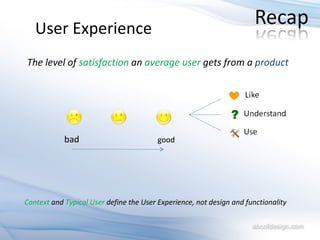
User Experience The level of  satisfaction  an  average user  gets from a  product bad good Context  and  Typical User   define the User   Experience, not design and functionality
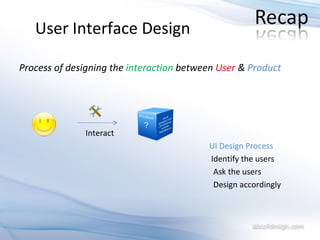
User   Interface Design Process of designing the  interaction  between  User  &  Product Interact UI Design Process   Identify the users Ask the users Design accordingly
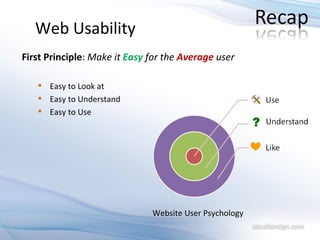
Web Usability First Principle :  Make it  Easy  for the  Average  user Easy to Look at Easy to Understand Easy to Use  Website User Psychology
- Barbara Ballard Mobile Device User Experience  “ Fundamentally, ‘mobile’ refers to the user,  and not the device”
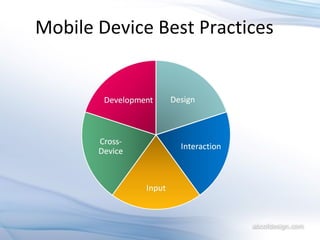
Mobile Device Best Practices
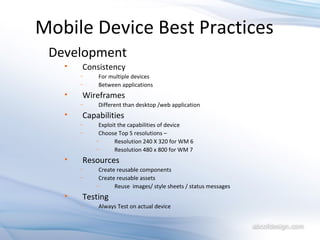
Mobile Device Best Practices Development Consistency For multiple devices  Between applications Wireframes Different than desktop /web application Capabilities Exploit the capabilities of device Choose Top 5 resolutions –  Resolution 240 X 320 for WM 6 Resolution 480 x 800 for WM 7  Resources Create reusable components Create reusable assets  Reuse  images/ style sheets / status messages Testing Always Test on actual device
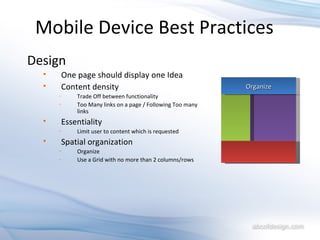
Mobile Device Best Practices Design One page should display one Idea Content density Trade Off between functionality Too Many links on a page / Following Too many links Essentiality Limit user to content which is requested Spatial organization Organize Use a Grid with no more than 2 columns/rows Organize
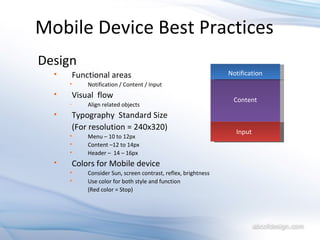
Mobile Device Best Practices Design Functional areas Notification / Content / Input Visual  flow Align related objects Typography  Standard Size (For resolution = 240x320) Menu – 10 to 12px Content –12 to 14px Header –  14 – 16px Colors for Mobile device Consider Sun, screen contrast, reflex, brightness  Use color for both style and function (Red color = Stop) Notification Input Content
Mobile Device Best Practices Interaction Likelihood to reach a Target Directly proportional to the distance of the target More Choice = More time for decisions Usage of functionality is directly proportional to the number of choices user have to make to get there Categorize in 7 sets Human mind is able to remember information in chunks of 7 ± 2 Always provide feedback Acknowledgment for every action Feed forward Mobile device can be slow in performance so immediate feedback is a must
Mobile Device Best Practices Interaction Consistent navigation Define dimensions (example) Left-right: Time Up-down: Space  Focus on User Needs Remember User Preference Avoid Scrolling Rotating, Full Screen and Scaling
Mobile Device Best Practices Input Design for Multiple Modes Finger Touch ( includes Stylus) Left Hand users Soft Keys Keyboards  Projected keyboards Cross-Device Touch and Non-Touch Device
6 Lessons from IPhone IPhone User Interface “ Designed for the Device”
Question for You What is the  unique selling point  of IPhone ?
Consistent Interaction Favor Better User Experience to Features Make Applications reachable Big Buttons Symmetry Absence of abruptness 6 Lessons from IPhone
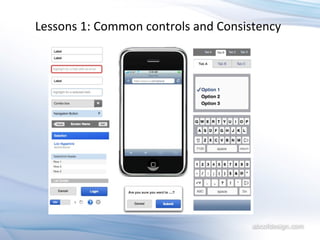
Lessons 1 Consistency IPhone have a small set of Interactions which uses  common controls   and is consistent among all the applications List View Touch Update buttons at the top BAR Categories in the bottom
Lessons 1: Common controls and Consistency
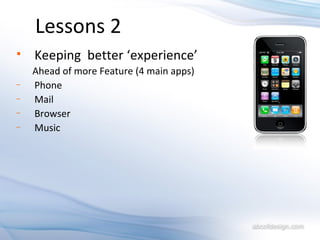
Lessons 2 Keeping  better ‘experience’  Ahead of more Feature (4 main apps)  Phone Mail Browser Music
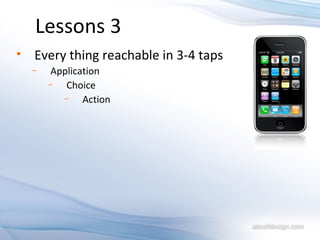
Lessons 3 Every thing reachable in 3-4 taps Application Choice Action
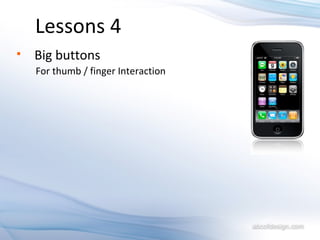
Lessons 4 Big buttons  For thumb / finger Interaction
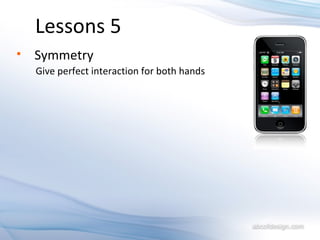
Lessons 5 Symmetry  Give perfect interaction for both hands
Lessons 6 Absence of abruptness – Fluidity
References www.w3.org/tr/mobile-bp Designing the Mobile User Experience - Barbara Ballard Using Microsoft Silverlight for Creating Rich Mobile User Experience - Giorgio Sardo www.abcofdesign.com contact:  [email_address]

Mobile User Experience - @iRajLal

  • 1.
    Rajesh Lal SeniorUI/UX Engineer On designing Mobile User Interfaces
  • 2.
    Mobile Device FundamentalsUser Experience User Interface Design Web Usability User Experience for Mobile Device Best Practices 6 Lessons from iPhone
  • 3.
    User Experience Thelevel of satisfaction an average user gets from a product bad good Context and Typical User define the User Experience, not design and functionality
  • 4.
    User Interface Design Process of designing the interaction between User & Product Interact UI Design Process Identify the users Ask the users Design accordingly
  • 5.
    Web Usability FirstPrinciple : Make it Easy for the Average user Easy to Look at Easy to Understand Easy to Use Website User Psychology
  • 6.
    - Barbara BallardMobile Device User Experience “ Fundamentally, ‘mobile’ refers to the user, and not the device”
  • 7.
  • 8.
    Mobile Device BestPractices Development Consistency For multiple devices Between applications Wireframes Different than desktop /web application Capabilities Exploit the capabilities of device Choose Top 5 resolutions – Resolution 240 X 320 for WM 6 Resolution 480 x 800 for WM 7 Resources Create reusable components Create reusable assets Reuse images/ style sheets / status messages Testing Always Test on actual device
  • 9.
    Mobile Device BestPractices Design One page should display one Idea Content density Trade Off between functionality Too Many links on a page / Following Too many links Essentiality Limit user to content which is requested Spatial organization Organize Use a Grid with no more than 2 columns/rows Organize
  • 10.
    Mobile Device BestPractices Design Functional areas Notification / Content / Input Visual flow Align related objects Typography Standard Size (For resolution = 240x320) Menu – 10 to 12px Content –12 to 14px Header – 14 – 16px Colors for Mobile device Consider Sun, screen contrast, reflex, brightness Use color for both style and function (Red color = Stop) Notification Input Content
  • 11.
    Mobile Device BestPractices Interaction Likelihood to reach a Target Directly proportional to the distance of the target More Choice = More time for decisions Usage of functionality is directly proportional to the number of choices user have to make to get there Categorize in 7 sets Human mind is able to remember information in chunks of 7 ± 2 Always provide feedback Acknowledgment for every action Feed forward Mobile device can be slow in performance so immediate feedback is a must
  • 12.
    Mobile Device BestPractices Interaction Consistent navigation Define dimensions (example) Left-right: Time Up-down: Space Focus on User Needs Remember User Preference Avoid Scrolling Rotating, Full Screen and Scaling
  • 13.
    Mobile Device BestPractices Input Design for Multiple Modes Finger Touch ( includes Stylus) Left Hand users Soft Keys Keyboards Projected keyboards Cross-Device Touch and Non-Touch Device
  • 14.
    6 Lessons fromIPhone IPhone User Interface “ Designed for the Device”
  • 15.
    Question for YouWhat is the unique selling point of IPhone ?
  • 16.
    Consistent Interaction FavorBetter User Experience to Features Make Applications reachable Big Buttons Symmetry Absence of abruptness 6 Lessons from IPhone
  • 17.
    Lessons 1 ConsistencyIPhone have a small set of Interactions which uses common controls and is consistent among all the applications List View Touch Update buttons at the top BAR Categories in the bottom
  • 18.
    Lessons 1: Commoncontrols and Consistency
  • 19.
    Lessons 2 Keeping better ‘experience’ Ahead of more Feature (4 main apps) Phone Mail Browser Music
  • 20.
    Lessons 3 Everything reachable in 3-4 taps Application Choice Action
  • 21.
    Lessons 4 Bigbuttons For thumb / finger Interaction
  • 22.
    Lessons 5 Symmetry Give perfect interaction for both hands
  • 23.
    Lessons 6 Absenceof abruptness – Fluidity
  • 24.
    References www.w3.org/tr/mobile-bp Designingthe Mobile User Experience - Barbara Ballard Using Microsoft Silverlight for Creating Rich Mobile User Experience - Giorgio Sardo www.abcofdesign.com contact: [email_address]