





Mobile UX Design


Boulder Digital Works
May 27, 2010
Hello.
Juan Sanchez
UX Architect at EffectiveUI

@juansanchez
juanchez.com
Gartner reported that the
global mobile phone sales
last year reached around
1.21 billion units.
Vendors shipped a total of 54.7
million units in the first quarter
of 2010 (1Q10), up 56.7% from
the same quarter a year ago.


via International Data Corporation
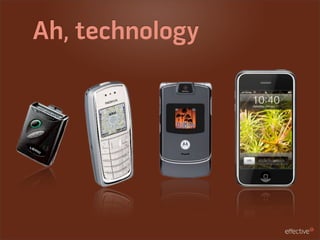
What is mobile?
Ah, technology
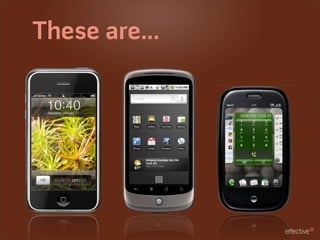
These are...
And these...
Are these?
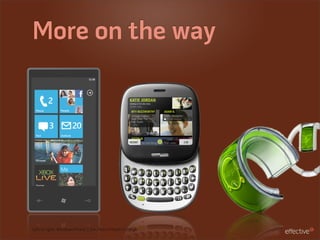
More on the way


Left to right: Windows Phone 7, Kin, Nokia Morph Concept
What does it take to
create a great mobile
experience?
Know the hardware
Form Factor
Best Buy makes a great device lab.
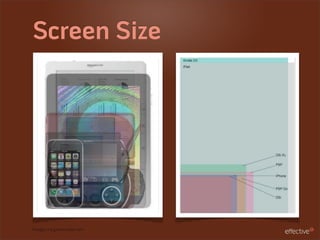
Screen Size


Images via gamesradar.com
Screen Resolution
                                               1024 x 768 at 132 ppi


                        480 x 320 at 163 ppi

            800 x 480
480 x 320
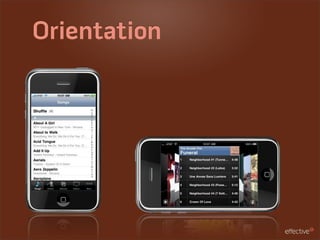
Orientation
Input Methods
Keyboard, wheels, touch, multi-touch, earbuds...
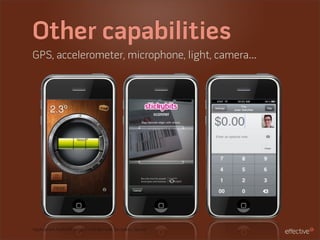
Other capabilities
GPS, accelerometer, microphone, light, camera...


Applications from left to right: iHandy Level, Stickybits, Square
Human Factor
Left vs. right handed, proximity of reach, fatigue...
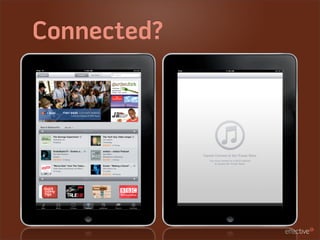
Connected?
Define the app
Not a scaled down
website


                                          ≠
Option + “=” on a Mac will give you a ≠
Web app vs. native


Left to right: Twitter Mobile Web and Tweetie iPhone App
What’s the soul of the
application?
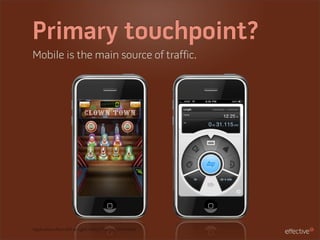
Primary touchpoint?
Mobile is the main source of traffic.


Applications from left to right: Ramp Champ, Convertbot
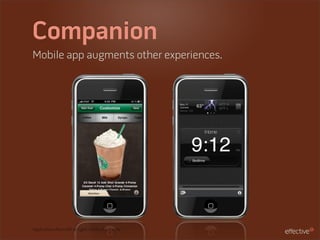
Companion
Mobile app augments other experiences.


Applications from left to right: Starbucks, iHome
Optimized UI
Same functionality but in an optimized way.


Applications from left to right: Evernote, Gowalla
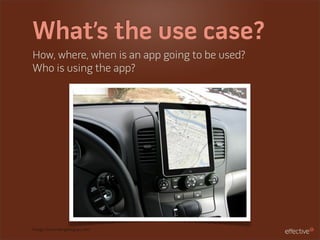
What’s the use case?
How, where, when is an app going to be used?
Who is using the app?


Image via mindingthegaps.com
Be clear on the use
From icon to user interface


AOL Radio
Mobile informs
Mobile apps can be a test bed for new features in
other experiences. Design mobile first.
Where are people
coming from?
What’s their technology ecology?
iPhone? Android? Mac OS? Windows? Laptop?
Think about design
Consider brand


Chipotle
Consider the whole
experience
There’s more than the UI. There’s the icon, startup
screen, app store screens, etc.
Native UI vs.
Custom UI


Left to right: Wordpress, Epicurious
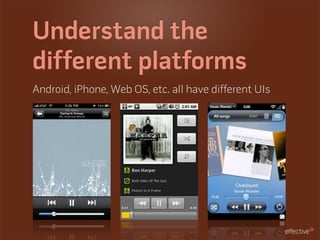
Understand the
different platforms
Android, iPhone, Web OS, etc. all have different UIs
Review the HIG and
other design guides
Make it touchable
Areas of interaction need to be big enough to easily
interact with.
Orientation
Design for the best experience in different
orientations.
Promote the primary
Eliminate extra noise by subduing secondary actions.
Resolution is higher


Image via informationarchitects.jp
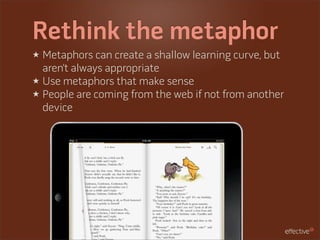
Rethink the metaphor
★ Metaphors can create a shallow learning curve, but
  aren’t always appropriate
★ Use metaphors that make sense
★ People are coming from the web if not from another
  device
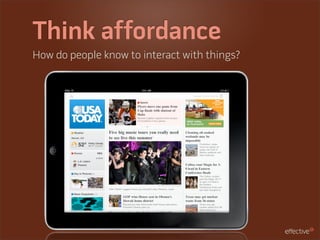
Think affordance
How do people know to interact with things?
Use default gestures
★ People enter with different gesture vocabularies.
★ If you’re not sure, go default.
★ You may be competing with other apps.


Image via Touch Gesture Reference Guide on lukew.com
iPhone vs. iPad
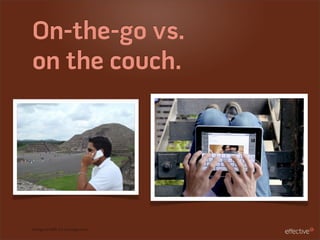
On-the-go vs.
on the couch.


Iamge on left via iLounge.com
View from all sides
Unlike a laptop, an iPad has no flip up screen to block
interaction with others.


Scrabble image via engadget.com
Wide open spaces
Things can get lost on larger screens.
More space means more chances to get lost.
Focussed views
Each screen has its own purpose.


Apps from left to right: NewsRack, Dictionary.com, Nike + iPod
Single Views
Split views, limited views, etc. on the iPad
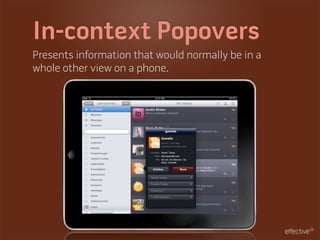
In-context Popovers
Presents information that would normally be in a
whole other view on a phone.
Modal Cards
Another way to surface information without “leaving”
the current view.
Beyond design
Review designs
★ Create an HTML website with hotspots and share
  the URL for review
★ Email images to be reviewed on a device
Get as close as you
can to the real thing
★ Get set up with the dev environment
★ Test and run on the simulators
★ Even better, load on to a device
★ Even add assets and commit
Test interactions
★ Gestures and inputs
★ UI overload/fatigue
★ Scrolling and selecting
★ Navigation flow


Image via scopeblog.stanford.edu
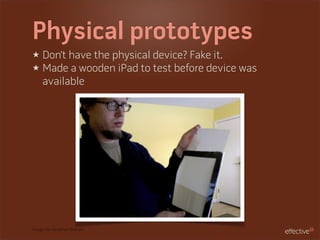
Physical prototypes
★ Don’t have the physical device? Fake it.
★ Made a wooden iPad to test before device was
  available


Image via Jonathan Branam
Get user feedback
★ Form a user testing plan
★ Try to get “true” users
★ Conduct your own “guerilla” user testing
Thanks!
Questions?

effectiveui.com

@juansanchez
juanchez.com

Mobile UX Design