Developing Apps for Nokia
          Windows Phone


                     Level: Intermediate
                         Raj Lal
              Senior Engineer, Nokia
Agenda
1.    Key Features of Nokia Lumia

2.    Windows Phone 7

3.    Developing Apps for Lumia
     – Creating a VSLive Event App
Key Features of
 Nokia Lumia
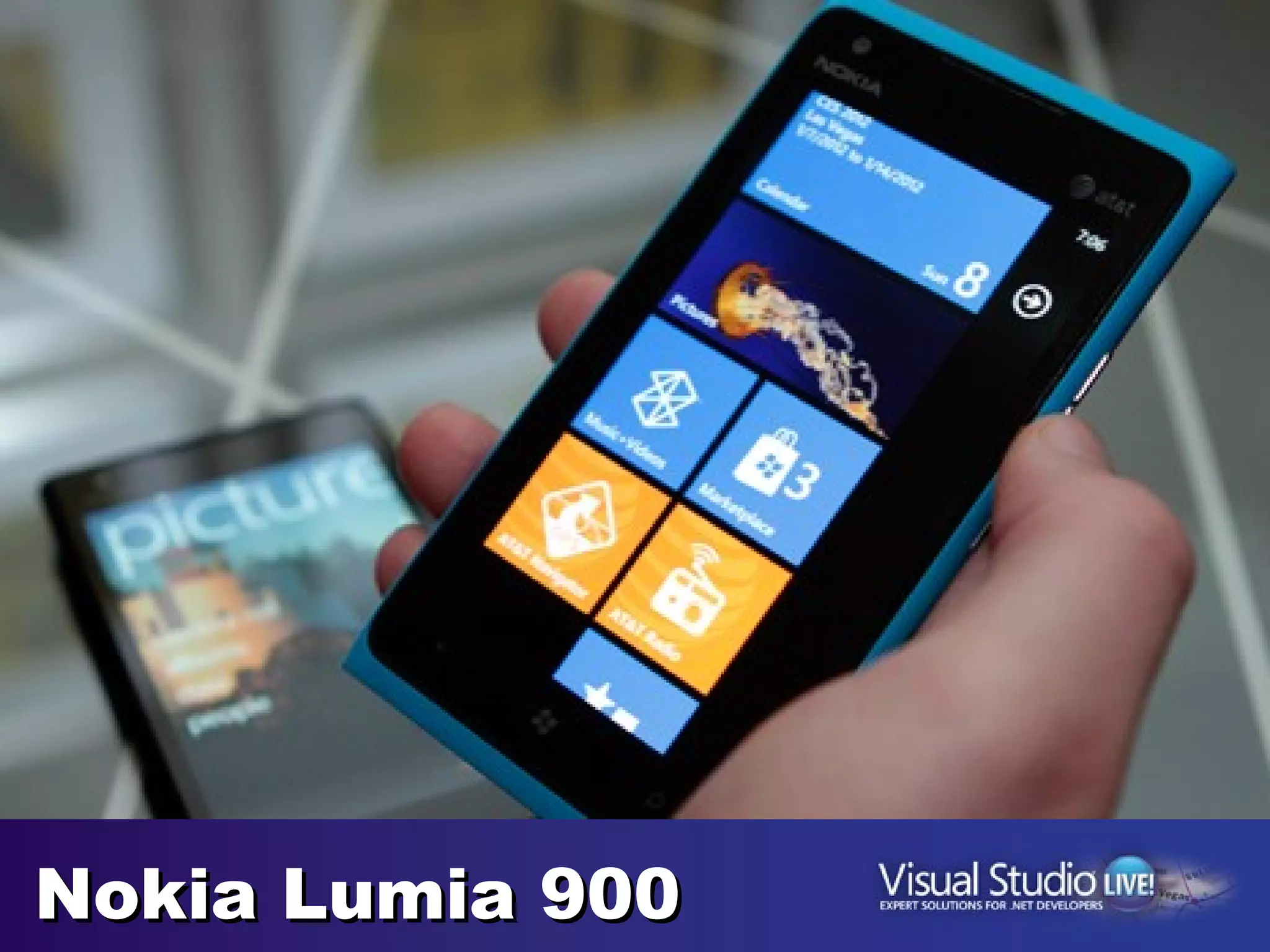
Nokia Lumia 900
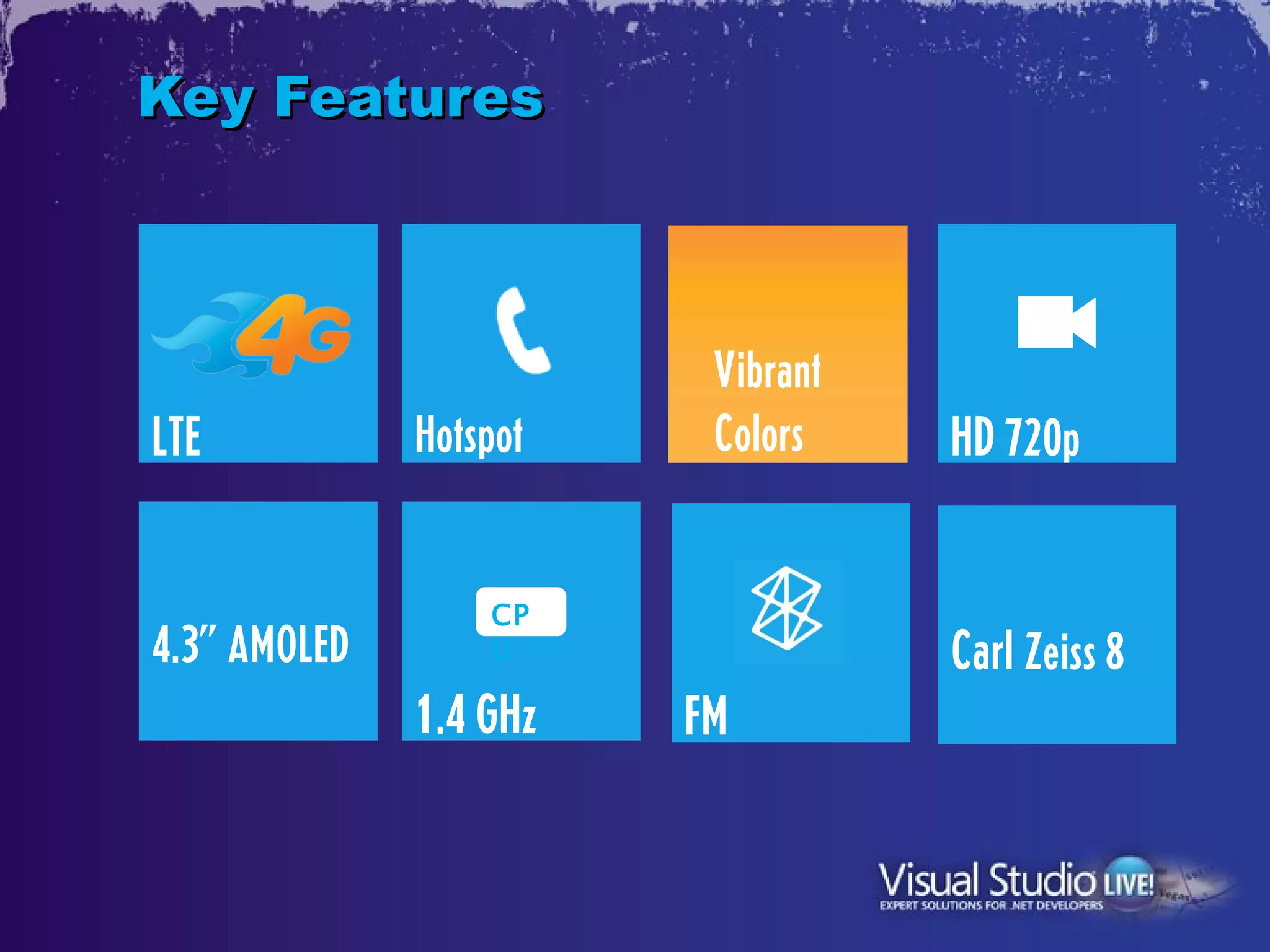
Key Features


                         Vibrant
LTE           Hotspot    Colors    HD 720p

                  CP
4.3” AMOLED       U                Carl Zeiss 8
              1.4 GHz   FM
Windows Phone
   on Lumia
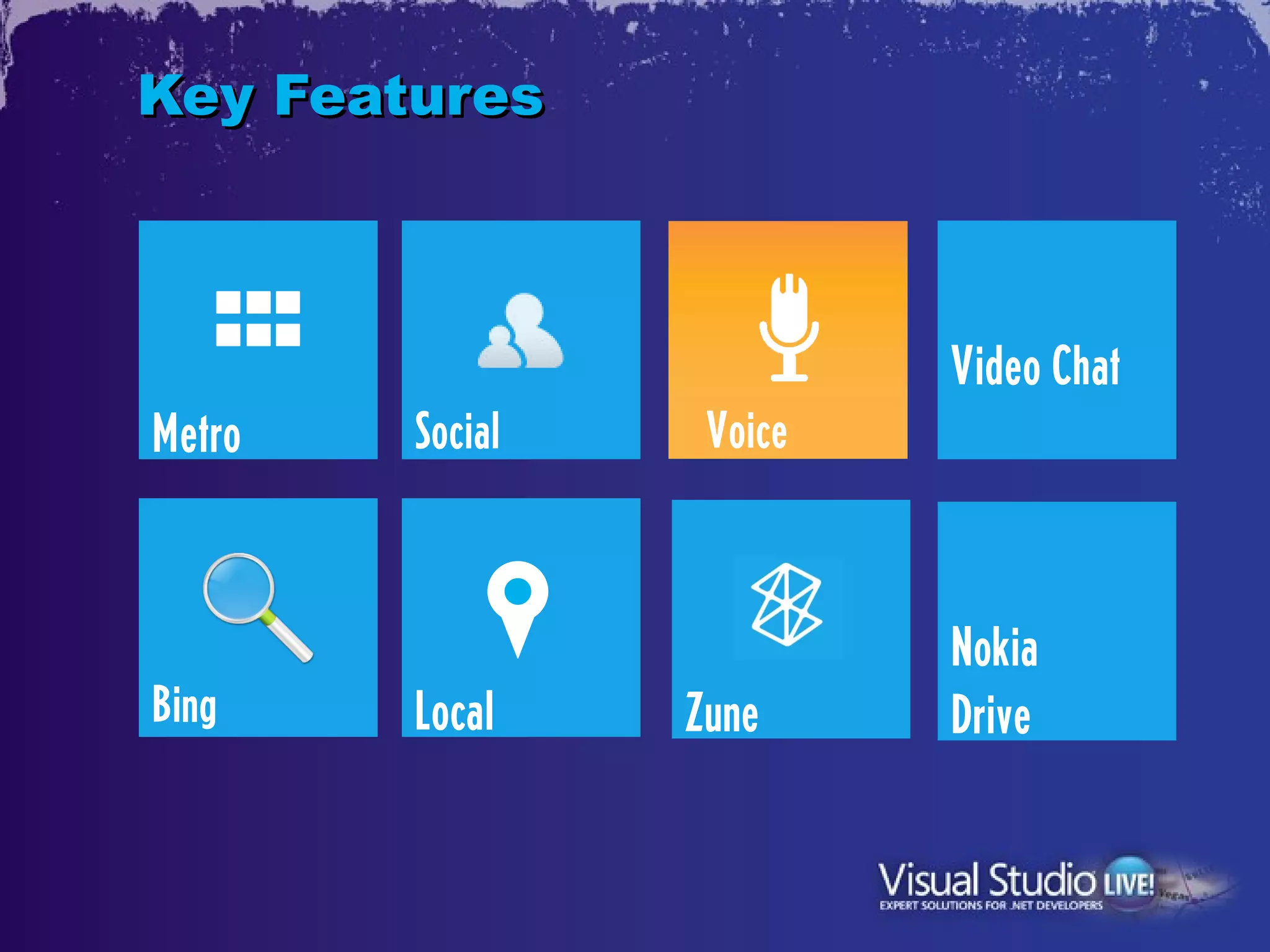
Key Features


                          Video Chat
Metro   Social    Voice


                          Nokia
Bing    Local    Zune     Drive
Developing Apps
   for Lumia
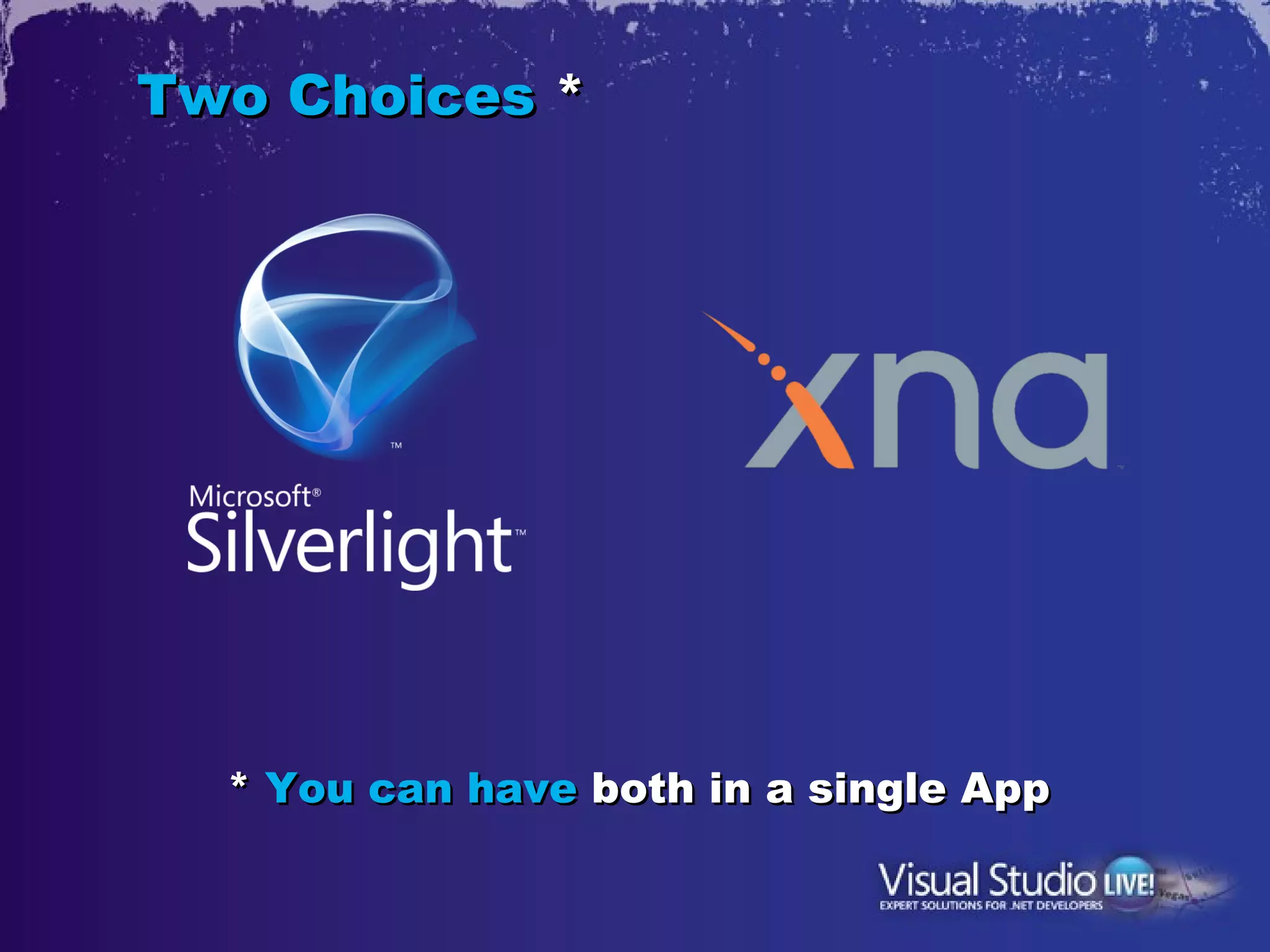
Two Choices *


  * You can have both in a single App
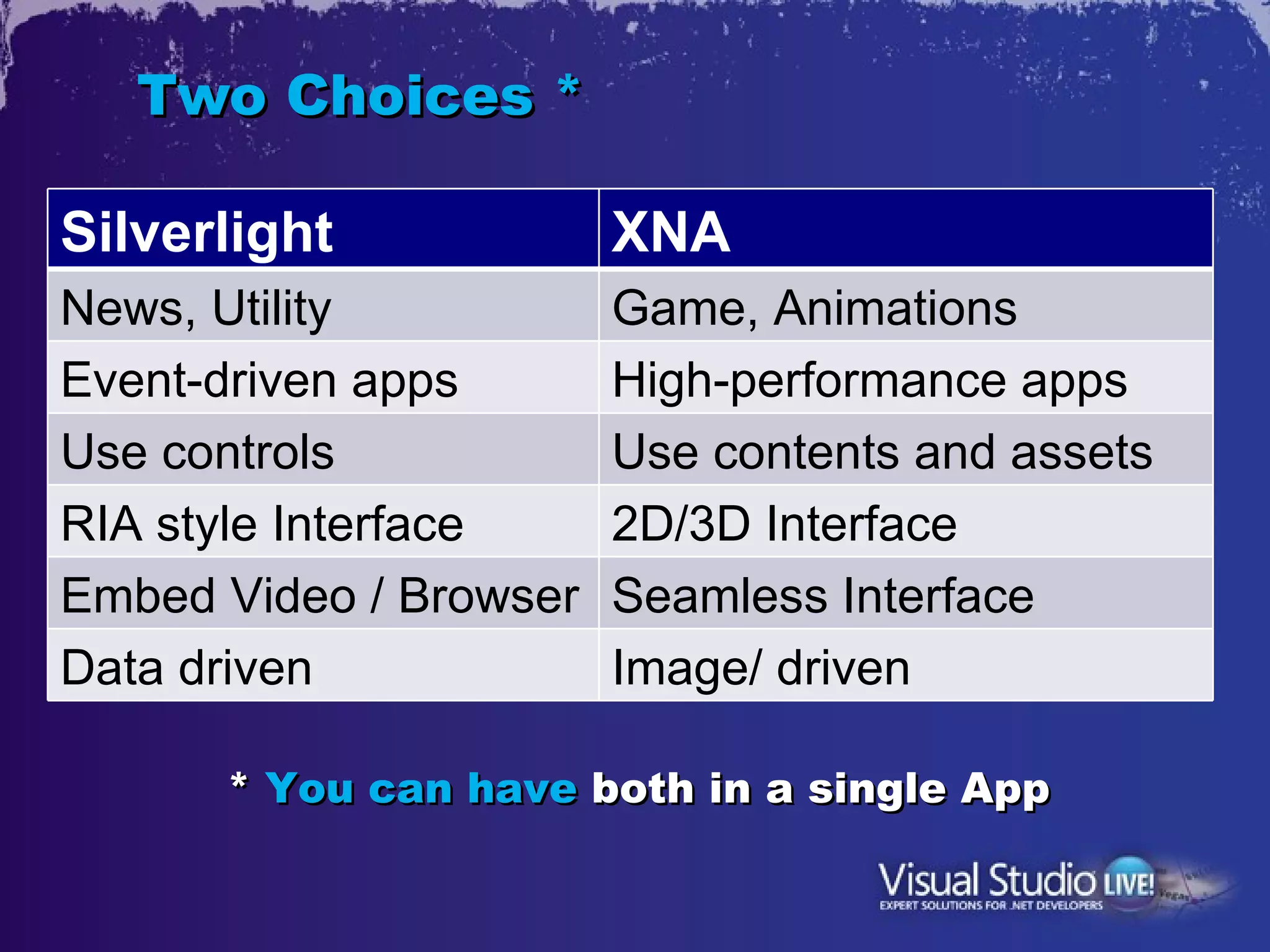
Two Choices *

Silverlight             XNA
News, Utility           Game, Animations
Event-driven apps       High-performance apps
Use controls            Use contents and assets
RIA style Interface     2D/3D Interface
Embed Video / Browser   Seamless Interface
Data driven             Image/ driven

      * You can have both in a single App
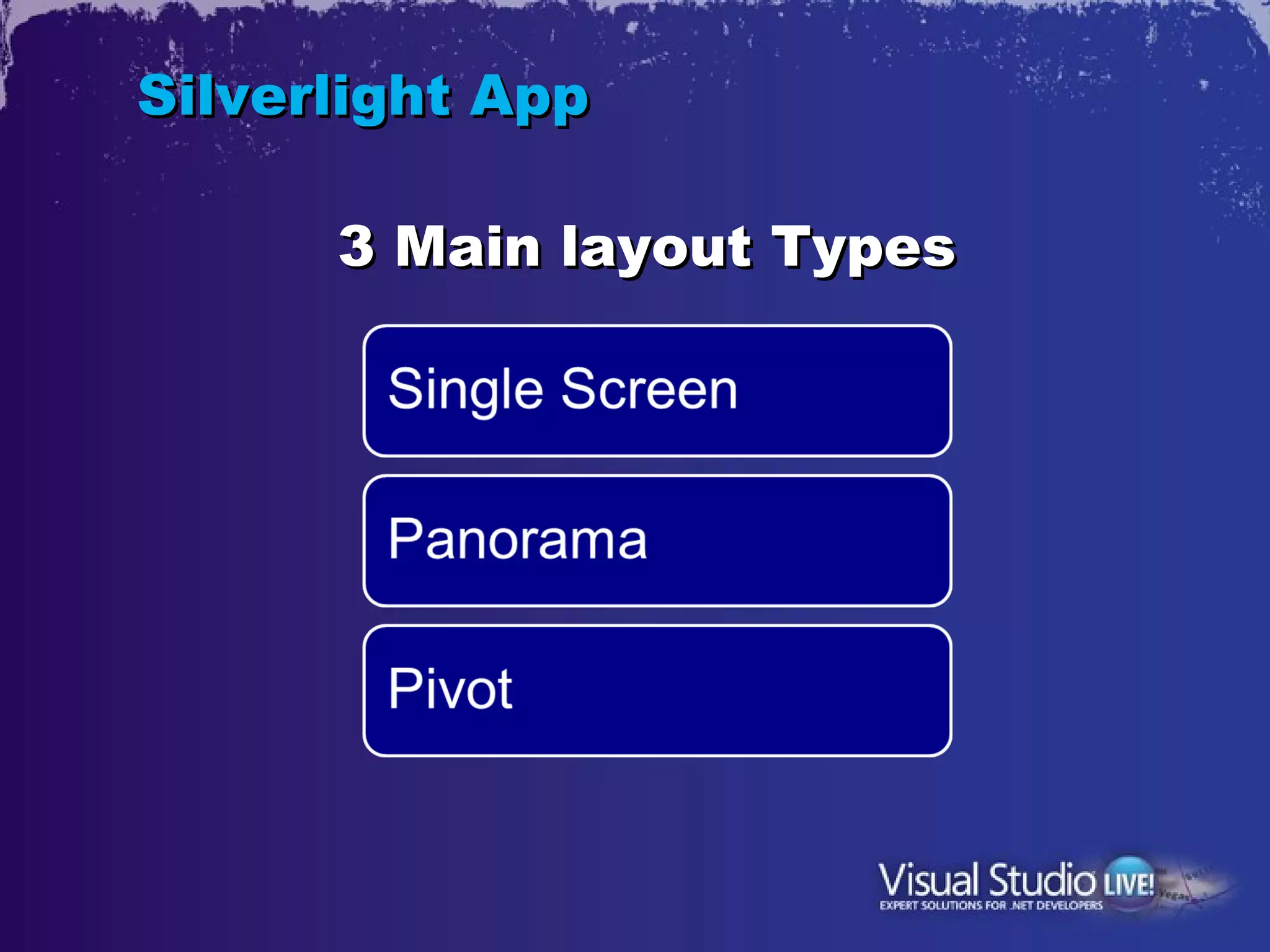
Silverlight App
Silverlight App

      3 Main layout Types
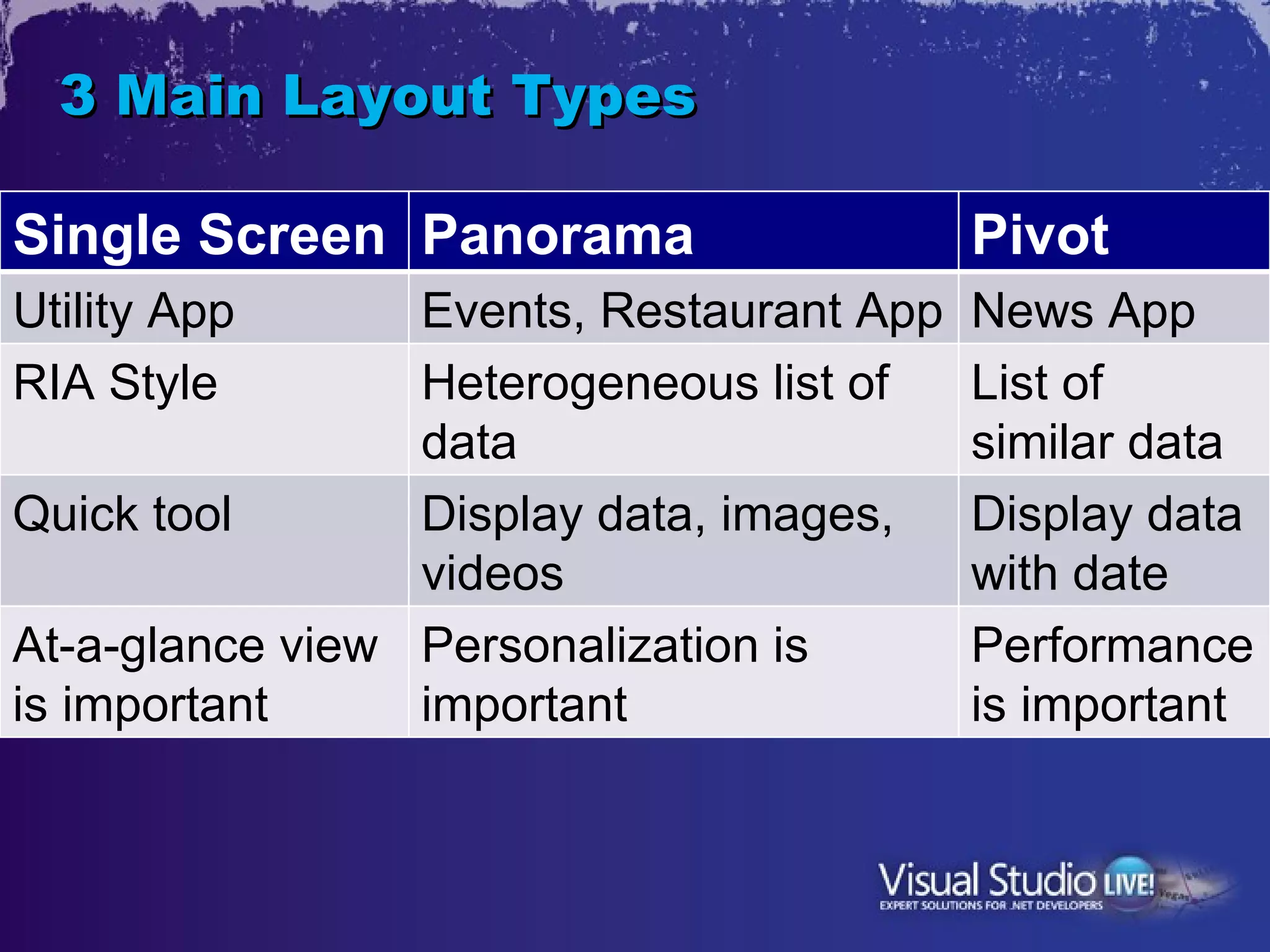
3 Main Layout Types

Single Screen Panorama                    Pivot
Utility App      Events, Restaurant App   News App
RIA Style        Heterogeneous list of    List of
                 data                     similar data
Quick tool       Display data, images,    Display data
                 videos                   with date
At-a-glance view Personalization is       Performance
is important     important                is important
Developing a
VSLive Event App
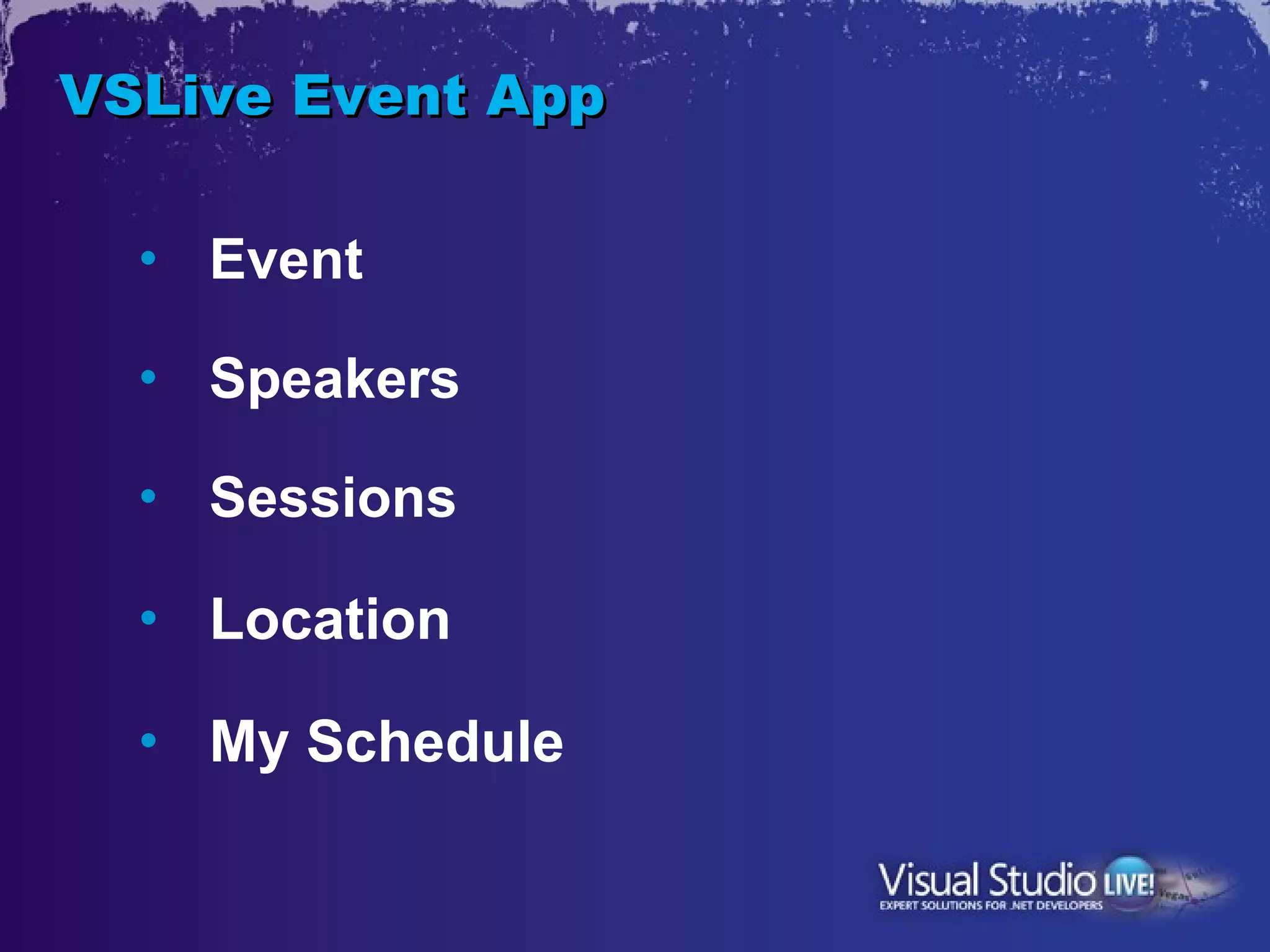
VSLive Event App

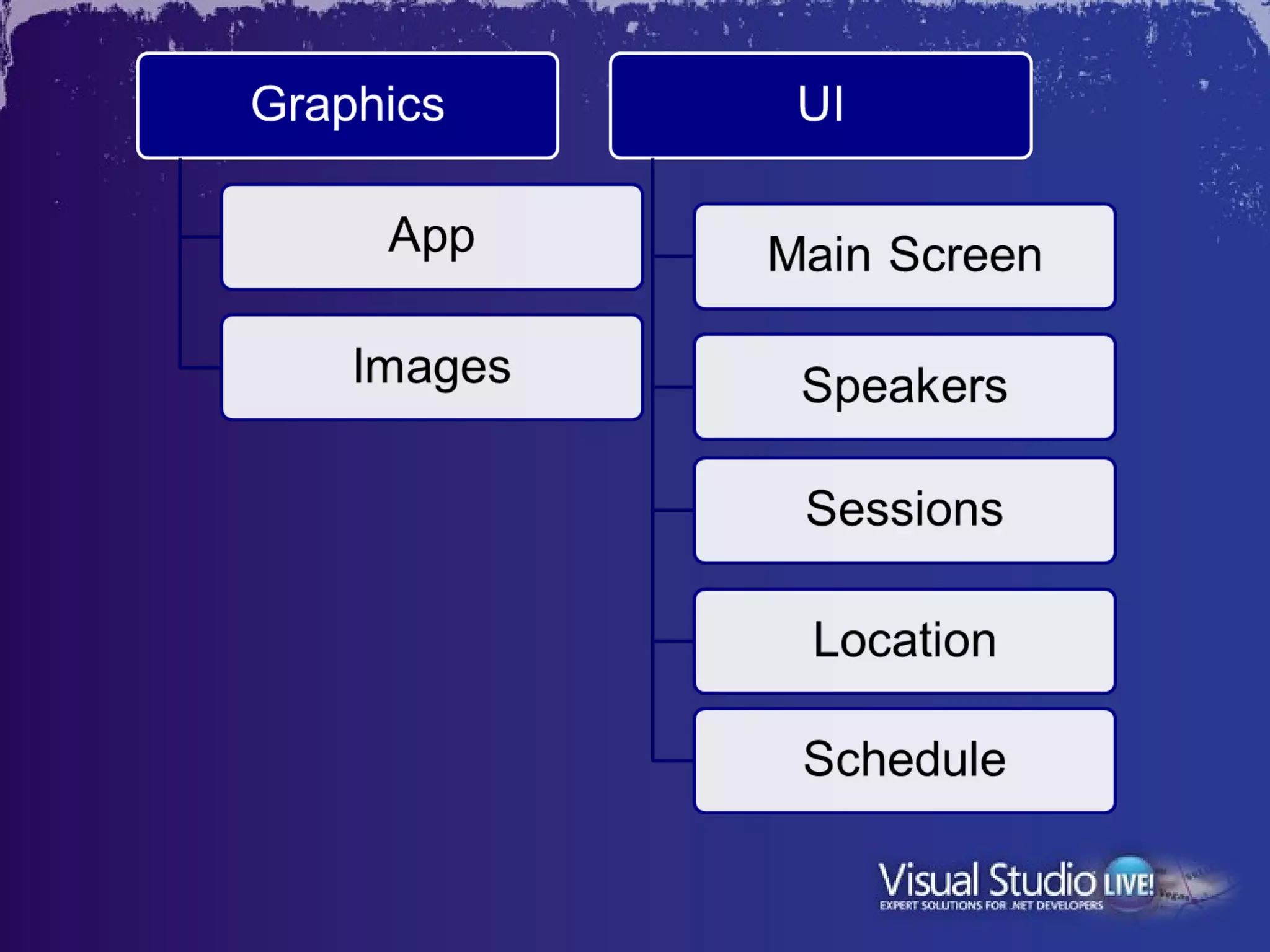
  •   Event

  •   Speakers

  •   Sessions

  •   Location

  •   My Schedule
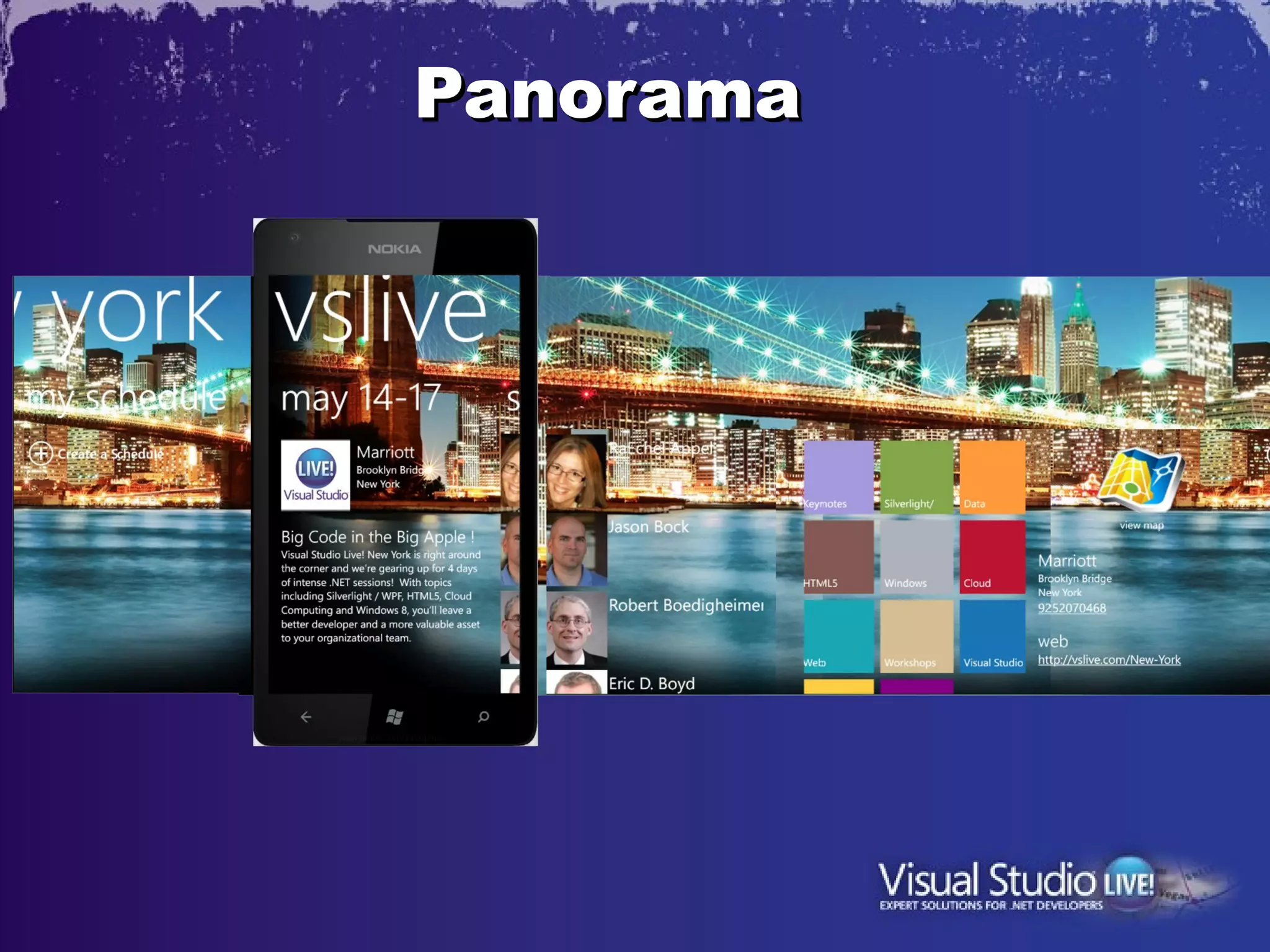
Panorama
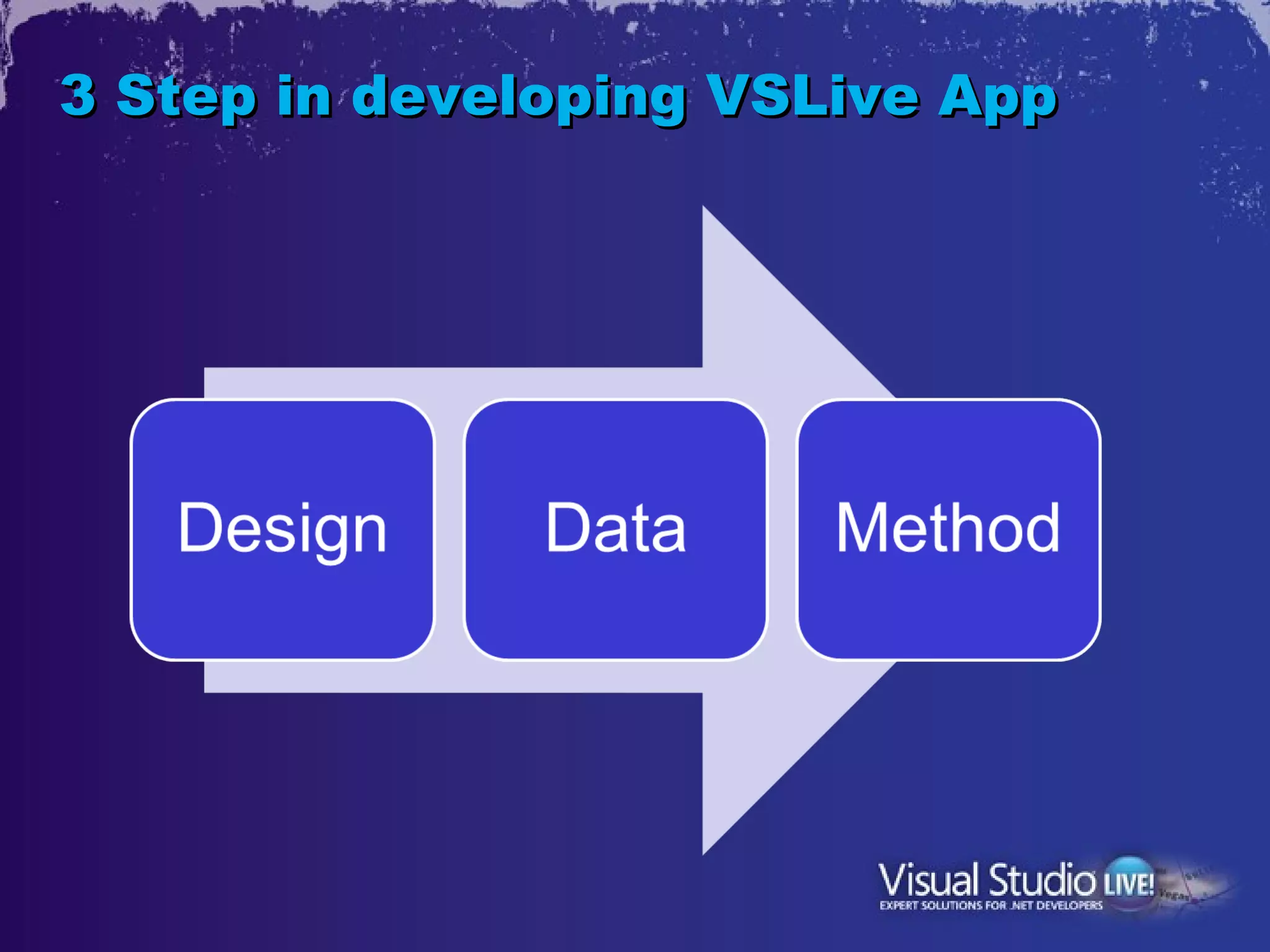
3 Step in developing VSLive App
1. Design
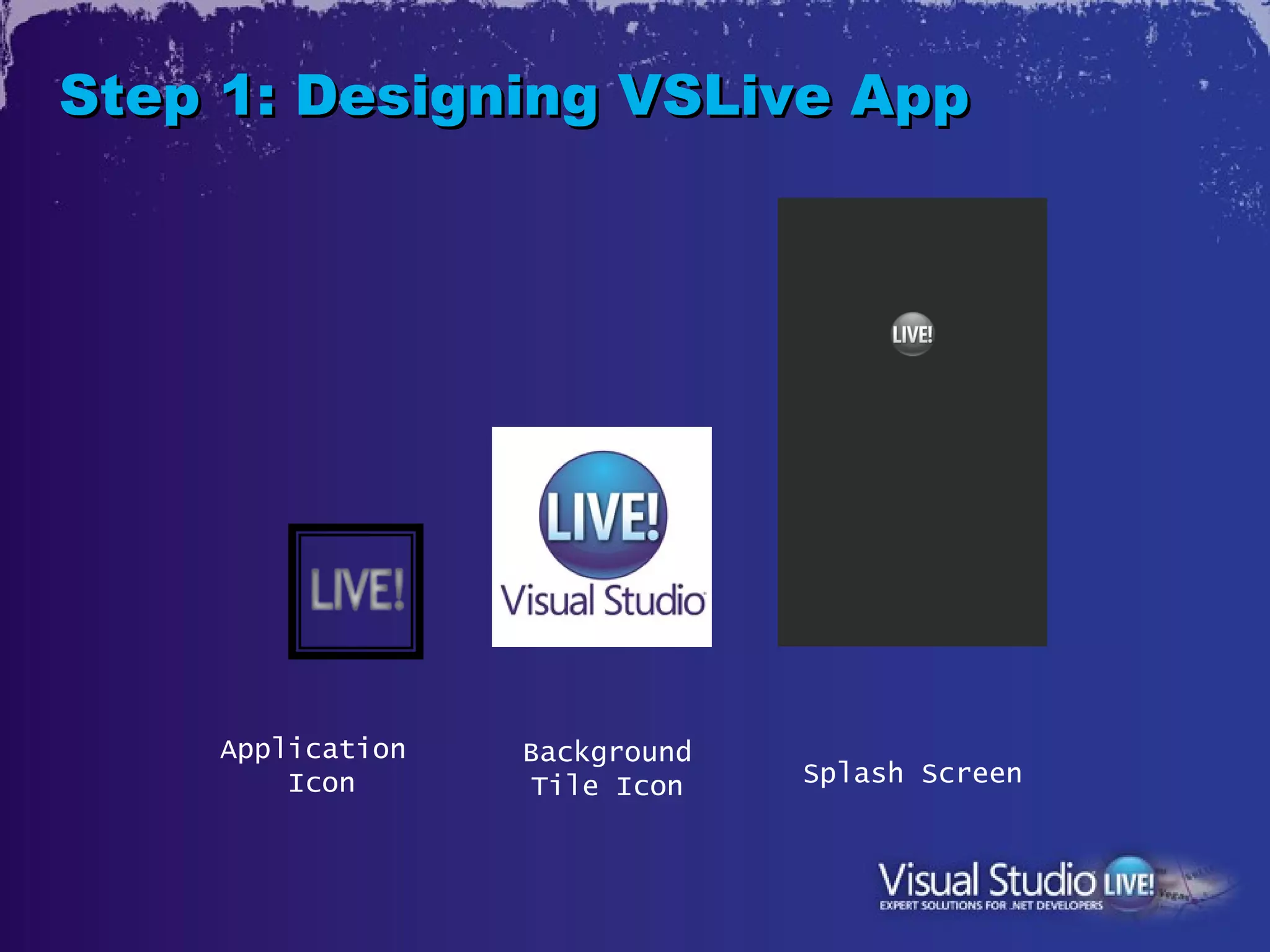
Step 1: Designing VSLive App


    Application   Background
        Icon       Tile Icon   Splash Screen
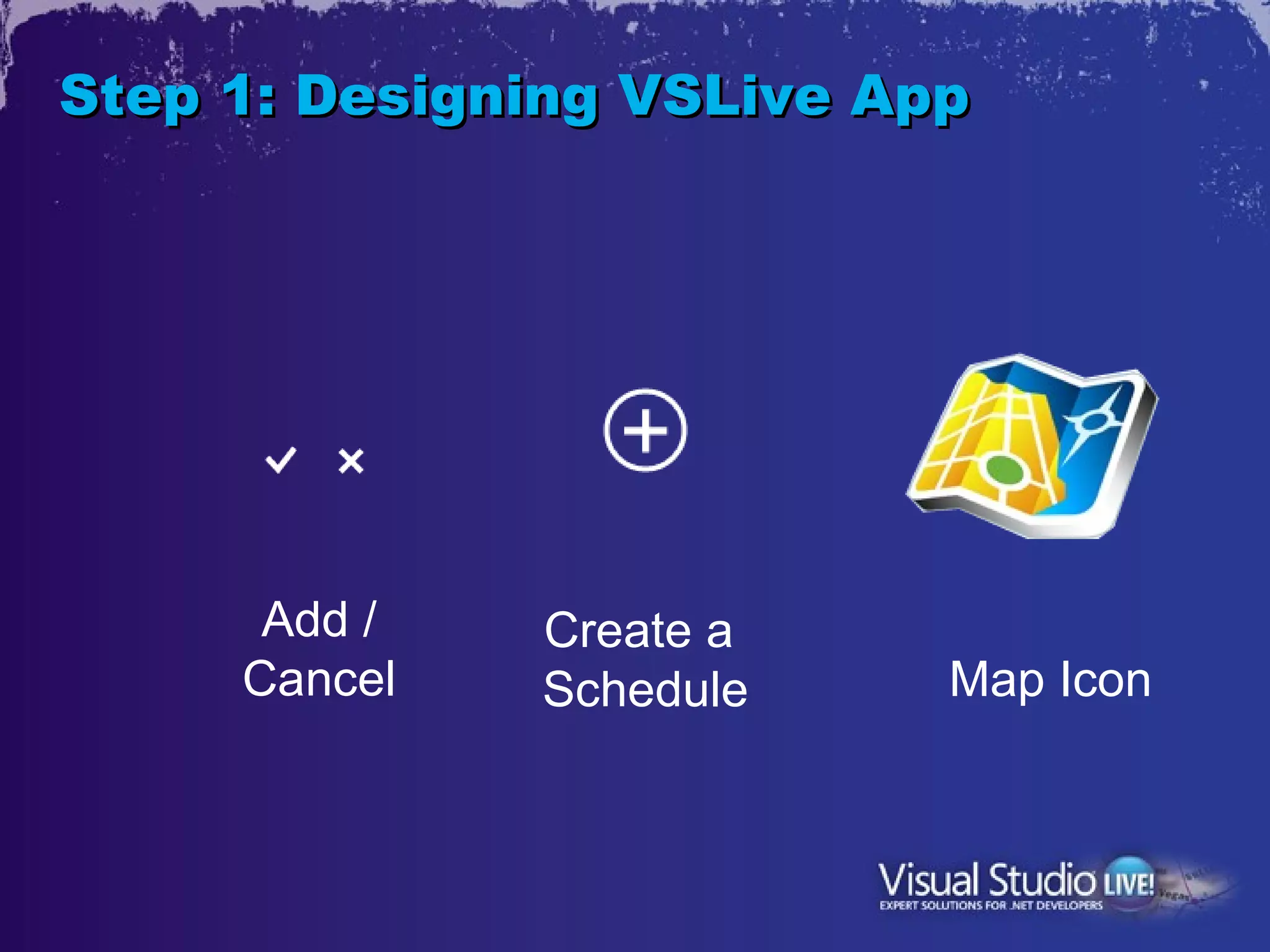
Step 1: Designing VSLive App


      Add /   Create a
     Cancel   Schedule     Map Icon
Step 1: Designing VSLive App


         Panorama Background
Step 1: Designing the UI


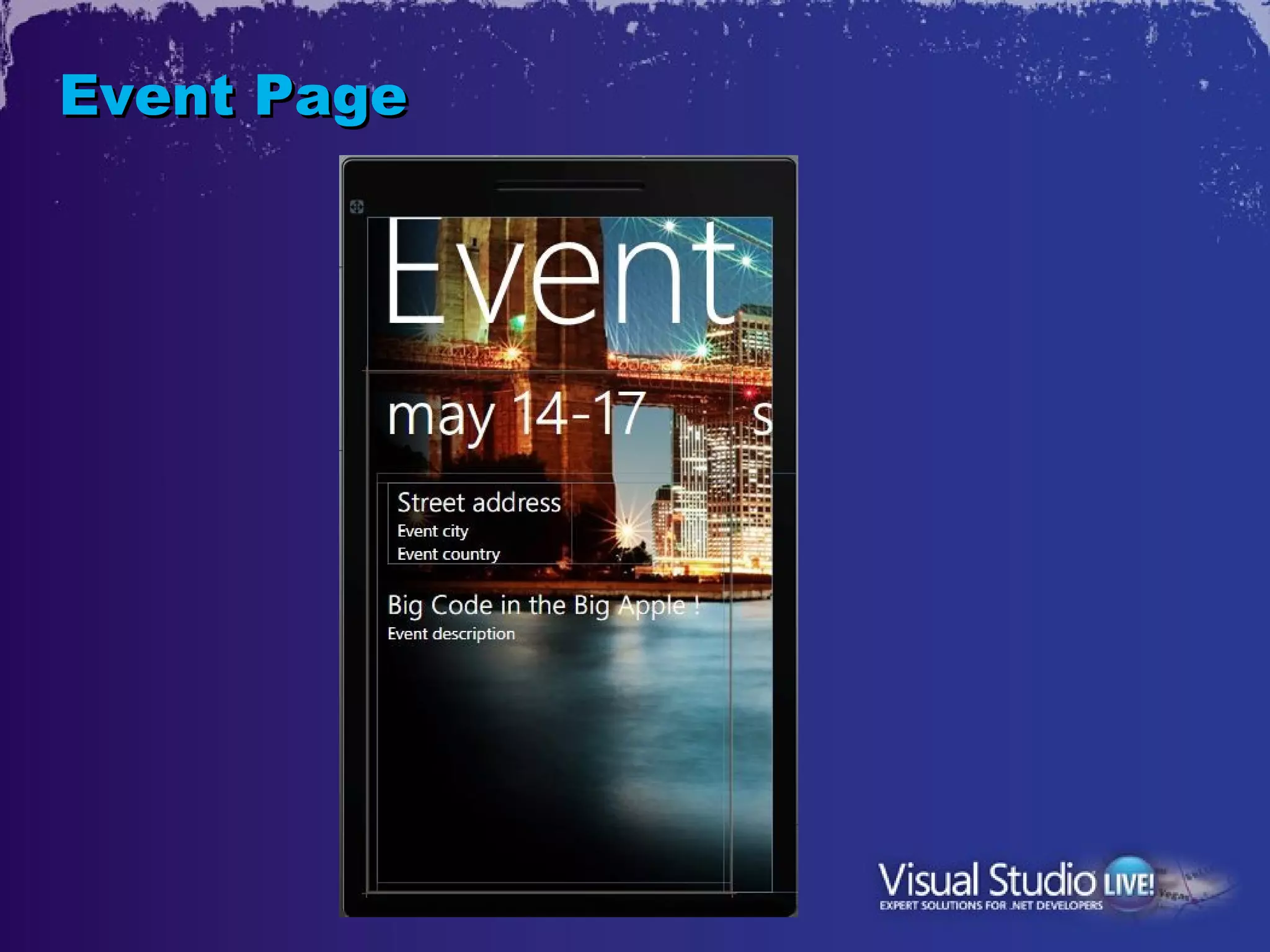
  • Event Page
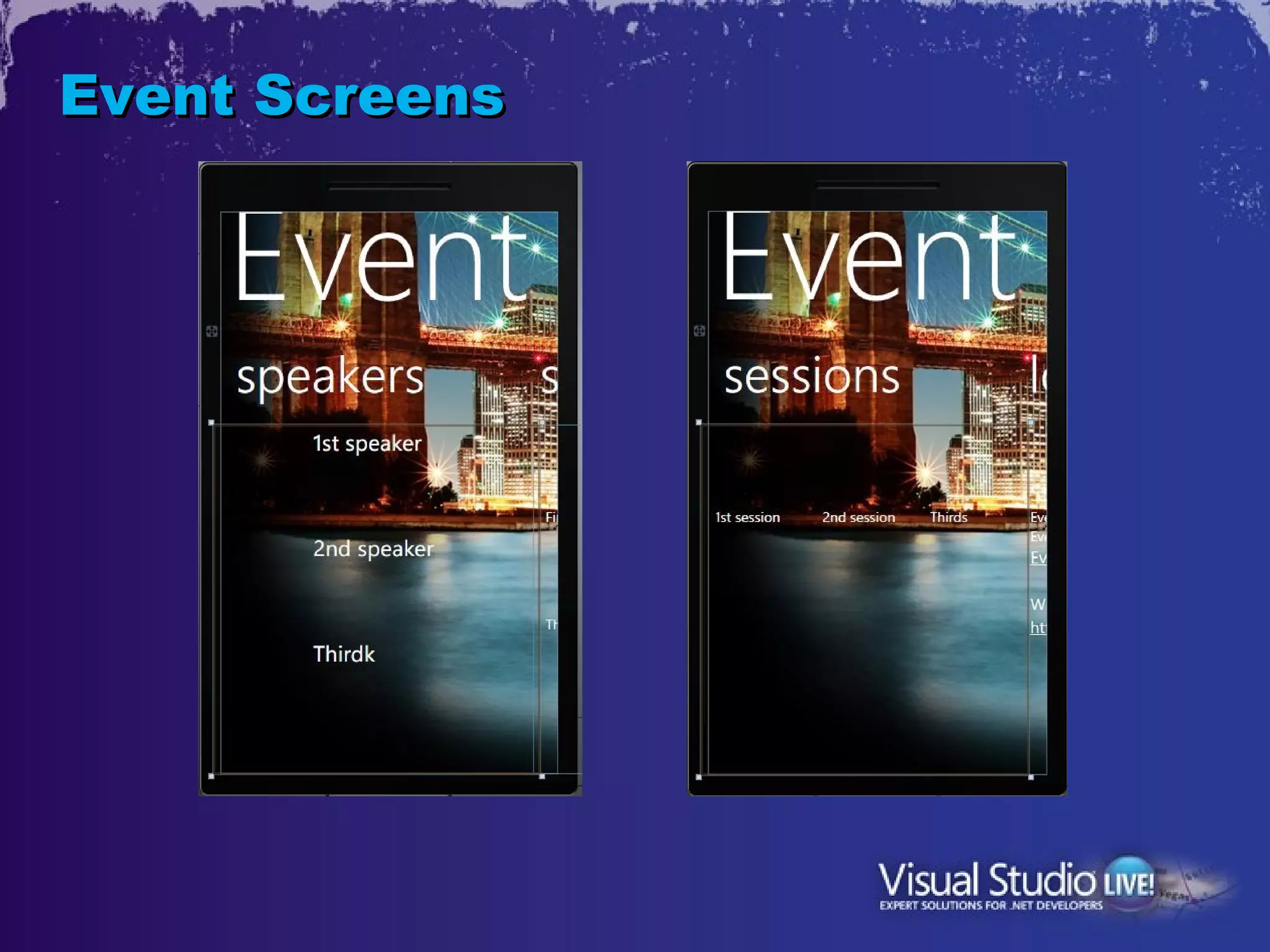
  • Speakers, Sessions
  • Map
  • Schedules
Event Page
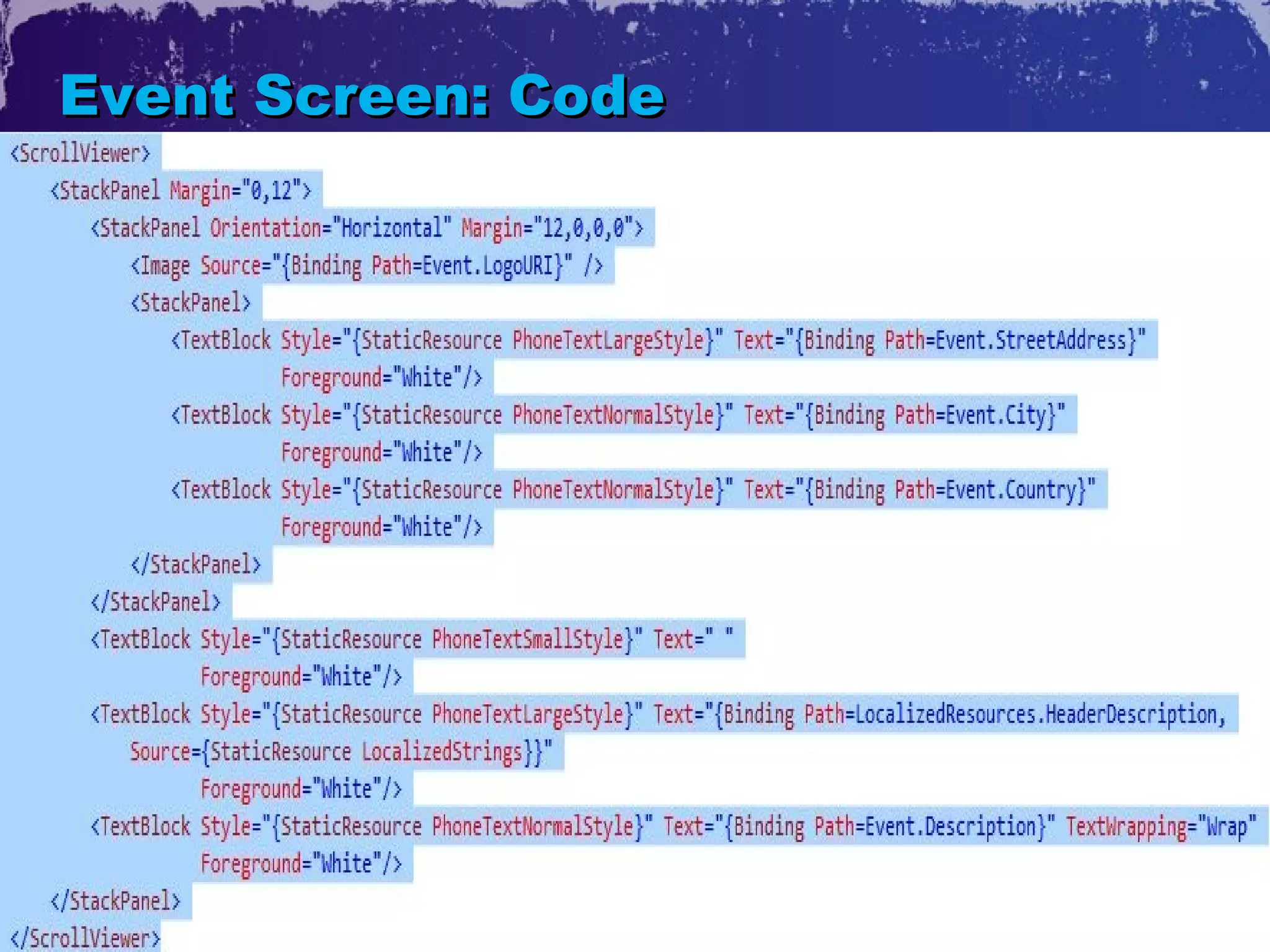
Event Screen: Code
Event Screens
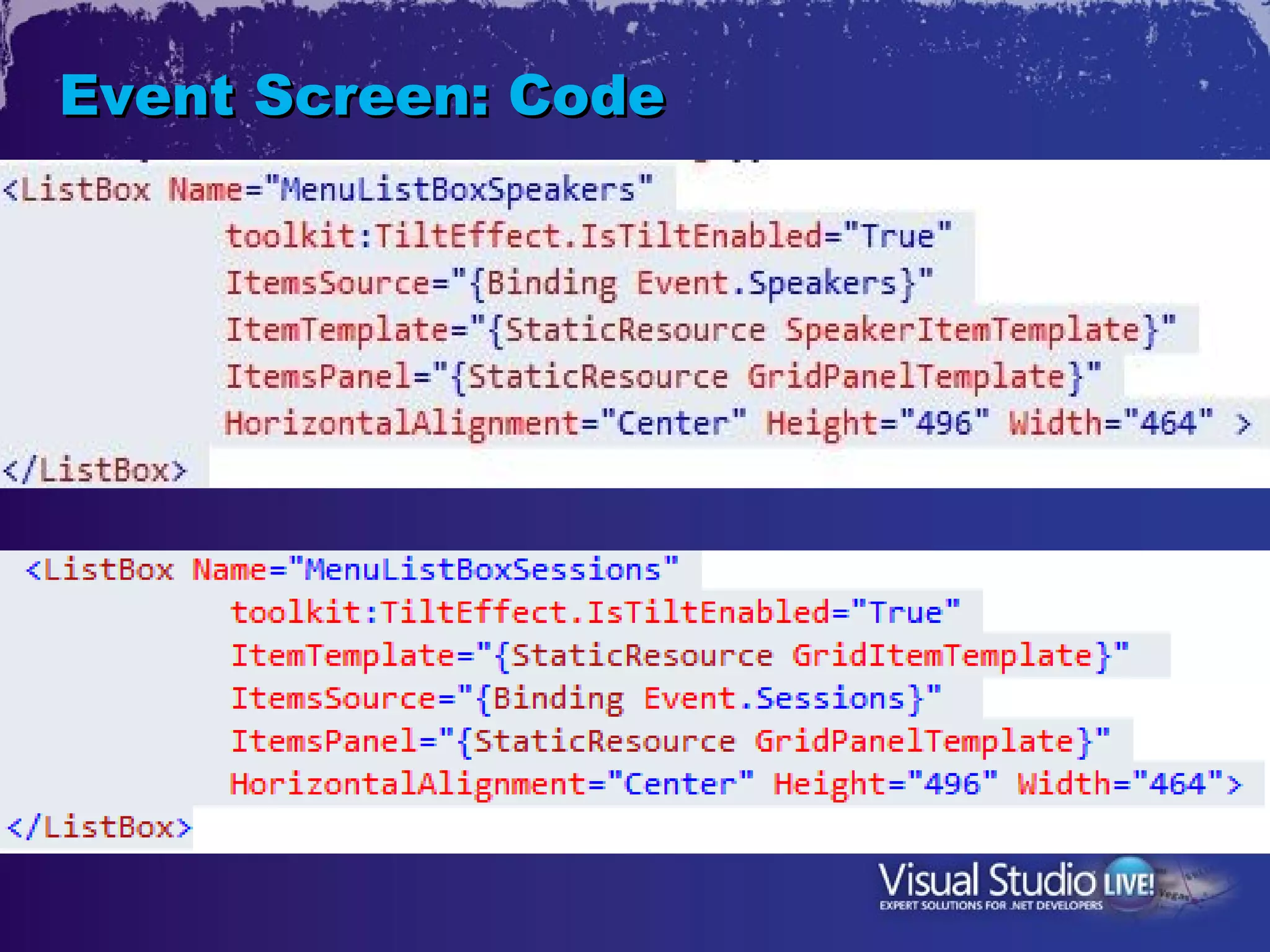
Event Screen: Code
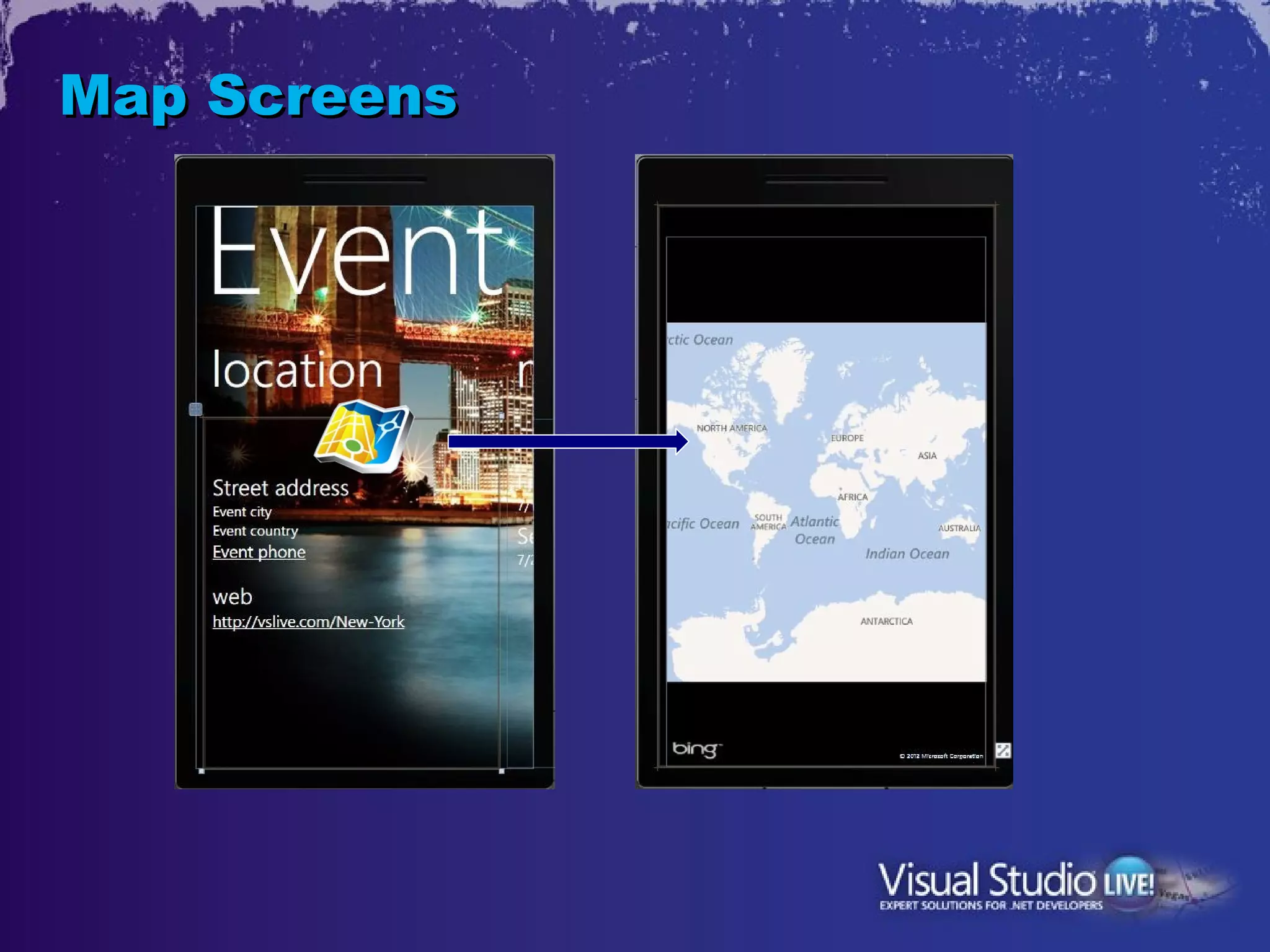
Map Screens
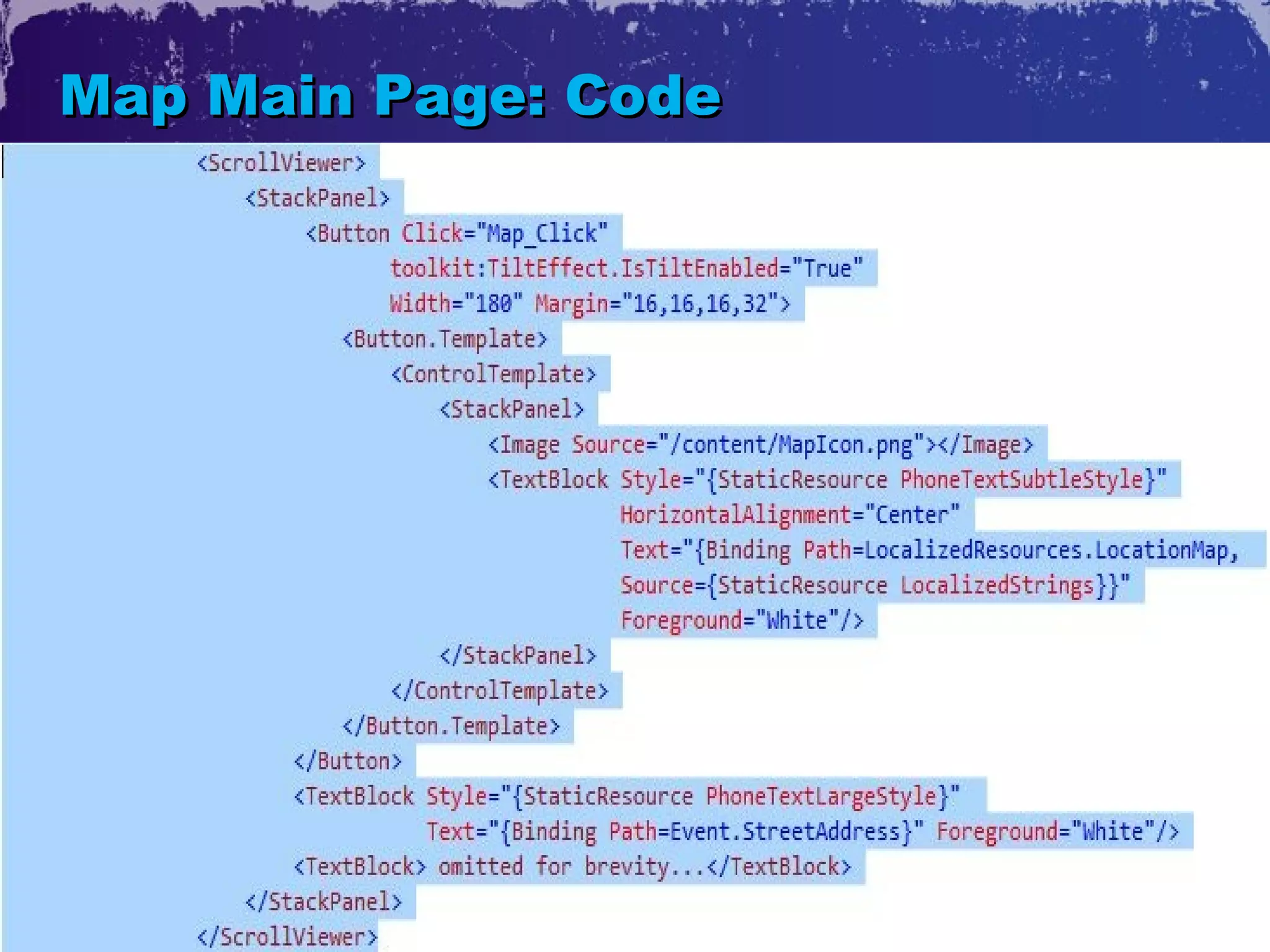
Map Main Page: Code
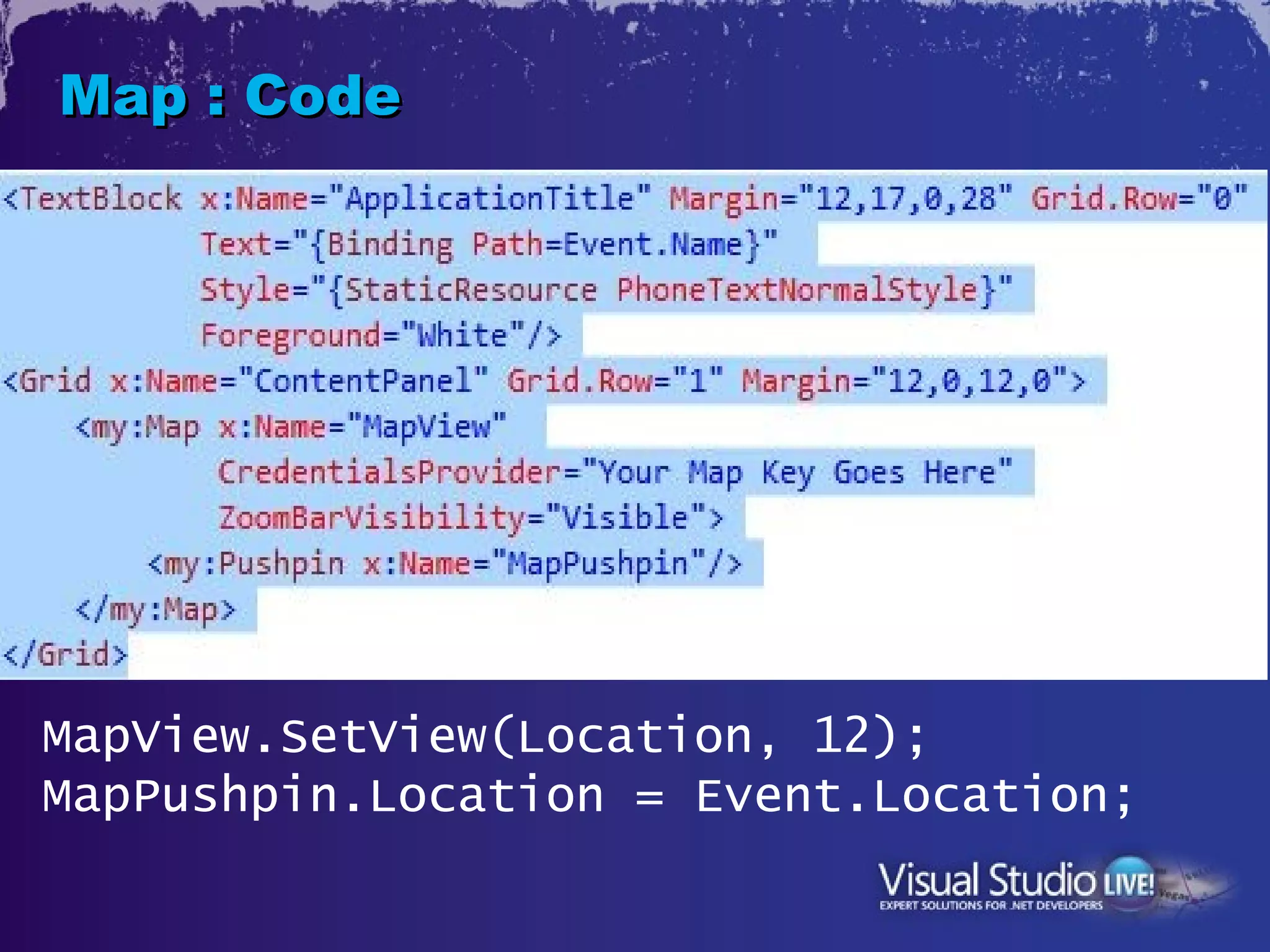
Map : Code


MapView.SetView(Location, 12);
MapPushpin.Location = Event.Location;
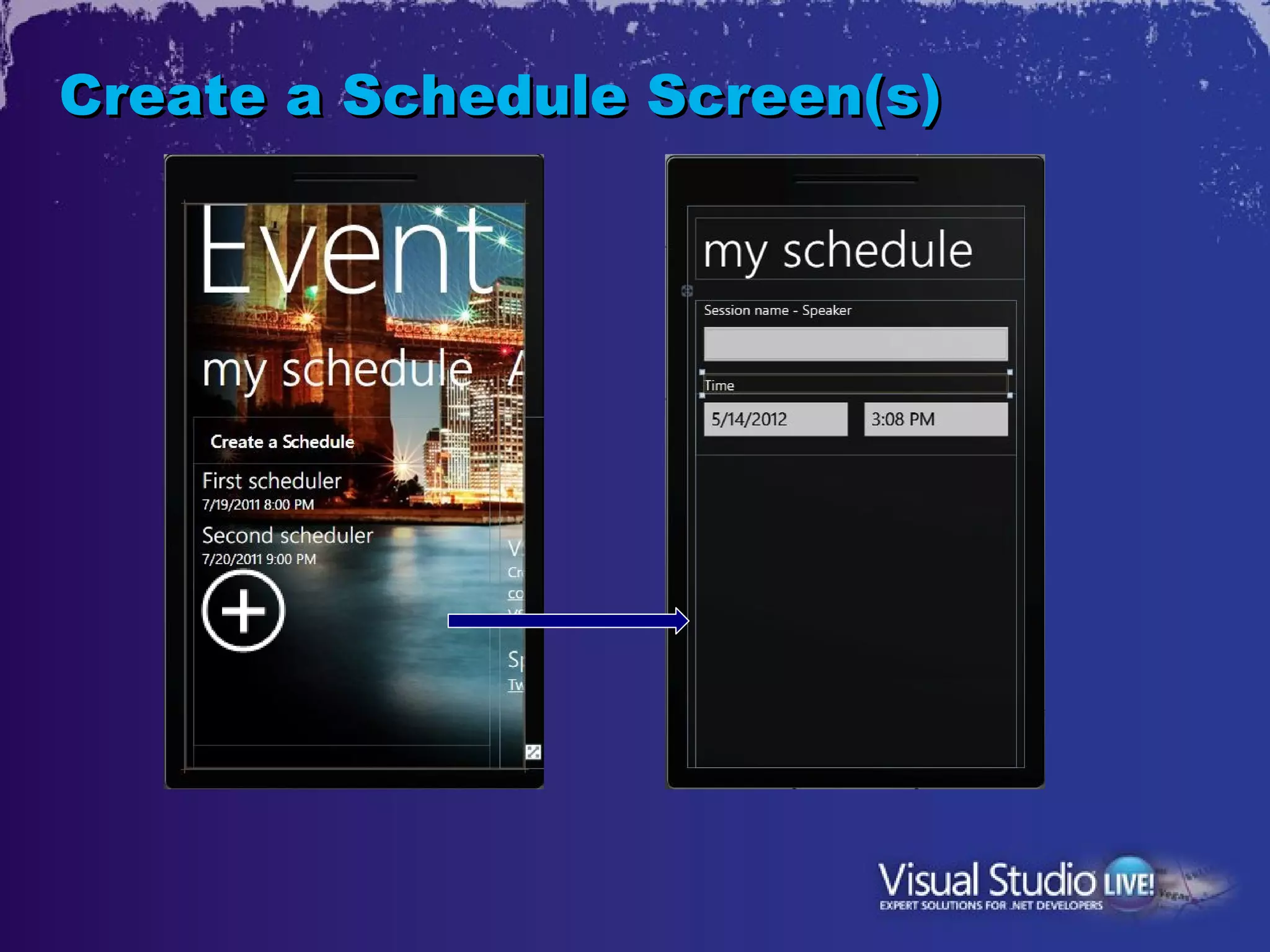
Create a Schedule Screen(s)
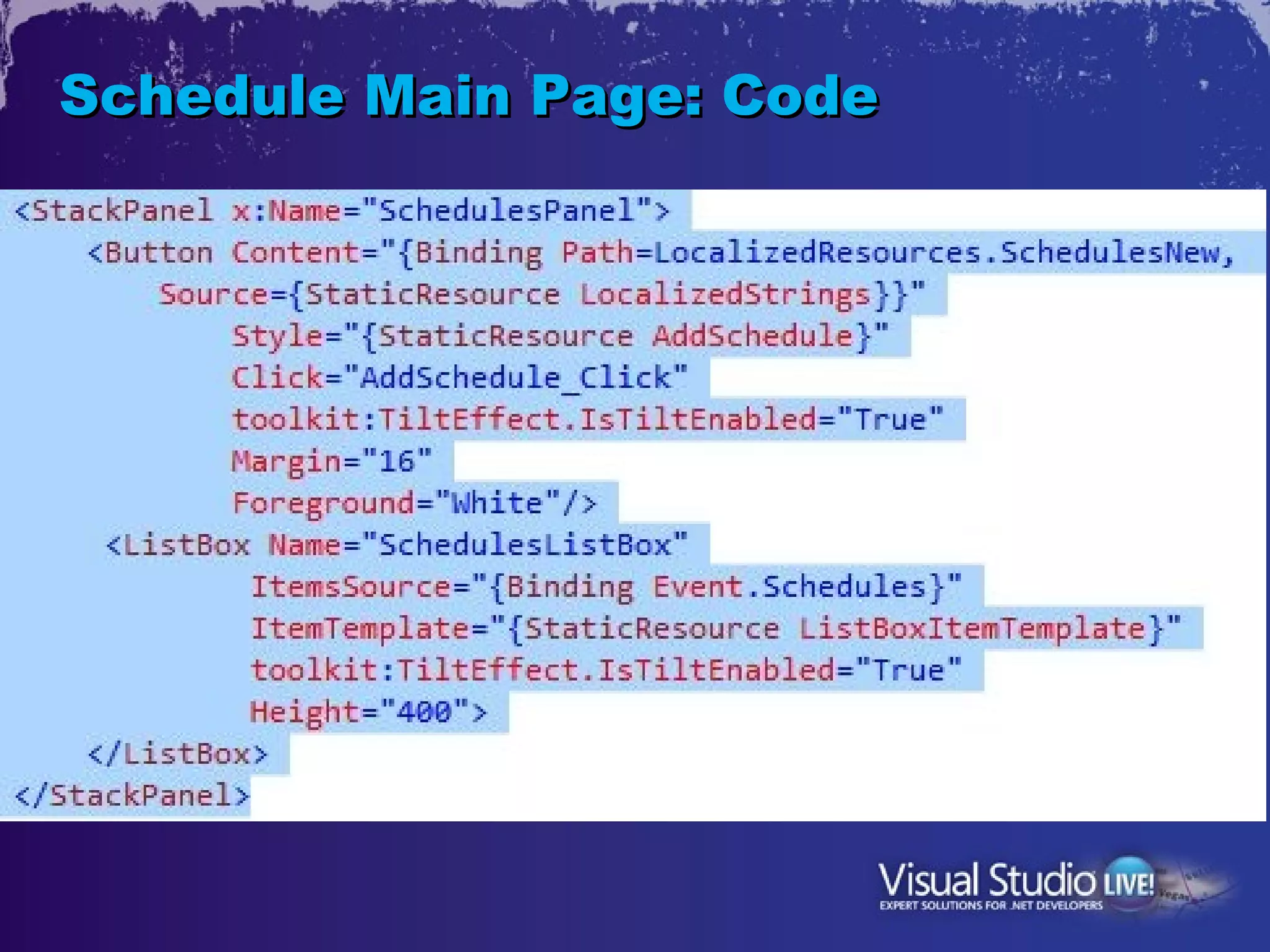
Schedule Main Page: Code
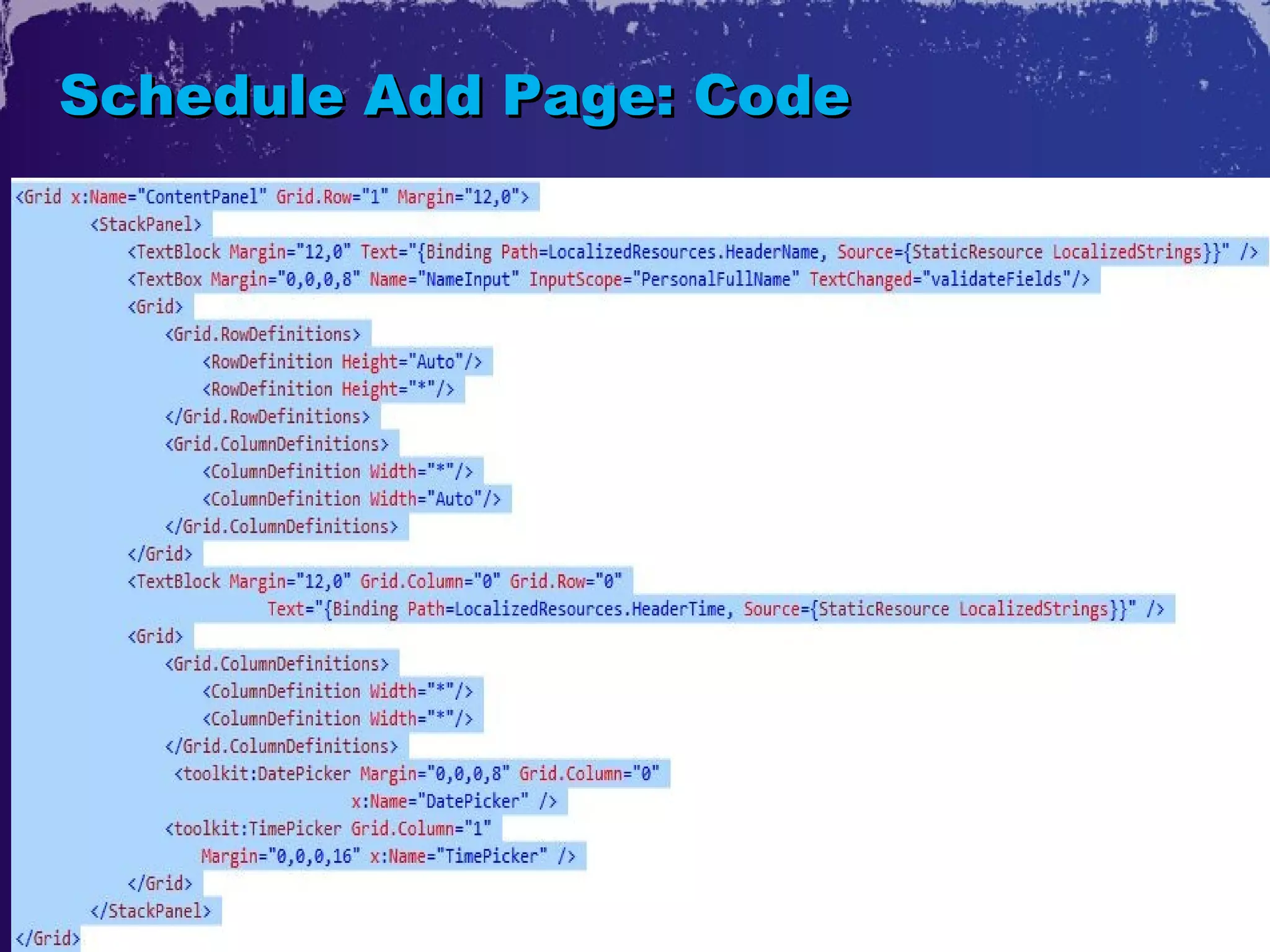
Schedule Add Page: Code
2. Data
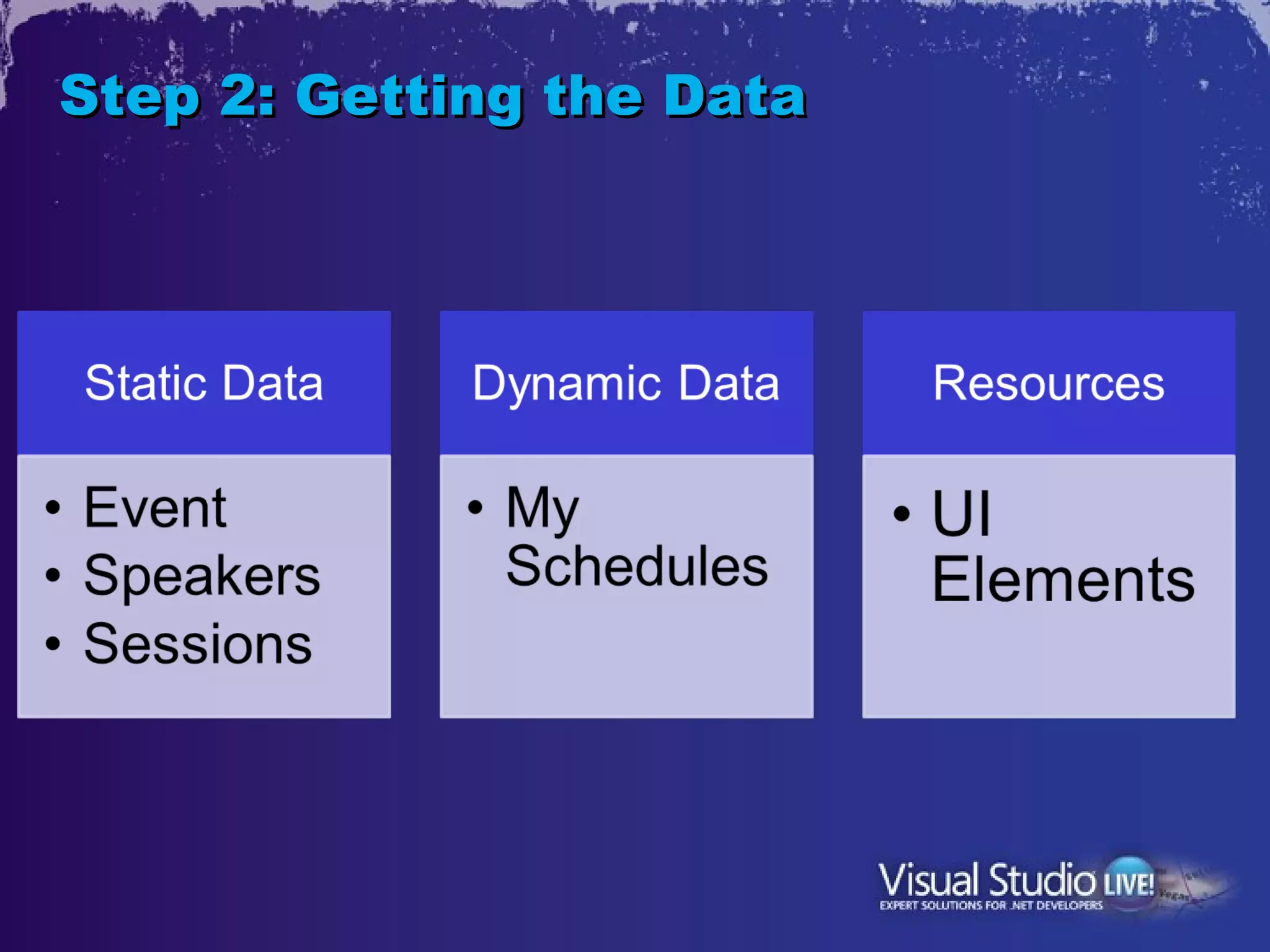
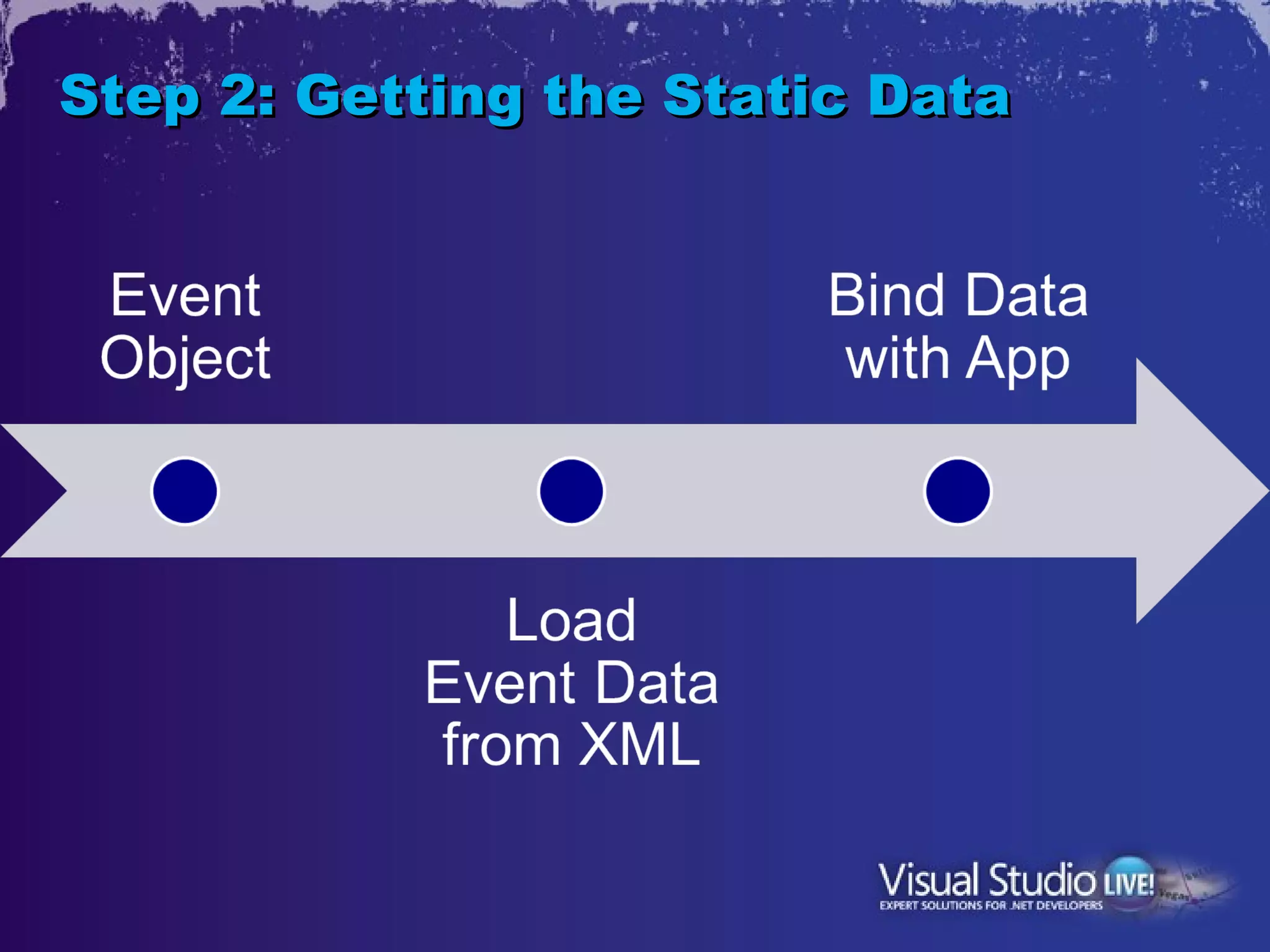
Step 2: Getting the Data
Step 2: Getting the Static Data
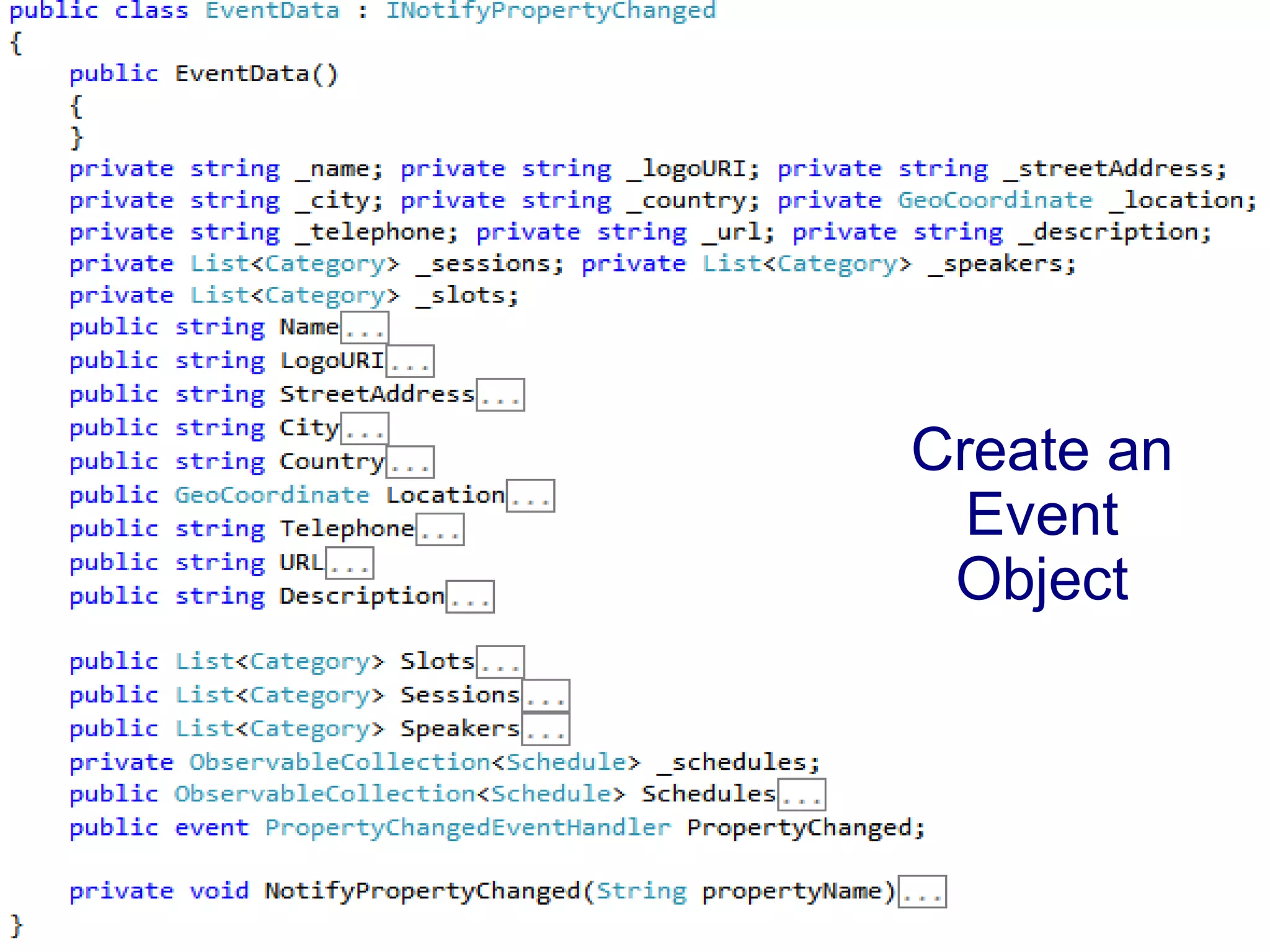
Create an
  Event
 Object
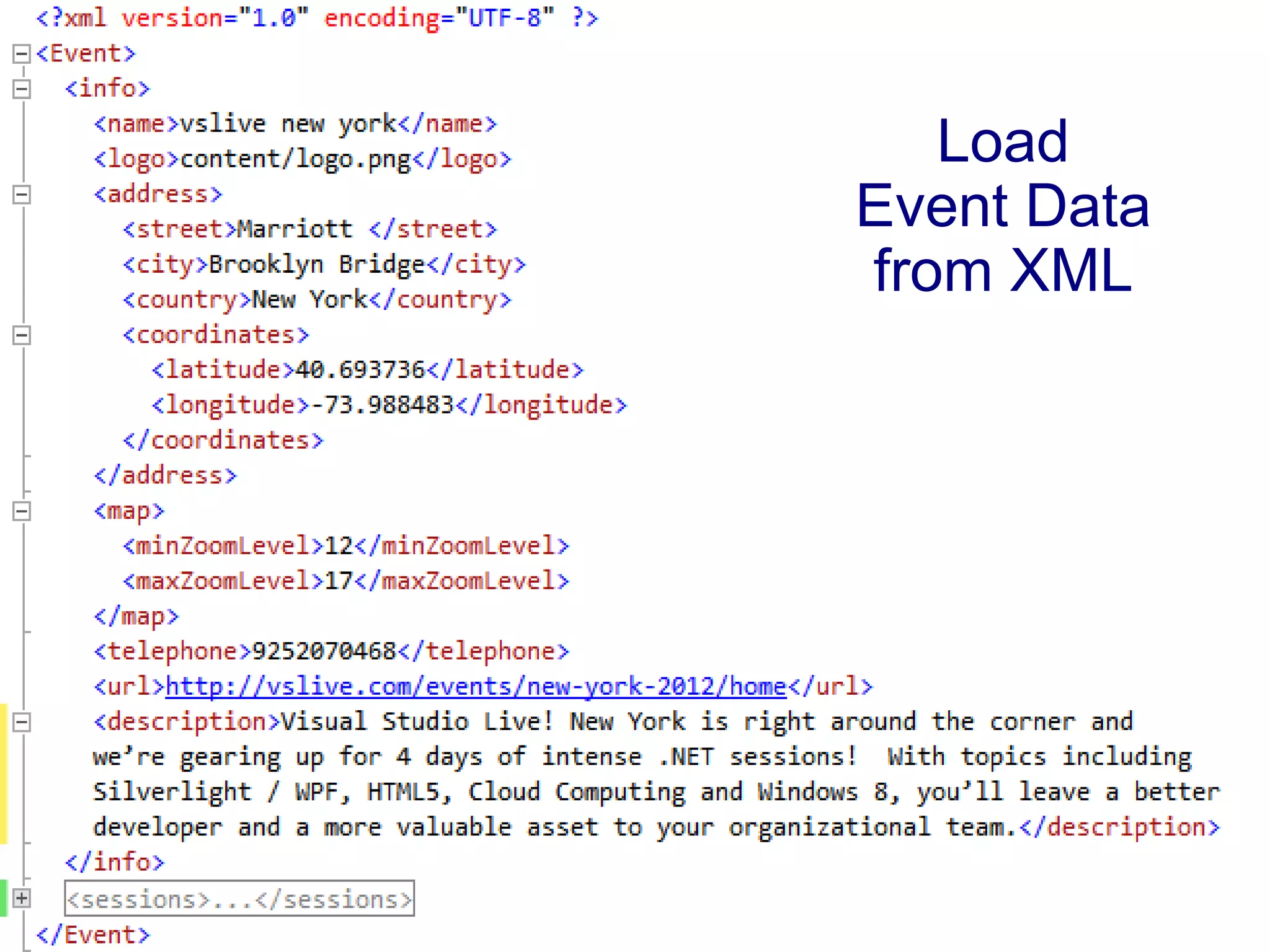
Load
Event Data
from XML
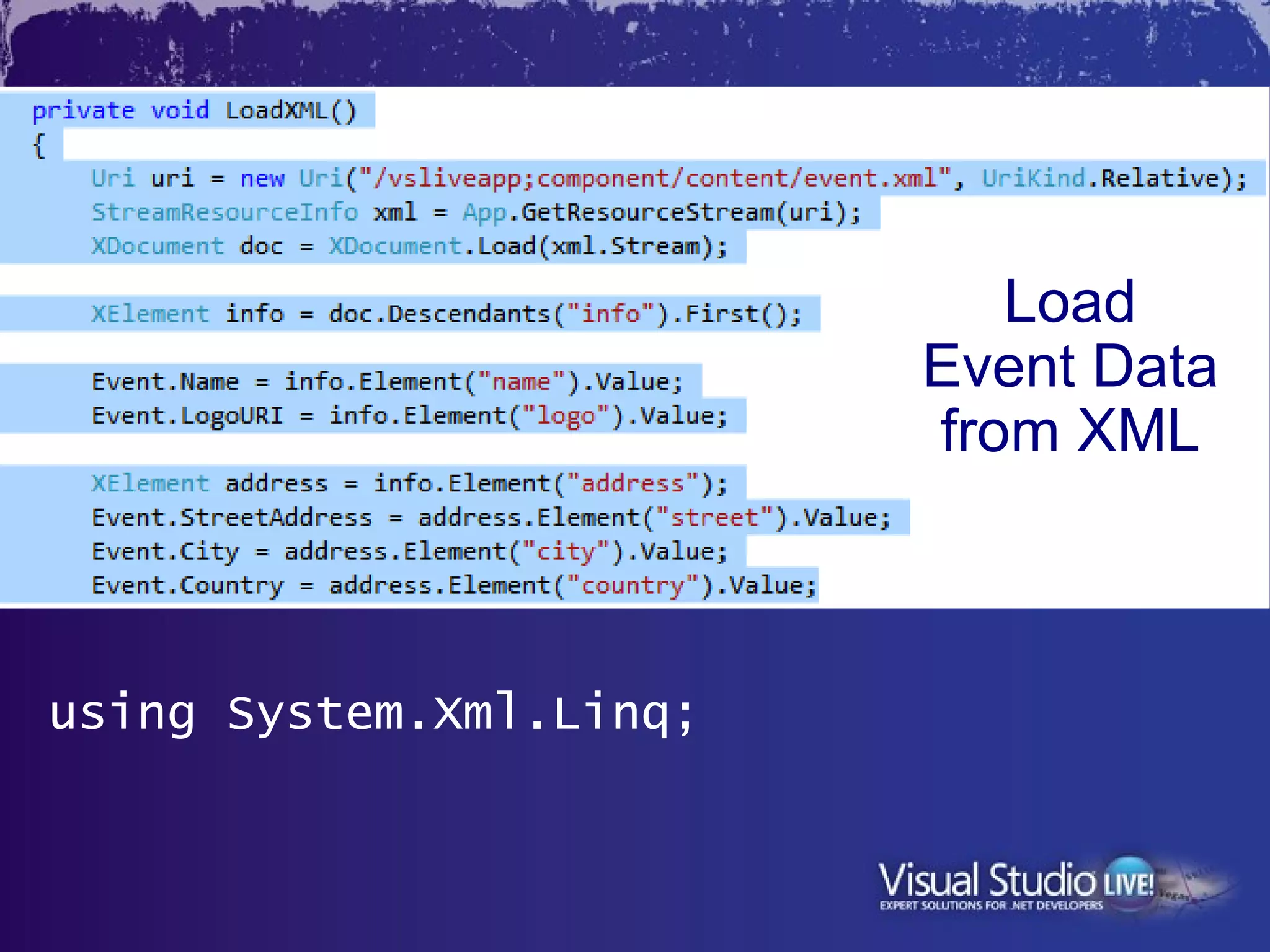
Load
                         Event Data
                         from XML


using System.Xml.Linq;
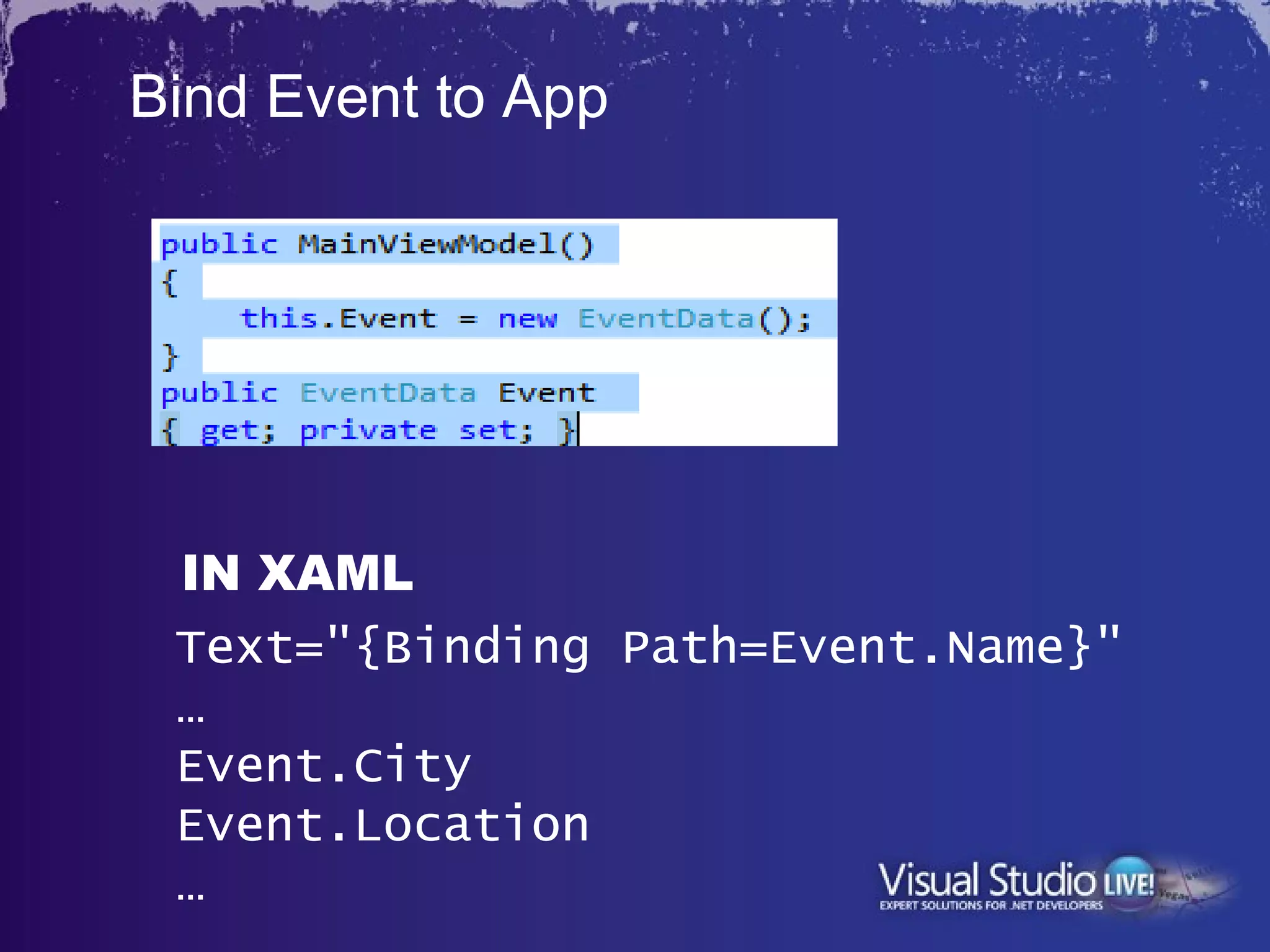
Bind Event to App


 IN XAML
 Text="{Binding Path=Event.Name}"
 …
 Event.City
 Event.Location
 …
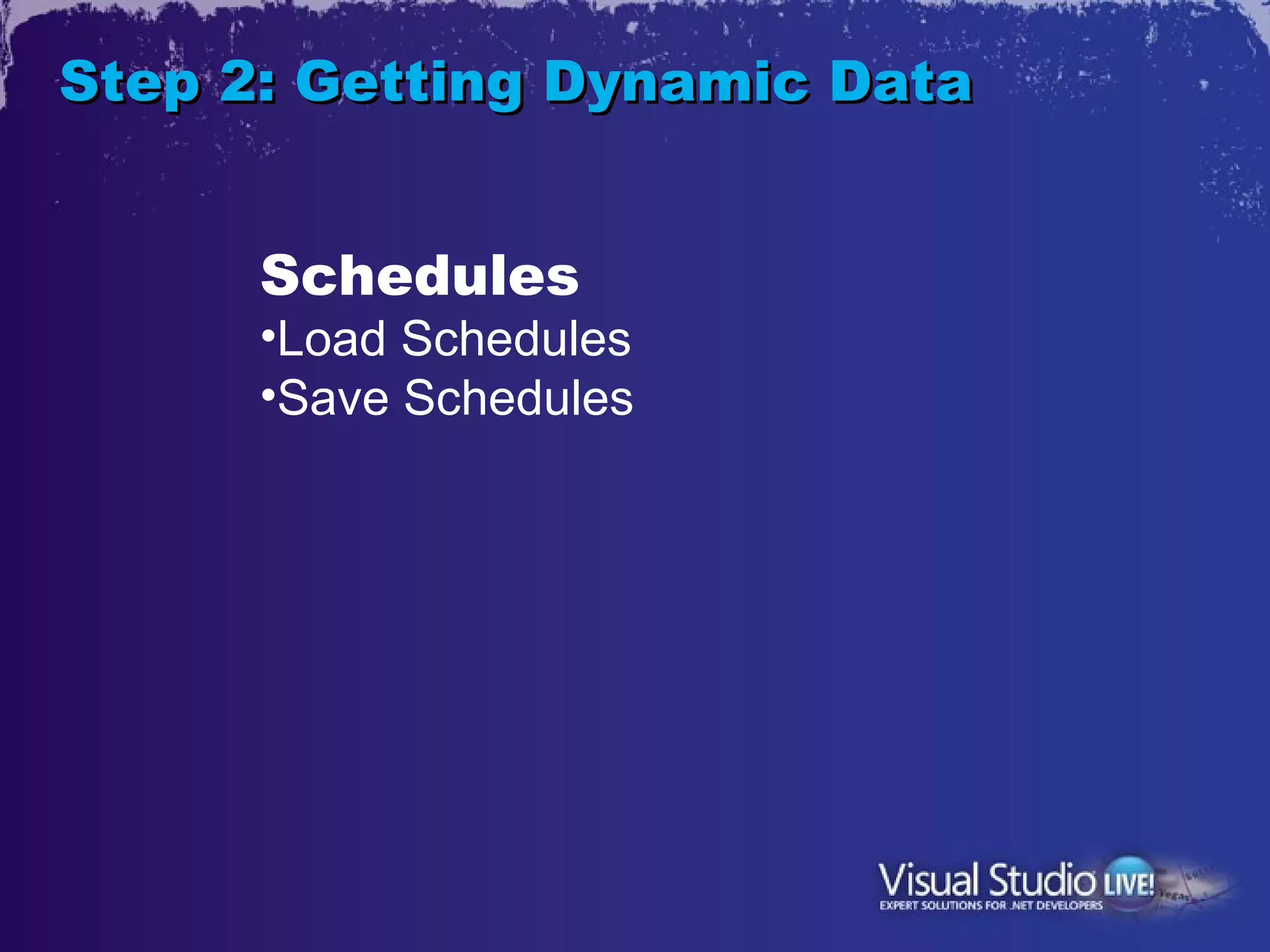
Step 2: Getting Dynamic Data


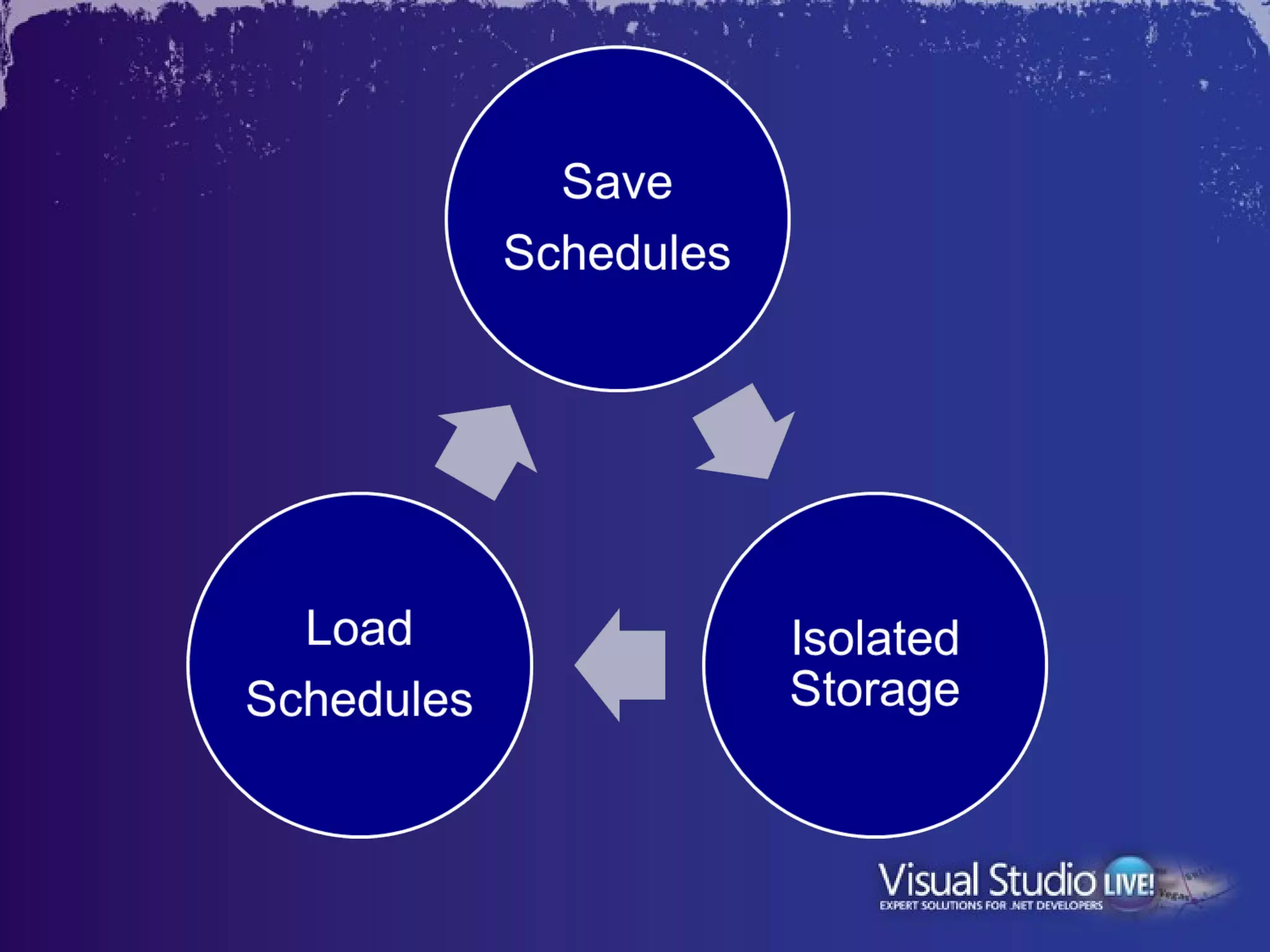
      Schedules
      •Load Schedules
      •Save Schedules
Step 2: Getting Dynamic Data

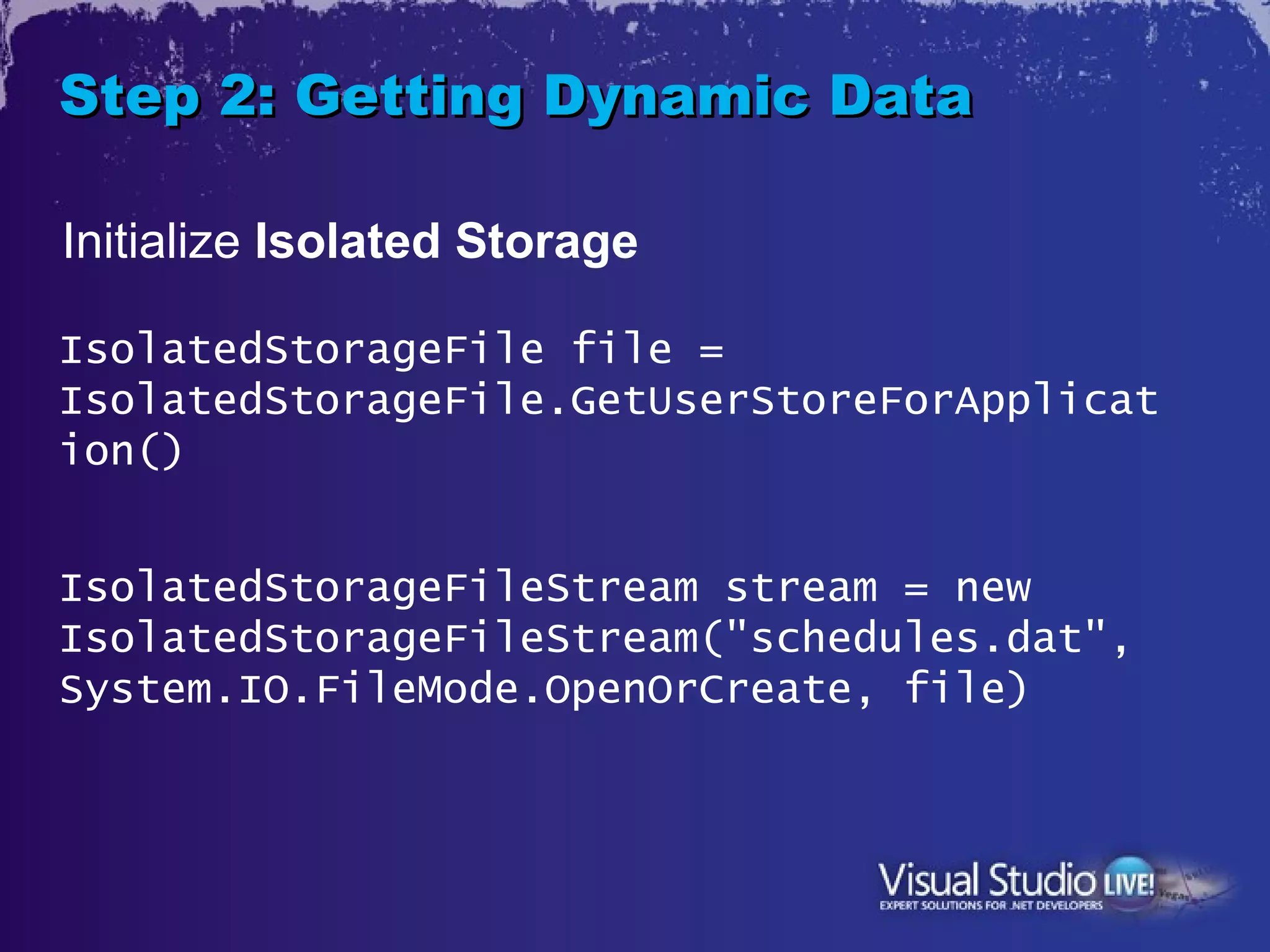
Initialize Isolated Storage

IsolatedStorageFile file =
IsolatedStorageFile.GetUserStoreForApplicat
ion()


IsolatedStorageFileStream stream = new
IsolatedStorageFileStream("schedules.dat",
System.IO.FileMode.OpenOrCreate, file)
Step 2: Getting Dynamic Data

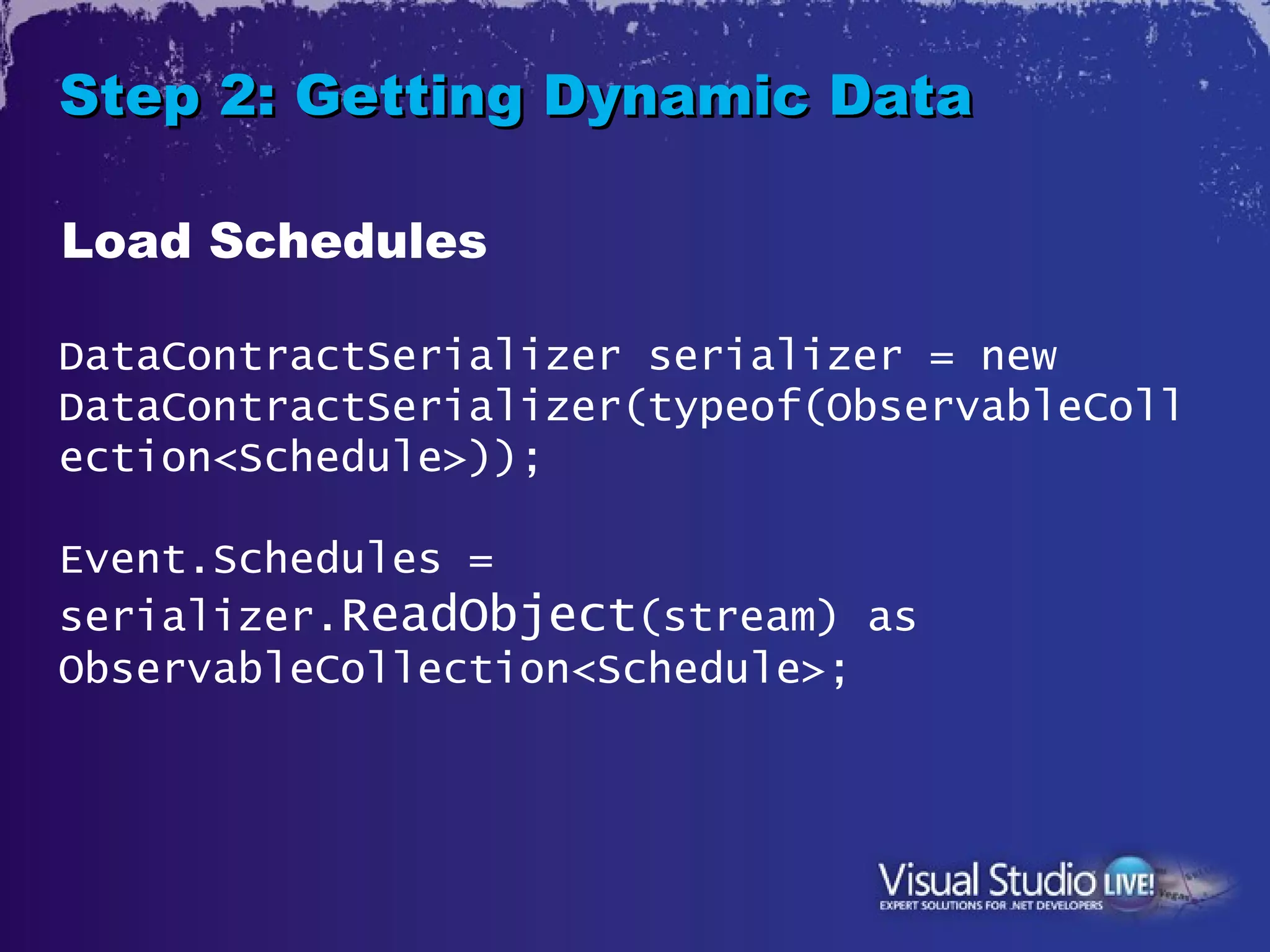
Load Schedules

DataContractSerializer serializer = new
DataContractSerializer(typeof(ObservableColl
ection<Schedule>));

Event.Schedules =
serializer.ReadObject(stream) as
ObservableCollection<Schedule>;
Step 2: Getting Dynamic Data

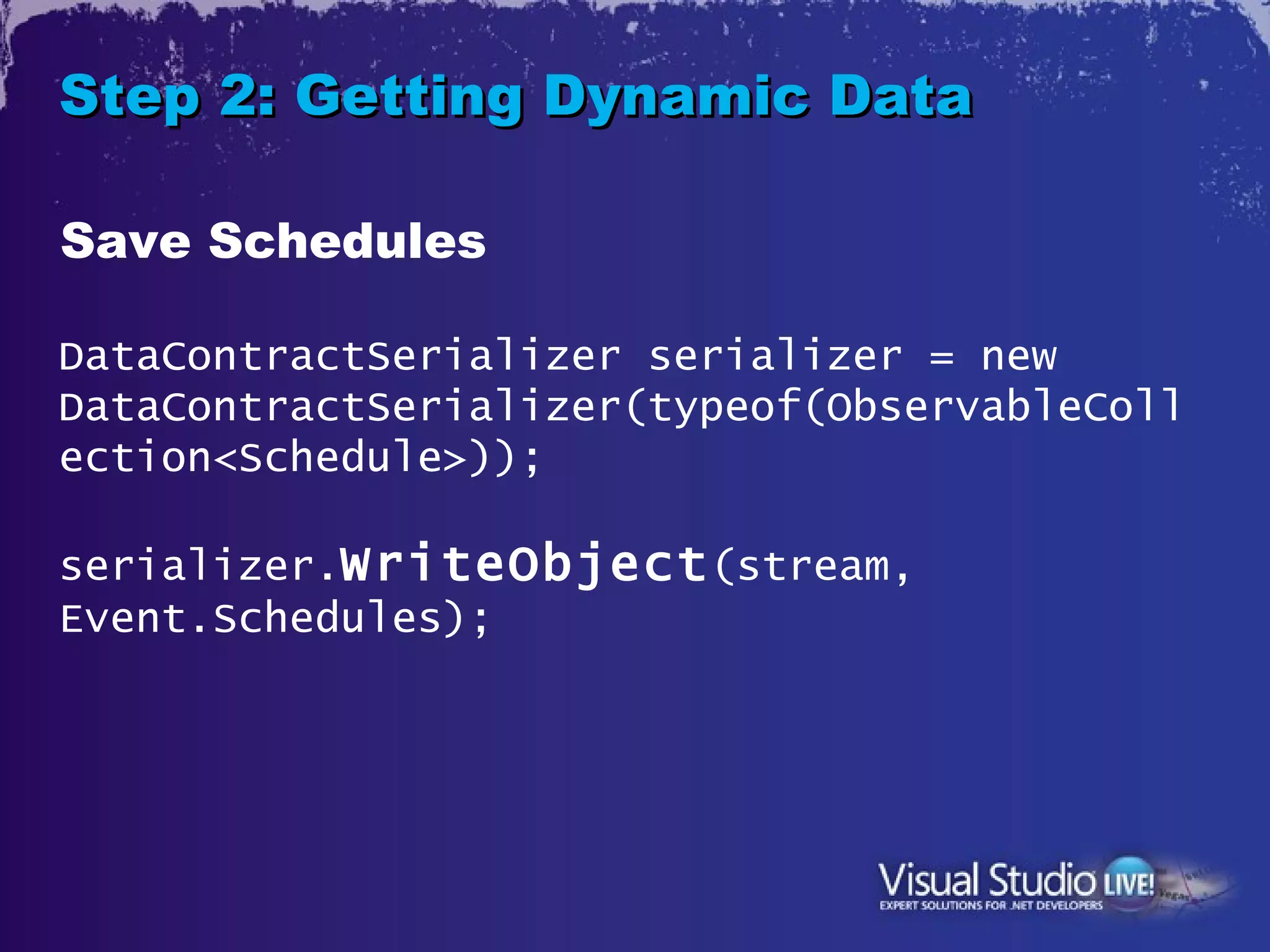
Save Schedules

DataContractSerializer serializer = new
DataContractSerializer(typeof(ObservableColl
ection<Schedule>));

serializer.WriteObject (stream,
Event.Schedules);
Step 2: Getting Resource Data


      Resource
      •Creating a Resource File
      •Bind
      •Use Resource
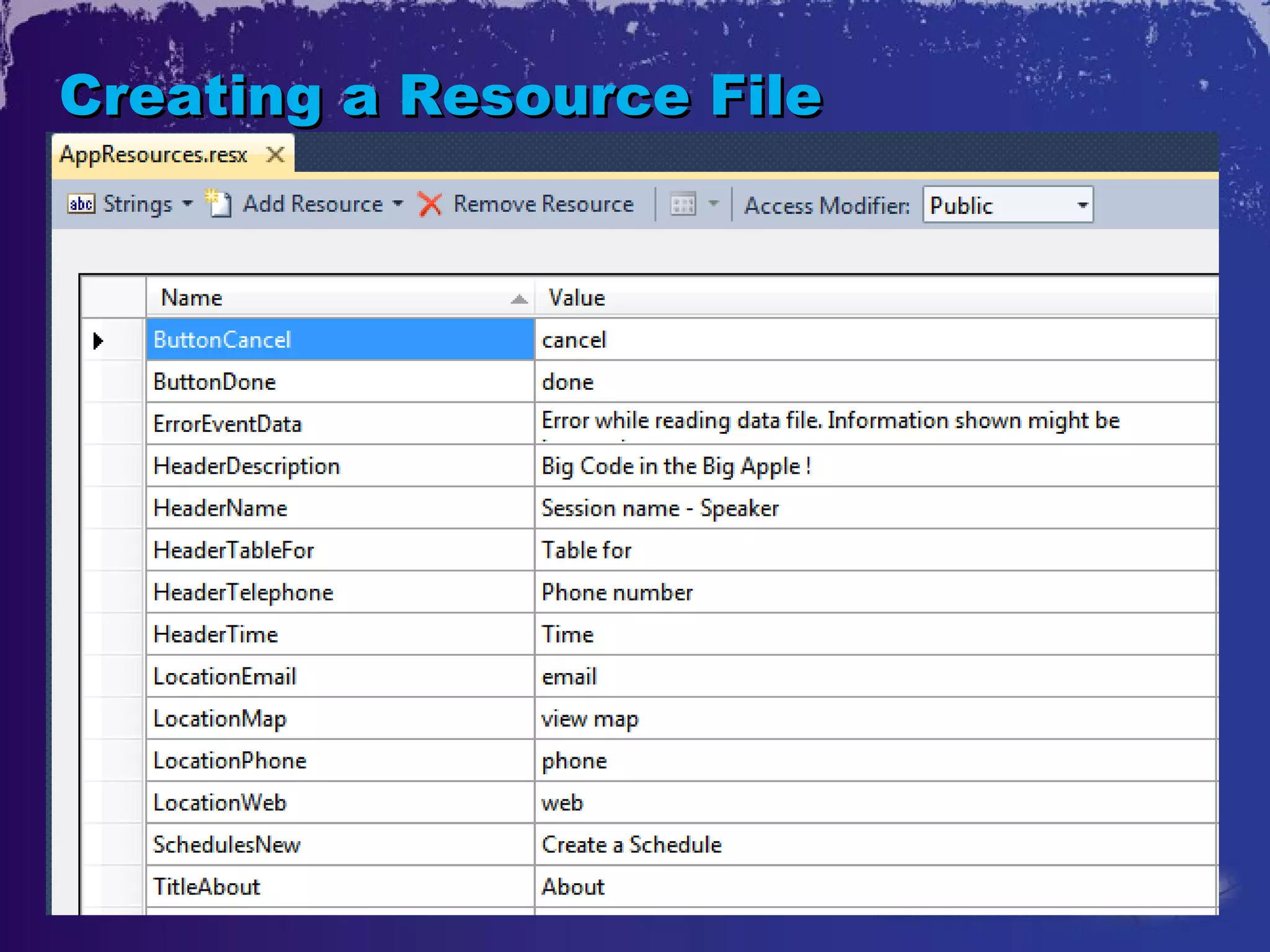
Creating a Resource File
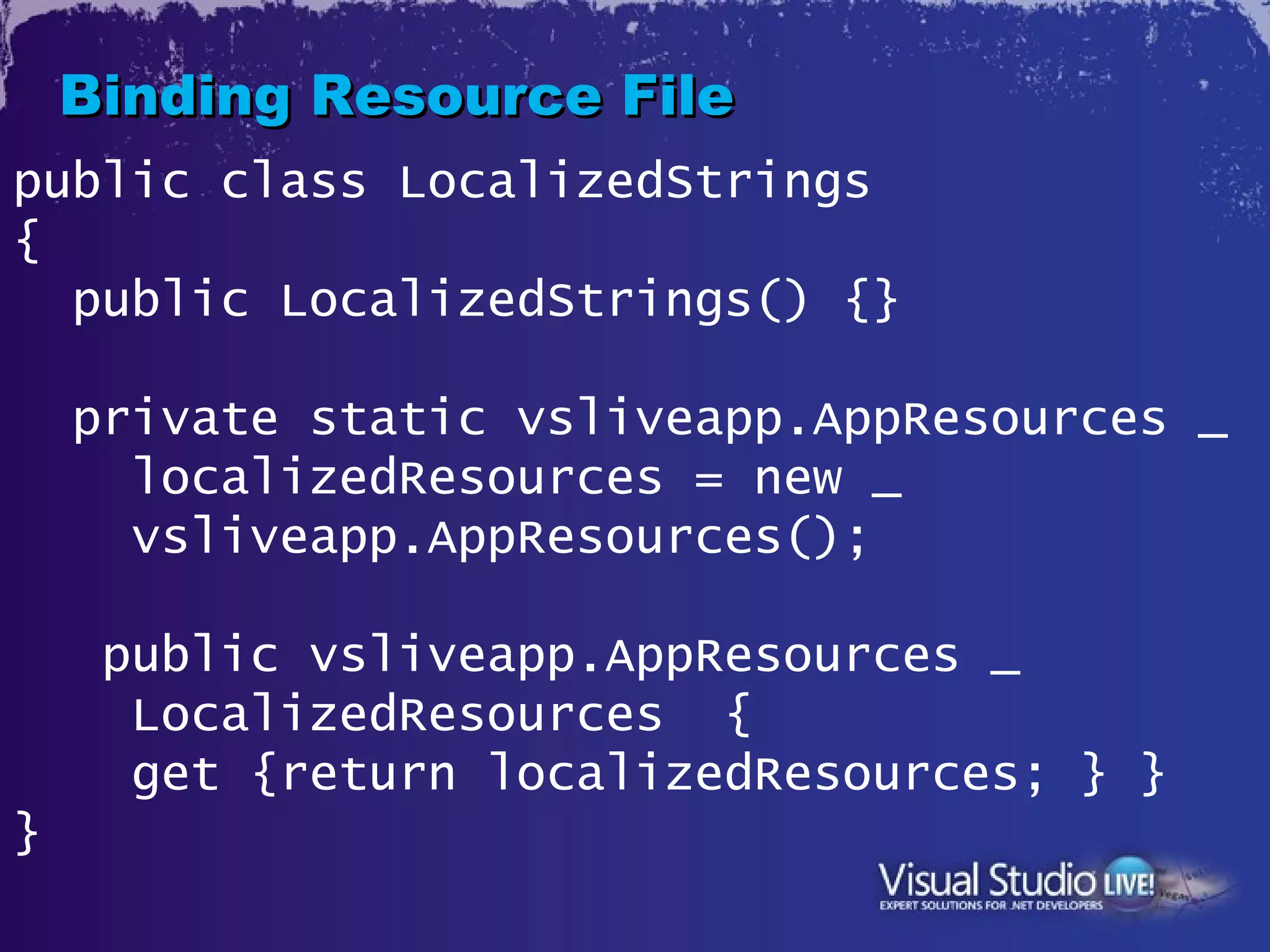
Binding Resource File
public class LocalizedStrings
{
  public LocalizedStrings() {}

    private static vsliveapp.AppResources _
      localizedResources = new _
      vsliveapp.AppResources();

     public vsliveapp.AppResources _
      LocalizedResources {
      get {return localizedResources; } }
}
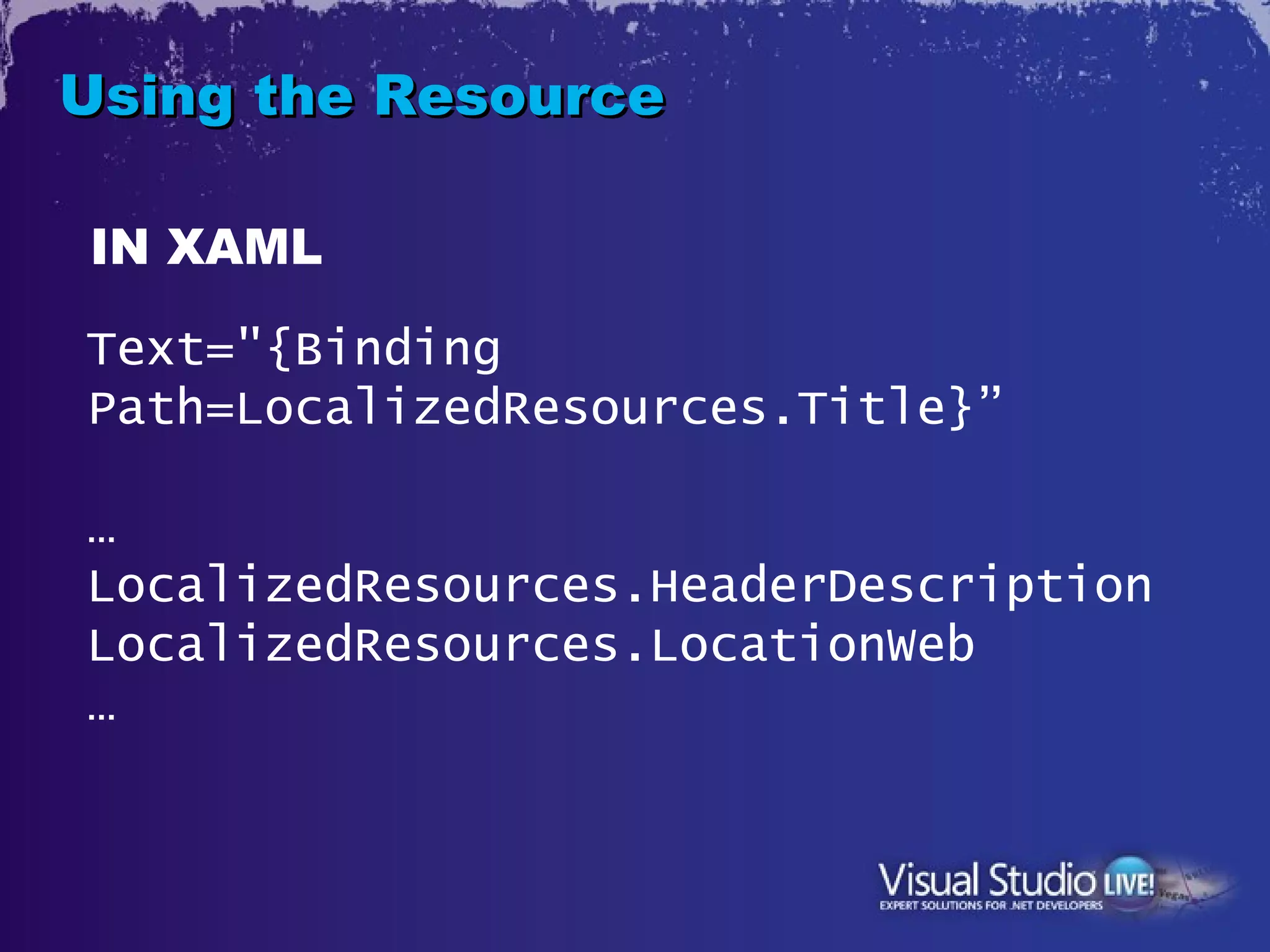
Using the Resource

IN XAML

Text="{Binding
Path=LocalizedResources.Title}”

…
LocalizedResources.HeaderDescription
LocalizedResources.LocationWeb
…
3. Method
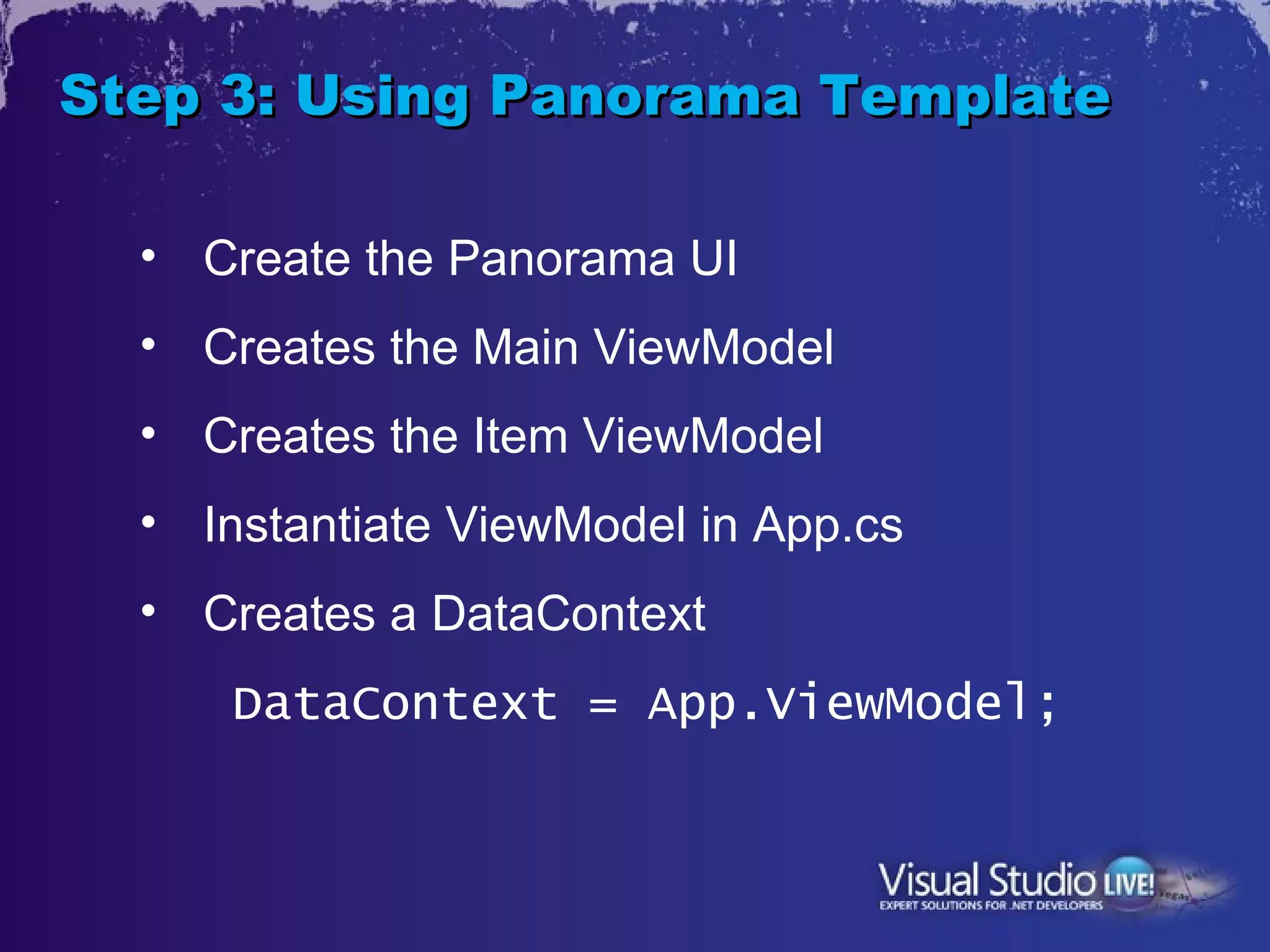
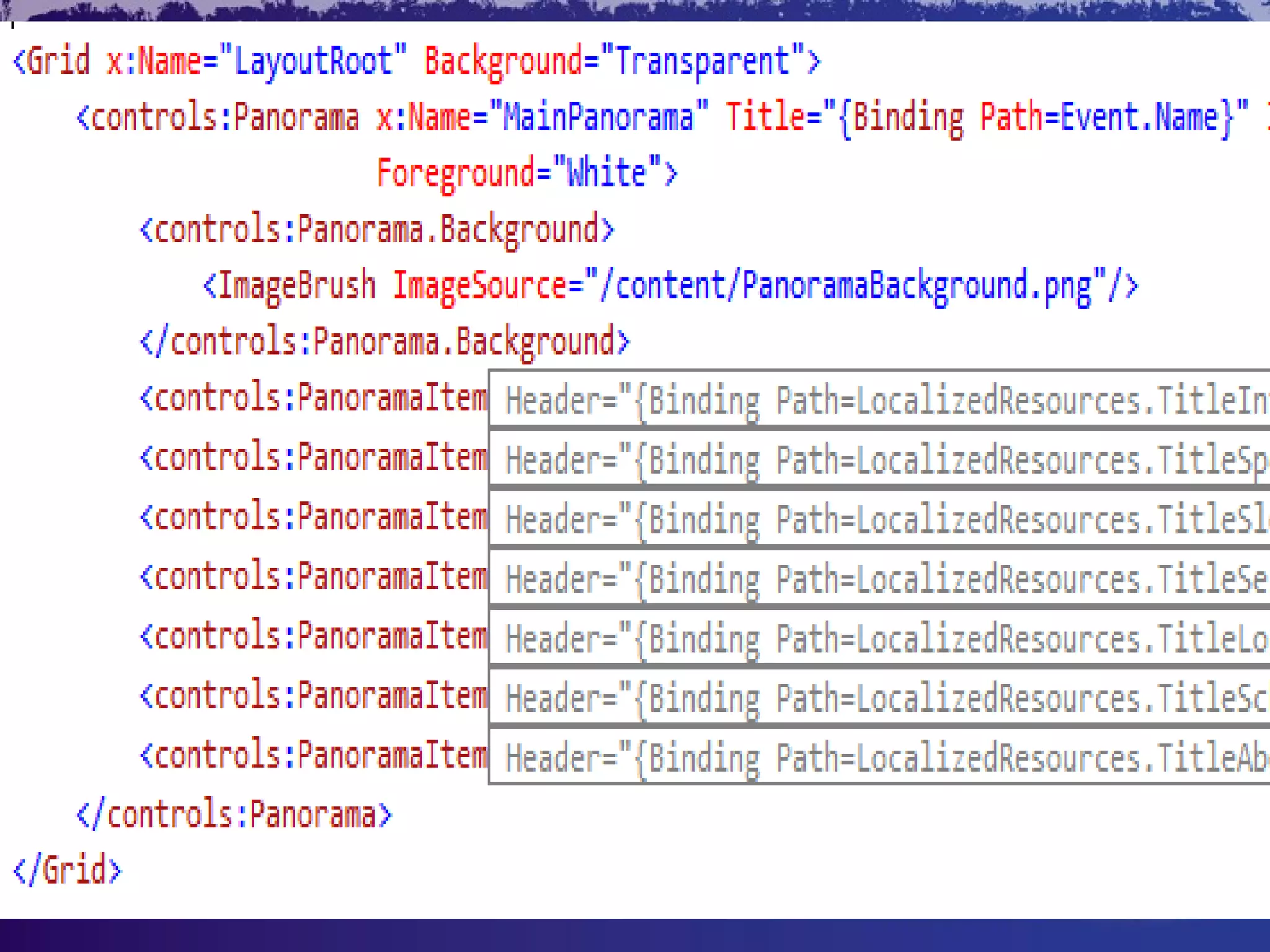
Step 3: Using Panorama Template

  • Create the Panorama UI
  • Creates the Main ViewModel
  • Creates the Item ViewModel
  • Instantiate ViewModel in App.cs
  • Creates a DataContext
      DataContext = App.ViewModel;
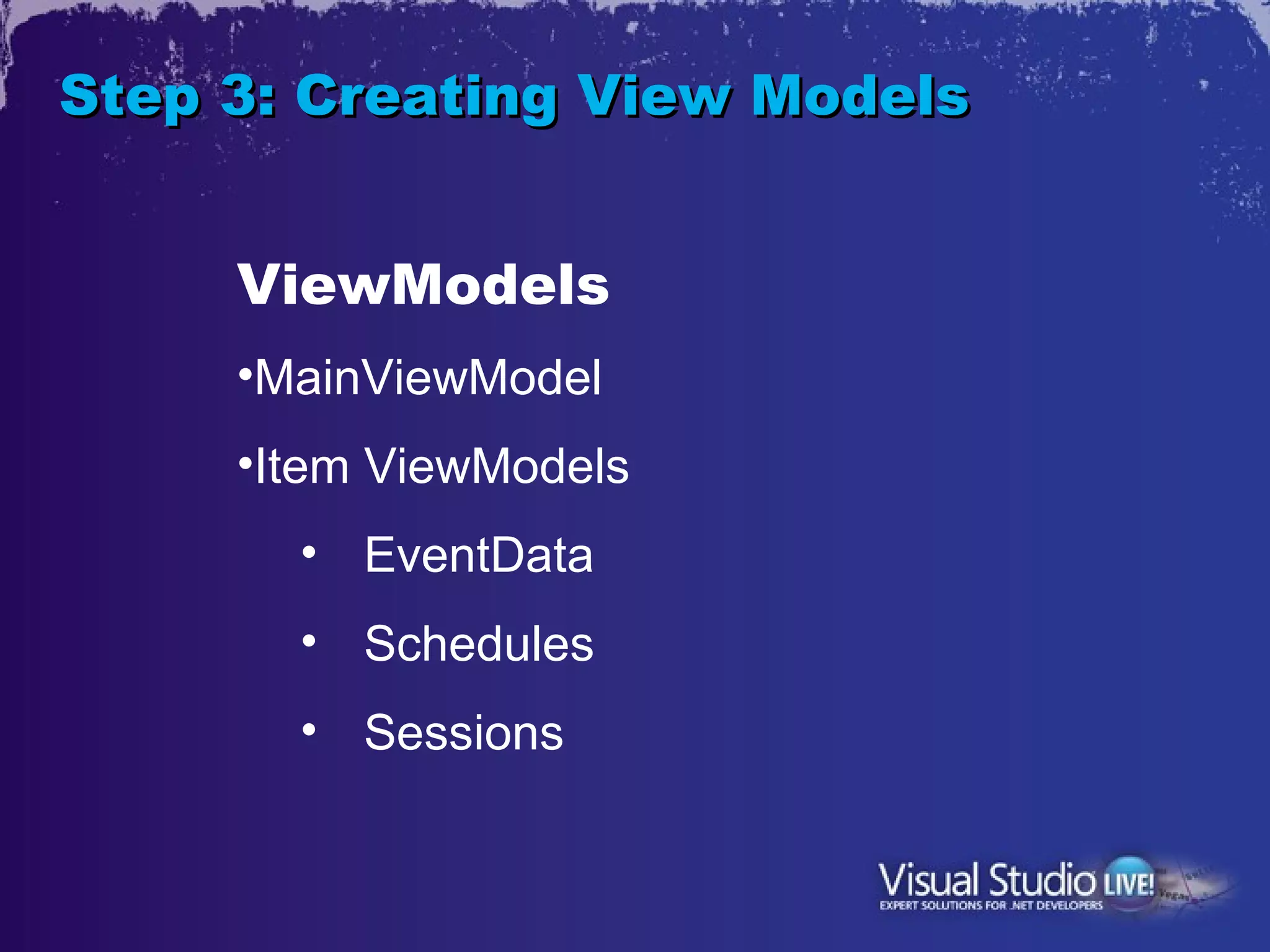
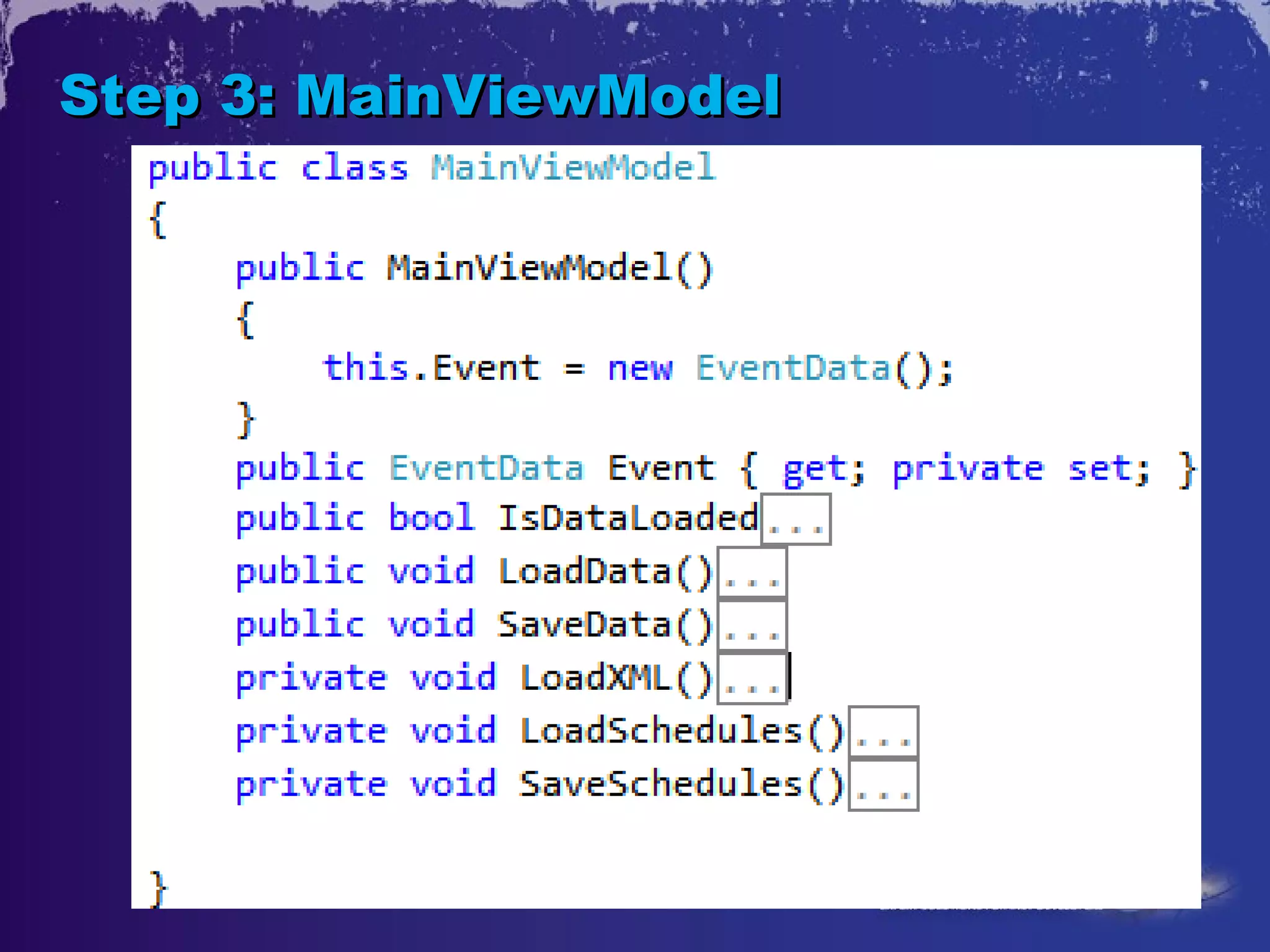
Step 3: Creating View Models


     ViewModels
     •MainViewModel
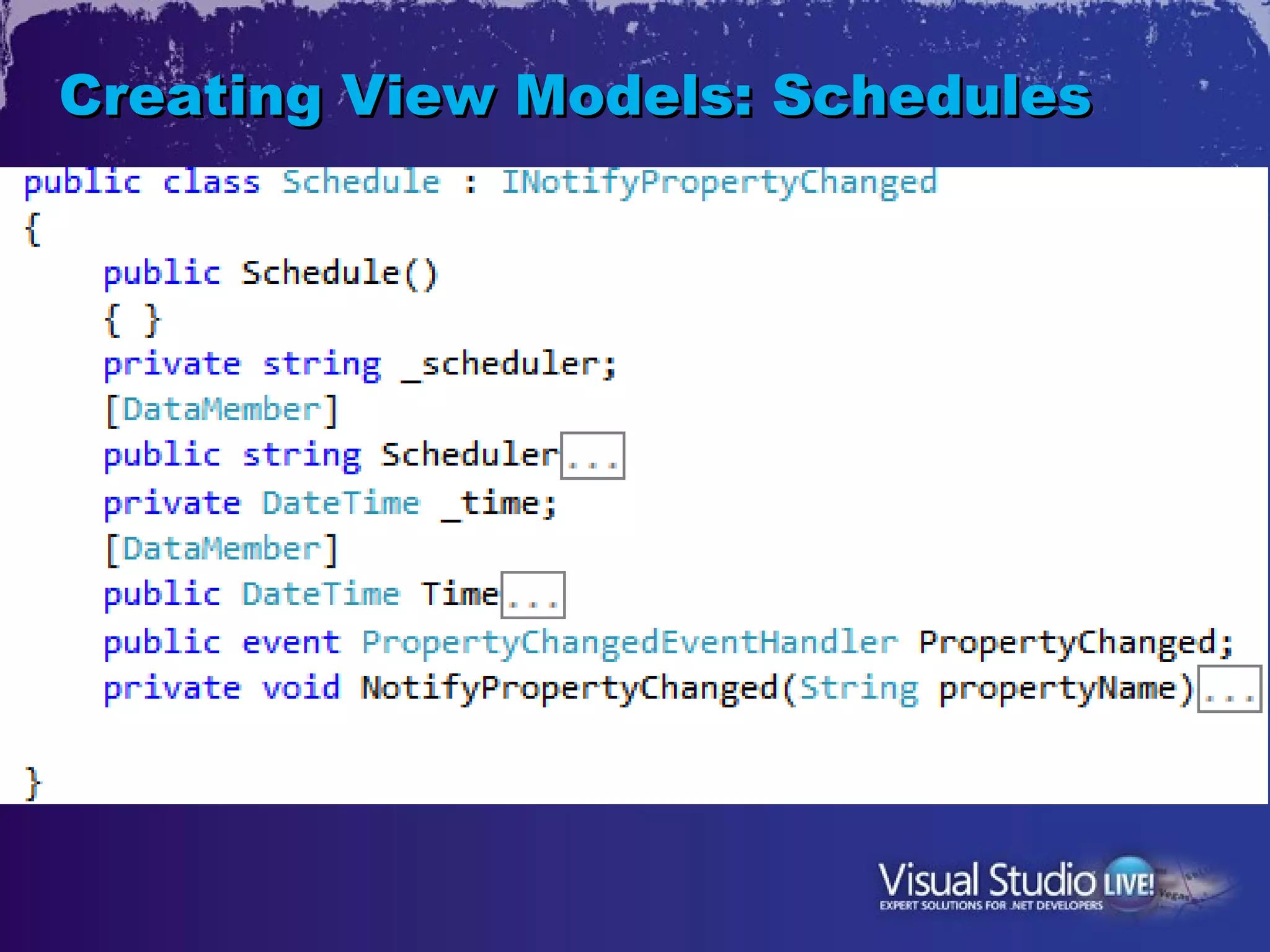
     •Item ViewModels
       • EventData
       • Schedules
       • Sessions
Step 3: MainViewModel
Creating View Models: Schedules
Demo on Lumia 900
XNA App

Advanced XNA Games for Windows Phone - Brian Peek
05/16/12  1:30pm - 2:45pm
Thank You

      Raj Lal


    Twitter @ iRajLal

Developing Apps for Nokia Windows Phone VSLiv Conference May 15, 2012 @iRajLal

Editor's Notes

  • #2 Visual Studio Live! New York 2012 © 2012 Visual Studio Live! All rights reserved.
  • #3 Visual Studio Live! New York 2012 © 2012 Visual Studio Live! All rights reserved. Make it available to everyone, all the time, everywhere Deliver Rich User Experience Simplify your website and make it usable, make it easy to use Make it faster Add cutting edge graphics, animations and effects
  • #4 Visual Studio Live! New York 2012 © 2012 Visual Studio Live! All rights reserved. (Why it’s Amazon Top Rated phone )
  • #5 Visual Studio Live! New York 2012 © 2012 Visual Studio Live! All rights reserved.
  • #6 Visual Studio Live! New York 2012 © 2012 Visual Studio Live! All rights reserved. Fastest process in the market Fastest download speeds possible 12 MB/S DOWNLOAD TO 3 MB/S UPLOAD HD Playback Carl Zeiss 8 MP + Front Camera
  • #7 Visual Studio Live! New York 2012 © 2012 Visual Studio Live! All rights reserved.
  • #8 Visual Studio Live! New York 2012 © 2012 Visual Studio Live! All rights reserved.
  • #9 Visual Studio Live! New York 2012 © 2012 Visual Studio Live! All rights reserved. WP 7.5:  Gorgeous &amp;quot;Metro&amp;quot; style Social network integration  Video Chat Zune For Media Bing with integrated QR Code Battery Saver, Groups near You Local Scout, Voice features  Nokia Drive Office , XBOX Live Metro :Amazing User Experience Extremely Connected Facebook, Twitter, and LinkedIn  One post to FB, Twitter etc Video Chat with Tango / Skype beta Extremely connected Groups in Contact allow you to easy organize Integrate Facebook Twitter
  • #10 Visual Studio Live! New York 2012 © 2012 Visual Studio Live! All rights reserved. (Why it’s Amazon Top Rated phone )
  • #11 Visual Studio Live! New York 2012 © 2012 Visual Studio Live! All rights reserved.
  • #12 Visual Studio Live! New York 2012 © 2012 Visual Studio Live! All rights reserved.
  • #13 Visual Studio Live! New York 2012 © 2012 Visual Studio Live! All rights reserved.
  • #14 Visual Studio Live! New York 2012 © 2012 Visual Studio Live! All rights reserved.
  • #15 Visual Studio Live! New York 2012 © 2012 Visual Studio Live! All rights reserved. Panorama Restaurant App Get to it fast is important
  • #16 Visual Studio Live! New York 2012 © 2012 Visual Studio Live! All rights reserved.
  • #17 Visual Studio Live! New York 2012 © 2012 Visual Studio Live! All rights reserved. Speakers Profile pictures, details Sessions Date &amp; Time, Authors
  • #18 Visual Studio Live! New York 2012 © 2012 Visual Studio Live! All rights reserved.
  • #19 Visual Studio Live! New York 2012 © 2012 Visual Studio Live! All rights reserved.
  • #20 Visual Studio Live! New York 2012 © 2012 Visual Studio Live! All rights reserved.
  • #21 Visual Studio Live! New York 2012 © 2012 Visual Studio Live! All rights reserved.
  • #22 Visual Studio Live! New York 2012 © 2012 Visual Studio Live! All rights reserved.
  • #23 Visual Studio Live! New York 2012 © 2012 Visual Studio Live! All rights reserved.
  • #24 Visual Studio Live! New York 2012 © 2012 Visual Studio Live! All rights reserved.
  • #25 Visual Studio Live! New York 2012 © 2012 Visual Studio Live! All rights reserved.
  • #26 Visual Studio Live! New York 2012 © 2012 Visual Studio Live! All rights reserved.
  • #27 Visual Studio Live! New York 2012 © 2012 Visual Studio Live! All rights reserved.
  • #28 Visual Studio Live! New York 2012 © 2012 Visual Studio Live! All rights reserved.
  • #29 Visual Studio Live! New York 2012 © 2012 Visual Studio Live! All rights reserved.
  • #30 Visual Studio Live! New York 2012 © 2012 Visual Studio Live! All rights reserved.
  • #31 Visual Studio Live! New York 2012 © 2012 Visual Studio Live! All rights reserved.
  • #32 Visual Studio Live! New York 2012 © 2012 Visual Studio Live! All rights reserved.
  • #33 Visual Studio Live! New York 2012 © 2012 Visual Studio Live! All rights reserved.
  • #34 Visual Studio Live! New York 2012 © 2012 Visual Studio Live! All rights reserved.
  • #35 Visual Studio Live! New York 2012 © 2012 Visual Studio Live! All rights reserved.
  • #36 Visual Studio Live! New York 2012 © 2012 Visual Studio Live! All rights reserved.
  • #37 Visual Studio Live! New York 2012 © 2012 Visual Studio Live! All rights reserved.
  • #38 Visual Studio Live! New York 2012 © 2012 Visual Studio Live! All rights reserved.
  • #39 Visual Studio Live! New York 2012 © 2012 Visual Studio Live! All rights reserved.
  • #40 Visual Studio Live! New York 2012 © 2012 Visual Studio Live! All rights reserved.
  • #41 Visual Studio Live! New York 2012 © 2012 Visual Studio Live! All rights reserved.
  • #42 Visual Studio Live! New York 2012 © 2012 Visual Studio Live! All rights reserved.
  • #43 Visual Studio Live! New York 2012 © 2012 Visual Studio Live! All rights reserved.
  • #44 Visual Studio Live! New York 2012 © 2012 Visual Studio Live! All rights reserved.
  • #45 Visual Studio Live! New York 2012 © 2012 Visual Studio Live! All rights reserved.
  • #46 Visual Studio Live! New York 2012 © 2012 Visual Studio Live! All rights reserved.
  • #47 Visual Studio Live! New York 2012 © 2012 Visual Studio Live! All rights reserved.
  • #48 Visual Studio Live! New York 2012 © 2012 Visual Studio Live! All rights reserved.
  • #49 Visual Studio Live! New York 2012 © 2012 Visual Studio Live! All rights reserved.
  • #50 Visual Studio Live! New York 2012 © 2012 Visual Studio Live! All rights reserved.
  • #51 Visual Studio Live! New York 2012 © 2012 Visual Studio Live! All rights reserved.
  • #52 Visual Studio Live! New York 2012 © 2012 Visual Studio Live! All rights reserved.
  • #53 Visual Studio Live! New York 2012 © 2012 Visual Studio Live! All rights reserved.
  • #54 Visual Studio Live! New York 2012 © 2012 Visual Studio Live! All rights reserved.
  • #55 Visual Studio Live! New York 2012 © 2012 Visual Studio Live! All rights reserved.
  • #56 Visual Studio Live! New York 2012 © 2012 Visual Studio Live! All rights reserved.
  • #57 Visual Studio Live! New York 2012 © 2012 Visual Studio Live! All rights reserved.
  • #58 Visual Studio Live! New York 2012 © 2012 Visual Studio Live! All rights reserved.
  • #59 Visual Studio Live! New York 2012 © 2012 Visual Studio Live! All rights reserved.
  • #60 Visual Studio Live! New York 2012 © 2012 Visual Studio Live! All rights reserved.