Mobile GIS

        Mobile
 Geographical Information
        System
                  Developed by Keyur
                        Brahmbhatt

                                 1
Objectives

 What is Mobile GIS ?
 Objectives of Mobile GIS.
 Mobile GIS Architecture
 Benefits of Mobile GIS.
 ESRI Mobile GIS Products


                             2
What is Mobile GIS ?
  Mobile GIS is the expansion of GIS technology
  from the office into the field. A mobile GIS Enables
  field-based personnel to capture, store, update,
  manipulate, analyze, and display geographic
  information. Mobile GIS integrates the following
  technologies.

• Mobile Devices
• Global Positioning System (GPS)
• Wireless Communications for Internet GIS access


                                                    3
What is Mobile GIS ?
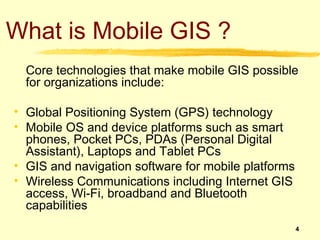
  Core technologies that make mobile GIS possible
  for organizations include:

• Global Positioning System (GPS) technology
• Mobile OS and device platforms such as smart
  phones, Pocket PCs, PDAs (Personal Digital
  Assistant), Laptops and Tablet PCs
• GIS and navigation software for mobile platforms
• Wireless Communications including Internet GIS
  access, Wi-Fi, broadband and Bluetooth
  capabilities
                                                     4
Objectives of Mobile GIS
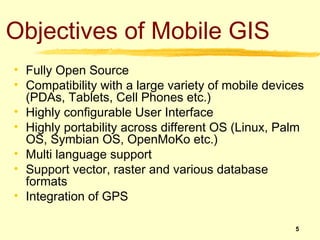
• Fully Open Source
• Compatibility with a large variety of mobile devices
  (PDAs, Tablets, Cell Phones etc.)
• Highly configurable User Interface
• Highly portability across different OS (Linux, Palm
  OS, Symbian OS, OpenMoKo etc.)
• Multi language support
• Support vector, raster and various database
  formats
• Integration of GPS

                                                    5
OS/Platforms
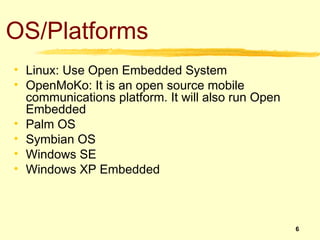
• Linux: Use Open Embedded System
• OpenMoKo: It is an open source mobile
  communications platform. It will also run Open
  Embedded
• Palm OS
• Symbian OS
• Windows SE
• Windows XP Embedded


                                                   6
Development Platforms
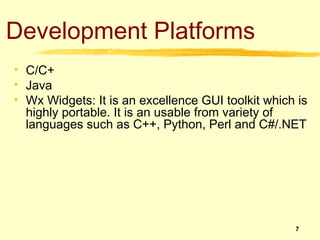
• C/C+
• Java
• Wx Widgets: It is an excellence GUI toolkit which is
  highly portable. It is an usable from variety of
  languages such as C++, Python, Perl and C#/.NET


                                                   7
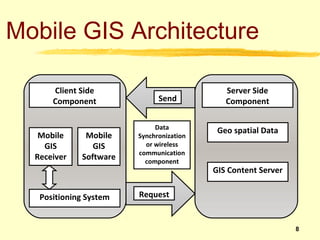
Mobile GIS Architecture

      Client Side                            Server Side
      Component               Send           Component

                             Data          Geo spatial Data
   Mobile     Mobile    Synchronization
    GIS         GIS       or wireless
                        communication
  Receiver   Software     component
                                          GIS Content Server


   Positioning System   Request


                                                               8
Mobile GIS Architecture
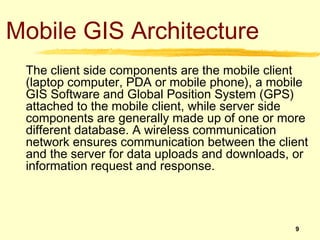
 The client side components are the mobile client
 (laptop computer, PDA or mobile phone), a mobile
 GIS Software and Global Position System (GPS)
 attached to the mobile client, while server side
 components are generally made up of one or more
 different database. A wireless communication
 network ensures communication between the client
 and the server for data uploads and downloads, or
 information request and response.


                                               9
Benefits of Mobile GIS
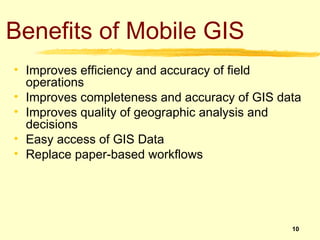
• Improves efficiency and accuracy of field
  operations
• Improves completeness and accuracy of GIS data
• Improves quality of geographic analysis and
  decisions
• Easy access of GIS Data
• Replace paper-based workflows


                                              10
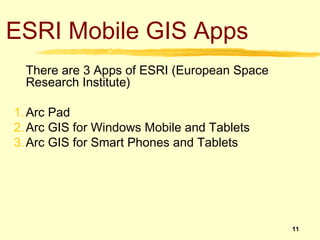
ESRI Mobile GIS Apps
  There are 3 Apps of ESRI (European Space
  Research Institute)

1. Arc Pad
2. Arc GIS for Windows Mobile and Tablets
3. Arc GIS for Smart Phones and Tablets


                                             11
ESRI Mobile GIS Apps
1.   Arc Pad:

     Arc Pad is mobile field mapping and data collection software designed
     for GIS professionals. It includes advanced GIS and GPS capabilities
     for capturing, editing and displaying geographic information quickly
     and efficiently. Critical data can be checked in and out of a multiuser
     or personal geo-database and shared throughout your organization.


                                                                       12
ESRI Mobile GIS Apps
2.   Arc GIS for Windows Mobile and Tablets:

     Arc GIS for Windows Mobile helps organizations deliver GIS
     capabilities and data to range of mobile devices. Arc GIS for Windows
     Mobile comes with configurable Software Development Kit (SDK) to
     create stand-alone mobile applications, embed GIS functionality into
     existing applications and build custom tasks and extensions.


                                                                      13
ESRI Mobile GIS Apps
3.   Arc GIS for Smart-phones and Tablets:

     The Arc GIS App extends the reach of your GIS from the office to the
     field. Navigate maps, collect and report data, and perform GIs
     analysis using the free downloadable application from Google Play,
     the Apple App Store, Amazon App Store and Windows Market Place.
     The app includes a developer focused on Runtime SDK that you can
     leverage to build your own custom mobile applications.

     The Arc GIS App for Smart-phones and Tablets is a part of the Arc
     GIS system. It is great way to:

       Collect, edit and update features and attributes.
       Extend your GIS to wider audience.
       Develop a custom apps or brand your own app specific to your
       business needs.
                                                                      14
ESRI Mobile GIS Apps
 System Requirement:

 A.   For iOS:

      a)   Arc GIS App for iOS:

            Compatible with iPhone, iPad and iPod touch devices.
            Requires Apple iOS version 3.1.2 and above.

      b)   Arc GIS Runtime SDK for iOS:


            Intel-based Macintosh running Leopard (OS X 10.5) or snow
            Leopard (OS X 10.6).
            An iPhone, iPad or iPads Touch is recommended for testing the
            user experience/interface within your application.
                                                                       15
ESRI Mobile GIS Apps
 System Requirement:

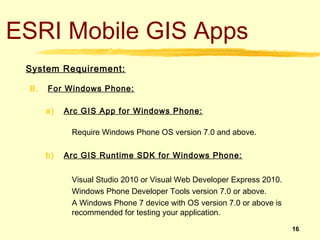
 B.   For Windows Phone:

      a)   Arc GIS App for Windows Phone:

            Require Windows Phone OS version 7.0 and above.

      b)   Arc GIS Runtime SDK for Windows Phone:


            Visual Studio 2010 or Visual Web Developer Express 2010.
            Windows Phone Developer Tools version 7.0 or above.
            A Windows Phone 7 device with OS version 7.0 or above is
            recommended for testing your application.

                                                                       16
ESRI Mobile GIS Apps
 System Requirement:

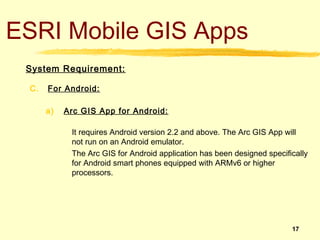
 C.   For Android:

      a)   Arc GIS App for Android:

            It requires Android version 2.2 and above. The Arc GIS App will
            not run on an Android emulator.
            The Arc GIS for Android application has been designed specifically
            for Android smart phones equipped with ARMv6 or higher
            processors.


                                                                         17
ESRI Mobile GIS Apps
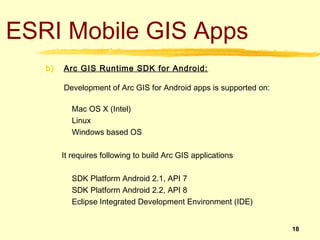
   b)   Arc GIS Runtime SDK for Android:

        Development of Arc GIS for Android apps is supported on:

          Mac OS X (Intel)
          Linux
          Windows based OS

        It requires following to build Arc GIS applications

          SDK Platform Android 2.1, API 7
          SDK Platform Android 2.2, API 8
          Eclipse Integrated Development Environment (IDE)


                                                                   18
ESRI Mobile GIS Apps
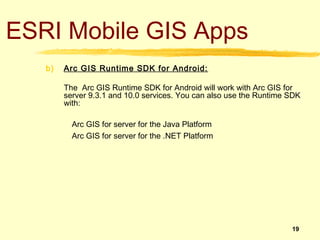
   b)   Arc GIS Runtime SDK for Android:

        The Arc GIS Runtime SDK for Android will work with Arc GIS for
        server 9.3.1 and 10.0 services. You can also use the Runtime SDK
        with:

          Arc GIS for server for the Java Platform
          Arc GIS for server for the .NET Platform


                                                                     19
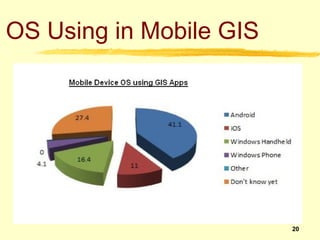
OS Using in Mobile GIS


                         20
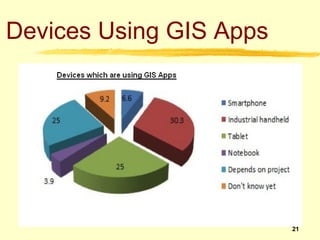
Devices Using GIS Apps


                         21
Any Questions ?

  Thank You

                  22
GL Ideas

  Gujarati Typing Tutor
  French & Spanish Dictionary Add into the
  GlobalLexico


                                             23

Mobile gis

  • 1.
    Mobile GIS Mobile Geographical Information System Developed by Keyur Brahmbhatt 1
  • 2.
    Objectives What isMobile GIS ? Objectives of Mobile GIS. Mobile GIS Architecture Benefits of Mobile GIS. ESRI Mobile GIS Products 2
  • 3.
    What is MobileGIS ? Mobile GIS is the expansion of GIS technology from the office into the field. A mobile GIS Enables field-based personnel to capture, store, update, manipulate, analyze, and display geographic information. Mobile GIS integrates the following technologies. • Mobile Devices • Global Positioning System (GPS) • Wireless Communications for Internet GIS access 3
  • 4.
    What is MobileGIS ? Core technologies that make mobile GIS possible for organizations include: • Global Positioning System (GPS) technology • Mobile OS and device platforms such as smart phones, Pocket PCs, PDAs (Personal Digital Assistant), Laptops and Tablet PCs • GIS and navigation software for mobile platforms • Wireless Communications including Internet GIS access, Wi-Fi, broadband and Bluetooth capabilities 4
  • 5.
    Objectives of MobileGIS • Fully Open Source • Compatibility with a large variety of mobile devices (PDAs, Tablets, Cell Phones etc.) • Highly configurable User Interface • Highly portability across different OS (Linux, Palm OS, Symbian OS, OpenMoKo etc.) • Multi language support • Support vector, raster and various database formats • Integration of GPS 5
  • 6.
    OS/Platforms • Linux: UseOpen Embedded System • OpenMoKo: It is an open source mobile communications platform. It will also run Open Embedded • Palm OS • Symbian OS • Windows SE • Windows XP Embedded 6
  • 7.
    Development Platforms • C/C+ •Java • Wx Widgets: It is an excellence GUI toolkit which is highly portable. It is an usable from variety of languages such as C++, Python, Perl and C#/.NET 7
  • 8.
    Mobile GIS Architecture Client Side Server Side Component Send Component Data Geo spatial Data Mobile Mobile Synchronization GIS GIS or wireless communication Receiver Software component GIS Content Server Positioning System Request 8
  • 9.
    Mobile GIS Architecture The client side components are the mobile client (laptop computer, PDA or mobile phone), a mobile GIS Software and Global Position System (GPS) attached to the mobile client, while server side components are generally made up of one or more different database. A wireless communication network ensures communication between the client and the server for data uploads and downloads, or information request and response. 9
  • 10.
    Benefits of MobileGIS • Improves efficiency and accuracy of field operations • Improves completeness and accuracy of GIS data • Improves quality of geographic analysis and decisions • Easy access of GIS Data • Replace paper-based workflows 10
  • 11.
    ESRI Mobile GISApps There are 3 Apps of ESRI (European Space Research Institute) 1. Arc Pad 2. Arc GIS for Windows Mobile and Tablets 3. Arc GIS for Smart Phones and Tablets 11
  • 12.
    ESRI Mobile GISApps 1. Arc Pad: Arc Pad is mobile field mapping and data collection software designed for GIS professionals. It includes advanced GIS and GPS capabilities for capturing, editing and displaying geographic information quickly and efficiently. Critical data can be checked in and out of a multiuser or personal geo-database and shared throughout your organization. 12
  • 13.
    ESRI Mobile GISApps 2. Arc GIS for Windows Mobile and Tablets: Arc GIS for Windows Mobile helps organizations deliver GIS capabilities and data to range of mobile devices. Arc GIS for Windows Mobile comes with configurable Software Development Kit (SDK) to create stand-alone mobile applications, embed GIS functionality into existing applications and build custom tasks and extensions. 13
  • 14.
    ESRI Mobile GISApps 3. Arc GIS for Smart-phones and Tablets: The Arc GIS App extends the reach of your GIS from the office to the field. Navigate maps, collect and report data, and perform GIs analysis using the free downloadable application from Google Play, the Apple App Store, Amazon App Store and Windows Market Place. The app includes a developer focused on Runtime SDK that you can leverage to build your own custom mobile applications. The Arc GIS App for Smart-phones and Tablets is a part of the Arc GIS system. It is great way to: Collect, edit and update features and attributes. Extend your GIS to wider audience. Develop a custom apps or brand your own app specific to your business needs. 14
  • 15.
    ESRI Mobile GISApps System Requirement: A. For iOS: a) Arc GIS App for iOS: Compatible with iPhone, iPad and iPod touch devices. Requires Apple iOS version 3.1.2 and above. b) Arc GIS Runtime SDK for iOS: Intel-based Macintosh running Leopard (OS X 10.5) or snow Leopard (OS X 10.6). An iPhone, iPad or iPads Touch is recommended for testing the user experience/interface within your application. 15
  • 16.
    ESRI Mobile GISApps System Requirement: B. For Windows Phone: a) Arc GIS App for Windows Phone: Require Windows Phone OS version 7.0 and above. b) Arc GIS Runtime SDK for Windows Phone: Visual Studio 2010 or Visual Web Developer Express 2010. Windows Phone Developer Tools version 7.0 or above. A Windows Phone 7 device with OS version 7.0 or above is recommended for testing your application. 16
  • 17.
    ESRI Mobile GISApps System Requirement: C. For Android: a) Arc GIS App for Android: It requires Android version 2.2 and above. The Arc GIS App will not run on an Android emulator. The Arc GIS for Android application has been designed specifically for Android smart phones equipped with ARMv6 or higher processors. 17
  • 18.
    ESRI Mobile GISApps b) Arc GIS Runtime SDK for Android: Development of Arc GIS for Android apps is supported on: Mac OS X (Intel) Linux Windows based OS It requires following to build Arc GIS applications SDK Platform Android 2.1, API 7 SDK Platform Android 2.2, API 8 Eclipse Integrated Development Environment (IDE) 18
  • 19.
    ESRI Mobile GISApps b) Arc GIS Runtime SDK for Android: The Arc GIS Runtime SDK for Android will work with Arc GIS for server 9.3.1 and 10.0 services. You can also use the Runtime SDK with: Arc GIS for server for the Java Platform Arc GIS for server for the .NET Platform 19
  • 20.
    OS Using inMobile GIS 20
  • 21.
  • 22.
    Any Questions ? Thank You 22
  • 23.
    GL Ideas Gujarati Typing Tutor French & Spanish Dictionary Add into the GlobalLexico 23