Digital Marketing Webinar
App Marketing 101
Sep 26, 2014 | Binay Tiwari (Mobile Internet Evangelist)
www.digitalvidya.com
MARKETING
APP101
Presenter: Binay Tiwari
Mobile Internet Evangelist
•  I <3 Mobile
10+ Years in Internet & Mobile
Connect on LinkedIn
www.linkedin.com/in/binaytiwari
Apponomy is
super competitive!
MILLION
APPS
1
OVER
Marketing
your App is
CRITICAL
to succeed!
Overview
Potential
Users
App on
Device
Page on
App Store
MAXIMIZE
the objective at each stage
Potential
Users
App on
Device
Page on
App Store
MAXIMIZE
Interest
MAXIMIZE
Conversion
MAXIMIZE
Usage
Page on
App Store
Prepare for the
Moment of Truth!
App file (.apk / .ipa)
•  Key Services
•  File size
Visual Assets
•  Video
•  Screenshots
Text & Other Elements
•  Description
•  Rating / Reviews
Step # 0
Key SDKs / Services in App
Measure Everything
•  Install Tracking
•  Usage Analytics
Voice of the Customer
•  Bug Tracking & Support
•  Rating prompt
Prepare to Engage
•  Push Notifications
•  Deep Linking
Show them!
Don’t expect them to read
Video
•  Trailer
•  Demo / Explainer
Screenshots
•  All key features
•  Image + Explanation text
Don’t forget Tablets!
•  7” & 10” layouts
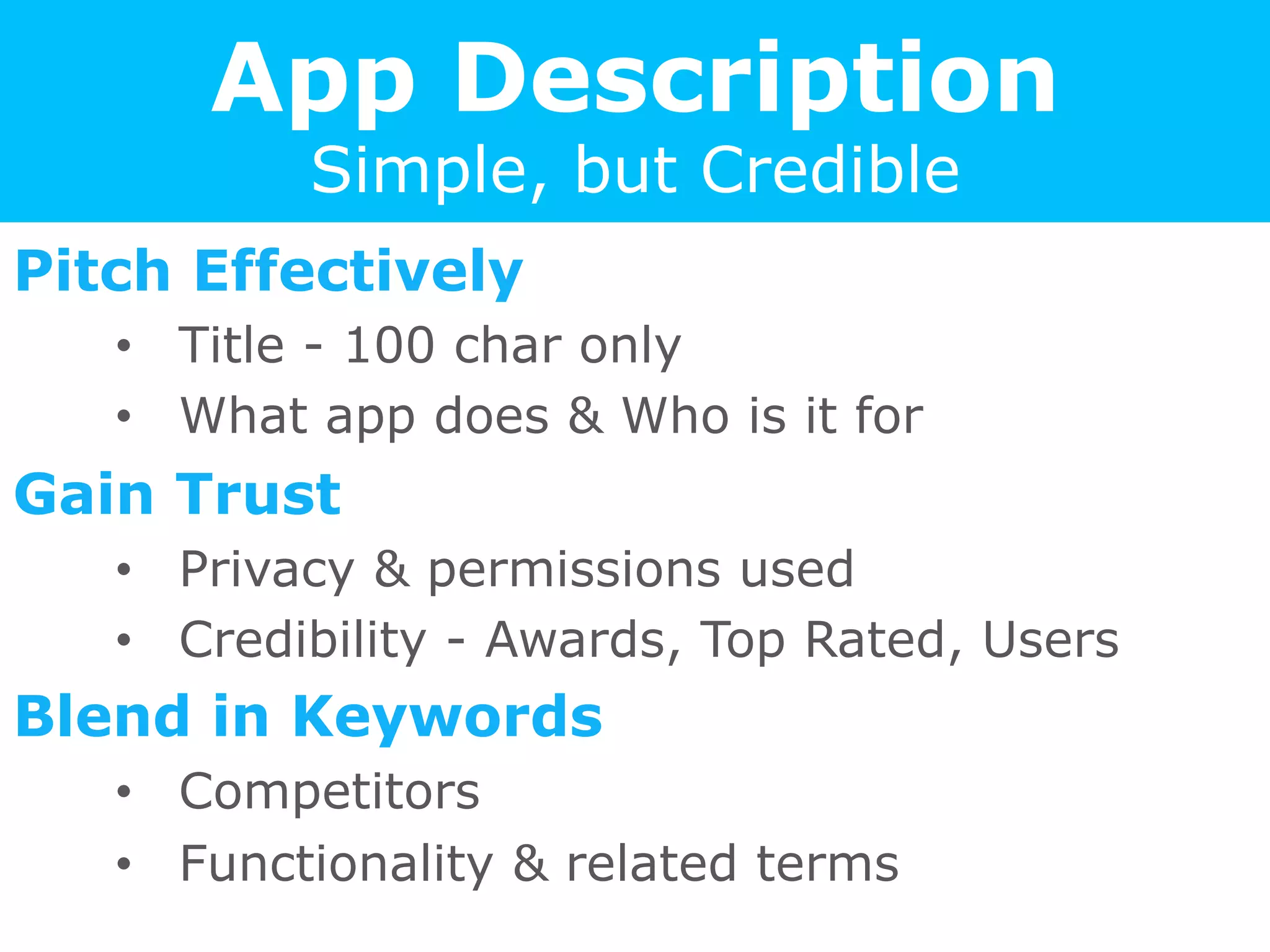
App Description
Simple, but Credible
Pitch Effectively
•  Title - 100 char only
•  What app does & Who is it for
Gain Trust
•  Privacy & permissions used
•  Credibility - Awards, Top Rated, Users
Blend in Keywords
•  Competitors
•  Functionality & related terms
Ratings = WoM
Can make or break your app
Channel Effectively
•  Rating prompt within app
•  Track Bugs ; feedback / support within app
Respond to Reviews
•  Reply publicly to users
•  Setup a email helpdesk
Leverage Google+
•  Default based on friends / most helpful
•  G+ circles & +1 plays critical role
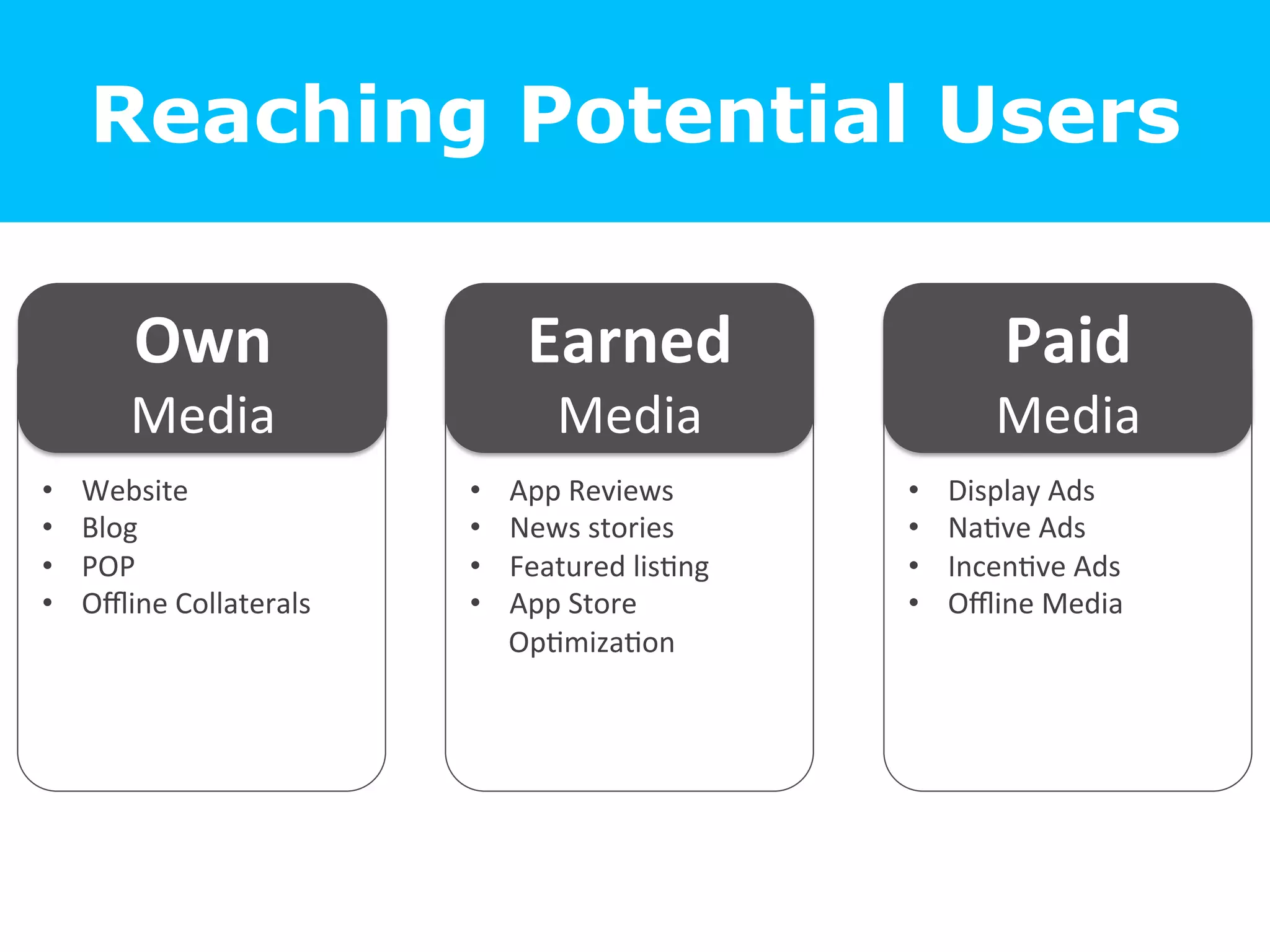
Reaching
Potential Users
Reaching Potential Users
•  Website	
  
•  Blog	
  
•  POP	
  
•  Offline	
  Collaterals	
  
Own	
  
Media	
  
•  App	
  Reviews	
  
•  News	
  stories	
  
•  Featured	
  lis=ng	
  
•  App	
  Store	
  
Op=miza=on	


•  Display	
  Ads	
  
•  Na=ve	
  Ads	
  
•  Incen=ve	
  Ads	
  
•  Offline	
  Media	
  
Earned	
  
Media	
  
Paid	
  	
  
Media	
  
Create an Smart Link
Smartly redirects users to right place
•  Auto redirect based on device & OS
Use in all Offline Media
•  Short & easy to remember
•  e.g. www.hike.in/app
User	
  clicks	
  on	
  
App	
  Link	
  
PC	
  
Or	
  
Mobile	
  
Android	
  
Or	
  
iOS	
  
Web	
  page	
  with	
  
links	
  
Google	
  play	
  
Store	
  
Apple	
  App	
  
Store	
  
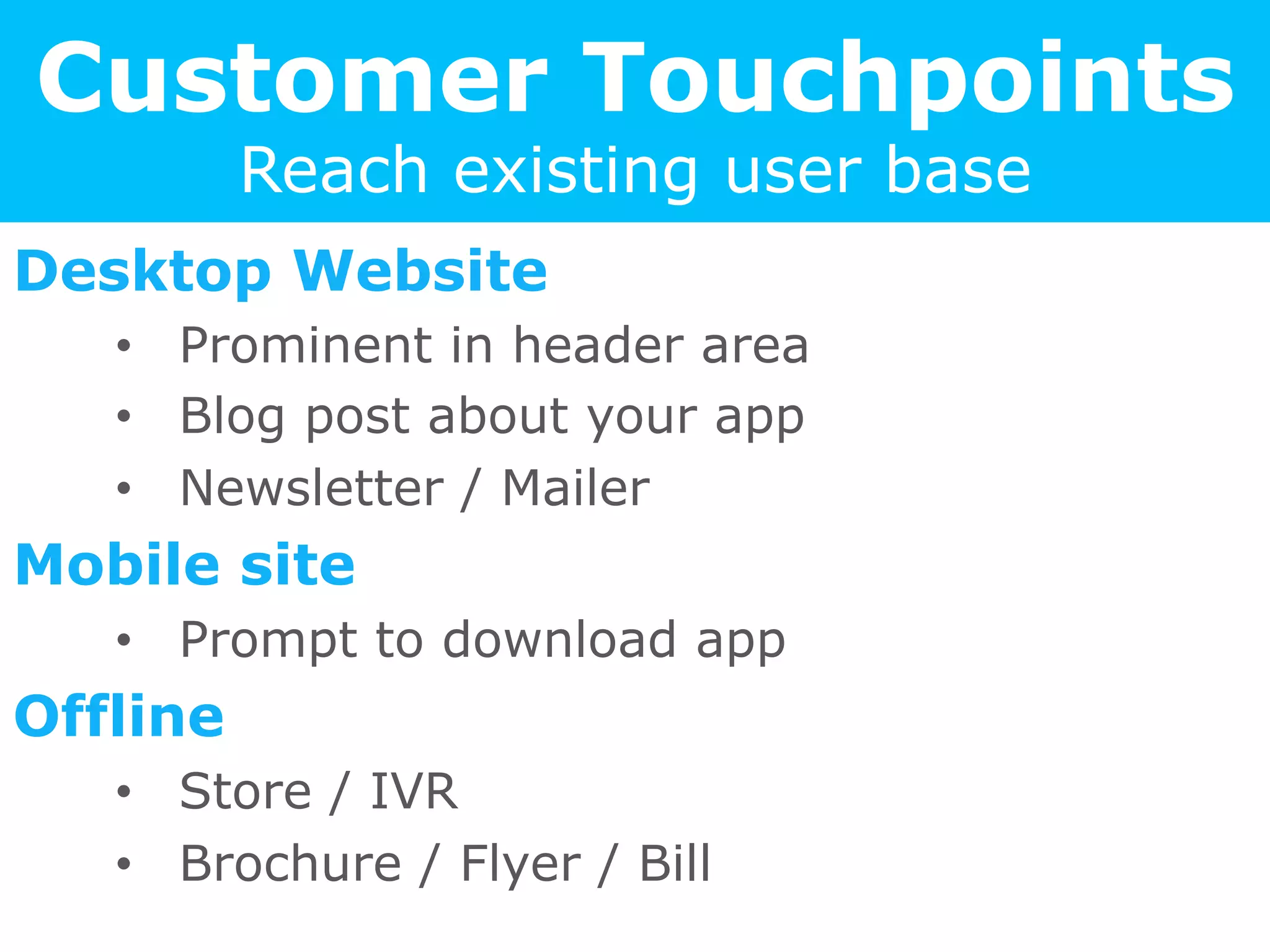
Customer Touchpoints
Reach existing user base
Desktop Website
•  Prominent in header area
•  Blog post about your app
•  Newsletter / Mailer
Mobile site
•  Prompt to download app
Offline
•  Store / IVR
•  Brochure / Flyer / Bill
Bloggers & PR
Leverage ecosystem partners
Create a Press Kit
•  Logo / Description / Video / Screenshots
App Reviews
•  Blogs
•  App Discovery Sites
Publications
•  Industry Stories
•  Problem your App solves
•  Cool Technology used
App Store Optimization
The new SEO!
Appear in more Search Results
•  Functionality keywords
•  Competition names
Higher Ranking
•  Category Relevancy
•  Uninstall Rate
Make a first impression
•  Icon logo + Title
•  Rating
Featured Listing
Leverage ecosystem partners
Reach out to App Store curators
•  Demonstrate Uniqueness
•  Most powerful form of free visibility
App Charts & Ranking Lists
•  Top New Apps / Trending
•  Function of #downloads amongst other
parameters like rating / uninstall rate etc
•  “Big become Bigger”
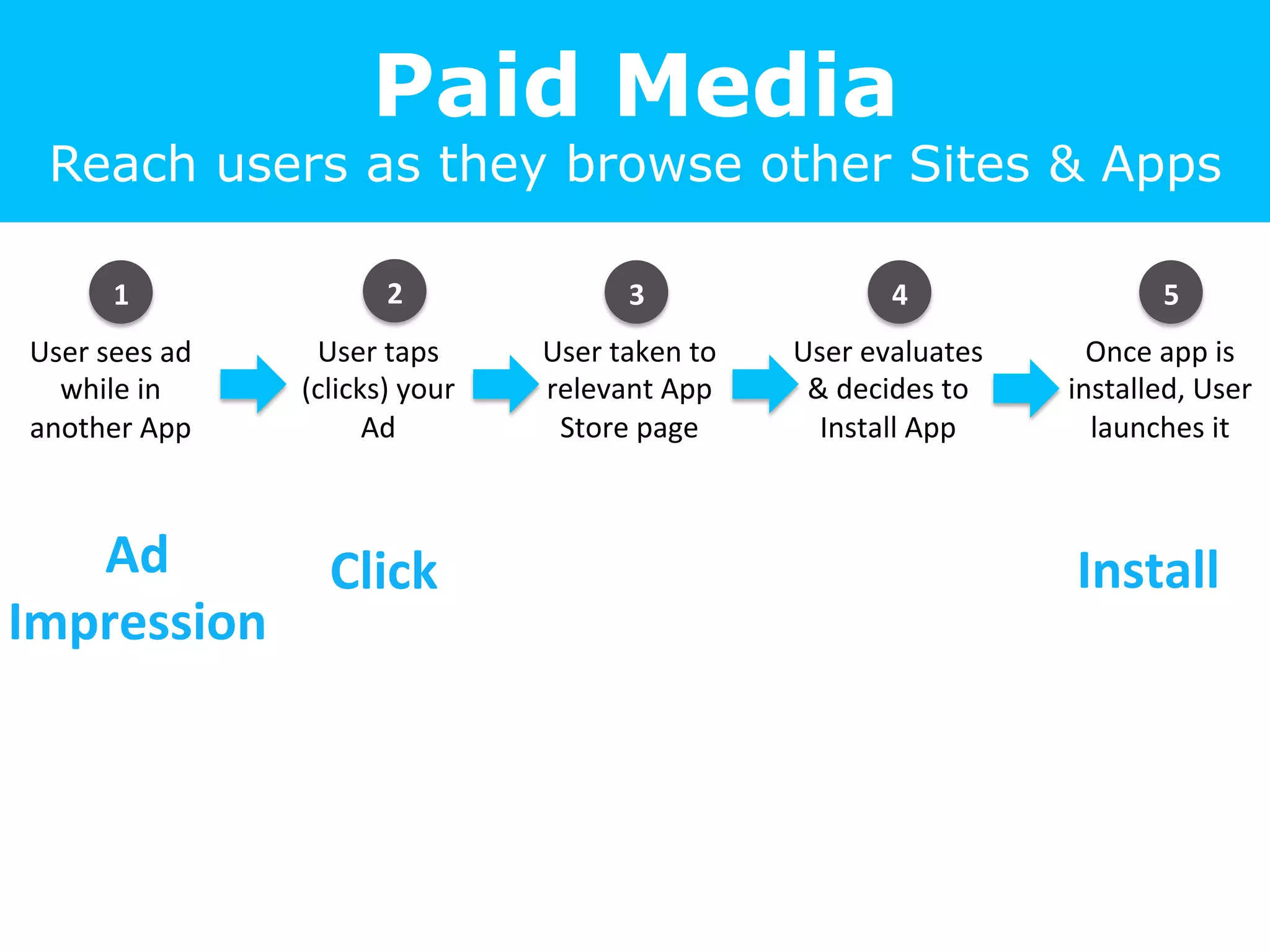
Paid Media
Reach users as they browse other Sites & Apps
User	
  sees	
  ad	
  
while	
  in	
  
another	
  App	
  
User	
  taps	
  
(clicks)	
  your	
  
Ad	
  
User	
  taken	
  to	
  
relevant	
  App	
  
Store	
  page	
  
User	
  evaluates	
  
&	
  decides	
  to	
  
Install	
  App	
  
Once	
  app	
  is	
  
installed,	
  User	
  
launches	
  it	
  
Ad	
  
Impression	
  
Click	
   Install	
  
1	
   2	
   3	
   5	
  4	
  
Metrics that Matter!
Key Metrics
•  Ad Impressions
•  Number of times Ad was displayed (User may or may not
have actually seen it)
•  Clicks (or Taps)
•  Number of times user clicked or tapped the ad
•  Click Through Rate (CTR%)
•  Clicks/Impression
Advertiser Pays per
•  Impression [x1000]: Cost per Mille (CPM)
•  Click: Cost per Click (CPC)
•  Install : Cost per Install (CPI)
App Install Tracking
What is counted as an Install?
•  User installs App and Opens it (launches)
•  Launches within next 24-48 hours counted
•  Advisable to use ‘Independent’ App
Tracking services
User tracked via temp device id
•  iOS – Identifier for Advertisers (IDFA)
•  Android – Advertiser ID (AID)
Two forms of
Mobile Advertising
1. ‘Organic’ Display Ads
•  User gets app only if truly interested
•  Higher cost due to drop-offs between
interest to install
2. Incentivized Ads
•  Users get rewarded if they install your App
•  e.g. Install App and get 200 coins in game
•  Typically cheaper cost
•  High volume often used to climb app store
rankings
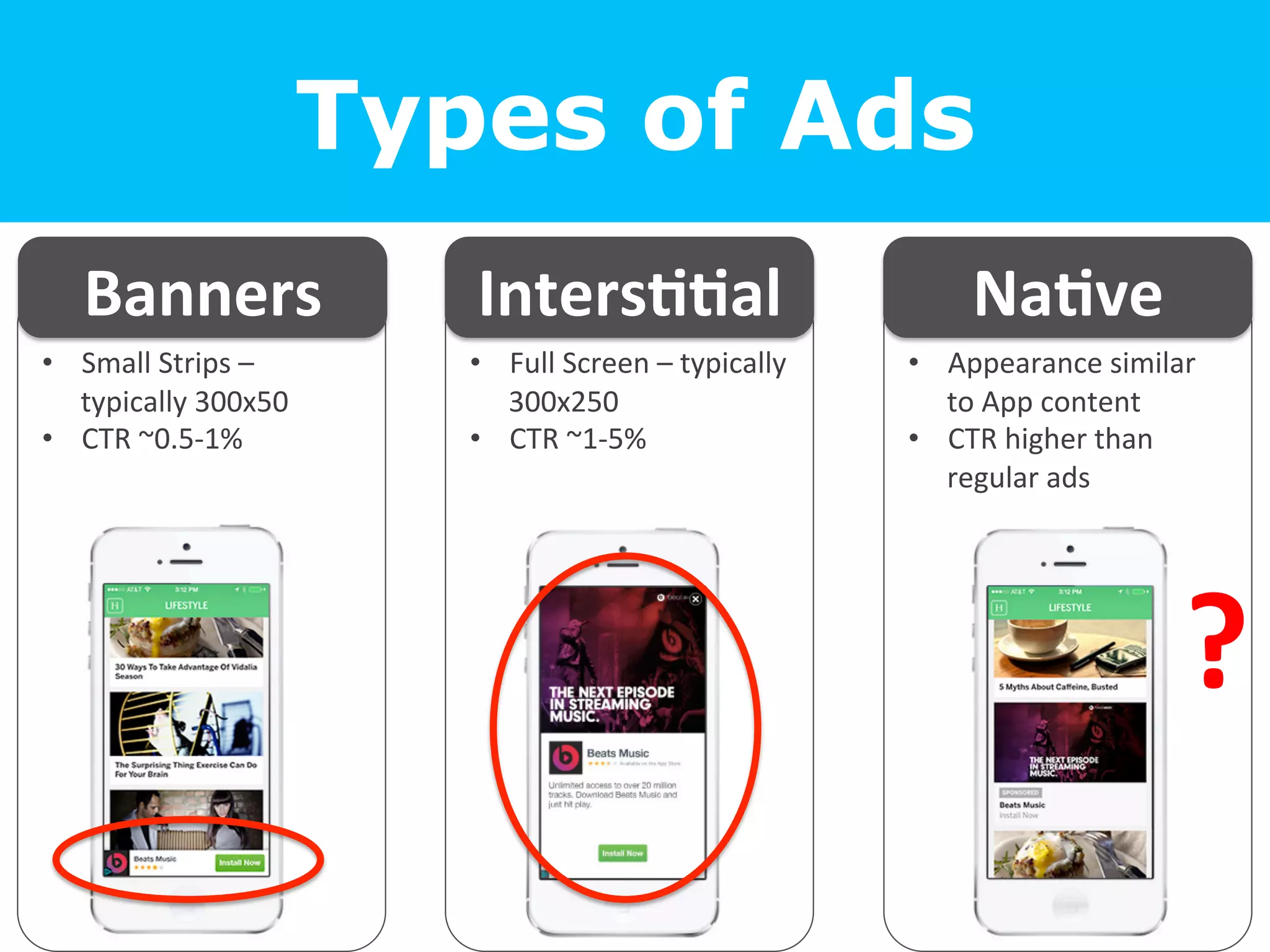
Types of Ads
•  Small	
  Strips	
  –	
  
typically	
  300x50	
  
•  CTR	
  ~0.5-­‐1%	
  
Banners	
  
•  Full	
  Screen	
  –	
  typically	
  
300x250	
  
•  CTR	
  ~1-­‐5%	


•  Appearance	
  similar	
  
to	
  App	
  content	
  
•  CTR	
  higher	
  than	
  
regular	
  ads	
  
Inters==al	
   Na=ve	
  
?	
  
Optimize Targeting
Reaching only relevant users
OS Version & Device Model
•  Android 2.3 compliant?
•  Compatible with low end devices?
User Personas
•  Demographics
•  Interests
Lots More: Location / Time /
•  Location (Country, City, Area)
•  Time / Day
•  App Genre
•  Wi-Fi / 3G (depending on App size)
Best Practices
Get more bang for your buck
Calculate eCPI (estimated Cost per Install)
•  Keep a goal and optimize campaign to meet it
•  Block traffic that is above the target eCPI
Use multiple media sources
•  Networks / Exchanges
•  App Discovery platforms
•  Big direct publishers
Real Time Bidding (RTB)
•  Use a programmatic buying platform that
automatically optimizes bids to your goal
App
on the device
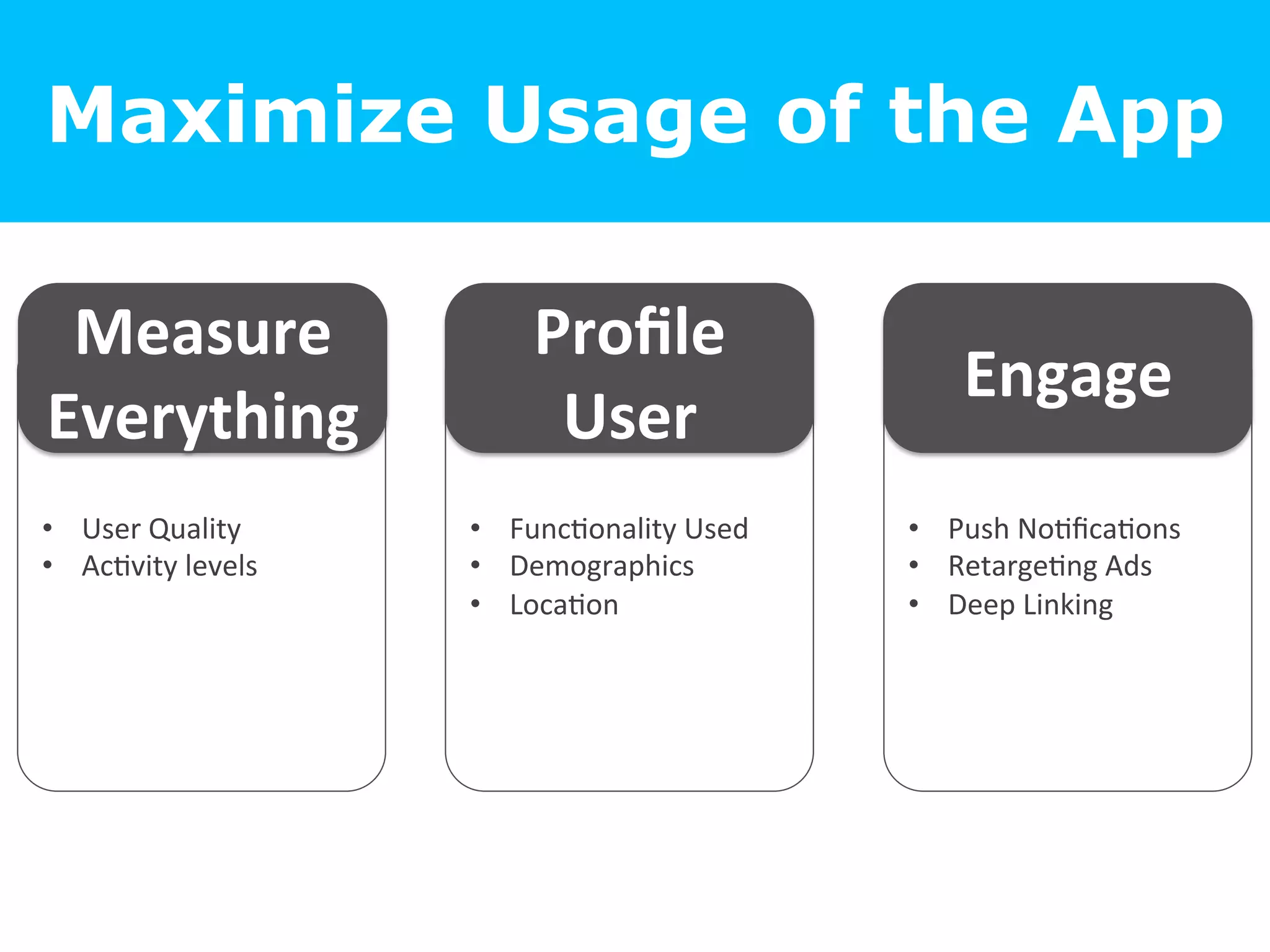
Maximize Usage of the App
•  User	
  Quality	
  
•  Ac=vity	
  levels	
  
Measure	
  
Everything	
  
•  Func=onality	
  Used	
  
•  Demographics	
  
•  Loca=on	


•  Push	
  No=fica=ons	
  
•  Retarge=ng	
  Ads	
  
•  Deep	
  Linking	
  
Profile	
  
User	
  
Engage	
  
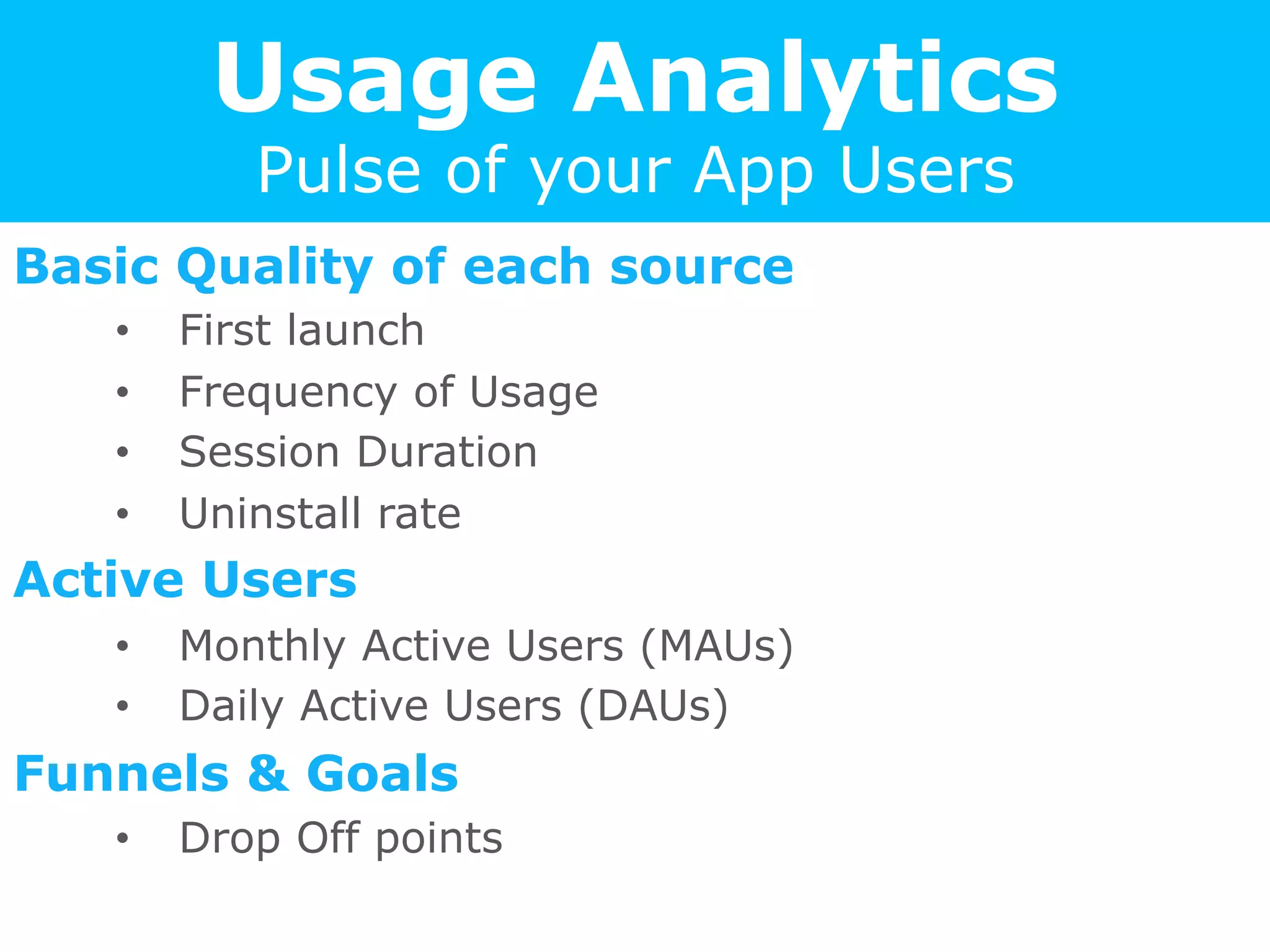
Usage Analytics
Pulse of your App Users
Basic Quality of each source
•  First launch
•  Frequency of Usage
•  Session Duration
•  Uninstall rate
Active Users
•  Monthly Active Users (MAUs)
•  Daily Active Users (DAUs)
Funnels & Goals
•  Drop Off points
Push Notifications
Reach exactly the users you want to
Targeted offer / benefit
•  Customized to the set of users
•  Incentive to Re-Engage with the App
Careful not to spam
•  User will uninstall App
•  User will block notifications from this App
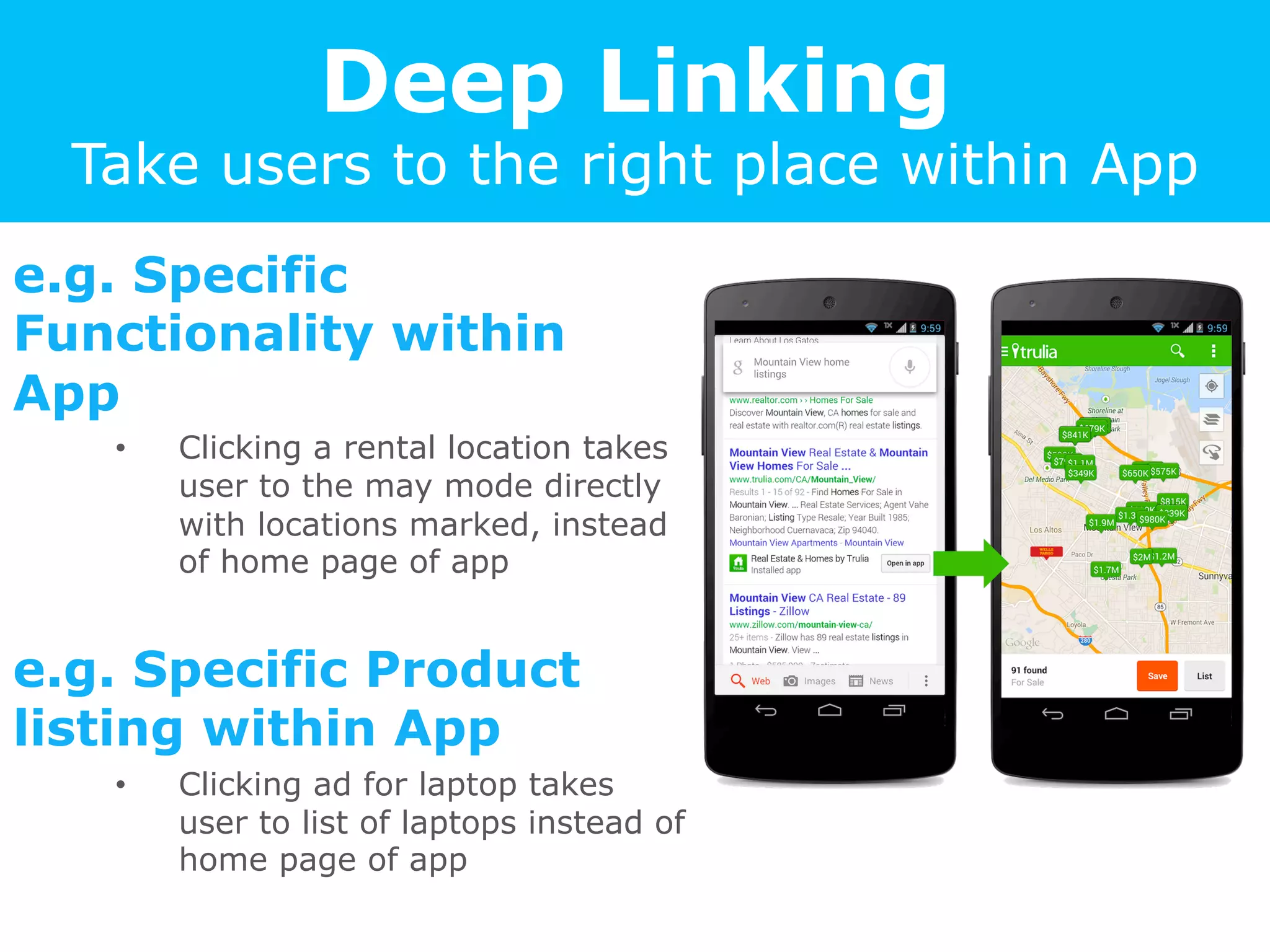
Deep Linking
Take users to the right place within App
e.g. Specific
Functionality within
App
•  Clicking a rental location takes
user to the may mode directly
with locations marked, instead
of home page of app
e.g. Specific Product
listing within App
•  Clicking ad for laptop takes
user to list of laptops instead of
home page of app
Re-Engage & Re-Acquire
Lost Users
Retargeting user via Ads in other Apps
•  based on device id (IDFA / AID)
ReEngage	
  
Open	
  in	
  App	
  
ReAcquire	
  	
  
Take	
  to	
  App	
  Store	
  
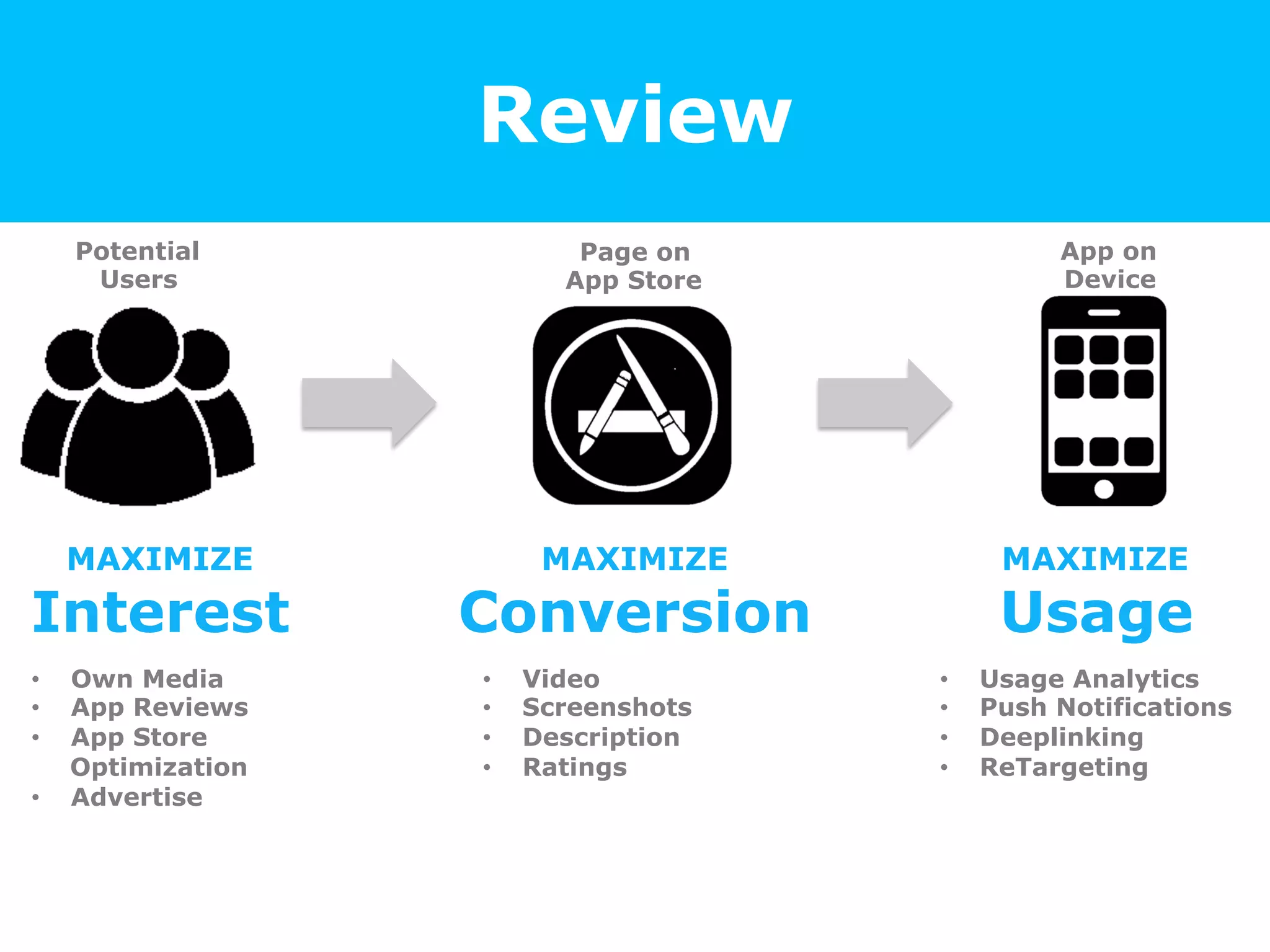
Review
Potential
Users
App on
Device
Page on
App Store
MAXIMIZE
Interest
MAXIMIZE
Conversion
MAXIMIZE
Usage
•  Own Media
•  App Reviews
•  App Store
Optimization
•  Advertise
•  Video
•  Screenshots
•  Description
•  Ratings
•  Usage Analytics
•  Push Notifications
•  Deeplinking
•  ReTargeting
Questions?
Connect	
  with	
  Binay	
  on	
  LinkedIn	
  
www.linkedin.com/in/binay=wari	
  
www.digitalvidya.com
Found It Useful?
Join upcoming Digital Marketing Webinar live!
http://www.digitalvidya.com/webinars/

Mobile App Marketing 101

  • 1.
    Digital Marketing Webinar AppMarketing 101 Sep 26, 2014 | Binay Tiwari (Mobile Internet Evangelist) www.digitalvidya.com
  • 2.
  • 3.
    Presenter: Binay Tiwari MobileInternet Evangelist •  I <3 Mobile 10+ Years in Internet & Mobile Connect on LinkedIn www.linkedin.com/in/binaytiwari
  • 4.
  • 5.
  • 6.
  • 7.
    MAXIMIZE the objective ateach stage Potential Users App on Device Page on App Store MAXIMIZE Interest MAXIMIZE Conversion MAXIMIZE Usage
  • 8.
  • 9.
    Prepare for the Momentof Truth! App file (.apk / .ipa) •  Key Services •  File size Visual Assets •  Video •  Screenshots Text & Other Elements •  Description •  Rating / Reviews
  • 10.
    Step # 0 KeySDKs / Services in App Measure Everything •  Install Tracking •  Usage Analytics Voice of the Customer •  Bug Tracking & Support •  Rating prompt Prepare to Engage •  Push Notifications •  Deep Linking
  • 11.
    Show them! Don’t expectthem to read Video •  Trailer •  Demo / Explainer Screenshots •  All key features •  Image + Explanation text Don’t forget Tablets! •  7” & 10” layouts
  • 12.
    App Description Simple, butCredible Pitch Effectively •  Title - 100 char only •  What app does & Who is it for Gain Trust •  Privacy & permissions used •  Credibility - Awards, Top Rated, Users Blend in Keywords •  Competitors •  Functionality & related terms
  • 13.
    Ratings = WoM Canmake or break your app Channel Effectively •  Rating prompt within app •  Track Bugs ; feedback / support within app Respond to Reviews •  Reply publicly to users •  Setup a email helpdesk Leverage Google+ •  Default based on friends / most helpful •  G+ circles & +1 plays critical role
  • 14.
  • 15.
    Reaching Potential Users • Website   •  Blog   •  POP   •  Offline  Collaterals   Own   Media   •  App  Reviews   •  News  stories   •  Featured  lis=ng   •  App  Store   Op=miza=on     •  Display  Ads   •  Na=ve  Ads   •  Incen=ve  Ads   •  Offline  Media   Earned   Media   Paid     Media  
  • 16.
    Create an SmartLink Smartly redirects users to right place •  Auto redirect based on device & OS Use in all Offline Media •  Short & easy to remember •  e.g. www.hike.in/app User  clicks  on   App  Link   PC   Or   Mobile   Android   Or   iOS   Web  page  with   links   Google  play   Store   Apple  App   Store  
  • 17.
    Customer Touchpoints Reach existinguser base Desktop Website •  Prominent in header area •  Blog post about your app •  Newsletter / Mailer Mobile site •  Prompt to download app Offline •  Store / IVR •  Brochure / Flyer / Bill
  • 18.
    Bloggers & PR Leverageecosystem partners Create a Press Kit •  Logo / Description / Video / Screenshots App Reviews •  Blogs •  App Discovery Sites Publications •  Industry Stories •  Problem your App solves •  Cool Technology used
  • 19.
    App Store Optimization Thenew SEO! Appear in more Search Results •  Functionality keywords •  Competition names Higher Ranking •  Category Relevancy •  Uninstall Rate Make a first impression •  Icon logo + Title •  Rating
  • 20.
    Featured Listing Leverage ecosystempartners Reach out to App Store curators •  Demonstrate Uniqueness •  Most powerful form of free visibility App Charts & Ranking Lists •  Top New Apps / Trending •  Function of #downloads amongst other parameters like rating / uninstall rate etc •  “Big become Bigger”
  • 21.
    Paid Media Reach usersas they browse other Sites & Apps User  sees  ad   while  in   another  App   User  taps   (clicks)  your   Ad   User  taken  to   relevant  App   Store  page   User  evaluates   &  decides  to   Install  App   Once  app  is   installed,  User   launches  it   Ad   Impression   Click   Install   1   2   3   5  4  
  • 22.
    Metrics that Matter! KeyMetrics •  Ad Impressions •  Number of times Ad was displayed (User may or may not have actually seen it) •  Clicks (or Taps) •  Number of times user clicked or tapped the ad •  Click Through Rate (CTR%) •  Clicks/Impression Advertiser Pays per •  Impression [x1000]: Cost per Mille (CPM) •  Click: Cost per Click (CPC) •  Install : Cost per Install (CPI)
  • 23.
    App Install Tracking Whatis counted as an Install? •  User installs App and Opens it (launches) •  Launches within next 24-48 hours counted •  Advisable to use ‘Independent’ App Tracking services User tracked via temp device id •  iOS – Identifier for Advertisers (IDFA) •  Android – Advertiser ID (AID)
  • 24.
    Two forms of MobileAdvertising 1. ‘Organic’ Display Ads •  User gets app only if truly interested •  Higher cost due to drop-offs between interest to install 2. Incentivized Ads •  Users get rewarded if they install your App •  e.g. Install App and get 200 coins in game •  Typically cheaper cost •  High volume often used to climb app store rankings
  • 25.
    Types of Ads • Small  Strips  –   typically  300x50   •  CTR  ~0.5-­‐1%   Banners   •  Full  Screen  –  typically   300x250   •  CTR  ~1-­‐5%     •  Appearance  similar   to  App  content   •  CTR  higher  than   regular  ads   Inters==al   Na=ve   ?  
  • 26.
    Optimize Targeting Reaching onlyrelevant users OS Version & Device Model •  Android 2.3 compliant? •  Compatible with low end devices? User Personas •  Demographics •  Interests Lots More: Location / Time / •  Location (Country, City, Area) •  Time / Day •  App Genre •  Wi-Fi / 3G (depending on App size)
  • 27.
    Best Practices Get morebang for your buck Calculate eCPI (estimated Cost per Install) •  Keep a goal and optimize campaign to meet it •  Block traffic that is above the target eCPI Use multiple media sources •  Networks / Exchanges •  App Discovery platforms •  Big direct publishers Real Time Bidding (RTB) •  Use a programmatic buying platform that automatically optimizes bids to your goal
  • 28.
  • 29.
    Maximize Usage ofthe App •  User  Quality   •  Ac=vity  levels   Measure   Everything   •  Func=onality  Used   •  Demographics   •  Loca=on         •  Push  No=fica=ons   •  Retarge=ng  Ads   •  Deep  Linking   Profile   User   Engage  
  • 30.
    Usage Analytics Pulse ofyour App Users Basic Quality of each source •  First launch •  Frequency of Usage •  Session Duration •  Uninstall rate Active Users •  Monthly Active Users (MAUs) •  Daily Active Users (DAUs) Funnels & Goals •  Drop Off points
  • 31.
    Push Notifications Reach exactlythe users you want to Targeted offer / benefit •  Customized to the set of users •  Incentive to Re-Engage with the App Careful not to spam •  User will uninstall App •  User will block notifications from this App
  • 32.
    Deep Linking Take usersto the right place within App e.g. Specific Functionality within App •  Clicking a rental location takes user to the may mode directly with locations marked, instead of home page of app e.g. Specific Product listing within App •  Clicking ad for laptop takes user to list of laptops instead of home page of app
  • 33.
    Re-Engage & Re-Acquire LostUsers Retargeting user via Ads in other Apps •  based on device id (IDFA / AID) ReEngage   Open  in  App   ReAcquire     Take  to  App  Store  
  • 34.
    Review Potential Users App on Device Page on AppStore MAXIMIZE Interest MAXIMIZE Conversion MAXIMIZE Usage •  Own Media •  App Reviews •  App Store Optimization •  Advertise •  Video •  Screenshots •  Description •  Ratings •  Usage Analytics •  Push Notifications •  Deeplinking •  ReTargeting
  • 35.
    Questions? Connect  with  Binay  on  LinkedIn   www.linkedin.com/in/binay=wari  
  • 36.
    www.digitalvidya.com Found It Useful? Joinupcoming Digital Marketing Webinar live! http://www.digitalvidya.com/webinars/