MICROSOFT EXCEL
What is Microsoft Excel?
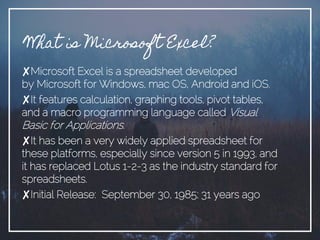
✘Microsoft Excel is a spreadsheet developed
by Microsoft for Windows, mac OS, Android and iOS.
✘It features calculation, graphing tools, pivot tables,
and a macro programming language called Visual
Basic for Applications.
✘It has been a very widely applied spreadsheet for
these platforms, especially since version 5 in 1993, and
it has replaced Lotus 1-2-3 as the industry standard for
spreadsheets.
✘Initial Release: September 30, 1985; 31 years ago
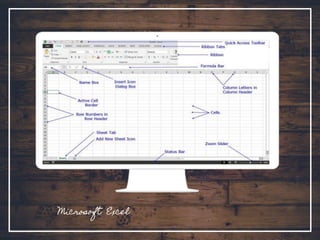
Microsoft Excel
✘Microsoft Excel has the basic features
of all spreadsheets.
✘It uses a grid of cells arranged in
numbered rows.
✘It also has letter-named columns to
organize data manipulations like
arithmetic operations.
.
Use of MS Excel
✘Used to store and retrieve numerical data
✘It is capable of entering, calculating and
analyzing company data
✘MS Excel is used widely in any financially-
related activity.
✘It is also used in computing grades.
“Computersaremagnificenttoolsfor the
realizationofourdreams, butnomachinecan
replacethehumansparkofspirit, compassion,love,
andunderstanding.”
Functions
of
MS EXCEL
Function of Microsoft Excel
There are different functions of MS Excel:
✘Mathematical Functions
✘Statistical Functions
✘Text Functions
✘Financial Functions
✘Lookup and Reference Functions
✘Logical Functions
✘Date & Time Functions
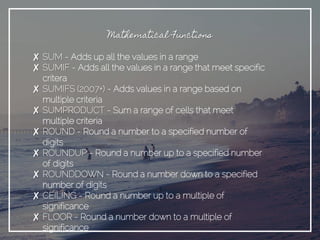
Mathematical Functions
✘ SUM - Adds up all the values in a range
✘ SUMIF - Adds all the values in a range that meet specific
critera
✘ SUMIFS (2007+) - Adds values in a range based on
multiple criteria
✘ SUMPRODUCT - Sum a range of cells that meet
multiple criteria
✘ ROUND - Round a number to a specified number of
digits
✘ ROUNDUP - Round a number up to a specified number
of digits
✘ ROUNDDOWN - Round a number down to a specified
number of digits
✘ CEILING - Round a number up to a multiple of
significance
✘ FLOOR - Round a number down to a multiple of
significance
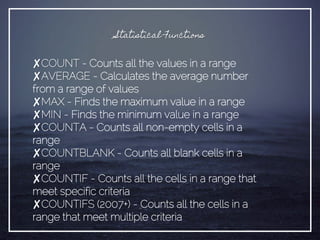
Statistical Functions
✘COUNT - Counts all the values in a range
✘AVERAGE - Calculates the average number
from a range of values
✘MAX - Finds the maximum value in a range
✘MIN - Finds the minimum value in a range
✘COUNTA - Counts all non-empty cells in a
range
✘COUNTBLANK - Counts all blank cells in a
range
✘COUNTIF - Counts all the cells in a range that
meet specific criteria
✘COUNTIFS (2007+) - Counts all the cells in a
range that meet multiple criteria
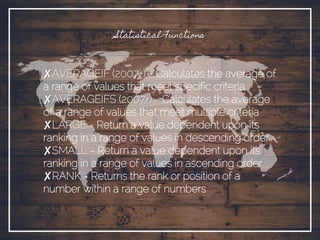
Statistical Functions
✘AVERAGEIF (2007+) - Calculates the average of
a range of values that meet specific criteria
✘AVERAGEIFS (2007+) - Calculates the average
of a range of values that meet multiple criteria
✘LARGE - Return a value dependent upon its
ranking in a range of values in descending order
✘SMALL - Return a value dependent upon its
ranking in a range of values in ascending order
✘RANK - Returns the rank or position of a
number within a range of numbers
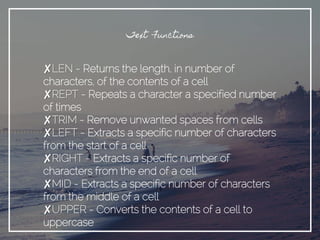
Text Functions
✘LEN - Returns the length, in number of
characters, of the contents of a cell
✘REPT - Repeats a character a specified number
of times
✘TRIM - Remove unwanted spaces from cells
✘LEFT - Extracts a specific number of characters
from the start of a cell
✘RIGHT - Extracts a specific number of
characters from the end of a cell
✘MID - Extracts a specific number of characters
from the middle of a cell
✘UPPER - Converts the contents of a cell to
uppercase
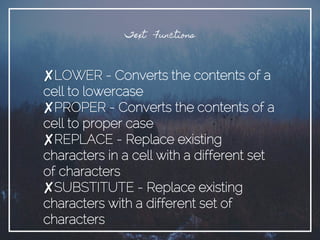
Text Functions
✘LOWER - Converts the contents of a
cell to lowercase
✘PROPER - Converts the contents of a
cell to proper case
✘REPLACE - Replace existing
characters in a cell with a different set
of characters
✘SUBSTITUTE - Replace existing
characters with a different set of
characters
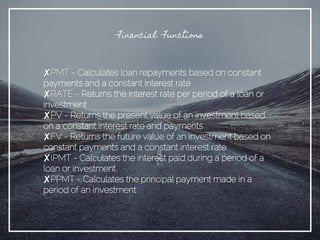
Financial Functions
✘PMT - Calculates loan repayments based on constant
payments and a constant interest rate
✘RATE - Returns the interest rate per period of a loan or
investment
✘PV - Returns the present value of an investment based
on a constant interest rate and payments
✘FV - Returns the future value of an investment based on
constant payments and a constant interest rate
✘IPMT - Calculates the interest paid during a period of a
loan or investment
✘PPMT - Calculates the principal payment made in a
period of an investment
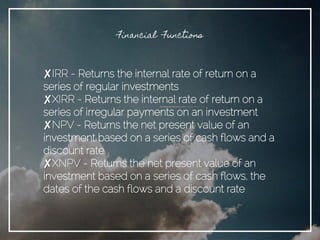
Financial Functions
✘IRR - Returns the internal rate of return on a
series of regular investments
✘XIRR - Returns the internal rate of return on a
series of irregular payments on an investment
✘NPV - Returns the net present value of an
investment based on a series of cash flows and a
discount rate
✘XNPV - Returns the net present value of an
investment based on a series of cash flows, the
dates of the cash flows and a discount rate
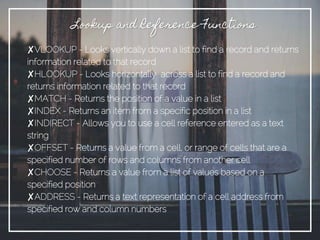
✘VLOOKUP - Looks vertically down a list to find a record and returns
information related to that record
✘HLOOKUP - Looks horizontally across a list to find a record and
returns information related to that record
✘MATCH - Returns the position of a value in a list
✘INDEX - Returns an item from a specific position in a list
✘INDIRECT - Allows you to use a cell reference entered as a text
string
✘OFFSET - Returns a value from a cell, or range of cells that are a
specified number of rows and columns from another cell
✘CHOOSE - Returns a value from a list of values based on a
specified position
✘ADDRESS - Returns a text representation of a cell address from
specified row and column numbers
Lookup and Reference Functions
Logical Functions
✘IF - Tests a condition and takes an alternative action
depending on the result
✘AND - Test up to 30 conditions using logical And
✘OR - Test up to 30 conditions using logical Or
✘IFERROR - Performs a specified action if a formula
evaluates to an error, and displays the formula result if not
Date & Time Functions
 TODAY - Returns the current date
 NOW - Returns the current date and time
 DATE - Returns the sequential serial number for the
specified date and formats the result as a date
 DAY - Returns the day corresponding to a date
represented by a number between 1 and 31
 MONTH - Returns the month corresponding to a date
represented by a number between 1 and 12
 YEAR - Returns the year corresponding to a date
represented by a number in the range 1900 to 9999
Date & Time Functions
 WORKDAY - Returns the date a specified number of
workings days before or after a date
 WEEKDAY - Returns the day of the week
corresponding to a specified date
 NETWORKDAYS - Returns the number of workdays
between two dates
 EOMONTH - Calculates the last day of the month a
specified number of months before or after a date
Presentation by: Naomi Faith

Microsoft Excel

  • 1.
  • 2.
    What is MicrosoftExcel? ✘Microsoft Excel is a spreadsheet developed by Microsoft for Windows, mac OS, Android and iOS. ✘It features calculation, graphing tools, pivot tables, and a macro programming language called Visual Basic for Applications. ✘It has been a very widely applied spreadsheet for these platforms, especially since version 5 in 1993, and it has replaced Lotus 1-2-3 as the industry standard for spreadsheets. ✘Initial Release: September 30, 1985; 31 years ago
  • 3.
  • 4.
    ✘Microsoft Excel hasthe basic features of all spreadsheets. ✘It uses a grid of cells arranged in numbered rows. ✘It also has letter-named columns to organize data manipulations like arithmetic operations. .
  • 5.
    Use of MSExcel
  • 6.
    ✘Used to storeand retrieve numerical data ✘It is capable of entering, calculating and analyzing company data ✘MS Excel is used widely in any financially- related activity. ✘It is also used in computing grades.
  • 7.
  • 8.
  • 9.
    Function of MicrosoftExcel There are different functions of MS Excel: ✘Mathematical Functions ✘Statistical Functions ✘Text Functions ✘Financial Functions ✘Lookup and Reference Functions ✘Logical Functions ✘Date & Time Functions
  • 10.
    Mathematical Functions ✘ SUM- Adds up all the values in a range ✘ SUMIF - Adds all the values in a range that meet specific critera ✘ SUMIFS (2007+) - Adds values in a range based on multiple criteria ✘ SUMPRODUCT - Sum a range of cells that meet multiple criteria ✘ ROUND - Round a number to a specified number of digits ✘ ROUNDUP - Round a number up to a specified number of digits ✘ ROUNDDOWN - Round a number down to a specified number of digits ✘ CEILING - Round a number up to a multiple of significance ✘ FLOOR - Round a number down to a multiple of significance
  • 11.
    Statistical Functions ✘COUNT -Counts all the values in a range ✘AVERAGE - Calculates the average number from a range of values ✘MAX - Finds the maximum value in a range ✘MIN - Finds the minimum value in a range ✘COUNTA - Counts all non-empty cells in a range ✘COUNTBLANK - Counts all blank cells in a range ✘COUNTIF - Counts all the cells in a range that meet specific criteria ✘COUNTIFS (2007+) - Counts all the cells in a range that meet multiple criteria
  • 12.
    Statistical Functions ✘AVERAGEIF (2007+)- Calculates the average of a range of values that meet specific criteria ✘AVERAGEIFS (2007+) - Calculates the average of a range of values that meet multiple criteria ✘LARGE - Return a value dependent upon its ranking in a range of values in descending order ✘SMALL - Return a value dependent upon its ranking in a range of values in ascending order ✘RANK - Returns the rank or position of a number within a range of numbers
  • 13.
    Text Functions ✘LEN -Returns the length, in number of characters, of the contents of a cell ✘REPT - Repeats a character a specified number of times ✘TRIM - Remove unwanted spaces from cells ✘LEFT - Extracts a specific number of characters from the start of a cell ✘RIGHT - Extracts a specific number of characters from the end of a cell ✘MID - Extracts a specific number of characters from the middle of a cell ✘UPPER - Converts the contents of a cell to uppercase
  • 14.
    Text Functions ✘LOWER -Converts the contents of a cell to lowercase ✘PROPER - Converts the contents of a cell to proper case ✘REPLACE - Replace existing characters in a cell with a different set of characters ✘SUBSTITUTE - Replace existing characters with a different set of characters
  • 15.
    Financial Functions ✘PMT -Calculates loan repayments based on constant payments and a constant interest rate ✘RATE - Returns the interest rate per period of a loan or investment ✘PV - Returns the present value of an investment based on a constant interest rate and payments ✘FV - Returns the future value of an investment based on constant payments and a constant interest rate ✘IPMT - Calculates the interest paid during a period of a loan or investment ✘PPMT - Calculates the principal payment made in a period of an investment
  • 16.
    Financial Functions ✘IRR -Returns the internal rate of return on a series of regular investments ✘XIRR - Returns the internal rate of return on a series of irregular payments on an investment ✘NPV - Returns the net present value of an investment based on a series of cash flows and a discount rate ✘XNPV - Returns the net present value of an investment based on a series of cash flows, the dates of the cash flows and a discount rate
  • 17.
    ✘VLOOKUP - Looksvertically down a list to find a record and returns information related to that record ✘HLOOKUP - Looks horizontally across a list to find a record and returns information related to that record ✘MATCH - Returns the position of a value in a list ✘INDEX - Returns an item from a specific position in a list ✘INDIRECT - Allows you to use a cell reference entered as a text string ✘OFFSET - Returns a value from a cell, or range of cells that are a specified number of rows and columns from another cell ✘CHOOSE - Returns a value from a list of values based on a specified position ✘ADDRESS - Returns a text representation of a cell address from specified row and column numbers Lookup and Reference Functions
  • 18.
    Logical Functions ✘IF -Tests a condition and takes an alternative action depending on the result ✘AND - Test up to 30 conditions using logical And ✘OR - Test up to 30 conditions using logical Or ✘IFERROR - Performs a specified action if a formula evaluates to an error, and displays the formula result if not
  • 19.
    Date & TimeFunctions  TODAY - Returns the current date  NOW - Returns the current date and time  DATE - Returns the sequential serial number for the specified date and formats the result as a date  DAY - Returns the day corresponding to a date represented by a number between 1 and 31  MONTH - Returns the month corresponding to a date represented by a number between 1 and 12  YEAR - Returns the year corresponding to a date represented by a number in the range 1900 to 9999
  • 20.
    Date & TimeFunctions  WORKDAY - Returns the date a specified number of workings days before or after a date  WEEKDAY - Returns the day of the week corresponding to a specified date  NETWORKDAYS - Returns the number of workdays between two dates  EOMONTH - Calculates the last day of the month a specified number of months before or after a date
  • 21.