TI-Nspire App Tutorial
Using the Slope Formula
Summary
• In this tutorial, you’ll use the Slope Formula to
calculate the slope between two points. The
steps in the tutorial include:
– Creating a Spreadsheet Window.
– Inputting the coordinates for the two points
– Creating a spreadsheet formula.
– Calculating Slope for different coordinates.
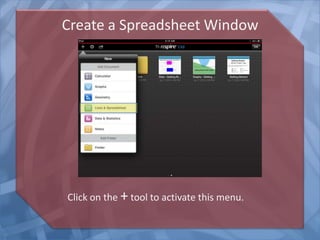
Create a Spreadsheet Window
Click on the +tool to activate this menu.
Activate the Cells
Bring up the keyboard by clicking on the cell input
line.
Input Coordinate Labels
Input these labels for the coordinates in cells A1 through A4.
Press Enter after each one to go the next line.
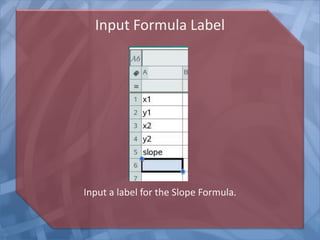
Input Formula Label
Input a label for the Slope Formula.
Input the Coordinates
Remember to click on the formula line to bring up the keyboard.
Input the Coordinates
Input the formula shown here into cell B5. The letters in the cells
are cell references.
Input the Coordinates
As you change the coordinates in cells B1 through B4, the slope
is recalculated.

Nspire--iPadAppTutorial--Slope Formula Using a Spreadsheet