Subroutine
MCS-51 Microcontroller
By Arkhom JODTANG
Civil Aviation Training Center, Thailand
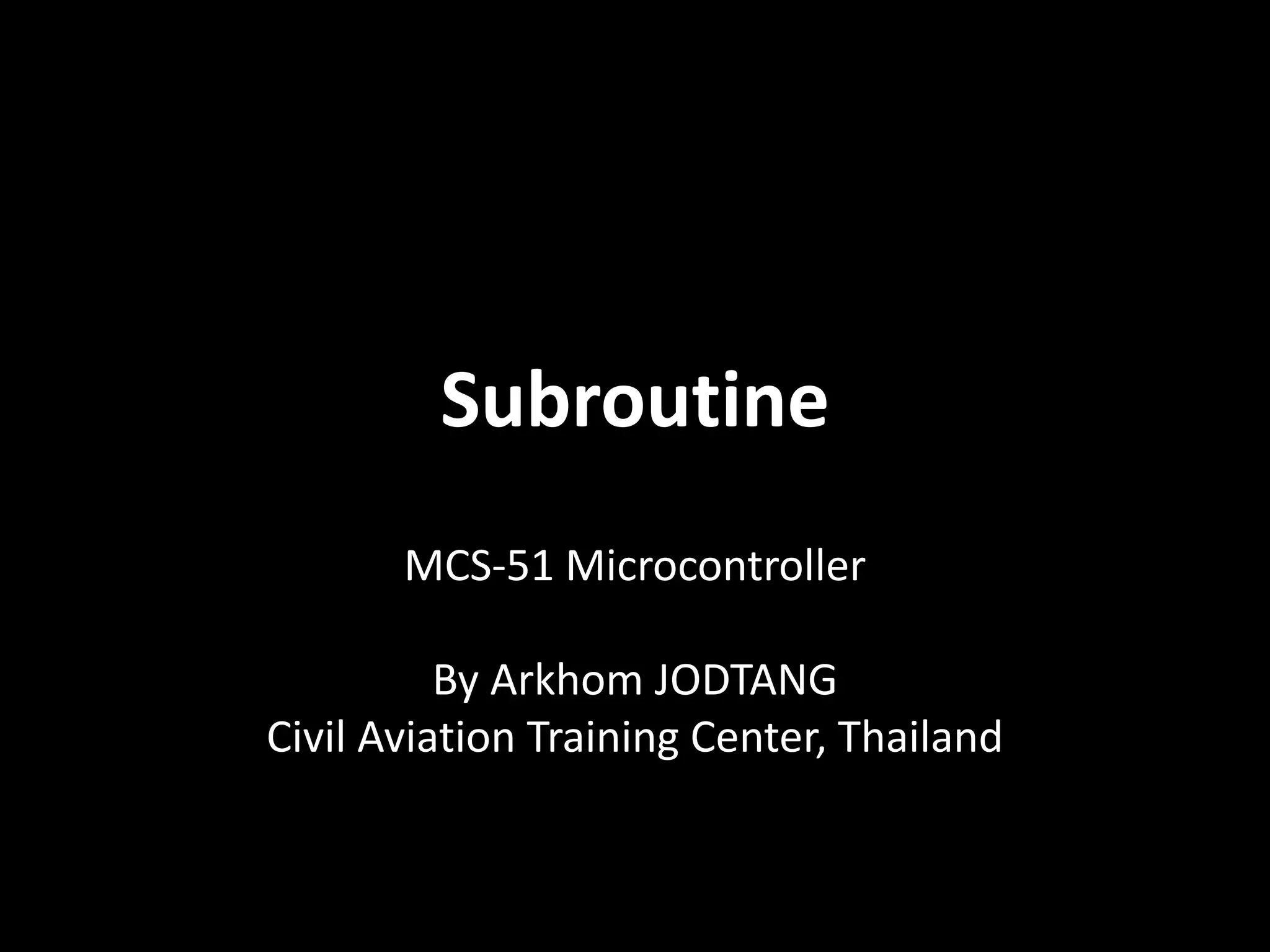
• Subroutines are a small part of program that
able to call for use in multiple times.
Subroutine1
Subroutine2
Subroutine3
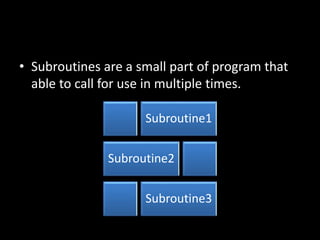
• Subroutines are
contended as the
part of main
program.
Main Program
Subroutine1
Subroutine2
ORG 00H
END
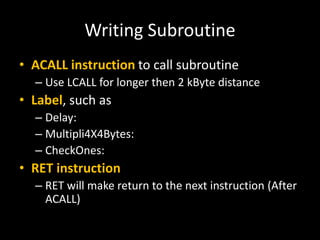
Writing Subroutine
• ACALL instruction to call subroutine
– Use LCALL for longer then 2 kByte distance
• Label, such as
– Delay:
– Multipli4X4Bytes:
– CheckOnes:
• RET instruction
– RET will make return to the next instruction (After
ACALL)
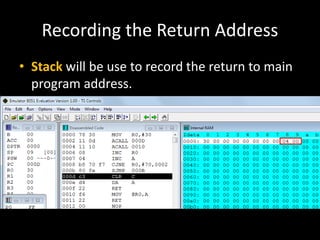
Recording the Return Address
• Stack will be use to record the return to main
program address.
Sample Program
ORG 00H
MOV R0, #30H
Loop:
ACALL DecimalAdj
ACALL WriteData
INC R0
INC A
CJNE R0,#70H, Loop
SJMP $
; --------------------------------
DecimalAdj:
CLR C
DA A
RET
WriteData:
MOV @R0, A
RET
END
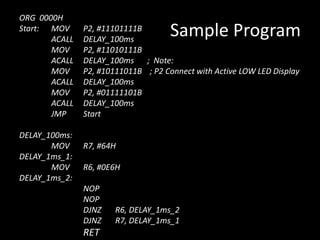
Sample Program
ORG 0000H
Start: MOV P2, #11101111B
ACALL DELAY_100ms
MOV P2, #11010111B
ACALL DELAY_100ms ; Note:
MOV P2, #10111011B ; P2 Connect with Active LOW LED Display
ACALL DELAY_100ms
MOV P2, #01111101B
ACALL DELAY_100ms
JMP Start
DELAY_100ms:
MOV R7, #64H
DELAY_1ms_1:
MOV R6, #0E6H
DELAY_1ms_2:
NOP
NOP
DJNZ R6, DELAY_1ms_2
DJNZ R7, DELAY_1ms_1
RET
Sample Program
• ; Program to paint memory area with integer number.
• ; Then use subroutine to check, if found letter (A-F)
• ; then change that byte to #60H
• ORG 00H
• MOV A, #0H
• MOV R0, #30H
• L_Paint:
• MOV @R0, A
• ACALL ADJUST
• INC R0
• INC A
• CJNE A, #60H, L_Paint
• SJMP $
• ADJUST:
• PUSH Acc
• MOV A,@R0
• ANL A,#0FH
• SUBB A,#09H
• JC SKIP_Adjust
• MOV @R0,#60H
• SKIP_Adjust:
• POP Acc
• RET
• END
Sample Program
; Program DIGITAL count-up to Port 1 (LED); Push SW1 (P0.0) to start ; R2 Control the speed by press D3 to Increase, Push D4
to Decrease speed
ORG 0000H
MOV R2, #0FFH
Start: MOV P1, #000H
MOV R0, #00H
in : MOV P1, R0
JNB P0.3, SKIP
MOV A, R2
SUBB A, #10H ; Increase speed of Delay
MOV R2, A
JMP SKIP
JNB P0.4, SKIP
MOV A, R2
ADD A, #10H ; Decrease speed of Delay
MOV R2, A
SKIP:
ACALL DELAY1
INC R0
CJNE R0, #0255D, in
JMP Start
DELAY1:
MOV A, R2
MOV R7, A
DELAY_1ms_1:
MOV R6, #0E6H
DELAY_1ms_2:
NOP
NOP
DJNZ R6, DELAY_1ms_2
DJNZ R7, DELAY_1ms_1
RET
END
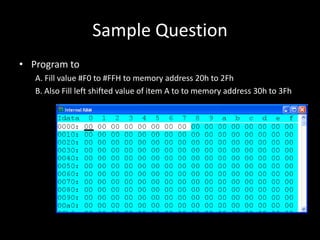
Sample Question
• Program to
A. Fill value #F0 to #FFH to memory address 20h to 2Fh
B. Also Fill left shifted value of item A to to memory address 30h to 3Fh

Microprocessor Week 8: Subroutine

  • 1.
    Subroutine MCS-51 Microcontroller By ArkhomJODTANG Civil Aviation Training Center, Thailand
  • 2.
    • Subroutines area small part of program that able to call for use in multiple times. Subroutine1 Subroutine2 Subroutine3
  • 3.
    • Subroutines are contendedas the part of main program. Main Program Subroutine1 Subroutine2 ORG 00H END
  • 4.
    Writing Subroutine • ACALLinstruction to call subroutine – Use LCALL for longer then 2 kByte distance • Label, such as – Delay: – Multipli4X4Bytes: – CheckOnes: • RET instruction – RET will make return to the next instruction (After ACALL)
  • 5.
    Recording the ReturnAddress • Stack will be use to record the return to main program address.
  • 6.
    Sample Program ORG 00H MOVR0, #30H Loop: ACALL DecimalAdj ACALL WriteData INC R0 INC A CJNE R0,#70H, Loop SJMP $ ; -------------------------------- DecimalAdj: CLR C DA A RET WriteData: MOV @R0, A RET END
  • 7.
    Sample Program ORG 0000H Start:MOV P2, #11101111B ACALL DELAY_100ms MOV P2, #11010111B ACALL DELAY_100ms ; Note: MOV P2, #10111011B ; P2 Connect with Active LOW LED Display ACALL DELAY_100ms MOV P2, #01111101B ACALL DELAY_100ms JMP Start DELAY_100ms: MOV R7, #64H DELAY_1ms_1: MOV R6, #0E6H DELAY_1ms_2: NOP NOP DJNZ R6, DELAY_1ms_2 DJNZ R7, DELAY_1ms_1 RET
  • 8.
    Sample Program • ;Program to paint memory area with integer number. • ; Then use subroutine to check, if found letter (A-F) • ; then change that byte to #60H • ORG 00H • MOV A, #0H • MOV R0, #30H • L_Paint: • MOV @R0, A • ACALL ADJUST • INC R0 • INC A • CJNE A, #60H, L_Paint • SJMP $ • ADJUST: • PUSH Acc • MOV A,@R0 • ANL A,#0FH • SUBB A,#09H • JC SKIP_Adjust • MOV @R0,#60H • SKIP_Adjust: • POP Acc • RET • END
  • 9.
    Sample Program ; ProgramDIGITAL count-up to Port 1 (LED); Push SW1 (P0.0) to start ; R2 Control the speed by press D3 to Increase, Push D4 to Decrease speed ORG 0000H MOV R2, #0FFH Start: MOV P1, #000H MOV R0, #00H in : MOV P1, R0 JNB P0.3, SKIP MOV A, R2 SUBB A, #10H ; Increase speed of Delay MOV R2, A JMP SKIP JNB P0.4, SKIP MOV A, R2 ADD A, #10H ; Decrease speed of Delay MOV R2, A SKIP: ACALL DELAY1 INC R0 CJNE R0, #0255D, in JMP Start DELAY1: MOV A, R2 MOV R7, A DELAY_1ms_1: MOV R6, #0E6H DELAY_1ms_2: NOP NOP DJNZ R6, DELAY_1ms_2 DJNZ R7, DELAY_1ms_1 RET END
  • 10.
    Sample Question • Programto A. Fill value #F0 to #FFH to memory address 20h to 2Fh B. Also Fill left shifted value of item A to to memory address 30h to 3Fh