© Micro:bit Educational Foundation 2017
Get Creative, Get
Connected, Get Coding!
Hal Speed
CSTA
Head of North America
Micro:bit Educational Foundation
10 July 2017
@HalSpeed @microbit_edu
slideshare.net/hal_speed
© Micro:bit Educational Foundation 20172
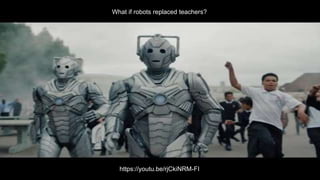
What if robots replaced teachers?
https://youtu.be/rjCkiNRM-FI
© Micro:bit Educational Foundation 20173
2015
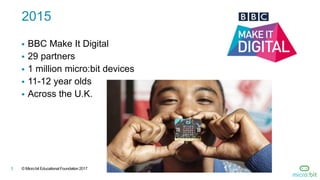
 BBC Make It Digital
 29 partners
 1 million micro:bit devices
 11-12 year olds
 Across the U.K.
© Micro:bit Educational Foundation 20174
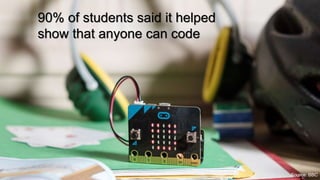
90% of students said it helped
show that anyone can code
Source: BBC
© Micro:bit Educational Foundation 20175
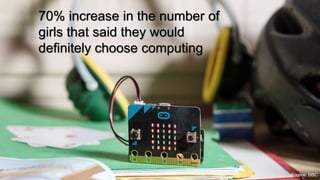
70% increase in the number of
girls that said they would
definitely choose computing
Source: BBC
© Micro:bit Educational Foundation 20176
To empower children, parents and
teachers around the globe to learn
and innovate using the micro:bit
2016 Micro:bit Educational
Foundation Formed
© Micro:bit Educational Foundation 20177
micro:bit comes to
the U.S. and Canada!
2017
© Micro:bit Educational Foundation 20178
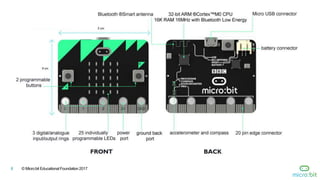
© Micro:bit Educational Foundation 20179
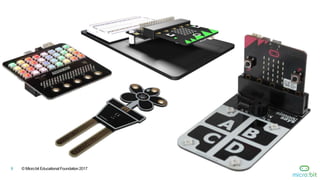
© Micro:bit Educational Foundation 201710
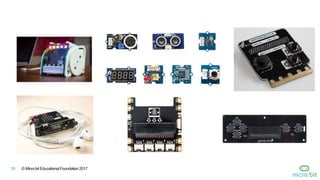
© Micro:bit Educational Foundation 201711
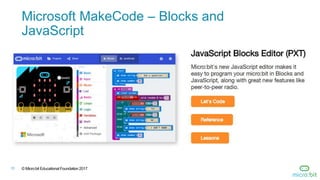
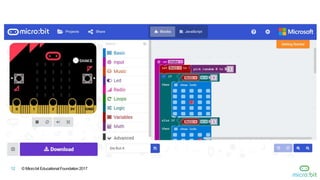
Microsoft MakeCode – Blocks and
JavaScript
© Micro:bit Educational Foundation 201712
© Micro:bit Educational Foundation 201713
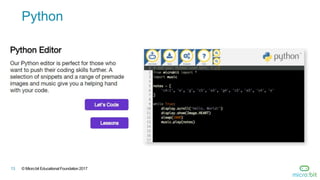
Python
© Micro:bit Educational Foundation 201714
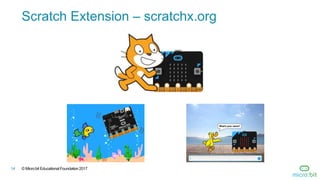
Scratch Extension – scratchx.org
© Micro:bit Educational Foundation 201715
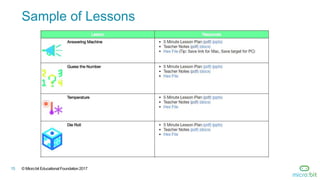
Sample of Lessons
© Micro:bit Educational Foundation 201716
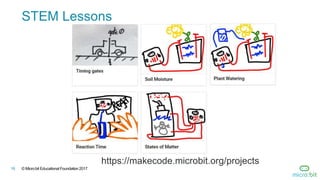
STEM Lessons
https://makecode.microbit.org/projects
© Micro:bit Educational Foundation 201717
Third-Party Curricula
Microsoft MakeCode Intro to CS
https://aka.ms/intro2cs
PLTW – Computer Science for
Innovators and Makers
https://www.pltw.org/our-
programs/pltw-gateway-
curriculum#curriculum-4
8. Coordinate Grid System
9. Booleans
10.Music and Arrays
11.Bits, Bytes, and Binary
12.Radio
13.Arrays
14.Independent Final
Project
1. Making
2. Algorithms
3. Variables
4. Conditionals
5. Iteration
6. Review/Mini-Project
7. Coordinate Grid
System
© Micro:bit Educational Foundation 201718
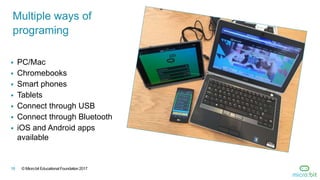
 PC/Mac
 Chromebooks
 Smart phones
 Tablets
 Connect through USB
 Connect through Bluetooth
 iOS and Android apps
available
Multiple ways of
programing
© Micro:bit Educational Foundation 201719
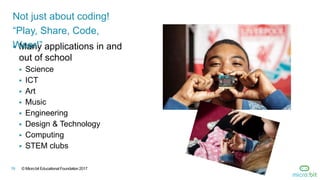
 Many applications in and
out of school
 Science
 ICT
 Art
 Music
 Engineering
 Design & Technology
 Computing
 STEM clubs
Not just about coding!
“Play, Share, Code,
Wear!”
© Micro:bit Educational Foundation 201720
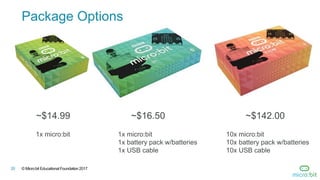
Package Options
~$14.99 ~$16.50 ~$142.00
1x micro:bit 1x micro:bit
1x battery pack w/batteries
1x USB cable
10x micro:bit
10x battery pack w/batteries
10x USB cable
© Micro:bit Educational Foundation 201721
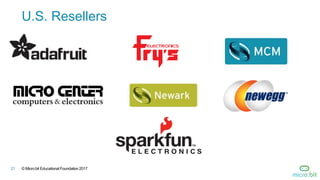
U.S. Resellers
© Micro:bit Educational Foundation 201722
“The micro:bit is a standout for education.
First, it uses block-style programming
language…Second, it has enough lights,
buttons, and sensors built in to give a
student programmer plenty to play with”
Sam Brown, Make: Magazine
Make: 2017 Board Guide STANDOUTS
© Micro:bit Educational Foundation 201623
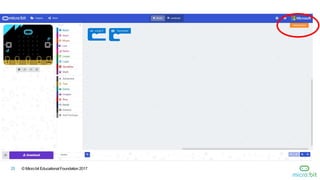
Demo
© Micro:bit Educational Foundation 201724
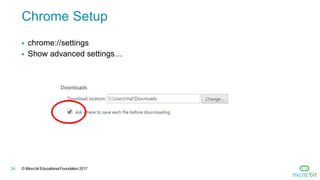
Chrome Setup
 chrome://settings
 Show advanced settings…
© Micro:bit Educational Foundation 201725
© Micro:bit Educational Foundation 201726
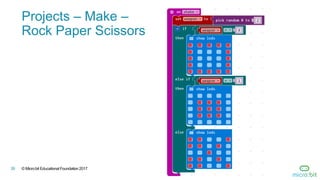
Projects – Make –
Rock Paper Scissors
© Micro:bit Educational Foundation 201727
© Micro:bit Educational Foundation 201728

Micro:bit -- July 2017

  • 1.
    © Micro:bit EducationalFoundation 2017 Get Creative, Get Connected, Get Coding! Hal Speed CSTA Head of North America Micro:bit Educational Foundation 10 July 2017 @HalSpeed @microbit_edu slideshare.net/hal_speed
  • 2.
    © Micro:bit EducationalFoundation 20172 What if robots replaced teachers? https://youtu.be/rjCkiNRM-FI
  • 3.
    © Micro:bit EducationalFoundation 20173 2015  BBC Make It Digital  29 partners  1 million micro:bit devices  11-12 year olds  Across the U.K.
  • 4.
    © Micro:bit EducationalFoundation 20174 90% of students said it helped show that anyone can code Source: BBC
  • 5.
    © Micro:bit EducationalFoundation 20175 70% increase in the number of girls that said they would definitely choose computing Source: BBC
  • 6.
    © Micro:bit EducationalFoundation 20176 To empower children, parents and teachers around the globe to learn and innovate using the micro:bit 2016 Micro:bit Educational Foundation Formed
  • 7.
    © Micro:bit EducationalFoundation 20177 micro:bit comes to the U.S. and Canada! 2017
  • 8.
    © Micro:bit EducationalFoundation 20178
  • 9.
    © Micro:bit EducationalFoundation 20179
  • 10.
    © Micro:bit EducationalFoundation 201710
  • 11.
    © Micro:bit EducationalFoundation 201711 Microsoft MakeCode – Blocks and JavaScript
  • 12.
    © Micro:bit EducationalFoundation 201712
  • 13.
    © Micro:bit EducationalFoundation 201713 Python
  • 14.
    © Micro:bit EducationalFoundation 201714 Scratch Extension – scratchx.org
  • 15.
    © Micro:bit EducationalFoundation 201715 Sample of Lessons
  • 16.
    © Micro:bit EducationalFoundation 201716 STEM Lessons https://makecode.microbit.org/projects
  • 17.
    © Micro:bit EducationalFoundation 201717 Third-Party Curricula Microsoft MakeCode Intro to CS https://aka.ms/intro2cs PLTW – Computer Science for Innovators and Makers https://www.pltw.org/our- programs/pltw-gateway- curriculum#curriculum-4 8. Coordinate Grid System 9. Booleans 10.Music and Arrays 11.Bits, Bytes, and Binary 12.Radio 13.Arrays 14.Independent Final Project 1. Making 2. Algorithms 3. Variables 4. Conditionals 5. Iteration 6. Review/Mini-Project 7. Coordinate Grid System
  • 18.
    © Micro:bit EducationalFoundation 201718  PC/Mac  Chromebooks  Smart phones  Tablets  Connect through USB  Connect through Bluetooth  iOS and Android apps available Multiple ways of programing
  • 19.
    © Micro:bit EducationalFoundation 201719  Many applications in and out of school  Science  ICT  Art  Music  Engineering  Design & Technology  Computing  STEM clubs Not just about coding! “Play, Share, Code, Wear!”
  • 20.
    © Micro:bit EducationalFoundation 201720 Package Options ~$14.99 ~$16.50 ~$142.00 1x micro:bit 1x micro:bit 1x battery pack w/batteries 1x USB cable 10x micro:bit 10x battery pack w/batteries 10x USB cable
  • 21.
    © Micro:bit EducationalFoundation 201721 U.S. Resellers
  • 22.
    © Micro:bit EducationalFoundation 201722 “The micro:bit is a standout for education. First, it uses block-style programming language…Second, it has enough lights, buttons, and sensors built in to give a student programmer plenty to play with” Sam Brown, Make: Magazine Make: 2017 Board Guide STANDOUTS
  • 23.
    © Micro:bit EducationalFoundation 201623 Demo
  • 24.
    © Micro:bit EducationalFoundation 201724 Chrome Setup  chrome://settings  Show advanced settings…
  • 25.
    © Micro:bit EducationalFoundation 201725
  • 26.
    © Micro:bit EducationalFoundation 201726 Projects – Make – Rock Paper Scissors
  • 27.
    © Micro:bit EducationalFoundation 201727
  • 28.
    © Micro:bit EducationalFoundation 201728