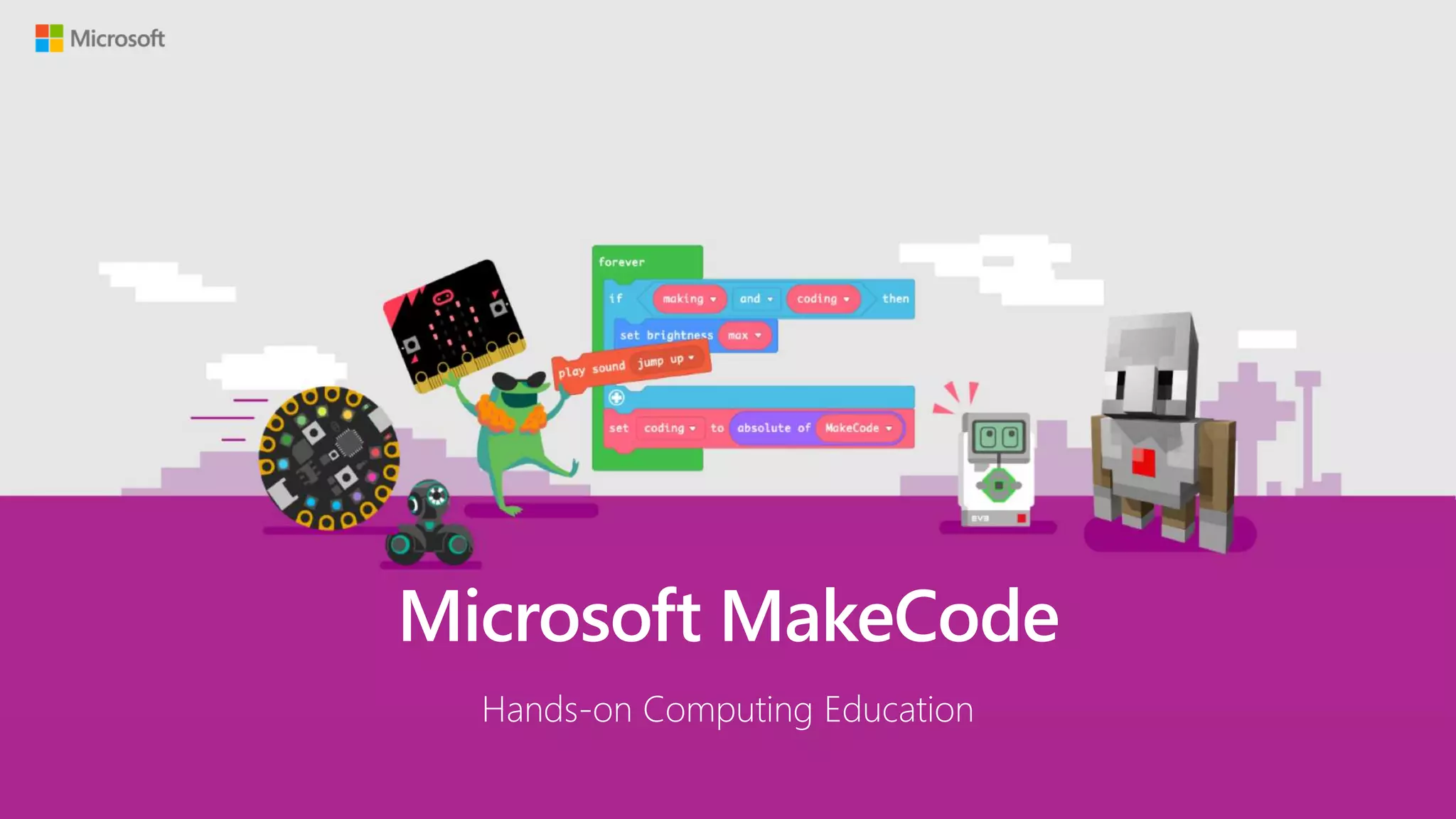


Microsoft MakeCode
Hands-on Computing Education
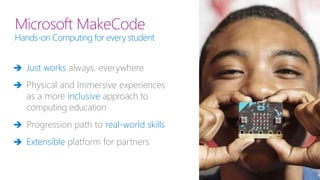
Microsoft MakeCode
Hands-on Computing for every student
 Just works always, everywhere
 Physical and Immersive experiences
as a more inclusive approach to
computing education
 Progression path to real-world skills
 Extensible platform for partners
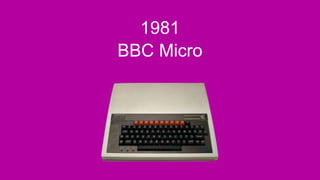
1981
BBC Micro
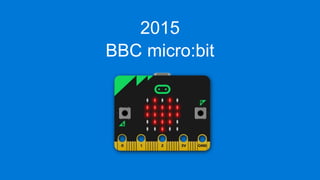
2015
BBC micro:bit
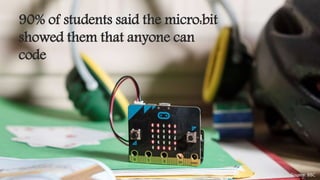
90% of students said the micro:bit
showed them that anyone can
code
Source: BBC
microbit.org/research
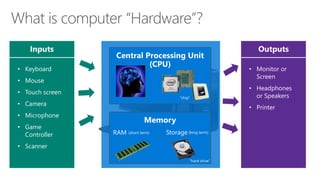
Inputs Outputs
• Keyboard
• Mouse
• Touch screen
• Camera
• Microphone
• Game
Controller
• Scanner
• Monitor or
Screen
• Headphones
or Speakers
• Printer
“chip”
RAM Storage
“hard drive”
(short term) (long term)
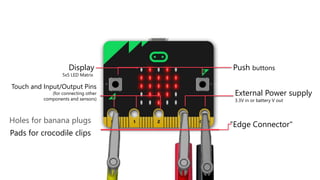
Push buttons
External Power supply
3.3V in or battery V out
Touch and Input/Output Pins
(for connecting other
components and sensors)
Display
5x5 LED Matrix
“Edge Connector"
Holes for banana plugs
Pads for crocodile clips
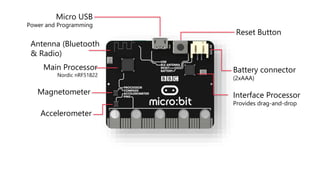
Battery connector
(2xAAA)
Magnetometer
Main Processor
Nordic nRF51822
Reset Button
Micro USB
Power and Programming
Accelerometer
Antenna (Bluetooth
& Radio)
Interface Processor
Provides drag-and-drop
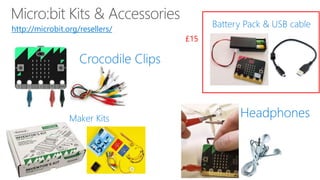
£15
http://microbit.org/resellers/
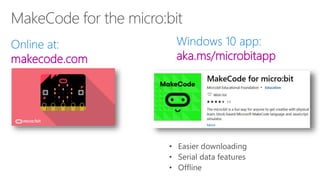
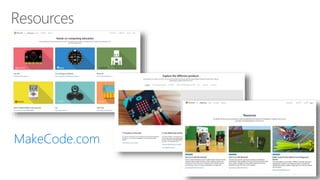
makecode.com aka.ms/microbitapp
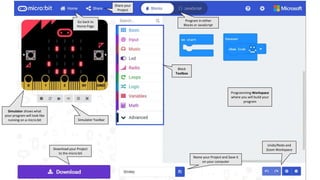
Go back to
Home Page
Program in either
Blocks or JavaScript
Simulator Toolbar
Download your Project
to the micro:bit
Name your Project and Save it
on your computer
Block
Toolbox
Programming Workspace
where you will build your
program
Simulator shows what
your program will look like
running on a micro:bit
Share your
Project
Undo/Redo and
Zoom Workspace
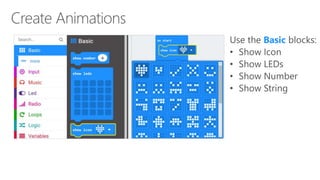
Basic
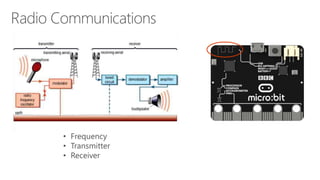
• Frequency
• Transmitter
• Receiver
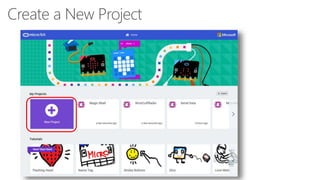
Create a New Project
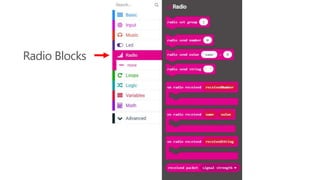
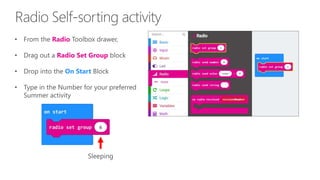
Radio Blocks
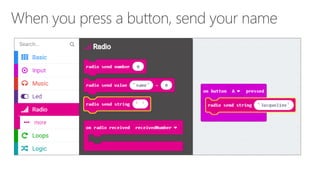
Radio
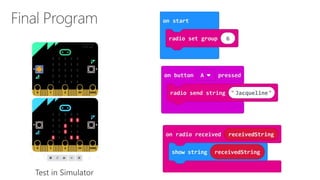
Radio Set Group
On Start
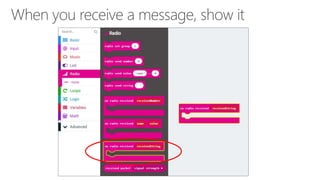
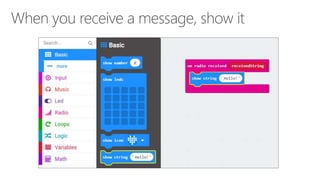
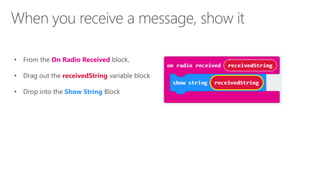
On Radio Received
receivedString
Show String
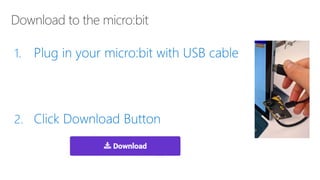
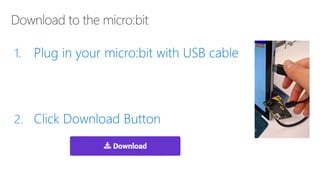
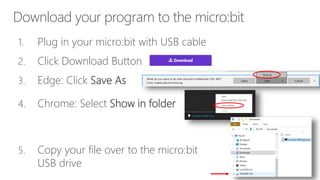
Download your program to the micro:bit
1. Plug in your micro:bit with USB cable
2. Click Download Button
3. Edge: Click Save As
4. Chrome: Select Show in folder
5. Copy your file over to the micro:bit
USB drive
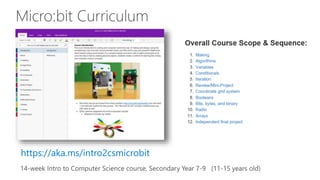
https://aka.ms/intro2csmicrobit
Online MakeCode editors
https://makecode.com
Curriculum
https://aka.ms/intro2csmicrobit
Order hardware
http://microbit.org/resellers/
Micro:bit app
http://aka.ms/microbitapp
Thank You!

ITEC 2019 Micro:bit Session

Editor's Notes

  • #6 Over 35 years ago, the BBC (British Broadcasting Corporation) developed the first PC for the UK public, the BBC Micro. This brought the UK public into the computer age. I grew up in the USA and was lucky enough to have a Commodore 64 in the 1980s!
  • #7 Over 35 years ago, the BBC (British Broadcasting Corporation) developed the first PC for the UK public, the BBC Micro. This brought the UK public into the computer age. I grew up in the USA and was lucky enough to have a Commodore 64 in the 1980s!
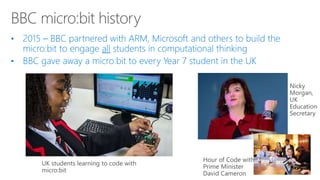
  • #9 We have done extensive research on micro:bit at a national level in the UK, and have seen a real positive impact from using micro:bit in school 90% of students said that micro:bit showed them that anyone could code
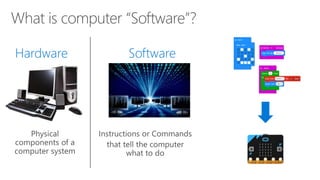
  • #11 So now, let’s transition into the micro:bit The way I usually teach this to students, is that I’ll introduce the concept of Hardware and Software in technology – the program they create with Microsoft MakeCode is creating the software to run on the micro:bit hardware The micro:bit is a mini-computer – it has all 4 hardware components that make it a computer: Inputs Outputs CPU Memory
  • #13 Hardware: Tested design re-used and extended for BBC micro:bit is mbed Enabled Compatible with ecosystem Software: Components and accessories already supported in mbed new work will enhance other mbed targets Binaries: Editor for schools sends code to mbed services Abstracts complexity of embedded compilation for partners
  • #14 The micro:bit is packed with technology as well, making it possible for weeks worth of coding projects without extra accessories The USB acts as a flash drive on any computer, just drag and drop your program and it works! Built-in Bluetooth enables interaction with our iOS and Android app, and even peer-to-peer radio networking between micro:bits On-board sensors for acceleration and compass allow lots of interesting interaction events like “On Shake”
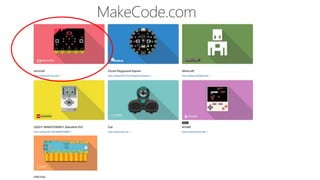
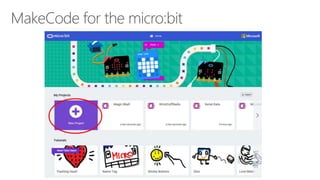
  • #28 Open up the MakeCode micro:bit app on your computer You should see a Home Screen like this There are step-by-step tutorials, projects, videos and code samples available from this page On this Home page, you can also see a list of your recent projects and you can import existing programs via a shared URL or file Go ahead and click to create a New Project
  • #43 In addition to the sample projects and tutorials available, there is also a 14-week “Introduction to Computer Science” curriculum created by a Computer Science Teacher Douglas Kiang using MakeCode for the micro:bit This curriculum is online and in OneNote and freely available at aka.ms/intro2cs
  • #45 Microsoft MakeCode represents an inclusive approach to computer science education through hands-on, immersive, cross-curricular learning experiences that are engaging and personally meaningful to every student. As a platform, Microsoft MakeCode partners with any educational product that needs a best-in-class learn-to-code editor that takes students from a visual drag-and-drop environment, into a full, real-world text-based programming paradigm. Microsoft MakeCode is open-source, and free. Our vision is for every child to have access to, and the desire for a high-quality, fun and personal computer science education. Learn more at makecode.com