Using physical computing in the primary classroom
Neil Rickus
Senior Lecturer in Computing Education, University of Hertfordshire
@computingchamps
computingchampions.co.uk/serbia2017
Next 30 minutes
• Outline the importance of physical computing
• Discuss and demonstrate six physical computing
technologies
– Linked to projects undertaken in the primary classroom
• Highlight how to overcome barriers to implementation
Why physical computing?
• Opportunity to further develop understanding of
programming concepts
• “Light bulb” moment!
• Links to other areas of the curriculum
– Science and DT, but many others
• Solve real world problems
– Not just “making a game today”
– Engaging to girls – casinclude.org.uk
Technologies chosen (KS2 – age 7 – 11 years)
• Crumble
• Micro:bit
• Codebug
• Raspberry Pi
• FlowGo / GoControl
• Lego WeDo 2.0
• Sphero
Why these technologies?
• Open ended tasks
– Creativity
– Enquiry
• (Mostly) affordable
• Extended with existing equipment
– LEDs, buzzers, crocodile clips, etc
• Block based programming environment
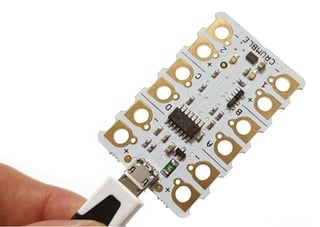
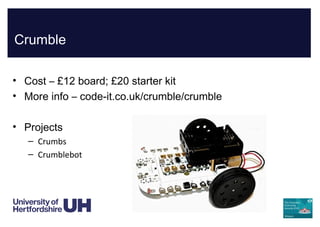
Crumble
• Cost – £12 board; £20 starter kit
• More info – code-it.co.uk/crumble/crumble
• Projects
– Crumbs
– Crumblebot
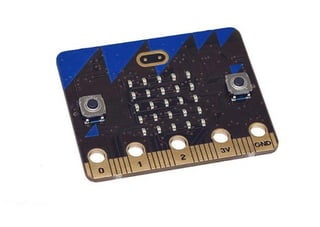
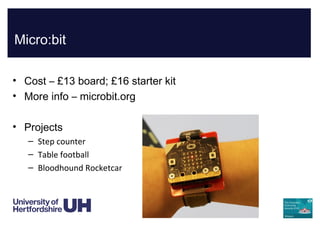
Micro:bit
• Cost – £13 board; £16 starter kit
• More info – microbit.org
• Projects
– Step counter
– Table football
– Bloodhound Rocketcar
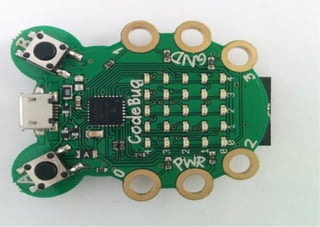
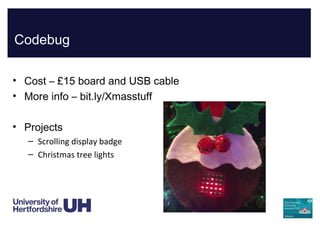
Codebug
• Cost – £15 board and USB cable
• More info – bit.ly/Xmasstuff
• Projects
– Scrolling display badge
– Christmas tree lights
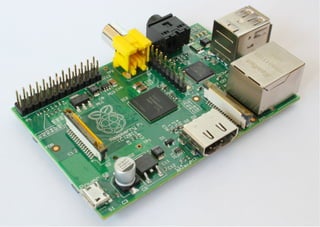
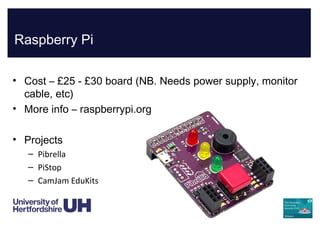
Raspberry Pi
• Cost – £25 - £30 board (NB. Needs power supply, monitor
cable, etc)
• More info – raspberrypi.org
• Projects
– Pibrella
– PiStop
– CamJam EduKits
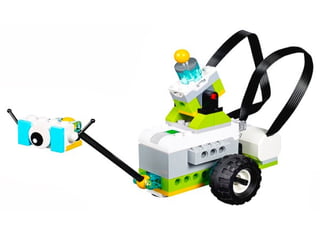
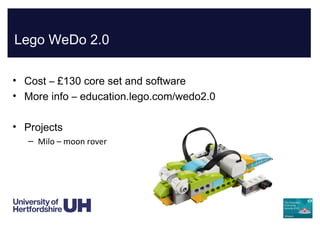
Lego WeDo 2.0
• Cost – £130 core set and software
• More info – education.lego.com/wedo2.0
• Projects
– Milo – moon rover
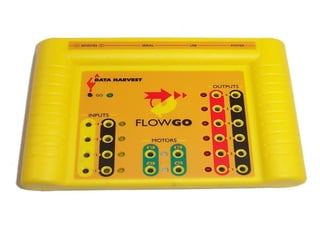
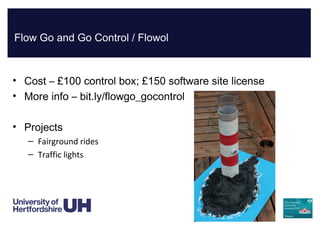
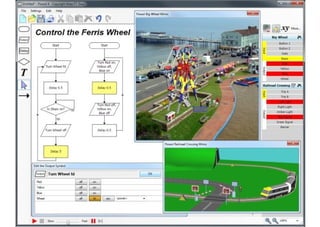
Flow Go and Go Control / Flowol
• Cost – £100 control box; £150 software site license
• More info – bit.ly/flowgo_gocontrol
• Projects
– Fairground rides
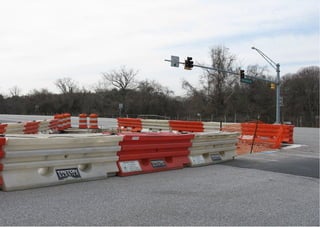
– Traffic lights
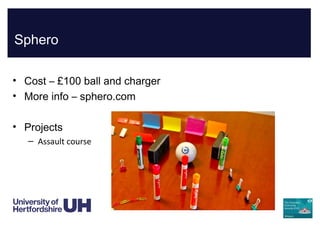
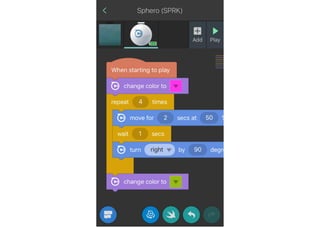
Sphero
• Cost – £100 ball and charger
• More info – sphero.com
• Projects
– Assault course
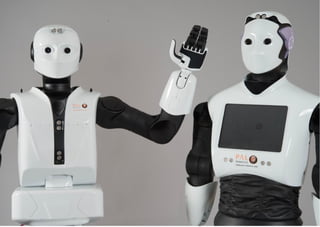
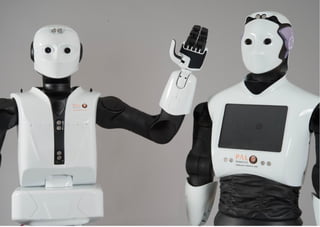
Making a robot…
• Program LED = program motor = make a robot
• Program sensor = react to events = “intelligence”
Barriers
• Time
– Cross-curricular links; Digital Leaders
• Kit
– Beg, borrow, steal; Second-hand; Share; Promotions
• Expertise
– Needs confident teachers; Digital Leader support;
CAS support; ”Hands-off guidance”
Competitions
• TeenTech
• PA Consulting Raspberry Pi
• Nesta / IBM Longitude Explorer Prize (IoT)
• Constructionism
– Audience = Quality enhancement
• Funding
• CV / exposure
Want to know more?
• TES EdTech special
– digital.tes.com/EDTECHJAN17/ (pg. 44)
• Hello World
– helloworld.cc (pg. 16)
Neil Rickus
Senior Lecturer in Computing Education,
University of Hertfordshire
@computingchamps
computingchampions.co.uk/serbia2017
TES EdTech special
digital.tes.com/EDTECHJAN17/ (pg. 44)
Hello World
helloworld.cc (pg. 16)

Using physical computing in the primary classroom

  • 1.
    Using physical computingin the primary classroom Neil Rickus Senior Lecturer in Computing Education, University of Hertfordshire @computingchamps computingchampions.co.uk/serbia2017
  • 3.
    Next 30 minutes •Outline the importance of physical computing • Discuss and demonstrate six physical computing technologies – Linked to projects undertaken in the primary classroom • Highlight how to overcome barriers to implementation
  • 5.
    Why physical computing? •Opportunity to further develop understanding of programming concepts • “Light bulb” moment! • Links to other areas of the curriculum – Science and DT, but many others • Solve real world problems – Not just “making a game today” – Engaging to girls – casinclude.org.uk
  • 8.
    Technologies chosen (KS2– age 7 – 11 years) • Crumble • Micro:bit • Codebug • Raspberry Pi • FlowGo / GoControl • Lego WeDo 2.0 • Sphero
  • 10.
    Why these technologies? •Open ended tasks – Creativity – Enquiry • (Mostly) affordable • Extended with existing equipment – LEDs, buzzers, crocodile clips, etc • Block based programming environment
  • 12.
    Crumble • Cost –£12 board; £20 starter kit • More info – code-it.co.uk/crumble/crumble • Projects – Crumbs – Crumblebot
  • 14.
    Micro:bit • Cost –£13 board; £16 starter kit • More info – microbit.org • Projects – Step counter – Table football – Bloodhound Rocketcar
  • 16.
    Codebug • Cost –£15 board and USB cable • More info – bit.ly/Xmasstuff • Projects – Scrolling display badge – Christmas tree lights
  • 18.
    Raspberry Pi • Cost– £25 - £30 board (NB. Needs power supply, monitor cable, etc) • More info – raspberrypi.org • Projects – Pibrella – PiStop – CamJam EduKits
  • 20.
    Lego WeDo 2.0 •Cost – £130 core set and software • More info – education.lego.com/wedo2.0 • Projects – Milo – moon rover
  • 22.
    Flow Go andGo Control / Flowol • Cost – £100 control box; £150 software site license • More info – bit.ly/flowgo_gocontrol • Projects – Fairground rides – Traffic lights
  • 25.
    Sphero • Cost –£100 ball and charger • More info – sphero.com • Projects – Assault course
  • 28.
    Making a robot… •Program LED = program motor = make a robot • Program sensor = react to events = “intelligence”
  • 30.
    Barriers • Time – Cross-curricularlinks; Digital Leaders • Kit – Beg, borrow, steal; Second-hand; Share; Promotions • Expertise – Needs confident teachers; Digital Leader support; CAS support; ”Hands-off guidance”
  • 32.
    Competitions • TeenTech • PAConsulting Raspberry Pi • Nesta / IBM Longitude Explorer Prize (IoT) • Constructionism – Audience = Quality enhancement • Funding • CV / exposure
  • 33.
    Want to knowmore? • TES EdTech special – digital.tes.com/EDTECHJAN17/ (pg. 44) • Hello World – helloworld.cc (pg. 16)
  • 34.
    Neil Rickus Senior Lecturerin Computing Education, University of Hertfordshire @computingchamps computingchampions.co.uk/serbia2017 TES EdTech special digital.tes.com/EDTECHJAN17/ (pg. 44) Hello World helloworld.cc (pg. 16)