© Micro:bit Educational Foundation 2018
Get Creative, Get
Connected, Get Coding!
Hal Speed
Infosys Foundation USA Pathfinders
Chief of Global Engagement,
Micro:bit Educational Foundation
16 July 2018
@HalSpeed @microbit_edu
Presentation available at halspeed.com or
slideshare.net/hal_speed
© Micro:bit Educational Foundation 2018
@microbit_edu @HalSpeed
2
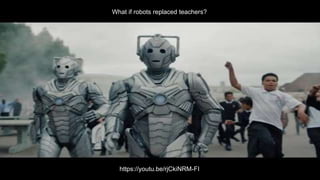
What if robots replaced teachers?
https://youtu.be/rjCkiNRM-FI
3 © Micro:bit Educational Foundation 2018
@microbit_edu @HalSpeed
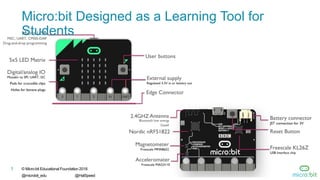
Micro:bit Designed as a Learning Tool for
Students
© Micro:bit Educational Foundation 2018
@microbit_edu @HalSpeed
4
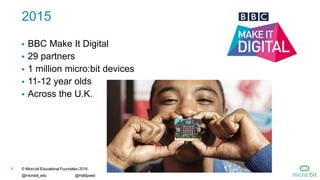
2015
 BBC Make It Digital
 29 partners
 1 million micro:bit devices
 11-12 year olds
 Across the U.K.
© Micro:bit Educational Foundation 2018
@microbit_edu @HalSpeed
5
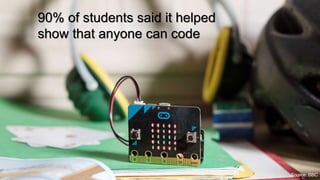
90% of students said it helped
show that anyone can code
Source: BBC
© Micro:bit Educational Foundation 2018
@microbit_edu @HalSpeed
6
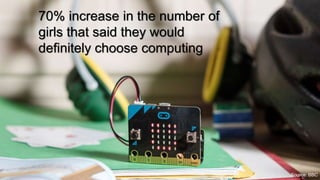
70% increase in the number of
girls that said they would
definitely choose computing
Source: BBC
© Micro:bit Educational Foundation 2018
@microbit_edu @HalSpeed
7
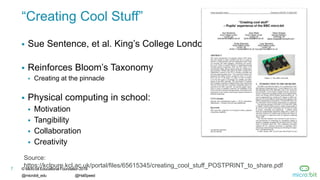
“Creating Cool Stuff”
 Sue Sentence, et al. King’s College London
 Reinforces Bloom’s Taxonomy
 Creating at the pinnacle
 Physical computing in school:
 Motivation
 Tangibility
 Collaboration
 Creativity
7
Source:
https://kclpure.kcl.ac.uk/portal/files/65615345/creating_cool_stuff_POSTPRINT_to_share.pdf
8 © Micro:bit Educational Foundation 2018
@microbit_edu @HalSpeed
Inspiring every child to
create their best digital
future
2016 Micro:bit Educational
Foundation Formed
9 © Micro:bit Educational Foundation 2018
@microbit_edu @HalSpeed
micro:bit available in the
U.S.
2017
10 New & Innovative EdTech
Products Announced at ISTE
2017
http://www.gettingsmart.com/2017/06/10-innovative-new-products-announced-at-iste-
2017/
10 © Micro:bit Educational Foundation 2018
@microbit_edu @HalSpeed
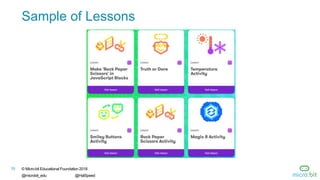
Sample of Lessons
11 © Micro:bit Educational Foundation 2018
@microbit_edu @HalSpeed
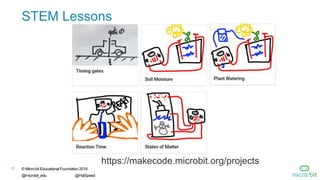
STEM Lessons
https://makecode.microbit.org/projects
12 © Micro:bit Educational Foundation 2018
@microbit_edu @HalSpeed
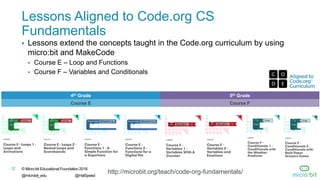
Lessons Aligned to Code.org CS
Fundamentals
 Lessons extend the concepts taught in the Code.org curriculum by using
micro:bit and MakeCode
 Course E – Loop and Functions
 Course F – Variables and Conditionals
4th Grade 5th Grade
Course E Course F
http://microbit.org/teach/code-org-fundamentals/
13 © Micro:bit Educational Foundation 2018
@microbit_edu @HalSpeed
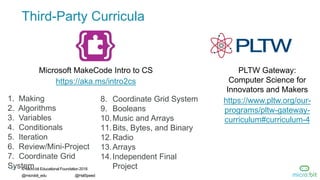
Third-Party Curricula
Microsoft MakeCode Intro to CS
https://aka.ms/intro2cs
PLTW Gateway:
Computer Science for
Innovators and Makers
https://www.pltw.org/our-
programs/pltw-gateway-
curriculum#curriculum-4
8. Coordinate Grid System
9. Booleans
10.Music and Arrays
11.Bits, Bytes, and Binary
12.Radio
13.Arrays
14.Independent Final
Project
1. Making
2. Algorithms
3. Variables
4. Conditionals
5. Iteration
6. Review/Mini-Project
7. Coordinate Grid
System
14 © Micro:bit Educational Foundation 2018
@microbit_edu @HalSpeed
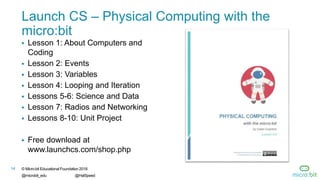
Launch CS – Physical Computing with the
micro:bit
 Lesson 1: About Computers and
Coding
 Lesson 2: Events
 Lesson 3: Variables
 Lesson 4: Looping and Iteration
 Lessons 5-6: Science and Data
 Lesson 7: Radios and Networking
 Lessons 8-10: Unit Project
 Free download at
www.launchcs.com/shop.php
© Micro:bit Educational Foundation 2018
@microbit_edu @HalSpeed
15
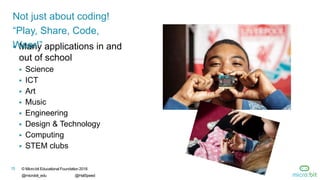
 Many applications in and
out of school
 Science
 ICT
 Art
 Music
 Engineering
 Design & Technology
 Computing
 STEM clubs
Not just about coding!
“Play, Share, Code,
Wear!”
16 © Micro:bit Educational Foundation 2018
@microbit_edu @HalSpeed
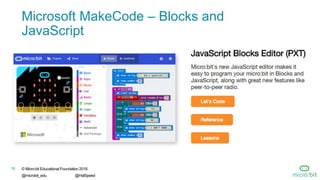
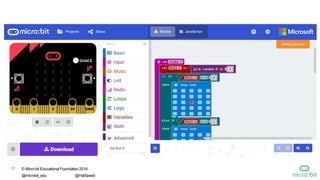
Microsoft MakeCode – Blocks and
JavaScript
17 © Micro:bit Educational Foundation 2018
@microbit_edu @HalSpeed
© Micro:bit Educational Foundation 2018
@microbit_edu @HalSpeed
18
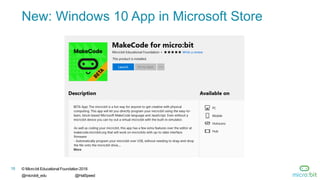
New: Windows 10 App in Microsoft Store
19 © Micro:bit Educational Foundation 2018
@microbit_edu @HalSpeed
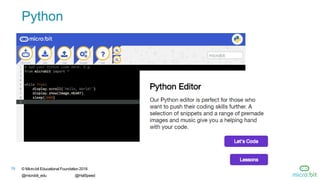
Python
20 © Micro:bit Educational Foundation 2018
@microbit_edu @HalSpeed
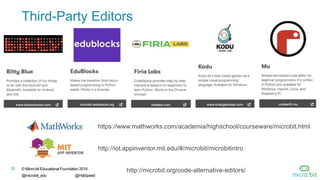
Third-Party Editors
https://www.mathworks.com/academia/highschool/courseware/microbit.html
http://microbit.org/code-alternative-editors/
http://iot.appinventor.mit.edu/#/microbit/microbitintro
21 © Micro:bit Educational Foundation 2018
@microbit_edu @HalSpeed
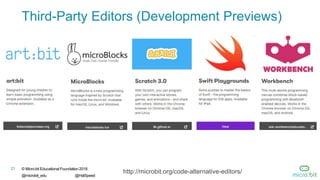
Third-Party Editors (Development Previews)
http://microbit.org/code-alternative-editors/
22 © Micro:bit Educational Foundation 2018
@microbit_edu @HalSpeed
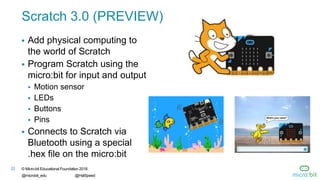
Scratch 3.0 (PREVIEW)
 Add physical computing to
the world of Scratch
 Program Scratch using the
micro:bit for input and output
 Motion sensor
 LEDs
 Buttons
 Pins
 Connects to Scratch via
Bluetooth using a special
.hex file on the micro:bit
23 © Micro:bit Educational Foundation 2018
@microbit_edu @HalSpeed
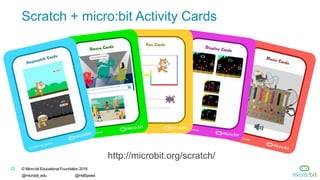
Scratch + micro:bit Activity Cards
http://microbit.org/scratch/
© Micro:bit Educational Foundation 2018
@microbit_edu @HalSpeed
24
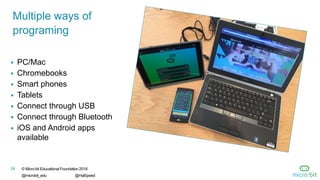
 PC/Mac
 Chromebooks
 Smart phones
 Tablets
 Connect through USB
 Connect through Bluetooth
 iOS and Android apps
available
Multiple ways of
programing
25 © Micro:bit Educational Foundation 2018
@microbit_edu @HalSpeed
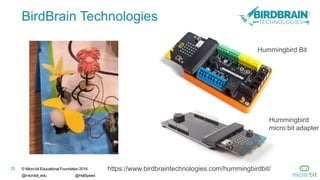
BirdBrain Technologies
https://www.birdbraintechnologies.com/hummingbirdbit/
Hummingbird Bit
Hummingbird
micro:bit adapter
26 © Micro:bit Educational Foundation 2018
@microbit_edu @HalSpeed
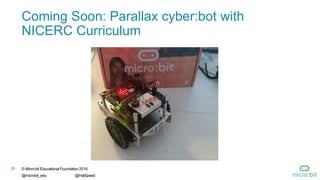
Coming Soon: Parallax cyber:bot with
NICERC Curriculum
27 © Micro:bit Educational Foundation 2018
@microbit_edu @HalSpeed
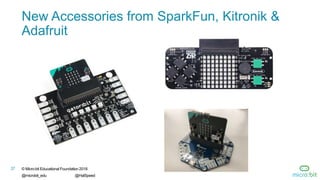
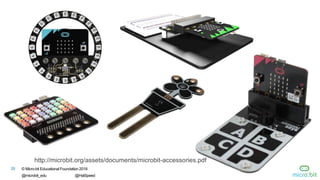
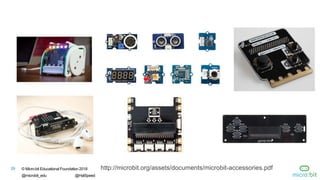
New Accessories from SparkFun, Kitronik &
Adafruit
© Micro:bit Educational Foundation 2018
@microbit_edu @HalSpeed
28
http://microbit.org/assets/documents/microbit-accessories.pdf
© Micro:bit Educational Foundation 2018
@microbit_edu @HalSpeed
29 http://microbit.org/assets/documents/microbit-accessories.pdf
30 © Micro:bit Educational Foundation 2018
@microbit_edu @HalSpeed
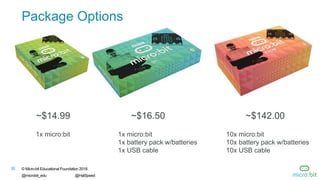
Package Options
~$14.99 ~$16.50 ~$142.00
1x micro:bit 1x micro:bit
1x battery pack w/batteries
1x USB cable
10x micro:bit
10x battery pack w/batteries
10x USB cable
31 © Micro:bit Educational Foundation 2018
@microbit_edu @HalSpeed
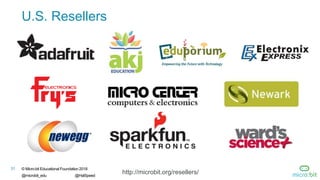
U.S. Resellers
http://microbit.org/resellers/
32 © Micro:bit Educational Foundation 2018
@microbit_edu @HalSpeed
Available via DonorsChoose.org
 AKJ Education is an approved DonorsChoose.org vendor and
micro:bit reseller
 Teachers enter projects and request classroom materials
 Individuals and companies can donate money towards the
purchase of those materials
33 © Micro:bit Educational Foundation 2018
@microbit_edu @HalSpeed
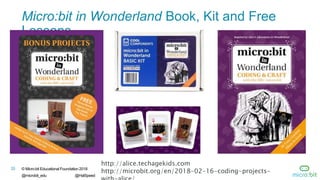
Micro:bit in Wonderland Book, Kit and Free
Lessons
http://alice.techagekids.com
http://microbit.org/en/2018-02-16-coding-projects-
34 © Micro:bit Educational Foundation 2018
@microbit_edu @HalSpeed
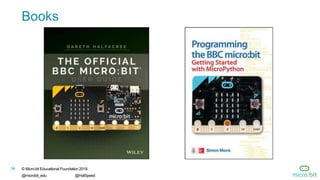
Books
35 © Micro:bit Educational Foundation 2018
@microbit_edu @HalSpeed
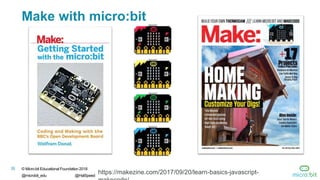
Make with micro:bit
https://makezine.com/2017/09/20/learn-basics-javascript-
36 © Micro:bit Educational Foundation 2018
@microbit_edu @HalSpeed
“The micro:bit is a standout for education.
First, it uses block-style programming
language…Second, it has enough lights,
buttons, and sensors built in to give a
student programmer plenty to play with”
Sam Brown, Make: Magazine
Make: 2017 Board Guide STANDOUTS
https://makezine.com/2017/05/30/extraordinary-dev-boards/
37 © Micro:bit Educational Foundation 2018
@microbit_edu @HalSpeed
Demo
© Micro:bit Educational Foundation 2018
@microbit_edu @HalSpeed
38
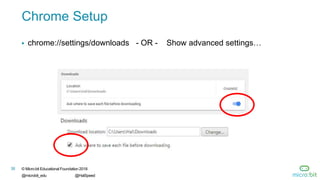
Chrome Setup
 chrome://settings/downloads - OR - Show advanced settings…
© Micro:bit Educational Foundation 2018
@microbit_edu @HalSpeed
39
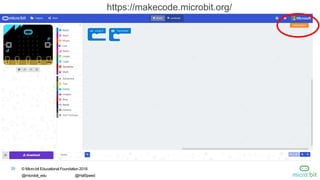
https://makecode.microbit.org/
© Micro:bit Educational Foundation 2018
@microbit_edu @HalSpeed
40
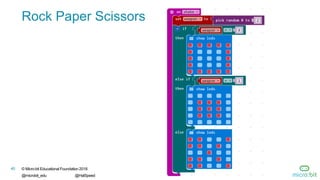
Rock Paper Scissors
© Micro:bit Educational Foundation 2018
@microbit_edu @HalSpeed
41
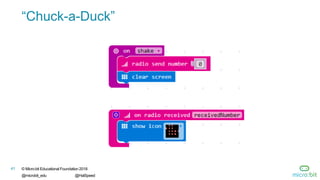
“Chuck-a-Duck”
© Micro:bit Educational Foundation 2018
@microbit_edu @HalSpeed
42
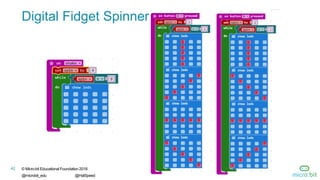
Digital Fidget Spinner
© Micro:bit Educational Foundation 2018
@microbit_edu @HalSpeed
43
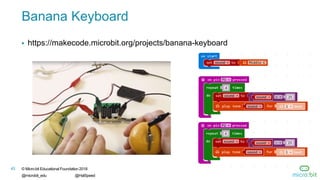
Banana Keyboard
 https://makecode.microbit.org/projects/banana-keyboard

Micro:bit Workshop -- July 2018

  • 1.
    © Micro:bit EducationalFoundation 2018 Get Creative, Get Connected, Get Coding! Hal Speed Infosys Foundation USA Pathfinders Chief of Global Engagement, Micro:bit Educational Foundation 16 July 2018 @HalSpeed @microbit_edu Presentation available at halspeed.com or slideshare.net/hal_speed
  • 2.
    © Micro:bit EducationalFoundation 2018 @microbit_edu @HalSpeed 2 What if robots replaced teachers? https://youtu.be/rjCkiNRM-FI
  • 3.
    3 © Micro:bitEducational Foundation 2018 @microbit_edu @HalSpeed Micro:bit Designed as a Learning Tool for Students
  • 4.
    © Micro:bit EducationalFoundation 2018 @microbit_edu @HalSpeed 4 2015  BBC Make It Digital  29 partners  1 million micro:bit devices  11-12 year olds  Across the U.K.
  • 5.
    © Micro:bit EducationalFoundation 2018 @microbit_edu @HalSpeed 5 90% of students said it helped show that anyone can code Source: BBC
  • 6.
    © Micro:bit EducationalFoundation 2018 @microbit_edu @HalSpeed 6 70% increase in the number of girls that said they would definitely choose computing Source: BBC
  • 7.
    © Micro:bit EducationalFoundation 2018 @microbit_edu @HalSpeed 7 “Creating Cool Stuff”  Sue Sentence, et al. King’s College London  Reinforces Bloom’s Taxonomy  Creating at the pinnacle  Physical computing in school:  Motivation  Tangibility  Collaboration  Creativity 7 Source: https://kclpure.kcl.ac.uk/portal/files/65615345/creating_cool_stuff_POSTPRINT_to_share.pdf
  • 8.
    8 © Micro:bitEducational Foundation 2018 @microbit_edu @HalSpeed Inspiring every child to create their best digital future 2016 Micro:bit Educational Foundation Formed
  • 9.
    9 © Micro:bitEducational Foundation 2018 @microbit_edu @HalSpeed micro:bit available in the U.S. 2017 10 New & Innovative EdTech Products Announced at ISTE 2017 http://www.gettingsmart.com/2017/06/10-innovative-new-products-announced-at-iste- 2017/
  • 10.
    10 © Micro:bitEducational Foundation 2018 @microbit_edu @HalSpeed Sample of Lessons
  • 11.
    11 © Micro:bitEducational Foundation 2018 @microbit_edu @HalSpeed STEM Lessons https://makecode.microbit.org/projects
  • 12.
    12 © Micro:bitEducational Foundation 2018 @microbit_edu @HalSpeed Lessons Aligned to Code.org CS Fundamentals  Lessons extend the concepts taught in the Code.org curriculum by using micro:bit and MakeCode  Course E – Loop and Functions  Course F – Variables and Conditionals 4th Grade 5th Grade Course E Course F http://microbit.org/teach/code-org-fundamentals/
  • 13.
    13 © Micro:bitEducational Foundation 2018 @microbit_edu @HalSpeed Third-Party Curricula Microsoft MakeCode Intro to CS https://aka.ms/intro2cs PLTW Gateway: Computer Science for Innovators and Makers https://www.pltw.org/our- programs/pltw-gateway- curriculum#curriculum-4 8. Coordinate Grid System 9. Booleans 10.Music and Arrays 11.Bits, Bytes, and Binary 12.Radio 13.Arrays 14.Independent Final Project 1. Making 2. Algorithms 3. Variables 4. Conditionals 5. Iteration 6. Review/Mini-Project 7. Coordinate Grid System
  • 14.
    14 © Micro:bitEducational Foundation 2018 @microbit_edu @HalSpeed Launch CS – Physical Computing with the micro:bit  Lesson 1: About Computers and Coding  Lesson 2: Events  Lesson 3: Variables  Lesson 4: Looping and Iteration  Lessons 5-6: Science and Data  Lesson 7: Radios and Networking  Lessons 8-10: Unit Project  Free download at www.launchcs.com/shop.php
  • 15.
    © Micro:bit EducationalFoundation 2018 @microbit_edu @HalSpeed 15  Many applications in and out of school  Science  ICT  Art  Music  Engineering  Design & Technology  Computing  STEM clubs Not just about coding! “Play, Share, Code, Wear!”
  • 16.
    16 © Micro:bitEducational Foundation 2018 @microbit_edu @HalSpeed Microsoft MakeCode – Blocks and JavaScript
  • 17.
    17 © Micro:bitEducational Foundation 2018 @microbit_edu @HalSpeed
  • 18.
    © Micro:bit EducationalFoundation 2018 @microbit_edu @HalSpeed 18 New: Windows 10 App in Microsoft Store
  • 19.
    19 © Micro:bitEducational Foundation 2018 @microbit_edu @HalSpeed Python
  • 20.
    20 © Micro:bitEducational Foundation 2018 @microbit_edu @HalSpeed Third-Party Editors https://www.mathworks.com/academia/highschool/courseware/microbit.html http://microbit.org/code-alternative-editors/ http://iot.appinventor.mit.edu/#/microbit/microbitintro
  • 21.
    21 © Micro:bitEducational Foundation 2018 @microbit_edu @HalSpeed Third-Party Editors (Development Previews) http://microbit.org/code-alternative-editors/
  • 22.
    22 © Micro:bitEducational Foundation 2018 @microbit_edu @HalSpeed Scratch 3.0 (PREVIEW)  Add physical computing to the world of Scratch  Program Scratch using the micro:bit for input and output  Motion sensor  LEDs  Buttons  Pins  Connects to Scratch via Bluetooth using a special .hex file on the micro:bit
  • 23.
    23 © Micro:bitEducational Foundation 2018 @microbit_edu @HalSpeed Scratch + micro:bit Activity Cards http://microbit.org/scratch/
  • 24.
    © Micro:bit EducationalFoundation 2018 @microbit_edu @HalSpeed 24  PC/Mac  Chromebooks  Smart phones  Tablets  Connect through USB  Connect through Bluetooth  iOS and Android apps available Multiple ways of programing
  • 25.
    25 © Micro:bitEducational Foundation 2018 @microbit_edu @HalSpeed BirdBrain Technologies https://www.birdbraintechnologies.com/hummingbirdbit/ Hummingbird Bit Hummingbird micro:bit adapter
  • 26.
    26 © Micro:bitEducational Foundation 2018 @microbit_edu @HalSpeed Coming Soon: Parallax cyber:bot with NICERC Curriculum
  • 27.
    27 © Micro:bitEducational Foundation 2018 @microbit_edu @HalSpeed New Accessories from SparkFun, Kitronik & Adafruit
  • 28.
    © Micro:bit EducationalFoundation 2018 @microbit_edu @HalSpeed 28 http://microbit.org/assets/documents/microbit-accessories.pdf
  • 29.
    © Micro:bit EducationalFoundation 2018 @microbit_edu @HalSpeed 29 http://microbit.org/assets/documents/microbit-accessories.pdf
  • 30.
    30 © Micro:bitEducational Foundation 2018 @microbit_edu @HalSpeed Package Options ~$14.99 ~$16.50 ~$142.00 1x micro:bit 1x micro:bit 1x battery pack w/batteries 1x USB cable 10x micro:bit 10x battery pack w/batteries 10x USB cable
  • 31.
    31 © Micro:bitEducational Foundation 2018 @microbit_edu @HalSpeed U.S. Resellers http://microbit.org/resellers/
  • 32.
    32 © Micro:bitEducational Foundation 2018 @microbit_edu @HalSpeed Available via DonorsChoose.org  AKJ Education is an approved DonorsChoose.org vendor and micro:bit reseller  Teachers enter projects and request classroom materials  Individuals and companies can donate money towards the purchase of those materials
  • 33.
    33 © Micro:bitEducational Foundation 2018 @microbit_edu @HalSpeed Micro:bit in Wonderland Book, Kit and Free Lessons http://alice.techagekids.com http://microbit.org/en/2018-02-16-coding-projects-
  • 34.
    34 © Micro:bitEducational Foundation 2018 @microbit_edu @HalSpeed Books
  • 35.
    35 © Micro:bitEducational Foundation 2018 @microbit_edu @HalSpeed Make with micro:bit https://makezine.com/2017/09/20/learn-basics-javascript-
  • 36.
    36 © Micro:bitEducational Foundation 2018 @microbit_edu @HalSpeed “The micro:bit is a standout for education. First, it uses block-style programming language…Second, it has enough lights, buttons, and sensors built in to give a student programmer plenty to play with” Sam Brown, Make: Magazine Make: 2017 Board Guide STANDOUTS https://makezine.com/2017/05/30/extraordinary-dev-boards/
  • 37.
    37 © Micro:bitEducational Foundation 2018 @microbit_edu @HalSpeed Demo
  • 38.
    © Micro:bit EducationalFoundation 2018 @microbit_edu @HalSpeed 38 Chrome Setup  chrome://settings/downloads - OR - Show advanced settings…
  • 39.
    © Micro:bit EducationalFoundation 2018 @microbit_edu @HalSpeed 39 https://makecode.microbit.org/
  • 40.
    © Micro:bit EducationalFoundation 2018 @microbit_edu @HalSpeed 40 Rock Paper Scissors
  • 41.
    © Micro:bit EducationalFoundation 2018 @microbit_edu @HalSpeed 41 “Chuck-a-Duck”
  • 42.
    © Micro:bit EducationalFoundation 2018 @microbit_edu @HalSpeed 42 Digital Fidget Spinner
  • 43.
    © Micro:bit EducationalFoundation 2018 @microbit_edu @HalSpeed 43 Banana Keyboard  https://makecode.microbit.org/projects/banana-keyboard