Multi-Factor Authentication
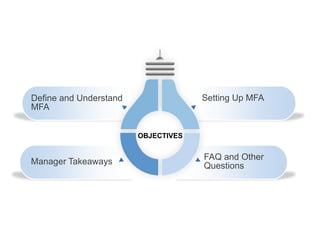
Setting Up MFA
2
Define and Understand
MFA
Manager Takeaways
OBJECTIVES
FAQ and Other
Questions
What is MFA?
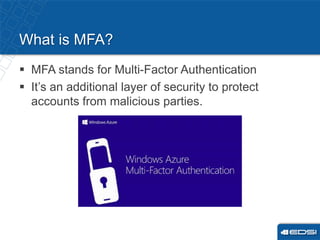
 MFA stands for Multi-Factor Authentication
 It’s an additional layer of security to protect
accounts from malicious parties.
Why MFA?
 Information is a companies biggest asset
 Secures and protection for our accounts
 Stops the spread of malicious/spam emails
internally and externally
When?
 EDSI is enabling MFA on Thursday November 8th
 Users are required to setup MFA starting on Thursday
at 9am
 Every employee should have a calendar invite
– All information presented here are contained within the
invite
Text Message
 Most basic method
 Requires a phone
number with text
message capabilities
 You will receive a text
message when your
account is being used
from a new source and
for other events
Microsoft Authenticator App
 Most secure method
 Requires the download of
an app from the native
App store on your phone
 The app will send a push
notifications to your
phone
Two Ways for MFA
MFA Setup
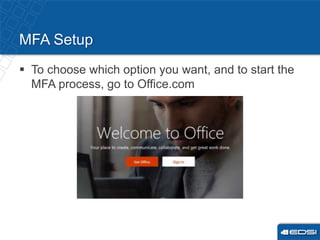
 To choose which option you want, and to start the
MFA process, go to Office.com
After Setup
 MFA effects Microsoft only the following: Outlook,
Skype & Mobile Email.
 Once setup*, you will be prompted to enter a
password**
*The setup might take some time.
**Some programs want your new MFA (“app”) password,
others want your EDSI password. It will not be explicit, we
recommend trying both.
9
Manager Takeaways
 Prep your team for November 8th
 Urge your teams to log into EDSIyou
and access the MFA Course
 Video and Written Tutorials
 MFA can be setup from any
computer or any mobile device
 Know the side effects of MFA after
setup:
– Outlook/Mobile E-mail won’t connect
Issues, Questions, Concerns
 Website: EDSIsolutions.Zendesk.com
 Email: support@EDSIsolutions.Zendesk.com
11
Discussion
12

MFA-Powerpoint.pptx

  • 1.
  • 2.
    Setting Up MFA 2 Defineand Understand MFA Manager Takeaways OBJECTIVES FAQ and Other Questions
  • 3.
    What is MFA? MFA stands for Multi-Factor Authentication  It’s an additional layer of security to protect accounts from malicious parties.
  • 4.
    Why MFA?  Informationis a companies biggest asset  Secures and protection for our accounts  Stops the spread of malicious/spam emails internally and externally
  • 5.
    When?  EDSI isenabling MFA on Thursday November 8th  Users are required to setup MFA starting on Thursday at 9am  Every employee should have a calendar invite – All information presented here are contained within the invite
  • 6.
    Text Message  Mostbasic method  Requires a phone number with text message capabilities  You will receive a text message when your account is being used from a new source and for other events Microsoft Authenticator App  Most secure method  Requires the download of an app from the native App store on your phone  The app will send a push notifications to your phone Two Ways for MFA
  • 7.
    MFA Setup  Tochoose which option you want, and to start the MFA process, go to Office.com
  • 8.
    After Setup  MFAeffects Microsoft only the following: Outlook, Skype & Mobile Email.  Once setup*, you will be prompted to enter a password** *The setup might take some time. **Some programs want your new MFA (“app”) password, others want your EDSI password. It will not be explicit, we recommend trying both.
  • 9.
    9 Manager Takeaways  Prepyour team for November 8th  Urge your teams to log into EDSIyou and access the MFA Course  Video and Written Tutorials  MFA can be setup from any computer or any mobile device  Know the side effects of MFA after setup: – Outlook/Mobile E-mail won’t connect
  • 10.
    Issues, Questions, Concerns Website: EDSIsolutions.Zendesk.com  Email: support@EDSIsolutions.Zendesk.com
  • 11.
  • 12.

Editor's Notes

  • #4 You probably already use this with your personal accounts. Banking or Gmail? When you log into your account form an unknown computer it asks to text you.
  • #5 Have you recently gotten some strange emails filling up your email in box, this should stop that. Have you maybe accidently clicked opened one of those emails? This will protect you from yourself!
  • #6 *MFA will be open to setup for a week
  • #7 Source= computer or application Both of these methods requires activation by using office.com
  • #9 *The change might be immediate, or it might lag. *Sometimes
  • #10 Staff do not need to be in the office that day or using that computer.