Multi-Factor
Authentication
In Salesforce
cloud.analogy info@cloudanalogy.com +1(415)830-3899
What Is MFA ?
MFA is an effective way to boost protection for user accounts against
common security threats. It adds another layer of security to your login
process that require users to enter two or more pieces of evidence to
prove their identity.
cloud.analogy info@cloudanalogy.com +1(415)830-3899
Why is Salesforce requiring MFA?
Today, it's more important than ever to enforce stronger data security measures.
An important part of your security strategy is protecting access to your Salesforce
user accounts. Usernames and passwords alone no longer offer adequate
protection against cyber attacks.
That's where MFA comes in.
MFA - This is one of the easiest and most effective ways to prevent unauthorized
access to your account and protect your data and your customers' data
cloud.analogy info@cloudanalogy.com +1(415)830-3899
Multi-factor Authentication Methods:
1. Salesforce Authenticator - A free mobile app that integrates with your
login process to let users verify their identity via push notifications.
1. Security keys - Signing in with this option enables users to simply
connect the key to their computer then press the key’s button to verify
their identity.
1. Third-party TOTP authentication applications - Applications that
generate a unique temporary verification code that the user enters
when prompted. This code is called a time-based one-time password.
cloud.analogy info@cloudanalogy.com +1(415)830-3899
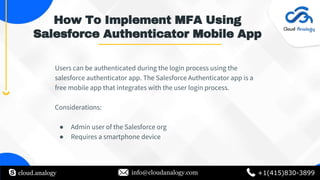
How To Implement MFA Using
Salesforce Authenticator Mobile App
Users can be authenticated during the login process using the
salesforce authenticator app. The Salesforce Authenticator app is a
free mobile app that integrates with the user login process.
Considerations:
● Admin user of the Salesforce org
● Requires a smartphone device
cloud.analogy info@cloudanalogy.com +1(415)830-3899
MFA Pricing And Accessibility
Starting February 1, 2022, all Salesforce users must use multifactor
authentication (MFA) to access Salesforce products. Also, MFA is
available at no additional cost.
cloud.analogy info@cloudanalogy.com +1(415)830-3899
Thanks

Multi-Factor Authentication In Salesforce

  • 1.
  • 2.
    What Is MFA? MFA is an effective way to boost protection for user accounts against common security threats. It adds another layer of security to your login process that require users to enter two or more pieces of evidence to prove their identity. cloud.analogy info@cloudanalogy.com +1(415)830-3899
  • 3.
    Why is Salesforcerequiring MFA? Today, it's more important than ever to enforce stronger data security measures. An important part of your security strategy is protecting access to your Salesforce user accounts. Usernames and passwords alone no longer offer adequate protection against cyber attacks. That's where MFA comes in. MFA - This is one of the easiest and most effective ways to prevent unauthorized access to your account and protect your data and your customers' data cloud.analogy info@cloudanalogy.com +1(415)830-3899
  • 4.
    Multi-factor Authentication Methods: 1.Salesforce Authenticator - A free mobile app that integrates with your login process to let users verify their identity via push notifications. 1. Security keys - Signing in with this option enables users to simply connect the key to their computer then press the key’s button to verify their identity. 1. Third-party TOTP authentication applications - Applications that generate a unique temporary verification code that the user enters when prompted. This code is called a time-based one-time password. cloud.analogy info@cloudanalogy.com +1(415)830-3899
  • 5.
    How To ImplementMFA Using Salesforce Authenticator Mobile App Users can be authenticated during the login process using the salesforce authenticator app. The Salesforce Authenticator app is a free mobile app that integrates with the user login process. Considerations: ● Admin user of the Salesforce org ● Requires a smartphone device cloud.analogy info@cloudanalogy.com +1(415)830-3899
  • 6.
    MFA Pricing AndAccessibility Starting February 1, 2022, all Salesforce users must use multifactor authentication (MFA) to access Salesforce products. Also, MFA is available at no additional cost. cloud.analogy info@cloudanalogy.com +1(415)830-3899
  • 7.