Warm Welcome
Presentation Agenda
•COSEC Access Control
•Applications
•COSEC Solution
•Key Features
 Advanced Access Control
 Emergency Handling
 Monitoring and Controlling
 Hardware
•Access Control Reports and Features List
COSEC Access Control
What is Access Control?
• Prevent Unauthorized Entry
• Protects and Preserves Enterprise’s Resources
• Allow Authorized People Entry at Specified Time
• Round the Clock Security
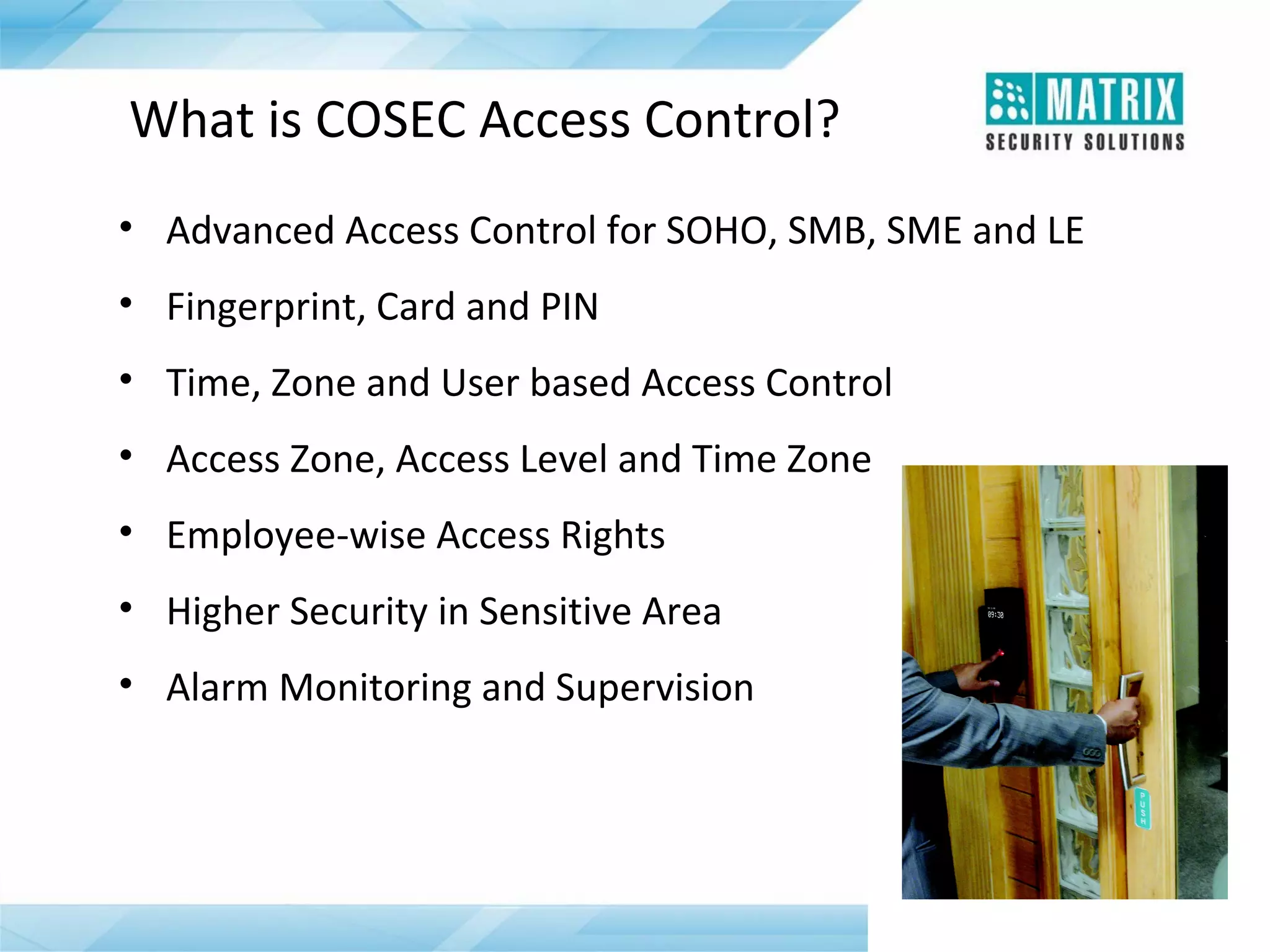
What is COSEC Access Control?
• Advanced Access Control for SOHO, SMB, SME and LE
• Fingerprint, Card and PIN
• Time, Zone and User based Access Control
• Access Zone, Access Level and Time Zone
• Employee-wise Access Rights
• Higher Security in Sensitive Area
• Alarm Monitoring and Supervision
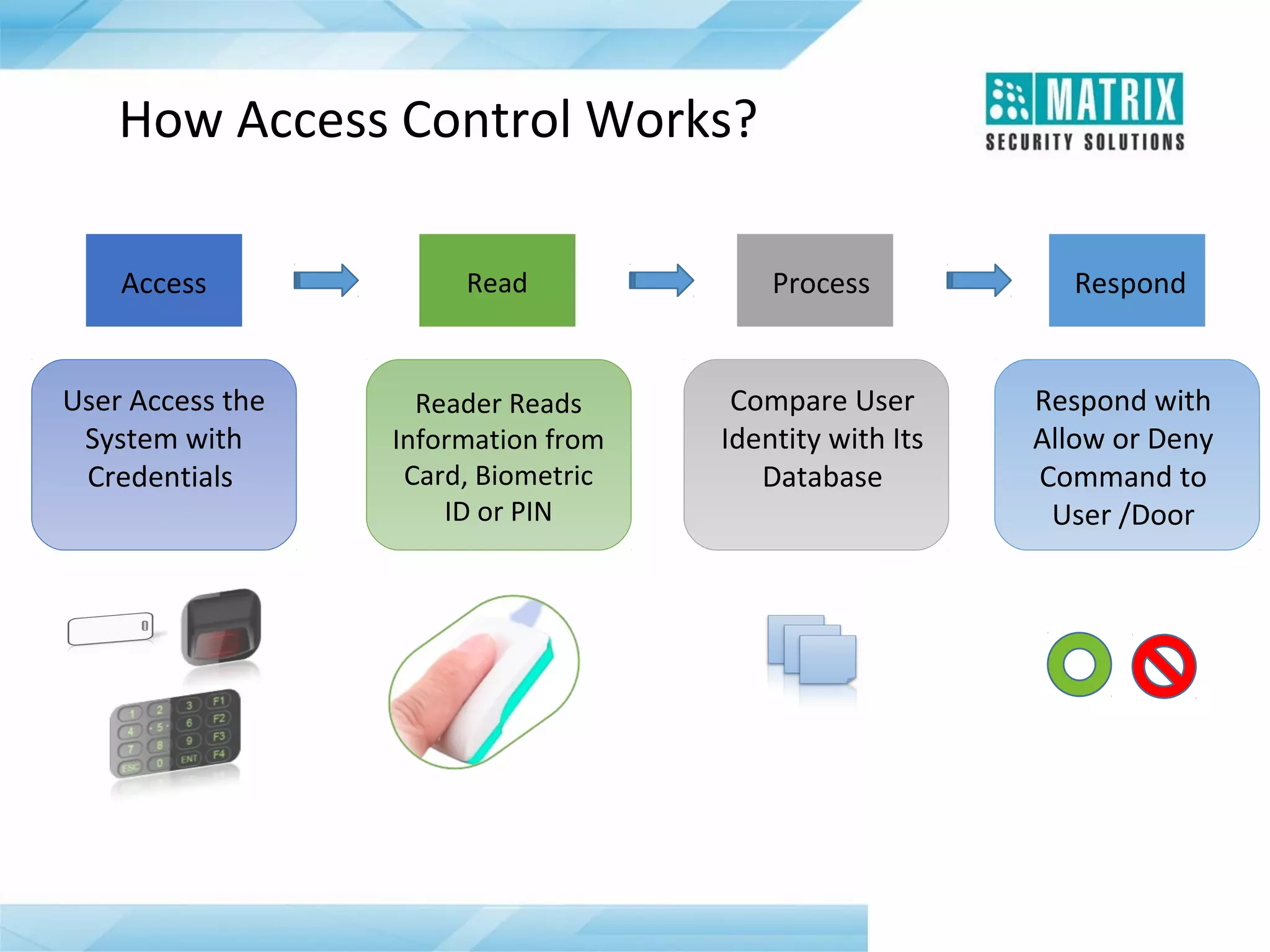
How Access Control Works?
Access

Read

Process

Respond

User Access the
System with
Credentials

Reader Reads
Information from
Card, Biometric
ID or PIN

Compare User
Identity with Its
Database

Respond with
Allow or Deny
Command to
User /Door
Benefits of Access Control System
• Higher Security for Organization and Employees
• Protects Enterprise Assets
• Restricts Unauthorized Access
• Eliminates Lock and Key Problems
• Provides Audit Trail
• Complete History Logging
• Monitor Status of Devices throughout a Facility
•

Reduce Cost of Security Personnel
Why COSEC Access Control?
• Deliver Advanced Security Features
• Centralized Monitoring and Control
• Superior Control over Employees and Visitor Access
• User-wise Access Rights
• User, Zone and Time based Access Control
• Input and Output Port Linking
• Integration with Fire Alarm Panel, Surveillance System etc.
Target Customers...

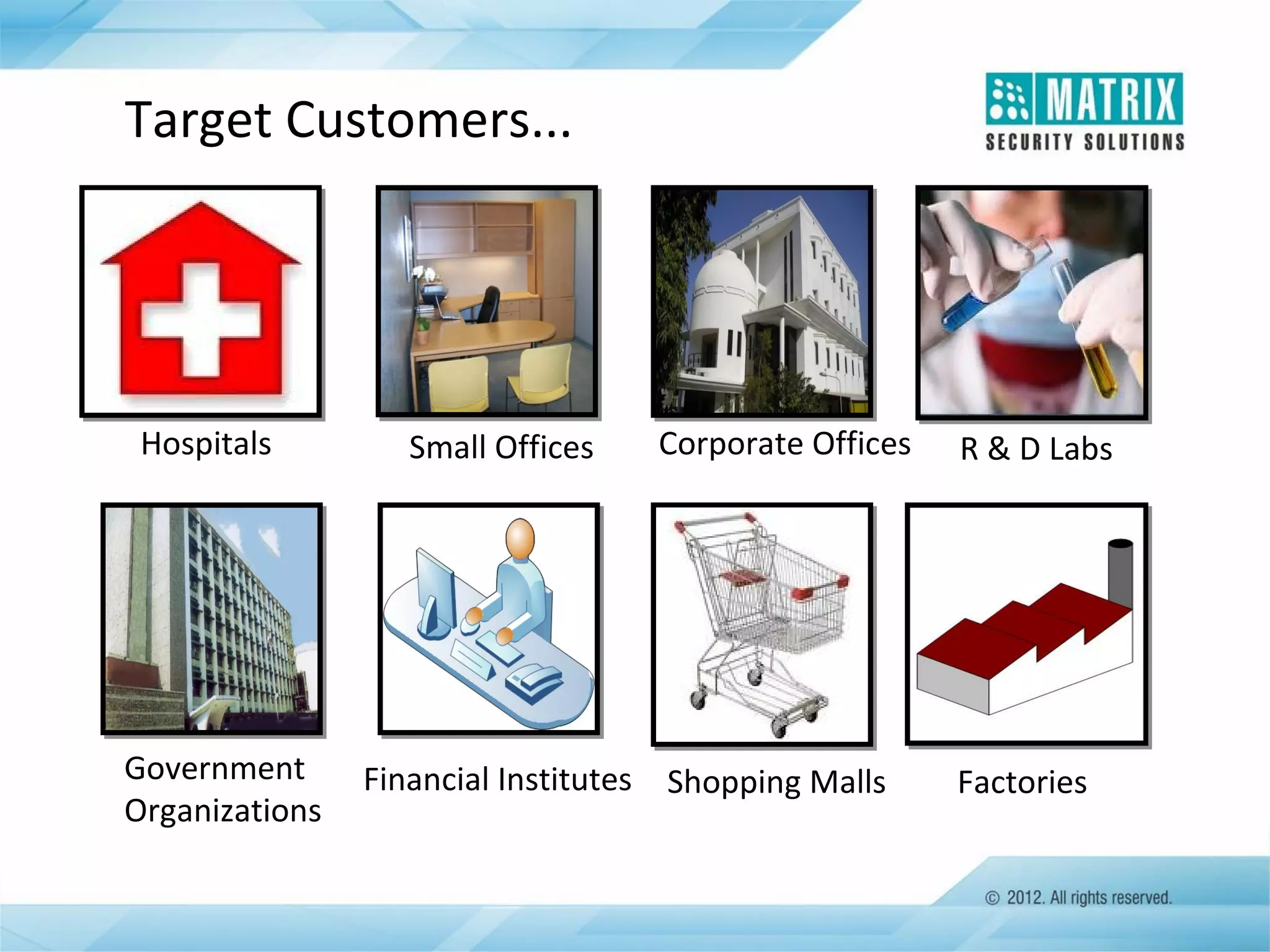
Hospitals

Government
Organizations

Small Offices

Corporate Offices

Financial Institutes Shopping Malls

R & D Labs

Factories
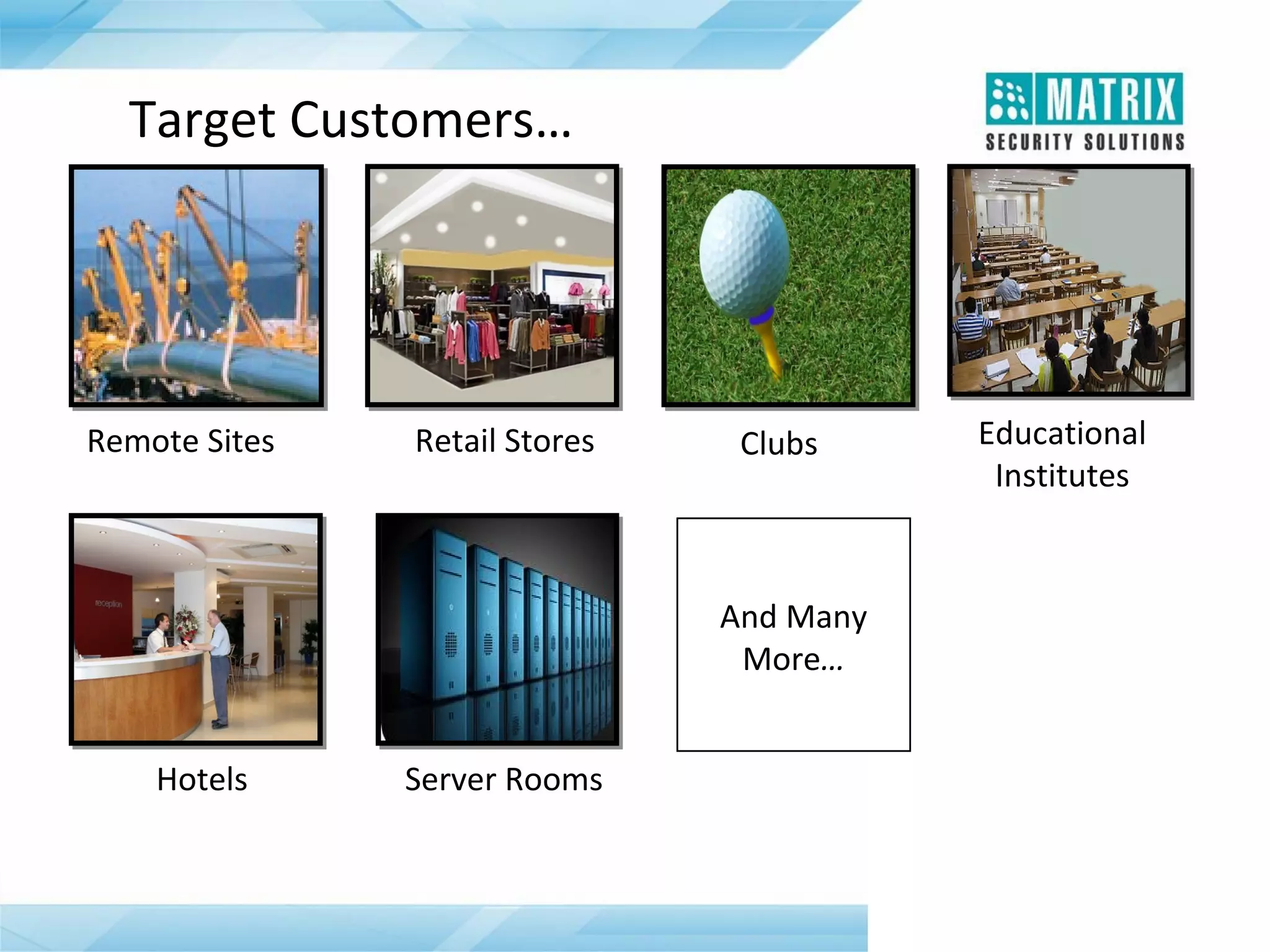
Target Customers…

Remote Sites

Retail Stores

Clubs

And Many
More…
Hotels

Server Rooms

Educational
Institutes
Applications
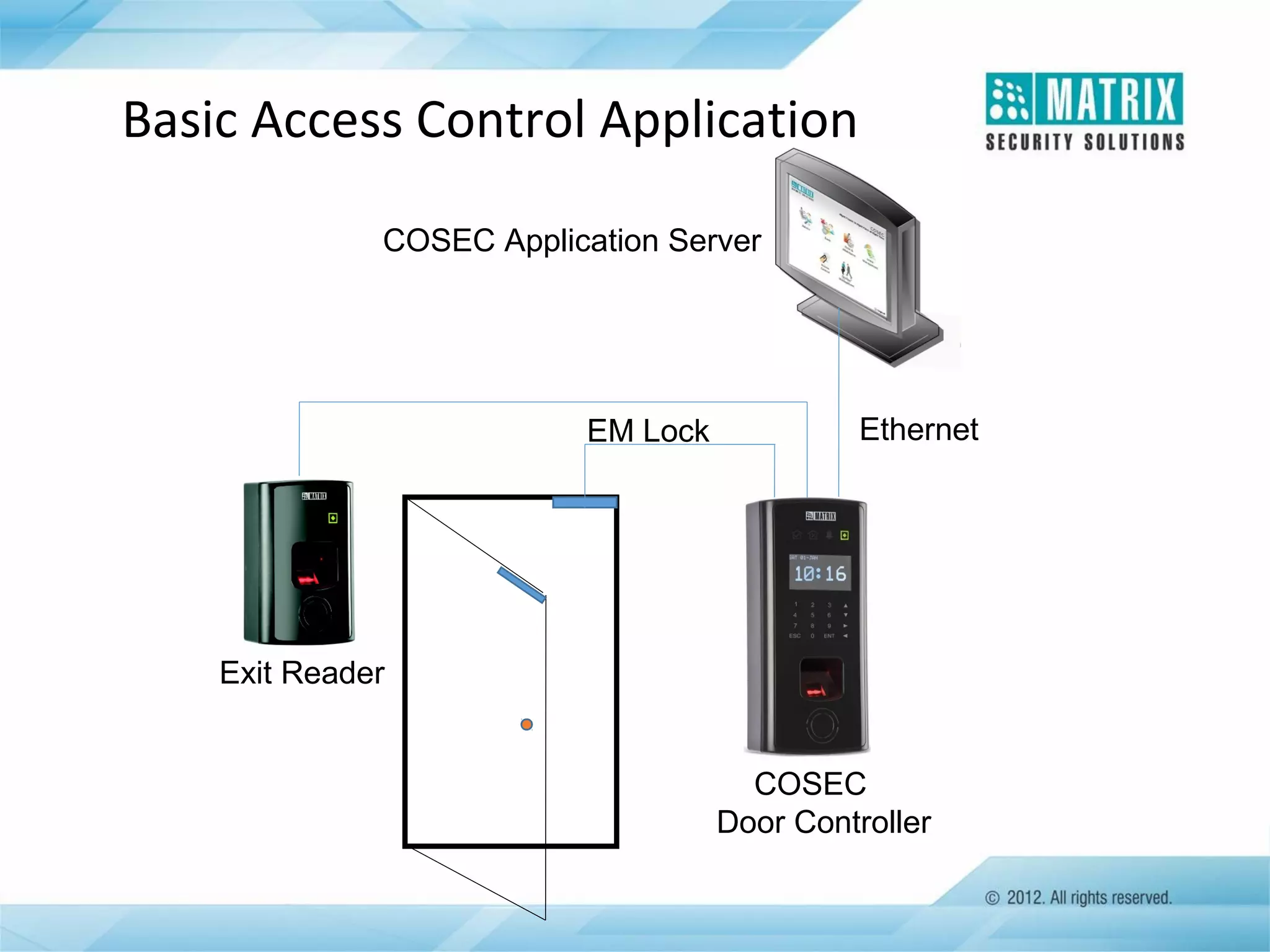
Basic Access Control Application
COSEC Application Server

EM Lock

Ethernet

Exit Reader
COSEC
Door Controller
Basic Access Control Application
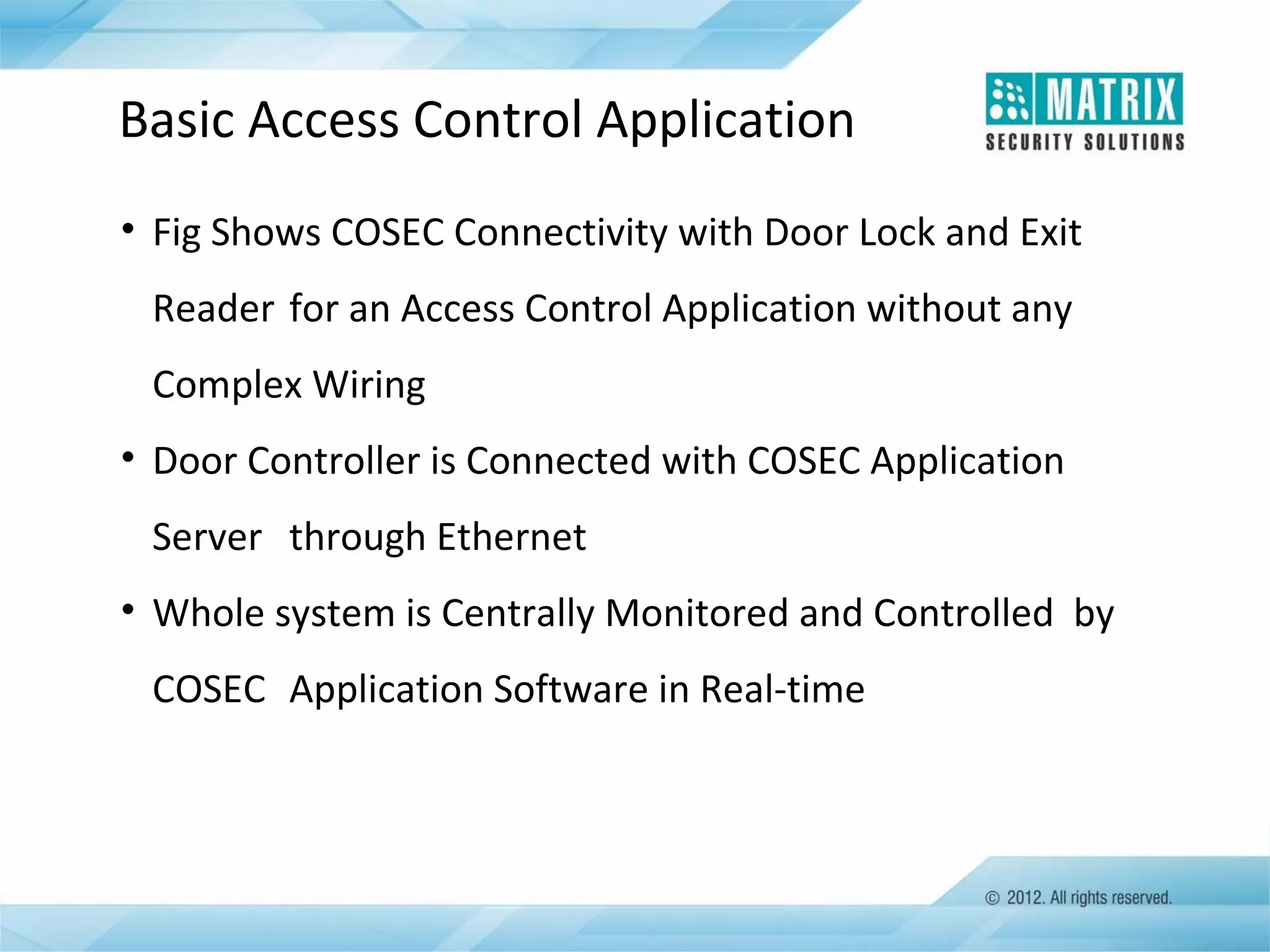
• Fig Shows COSEC Connectivity with Door Lock and Exit
Reader for an Access Control Application without any
Complex Wiring
• Door Controller is Connected with COSEC Application
Server through Ethernet
• Whole system is Centrally Monitored and Controlled by
COSEC Application Software in Real-time
Multi Floor Application
Campus Application
Canteen

Head Office

COSEC Server

R&D Lab

Door Controller

Factory
COSEC Layered Architecture
COSEC Application Software
• Complete and Powerful Web based Application Software
• Controls up to 1000 PANEL LITE and 65,000 Door Controllers
• Manage up to 1 Million Users
• Time-attendance, Access Control, Leave Management,
Visitor Management, Employee Self Service, Roster
Management and e-Canteen Management
• Real-time Monitoring and Control
• Comprehensive Reports Generation
• Integration with ERP, Active Directory, HRM, Tally and
Payroll
COSEC Hardware Solution
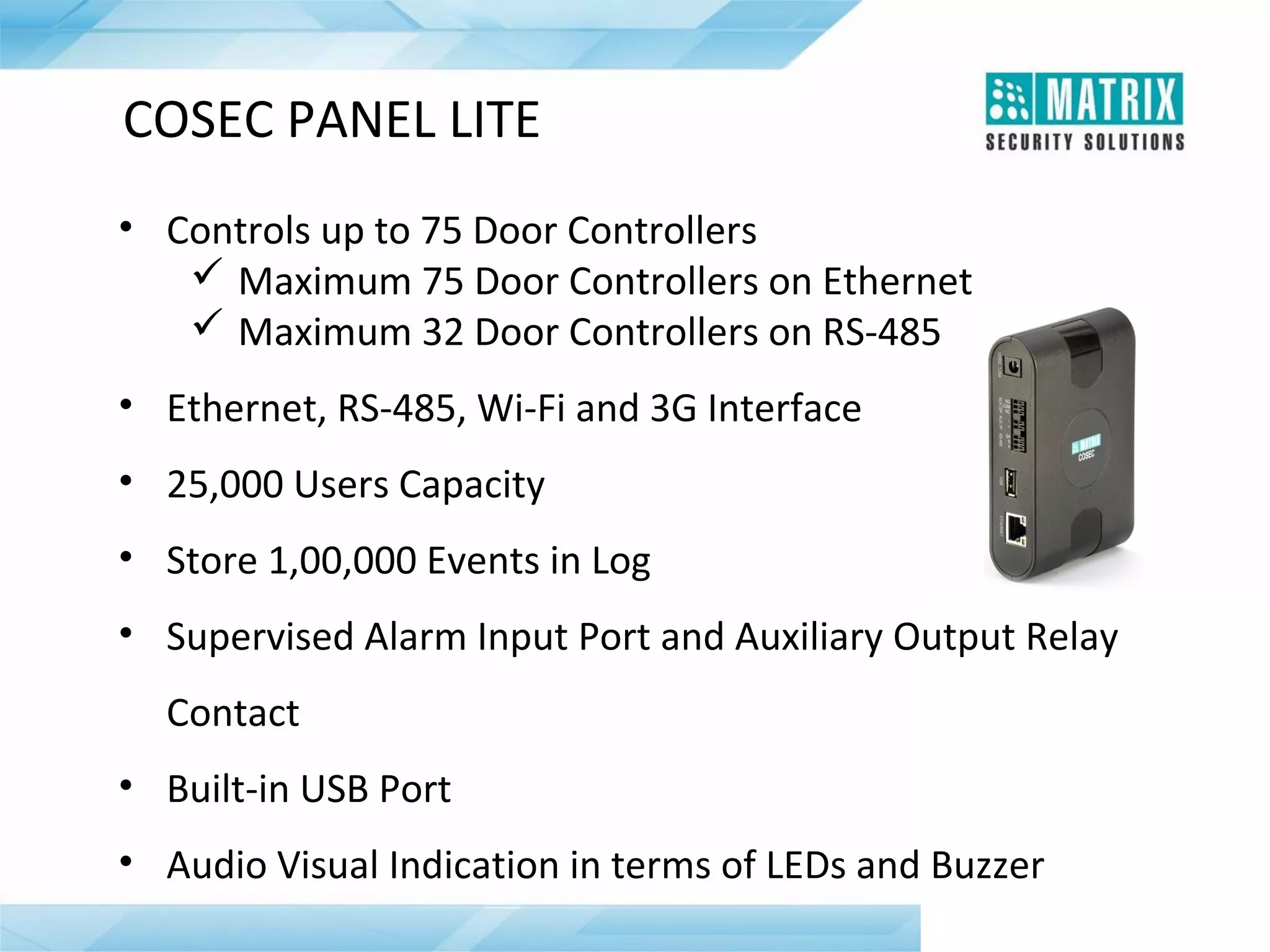
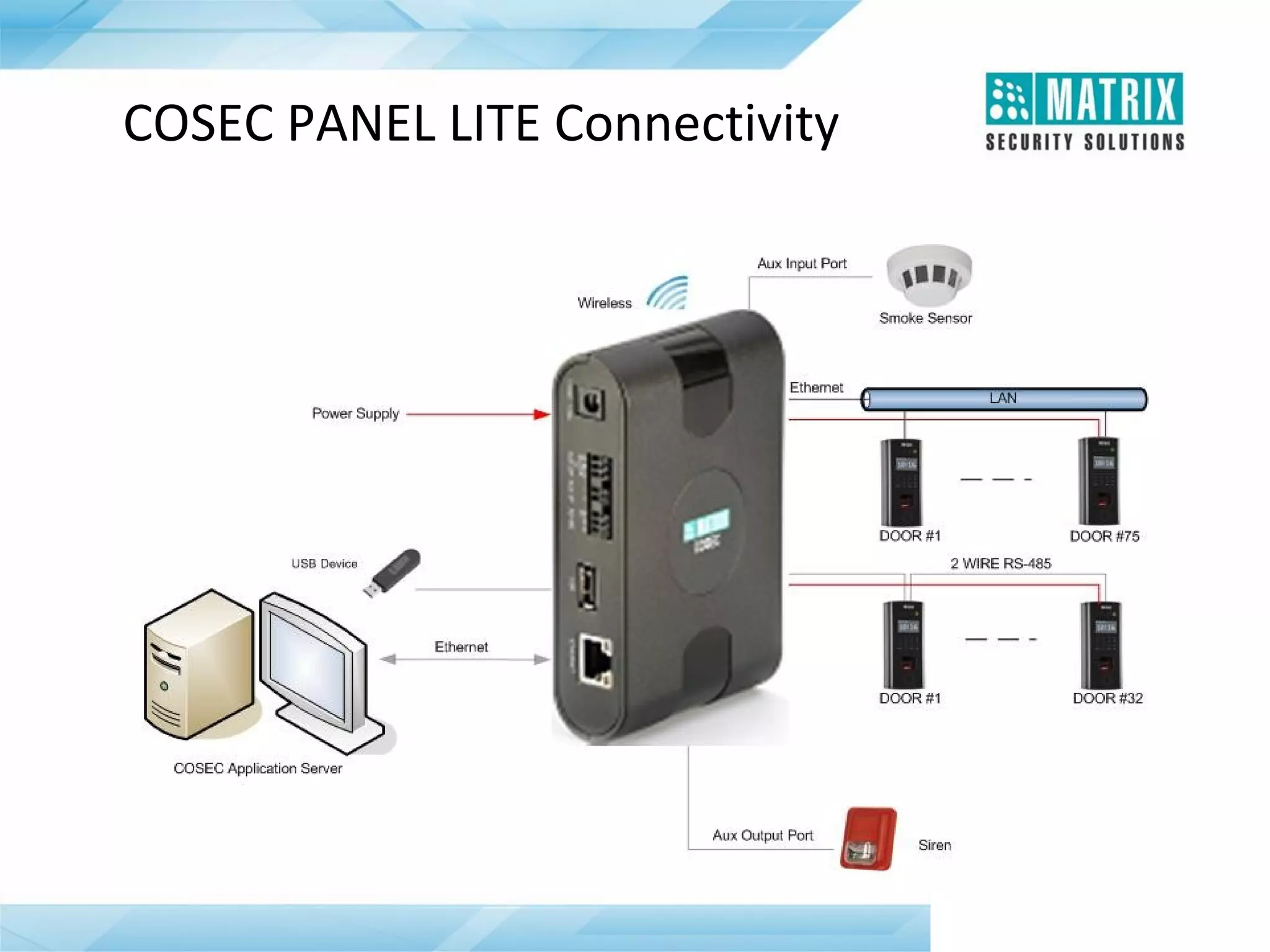
COSEC PANEL LITE
• Controls up to 75 Door Controllers
 Maximum 75 Door Controllers on Ethernet
 Maximum 32 Door Controllers on RS-485
• Ethernet, RS-485, Wi-Fi and 3G Interface
• 25,000 Users Capacity
• Store 1,00,000 Events in Log
• Supervised Alarm Input Port and Auxiliary Output Relay
Contact
• Built-in USB Port
• Audio Visual Indication in terms of LEDs and Buzzer
When COSEC PANEL LITE is Required ?
• When More than 2000 Users per Door Controller are Required
• Greater than 50,000, Local Events Storage is Required
• When below Additional Security Features are Needed:

 Access Groups

 Home Zone

 Access Levels

 Visit Zone

 Day Light Saving

 Input-output Ports Link

 Dead-Man Zone

 Man Trap

 Do Not Disturb

 Soft Override

 Duress Detection

 Time Zone based Access

 Who’s In

 Guard Tour
COSEC PANEL LITE Connectivity
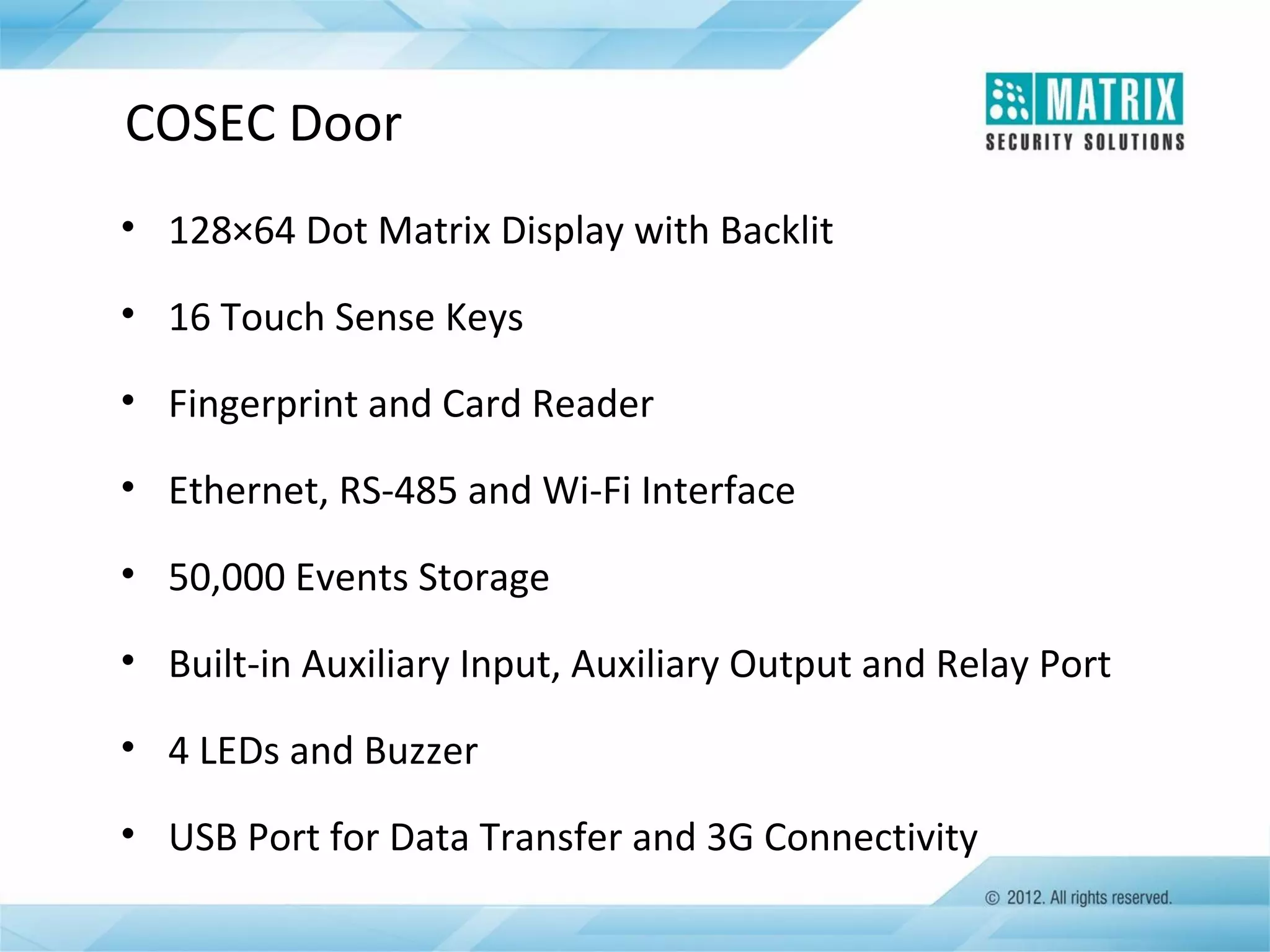
COSEC Door
• 128×64 Dot Matrix Display with Backlit
• 16 Touch Sense Keys
• Fingerprint and Card Reader
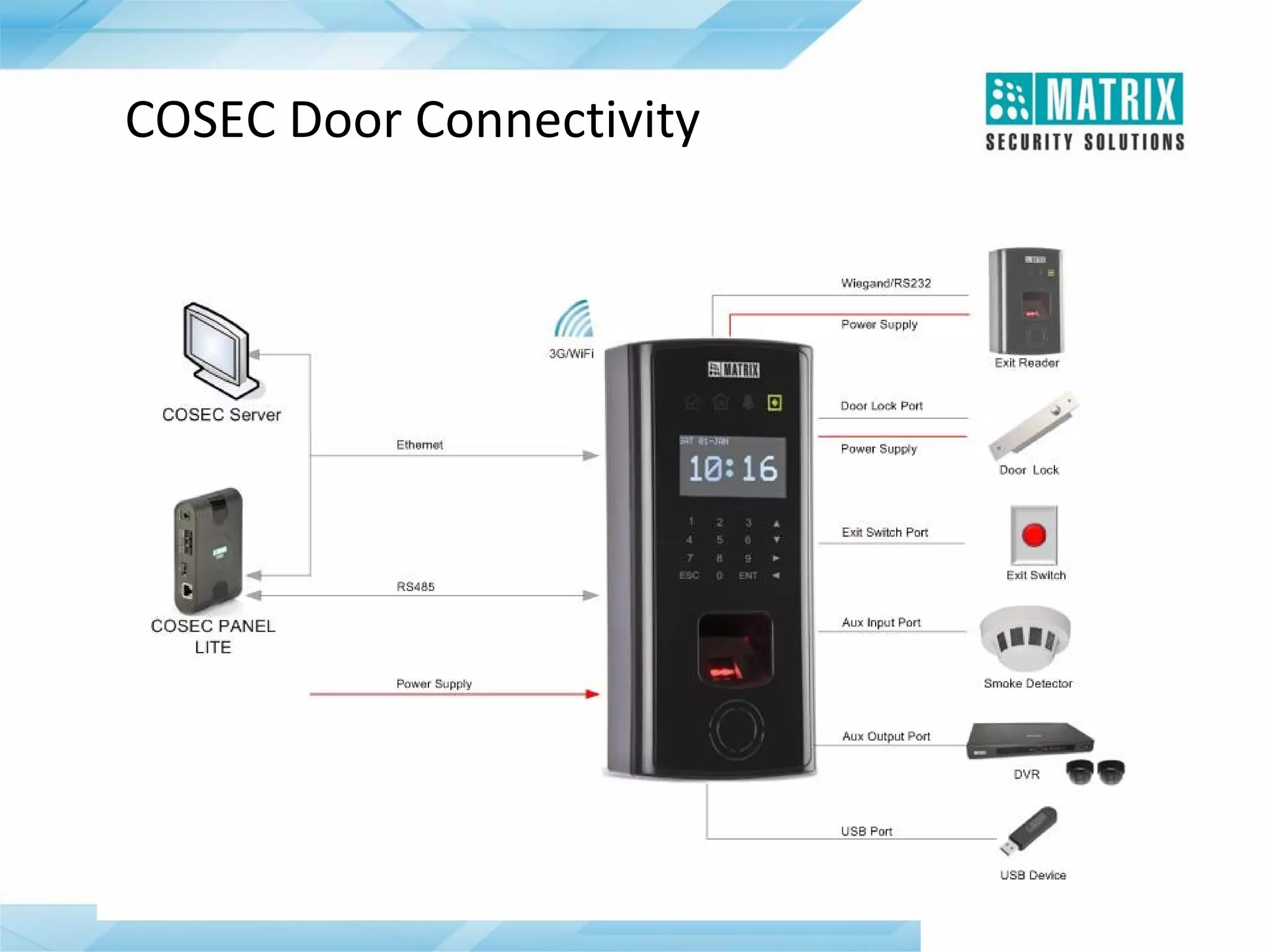
• Ethernet, RS-485 and Wi-Fi Interface
• 50,000 Events Storage
• Built-in Auxiliary Input, Auxiliary Output and Relay Port
• 4 LEDs and Buzzer
• USB Port for Data Transfer and 3G Connectivity
COSEC Door Connectivity
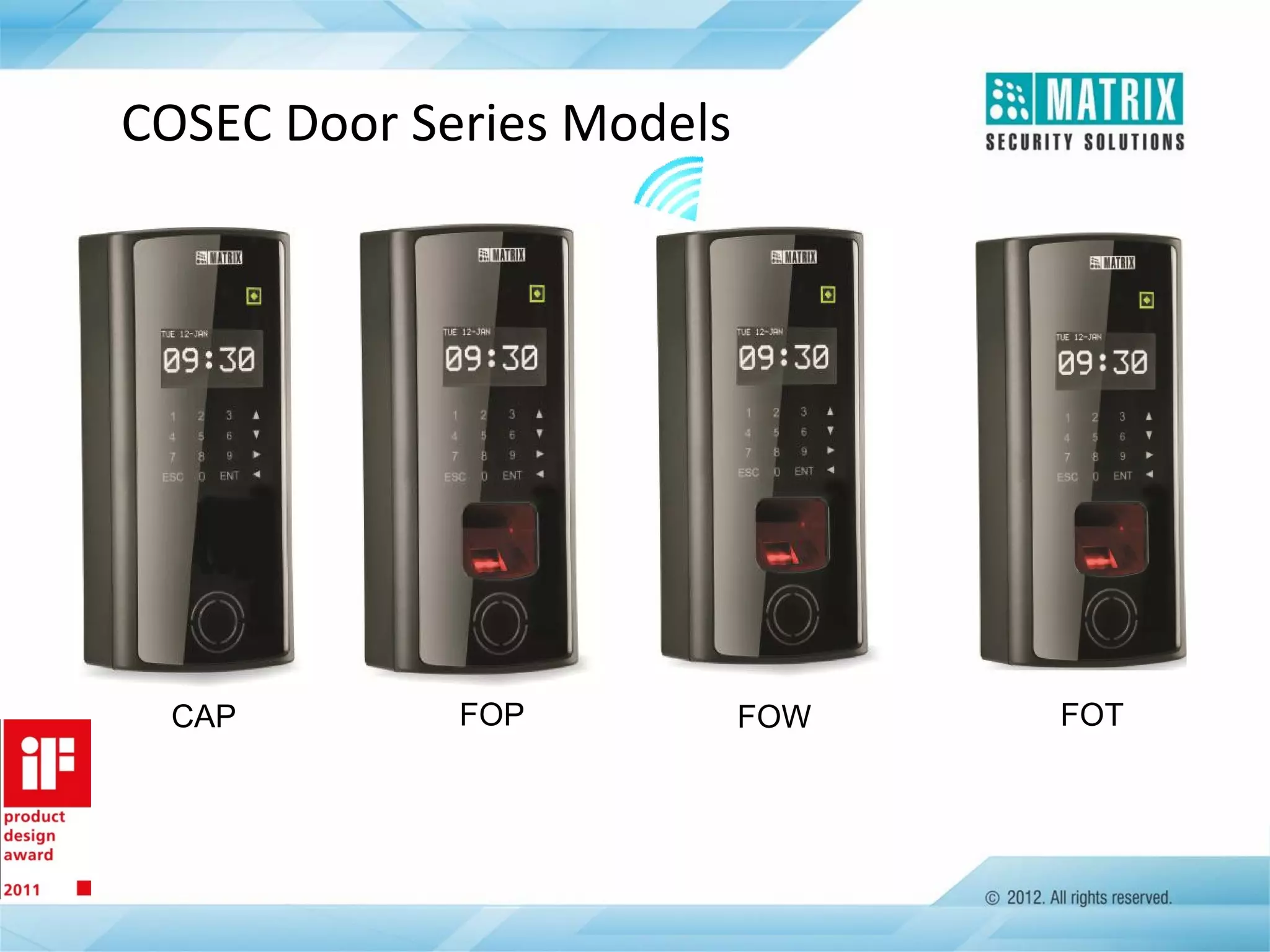
COSEC Door Series Models

CAP

FOP

FOW

FOT
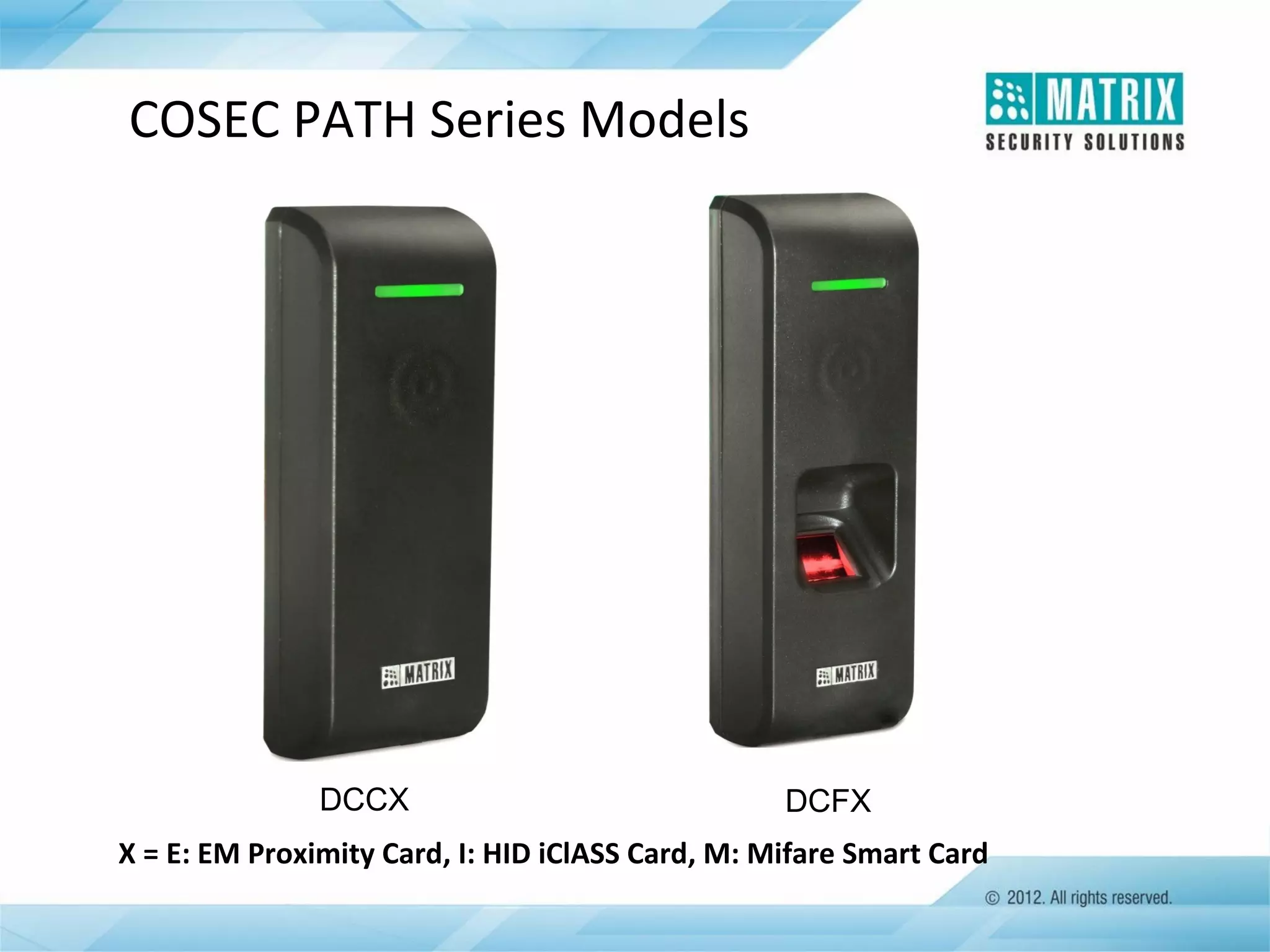
COSEC PATH Series Models

DCCX

DCFX

X = E: EM Proximity Card, I: HID iClASS Card, M: Mifare Smart Card
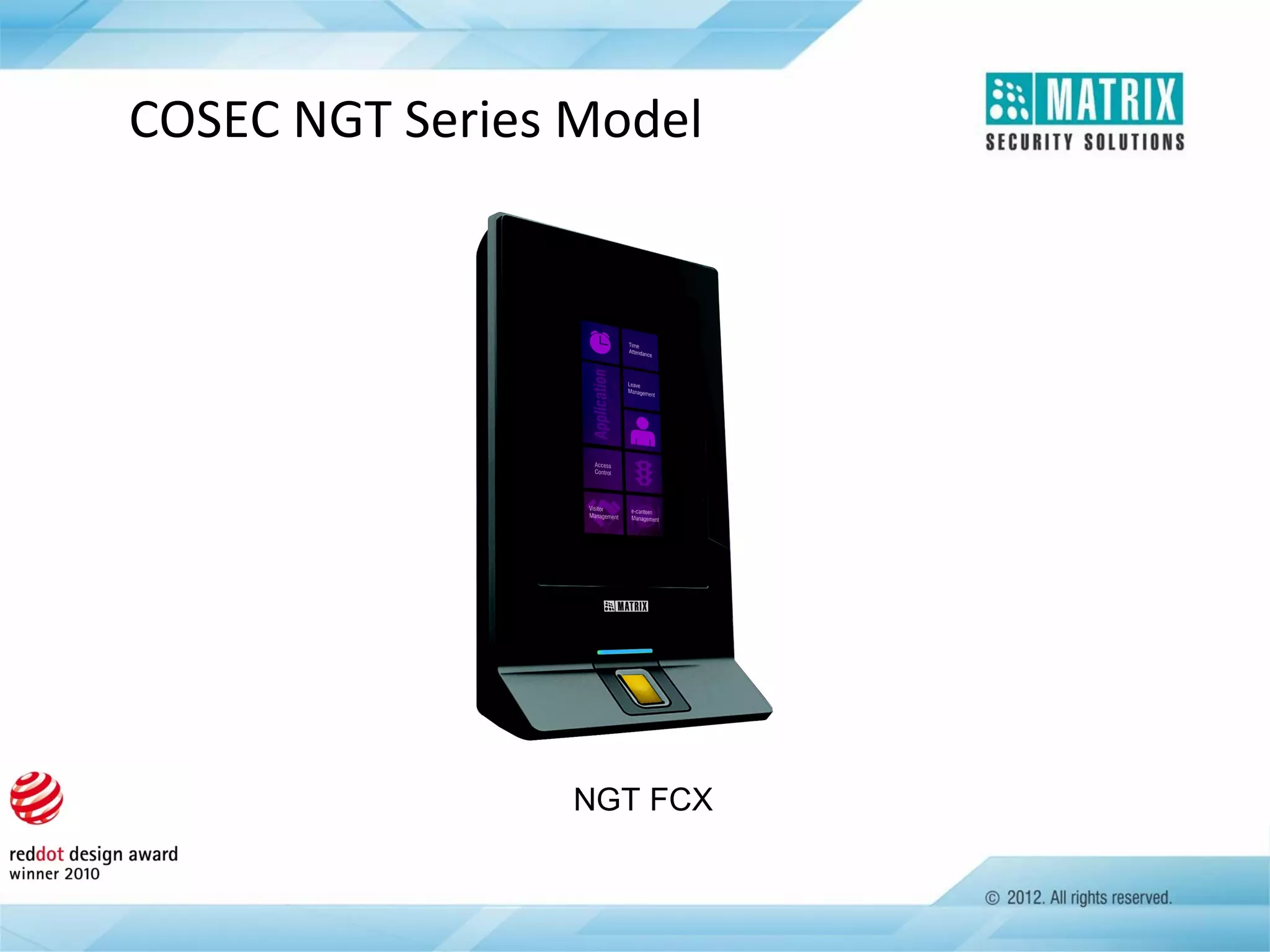
COSEC NGT Series Model

NGT FCX
COSEC Reader
Exit Reader
• Fingerprint or Contactless Card Reader
• Wiegand and RS-232 Interface
• Allowed, Denied, Status and Alarm LEDs
• Built-in Buzzer
• Power Supply from COSEC Door
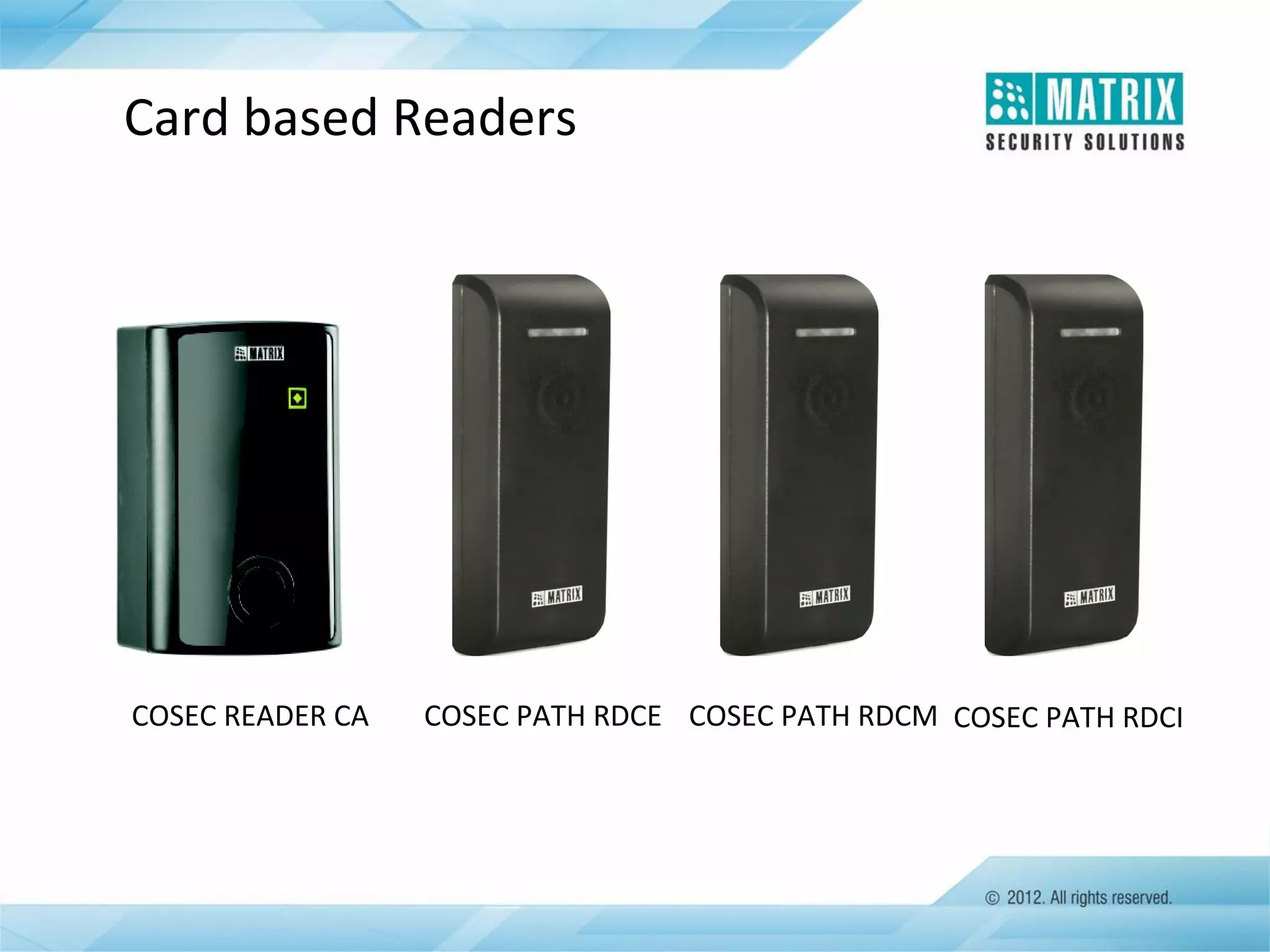
Card based Readers

COSEC READER CA

COSEC PATH RDCE COSEC PATH RDCM COSEC PATH RDCI
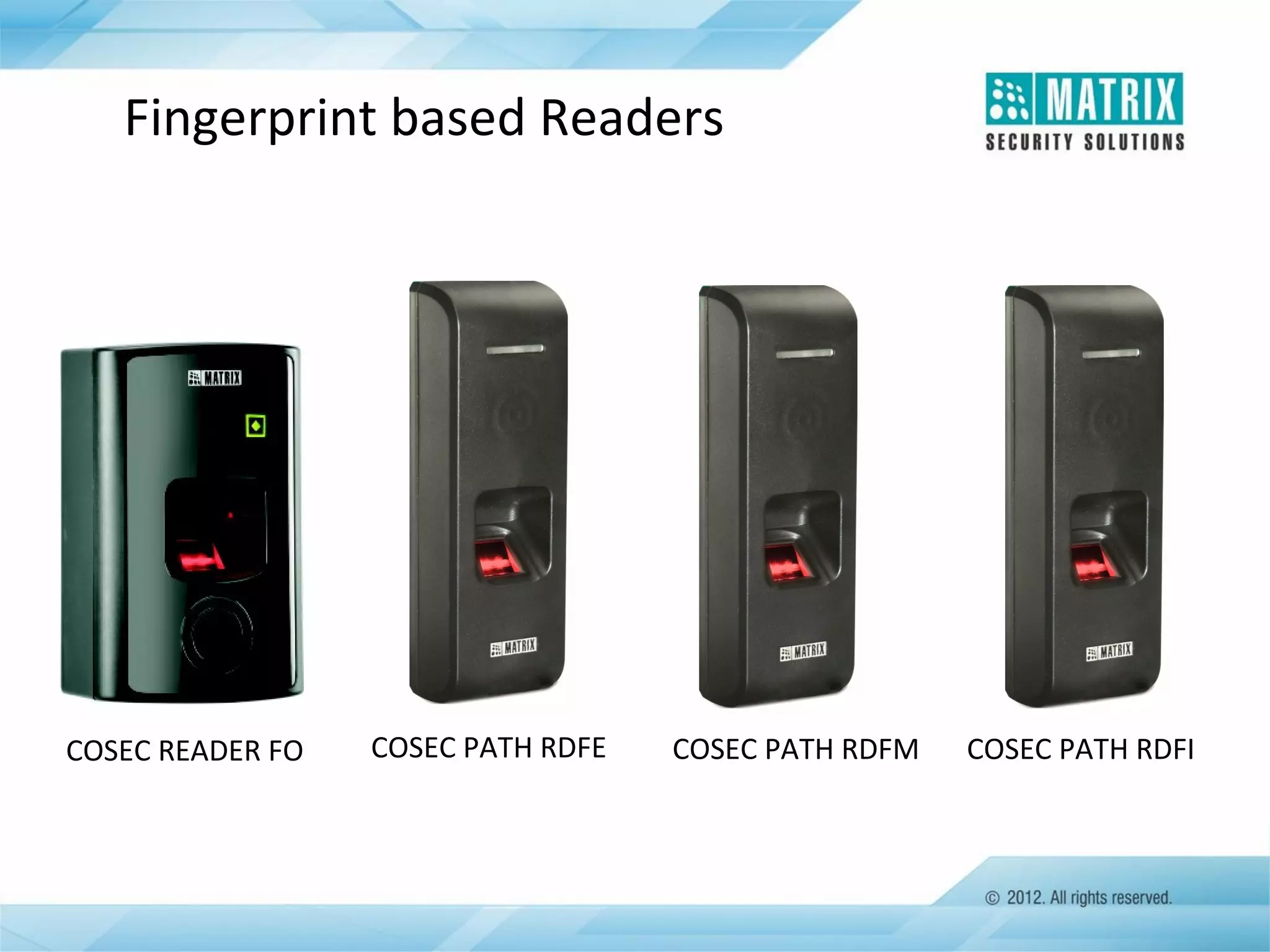
Fingerprint based Readers

COSEC READER FO

COSEC PATH RDFE

COSEC PATH RDFM

COSEC PATH RDFI
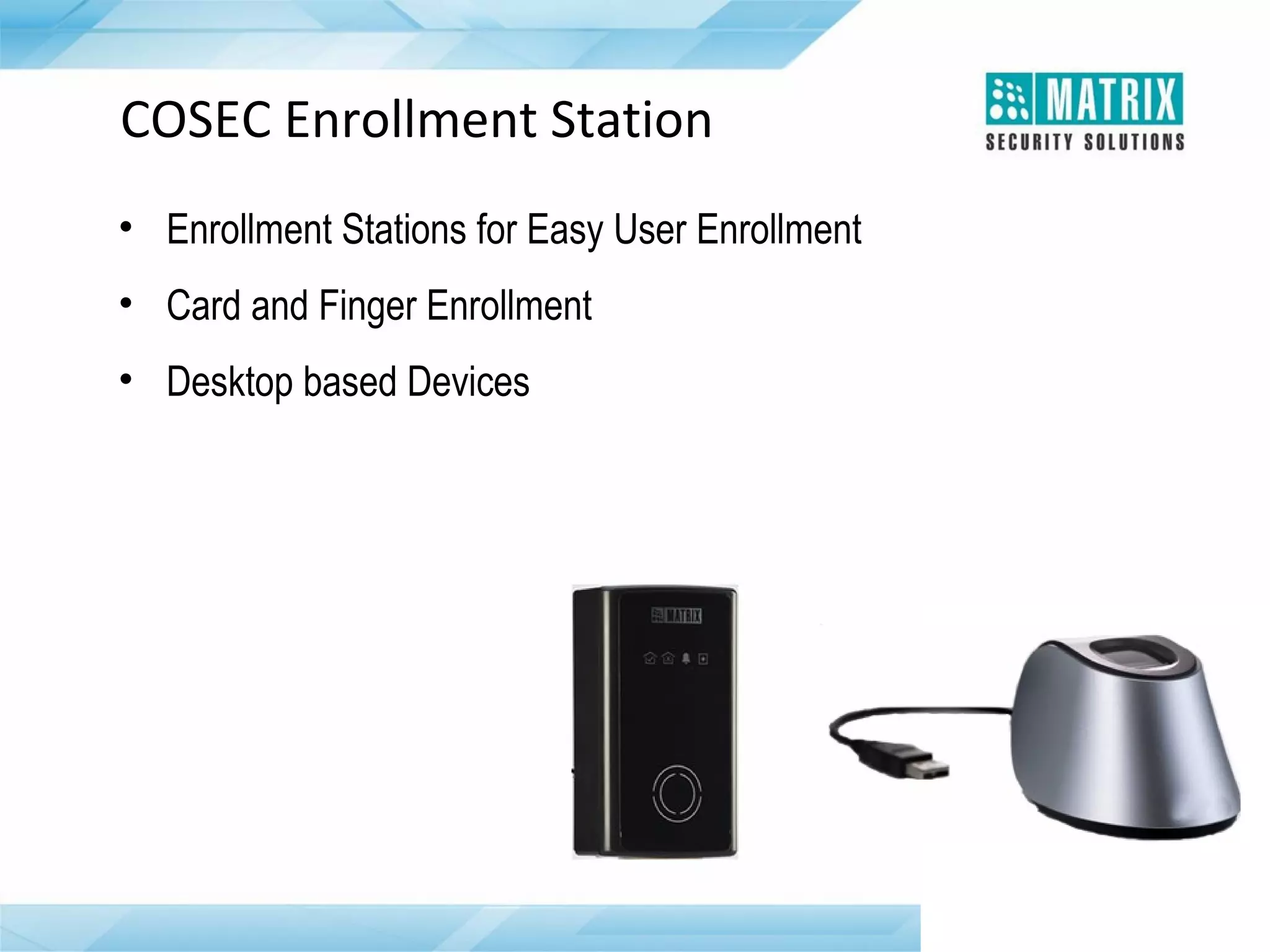
COSEC Enrollment Station
• Enrollment Stations for Easy User Enrollment
• Card and Finger Enrollment
• Desktop based Devices
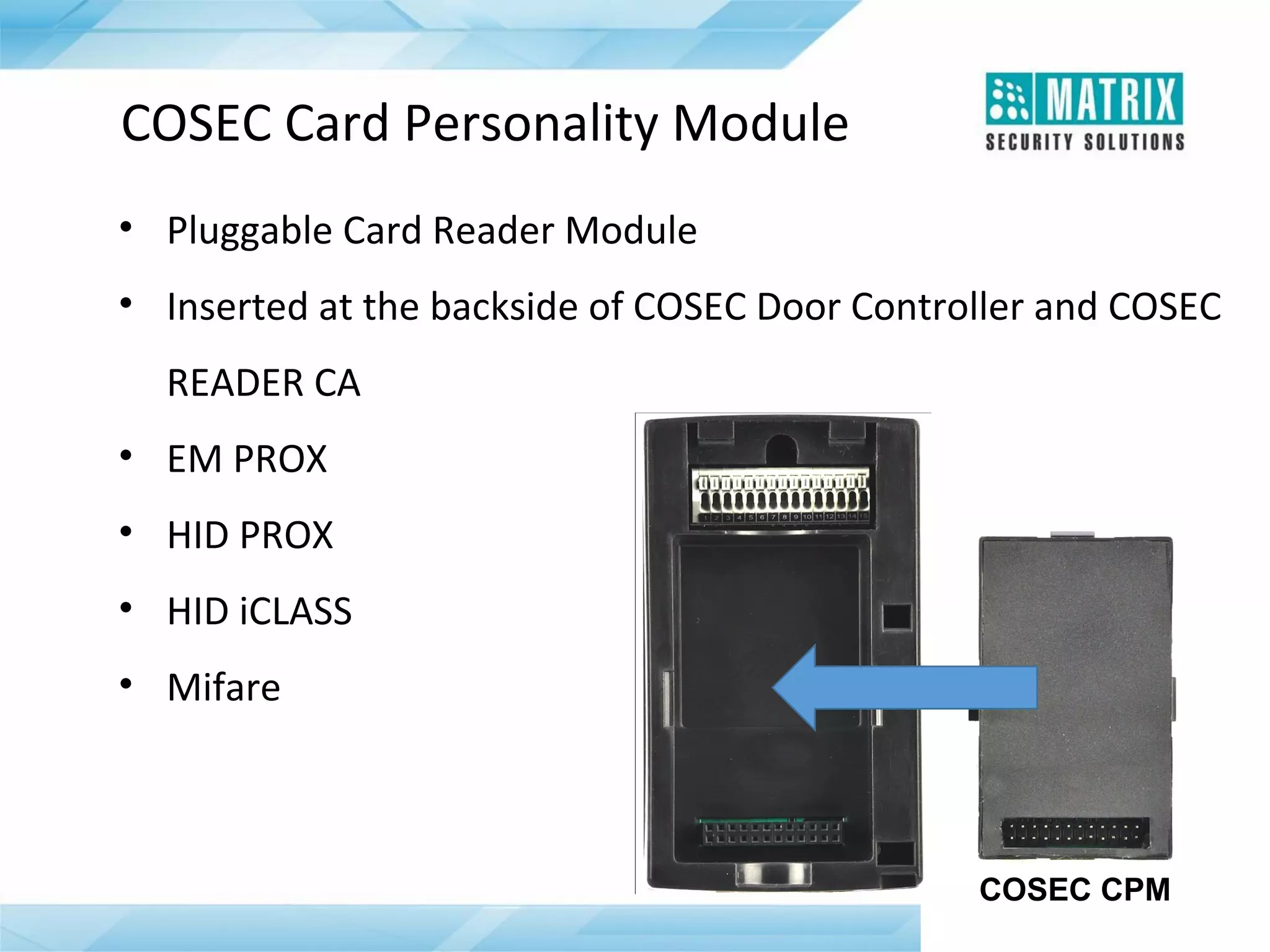
COSEC Card Personality Module
• Pluggable Card Reader Module
• Inserted at the backside of COSEC Door Controller and COSEC
READER CA
• EM PROX
• HID PROX
• HID iCLASS
• Mifare

COSEC CPM
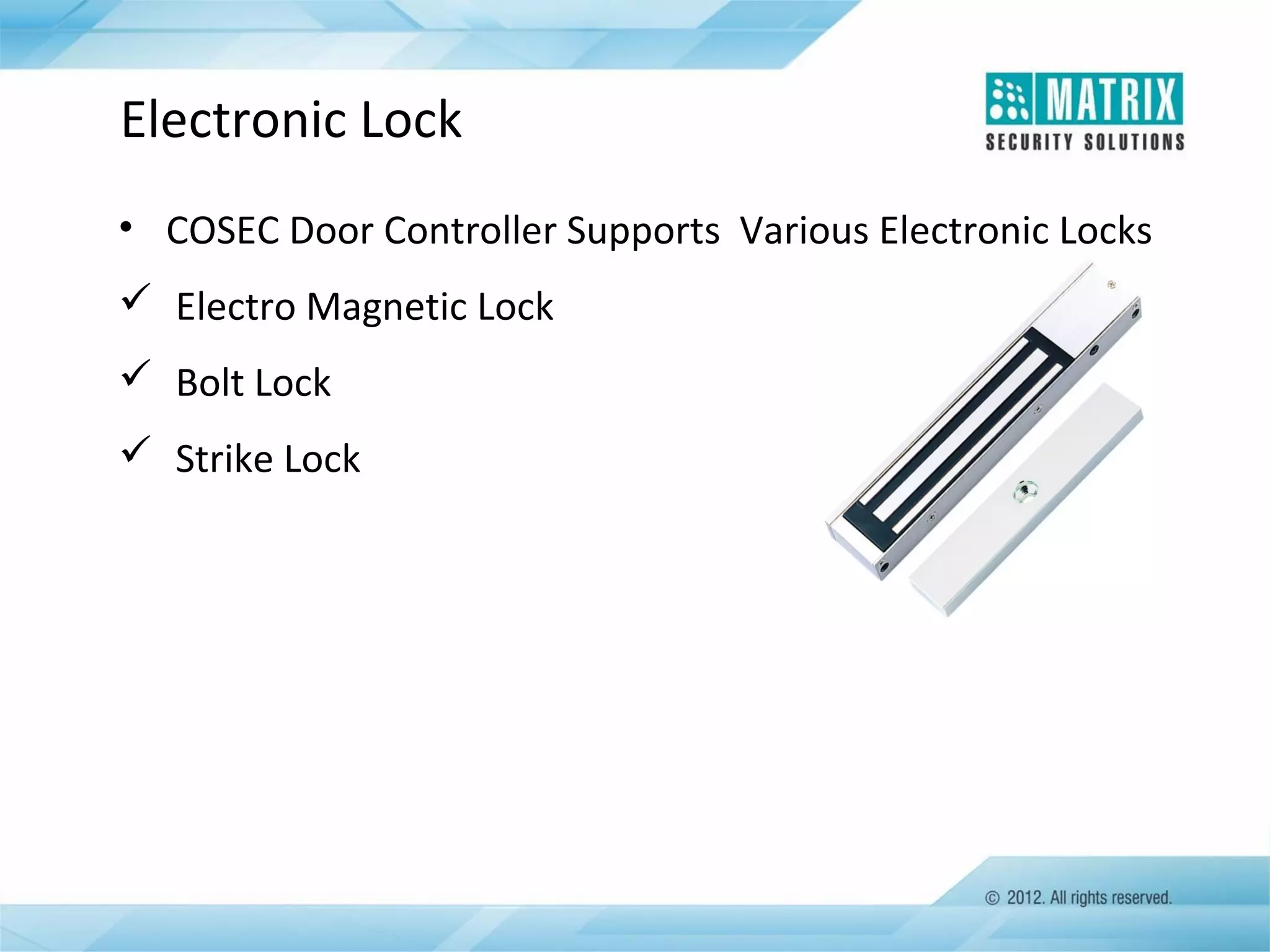
Electronic Lock
• COSEC Door Controller Supports Various Electronic Locks
 Electro Magnetic Lock
 Bolt Lock
 Strike Lock
Key Features
Access Group
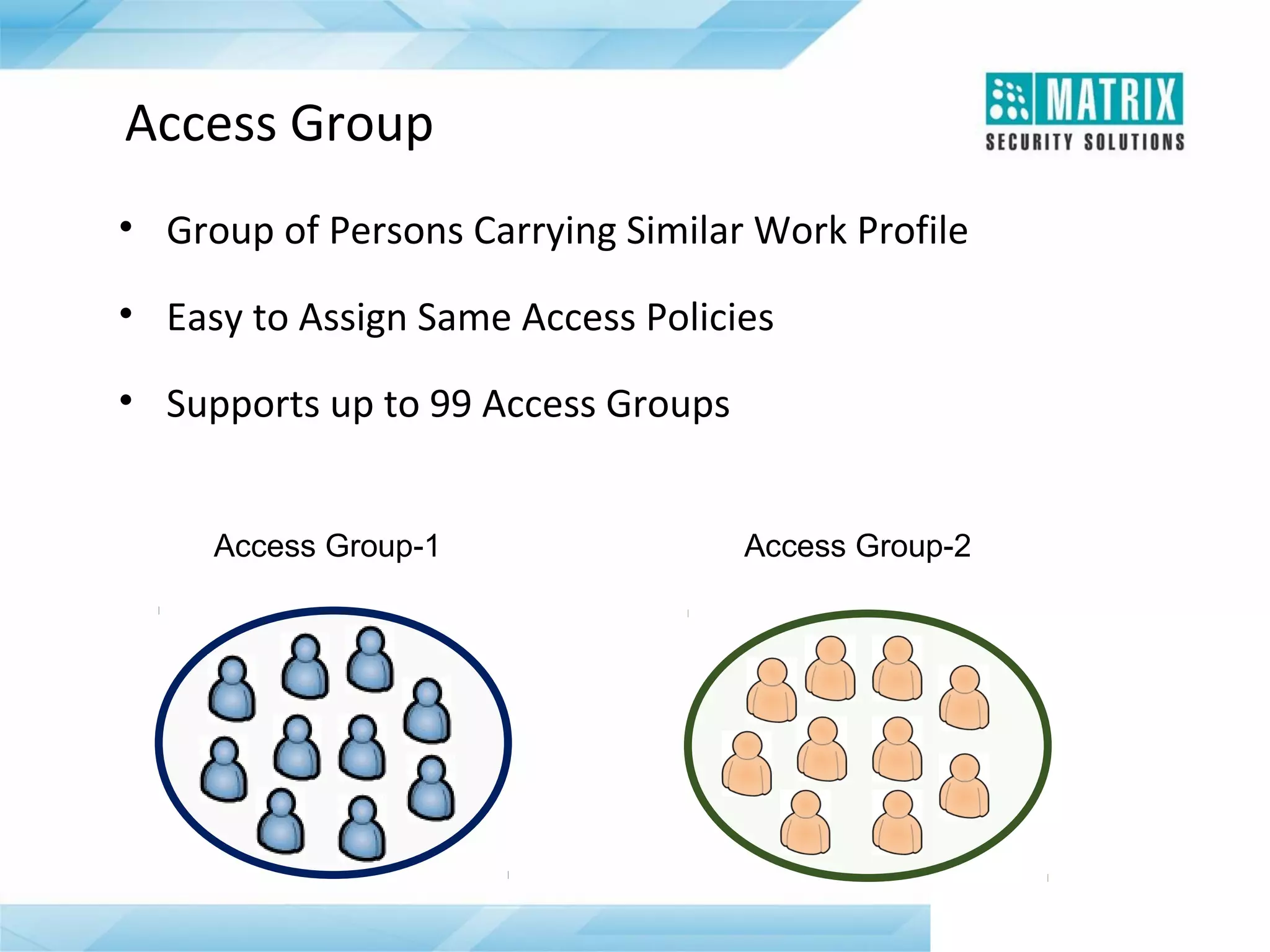
• Group of Persons Carrying Similar Work Profile
• Easy to Assign Same Access Policies
• Supports up to 99 Access Groups
Access Group-1

Access Group-2
Access Zone
•
•
•
•

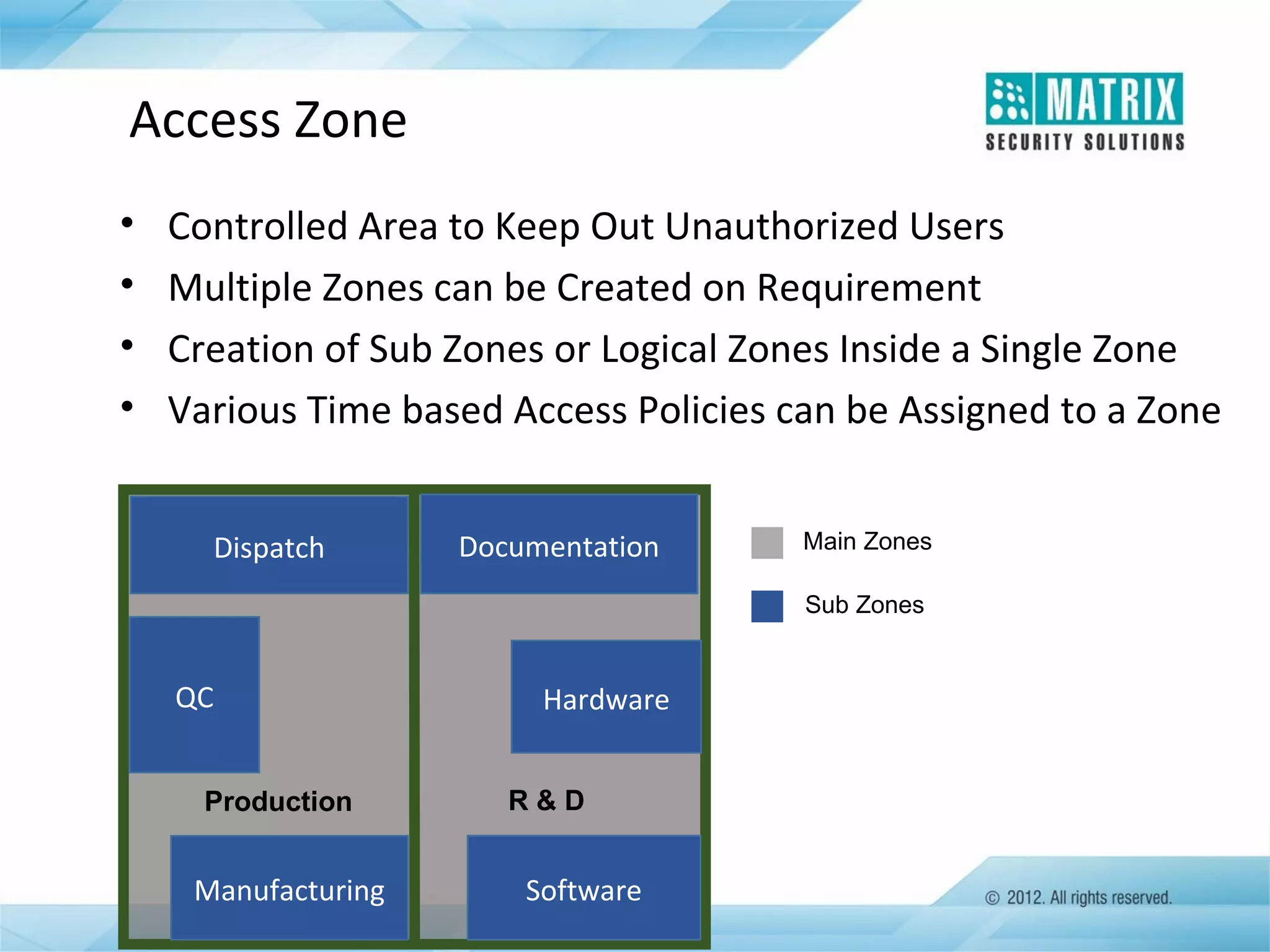
Controlled Area to Keep Out Unauthorized Users
Multiple Zones can be Created on Requirement
Creation of Sub Zones or Logical Zones Inside a Single Zone
Various Time based Access Policies can be Assigned to a Zone
Dispatch

Documentation

Main Zones
Sub Zones

QC
Production

`

Manufacturing

Hardware
R&D

Software
Access Levels
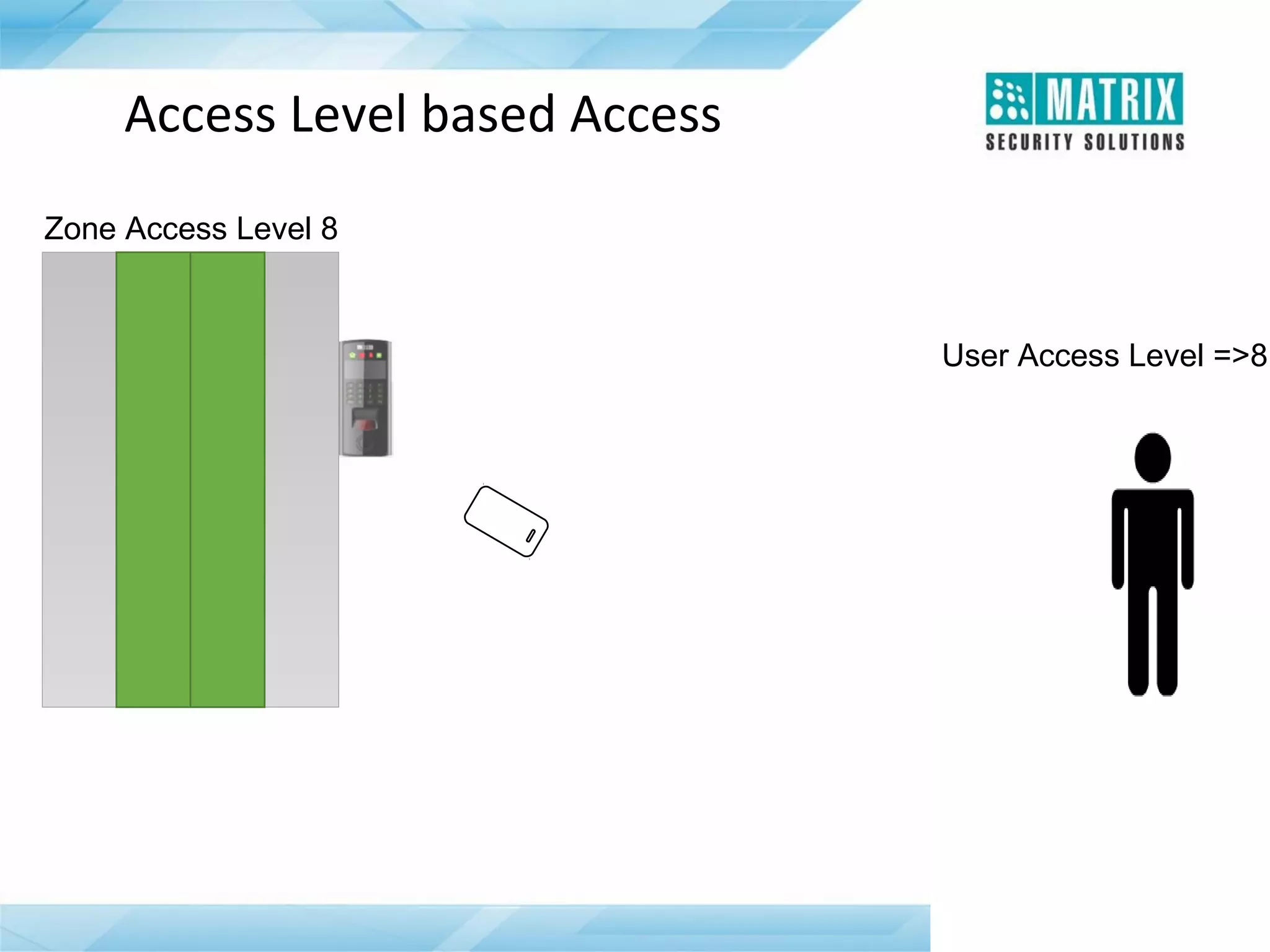
• Give Rights to a User to Enter into a Controlled Area or a Zone
• Up to 15 Access Levels for Zones and Users
• If User Access Level is Higher than or Equal to Zone Access
Level, User is Allowed in that Zone
• Different Access Levels During Working Hours, Break Hours and
Non-working Hours
Access Level based Access
Zone Access Level 8

User Access Level =>8
Home Zone
• Pre-defined Area for an User to Work
• Allow User to Access the Zone without Checking his Access
Level during Working and Break Hours
• User’s Access Level is Checked During Non-Working Hours
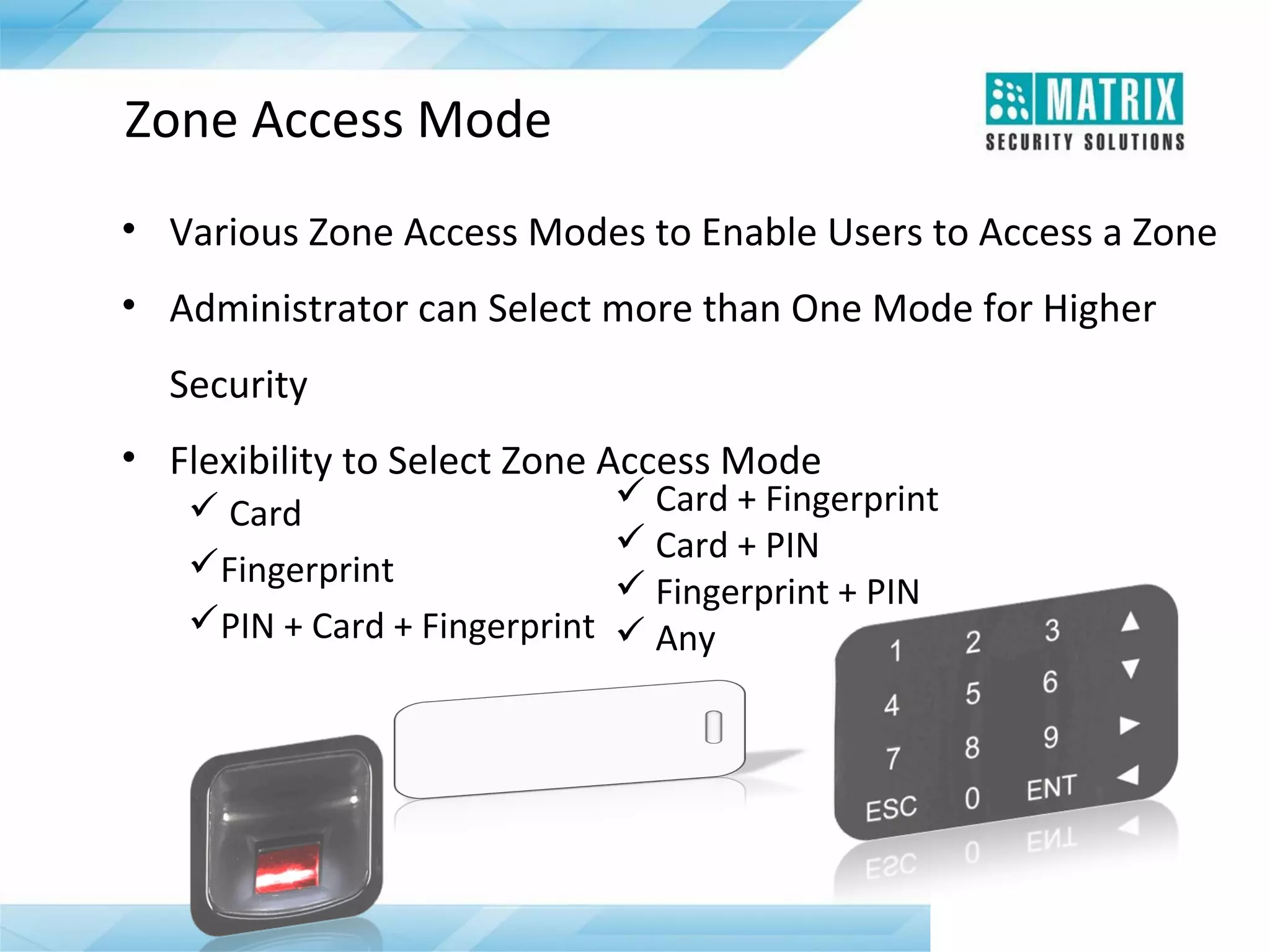
Zone Access Mode
• Various Zone Access Modes to Enable Users to Access a Zone
• Administrator can Select more than One Mode for Higher
Security
• Flexibility to Select Zone Access Mode
 Card
Fingerprint
PIN + Card + Fingerprint

 Card + Fingerprint
 Card + PIN
 Fingerprint + PIN
 Any
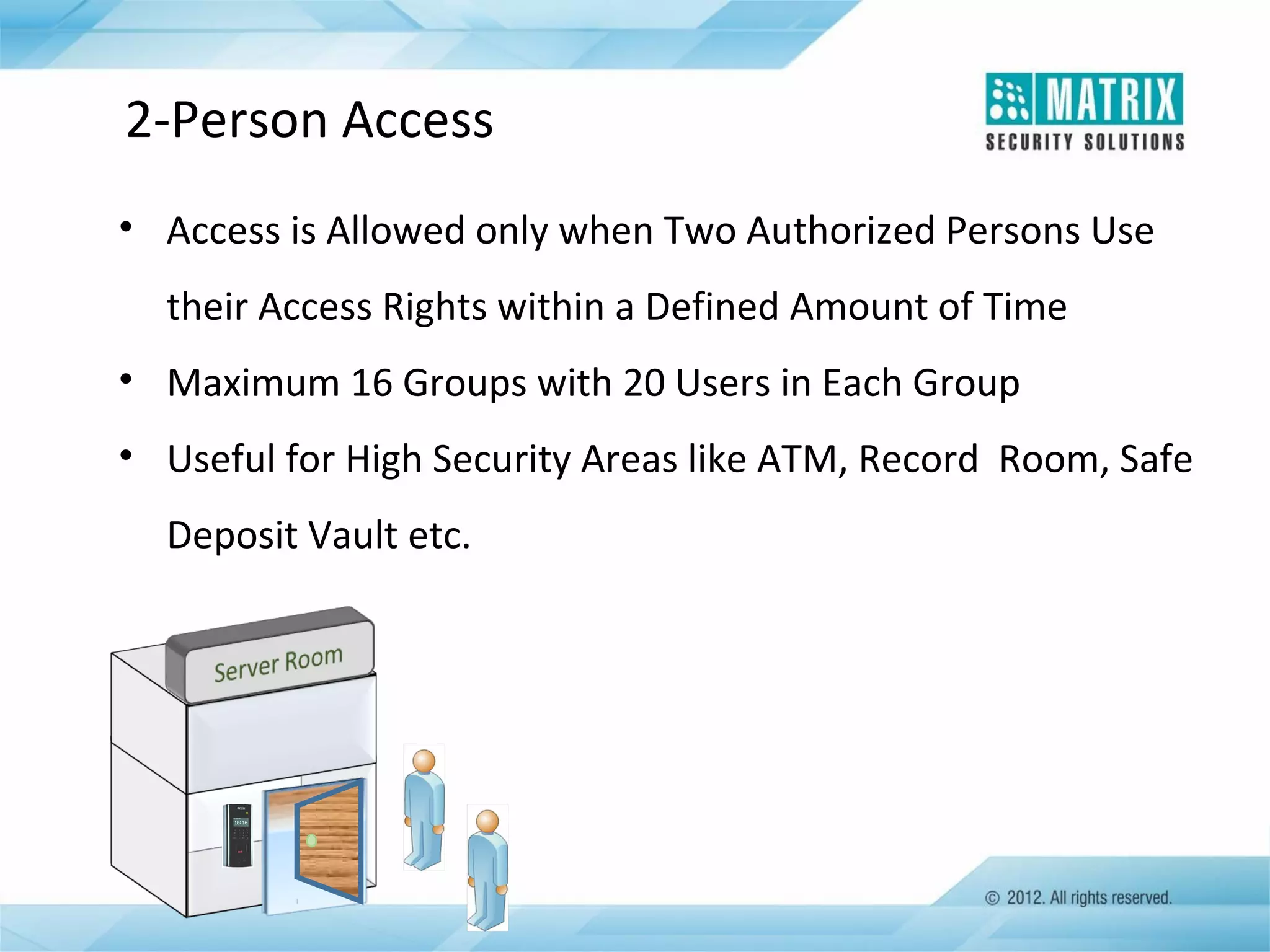
2-Person Access
• Access is Allowed only when Two Authorized Persons Use
their Access Rights within a Defined Amount of Time
• Maximum 16 Groups with 20 Users in Each Group
• Useful for High Security Areas like ATM, Record Room, Safe
Deposit Vault etc.
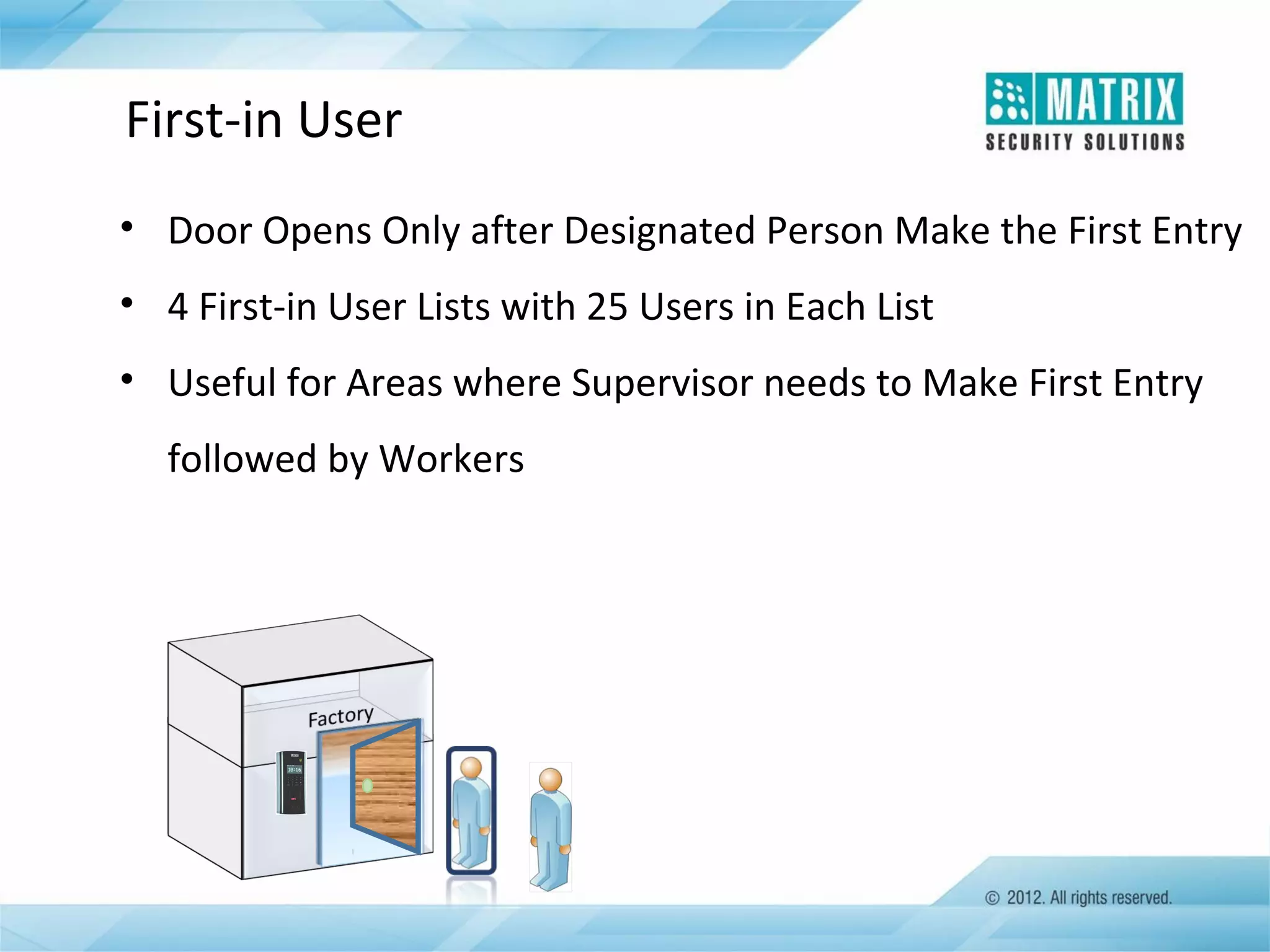
First-in User
• Door Opens Only after Designated Person Make the First Entry
• 4 First-in User Lists with 25 Users in Each List
• Useful for Areas where Supervisor needs to Make First Entry
followed by Workers
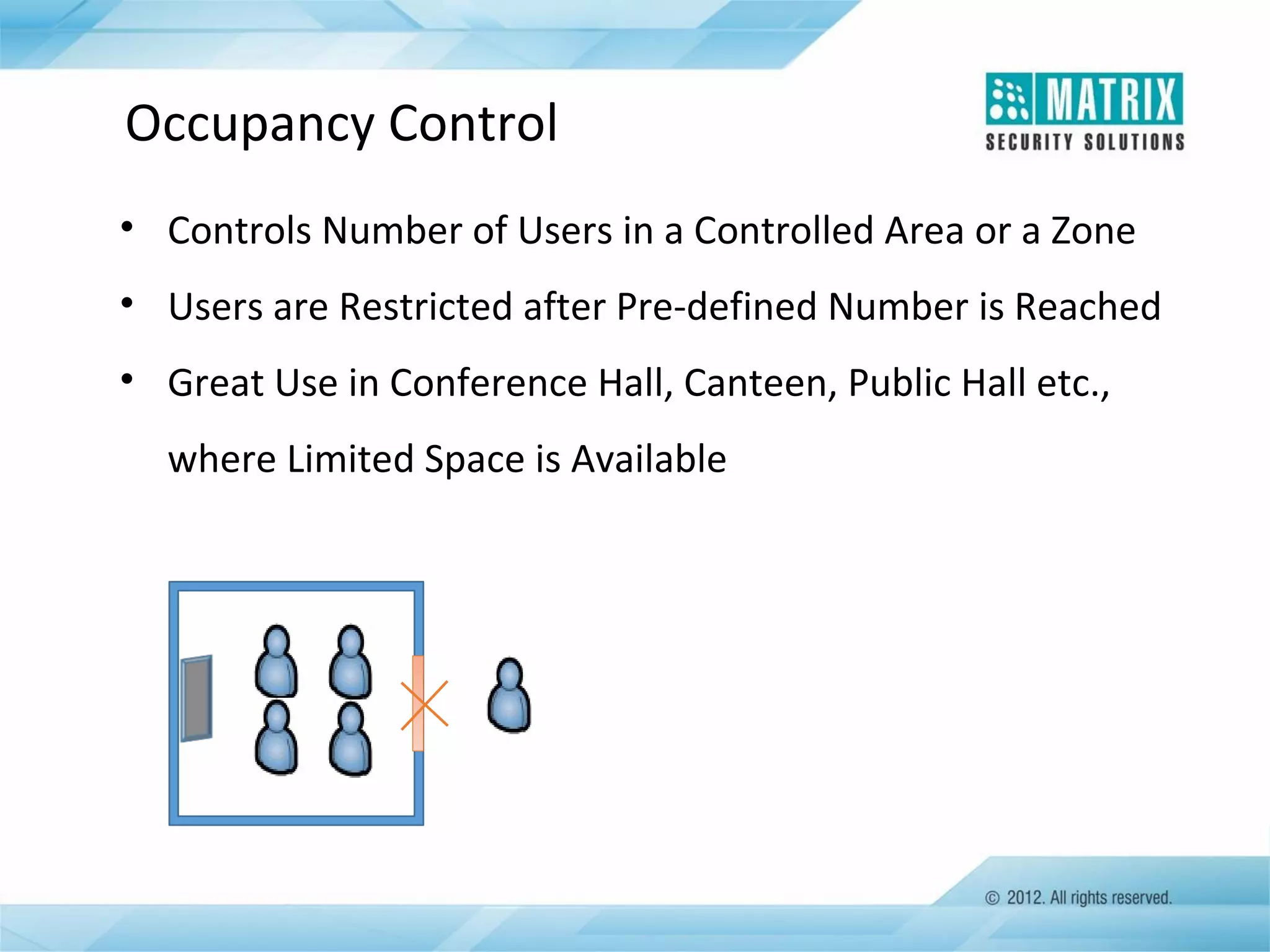
Occupancy Control
• Controls Number of Users in a Controlled Area or a Zone
• Users are Restricted after Pre-defined Number is Reached
• Great Use in Conference Hall, Canteen, Public Hall etc.,
where Limited Space is Available
Man-Trap
•
•
•
•
•

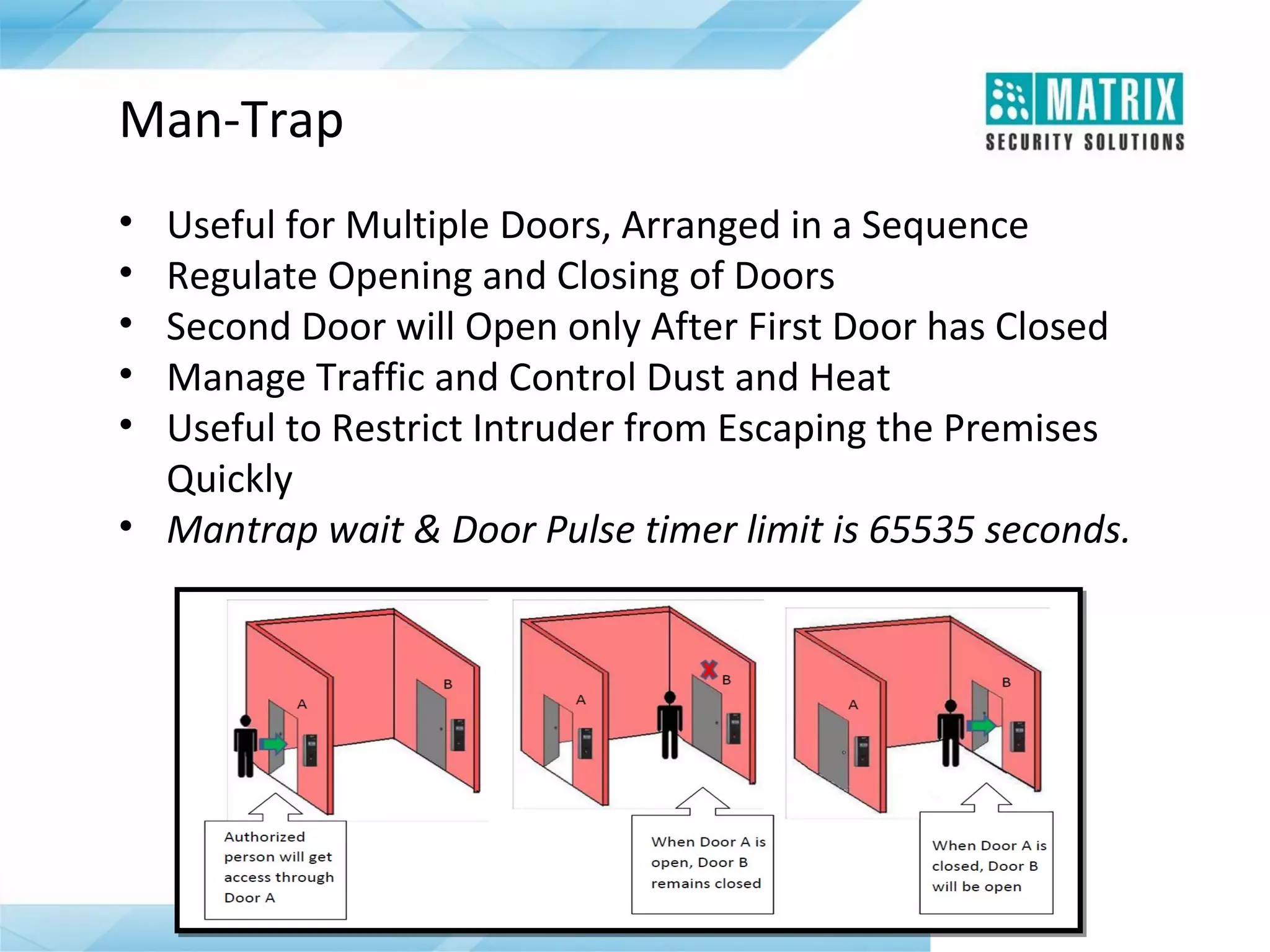
Useful for Multiple Doors, Arranged in a Sequence
Regulate Opening and Closing of Doors
Second Door will Open only After First Door has Closed
Manage Traffic and Control Dust and Heat
Useful to Restrict Intruder from Escaping the Premises
Quickly
• Mantrap wait & Door Pulse timer limit is 65535 seconds.
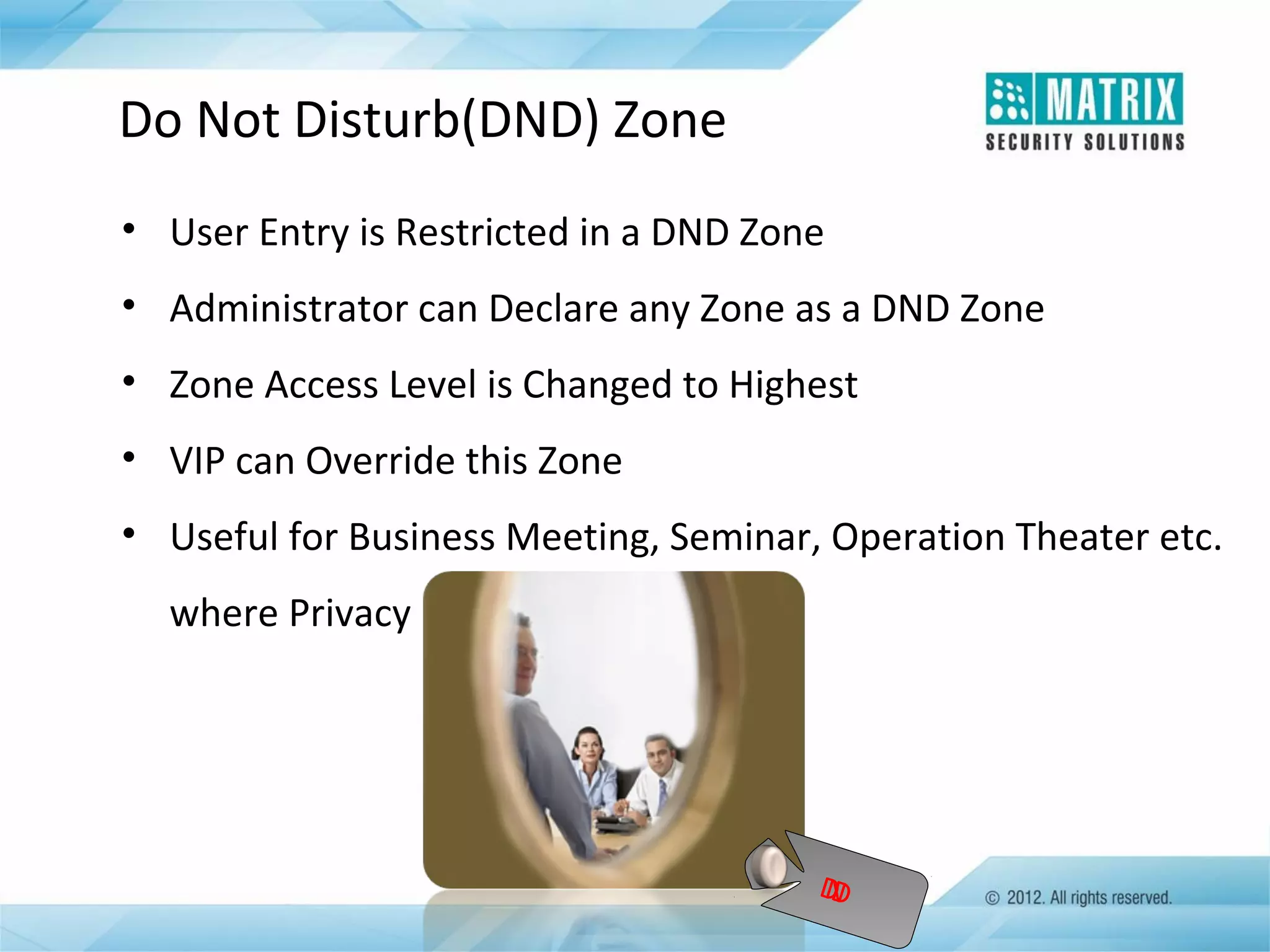
Do Not Disturb(DND) Zone
• User Entry is Restricted in a DND Zone
• Administrator can Declare any Zone as a DND Zone
• Zone Access Level is Changed to Highest
• VIP can Override this Zone
• Useful for Business Meeting, Seminar, Operation Theater etc.
where Privacy is Vital

D
N
D
Anti-Pass Back
• Prevent a Card Holder from Passing his Card back to a Second
Person to Gain Entry in a Controlled Area
• Card Holder can Make Re-entry only after Exit Mark
• Useful for Maintaining Accurate Record of the Number of
People in a Controlled Area
• Two Modes:
 Anti-Pass Back Local
 Anti-Pass Back Global
• Two Types:
 Hard Anti-Pass Back: Does not Allow User but Keep Log in
the System
 Soft Anti-Pass Back: Allow User with Log In the System
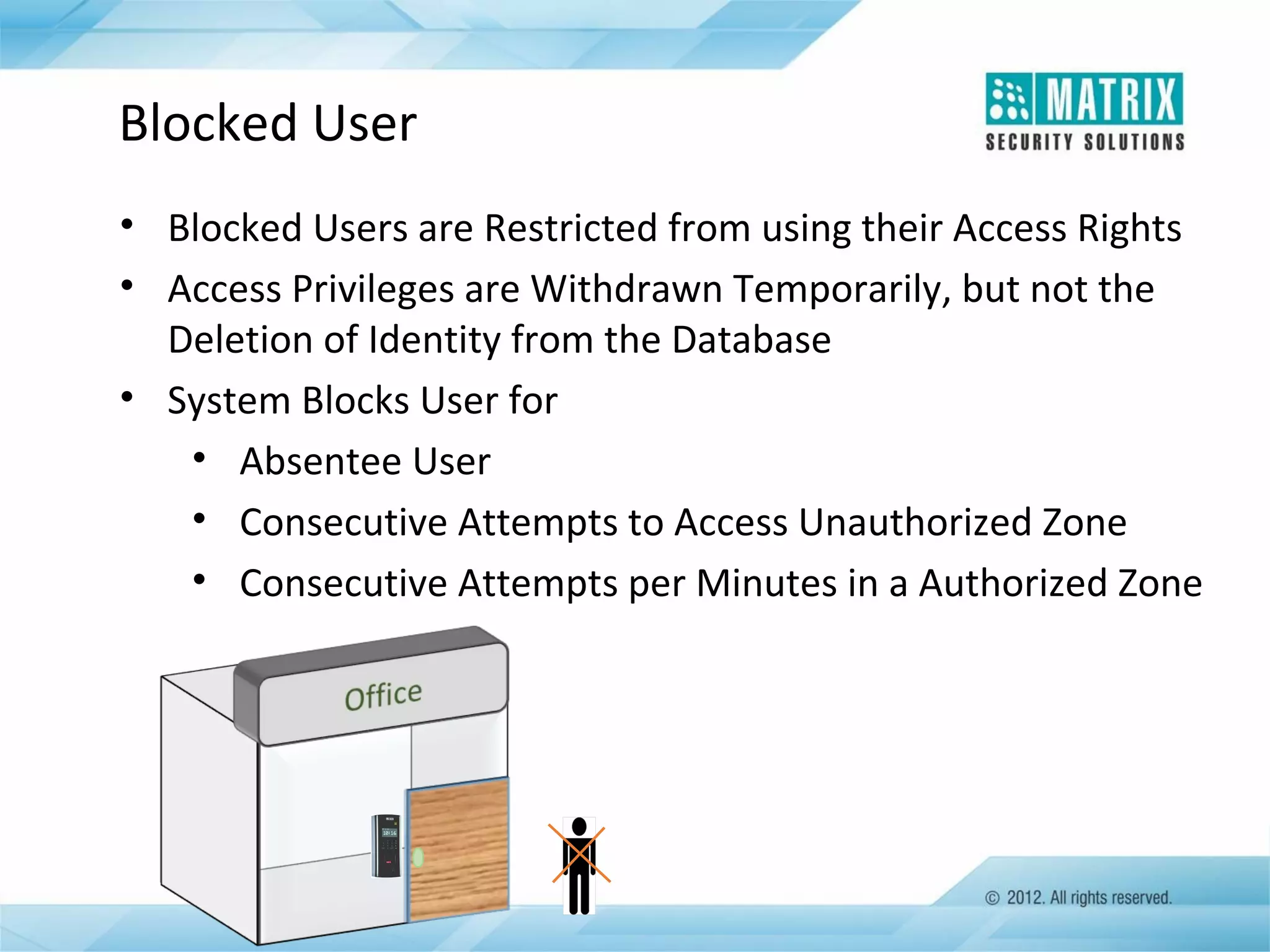
Blocked User
• Blocked Users are Restricted from using their Access Rights
• Access Privileges are Withdrawn Temporarily, but not the
Deletion of Identity from the Database
• System Blocks User for
• Absentee User
• Consecutive Attempts to Access Unauthorized Zone
• Consecutive Attempts per Minutes in a Authorized Zone
VIP Access
• Empower User to Access any Controlled Area or a Zone
• Any Person Holding VIP Label has Highest Access Level(15)
• Administrator can Assign VIP Access to any User
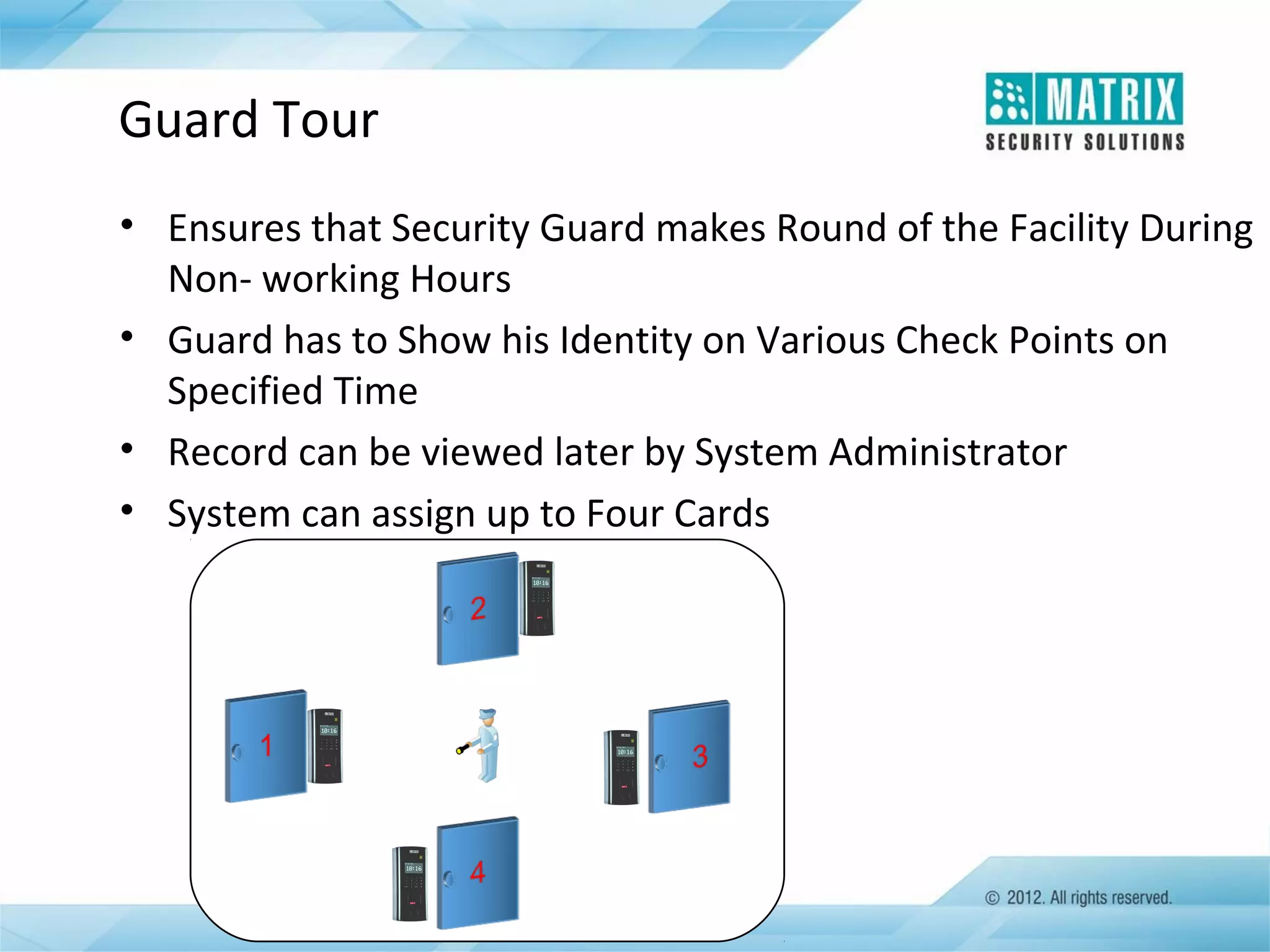
Guard Tour
• Ensures that Security Guard makes Round of the Facility During
Non- working Hours
• Guard has to Show his Identity on Various Check Points on
Specified Time
• Record can be viewed later by System Administrator
• System can assign up to Four Cards
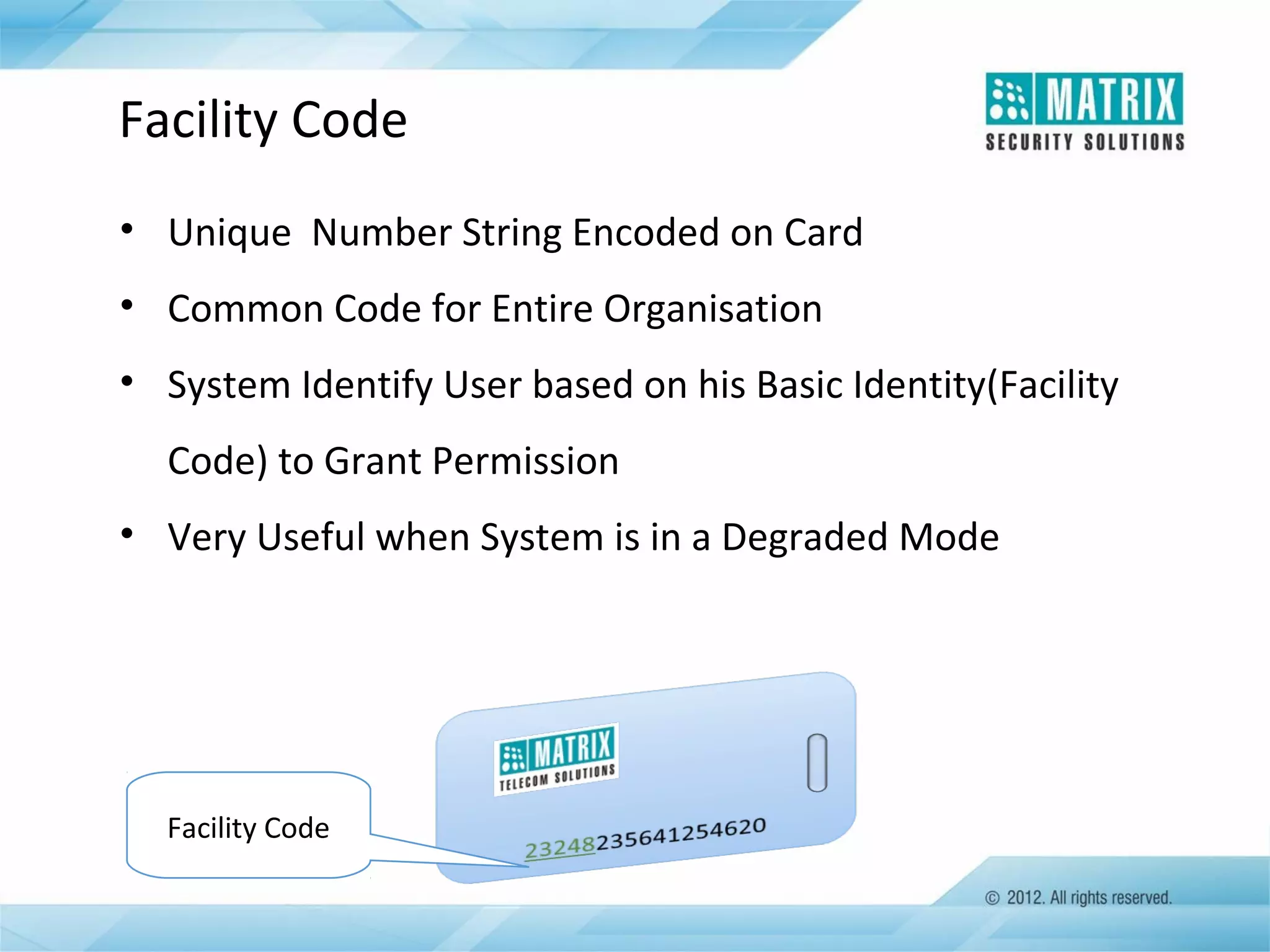
Facility Code
• Unique Number String Encoded on Card
• Common Code for Entire Organisation
• System Identify User based on his Basic Identity(Facility
Code) to Grant Permission
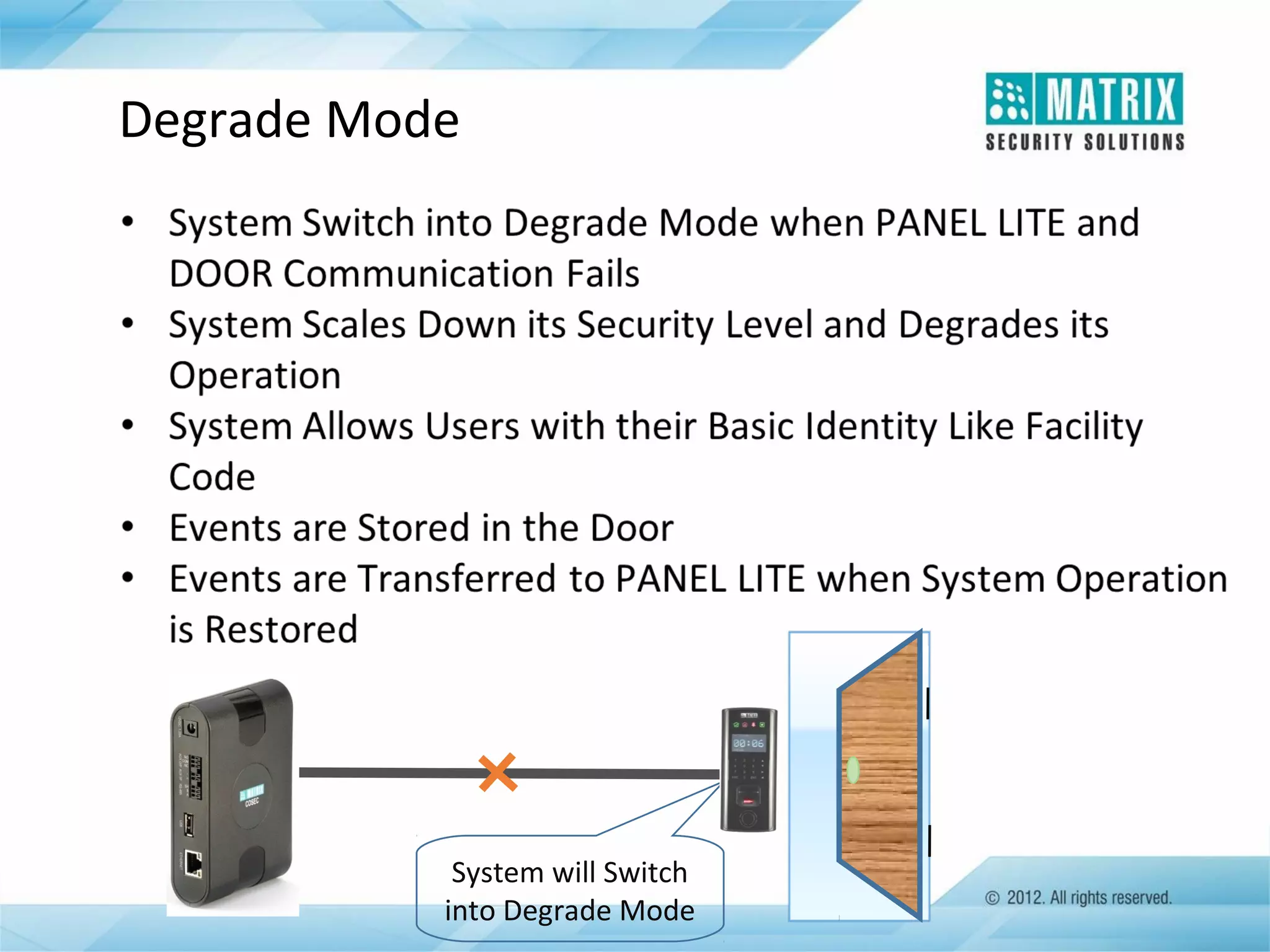
• Very Useful when System is in a Degraded Mode

Facility Code
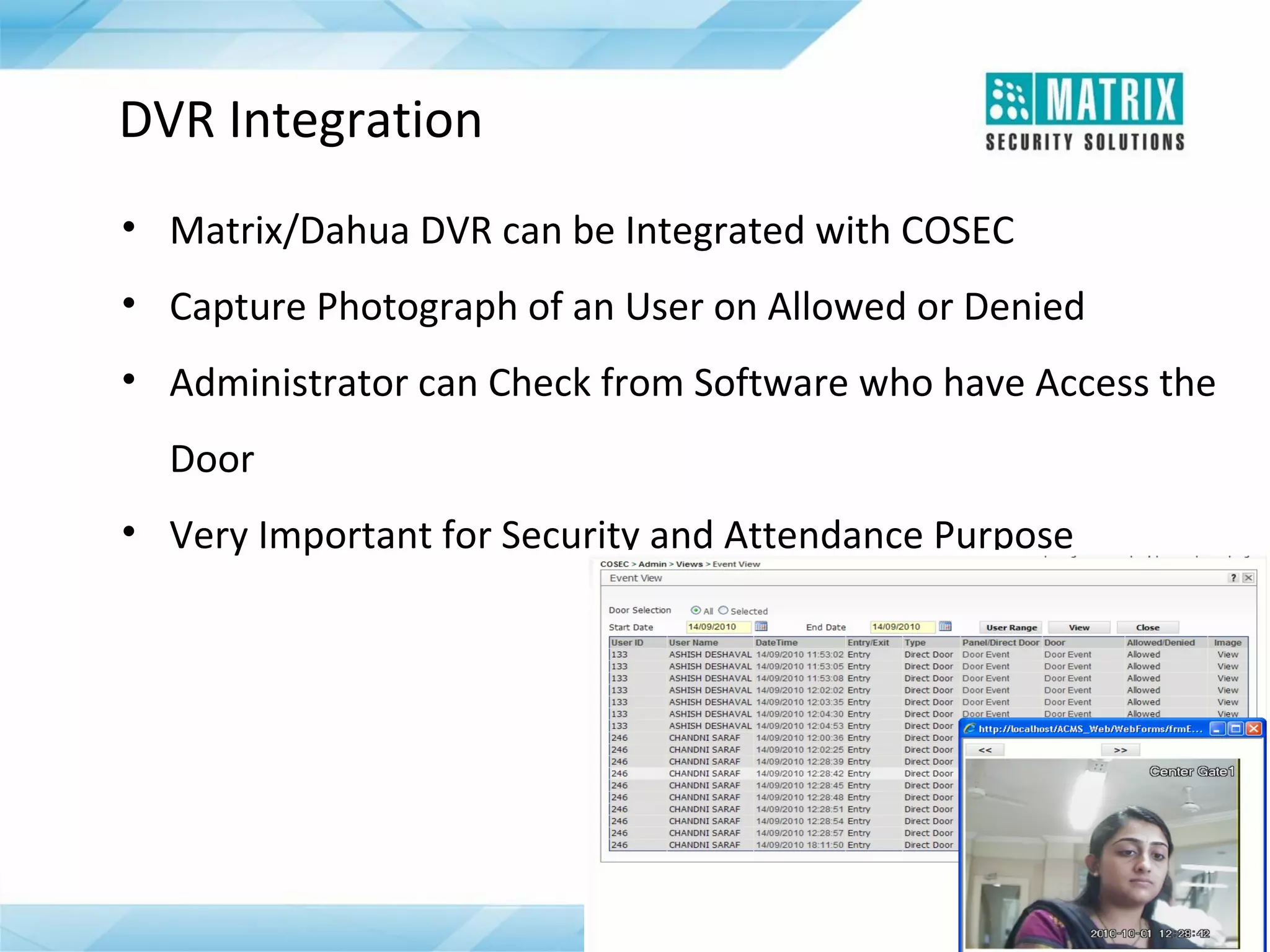
DVR Integration
• Matrix/Dahua DVR can be Integrated with COSEC
• Capture Photograph of an User on Allowed or Denied
• Administrator can Check from Software who have Access the
Door
• Very Important for Security and Attendance Purpose
Dead-Man Zone
• Zone or Area where there is a Threat of Person’s Physical
Safety
• Administrator can Declare any Zone as a Dead-Man Zone
• User has to Show his Identity every time before Expiration of
Predefined Time Period
• Once Timer is Expired, Alarm Gets Activated
• Very Useful Feature for Users who are Working in Mines,
Chemical Plants, Nuclear Lab etc.
Tamper Detection
• System Generates Alarm on Detection of any Tampering
• Tamper Detection on Door Controller and Reader
• Generates Alarm on Door Controller
• Can be Disabled Temporarily for Maintenance Purpose
• Useful Security Feature
Smart Identification
• It helps in overcoming limitation of number of users
• Uses information stored in smart card
• No need to store any information in door controller
• Number of users passing through door controller can be
unlimited
Emergency Handling
Degrade Mode

System will Switch
into Degrade Mode
Duress Detection
• Useful Feature when User is Forced to Use his Access Rights
Under Threat
• User Need to Dial his Access Code Followed by a Secret Code
for Duress Detection
• System Opens the Door and at the Same Time Informs
Concerned Person without Giving any Local Alarm
• Great Security Feature
Soft Override Feature
• Deactivate Various Functions Temporary from Monitoring
Window
• Temporally Deactivate Functions
• Features can be Disable like:
 2-Person Rule
 First-In User Rule
 Open Door Lock
 Lock Door
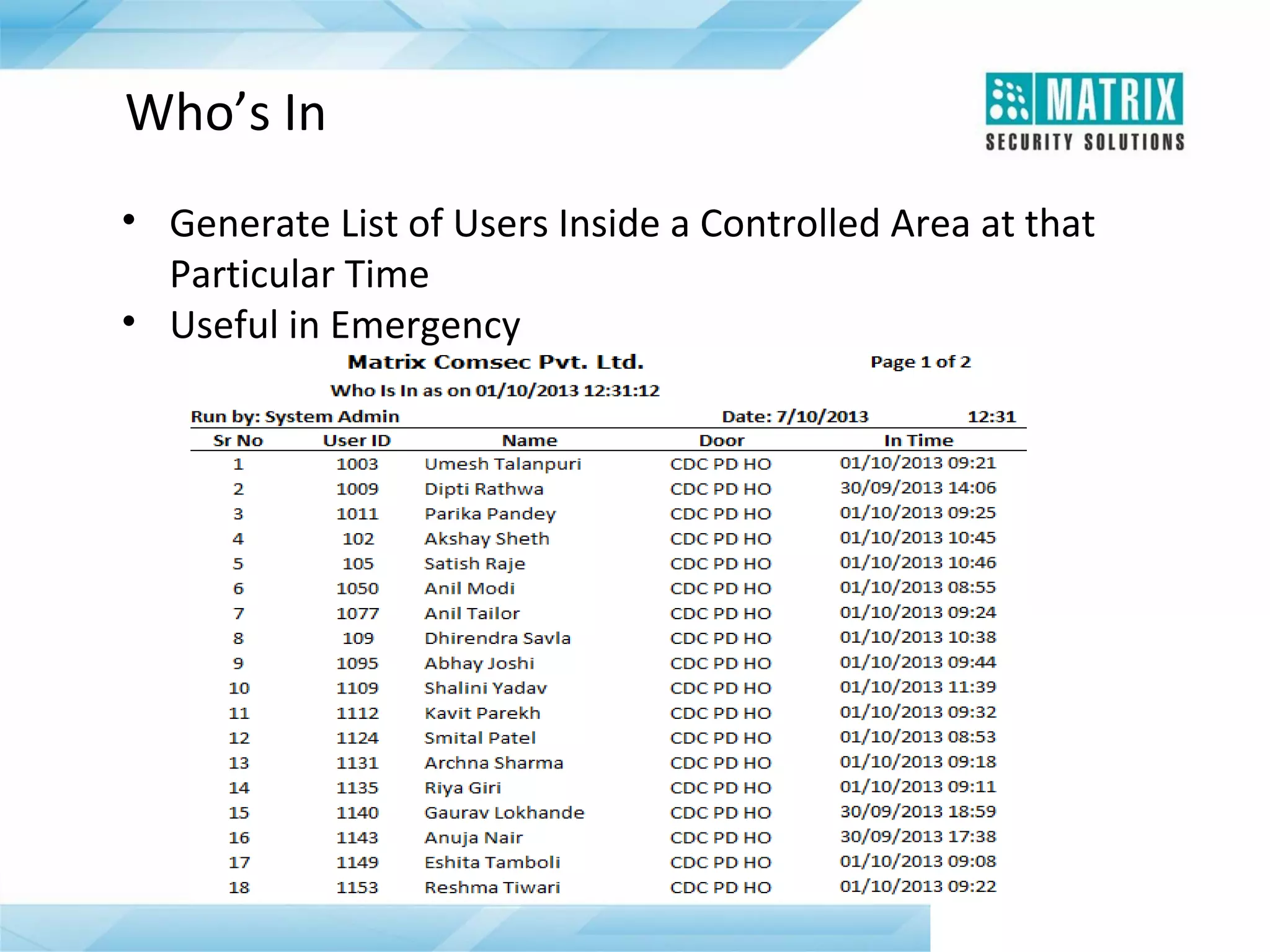
Who’s In
• Generate List of Users Inside a Controlled Area at that
Particular Time
• Useful in Emergency
Monitoring and Controlling
COSEC Live Monitoring Window
• Real-time Events Monitoring and Control
• Live Status of Door Controllers and PANEL LITE
• Alarm Monitoring and Control
• Firmware Up gradation
• Temporary Deactivate Function/Features
• Auxiliary Input and Output Status
• Automatic Events Download
Input-Output Groups and Linking
• Link Input and Output Port of the COSEC Door Controller and
PANEL LITE
• Automatically Activate Output Port on Activation of Input
Port
• Program Various Functions Like:
•

Unlock Door on Fire Detection

•

Capture User Photo when he is Allowed

•

Start Video Recording on any Motion Detected
Alarm
• Various Alarms on the Occurrence of Pre-defined Situations
• Available on both PANEL LITE and Door Controllers
• Built-in Alarm Detection and Management
• Admin can Control, Acknowledge, Clear and Monitor Alarm in a
Real-time
• Various Alarms Like Tamper Alarm, Mains Fail, Battery Fail
Alarm etc.
• Audio Visual Indication in terms of LEDs and Buzzer
Time-Trigger Function
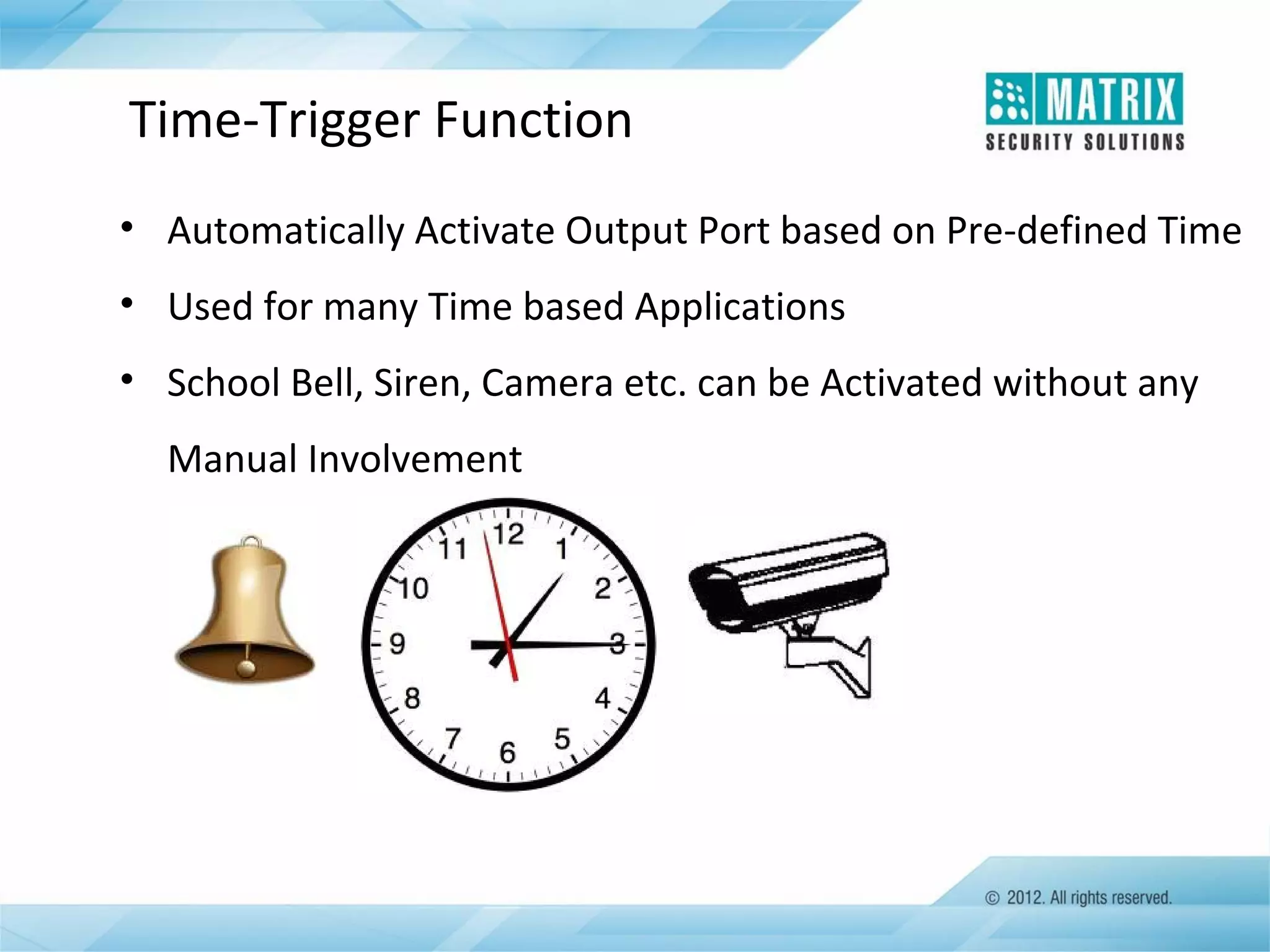
• Automatically Activate Output Port based on Pre-defined Time
• Used for many Time based Applications
• School Bell, Siren, Camera etc. can be Activated without any
Manual Involvement
Hardware Connections
Auxiliary Ports
•
•
•
•
•

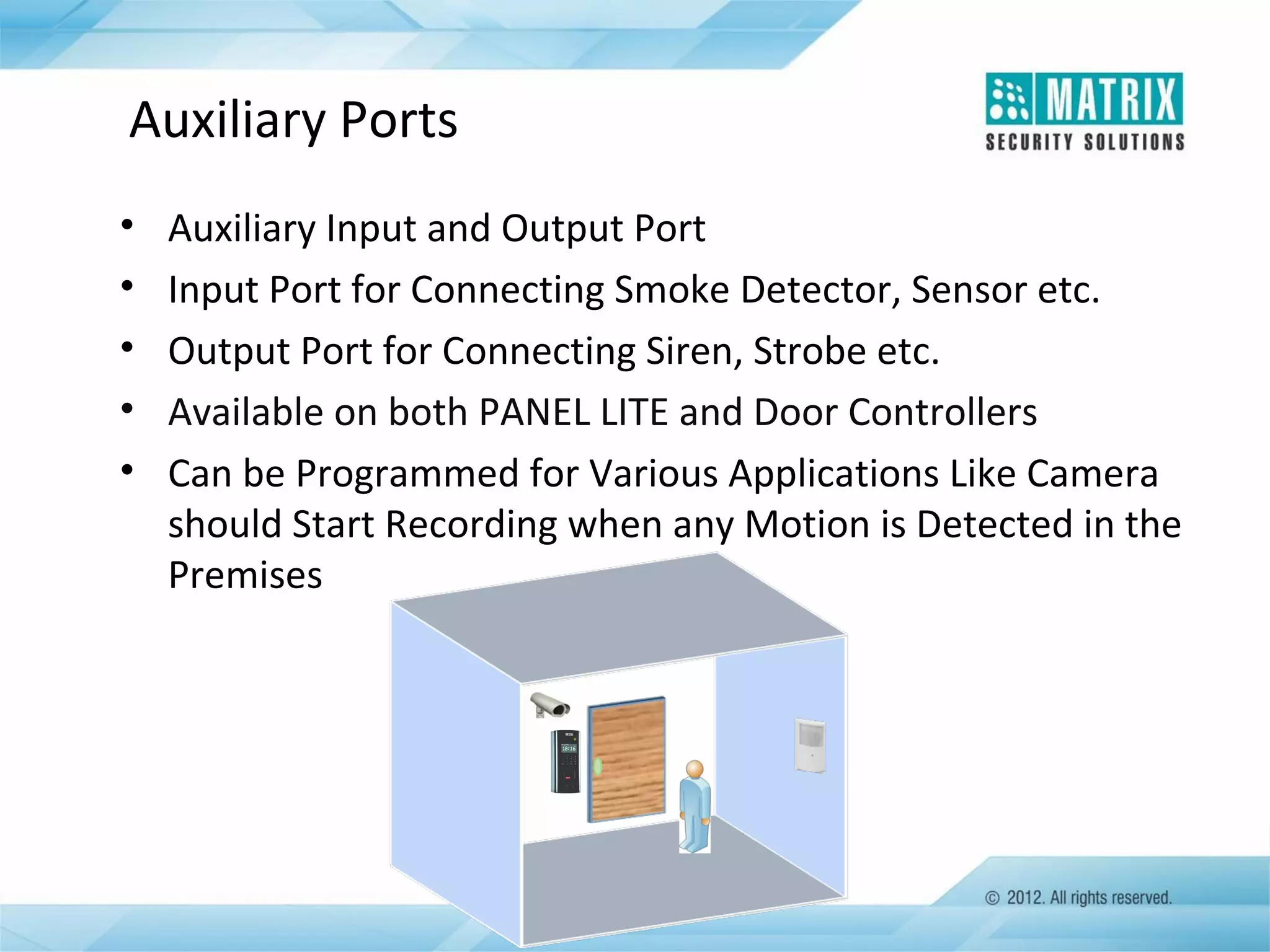
Auxiliary Input and Output Port
Input Port for Connecting Smoke Detector, Sensor etc.
Output Port for Connecting Siren, Strobe etc.
Available on both PANEL LITE and Door Controllers
Can be Programmed for Various Applications Like Camera
should Start Recording when any Motion is Detected in the
Premises
USB Connectivity
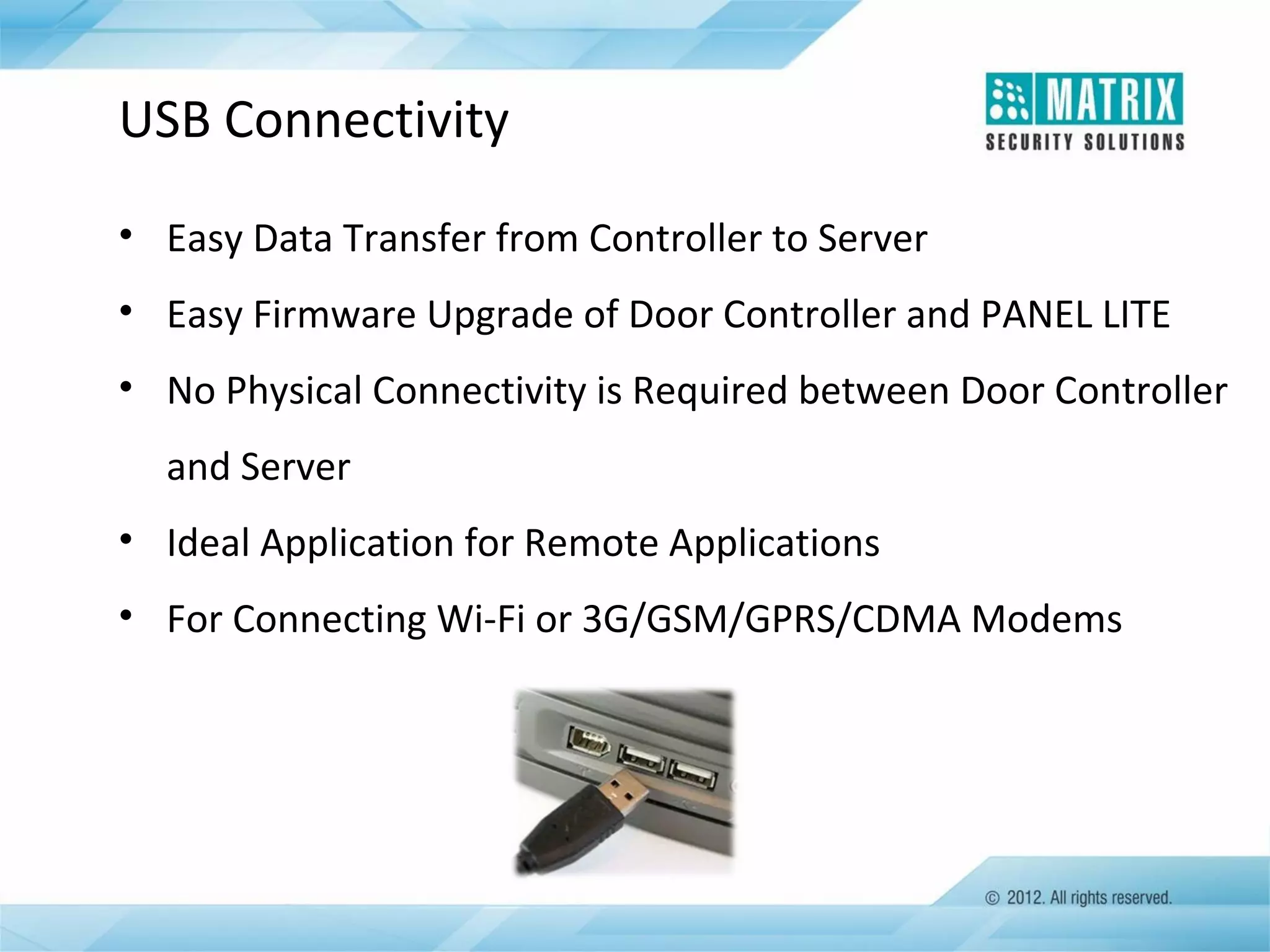
• Easy Data Transfer from Controller to Server
• Easy Firmware Upgrade of Door Controller and PANEL LITE
• No Physical Connectivity is Required between Door Controller
and Server
• Ideal Application for Remote Applications
• For Connecting Wi-Fi or 3G/GSM/GPRS/CDMA Modems
Wi-Fi Connectivity
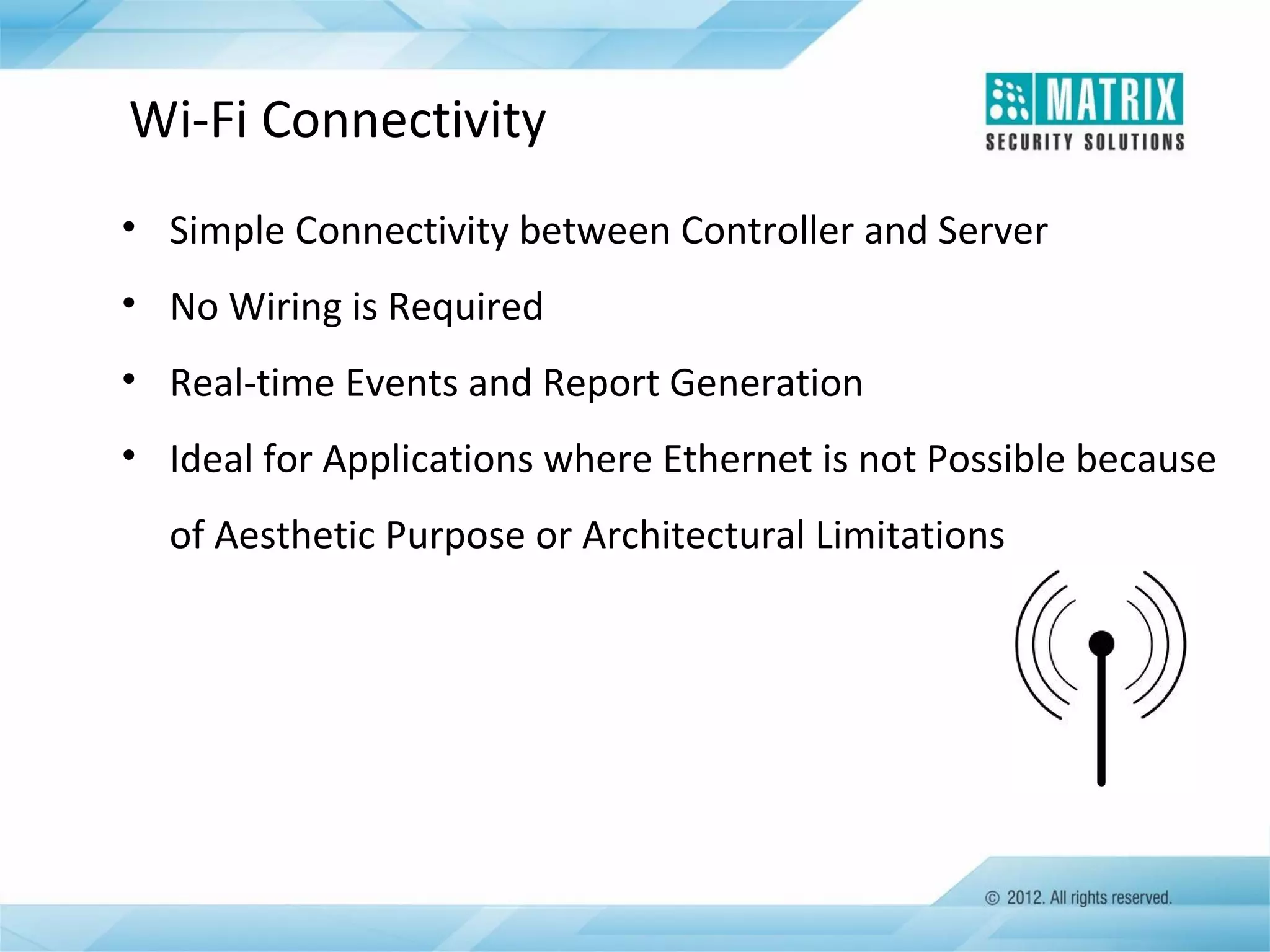
• Simple Connectivity between Controller and Server
• No Wiring is Required
• Real-time Events and Report Generation
• Ideal for Applications where Ethernet is not Possible because
of Aesthetic Purpose or Architectural Limitations
3G Connectivity
• Wireless Connectivity between DOORs/PANEL LITE and Server
• Faster Data Transactions over 3G Communication Speed
• Real-time Events and Report Generation
• Perfect for Remote Location Applications where Ethernet or
RS-485 is Not Possible
Access Control Reports
Access Control Reports List
Reports List
• Access Zone
• Access Group
• Access Group-wise Time Zone
• Functional Group
• Time Zone
• 2-Person Rule
• First-In User
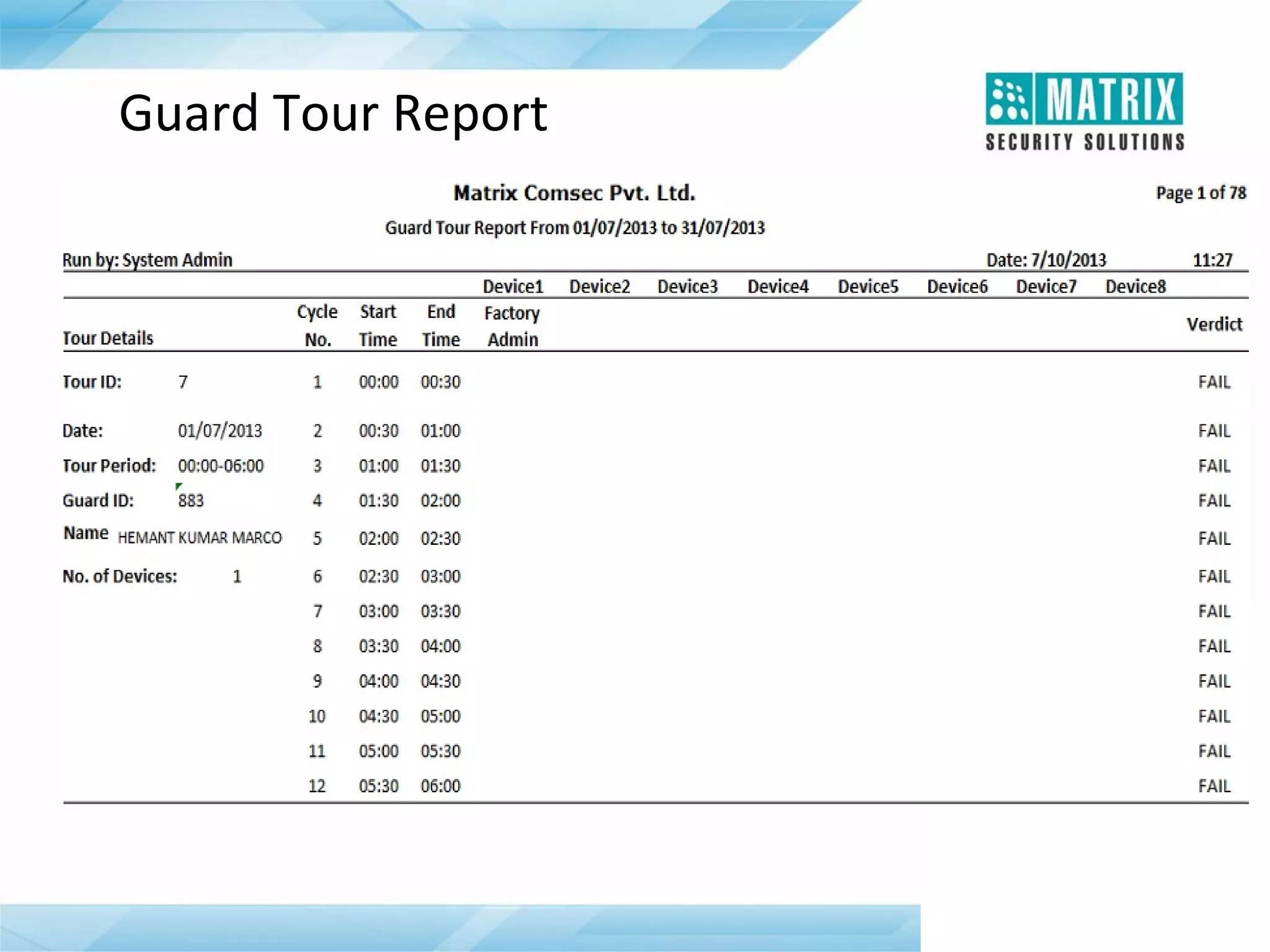
• Guard Tour
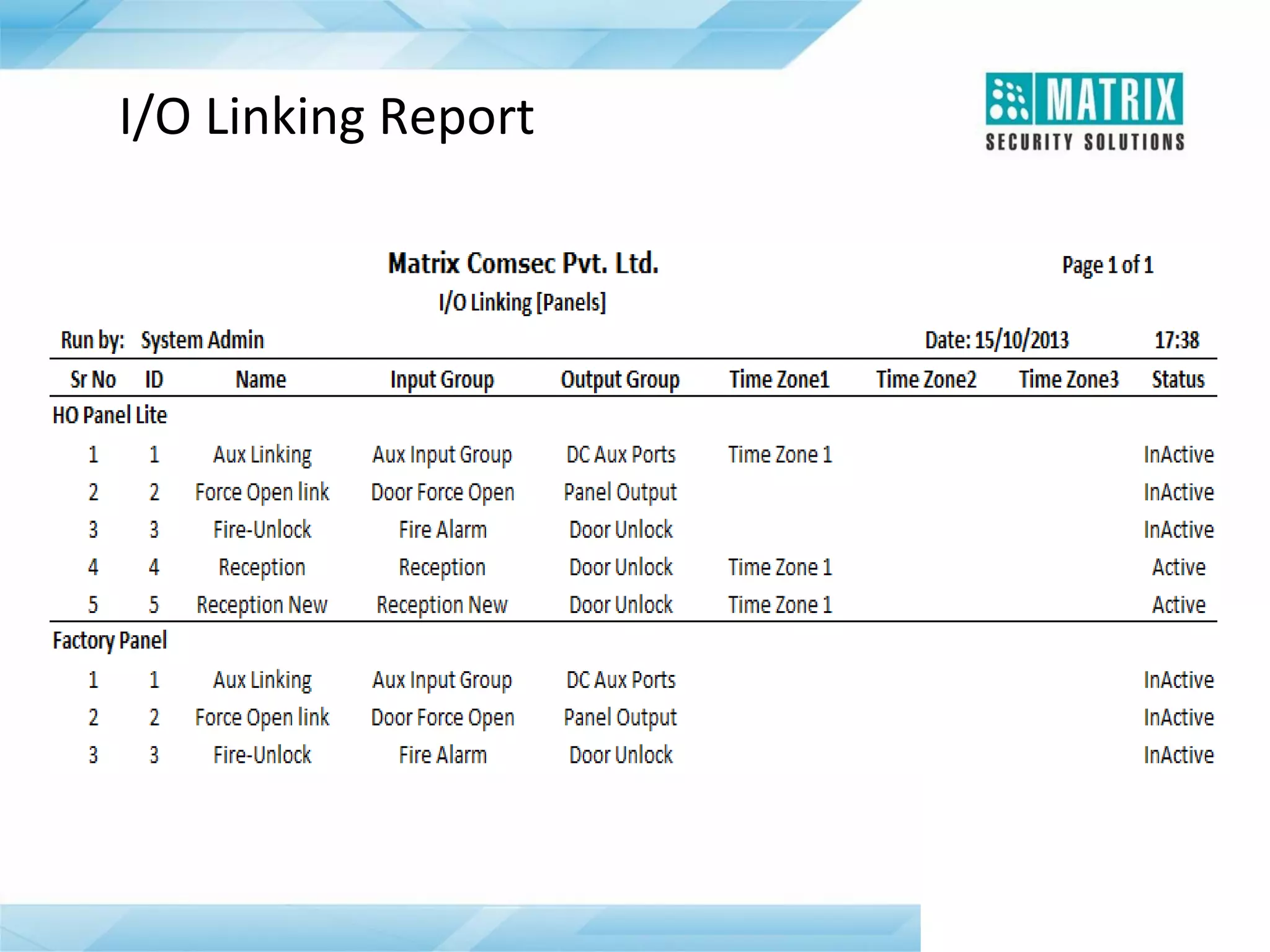
• Input Port Group
• Output Port Group
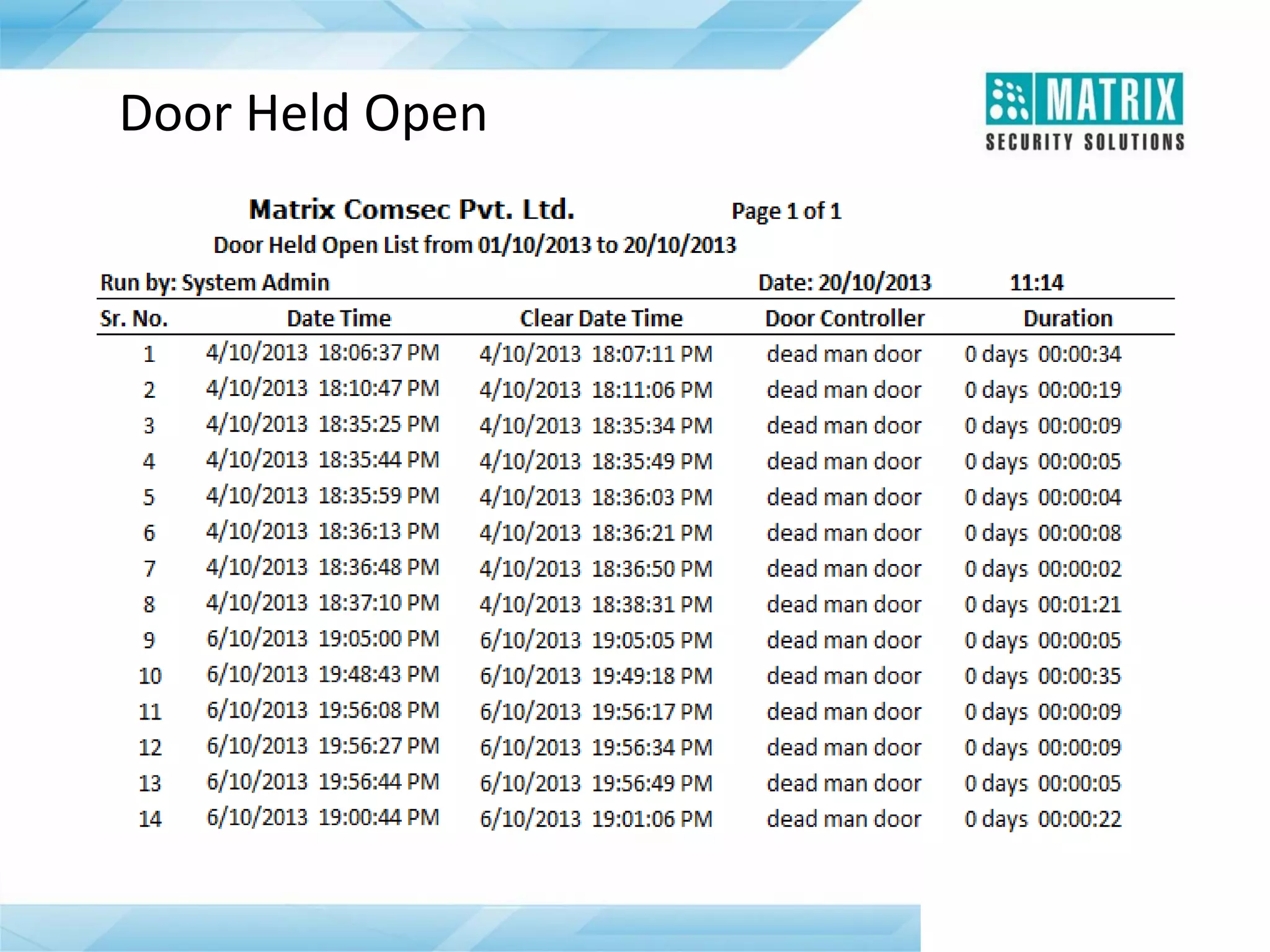
• Door Held Open
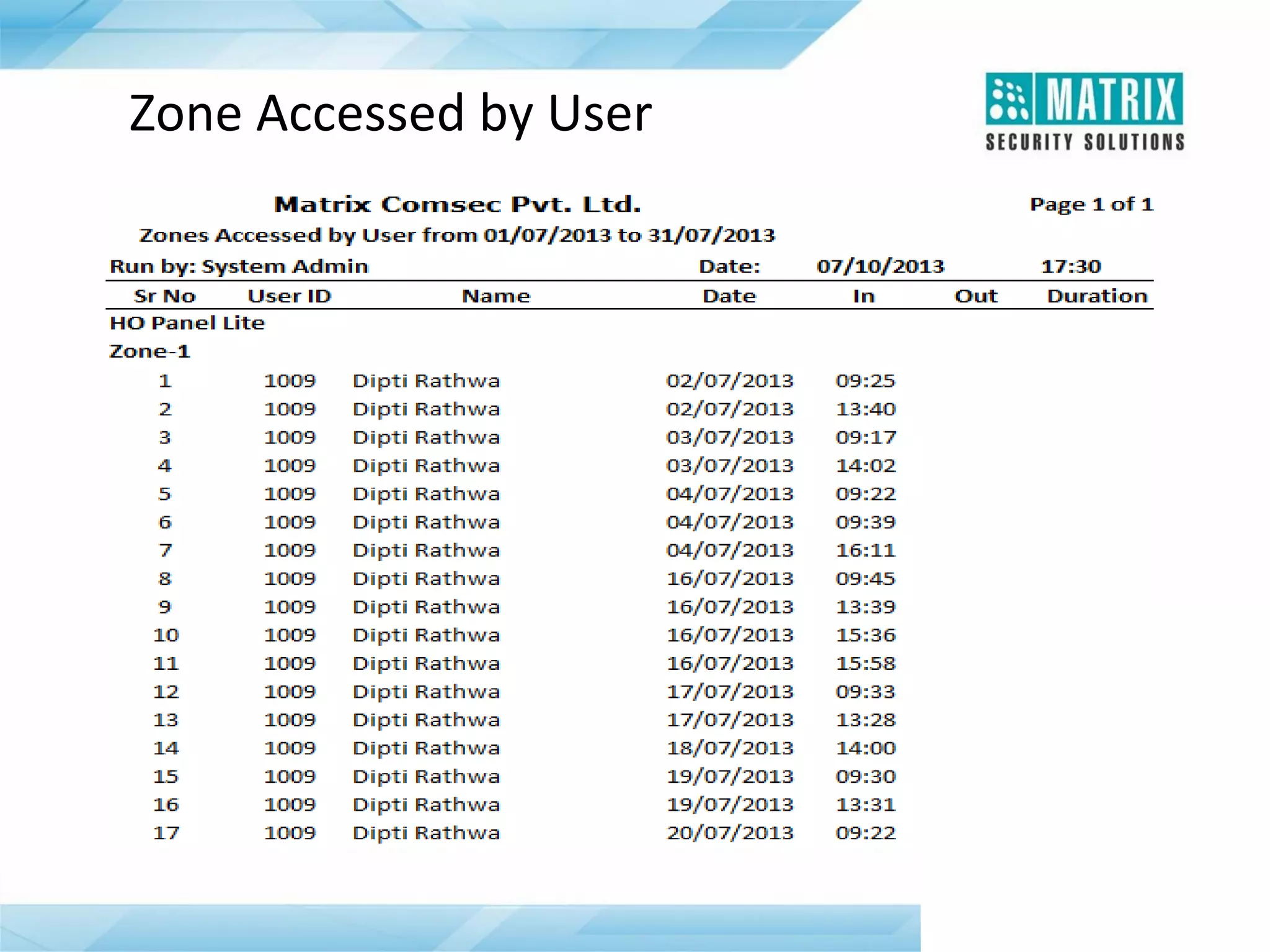
• Zone Accessed by User
Guard Tour Report
Zone Accessed by User
Door Held Open
I/O Linking Report
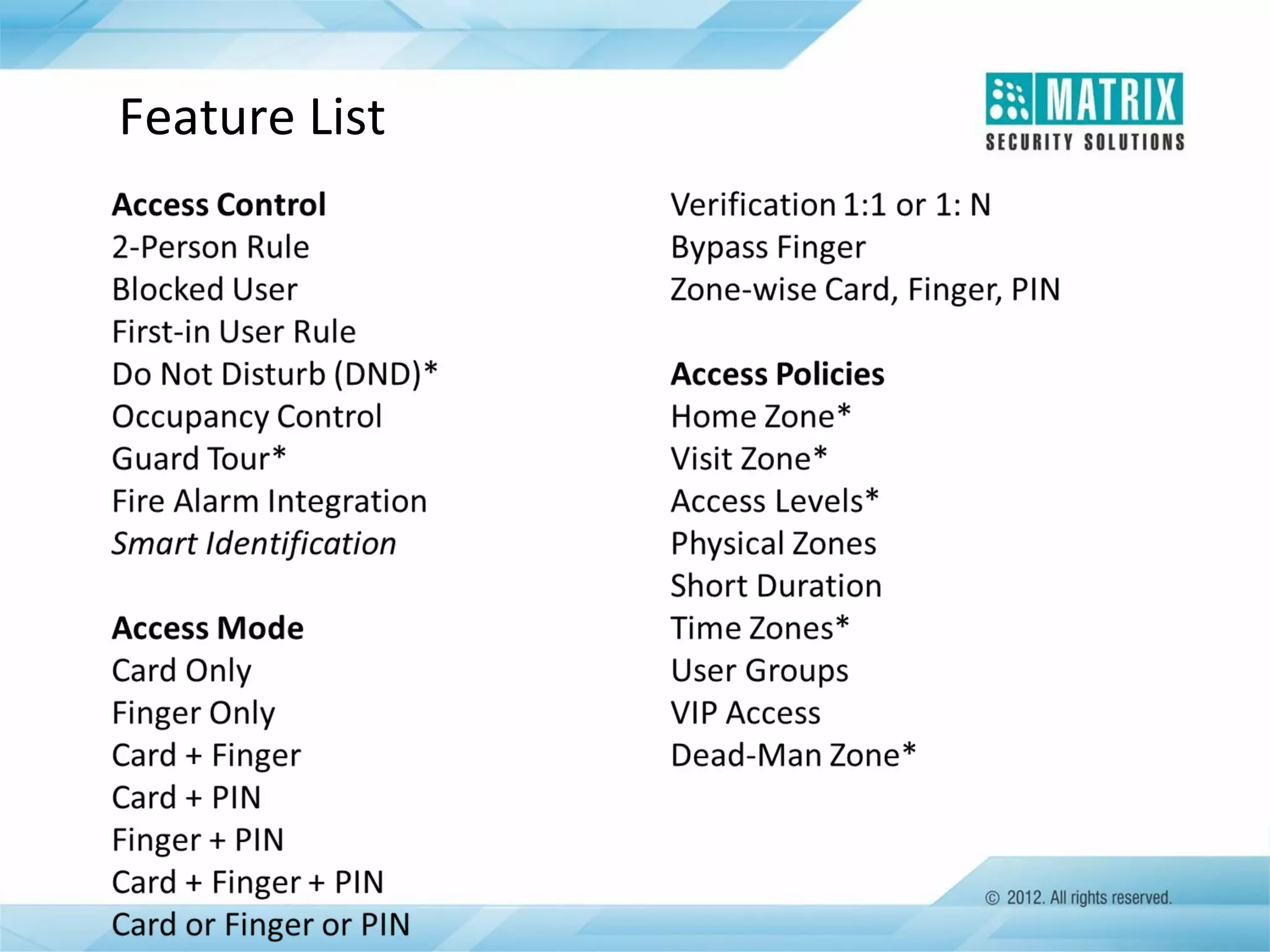
Feature List
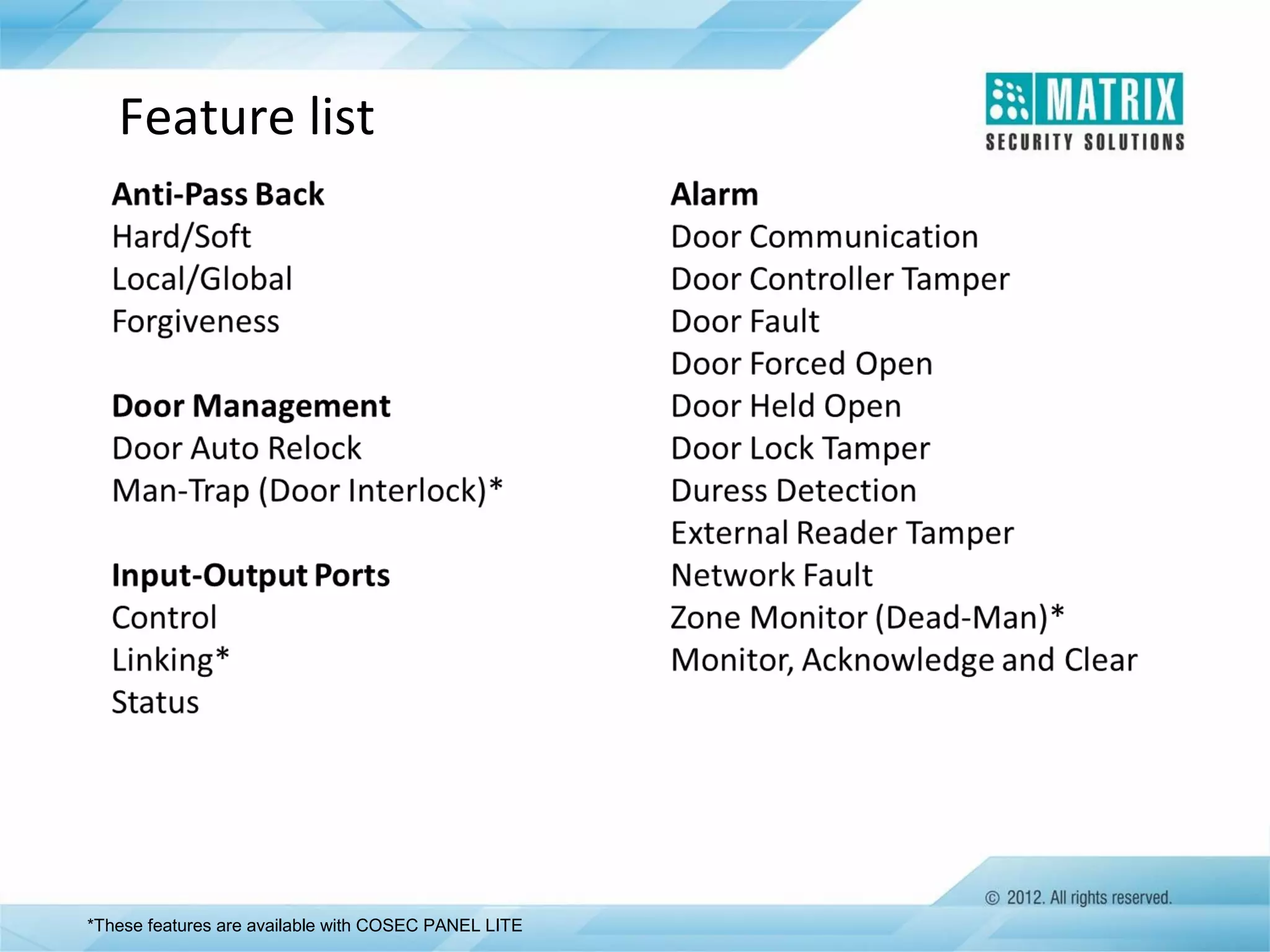
Feature list

*These features are available with COSEC PANEL LITE
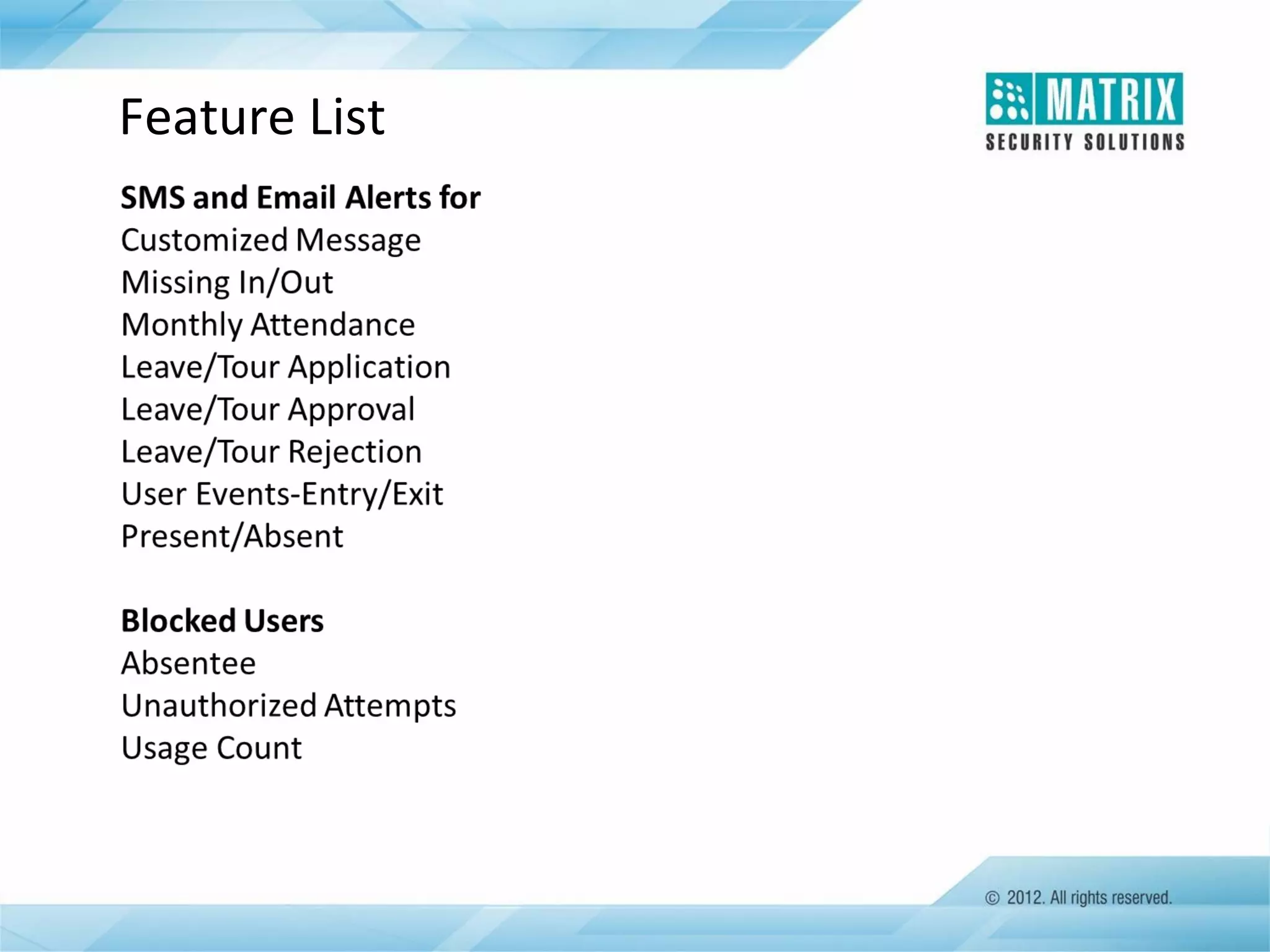
Feature List
For Further Information Please Contact:
Email ID: Security@MatrixComSec.com
Tel: +91 265 2630555
Visit us at www.MatrixComSec.com
Version: V2R1

Matrix Security Solutions: COSEC - Access Control and Time-Attendance

  • 1.
  • 2.
    Presentation Agenda •COSEC AccessControl •Applications •COSEC Solution •Key Features  Advanced Access Control  Emergency Handling  Monitoring and Controlling  Hardware •Access Control Reports and Features List
  • 3.
  • 4.
    What is AccessControl? • Prevent Unauthorized Entry • Protects and Preserves Enterprise’s Resources • Allow Authorized People Entry at Specified Time • Round the Clock Security
  • 5.
    What is COSECAccess Control? • Advanced Access Control for SOHO, SMB, SME and LE • Fingerprint, Card and PIN • Time, Zone and User based Access Control • Access Zone, Access Level and Time Zone • Employee-wise Access Rights • Higher Security in Sensitive Area • Alarm Monitoring and Supervision
  • 6.
    How Access ControlWorks? Access Read Process Respond User Access the System with Credentials Reader Reads Information from Card, Biometric ID or PIN Compare User Identity with Its Database Respond with Allow or Deny Command to User /Door
  • 7.
    Benefits of AccessControl System • Higher Security for Organization and Employees • Protects Enterprise Assets • Restricts Unauthorized Access • Eliminates Lock and Key Problems • Provides Audit Trail • Complete History Logging • Monitor Status of Devices throughout a Facility • Reduce Cost of Security Personnel
  • 8.
    Why COSEC AccessControl? • Deliver Advanced Security Features • Centralized Monitoring and Control • Superior Control over Employees and Visitor Access • User-wise Access Rights • User, Zone and Time based Access Control • Input and Output Port Linking • Integration with Fire Alarm Panel, Surveillance System etc.
  • 9.
    Target Customers... Hospitals Government Organizations Small Offices CorporateOffices Financial Institutes Shopping Malls R & D Labs Factories
  • 10.
    Target Customers… Remote Sites RetailStores Clubs And Many More… Hotels Server Rooms Educational Institutes
  • 11.
  • 12.
    Basic Access ControlApplication COSEC Application Server EM Lock Ethernet Exit Reader COSEC Door Controller
  • 13.
    Basic Access ControlApplication • Fig Shows COSEC Connectivity with Door Lock and Exit Reader for an Access Control Application without any Complex Wiring • Door Controller is Connected with COSEC Application Server through Ethernet • Whole system is Centrally Monitored and Controlled by COSEC Application Software in Real-time
  • 14.
  • 15.
    Campus Application Canteen Head Office COSECServer R&D Lab Door Controller Factory
  • 16.
  • 17.
    COSEC Application Software •Complete and Powerful Web based Application Software • Controls up to 1000 PANEL LITE and 65,000 Door Controllers • Manage up to 1 Million Users • Time-attendance, Access Control, Leave Management, Visitor Management, Employee Self Service, Roster Management and e-Canteen Management • Real-time Monitoring and Control • Comprehensive Reports Generation • Integration with ERP, Active Directory, HRM, Tally and Payroll
  • 18.
  • 19.
    COSEC PANEL LITE •Controls up to 75 Door Controllers  Maximum 75 Door Controllers on Ethernet  Maximum 32 Door Controllers on RS-485 • Ethernet, RS-485, Wi-Fi and 3G Interface • 25,000 Users Capacity • Store 1,00,000 Events in Log • Supervised Alarm Input Port and Auxiliary Output Relay Contact • Built-in USB Port • Audio Visual Indication in terms of LEDs and Buzzer
  • 20.
    When COSEC PANELLITE is Required ? • When More than 2000 Users per Door Controller are Required • Greater than 50,000, Local Events Storage is Required • When below Additional Security Features are Needed:  Access Groups  Home Zone  Access Levels  Visit Zone  Day Light Saving  Input-output Ports Link  Dead-Man Zone  Man Trap  Do Not Disturb  Soft Override  Duress Detection  Time Zone based Access  Who’s In  Guard Tour
  • 21.
    COSEC PANEL LITEConnectivity
  • 22.
    COSEC Door • 128×64Dot Matrix Display with Backlit • 16 Touch Sense Keys • Fingerprint and Card Reader • Ethernet, RS-485 and Wi-Fi Interface • 50,000 Events Storage • Built-in Auxiliary Input, Auxiliary Output and Relay Port • 4 LEDs and Buzzer • USB Port for Data Transfer and 3G Connectivity
  • 23.
  • 24.
    COSEC Door SeriesModels CAP FOP FOW FOT
  • 25.
    COSEC PATH SeriesModels DCCX DCFX X = E: EM Proximity Card, I: HID iClASS Card, M: Mifare Smart Card
  • 26.
    COSEC NGT SeriesModel NGT FCX
  • 27.
    COSEC Reader Exit Reader •Fingerprint or Contactless Card Reader • Wiegand and RS-232 Interface • Allowed, Denied, Status and Alarm LEDs • Built-in Buzzer • Power Supply from COSEC Door
  • 28.
    Card based Readers COSECREADER CA COSEC PATH RDCE COSEC PATH RDCM COSEC PATH RDCI
  • 29.
    Fingerprint based Readers COSECREADER FO COSEC PATH RDFE COSEC PATH RDFM COSEC PATH RDFI
  • 30.
    COSEC Enrollment Station •Enrollment Stations for Easy User Enrollment • Card and Finger Enrollment • Desktop based Devices
  • 31.
    COSEC Card PersonalityModule • Pluggable Card Reader Module • Inserted at the backside of COSEC Door Controller and COSEC READER CA • EM PROX • HID PROX • HID iCLASS • Mifare COSEC CPM
  • 32.
    Electronic Lock • COSECDoor Controller Supports Various Electronic Locks  Electro Magnetic Lock  Bolt Lock  Strike Lock
  • 33.
  • 34.
    Access Group • Groupof Persons Carrying Similar Work Profile • Easy to Assign Same Access Policies • Supports up to 99 Access Groups Access Group-1 Access Group-2
  • 35.
    Access Zone • • • • Controlled Areato Keep Out Unauthorized Users Multiple Zones can be Created on Requirement Creation of Sub Zones or Logical Zones Inside a Single Zone Various Time based Access Policies can be Assigned to a Zone Dispatch Documentation Main Zones Sub Zones QC Production ` Manufacturing Hardware R&D Software
  • 36.
    Access Levels • GiveRights to a User to Enter into a Controlled Area or a Zone • Up to 15 Access Levels for Zones and Users • If User Access Level is Higher than or Equal to Zone Access Level, User is Allowed in that Zone • Different Access Levels During Working Hours, Break Hours and Non-working Hours
  • 37.
    Access Level basedAccess Zone Access Level 8 User Access Level =>8
  • 38.
    Home Zone • Pre-definedArea for an User to Work • Allow User to Access the Zone without Checking his Access Level during Working and Break Hours • User’s Access Level is Checked During Non-Working Hours
  • 39.
    Zone Access Mode •Various Zone Access Modes to Enable Users to Access a Zone • Administrator can Select more than One Mode for Higher Security • Flexibility to Select Zone Access Mode  Card Fingerprint PIN + Card + Fingerprint  Card + Fingerprint  Card + PIN  Fingerprint + PIN  Any
  • 40.
    2-Person Access • Accessis Allowed only when Two Authorized Persons Use their Access Rights within a Defined Amount of Time • Maximum 16 Groups with 20 Users in Each Group • Useful for High Security Areas like ATM, Record Room, Safe Deposit Vault etc.
  • 41.
    First-in User • DoorOpens Only after Designated Person Make the First Entry • 4 First-in User Lists with 25 Users in Each List • Useful for Areas where Supervisor needs to Make First Entry followed by Workers
  • 42.
    Occupancy Control • ControlsNumber of Users in a Controlled Area or a Zone • Users are Restricted after Pre-defined Number is Reached • Great Use in Conference Hall, Canteen, Public Hall etc., where Limited Space is Available
  • 43.
    Man-Trap • • • • • Useful for MultipleDoors, Arranged in a Sequence Regulate Opening and Closing of Doors Second Door will Open only After First Door has Closed Manage Traffic and Control Dust and Heat Useful to Restrict Intruder from Escaping the Premises Quickly • Mantrap wait & Door Pulse timer limit is 65535 seconds.
  • 44.
    Do Not Disturb(DND)Zone • User Entry is Restricted in a DND Zone • Administrator can Declare any Zone as a DND Zone • Zone Access Level is Changed to Highest • VIP can Override this Zone • Useful for Business Meeting, Seminar, Operation Theater etc. where Privacy is Vital D N D
  • 45.
    Anti-Pass Back • Preventa Card Holder from Passing his Card back to a Second Person to Gain Entry in a Controlled Area • Card Holder can Make Re-entry only after Exit Mark • Useful for Maintaining Accurate Record of the Number of People in a Controlled Area • Two Modes:  Anti-Pass Back Local  Anti-Pass Back Global • Two Types:  Hard Anti-Pass Back: Does not Allow User but Keep Log in the System  Soft Anti-Pass Back: Allow User with Log In the System
  • 46.
    Blocked User • BlockedUsers are Restricted from using their Access Rights • Access Privileges are Withdrawn Temporarily, but not the Deletion of Identity from the Database • System Blocks User for • Absentee User • Consecutive Attempts to Access Unauthorized Zone • Consecutive Attempts per Minutes in a Authorized Zone
  • 47.
    VIP Access • EmpowerUser to Access any Controlled Area or a Zone • Any Person Holding VIP Label has Highest Access Level(15) • Administrator can Assign VIP Access to any User
  • 48.
    Guard Tour • Ensuresthat Security Guard makes Round of the Facility During Non- working Hours • Guard has to Show his Identity on Various Check Points on Specified Time • Record can be viewed later by System Administrator • System can assign up to Four Cards
  • 49.
    Facility Code • UniqueNumber String Encoded on Card • Common Code for Entire Organisation • System Identify User based on his Basic Identity(Facility Code) to Grant Permission • Very Useful when System is in a Degraded Mode Facility Code
  • 50.
    DVR Integration • Matrix/DahuaDVR can be Integrated with COSEC • Capture Photograph of an User on Allowed or Denied • Administrator can Check from Software who have Access the Door • Very Important for Security and Attendance Purpose
  • 51.
    Dead-Man Zone • Zoneor Area where there is a Threat of Person’s Physical Safety • Administrator can Declare any Zone as a Dead-Man Zone • User has to Show his Identity every time before Expiration of Predefined Time Period • Once Timer is Expired, Alarm Gets Activated • Very Useful Feature for Users who are Working in Mines, Chemical Plants, Nuclear Lab etc.
  • 52.
    Tamper Detection • SystemGenerates Alarm on Detection of any Tampering • Tamper Detection on Door Controller and Reader • Generates Alarm on Door Controller • Can be Disabled Temporarily for Maintenance Purpose • Useful Security Feature
  • 53.
    Smart Identification • Ithelps in overcoming limitation of number of users • Uses information stored in smart card • No need to store any information in door controller • Number of users passing through door controller can be unlimited
  • 54.
  • 55.
    Degrade Mode System willSwitch into Degrade Mode
  • 56.
    Duress Detection • UsefulFeature when User is Forced to Use his Access Rights Under Threat • User Need to Dial his Access Code Followed by a Secret Code for Duress Detection • System Opens the Door and at the Same Time Informs Concerned Person without Giving any Local Alarm • Great Security Feature
  • 57.
    Soft Override Feature •Deactivate Various Functions Temporary from Monitoring Window • Temporally Deactivate Functions • Features can be Disable like:  2-Person Rule  First-In User Rule  Open Door Lock  Lock Door
  • 58.
    Who’s In • GenerateList of Users Inside a Controlled Area at that Particular Time • Useful in Emergency
  • 59.
  • 60.
    COSEC Live MonitoringWindow • Real-time Events Monitoring and Control • Live Status of Door Controllers and PANEL LITE • Alarm Monitoring and Control • Firmware Up gradation • Temporary Deactivate Function/Features • Auxiliary Input and Output Status • Automatic Events Download
  • 61.
    Input-Output Groups andLinking • Link Input and Output Port of the COSEC Door Controller and PANEL LITE • Automatically Activate Output Port on Activation of Input Port • Program Various Functions Like: • Unlock Door on Fire Detection • Capture User Photo when he is Allowed • Start Video Recording on any Motion Detected
  • 62.
    Alarm • Various Alarmson the Occurrence of Pre-defined Situations • Available on both PANEL LITE and Door Controllers • Built-in Alarm Detection and Management • Admin can Control, Acknowledge, Clear and Monitor Alarm in a Real-time • Various Alarms Like Tamper Alarm, Mains Fail, Battery Fail Alarm etc. • Audio Visual Indication in terms of LEDs and Buzzer
  • 63.
    Time-Trigger Function • AutomaticallyActivate Output Port based on Pre-defined Time • Used for many Time based Applications • School Bell, Siren, Camera etc. can be Activated without any Manual Involvement
  • 64.
  • 65.
    Auxiliary Ports • • • • • Auxiliary Inputand Output Port Input Port for Connecting Smoke Detector, Sensor etc. Output Port for Connecting Siren, Strobe etc. Available on both PANEL LITE and Door Controllers Can be Programmed for Various Applications Like Camera should Start Recording when any Motion is Detected in the Premises
  • 66.
    USB Connectivity • EasyData Transfer from Controller to Server • Easy Firmware Upgrade of Door Controller and PANEL LITE • No Physical Connectivity is Required between Door Controller and Server • Ideal Application for Remote Applications • For Connecting Wi-Fi or 3G/GSM/GPRS/CDMA Modems
  • 67.
    Wi-Fi Connectivity • SimpleConnectivity between Controller and Server • No Wiring is Required • Real-time Events and Report Generation • Ideal for Applications where Ethernet is not Possible because of Aesthetic Purpose or Architectural Limitations
  • 68.
    3G Connectivity • WirelessConnectivity between DOORs/PANEL LITE and Server • Faster Data Transactions over 3G Communication Speed • Real-time Events and Report Generation • Perfect for Remote Location Applications where Ethernet or RS-485 is Not Possible
  • 69.
  • 70.
    Access Control ReportsList Reports List • Access Zone • Access Group • Access Group-wise Time Zone • Functional Group • Time Zone • 2-Person Rule • First-In User • Guard Tour • Input Port Group • Output Port Group • Door Held Open • Zone Accessed by User
  • 71.
  • 72.
  • 73.
  • 74.
  • 75.
  • 76.
    Feature list *These featuresare available with COSEC PANEL LITE
  • 77.
  • 79.
    For Further InformationPlease Contact: Email ID: Security@MatrixComSec.com Tel: +91 265 2630555 Visit us at www.MatrixComSec.com Version: V2R1

Editor's Notes

  • #6 Prevent Unauthorized Entry – Function Protects and Preserves Enterprise’s Resources Restrict Unauthorized Entry Allow Authorized People Entry at Specified Time Round the Clock Security
  • #8 Keys can't be regulated and if they are lost or stolen can pose an immense security threat to your organization unless new locks are installed. For large companies, this can be an expensive and time consuming proposition
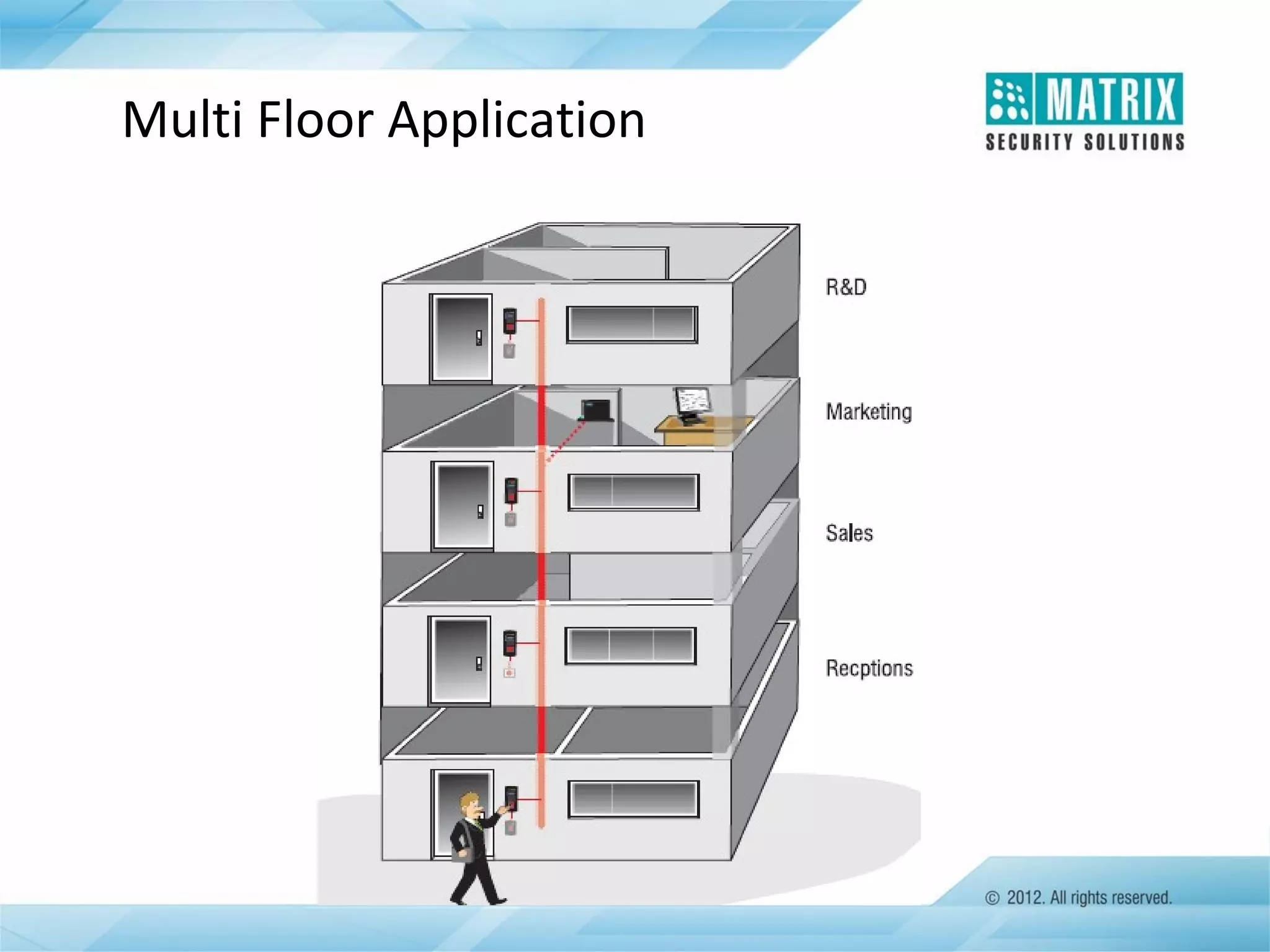
  • #15 Fig shows a typical deployment of COSEC in a multi-floor building for access control. Door Controllers are connected with the COSEC PANEL, installed at various floors with exit reader or exit switch to control entry of a person with various access control policies. This complete system is monitored and controlled by COSEC Software in real time.
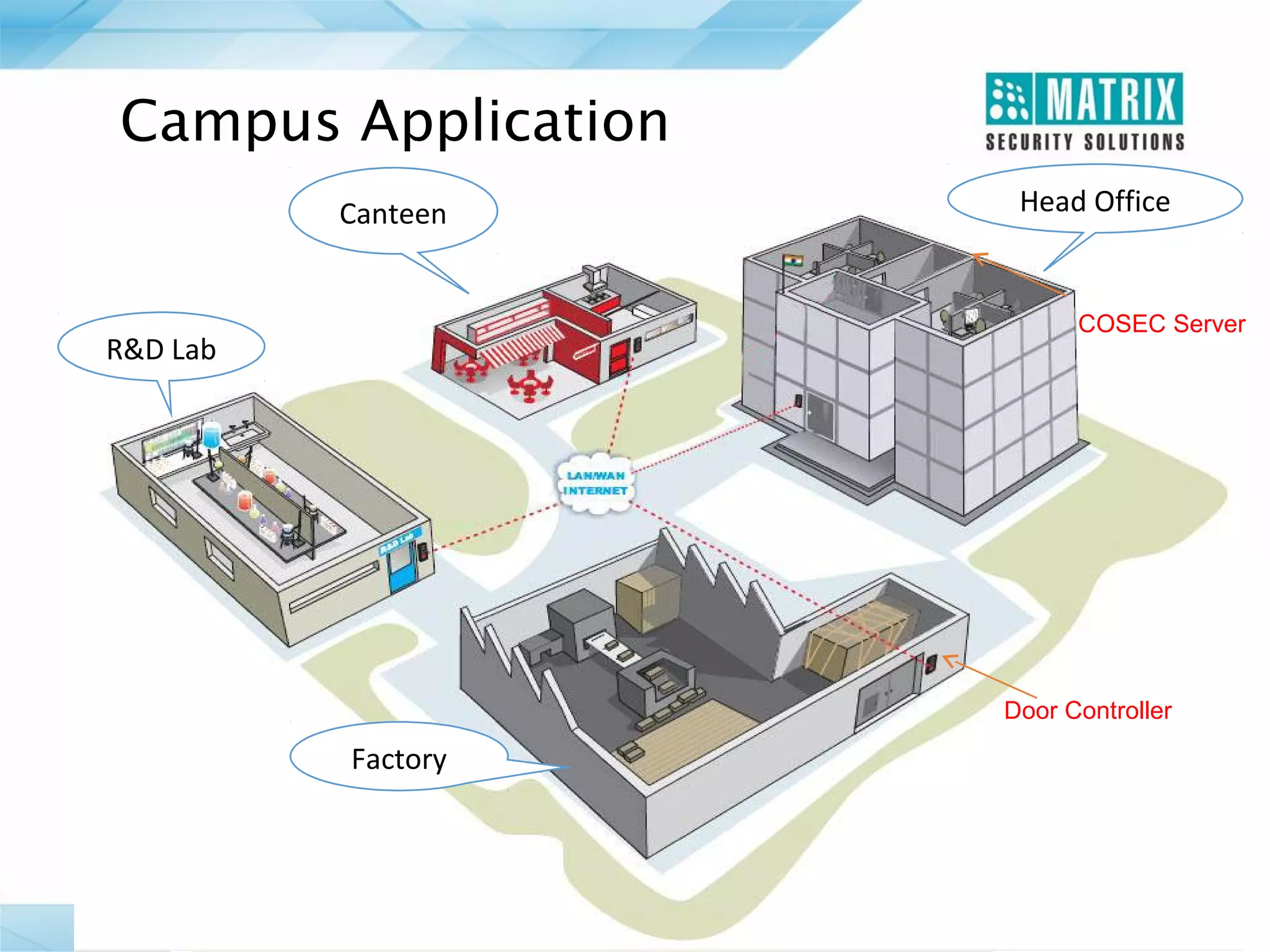
  • #16 Fig shows the COSEC installation in an organization campus for access control. Door controllers are installed at various divisions of the organization and they are centrally connected with a PANEL. This complete system is monitored and controlled by COSEC application software. Various access control and time-attendance policies can be applied for each door controller.
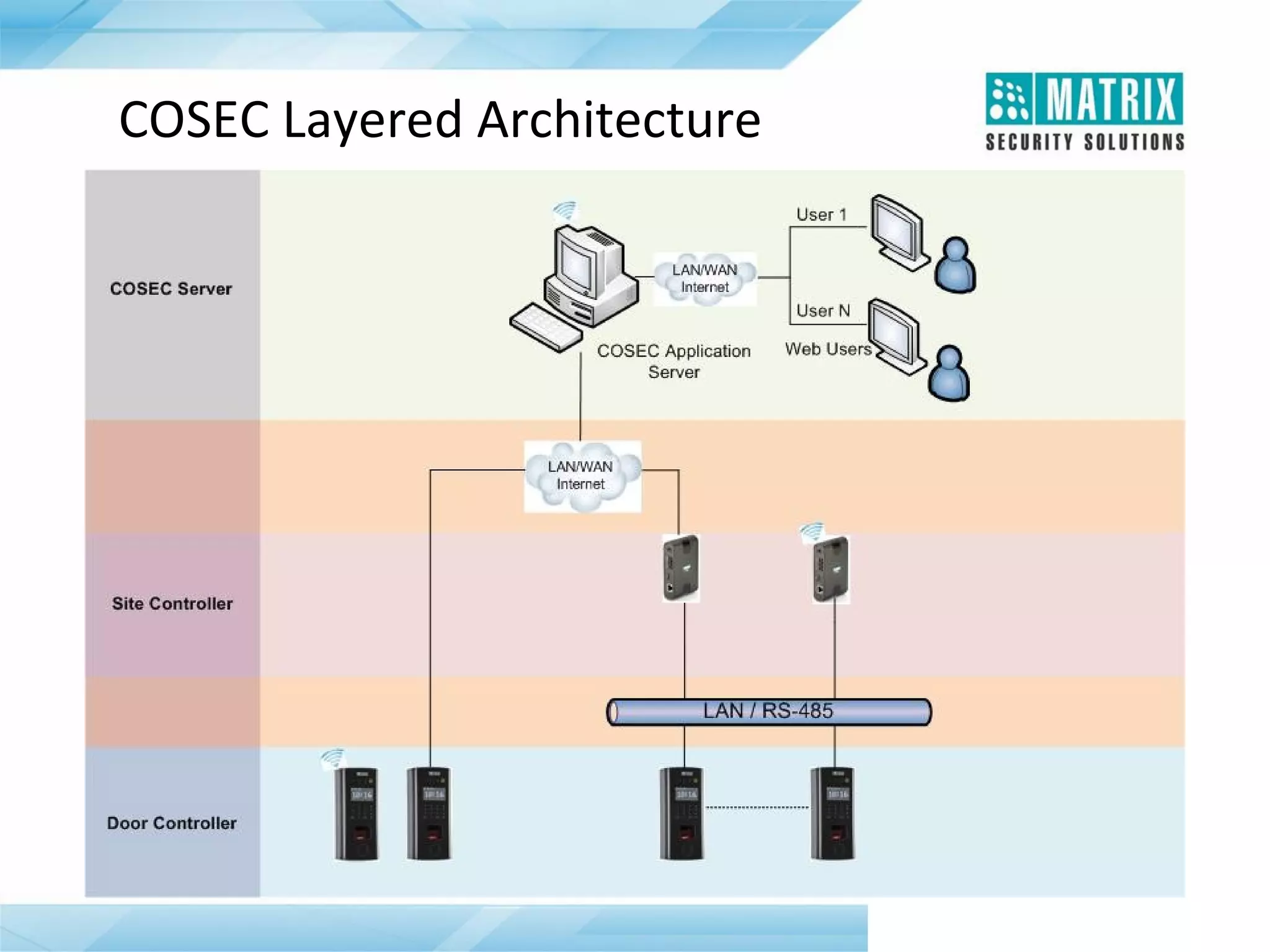
  • #17 Above Diagram shows basic master-Slave architecture of COSEC where all Door Controllers(Slave) are connected with Master Controller either through Ethernet or RS-485. Master Controller supports up to 75 door controllers. Maximum 32 door controllers are Possible with RS-485 All 75 door controllers can be connected with Ethernet Computers are used for programming, monitoring and controlling application