Mastering Security with
GeoServer and GeoFence
Ing. Mauro Bartolomeoli
Ing. Emanuele Tajariol
Ing. Simone Giannecchini
GeoSolutions
GeoSolutions
 Founded in Italy in late 2006
 Expertise
• Image Processing, GeoSpatial Data Fusion
• Java, Java Enterprise, C++, Python
• JPEG2000, JPIP, Advanced 2D visualization
 Supporting/Developing FOSS4G projects
 GeoServer, MapStore
 GeoNetwork, GeoNode, Ckan
 Clients
 Public Agencies
 Private Companies

 http://www.geo-solutions.it
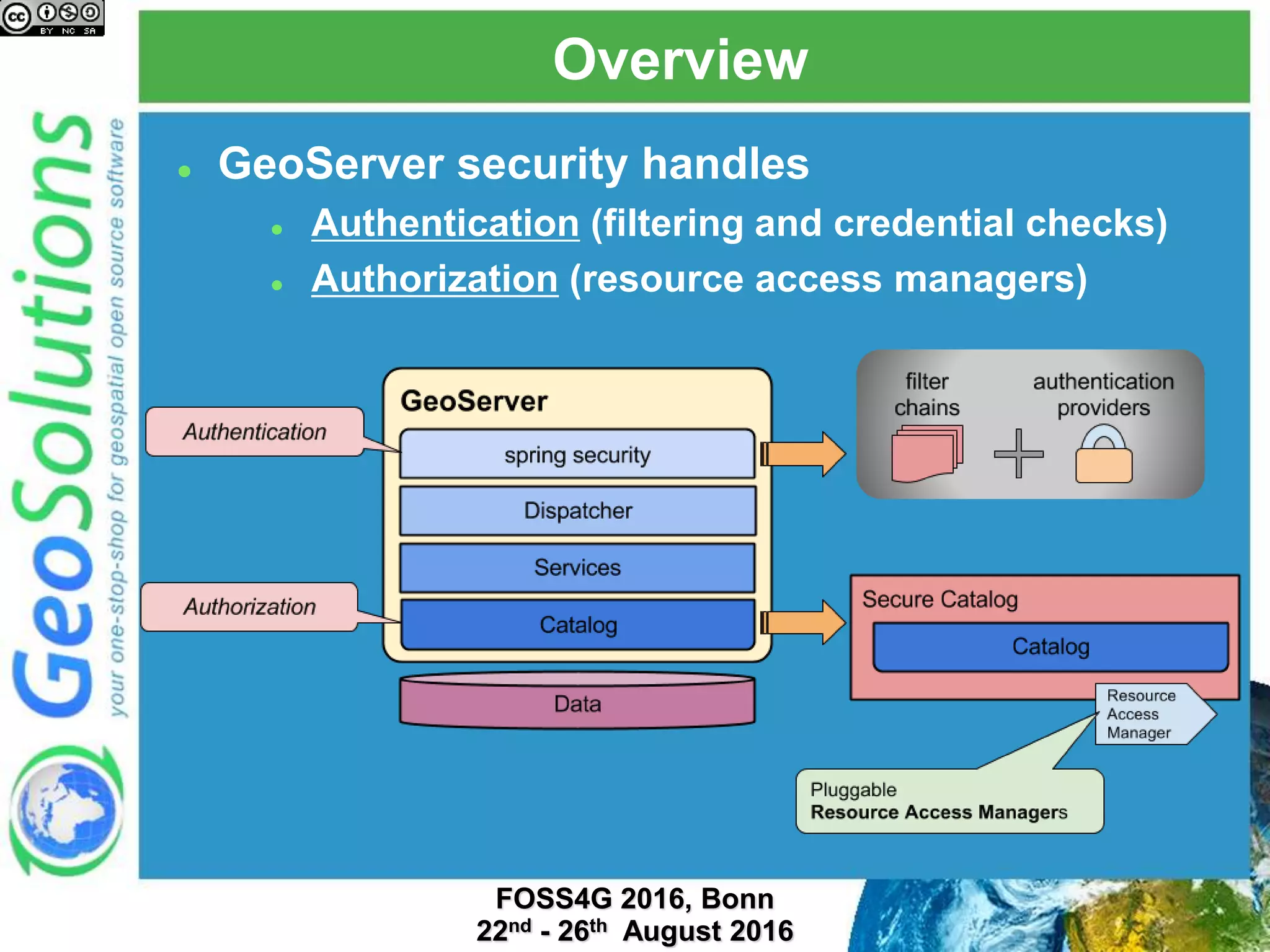
Overview
 GeoServer security handles
 Authentication (filtering and credential checks)
 Authorization (resource access managers)
Authentication
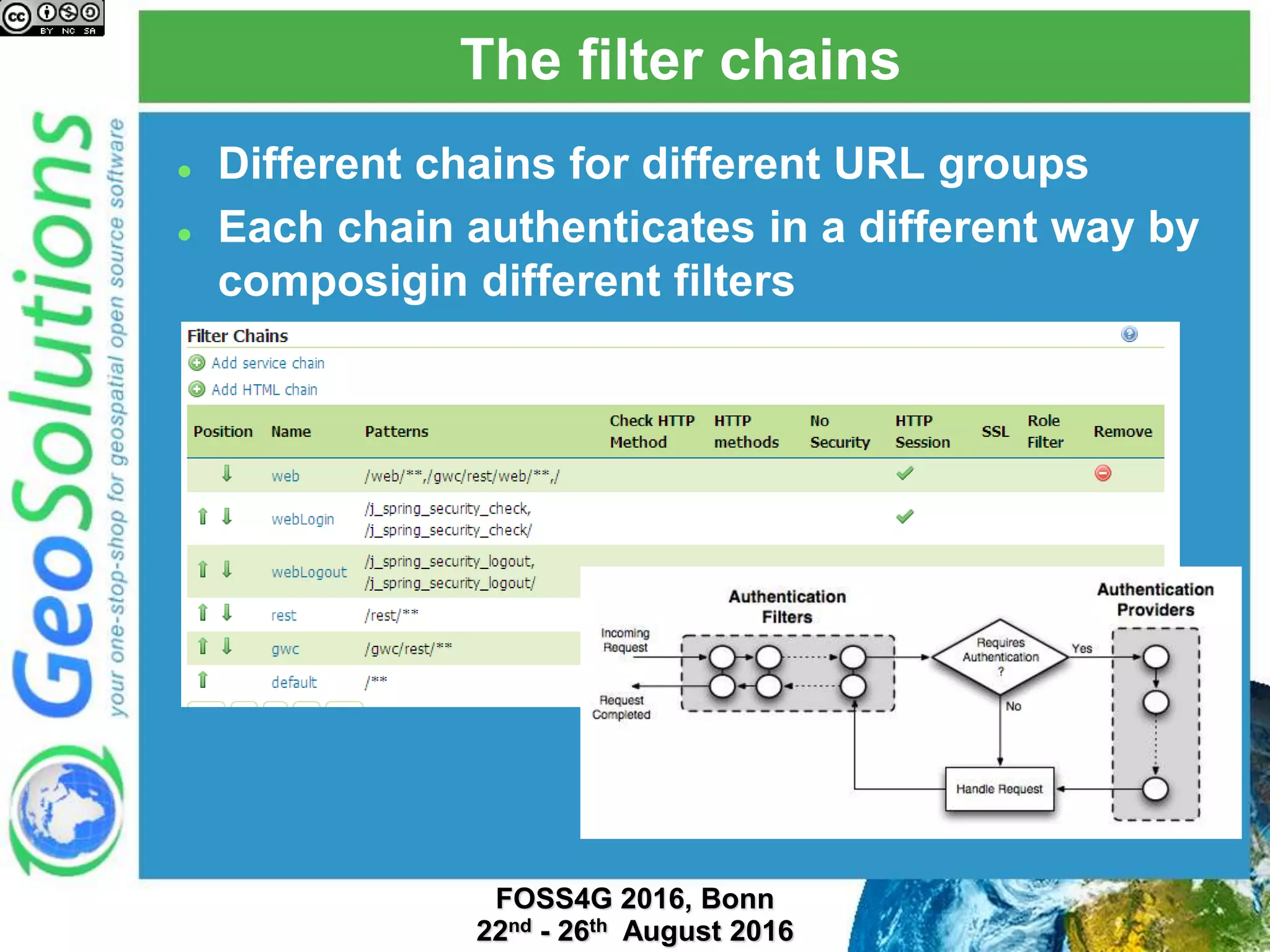
The filter chains
 Different chains for different URL groups
 Each chain authenticates in a different way by
composigin different filters
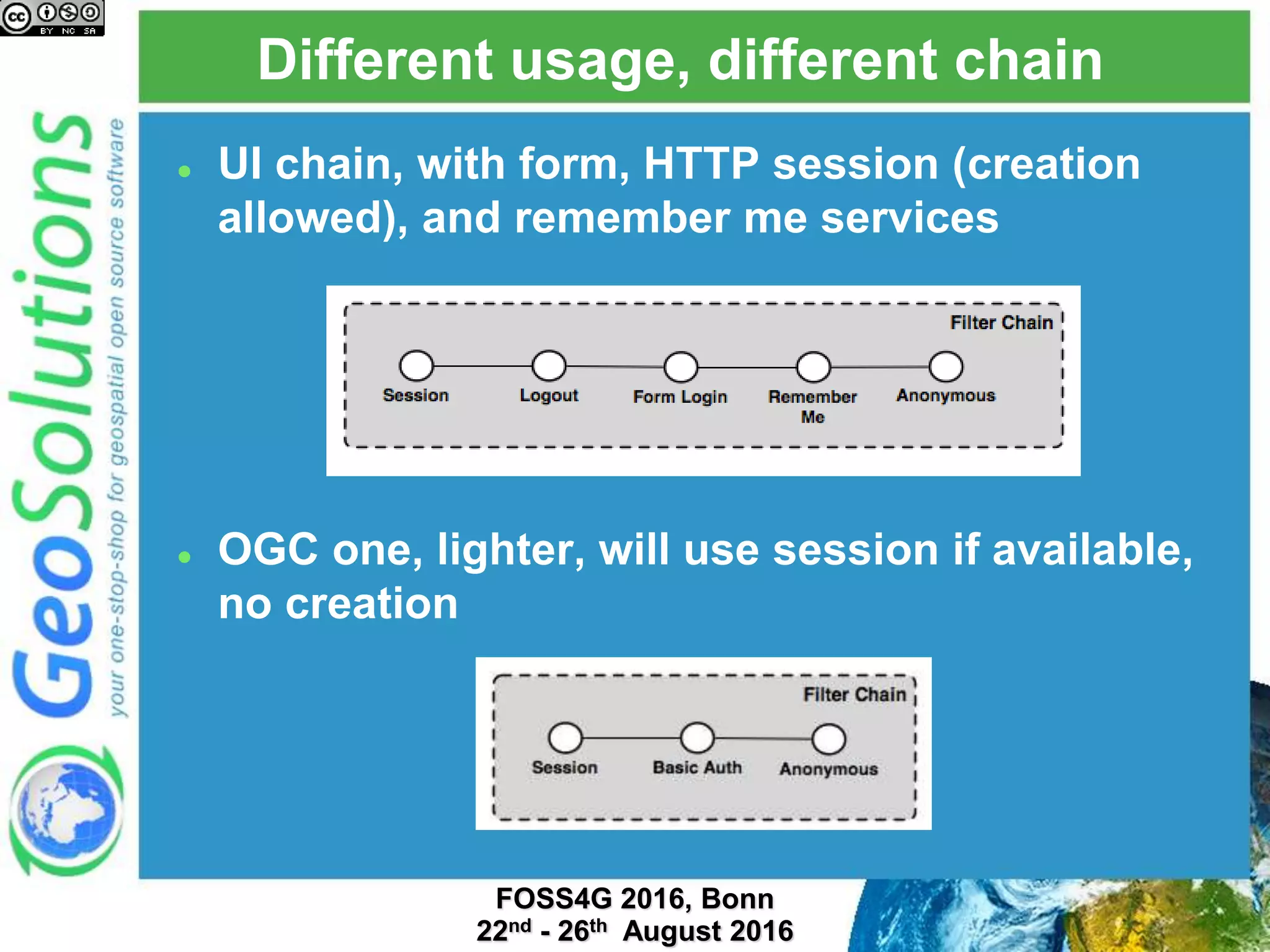
 UI chain, with form, HTTP session (creation
allowed), and remember me services
 OGC one, lighter, will use session if available,
no creation
Different usage, different chain
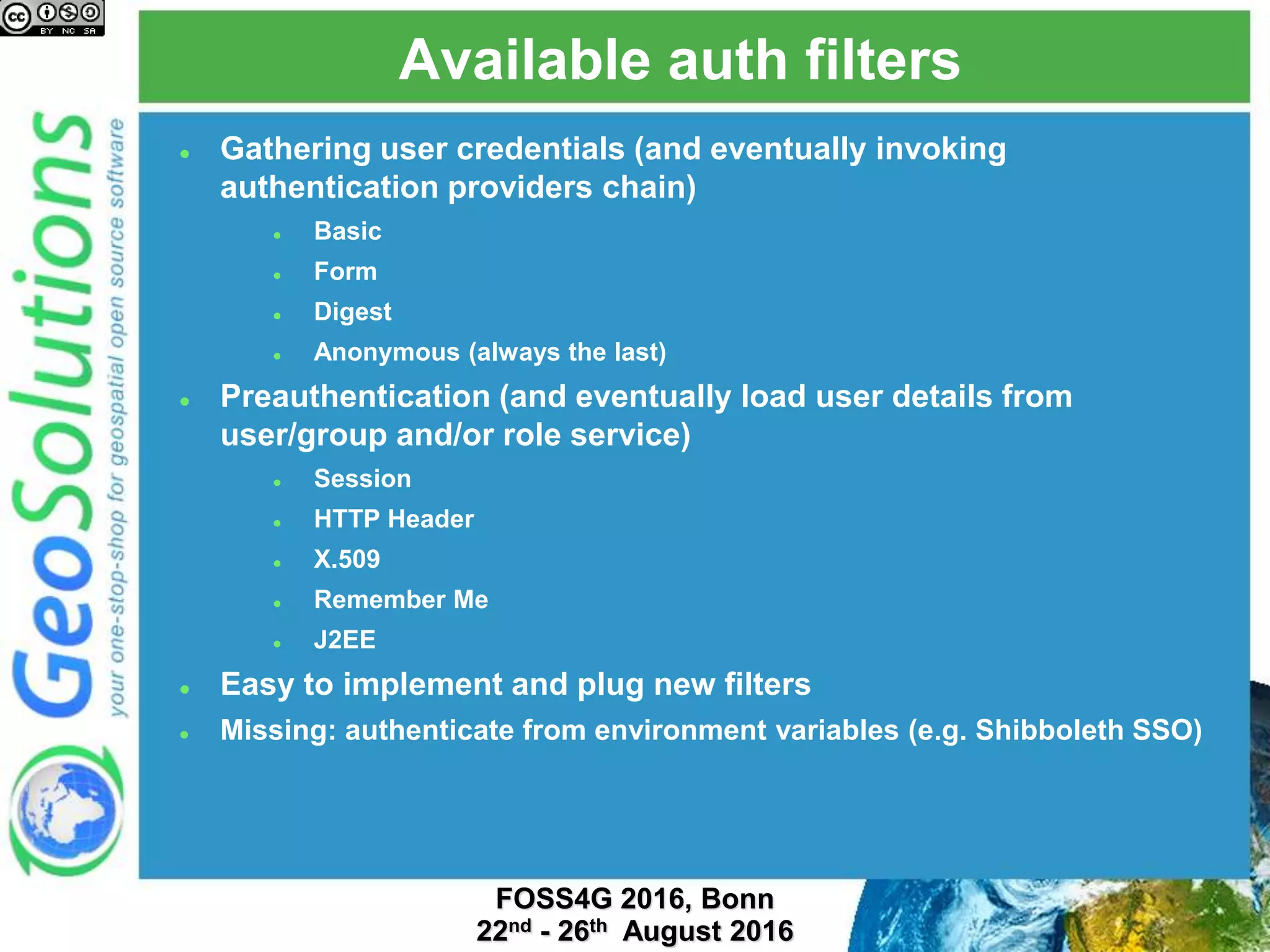
Available auth filters
 Gathering user credentials (and eventually invoking
authentication providers chain)
 Basic
 Form
 Digest
 Anonymous (always the last)
 Preauthentication (and eventually load user details from
user/group and/or role service)
 Session
 HTTP Header
 X.509
 Remember Me
 J2EE
 Easy to implement and plug new filters
 Missing: authenticate from environment variables (e.g. Shibboleth SSO)
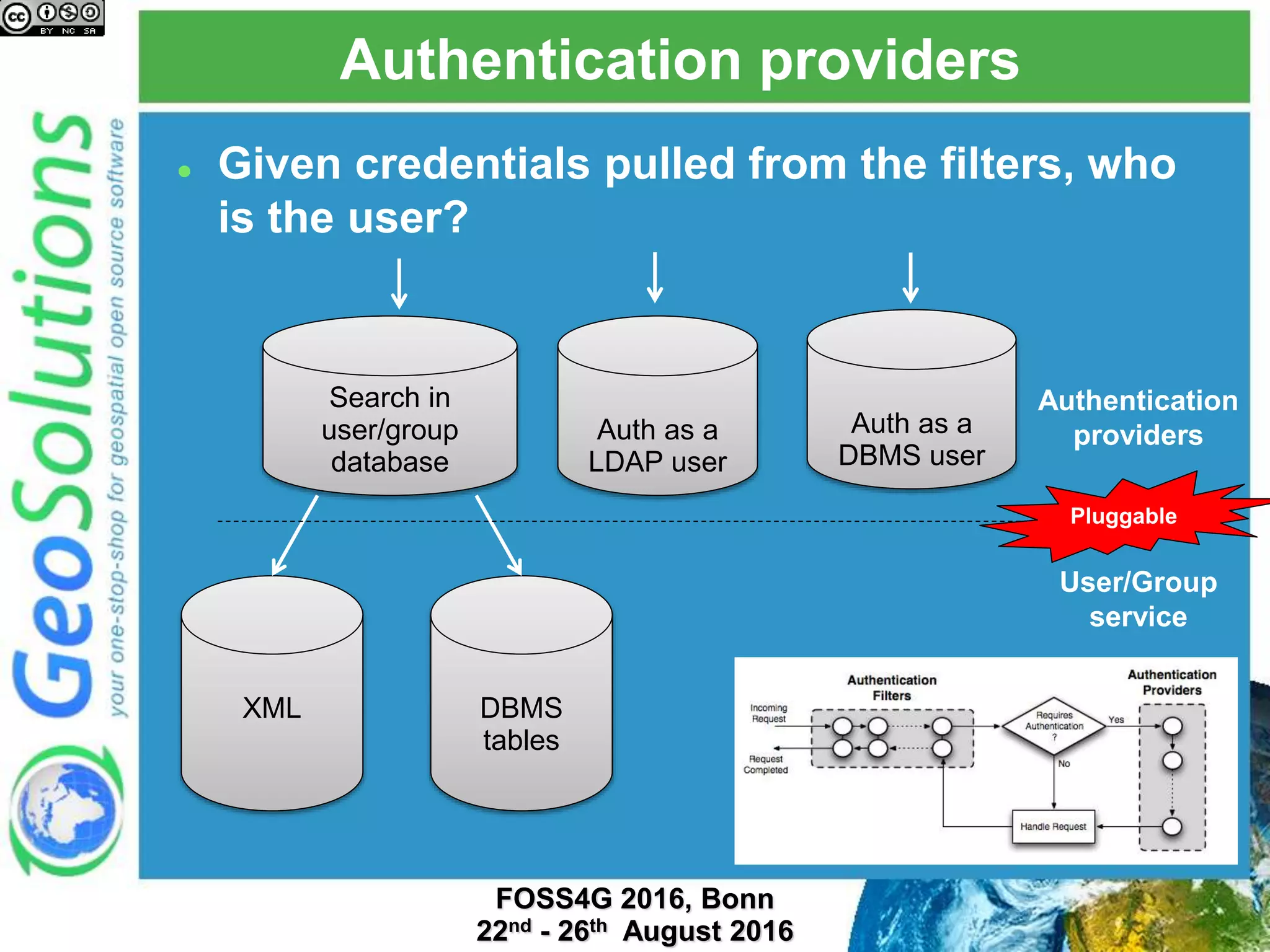
Authentication providers
 Given credentials pulled from the filters, who
is the user?
Search in
user/group
database
Auth as a
LDAP user
Auth as a
DBMS user
XML DBMS
tables
Authentication
providers
User/Group
service
Pluggable
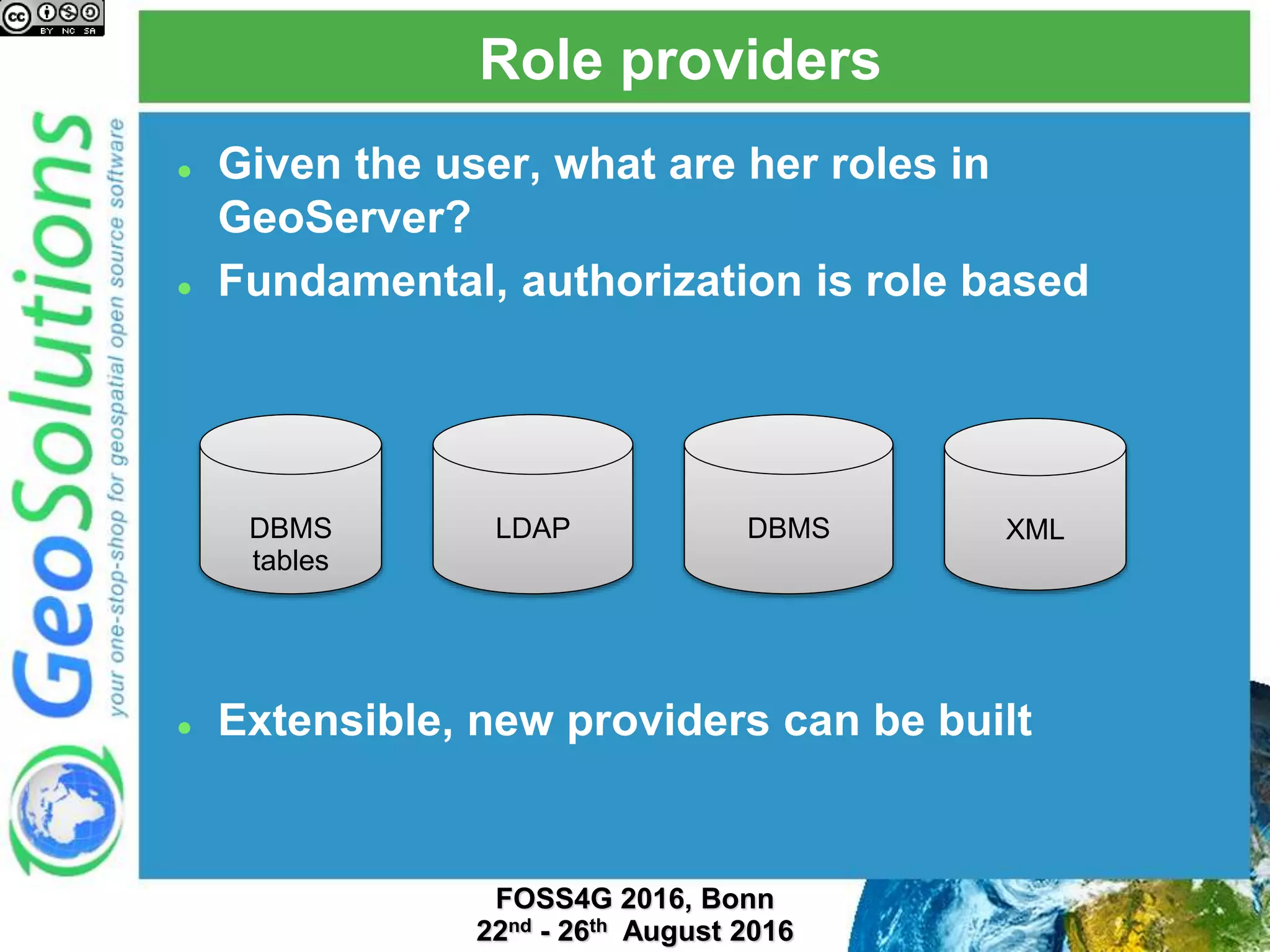
Role providers
 Given the user, what are her roles in
GeoServer?
 Fundamental, authorization is role based
 Extensible, new providers can be built
LDAP DBMS XMLDBMS
tables
Extensions
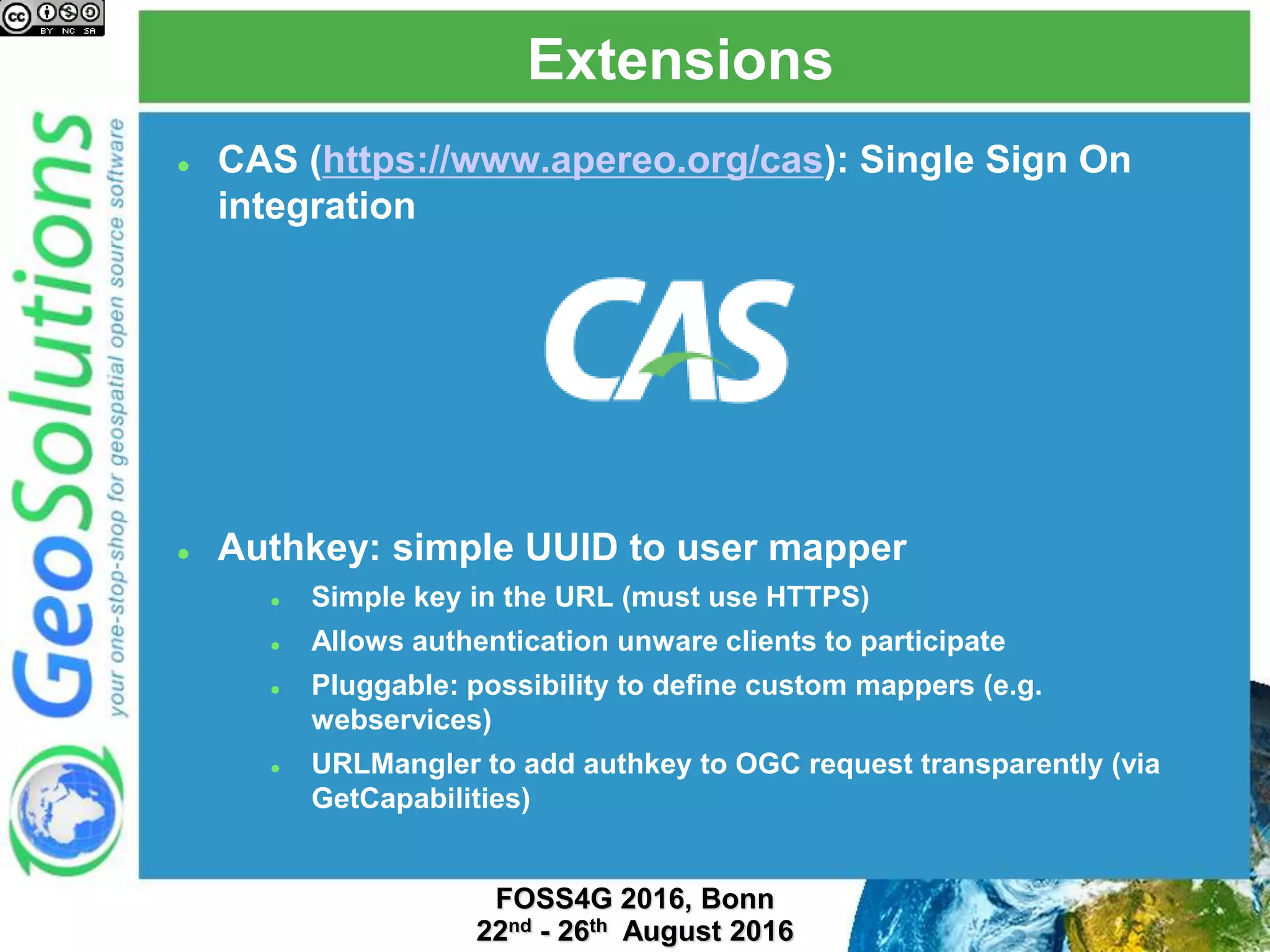
 CAS (https://www.apereo.org/cas): Single Sign On
integration
 Authkey: simple UUID to user mapper
 Simple key in the URL (must use HTTPS)
 Allows authentication unware clients to participate
 Pluggable: possibility to define custom mappers (e.g.
webservices)
 URLMangler to add authkey to OGC request transparently (via
GetCapabilities)
Authorization
Authorization
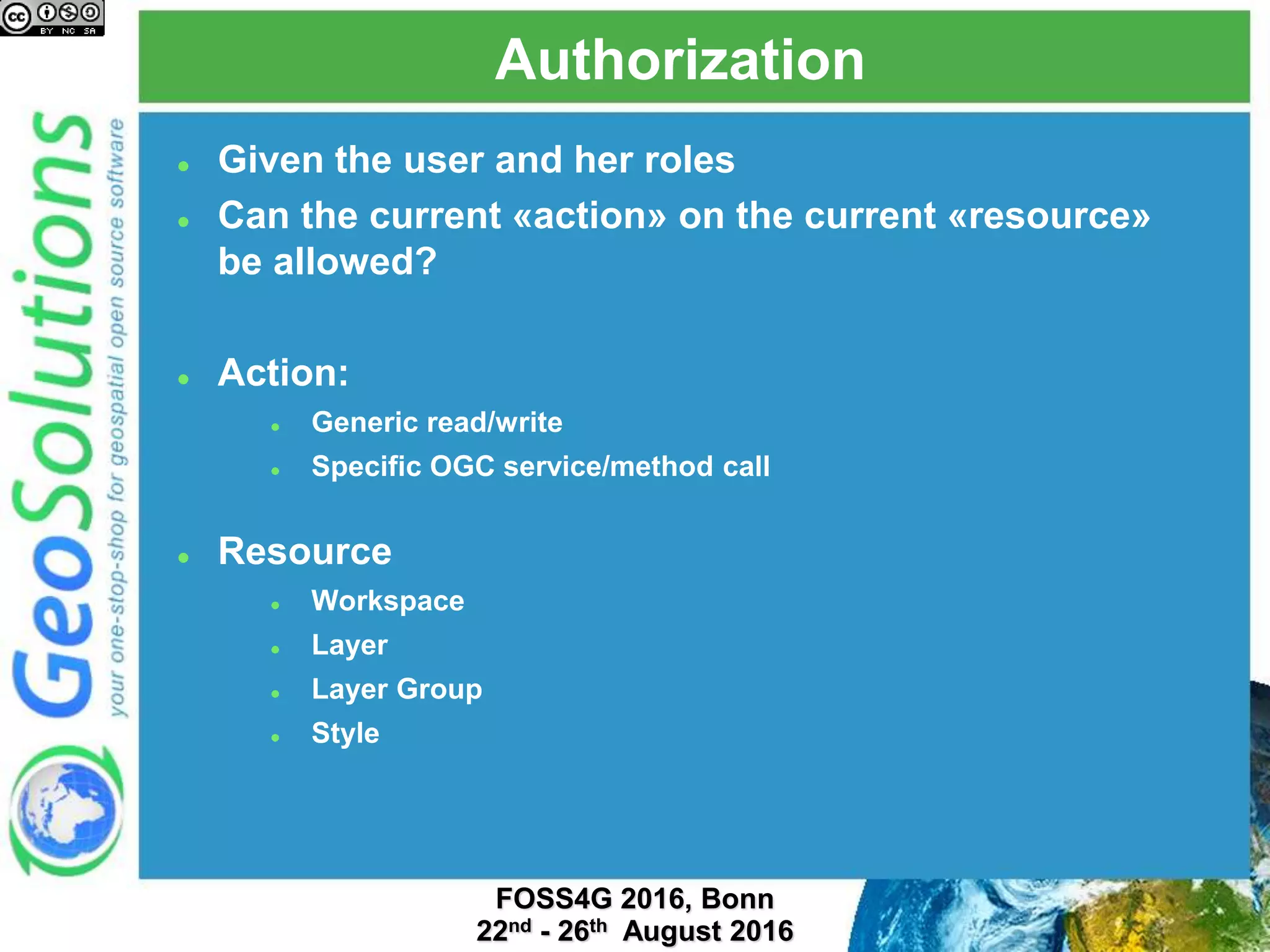
 Given the user and her roles
 Can the current «action» on the current «resource»
be allowed?
 Action:
 Generic read/write
 Specific OGC service/method call
 Resource
 Workspace
 Layer
 Layer Group
 Style
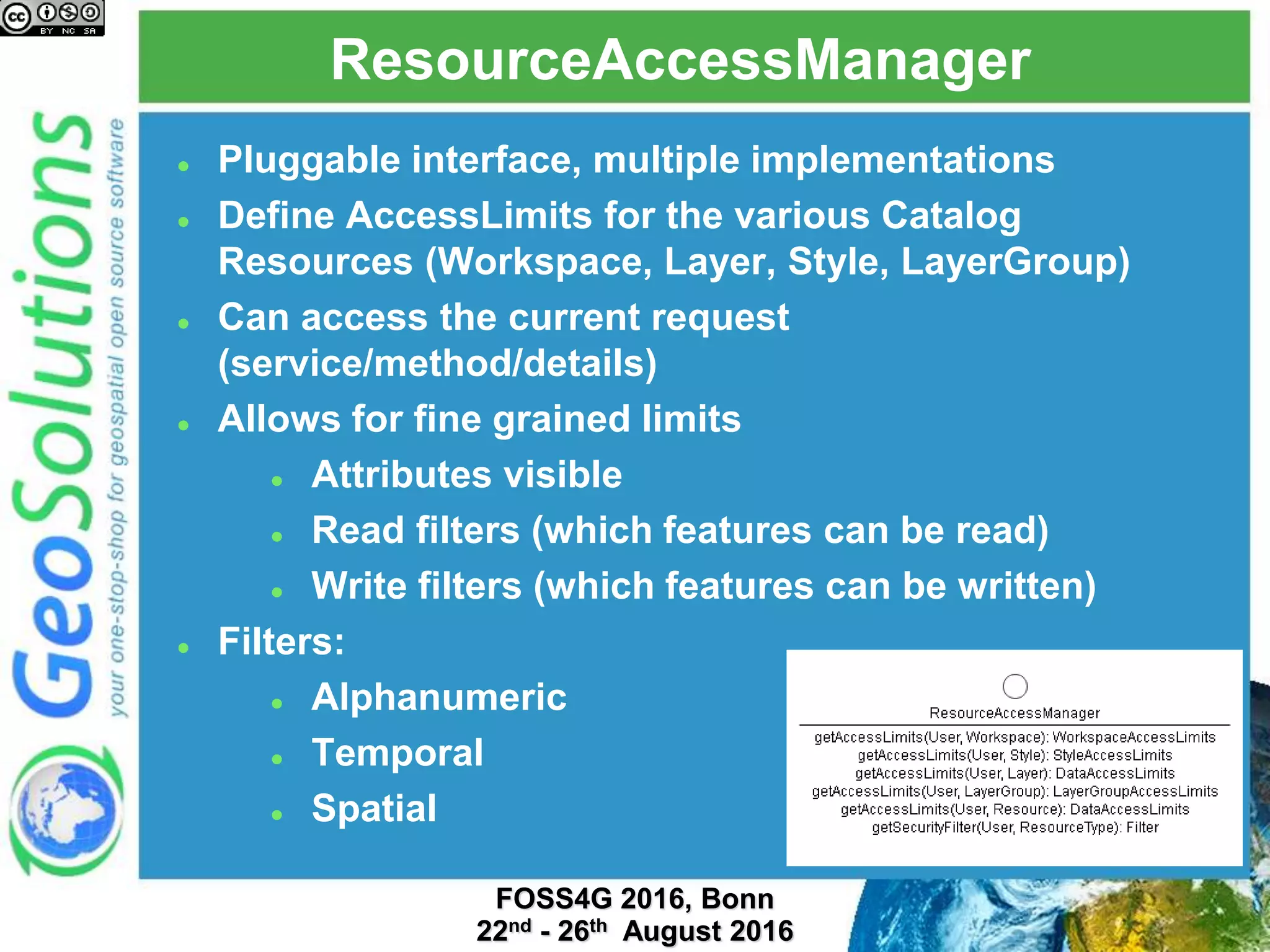
ResourceAccessManager
 Pluggable interface, multiple implementations
 Define AccessLimits for the various Catalog
Resources (Workspace, Layer, Style, LayerGroup)
 Can access the current request
(service/method/details)
 Allows for fine grained limits
 Attributes visible
 Read filters (which features can be read)
 Write filters (which features can be written)
 Filters:
 Alphanumeric
 Temporal
 Spatial
Implementations
 Default security subsystem
 Simple per workspace/layer authentication
 GeoFence
 External application or embedded as a plugin
 Full use of ResourceAccessManager abilities
 Other custom implementations
 Integrate with existing in-house authorization
mechanism
 Quite popular in large enterprise setup
GeoFence
GeoFence
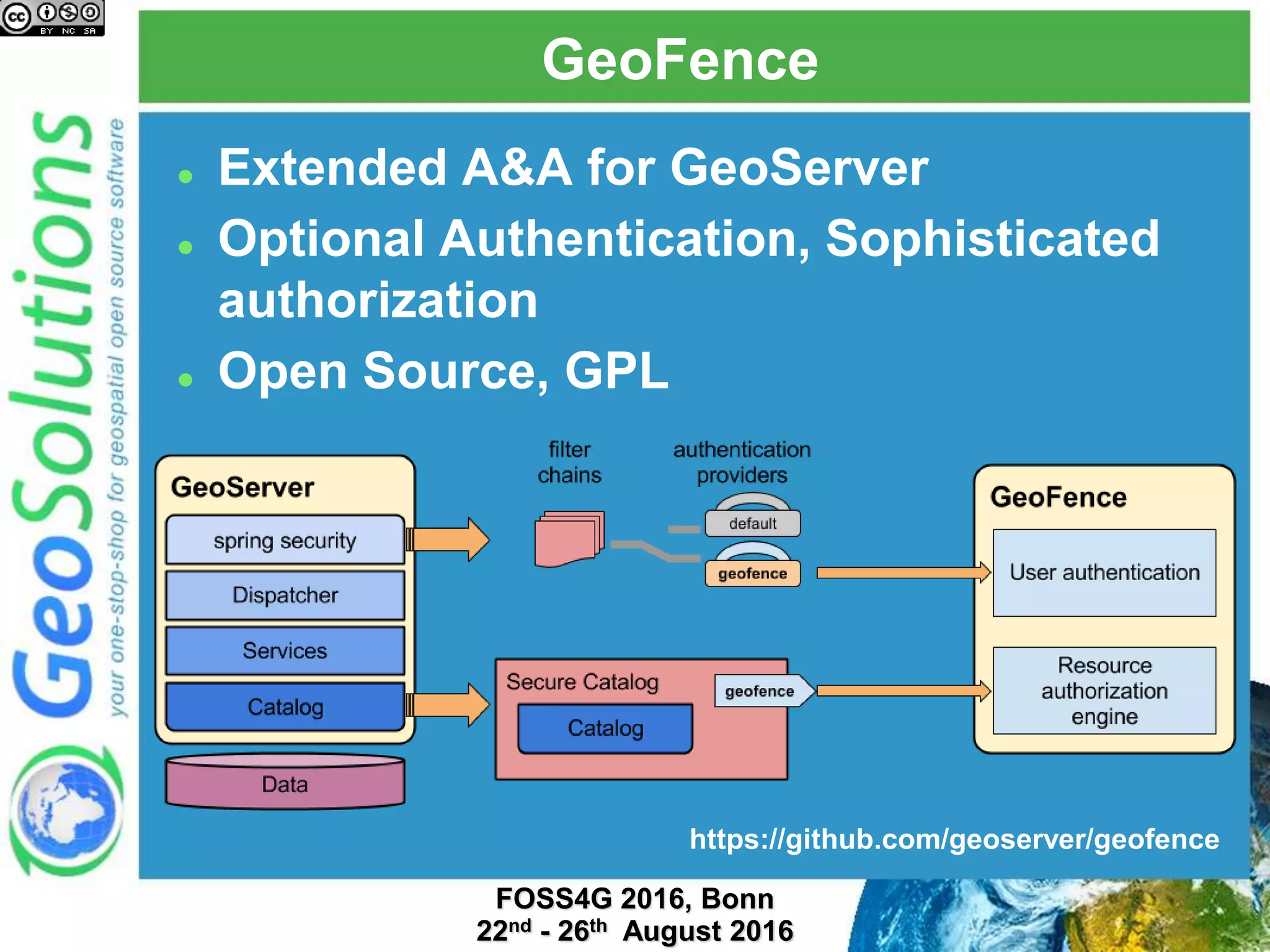
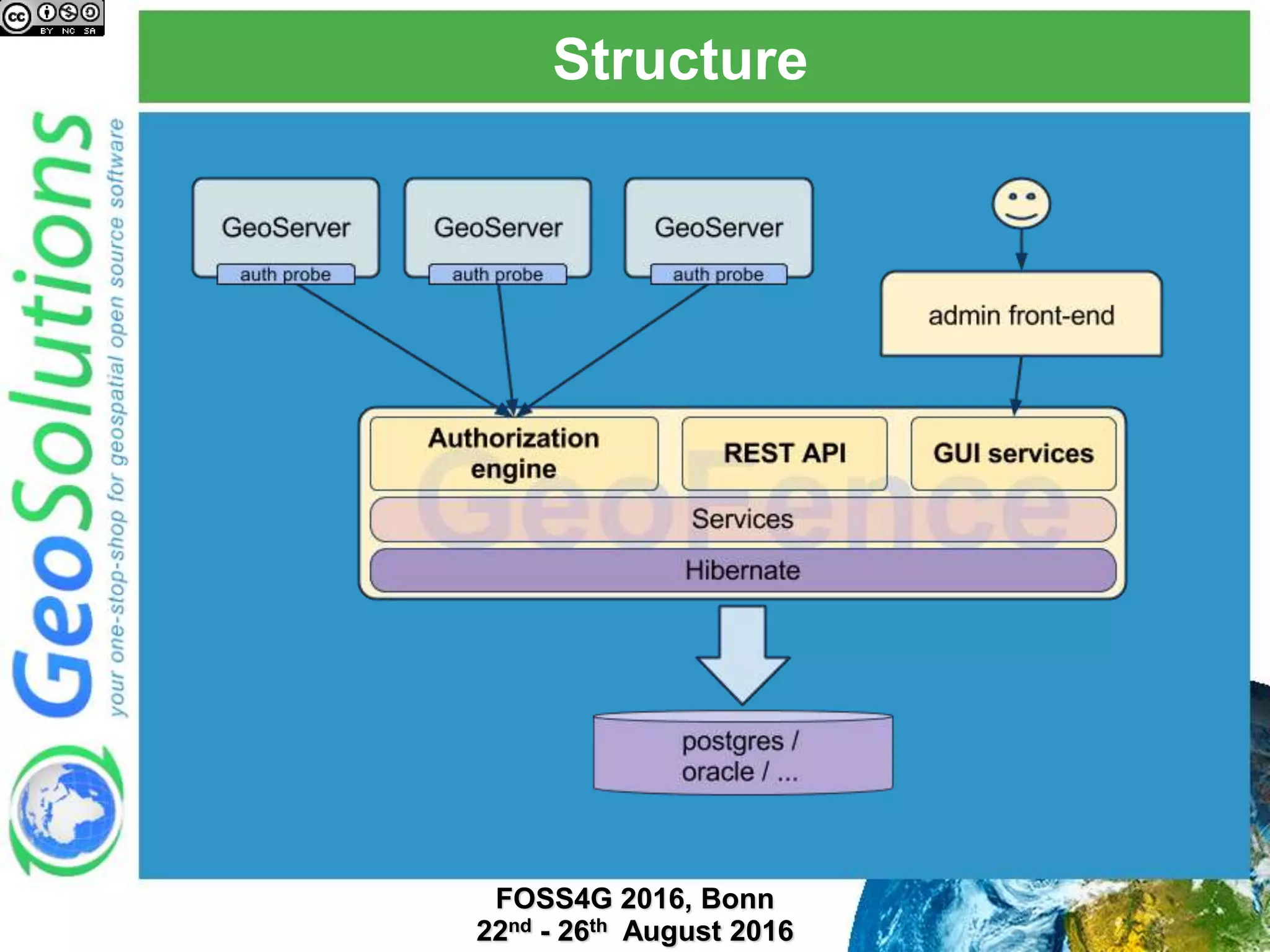
 Extended A&A for GeoServer
 Optional Authentication, Sophisticated
authorization
 Open Source, GPL
https://github.com/geoserver/geofence
Structure
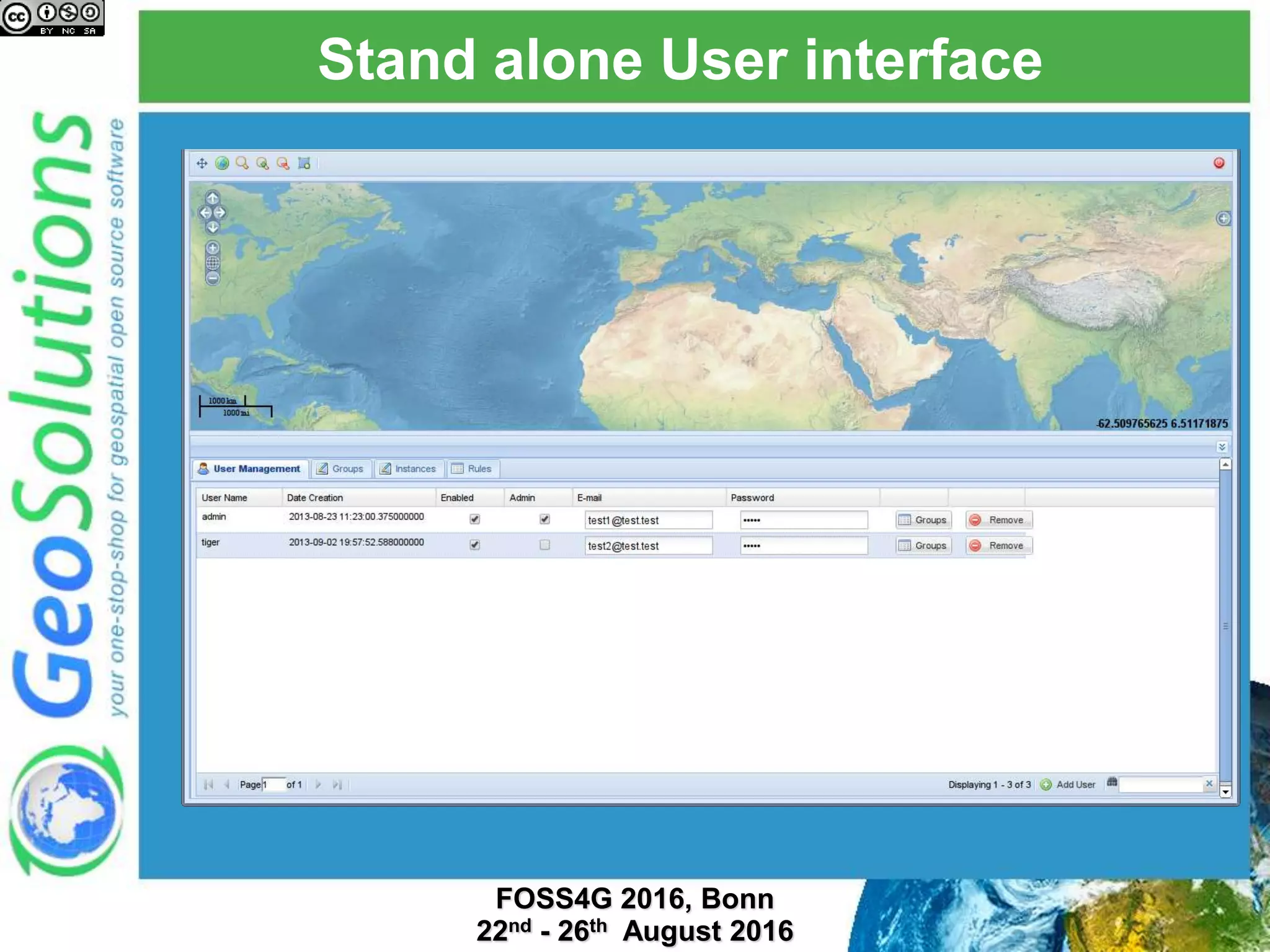
Stand alone User interface
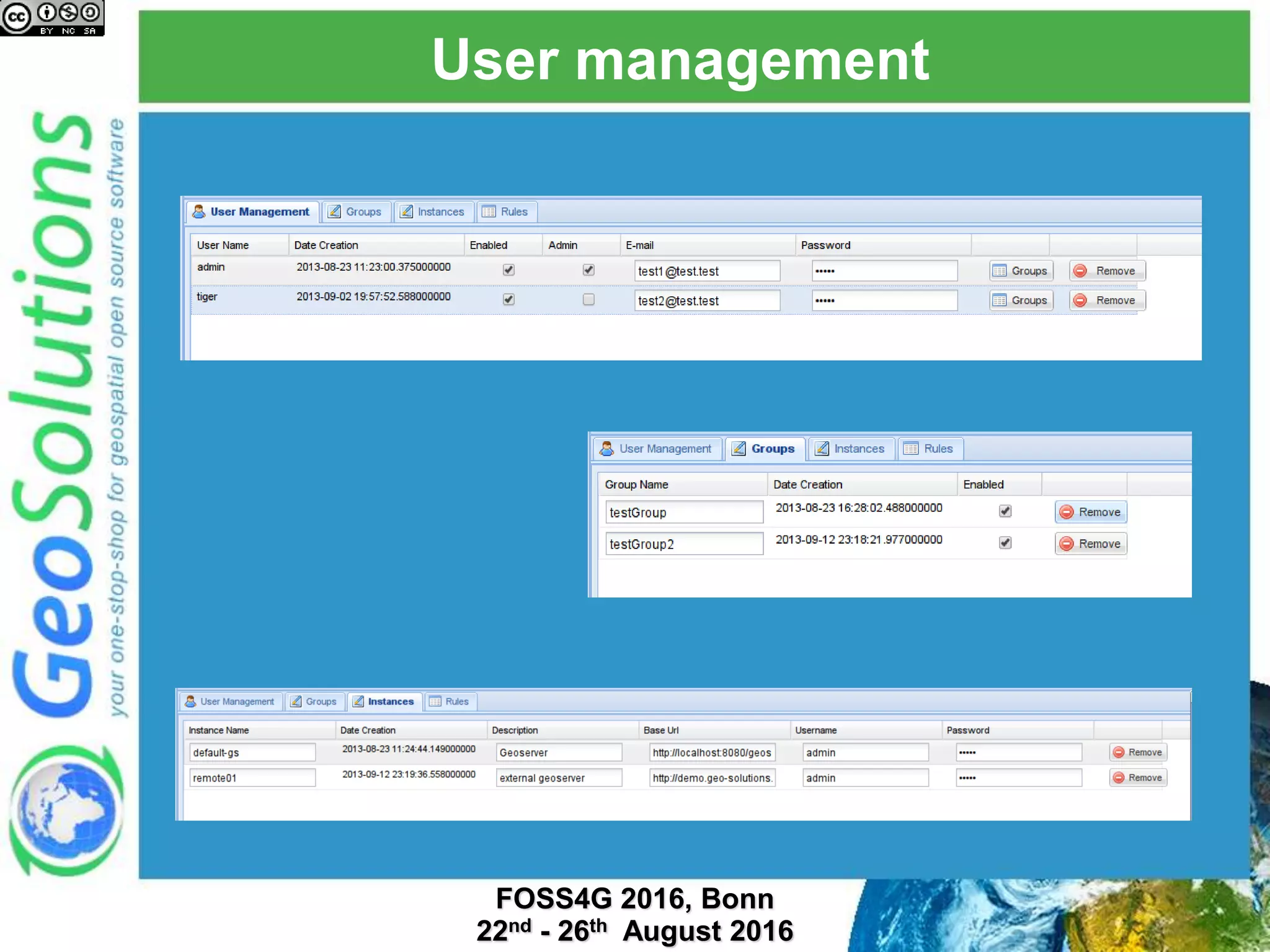
User management
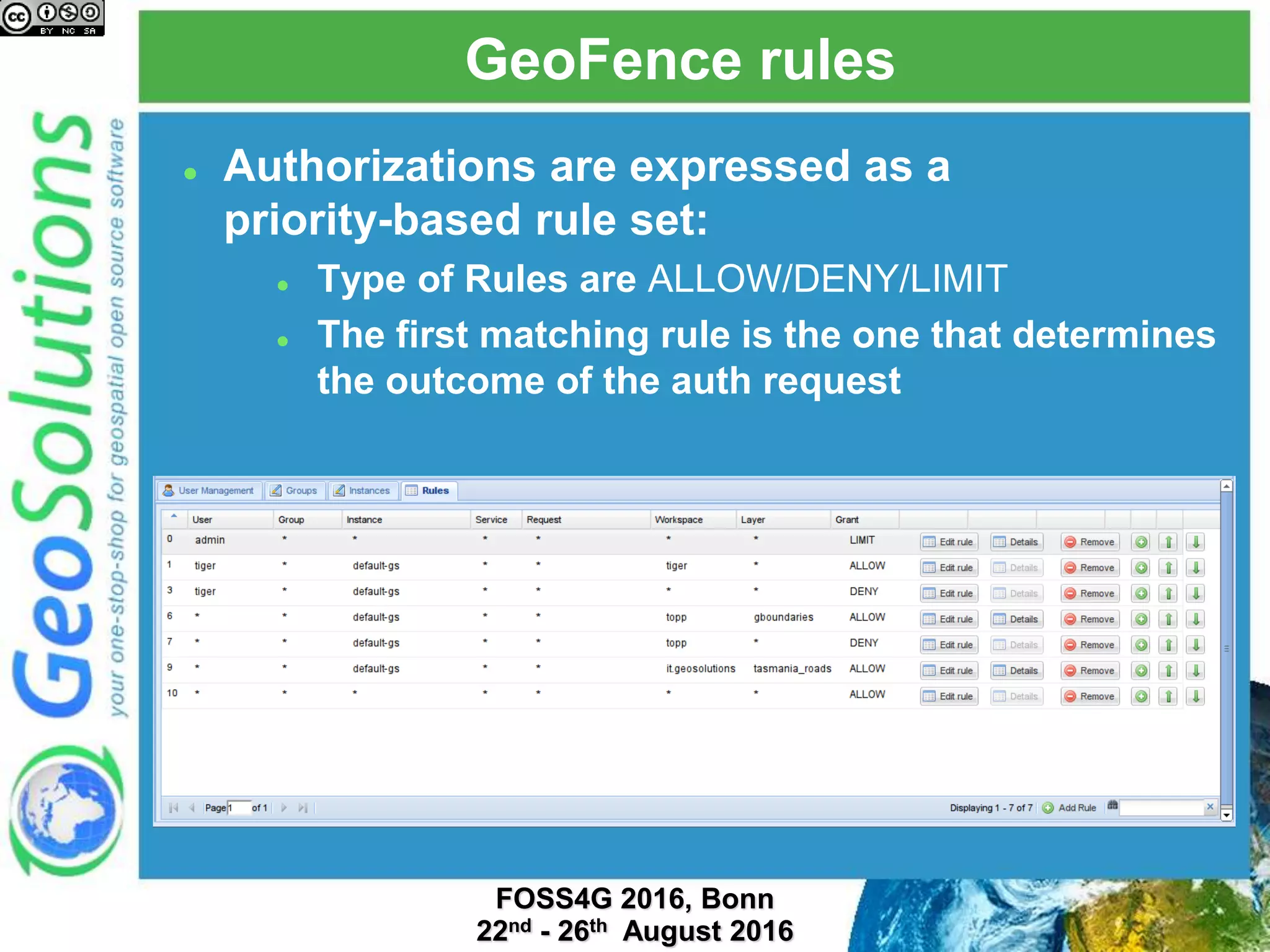
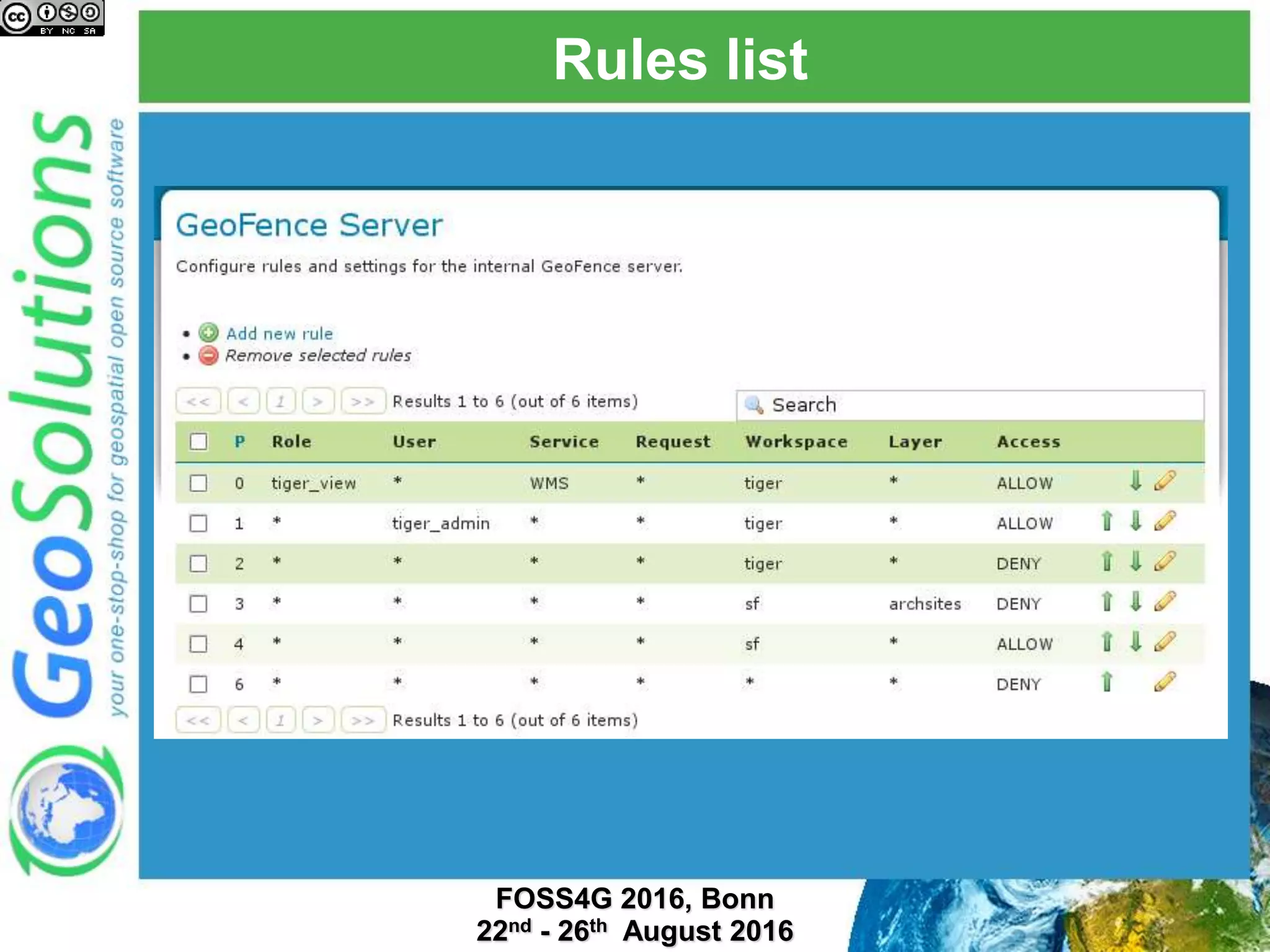
GeoFence rules
 Authorizations are expressed as a
priority-based rule set:
 Type of Rules are ALLOW/DENY/LIMIT
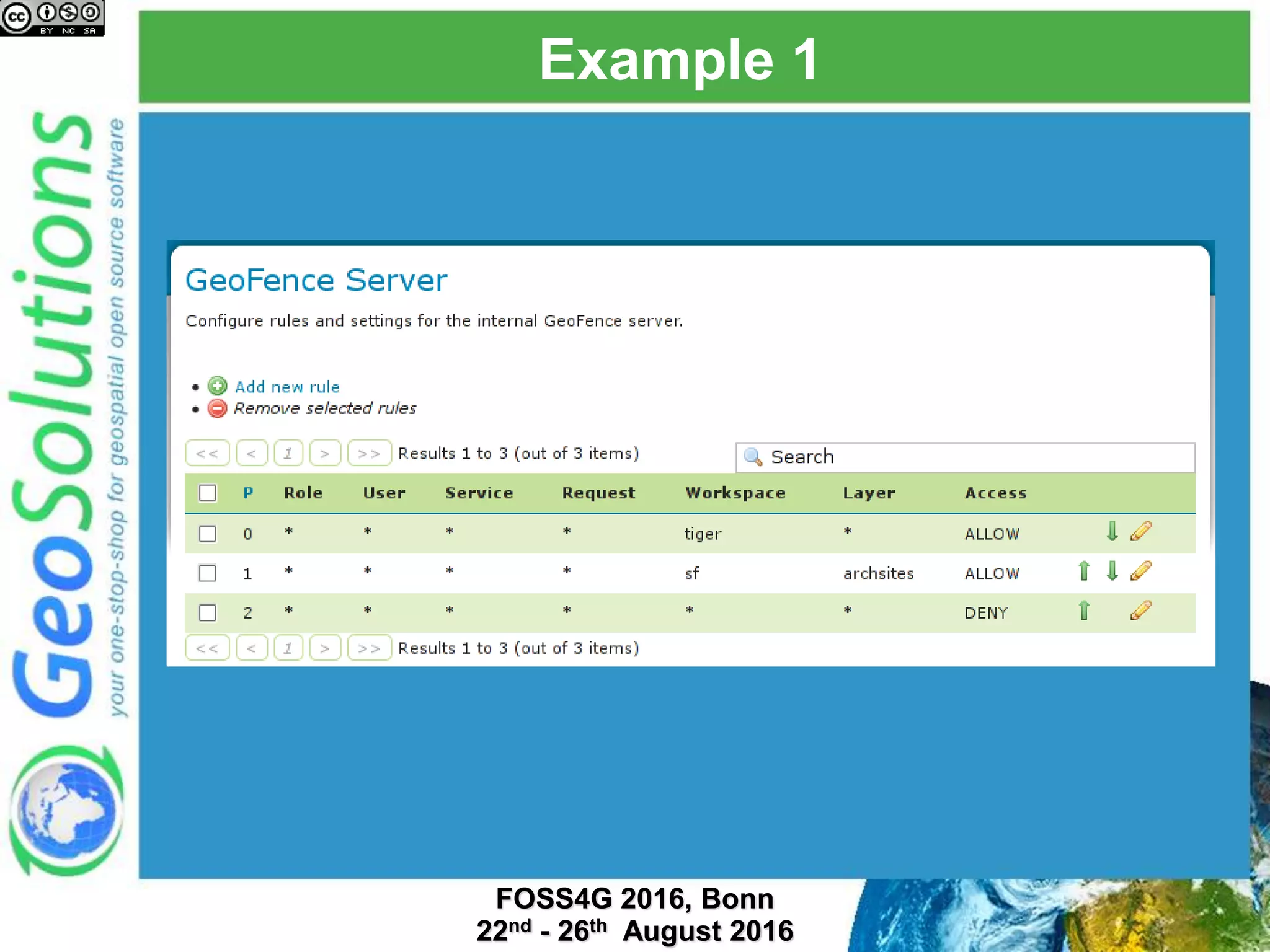
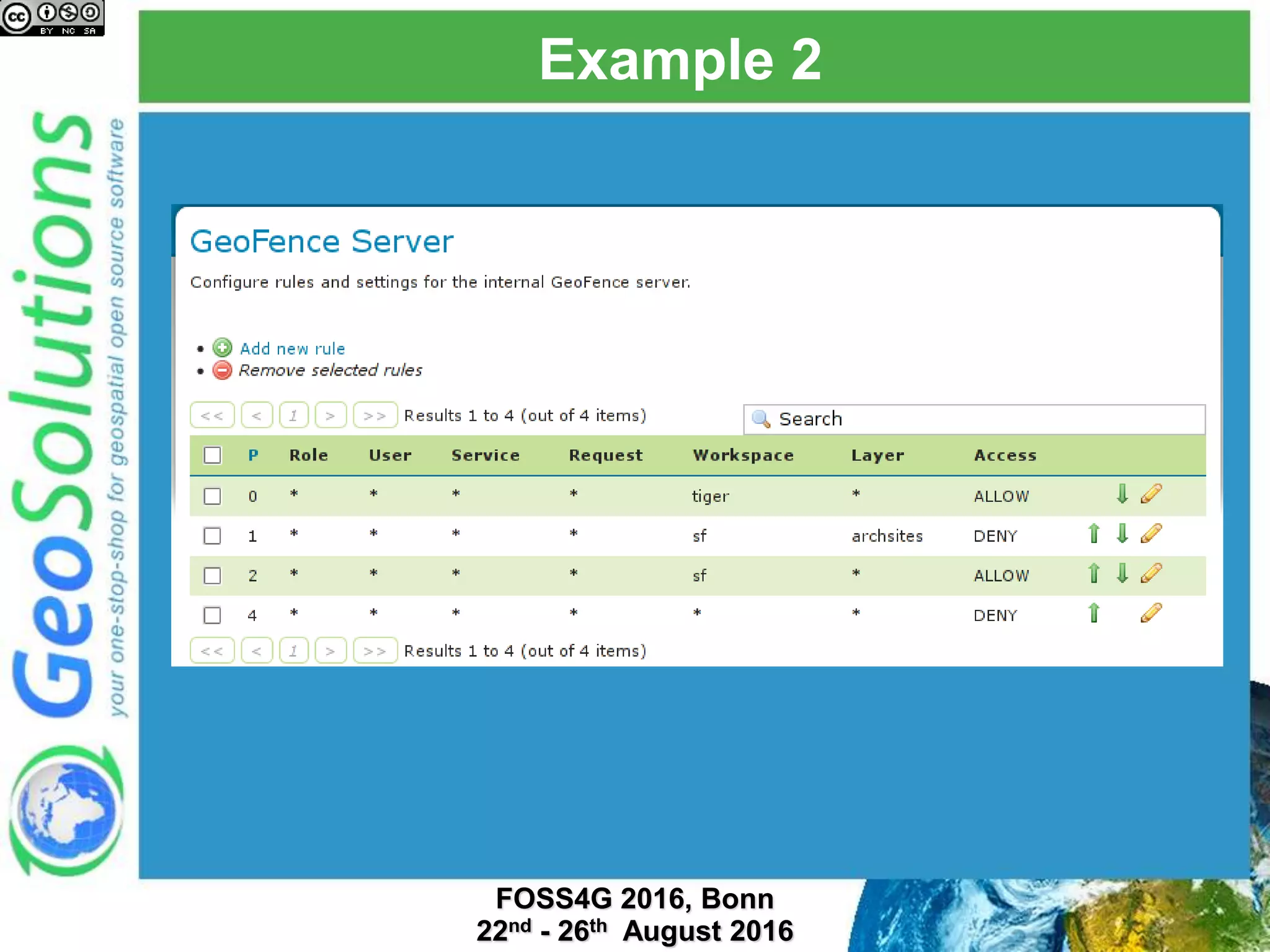
 The first matching rule is the one that determines
the outcome of the auth request
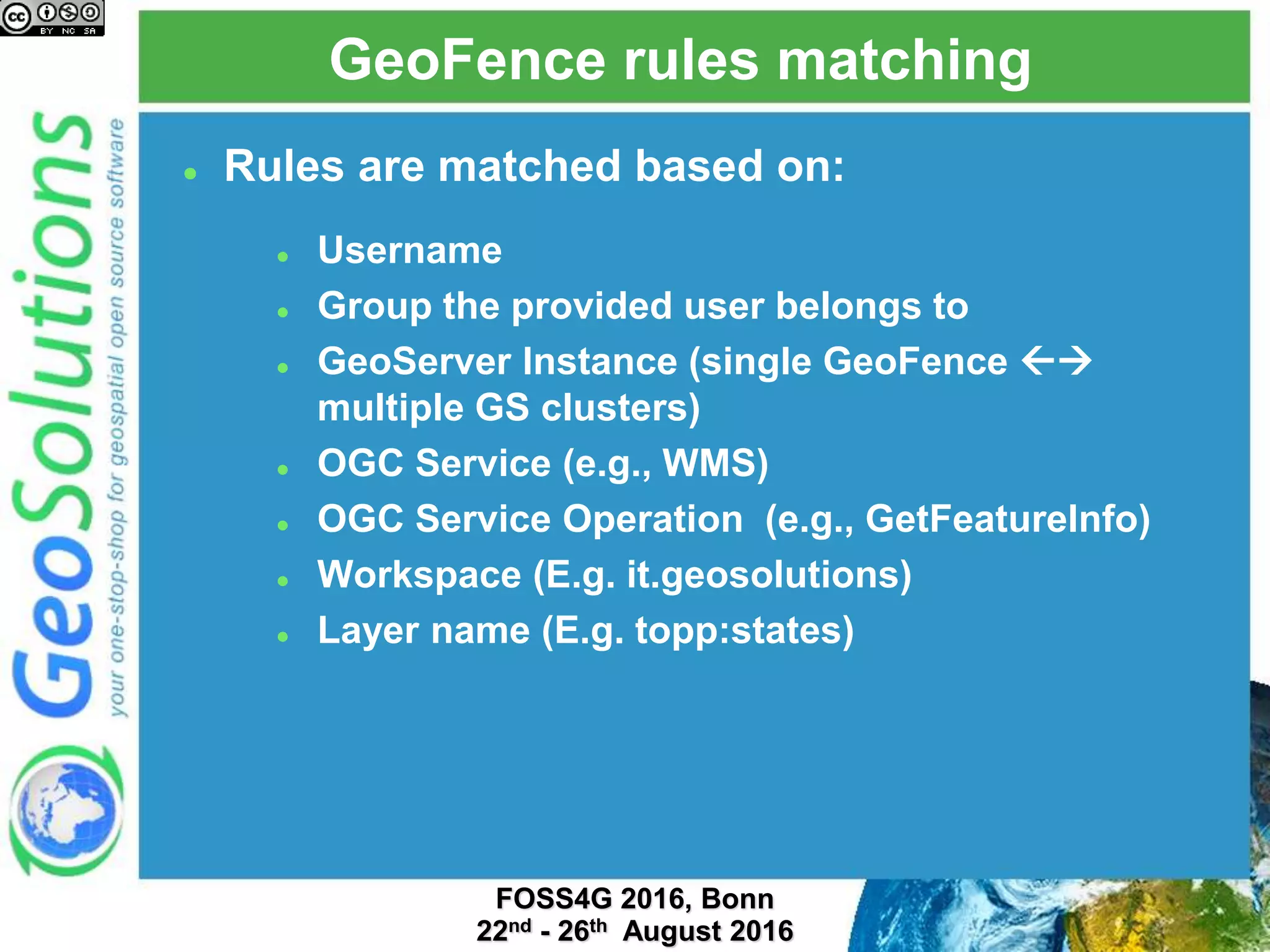
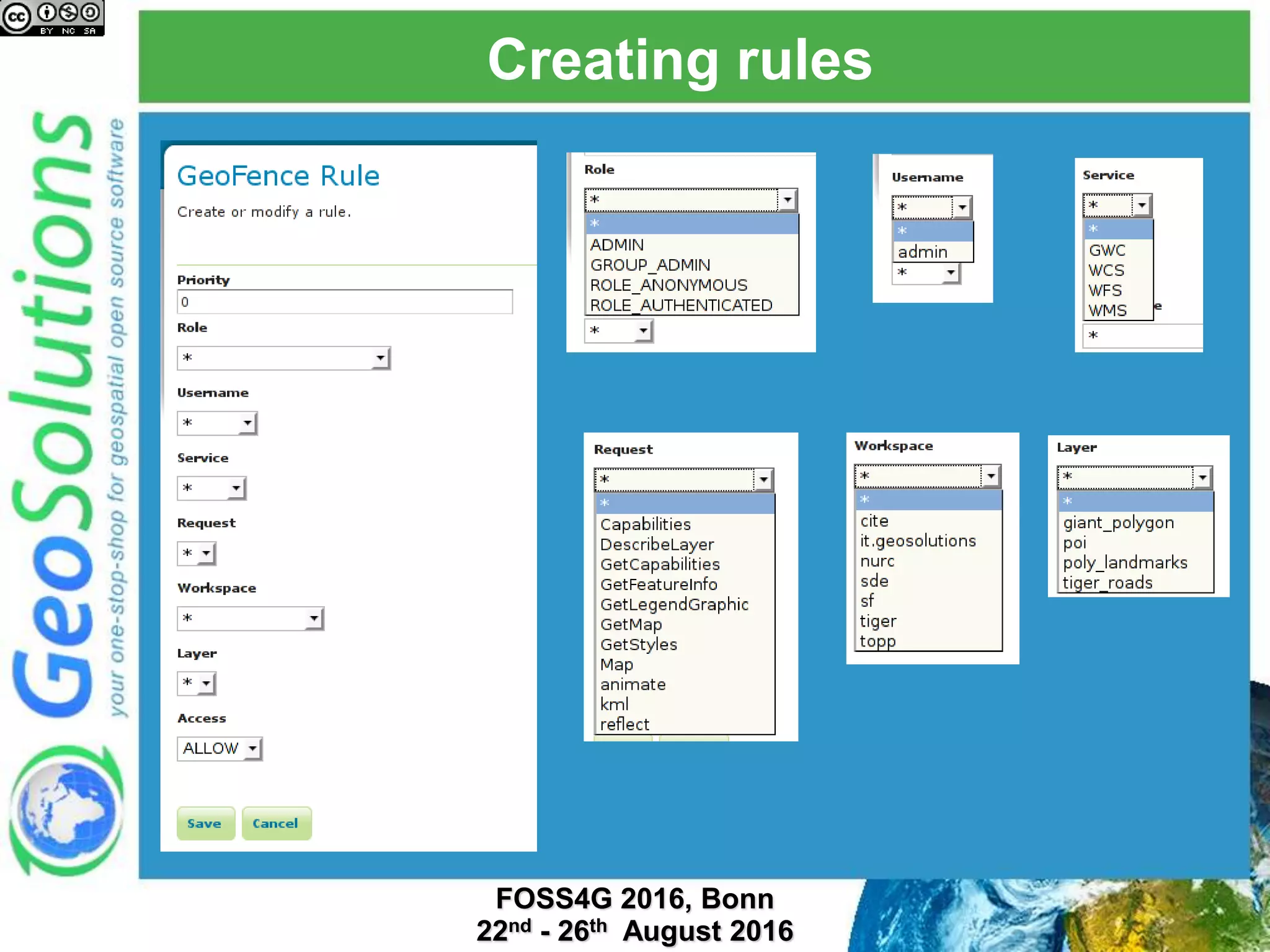
GeoFence rules matching
 Rules are matched based on:
 Username
 Group the provided user belongs to
 GeoServer Instance (single GeoFence 
multiple GS clusters)
 OGC Service (e.g., WMS)
 OGC Service Operation (e.g., GetFeatureInfo)
 Workspace (E.g. it.geosolutions)
 Layer name (E.g. topp:states)
Example
Example
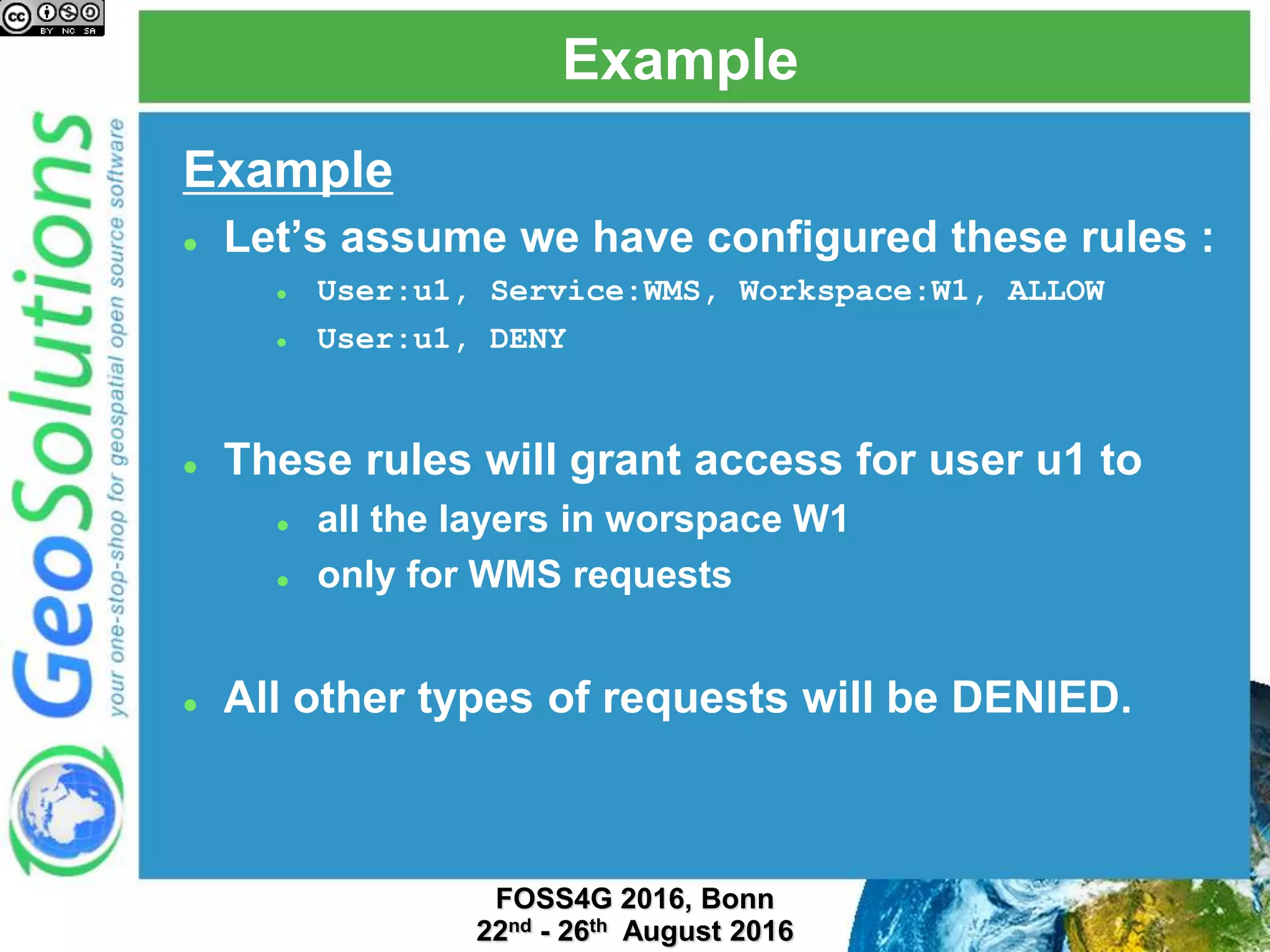
 Let’s assume we have configured these rules :
 User:u1, Service:WMS, Workspace:W1, ALLOW
 User:u1, DENY
 These rules will grant access for user u1 to
 all the layers in worspace W1
 only for WMS requests
 All other types of requests will be DENIED.
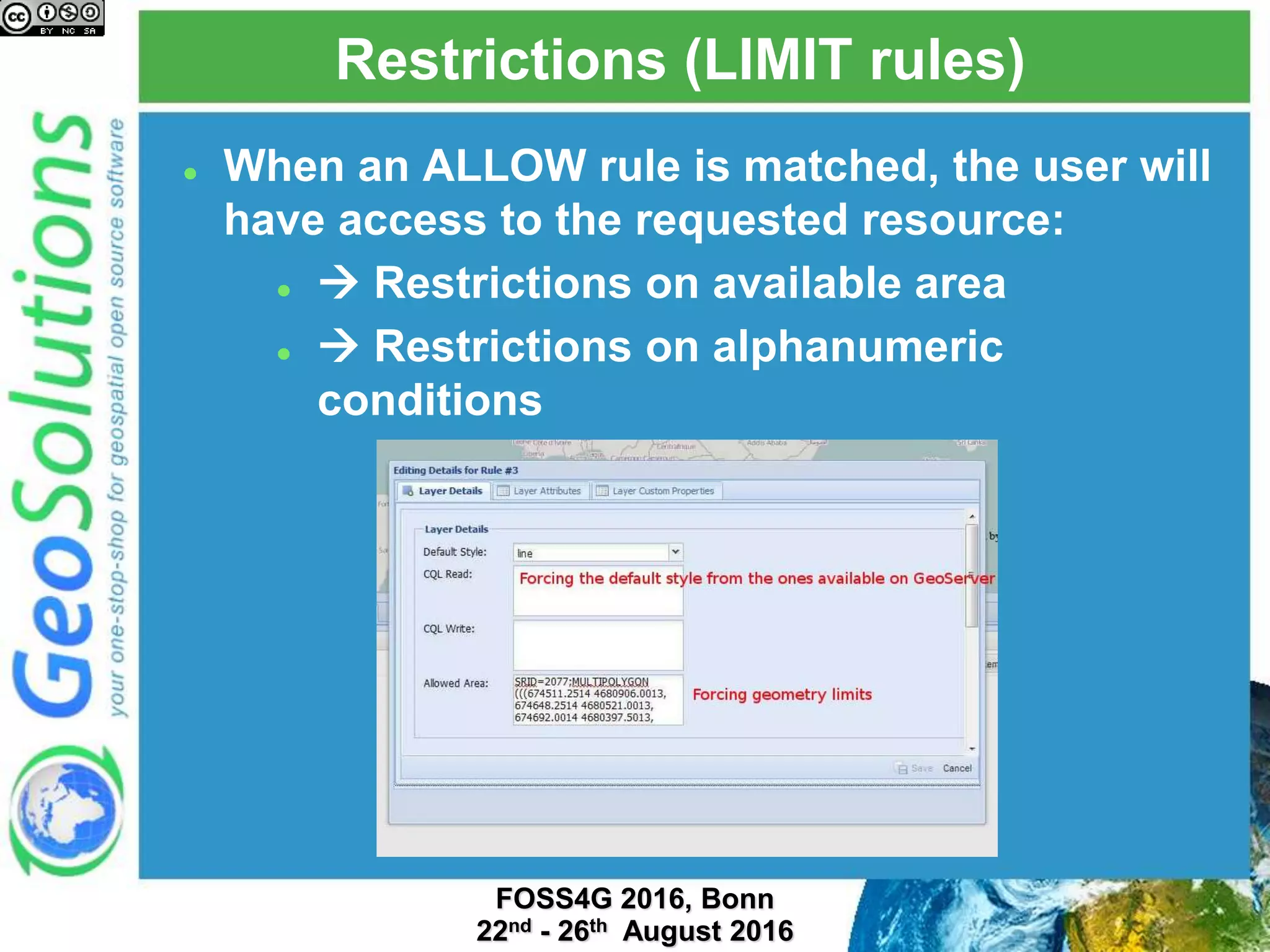
Restrictions (LIMIT rules)
 When an ALLOW rule is matched, the user will
have access to the requested resource:
  Restrictions on available area
  Restrictions on alphanumeric
conditions
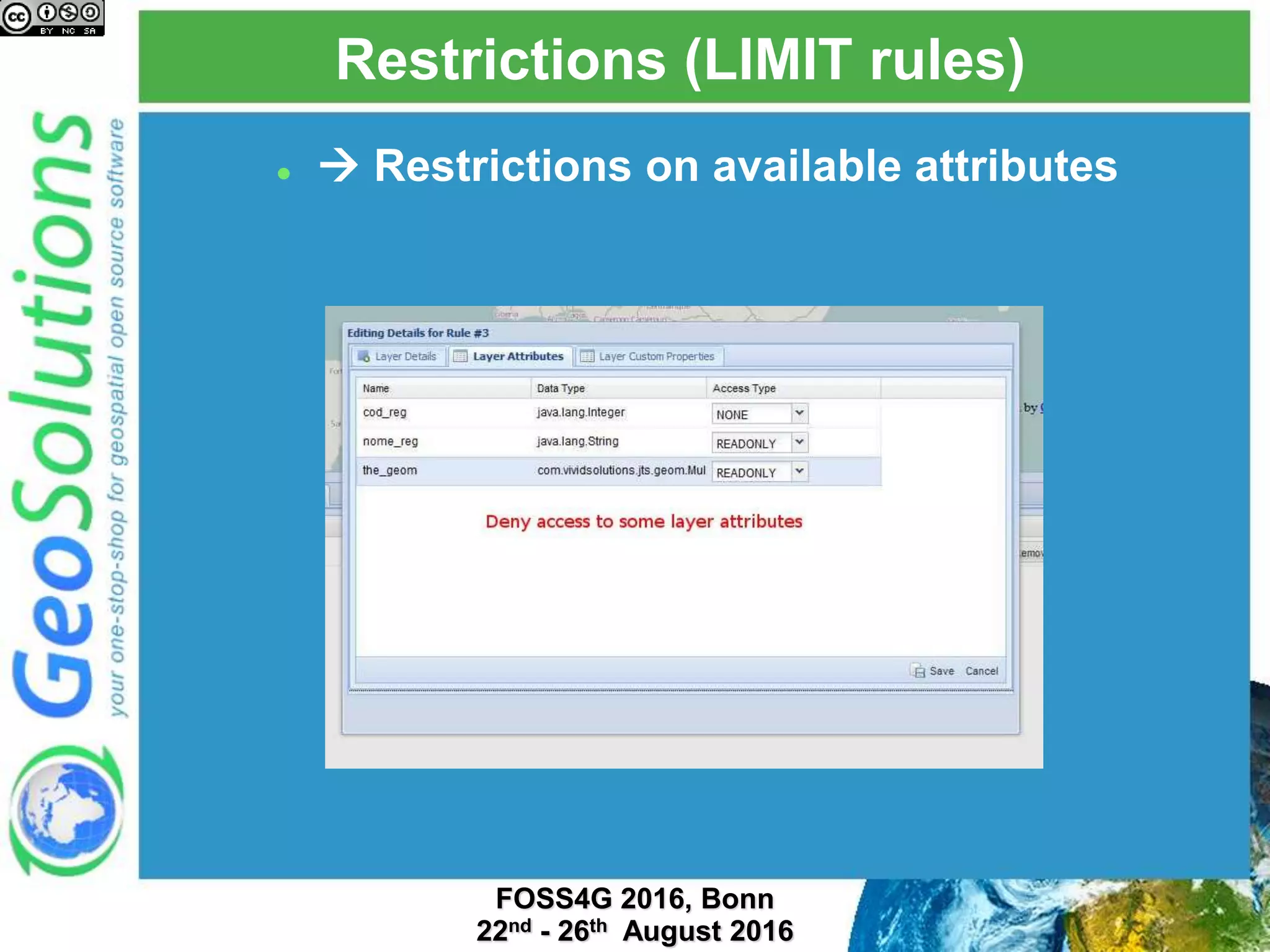
Restrictions (LIMIT rules)
  Restrictions on available attributes
Stand-alone GeoFence
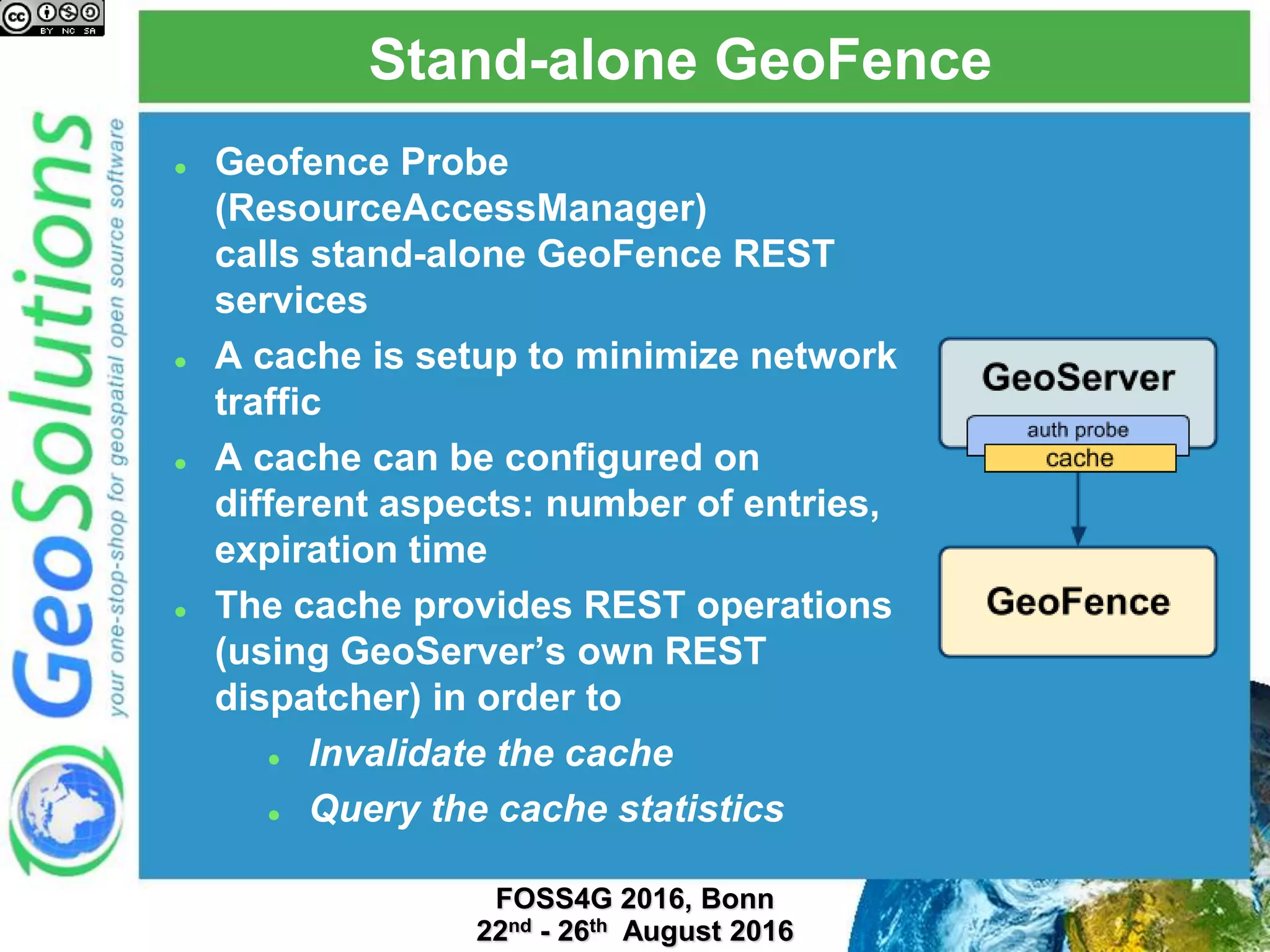
 Geofence Probe
(ResourceAccessManager)
calls stand-alone GeoFence REST
services
 A cache is setup to minimize network
traffic
 A cache can be configured on
different aspects: number of entries,
expiration time
 The cache provides REST operations
(using GeoServer’s own REST
dispatcher) in order to
 Invalidate the cache
 Query the cache statistics
GeoFence REST API
 REST interface for administration  automation
 Complete CRUD access to the various entities
managed by GeoFence:
 Users and groups
 GeoServer instances
 Rules
 Paging support
 Priority ordering in rules is fundamental: different ways
to insert and set a position for the new rules
 Batch mode, backup and restore available
 See details at:
https://github.com/geosolutions-it/geofence/wiki/REST-API
GeoFence direct integration
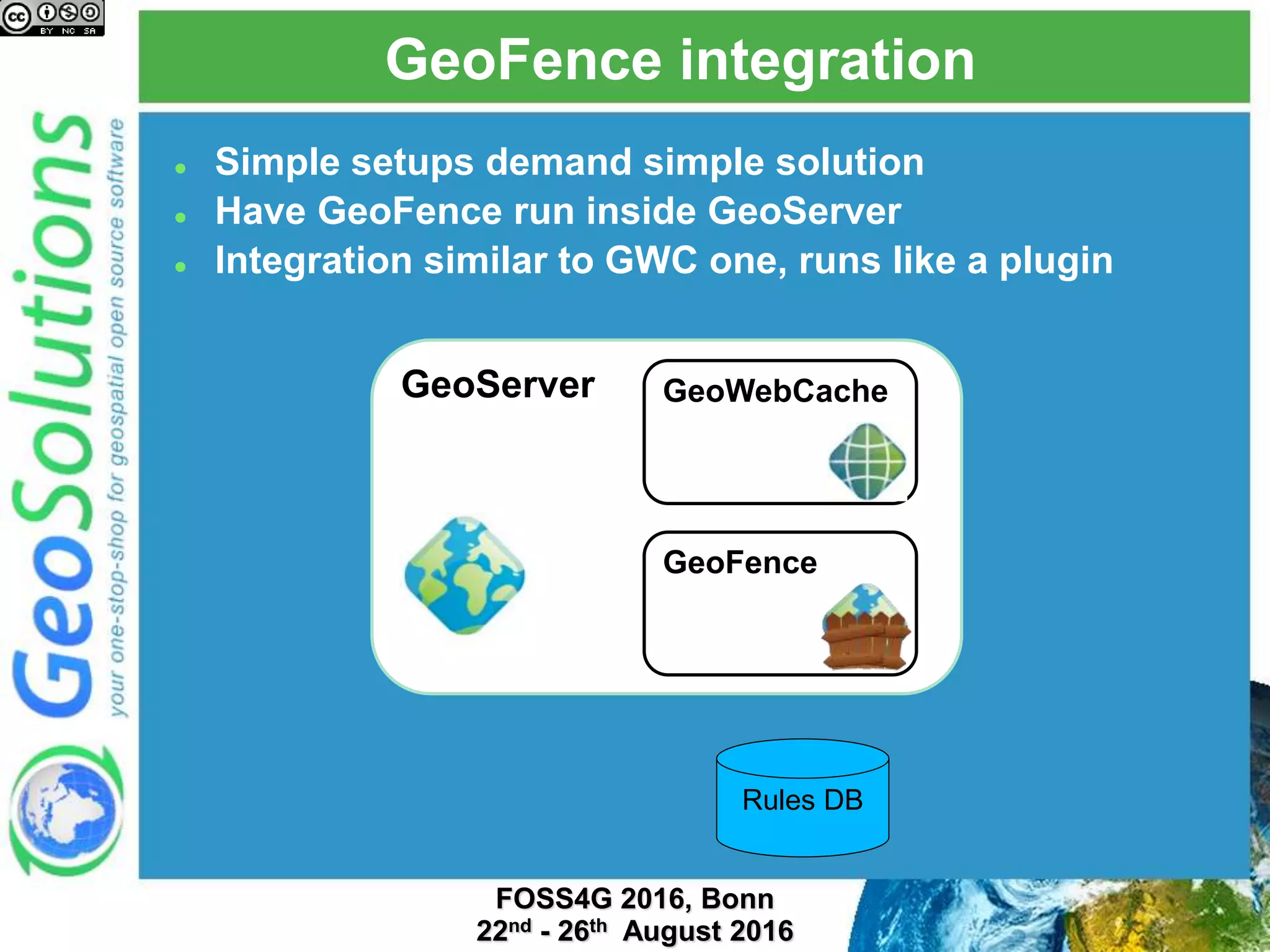
GeoFence integration
 Simple setups demand simple solution
 Have GeoFence run inside GeoServer
 Integration similar to GWC one, runs like a plugin
GeoServer GeoWebCache
GeoFence
Rules DB
Baby steps
 Born as a more future-proof alternative to improving
the internal security subsystem
 Community module, available via nightly builds
 Delivers a subset of the full functionality:
access/deny/limit based on mix of
roles/user/layer/workspace/service/request
 Integrated UI
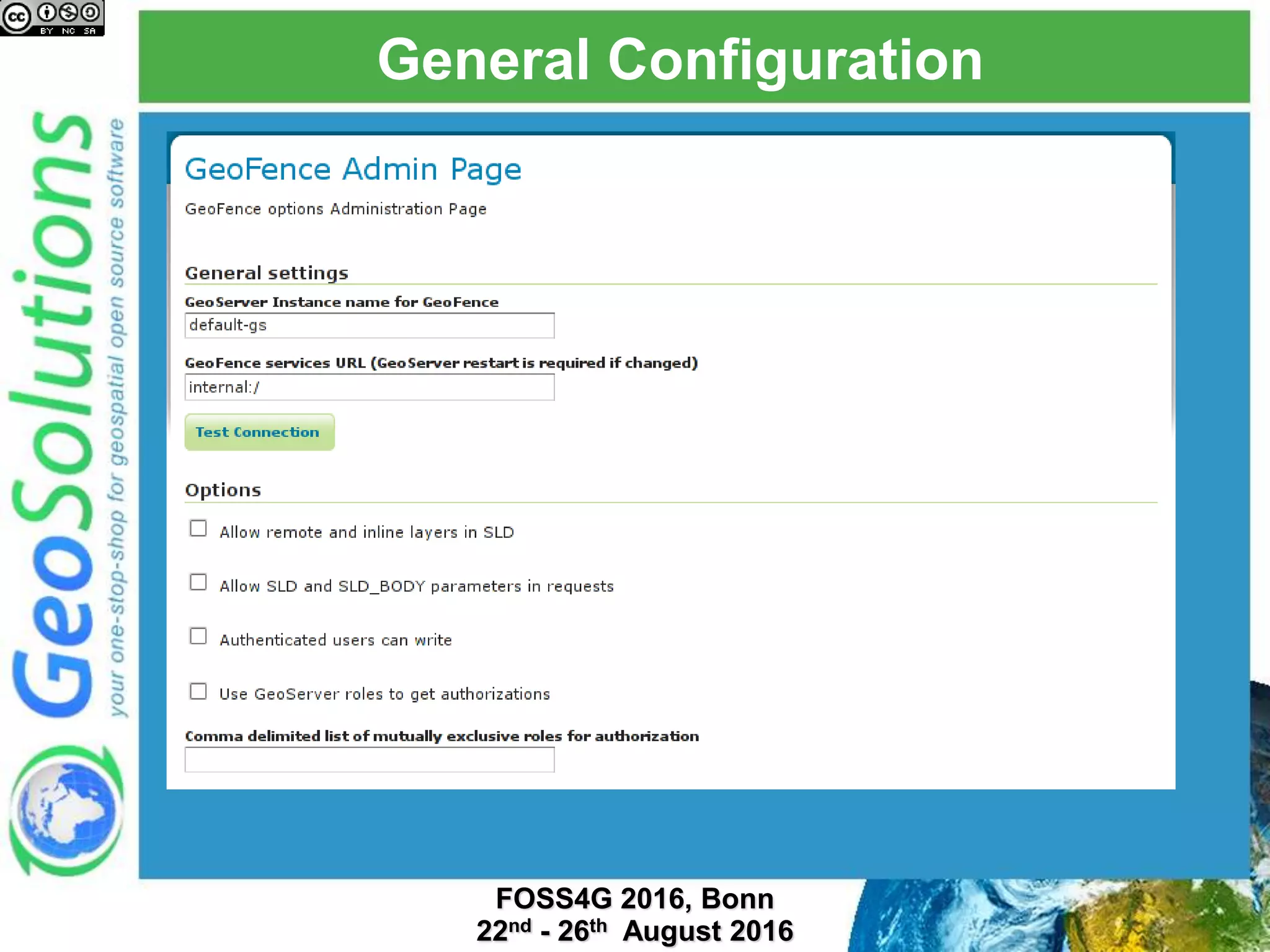
General Configuration
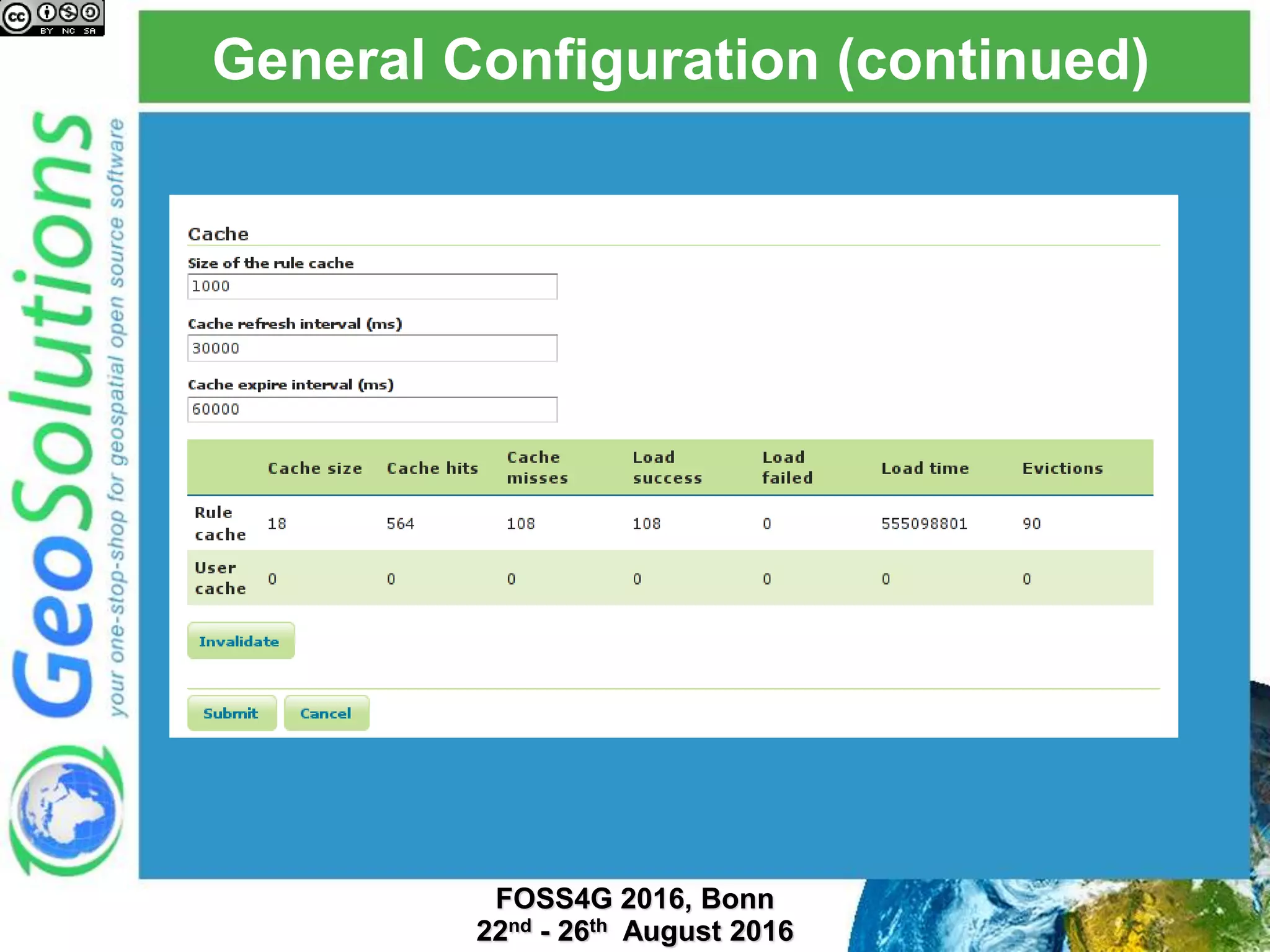
General Configuration (continued)
Creating rules
Rules list
Example 1
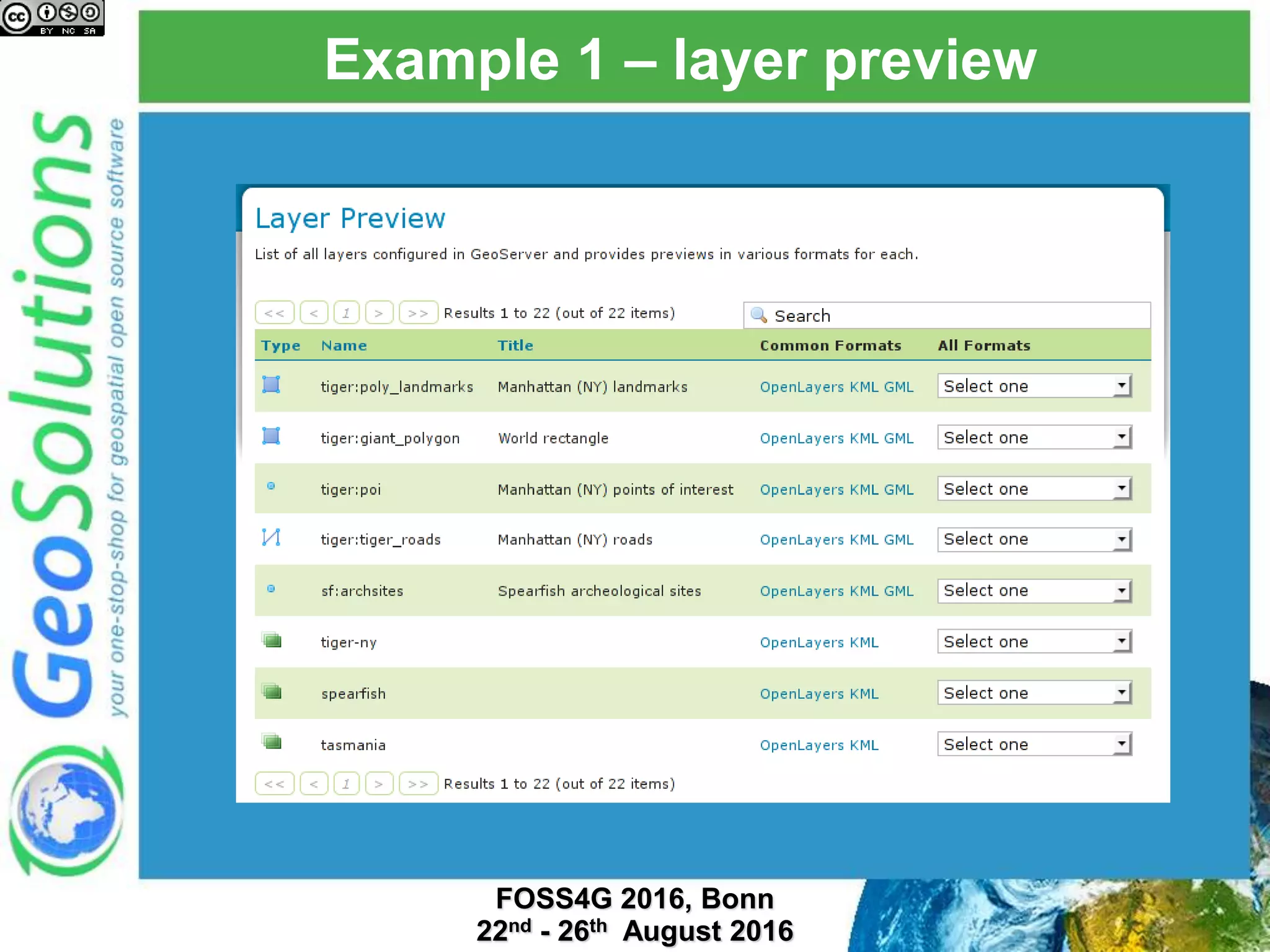
Example 1 – layer preview
Example 2
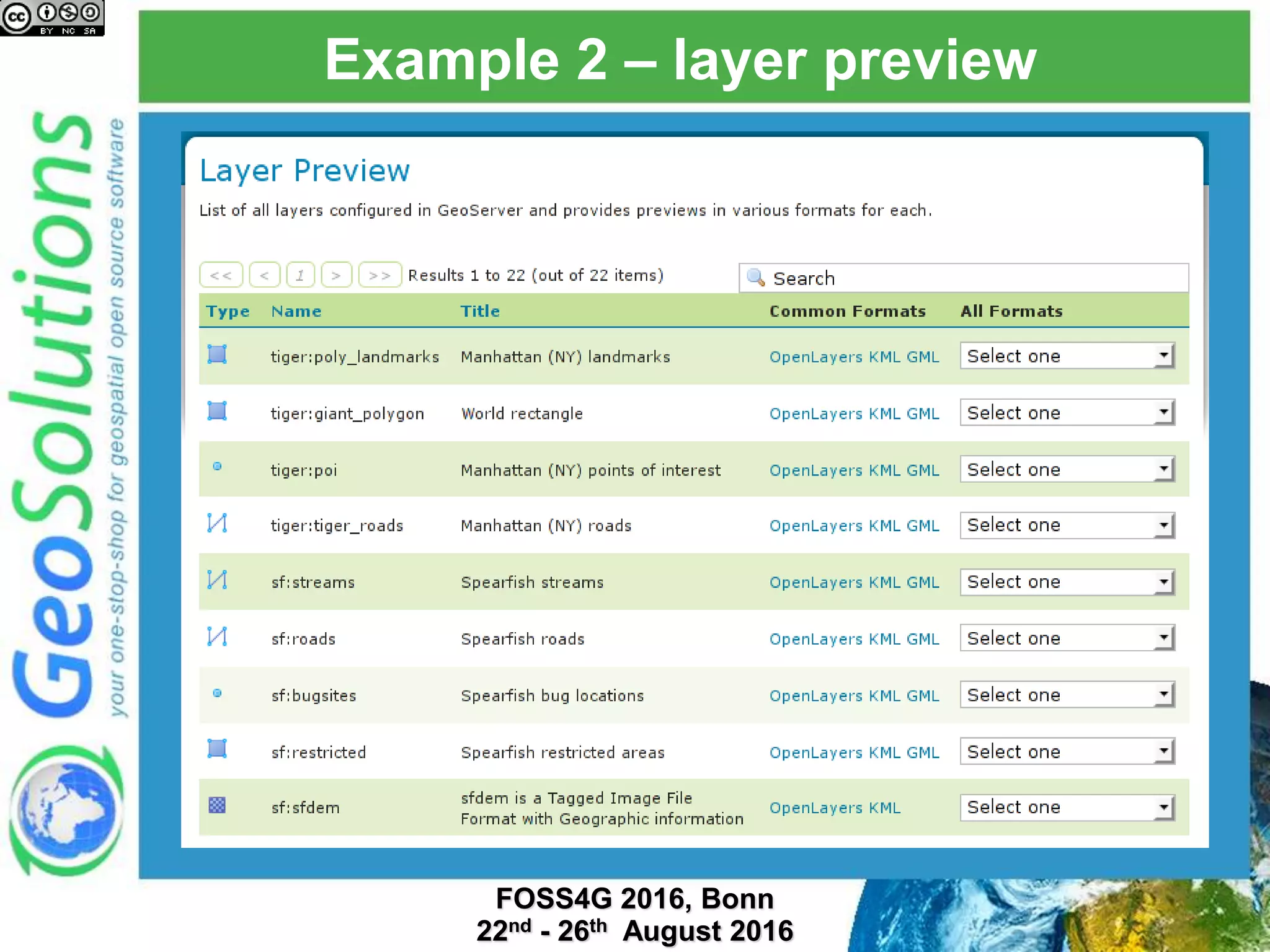
Example 2 – layer preview
TODO
 Allow to edit LIMIT rules
 Force default style
 Limit attributes
 Filter contents
 Control writes at the rule level
 Better/Easier way to re-order rules between pages
(drag and drop can be used on the same page)
 Migrate old security system rules to GeoFence as
possible
That’s all folks!
Questions?
info@geo-solutions.it

Mastering Security with GeoServer and GeoFence - FOSS4G EU 2017

  • 1.
    Mastering Security with GeoServerand GeoFence Ing. Mauro Bartolomeoli Ing. Emanuele Tajariol Ing. Simone Giannecchini GeoSolutions
  • 2.
    GeoSolutions  Founded inItaly in late 2006  Expertise • Image Processing, GeoSpatial Data Fusion • Java, Java Enterprise, C++, Python • JPEG2000, JPIP, Advanced 2D visualization  Supporting/Developing FOSS4G projects  GeoServer, MapStore  GeoNetwork, GeoNode, Ckan  Clients  Public Agencies  Private Companies  http://www.geo-solutions.it
  • 3.
    Overview  GeoServer securityhandles  Authentication (filtering and credential checks)  Authorization (resource access managers)
  • 4.
  • 5.
    The filter chains Different chains for different URL groups  Each chain authenticates in a different way by composigin different filters
  • 6.
     UI chain,with form, HTTP session (creation allowed), and remember me services  OGC one, lighter, will use session if available, no creation Different usage, different chain
  • 7.
    Available auth filters Gathering user credentials (and eventually invoking authentication providers chain)  Basic  Form  Digest  Anonymous (always the last)  Preauthentication (and eventually load user details from user/group and/or role service)  Session  HTTP Header  X.509  Remember Me  J2EE  Easy to implement and plug new filters  Missing: authenticate from environment variables (e.g. Shibboleth SSO)
  • 8.
    Authentication providers  Givencredentials pulled from the filters, who is the user? Search in user/group database Auth as a LDAP user Auth as a DBMS user XML DBMS tables Authentication providers User/Group service Pluggable
  • 9.
    Role providers  Giventhe user, what are her roles in GeoServer?  Fundamental, authorization is role based  Extensible, new providers can be built LDAP DBMS XMLDBMS tables
  • 10.
    Extensions  CAS (https://www.apereo.org/cas):Single Sign On integration  Authkey: simple UUID to user mapper  Simple key in the URL (must use HTTPS)  Allows authentication unware clients to participate  Pluggable: possibility to define custom mappers (e.g. webservices)  URLMangler to add authkey to OGC request transparently (via GetCapabilities)
  • 11.
  • 12.
    Authorization  Given theuser and her roles  Can the current «action» on the current «resource» be allowed?  Action:  Generic read/write  Specific OGC service/method call  Resource  Workspace  Layer  Layer Group  Style
  • 13.
    ResourceAccessManager  Pluggable interface,multiple implementations  Define AccessLimits for the various Catalog Resources (Workspace, Layer, Style, LayerGroup)  Can access the current request (service/method/details)  Allows for fine grained limits  Attributes visible  Read filters (which features can be read)  Write filters (which features can be written)  Filters:  Alphanumeric  Temporal  Spatial
  • 14.
    Implementations  Default securitysubsystem  Simple per workspace/layer authentication  GeoFence  External application or embedded as a plugin  Full use of ResourceAccessManager abilities  Other custom implementations  Integrate with existing in-house authorization mechanism  Quite popular in large enterprise setup
  • 15.
  • 16.
    GeoFence  Extended A&Afor GeoServer  Optional Authentication, Sophisticated authorization  Open Source, GPL https://github.com/geoserver/geofence
  • 17.
  • 18.
  • 19.
  • 20.
    GeoFence rules  Authorizationsare expressed as a priority-based rule set:  Type of Rules are ALLOW/DENY/LIMIT  The first matching rule is the one that determines the outcome of the auth request
  • 21.
    GeoFence rules matching Rules are matched based on:  Username  Group the provided user belongs to  GeoServer Instance (single GeoFence  multiple GS clusters)  OGC Service (e.g., WMS)  OGC Service Operation (e.g., GetFeatureInfo)  Workspace (E.g. it.geosolutions)  Layer name (E.g. topp:states)
  • 22.
    Example Example  Let’s assumewe have configured these rules :  User:u1, Service:WMS, Workspace:W1, ALLOW  User:u1, DENY  These rules will grant access for user u1 to  all the layers in worspace W1  only for WMS requests  All other types of requests will be DENIED.
  • 23.
    Restrictions (LIMIT rules) When an ALLOW rule is matched, the user will have access to the requested resource:   Restrictions on available area   Restrictions on alphanumeric conditions
  • 24.
    Restrictions (LIMIT rules)  Restrictions on available attributes
  • 25.
    Stand-alone GeoFence  GeofenceProbe (ResourceAccessManager) calls stand-alone GeoFence REST services  A cache is setup to minimize network traffic  A cache can be configured on different aspects: number of entries, expiration time  The cache provides REST operations (using GeoServer’s own REST dispatcher) in order to  Invalidate the cache  Query the cache statistics
  • 26.
    GeoFence REST API REST interface for administration  automation  Complete CRUD access to the various entities managed by GeoFence:  Users and groups  GeoServer instances  Rules  Paging support  Priority ordering in rules is fundamental: different ways to insert and set a position for the new rules  Batch mode, backup and restore available  See details at: https://github.com/geosolutions-it/geofence/wiki/REST-API
  • 27.
  • 28.
    GeoFence integration  Simplesetups demand simple solution  Have GeoFence run inside GeoServer  Integration similar to GWC one, runs like a plugin GeoServer GeoWebCache GeoFence Rules DB
  • 29.
    Baby steps  Bornas a more future-proof alternative to improving the internal security subsystem  Community module, available via nightly builds  Delivers a subset of the full functionality: access/deny/limit based on mix of roles/user/layer/workspace/service/request  Integrated UI
  • 30.
  • 31.
  • 32.
  • 33.
  • 34.
  • 35.
    Example 1 –layer preview
  • 36.
  • 37.
    Example 2 –layer preview
  • 38.
    TODO  Allow toedit LIMIT rules  Force default style  Limit attributes  Filter contents  Control writes at the rule level  Better/Easier way to re-order rules between pages (drag and drop can be used on the same page)  Migrate old security system rules to GeoFence as possible
  • 39.