Introduction to
Sameeh Jubran, Sameeh@daynix.com
Why git is useful?
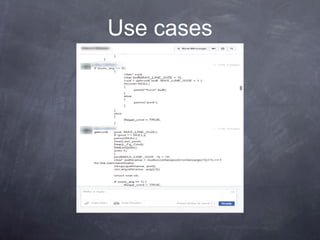
Use cases
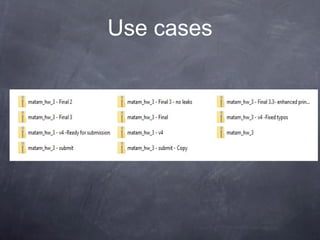
Use cases
Use cases
Consider this scenario:
● You have a homework submission in Matam for today
and the assignment is ready for submission
● While testing it you discovered a minor bug and decided
to fix it
Use cases
● After attempting to do so, you accidentally changed a
working code and got yourself in a big mess
● You no longer remember what was and what wasn’t
there
● It is 23:58 PM
Now you realize that CTRL + Z won’t solve your
problems
What is git?
What is git?
● Open source project originally developed in 2005 by
Linus Torvalds
● A command line utility
● You can imagine git as something that sits on top of
your file system and manipulates files.
● A distributed version control system - DCVS
What is “distributed version
control system” ?
● Version control system is a system that records
changes to a file or set of files over time so that you can
recall specific versions later
● Distributed means that there is no main server and all
of the full history of the project is available once you
cloned the project.
A brief history
● In 2002, the Linux kernel project began using a DVCS
called BitKeeper
● In 2005, the commercial company that developed
BitKeeper broke down, and the tool’s free-of-charge
status was revoked
● This prompted the Linux development community (and
in particular Linus Torvalds, the creator of Linux) to
develop their own tool - git
Demo
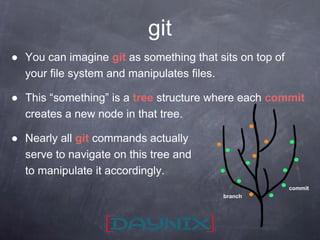
● You can imagine git as something that sits on top of
your file system and manipulates files.
● This “something” is a tree structure where each commit
creates a new node in that tree.
● Nearly all git commands actually
serve to navigate on this tree and
to manipulate it accordingly.
git
branch
commit
git repository
git repository
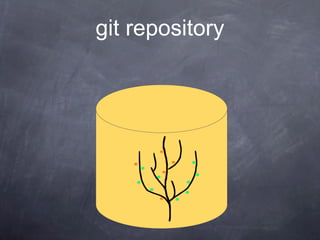
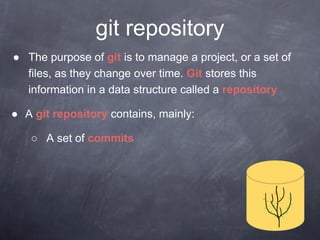
● The purpose of git is to manage a project, or a set of
files, as they change over time. Git stores this
information in a data structure called a repository
● A git repository contains, mainly:
○ A set of commits
Commit
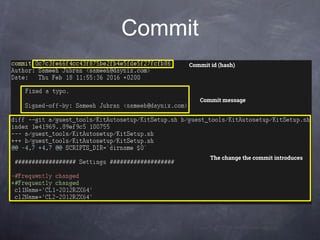
● A commit object mainly contains three things:
○ A set of changes the commit introduces
○ Commit message describing the changes
○ A hash, a 40-character string that uniquely identifies
the commit object
Commit
Commit id (hash)
Commit message
The change the commit introduces
Github
Github
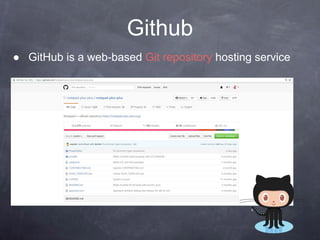
● GitHub is a web-based Git repository hosting service
git workflow
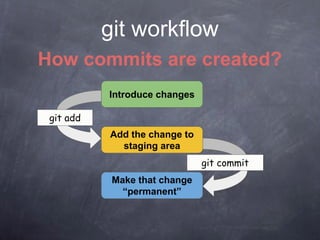
How commits are created?
Introduce changes
Add the change to
staging area
Make that change
“permanent”
git add
git commit
The three steps of git
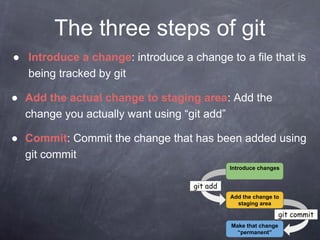
● Introduce a change: introduce a change to a file that is
being tracked by git
● Add the actual change to staging area: Add the
change you actually want using “git add”
● Commit: Commit the change that has been added using
git commit
Add the change to
staging area
Make that change
“permanent”
git add
git commit
Introduce changes
Let’s create a commit
git commands
git commands
● For most of the basic interactions with git you’ll mainly
use 7 commands that we’ll cover here
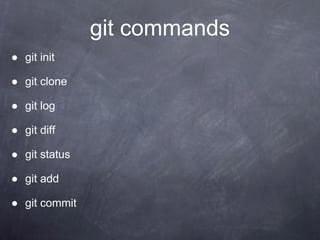
git commands
● git init
● git clone
● git log
● git diff
● git status
● git add
● git commit
git init
● Creates a new git repository
● Can be used to convert an existing, unversioned project
to a git repository or initialize a new empty repository
git clone
● Copies an existing git repository
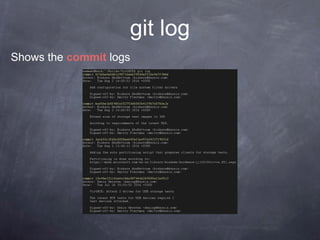
git log
Shows the commit logs
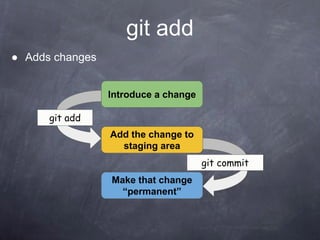
git add
● Adds changes
Introduce a change
Add the change to
staging area
Make that change
“permanent”
git add
git commit
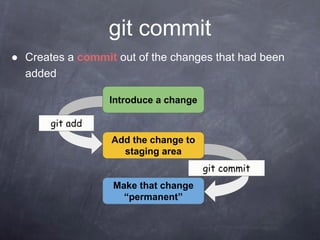
git commit
● Creates a commit out of the changes that had been
added
Introduce a change
Add the change to
staging area
Make that change
“permanent”
git add
git commit
git diff
● Displays the change that was introduced
Useful flag:
● --cached:
Displays the change that was added using “git add”
git status
● Displays the file names that has been modified, added
and untracked
Bonus command:
git checkout
● Checking out a commit makes the entire working
directory match that commit
Q&A
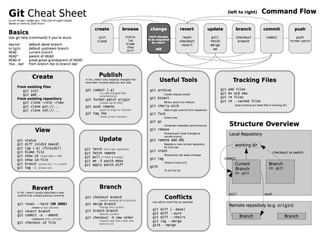
Cheat Sheet

Introduction to Git

  • 1.
  • 2.
    Why git isuseful?
  • 3.
  • 4.
  • 5.
    Use cases Consider thisscenario: ● You have a homework submission in Matam for today and the assignment is ready for submission ● While testing it you discovered a minor bug and decided to fix it
  • 6.
    Use cases ● Afterattempting to do so, you accidentally changed a working code and got yourself in a big mess ● You no longer remember what was and what wasn’t there ● It is 23:58 PM
  • 7.
    Now you realizethat CTRL + Z won’t solve your problems
  • 8.
  • 9.
    What is git? ●Open source project originally developed in 2005 by Linus Torvalds ● A command line utility ● You can imagine git as something that sits on top of your file system and manipulates files. ● A distributed version control system - DCVS
  • 10.
    What is “distributedversion control system” ? ● Version control system is a system that records changes to a file or set of files over time so that you can recall specific versions later ● Distributed means that there is no main server and all of the full history of the project is available once you cloned the project.
  • 11.
    A brief history ●In 2002, the Linux kernel project began using a DVCS called BitKeeper ● In 2005, the commercial company that developed BitKeeper broke down, and the tool’s free-of-charge status was revoked ● This prompted the Linux development community (and in particular Linus Torvalds, the creator of Linux) to develop their own tool - git
  • 12.
  • 13.
    ● You canimagine git as something that sits on top of your file system and manipulates files. ● This “something” is a tree structure where each commit creates a new node in that tree. ● Nearly all git commands actually serve to navigate on this tree and to manipulate it accordingly. git branch commit
  • 14.
  • 15.
    git repository ● Thepurpose of git is to manage a project, or a set of files, as they change over time. Git stores this information in a data structure called a repository ● A git repository contains, mainly: ○ A set of commits
  • 16.
    Commit ● A commitobject mainly contains three things: ○ A set of changes the commit introduces ○ Commit message describing the changes ○ A hash, a 40-character string that uniquely identifies the commit object
  • 17.
    Commit Commit id (hash) Commitmessage The change the commit introduces
  • 18.
  • 19.
    Github ● GitHub isa web-based Git repository hosting service
  • 20.
    git workflow How commitsare created? Introduce changes Add the change to staging area Make that change “permanent” git add git commit
  • 21.
    The three stepsof git ● Introduce a change: introduce a change to a file that is being tracked by git ● Add the actual change to staging area: Add the change you actually want using “git add” ● Commit: Commit the change that has been added using git commit Add the change to staging area Make that change “permanent” git add git commit Introduce changes
  • 22.
  • 23.
  • 24.
    git commands ● Formost of the basic interactions with git you’ll mainly use 7 commands that we’ll cover here
  • 25.
    git commands ● gitinit ● git clone ● git log ● git diff ● git status ● git add ● git commit
  • 26.
    git init ● Createsa new git repository ● Can be used to convert an existing, unversioned project to a git repository or initialize a new empty repository
  • 27.
    git clone ● Copiesan existing git repository
  • 28.
    git log Shows thecommit logs
  • 29.
    git add ● Addschanges Introduce a change Add the change to staging area Make that change “permanent” git add git commit
  • 30.
    git commit ● Createsa commit out of the changes that had been added Introduce a change Add the change to staging area Make that change “permanent” git add git commit
  • 31.
    git diff ● Displaysthe change that was introduced Useful flag: ● --cached: Displays the change that was added using “git add”
  • 32.
    git status ● Displaysthe file names that has been modified, added and untracked
  • 33.
    Bonus command: git checkout ●Checking out a commit makes the entire working directory match that commit
  • 34.
  • 35.