Malware (malicious software)
Software designed to infiltrate, damage or disrupt a
computer system without the owner's informed
consent
A set of instructions that run on your electronic
device and make it do something that an attacker
wants it to do
What is Malware?
Malware may…
Steal your personal information
Monitor your computer activity
Install additional software
Create backdoors
Lower the overall state of security
Display forced advertising
Enable profiteering scams
Use your computer resources (CPU, RAM etc.)
Consequences of Malware?
Flaws or bugs in software
Over privileged users or system processes
Design of software or a system
Poorly implemented Standard Operating Environment
(SOE) practices
Lack of awareness/education surrounding the topic of
malware
How Systems Become Vulnerable to Malware?
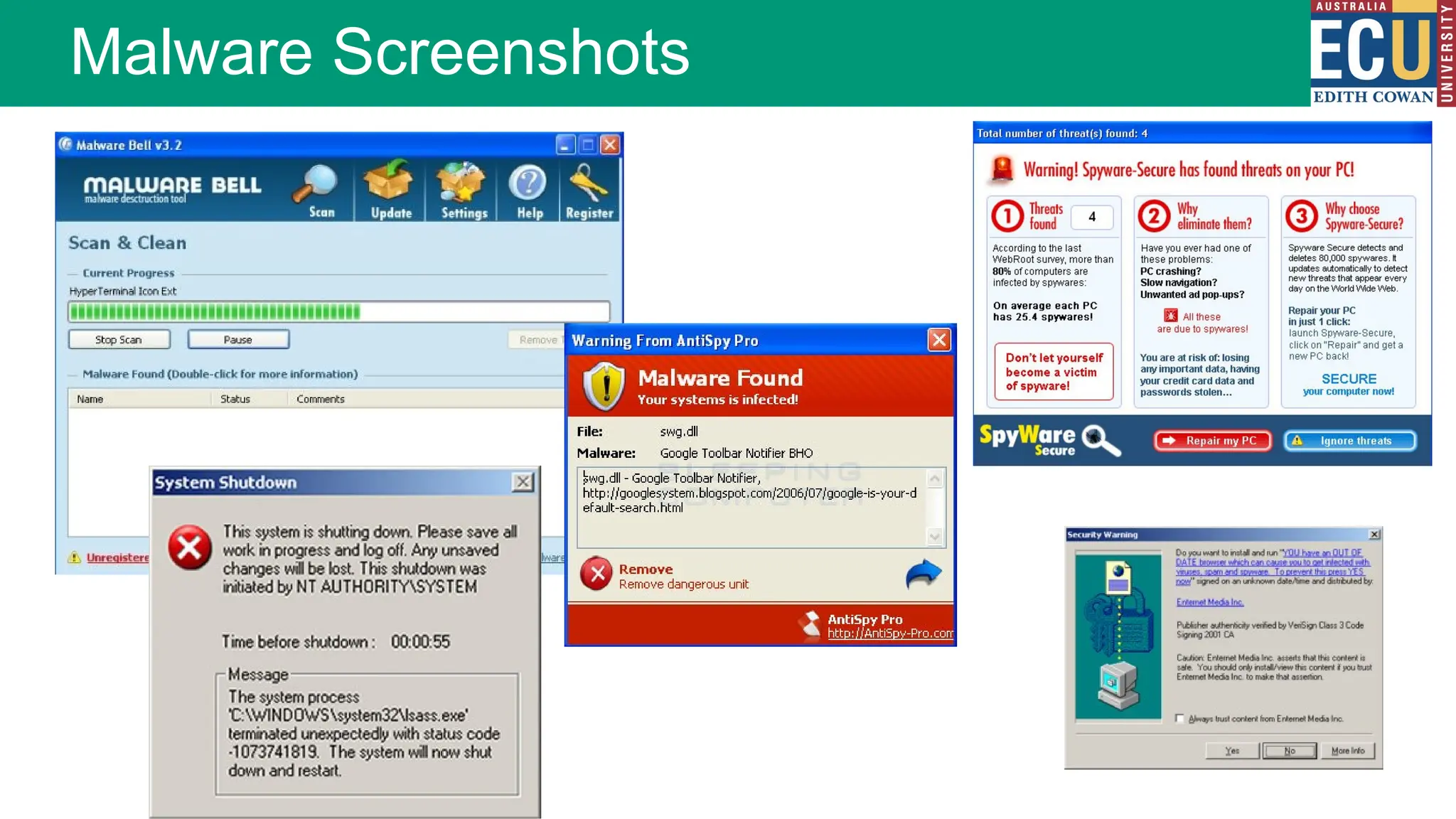
Malware Screenshots
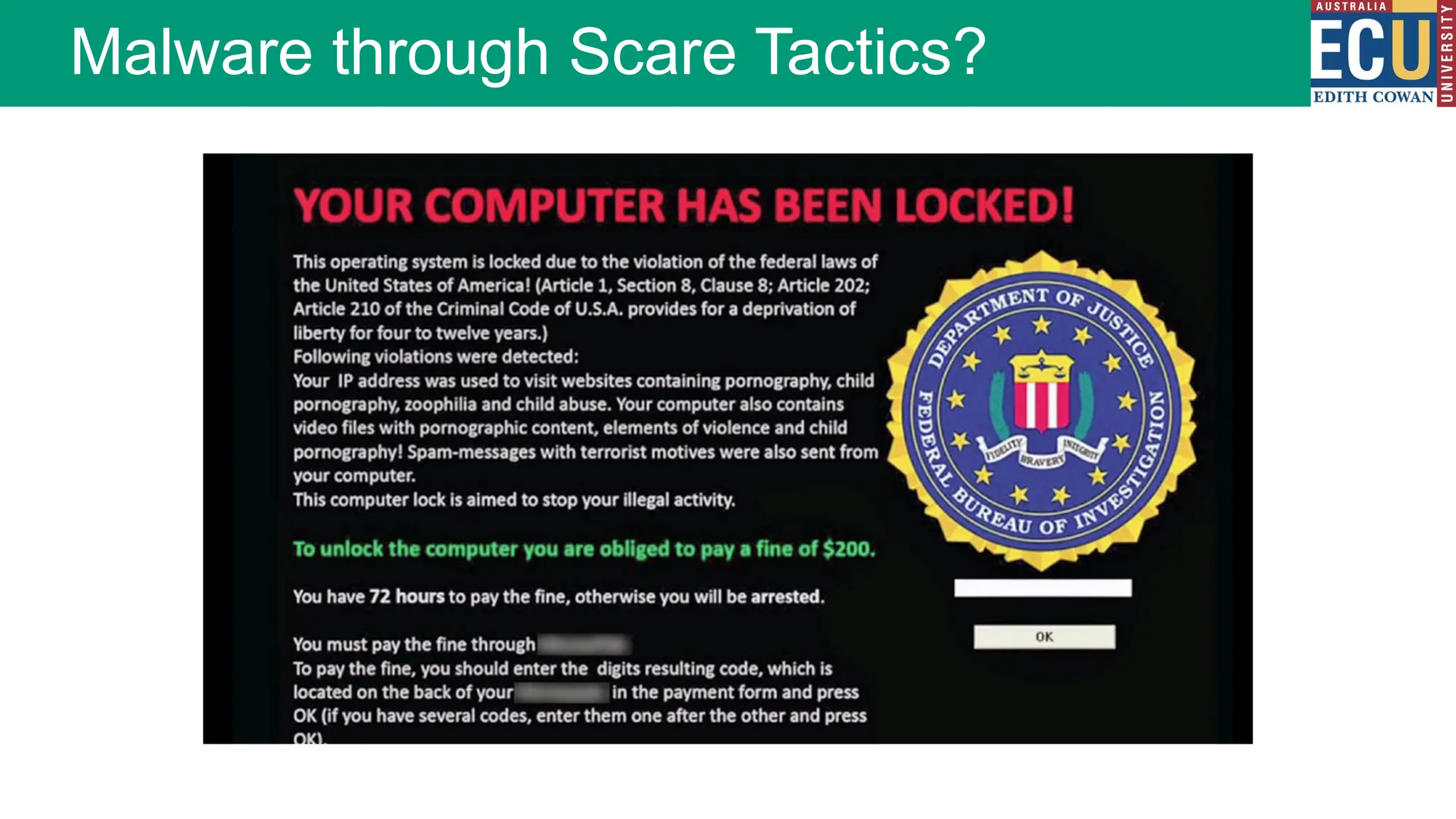
Malware through Scare Tactics?
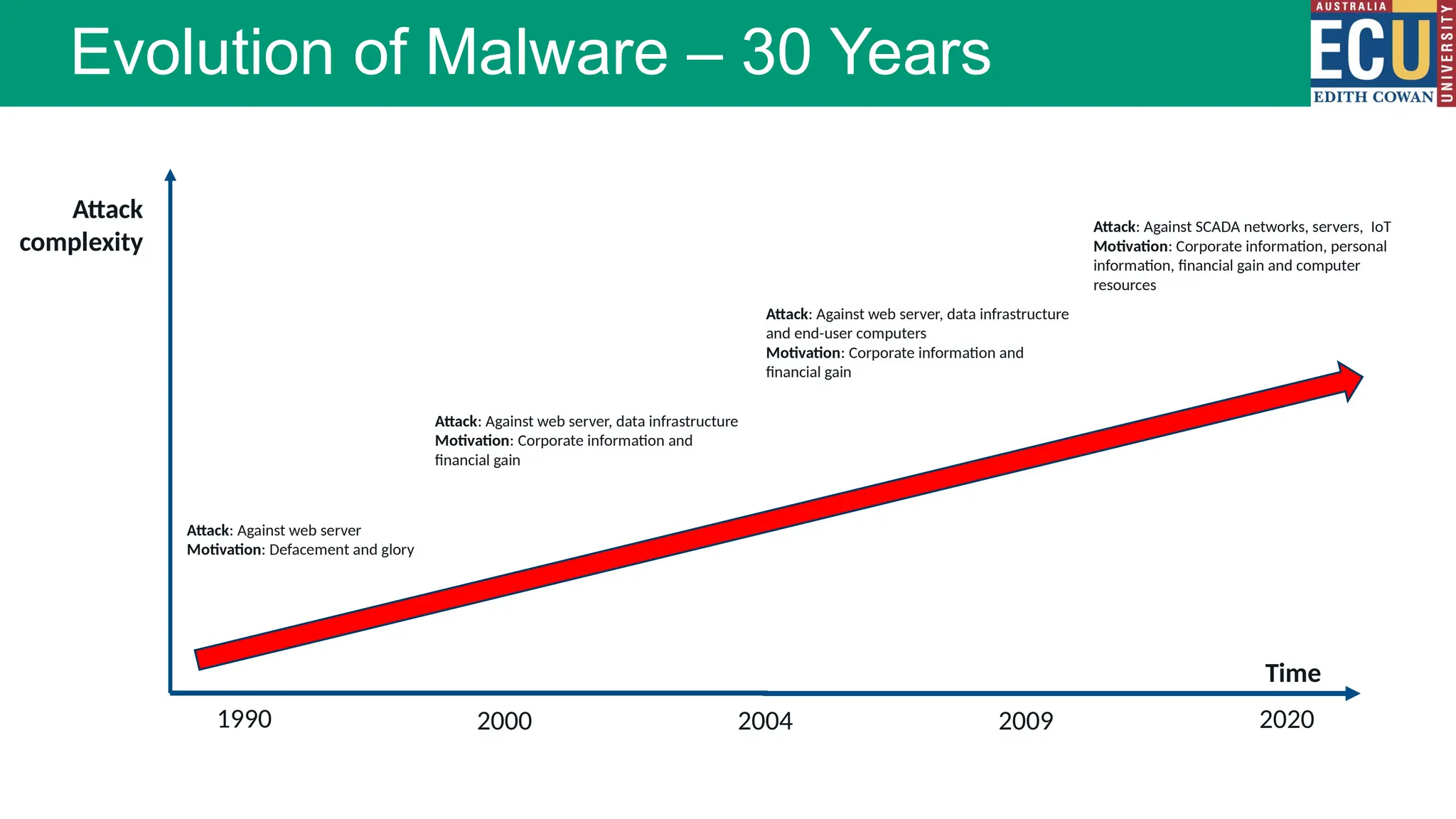
Evolution of Malware – 30 Years
1990 2000 2004 2009 2020
Attack
complexity
Attack: Against web server
Motivation: Defacement and glory
Attack: Against web server, data infrastructure
Motivation: Corporate information and
financial gain
Attack: Against web server, data infrastructure
and end-user computers
Motivation: Corporate information and
financial gain
Attack: Against SCADA networks, servers, IoT
Motivation: Corporate information, personal
information, financial gain and computer
resources
Time
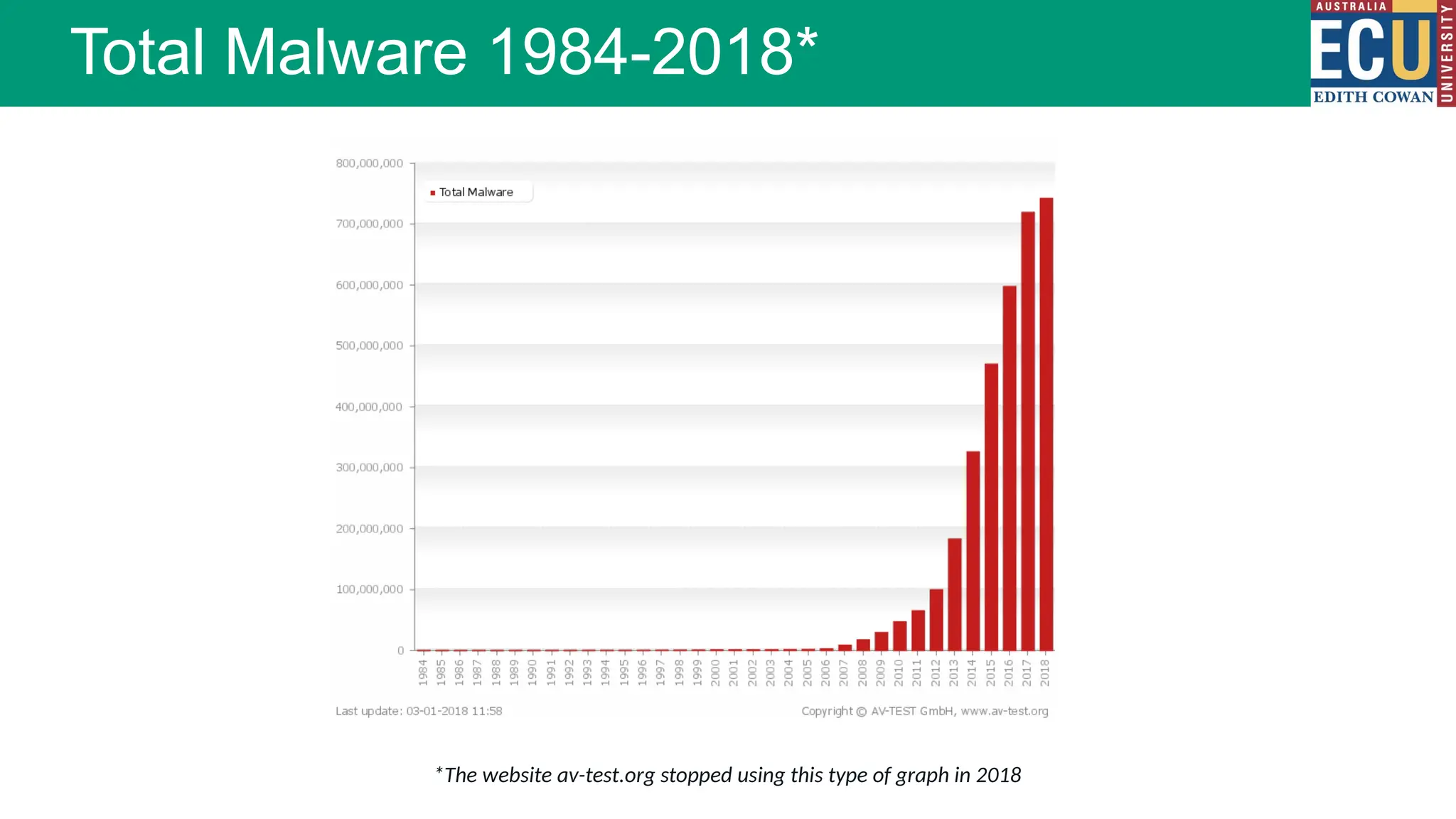
Total Malware 1984-2018*
*The website av-test.org stopped using this type of graph in 2018
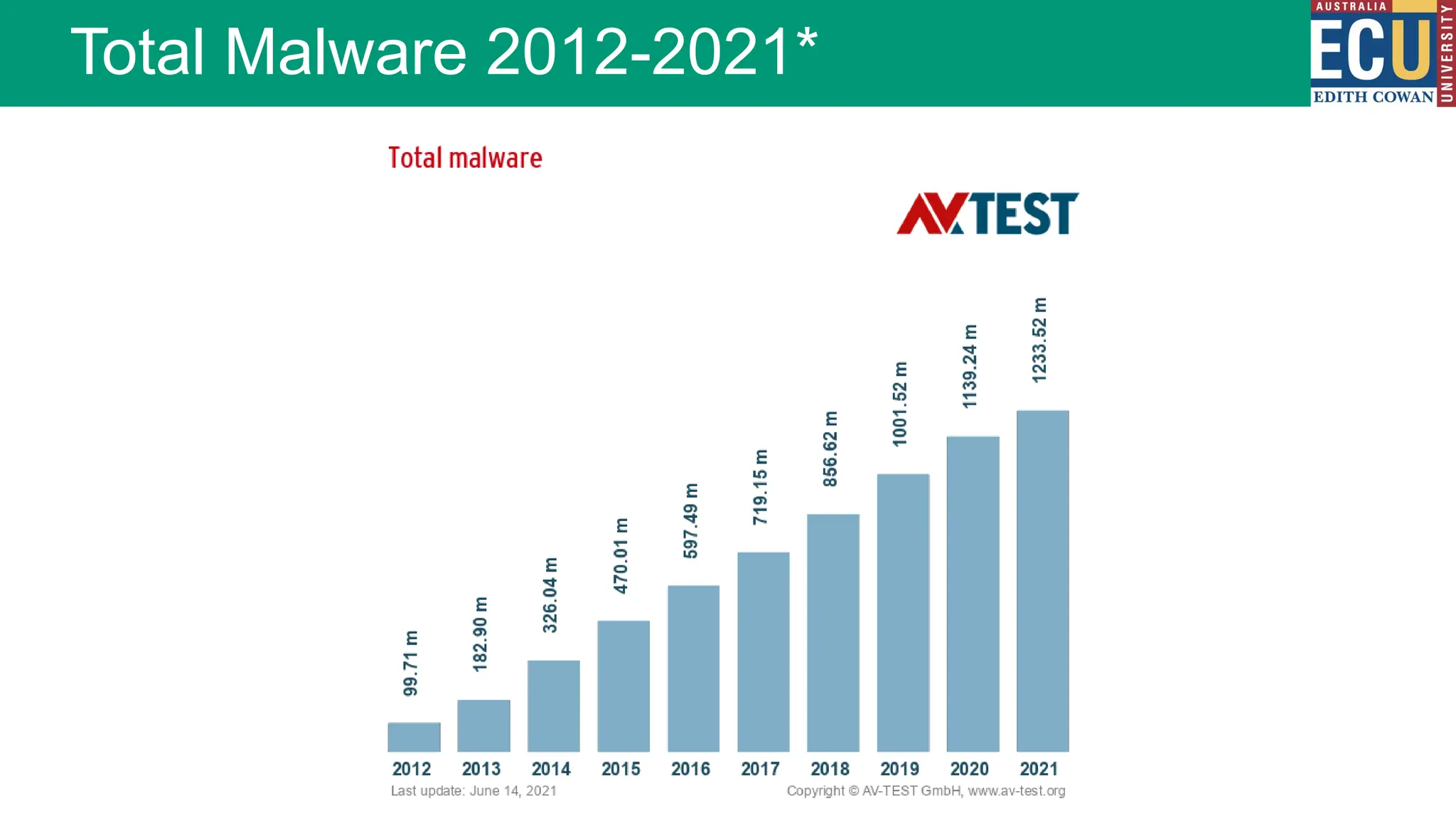
Total Malware 2012-2021*
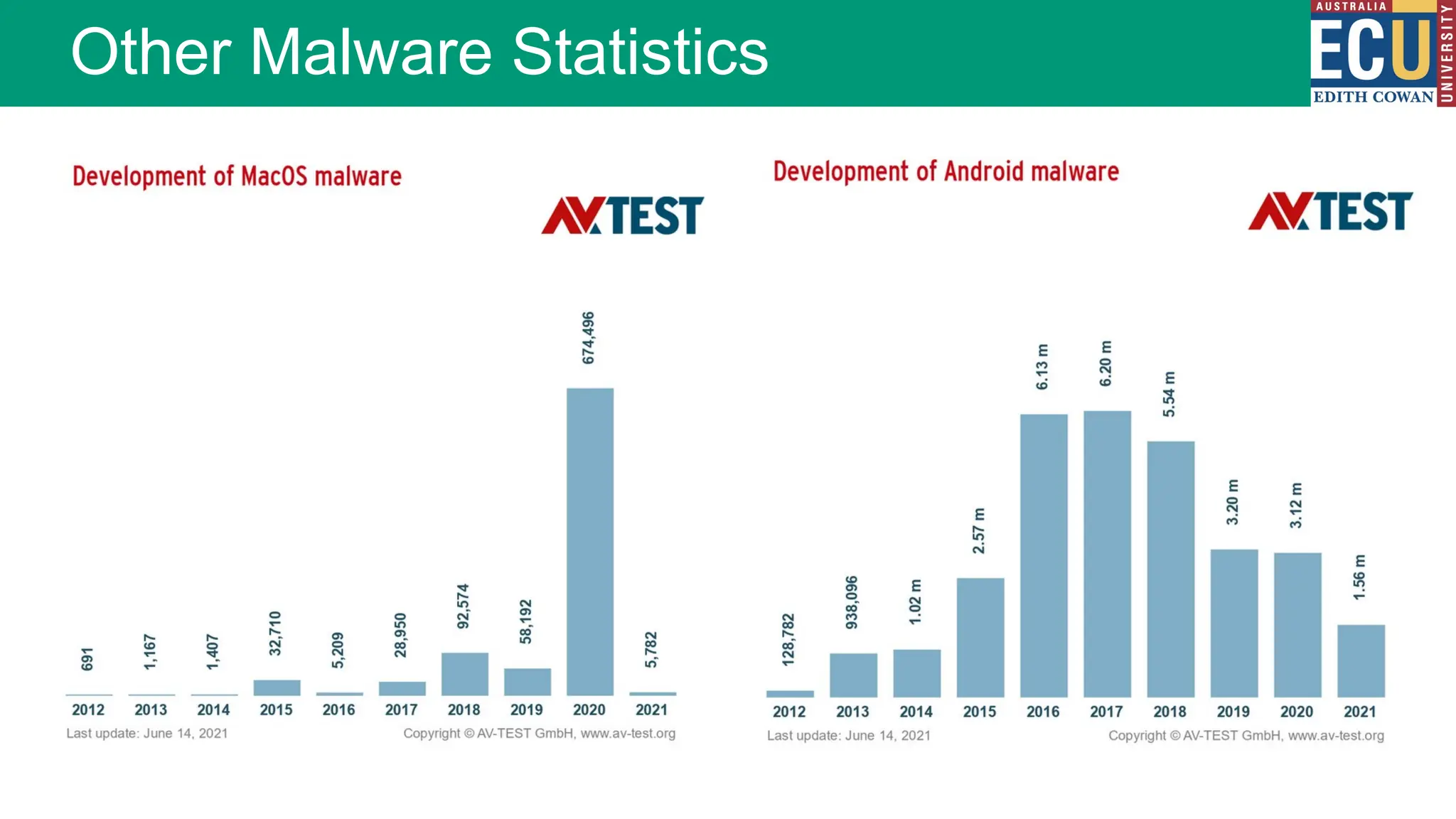
Other Malware Statistics
Malware Threats
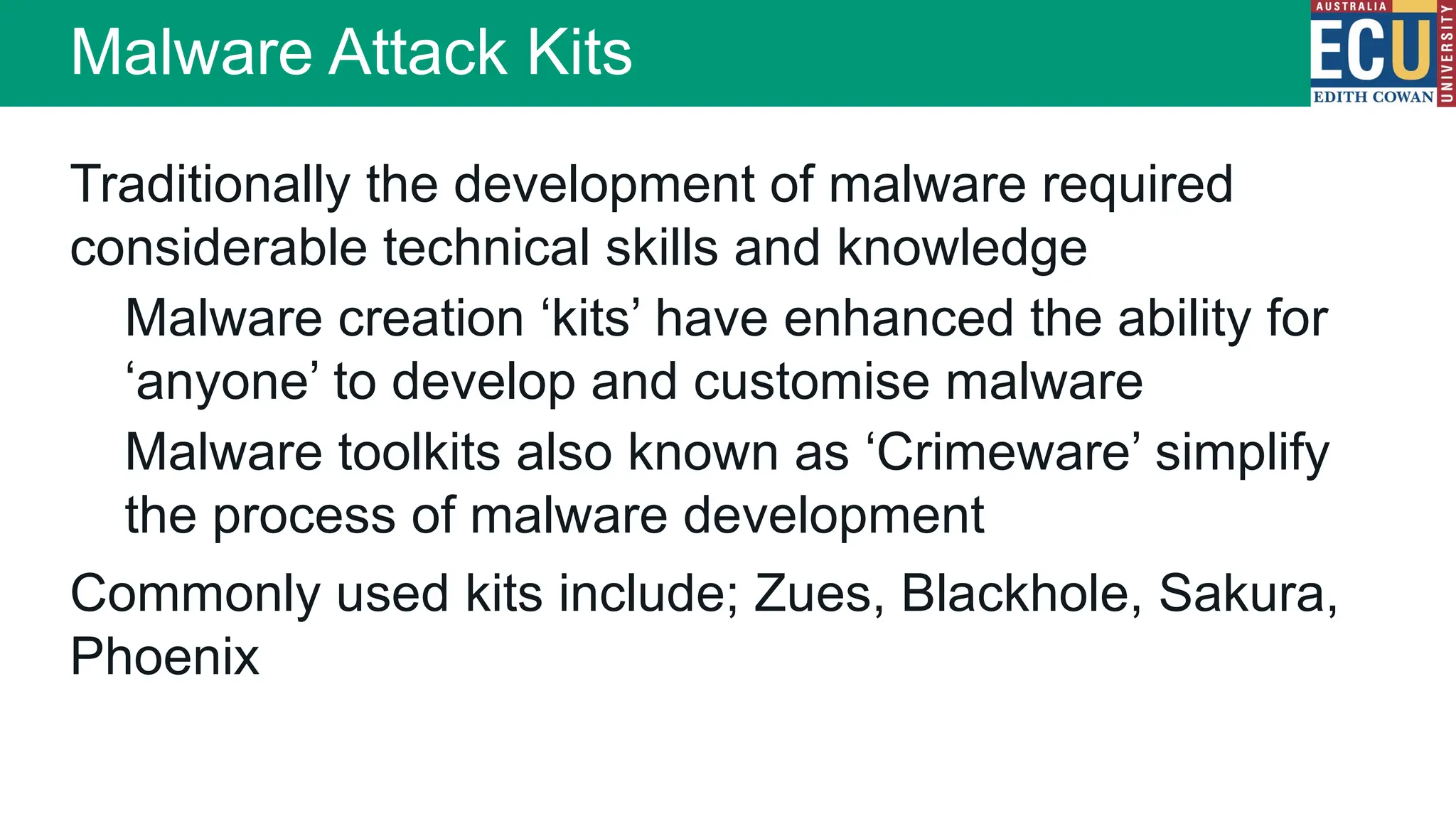
Malware Attack Kits
Traditionally the development of malware required
considerable technical skills and knowledge
Malware creation ‘kits’ have enhanced the ability for
‘anyone’ to develop and customise malware
Malware toolkits also known as ‘Crimeware’ simplify
the process of malware development
Commonly used kits include; Zues, Blackhole, Sakura,
Phoenix
Viruses
Trojan horses
Worms
Rootkit
Botnets
Logic bombs
Spyware
Scareware
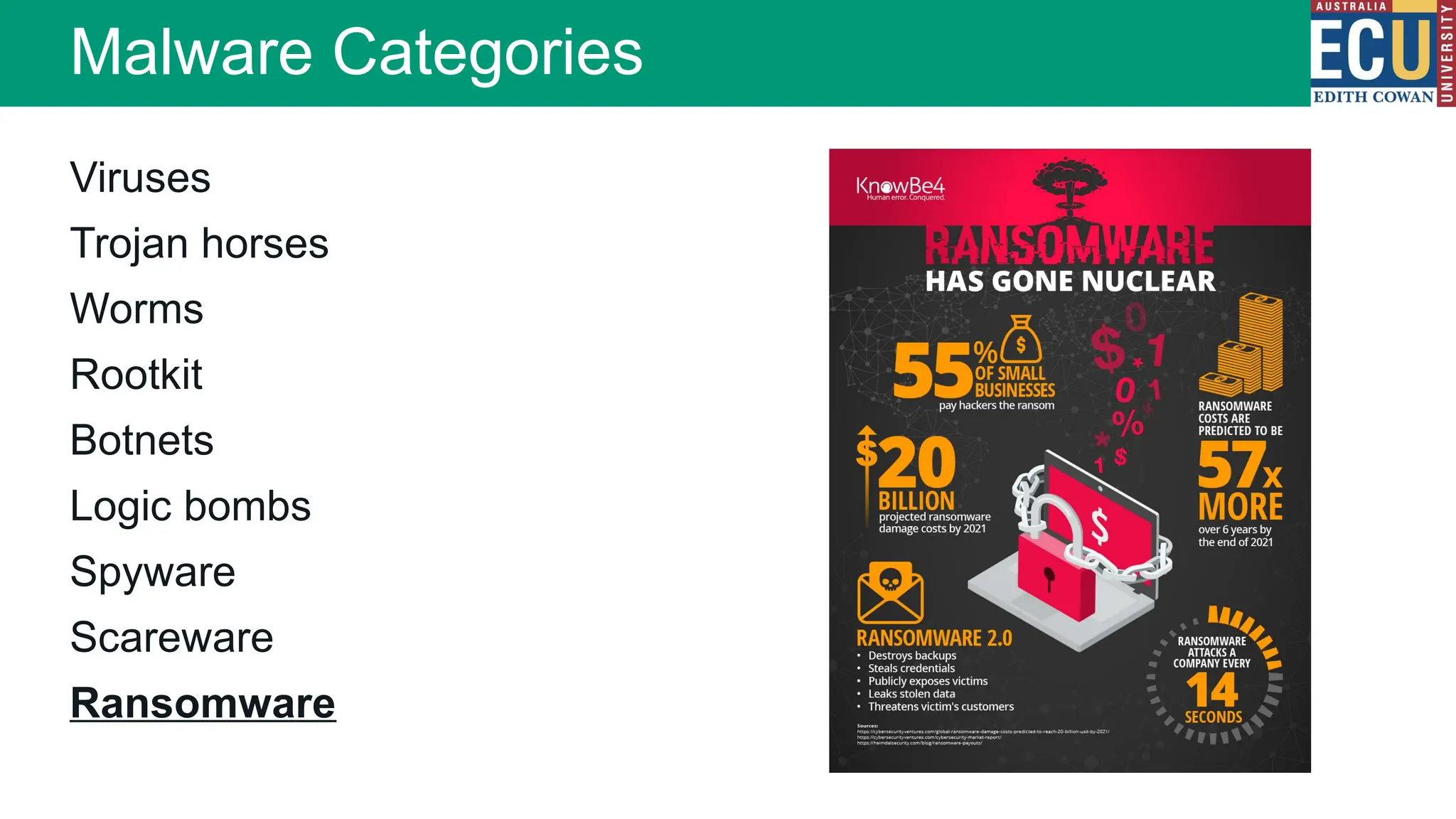
Ransomware
Malware Categories
Zeus Trojan horse
Commonly spread by FaceBook messages
Installed via drive-by-downloads and phishing
Works on Microsoft Windows only
Attacker fine tunes their Trojan to steal information of
interest to them only
Awakes when a particular site is accessed
Malware Specimens
Psyb0t
Targets Linux based ADSL routers
Infection occurs from an internal IP address
Initially pre-populated with 6000 usernames and
13,000 passwords
Generally exploits poorly configured devices
When part of a botnet is receives commands via IRC
command and control servers
Malware Specimens
Because malware is such a broad concept, the ways malware can threaten an organisation’s security is extensive. Most
malware is sent out through large scale campaigns, often through malicious spam emails (MalSpam).
Large scale, indiscriminate attacks:
This ‘spray and pray’ approach to finding targets is indiscriminate - the goal is to find ANY vulnerable target, not a
specific target.
Defence against this type of malware will mostly consist of preventing the large scale attacks through techniques
such as firewall rules, application whitelisting, good patch management to reduce vulnerabilities, and virus and
malware scanners.
These large scale attacks usually also make the news (at least in cyber security circles).
Targeted attacks:
Less common, but potentially more dangerous is a directed or targeted malware attack. If an attacker is specifically
attempting to breach an organisation’s security they may be much more deliberate in their actions. Performing
reconnaissance, hacking and even crafting manual malicious payloads.
Often directed at larger organisations or more public targets. Goals include everything from extortion to theft of
secrets.
Detection of these attacks requires more advanced threat hunting techniques. Auditing of log files, intrusion detection
systems, email scanning.
Threats to Organisations
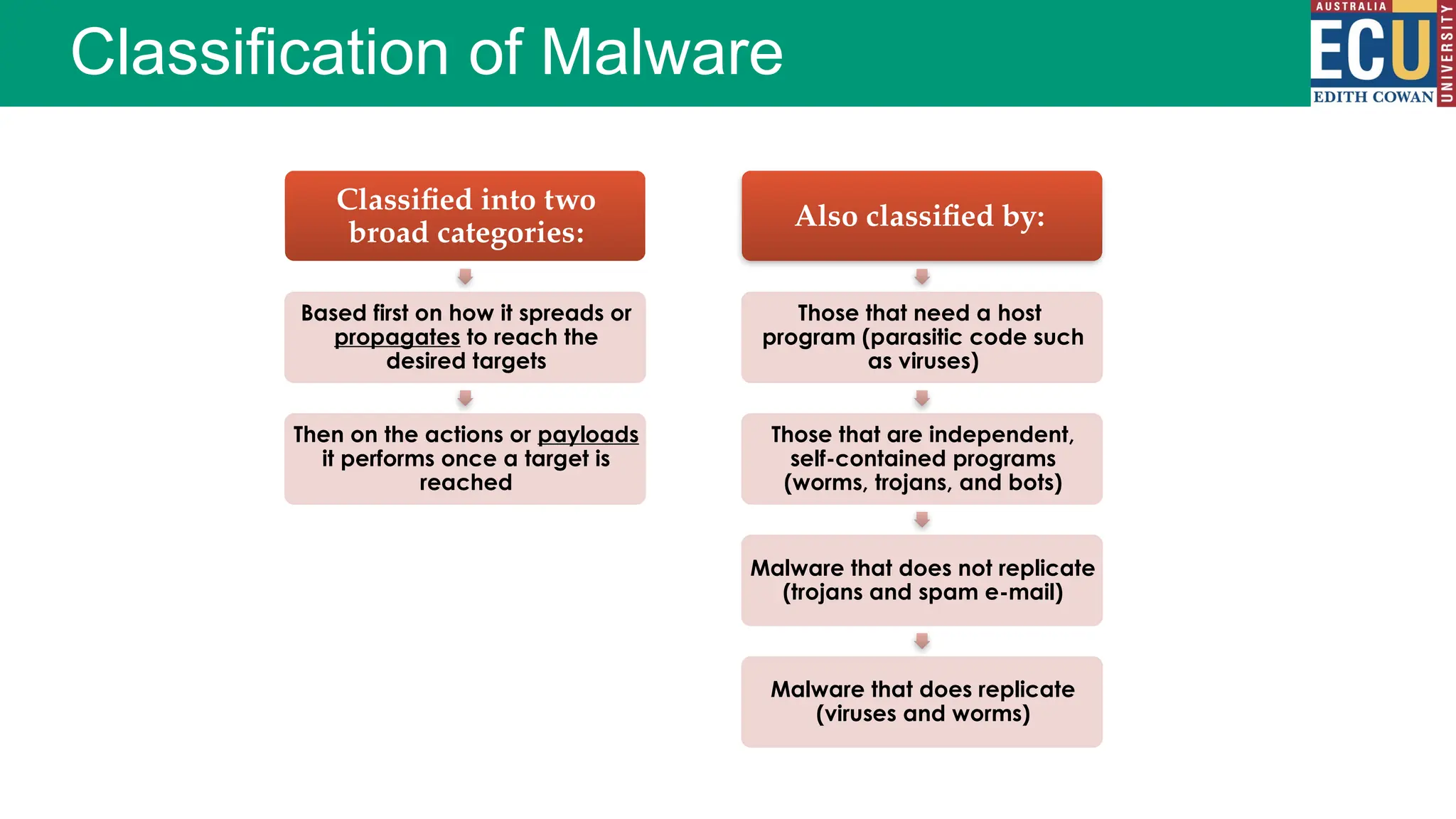
Classification of Malware
Classified into two
broad categories:
Based first on how it spreads or
propagates to reach the
desired targets
Then on the actions or payloads
it performs once a target is
reached
Also classified by:
Those that need a host
program (parasitic code such
as viruses)
Those that are independent,
self-contained programs
(worms, trojans, and bots)
Malware that does not replicate
(trojans and spam e-mail)
Malware that does replicate
(viruses and worms)
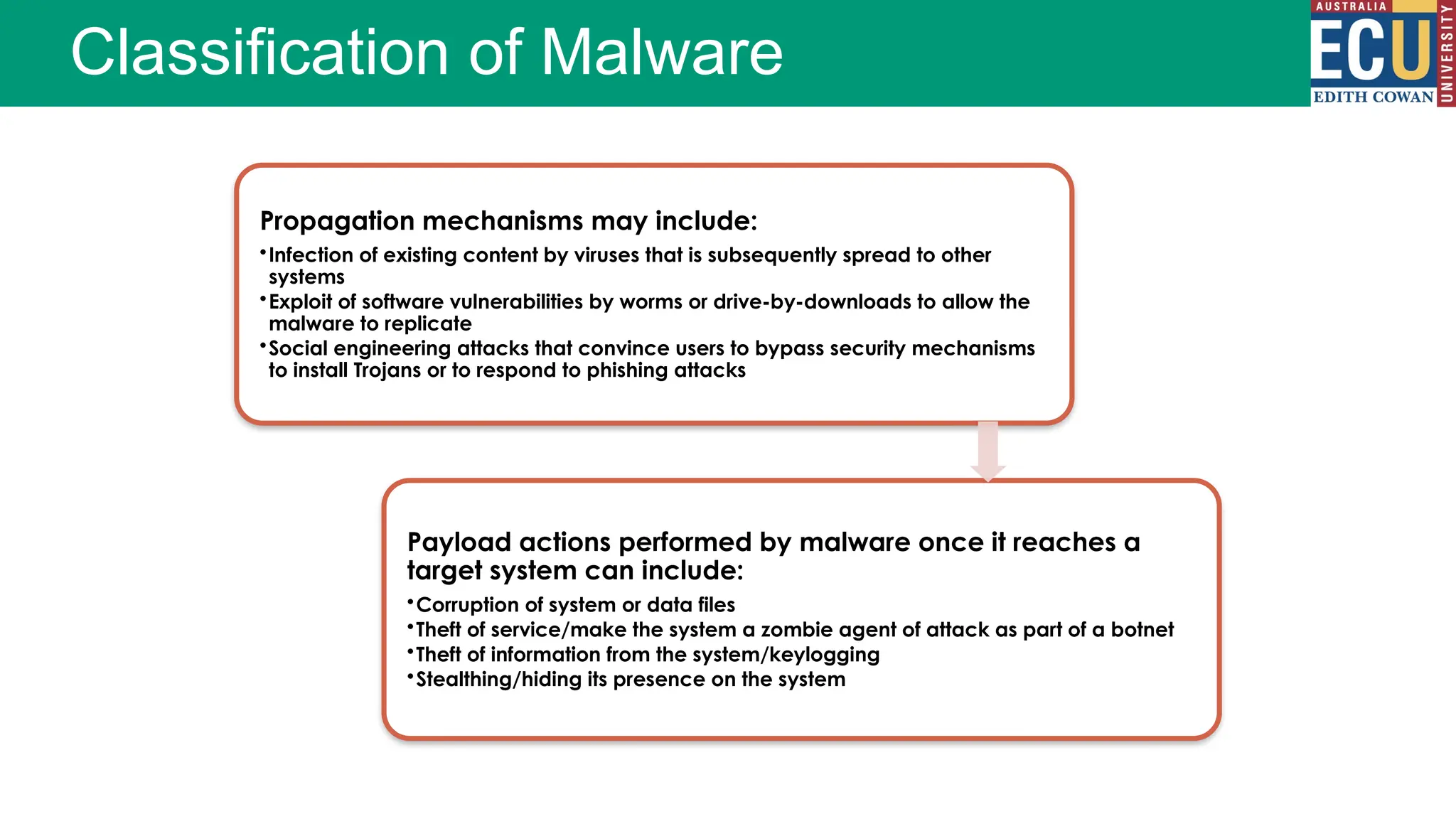
Classification of Malware
Propagation mechanisms may include:
•Infection of existing content by viruses that is subsequently spread to other
systems
•Exploit of software vulnerabilities by worms or drive-by-downloads to allow the
malware to replicate
•Social engineering attacks that convince users to bypass security mechanisms
to install Trojans or to respond to phishing attacks
Payload actions performed by malware once it reaches a
target system can include:
•Corruption of system or data files
•Theft of service/make the system a zombie agent of attack as part of a botnet
•Theft of information from the system/keylogging
•Stealthing/hiding its presence on the system
Computer Viruses and Worms
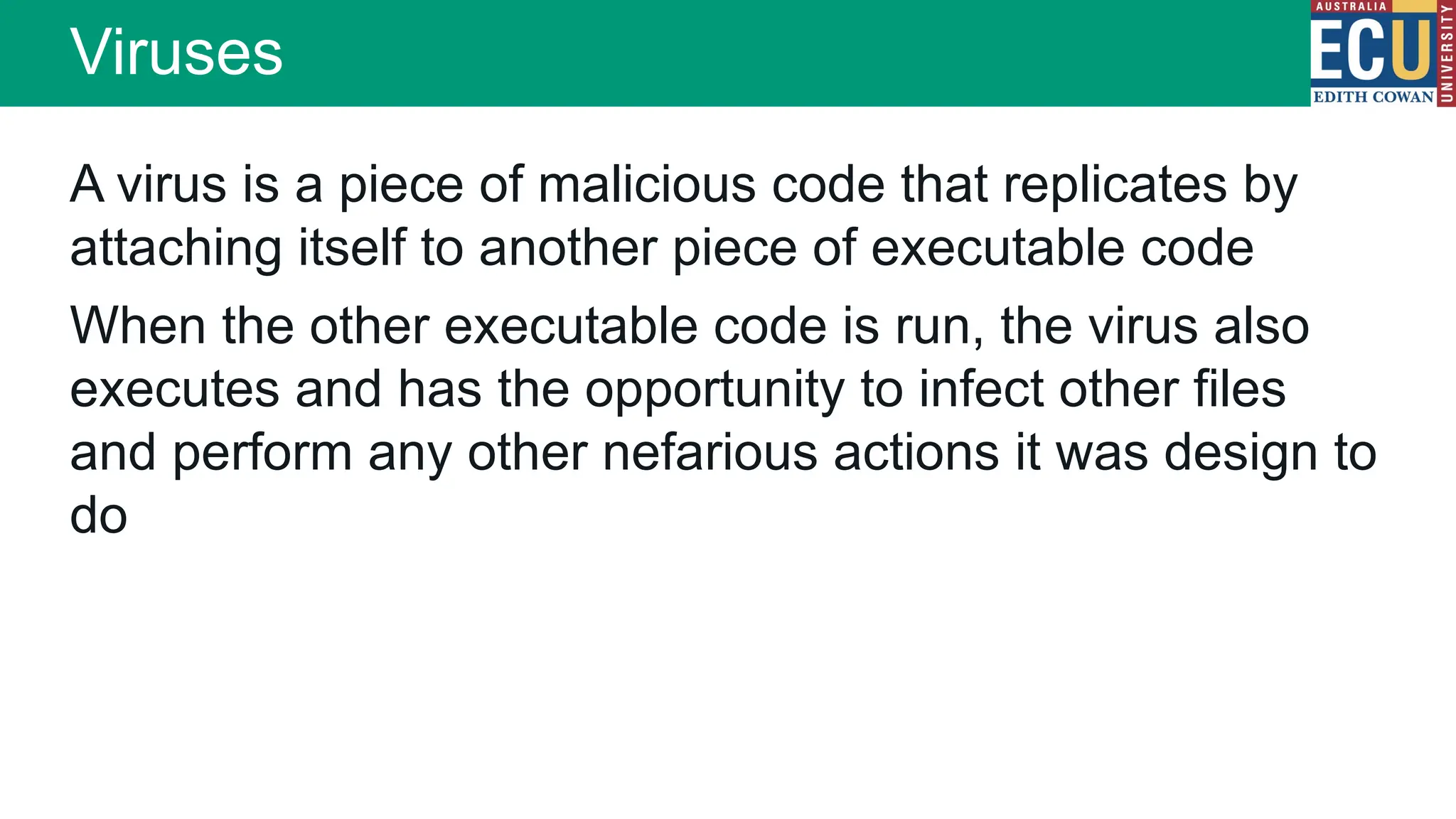
A virus is a piece of malicious code that replicates by
attaching itself to another piece of executable code
When the other executable code is run, the virus also
executes and has the opportunity to infect other files
and perform any other nefarious actions it was design to
do
Viruses
Virus Structure
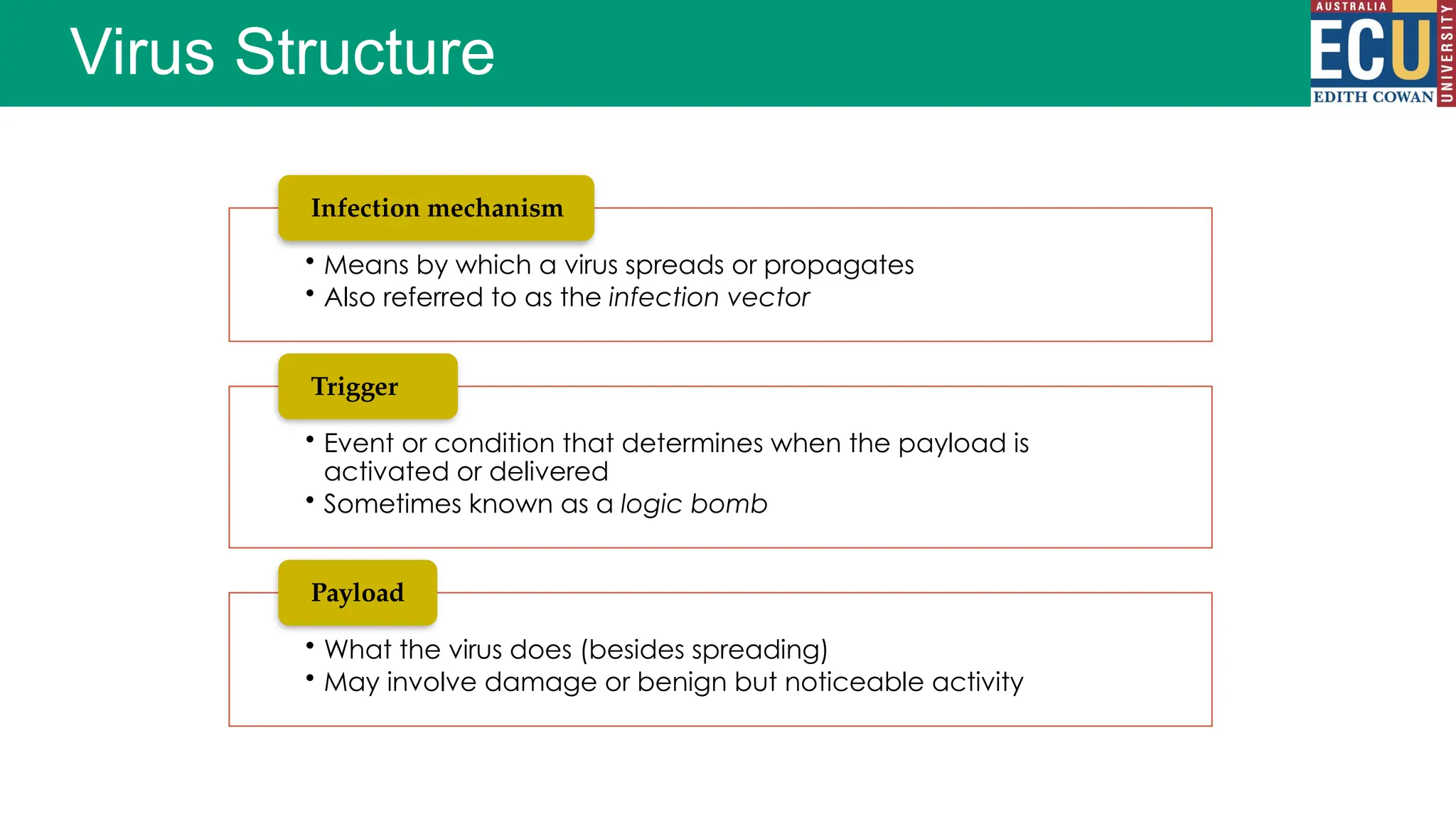
• Means by which a virus spreads or propagates
• Also referred to as the infection vector
Infection mechanism
• Event or condition that determines when the payload is
activated or delivered
• Sometimes known as a logic bomb
Trigger
• What the virus does (besides spreading)
• May involve damage or benign but noticeable activity
Payload
Virus Phases
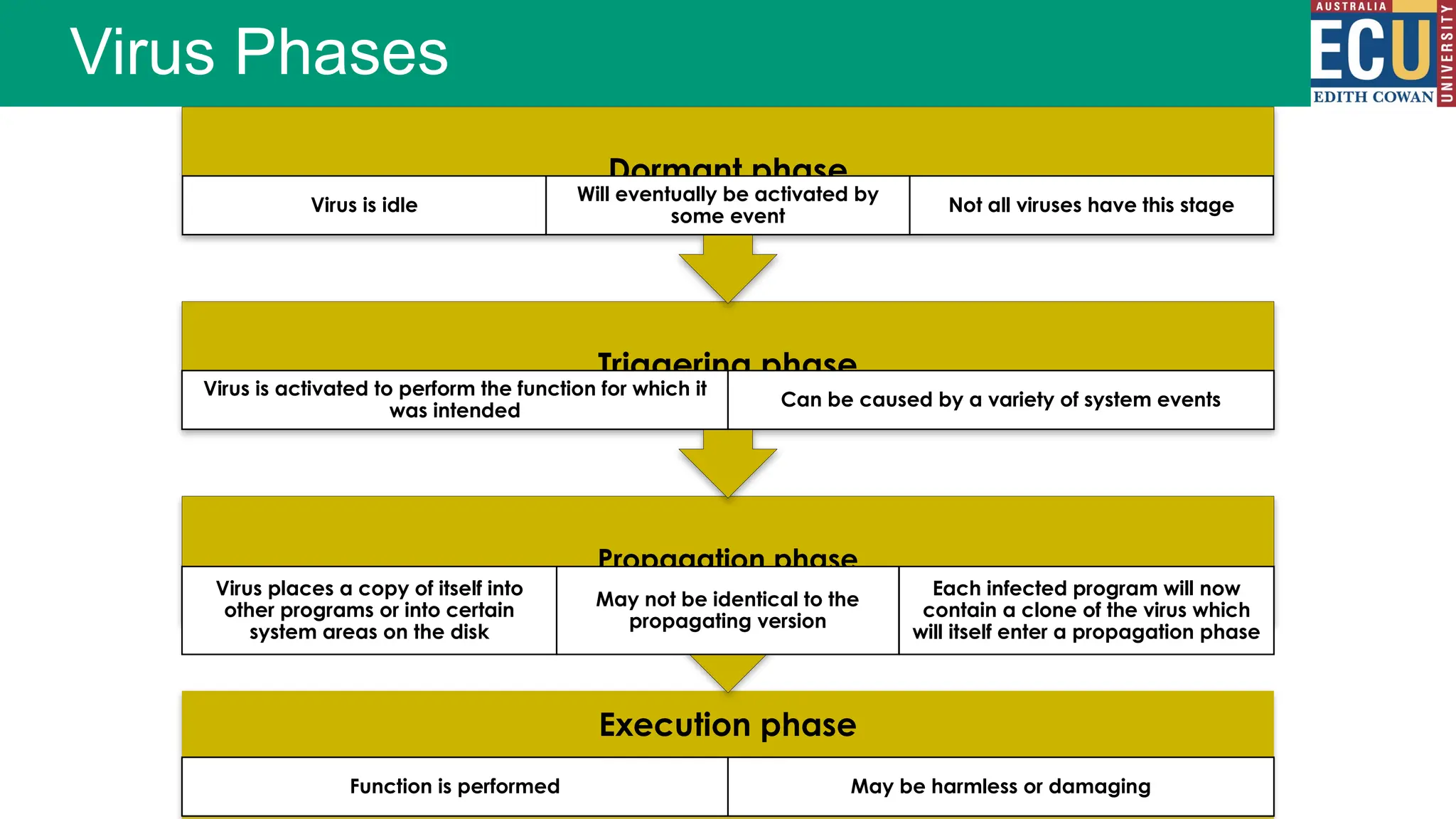
Execution phase
Function is performed May be harmless or damaging
Propagation phase
Virus places a copy of itself into
other programs or into certain
system areas on the disk
May not be identical to the
propagating version
Each infected program will now
contain a clone of the virus which
will itself enter a propagation phase
Triggering phase
Virus is activated to perform the function for which it
was intended
Can be caused by a variety of system events
Dormant phase
Virus is idle
Will eventually be activated by
some event
Not all viruses have this stage
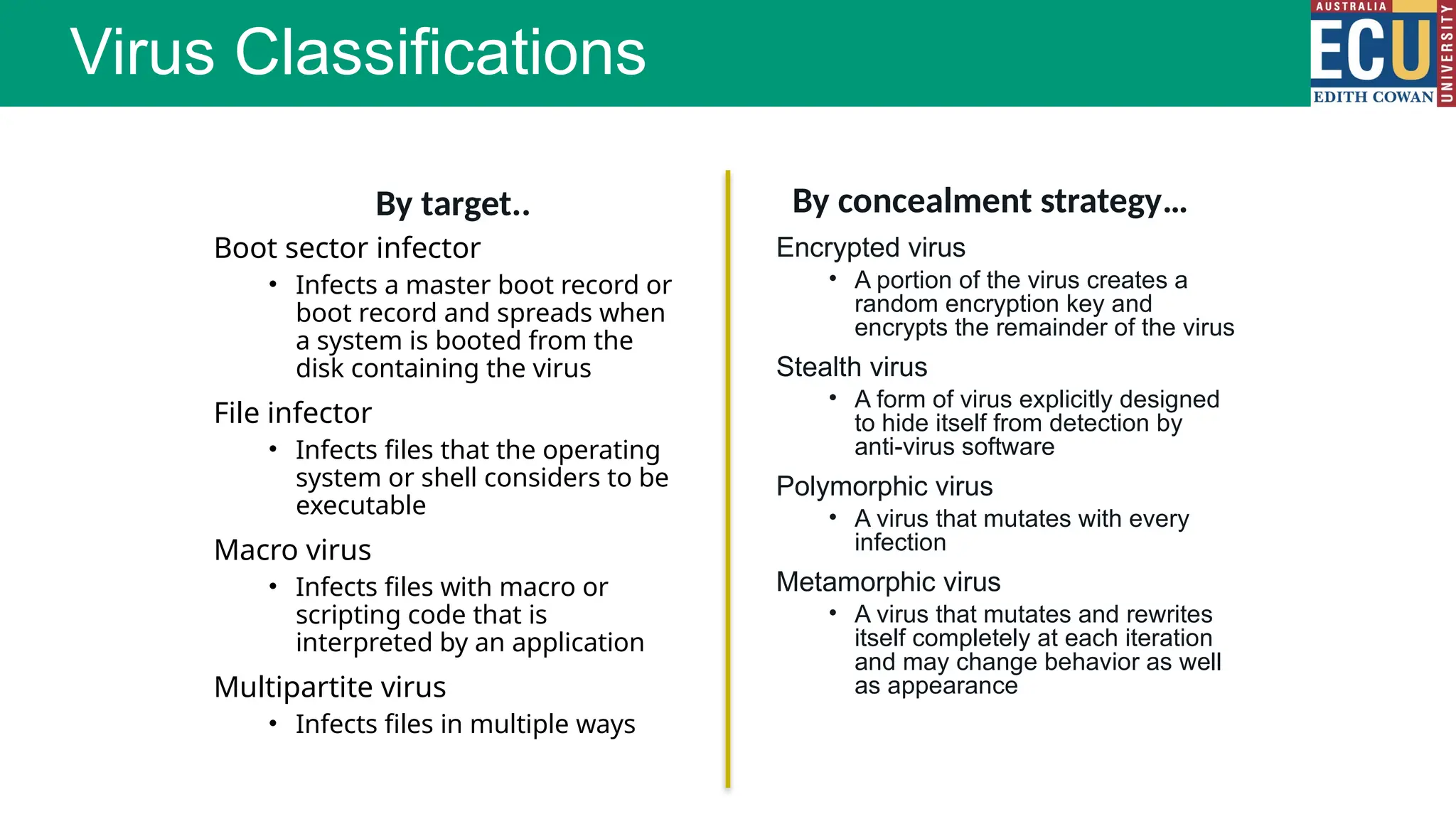
Boot sector infector
• Infects a master boot record or
boot record and spreads when
a system is booted from the
disk containing the virus
File infector
• Infects files that the operating
system or shell considers to be
executable
Macro virus
• Infects files with macro or
scripting code that is
interpreted by an application
Multipartite virus
• Infects files in multiple ways
Virus Classifications
Encrypted virus
• A portion of the virus creates a
random encryption key and
encrypts the remainder of the virus
Stealth virus
• A form of virus explicitly designed
to hide itself from detection by
anti-virus software
Polymorphic virus
• A virus that mutates with every
infection
Metamorphic virus
• A virus that mutates and rewrites
itself completely at each iteration
and may change behavior as well
as appearance
By target.. By concealment strategy…
Virus Code Execution
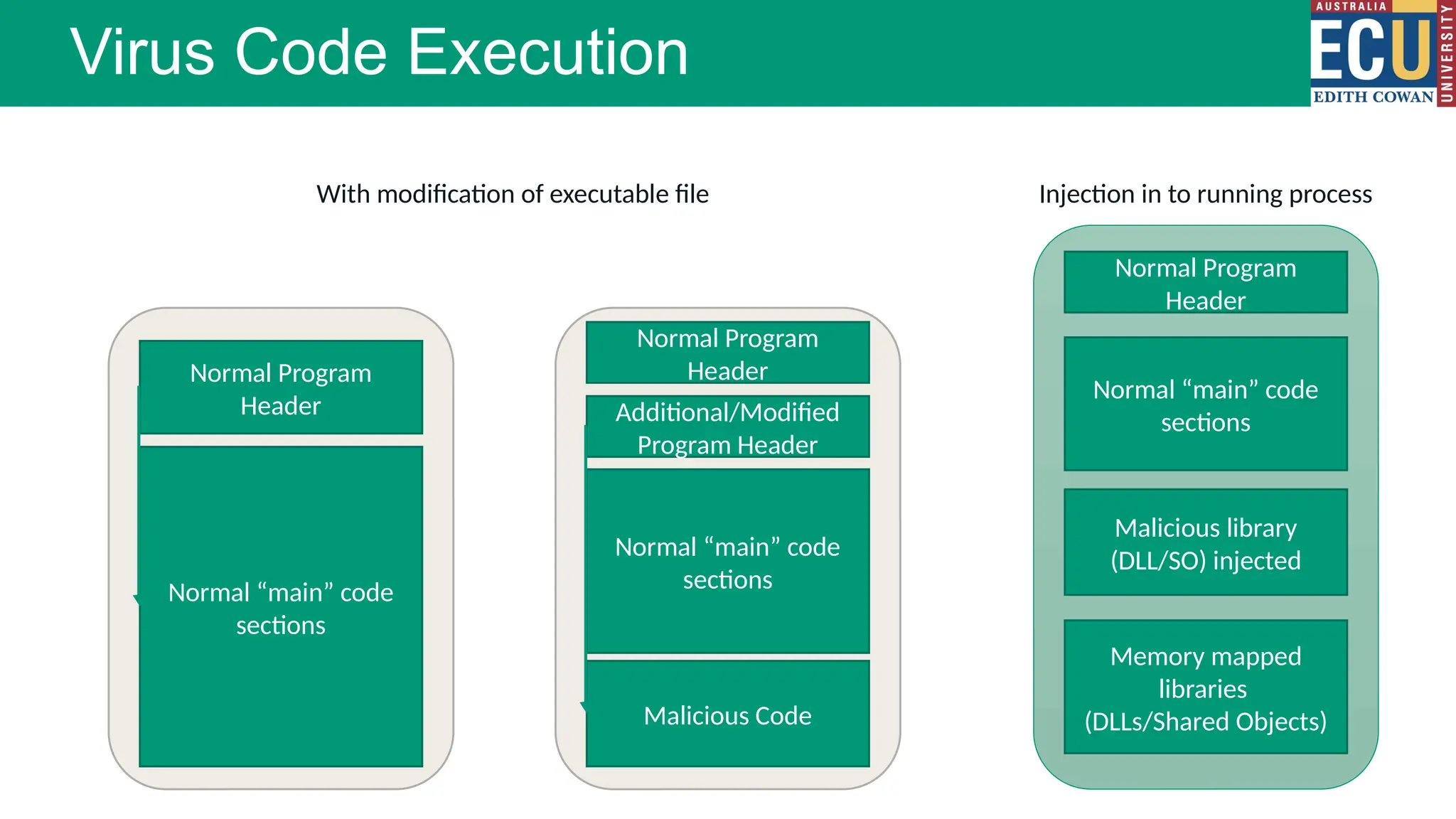
Normal Program
Header
Normal “main” code
sections
Additional/Modified
Program Header
Normal “main” code
sections
Malicious Code
Normal Program
Header
Normal “main” code
sections
Malicious library
(DLL/SO) injected
Normal Program
Header
Memory mapped
libraries
(DLLs/Shared Objects)
With modification of executable file Injection in to running process
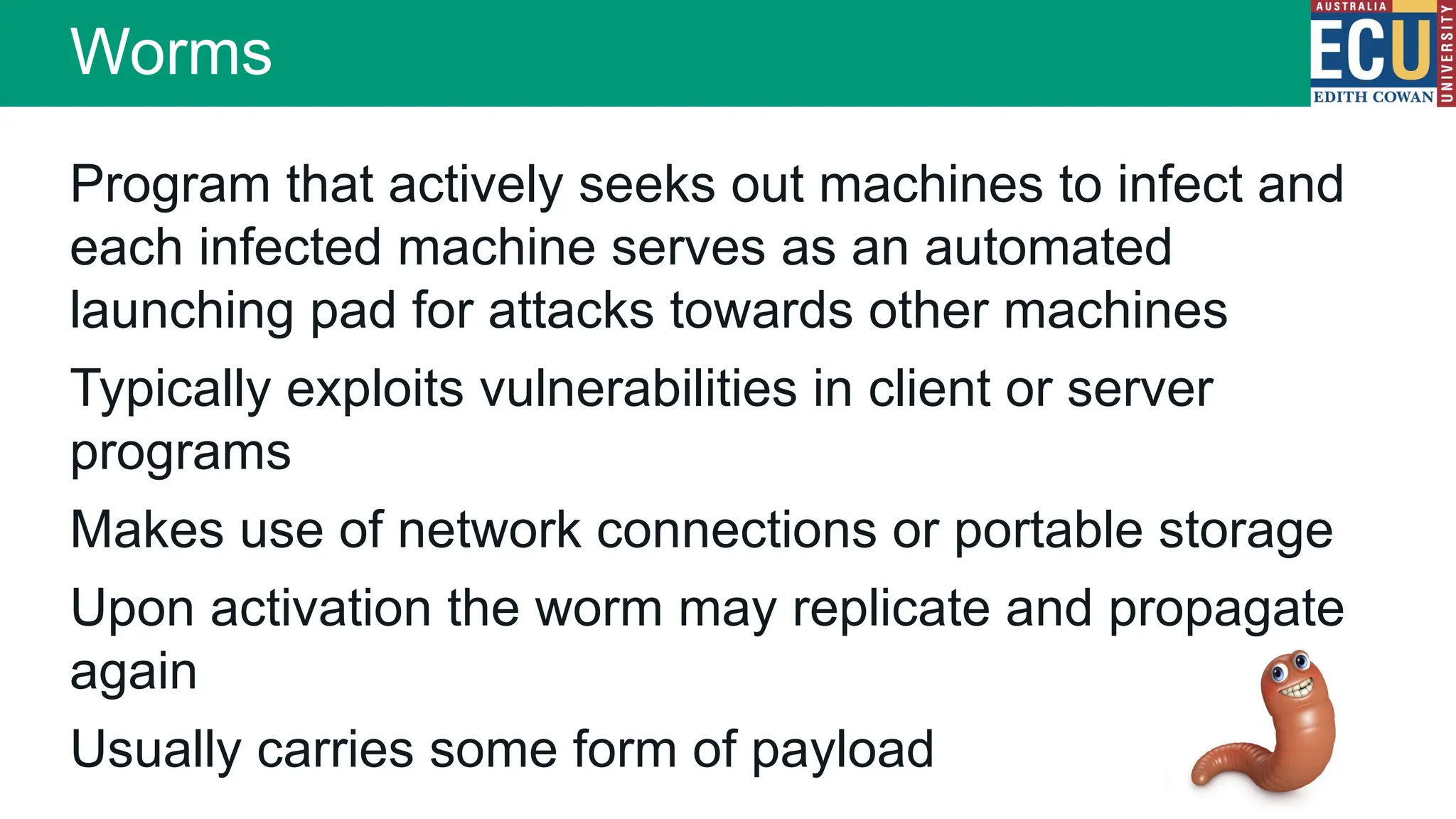
Worms
Program that actively seeks out machines to infect and
each infected machine serves as an automated
launching pad for attacks towards other machines
Typically exploits vulnerabilities in client or server
programs
Makes use of network connections or portable storage
Upon activation the worm may replicate and propagate
again
Usually carries some form of payload
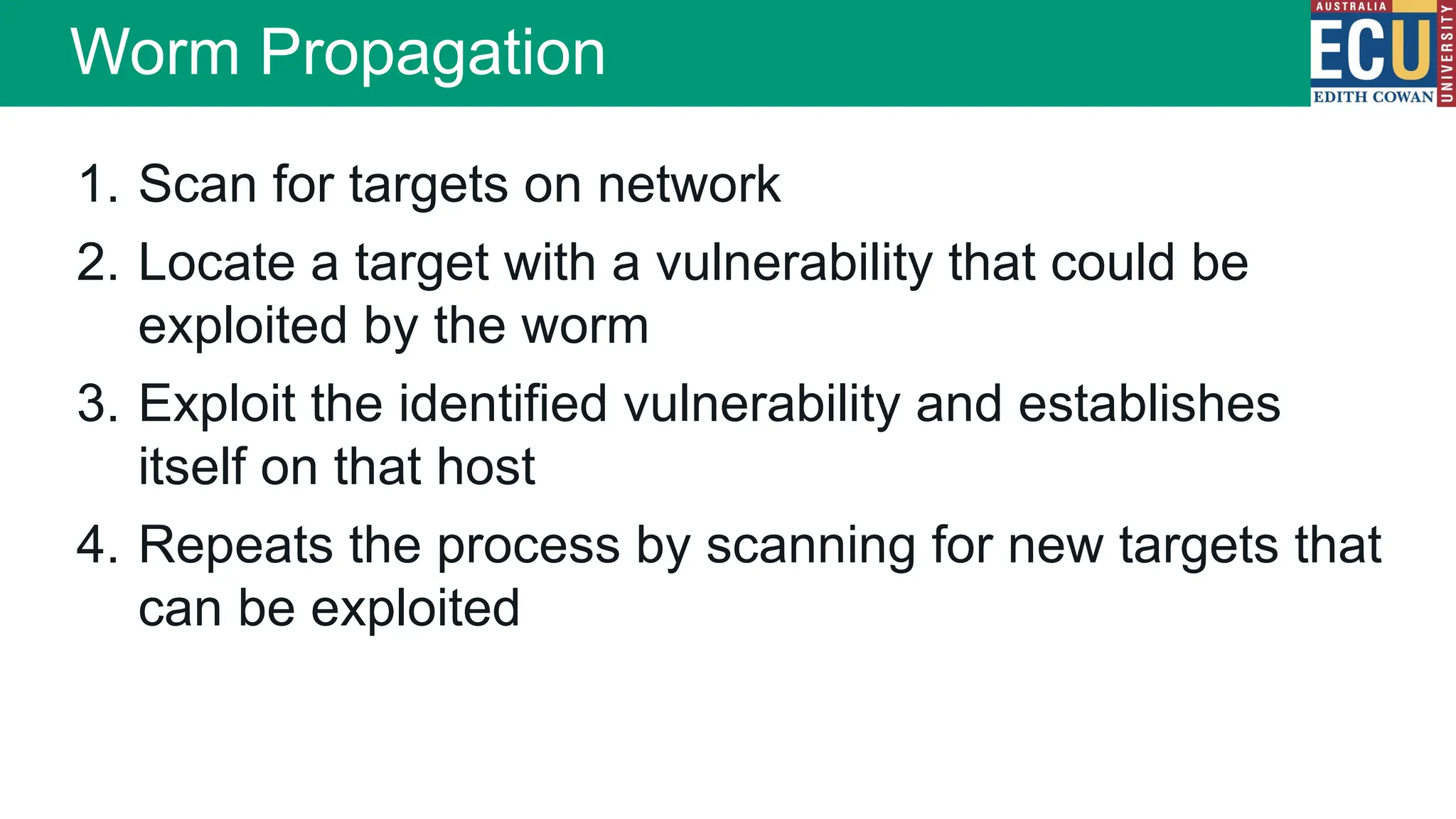
1. Scan for targets on network
2. Locate a target with a vulnerability that could be
exploited by the worm
3. Exploit the identified vulnerability and establishes
itself on that host
4. Repeats the process by scanning for new targets that
can be exploited
Worm Propagation
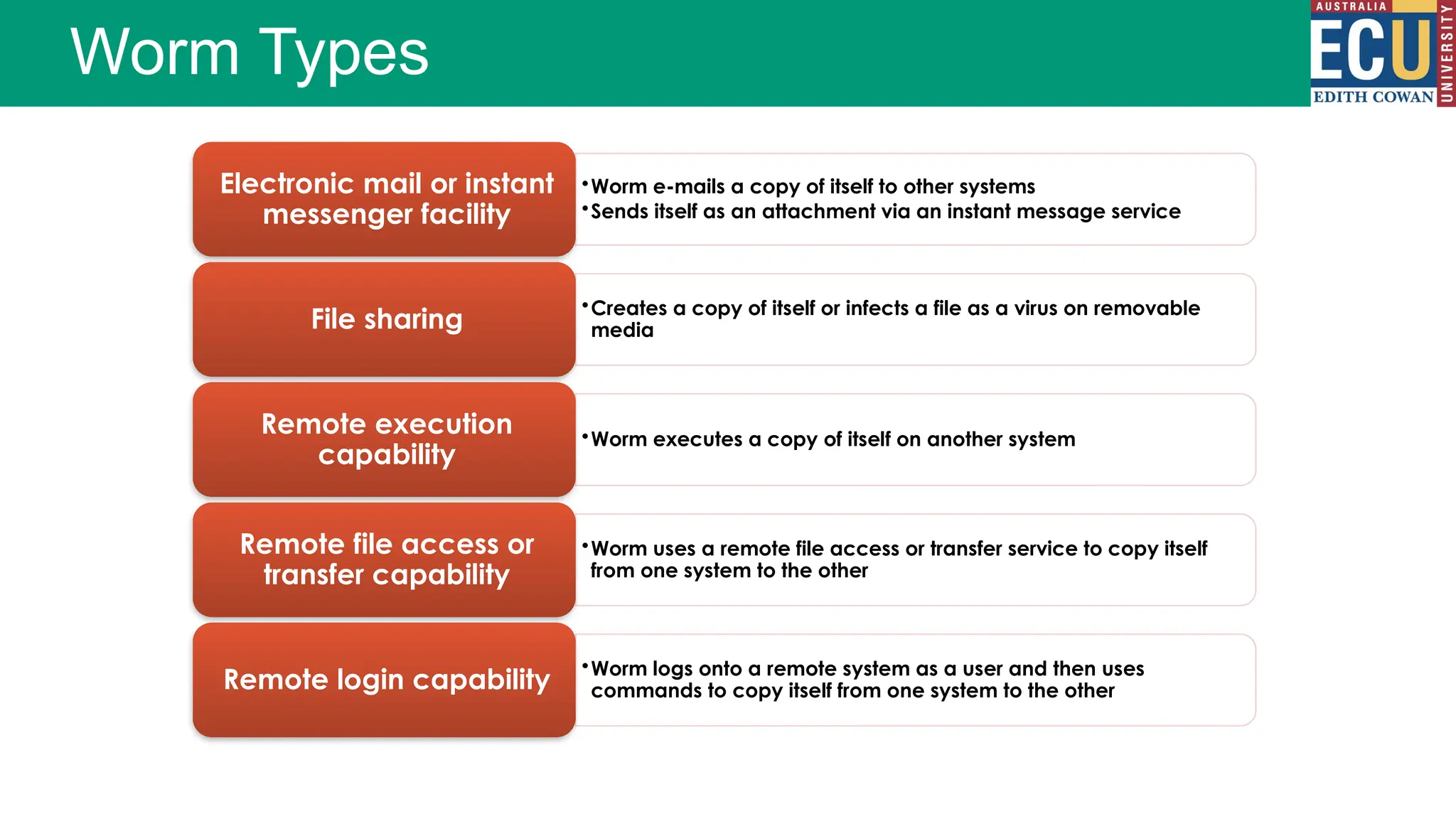
•Worm e-mails a copy of itself to other systems
•Sends itself as an attachment via an instant message service
Electronic mail or instant
messenger facility
•Creates a copy of itself or infects a file as a virus on removable
media
File sharing
•Worm executes a copy of itself on another system
Remote execution
capability
•Worm uses a remote file access or transfer service to copy itself
from one system to the other
Remote file access or
transfer capability
•Worm logs onto a remote system as a user and then uses
commands to copy itself from one system to the other
Remote login capability
Worm Types
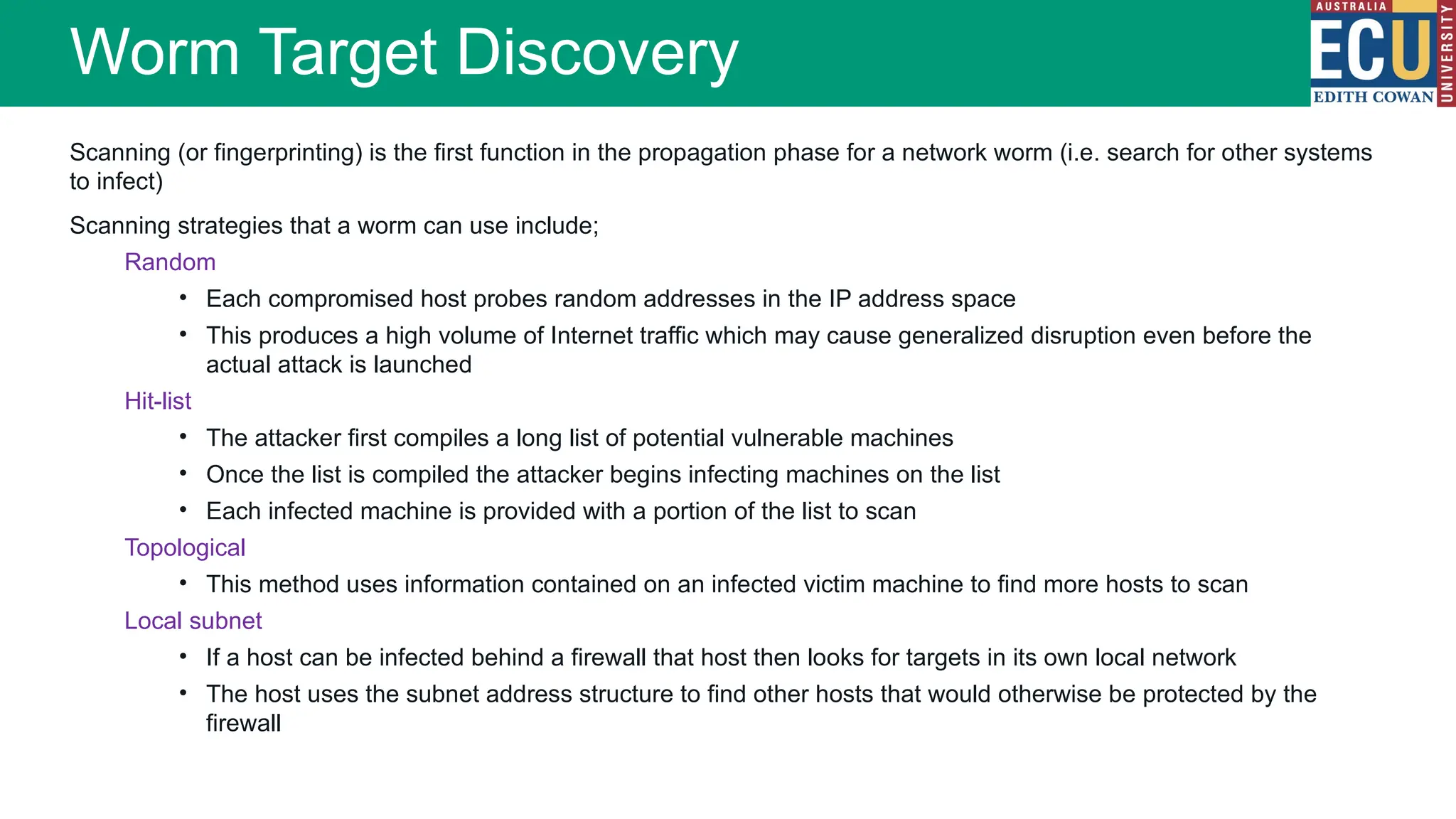
Scanning (or fingerprinting) is the first function in the propagation phase for a network worm (i.e. search for other systems
to infect)
Scanning strategies that a worm can use include;
Random
• Each compromised host probes random addresses in the IP address space
• This produces a high volume of Internet traffic which may cause generalized disruption even before the
actual attack is launched
Hit-list
• The attacker first compiles a long list of potential vulnerable machines
• Once the list is compiled the attacker begins infecting machines on the list
• Each infected machine is provided with a portion of the list to scan
Topological
• This method uses information contained on an infected victim machine to find more hosts to scan
Local subnet
• If a host can be infected behind a firewall that host then looks for targets in its own local network
• The host uses the subnet address structure to find other hosts that would otherwise be protected by the
firewall
Worm Target Discovery
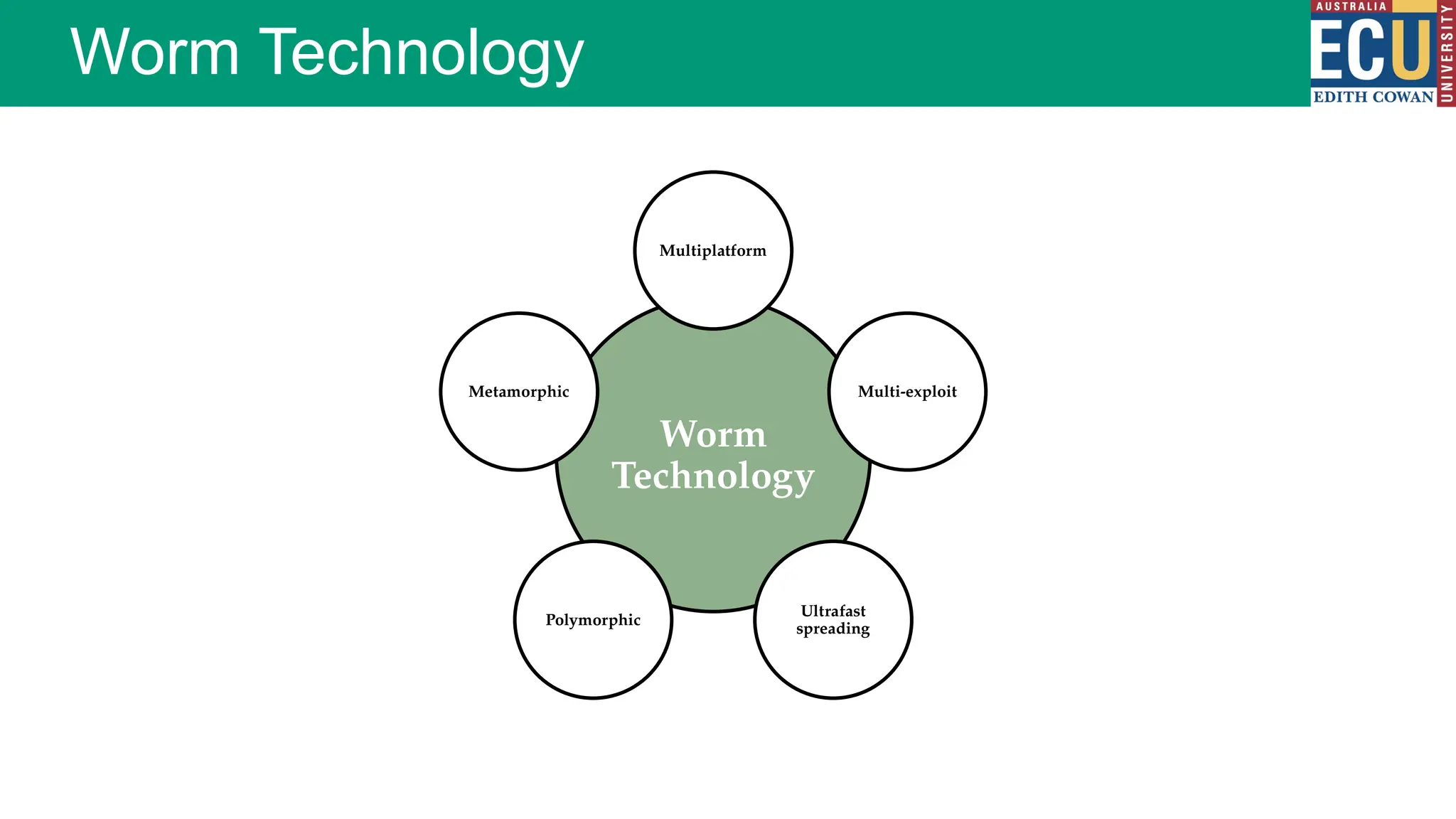
Worm Technology
Worm
Technology
Multiplatform
Multi-exploit
Ultrafast
spreading
Polymorphic
Metamorphic
Trojan horses and Rootkits
A Trojan horse is a program that appears to be useful, but also
performs a negative task to the computer, smartphone, IoT device etc.
Can be a resultant payload or its own program
Common Trojan horse (social engineering)
A functional program with an alternative malicious behaviour i.e.
every time the 7 is pressed a file is deleted at random
Files/partitions could be encrypted requiring payment before they
are again accessible i.e. ransomware
Trojan Horses
Remote Access Trojan horse (RAT)
Allows the device to be controlled/monitored
A backdoor into a system and allow an attacker to
execute or monitor actions on the victim’s computer
Allows the infected host to be access when behind a
firewall/router/NAT (discussed in a later module)
Trojan Horse Types
Rootkits
A stealthy application designed to hide the fact that an
operating system has been compromised
Typically encompasses three components
Concealment
Command and control
Surveillance
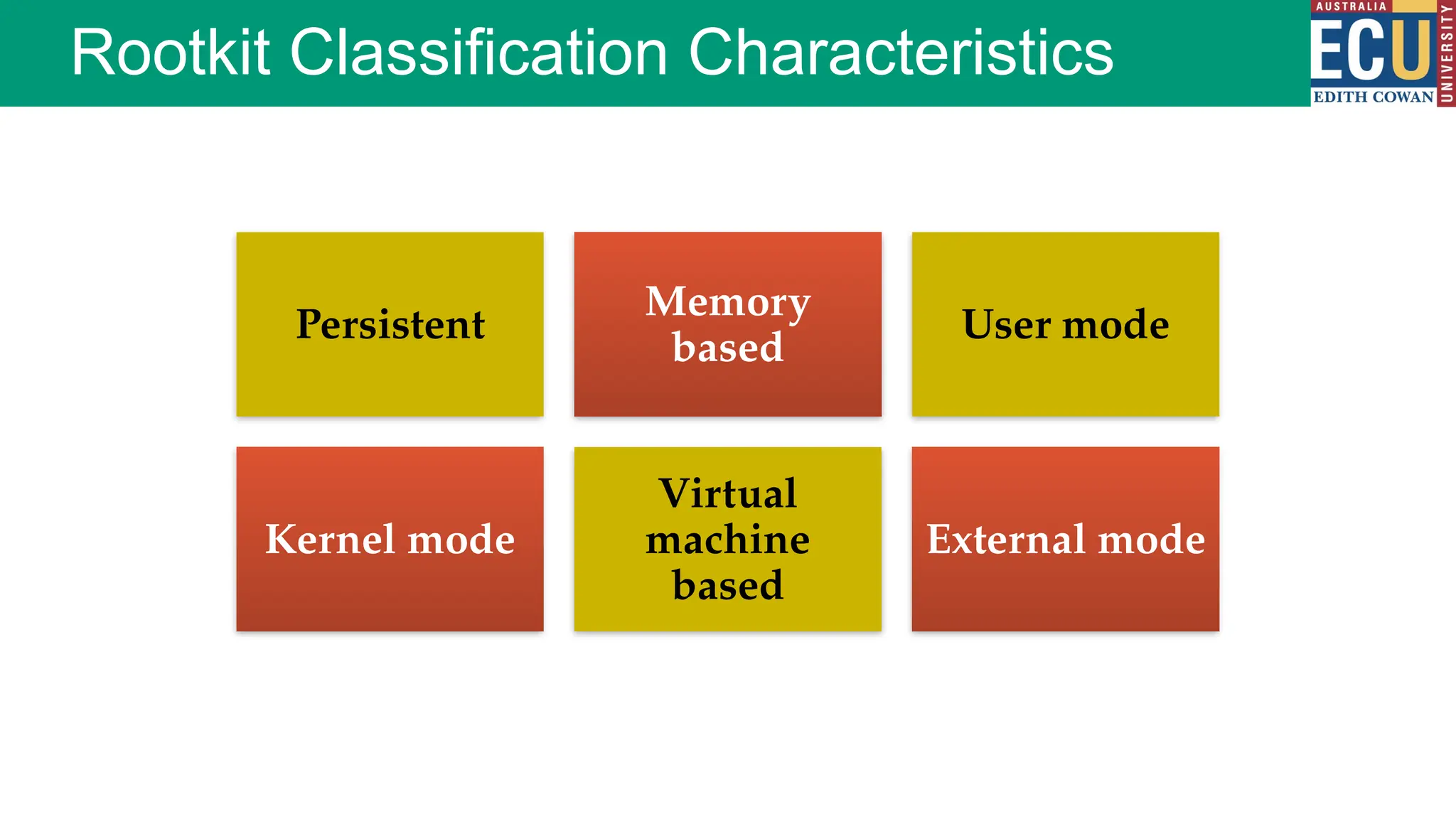
Rootkit Classification Characteristics
Persistent
Memory
based
User mode
Kernel mode
Virtual
machine
based
External mode
Logic Bombs, Ransomware and Botnets
A logic bomb (usually) performs a malicious action as a
result of a certain logic condition
A programmer puts code into software for the payroll
system that makes the program crash should it ever
process two consecutive payrolls without paying him 
Some trial programs work for a certain period of time
and then disable themselves
Logic Bombs
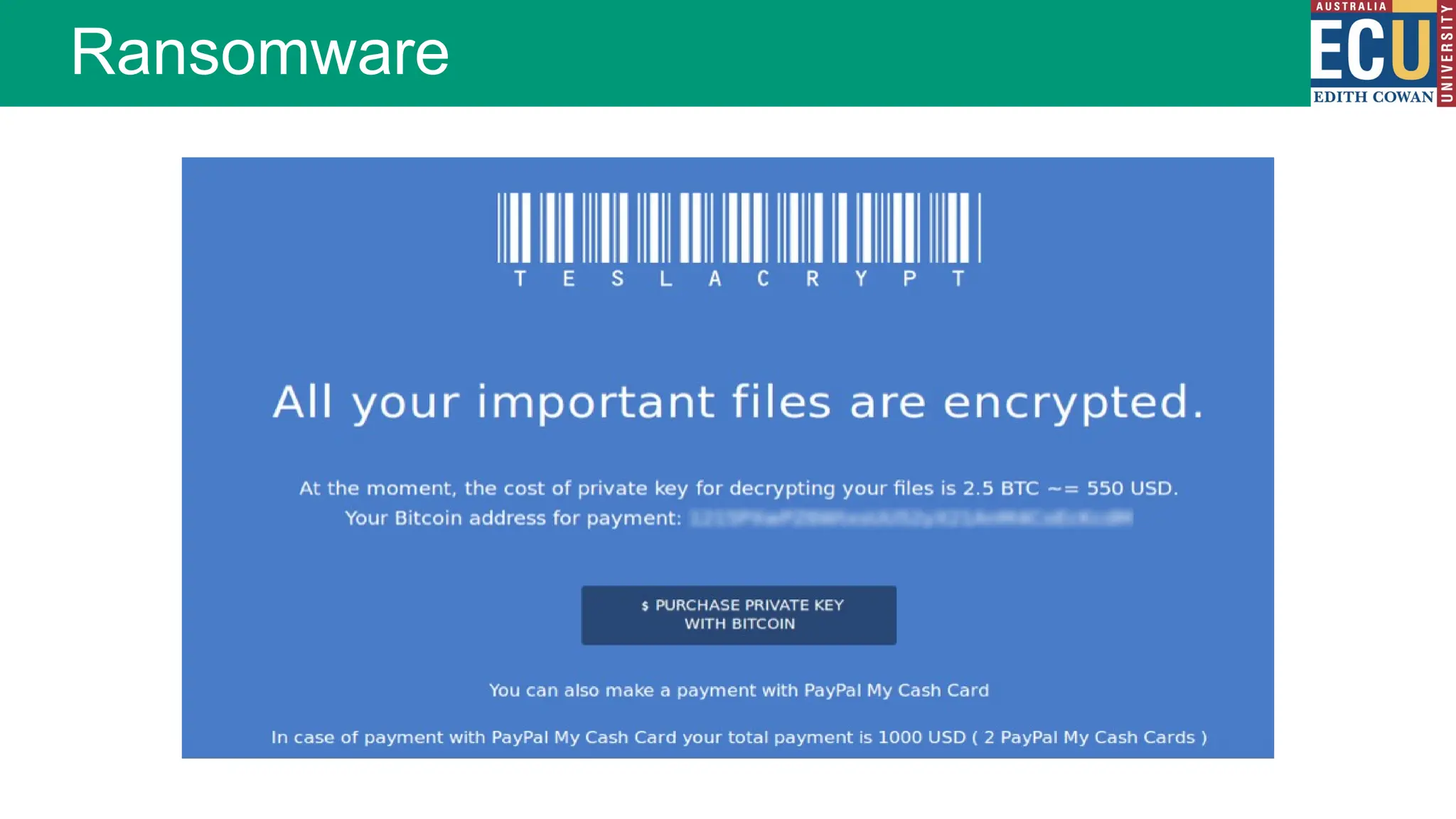
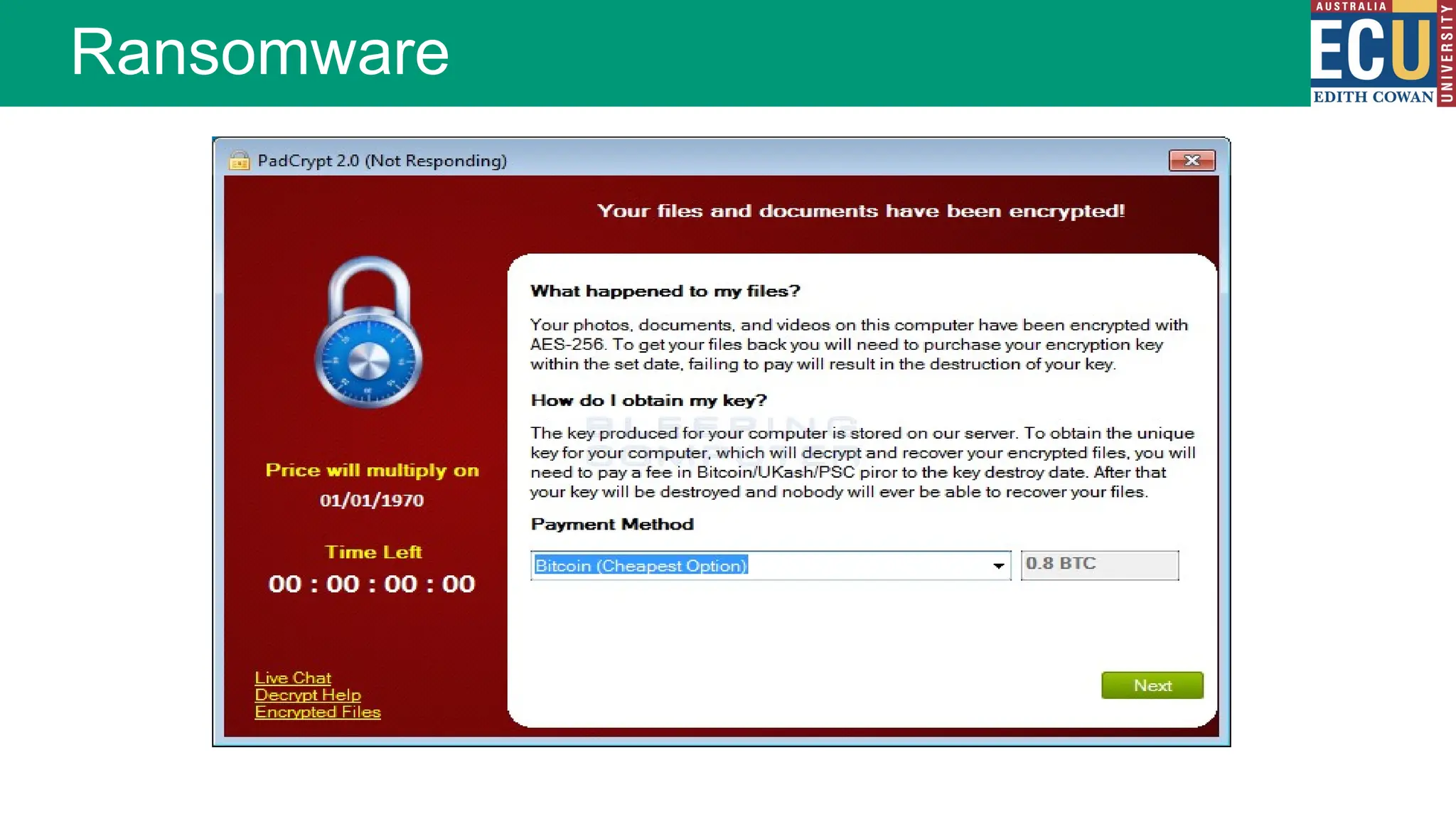
Software that ‘kidnaps’ a user’s device by encrypting a
drive or files, then demanding payment (usually in Bit
coins) to decrypt it
If not paid within a certain amount of time (usually 72
hours) the key will be destroyed
Recent ransomware versions allow users to decrypt a
few files for free to prove they can be recovered
Ransomware
Ransomware
Ransomware
Botnets
BotNet – Robot Network
A collection of machines under the control of a malicious
actor. Sometimes known as a botherder (someone who
controls multiple machines)
Generally botnets are established through a range of
malware propagation techniques from worms, through
to viruses and trojans.
Typically botnets are used to perform some massive
simultaneous task. These can range from distributed
denial of service (DDoS) attacks, through to sending
out massive email spam or malspam campaigns
DDoS
Malspam
Cryptocurrency mining
Password cracking
Uses for Botnets
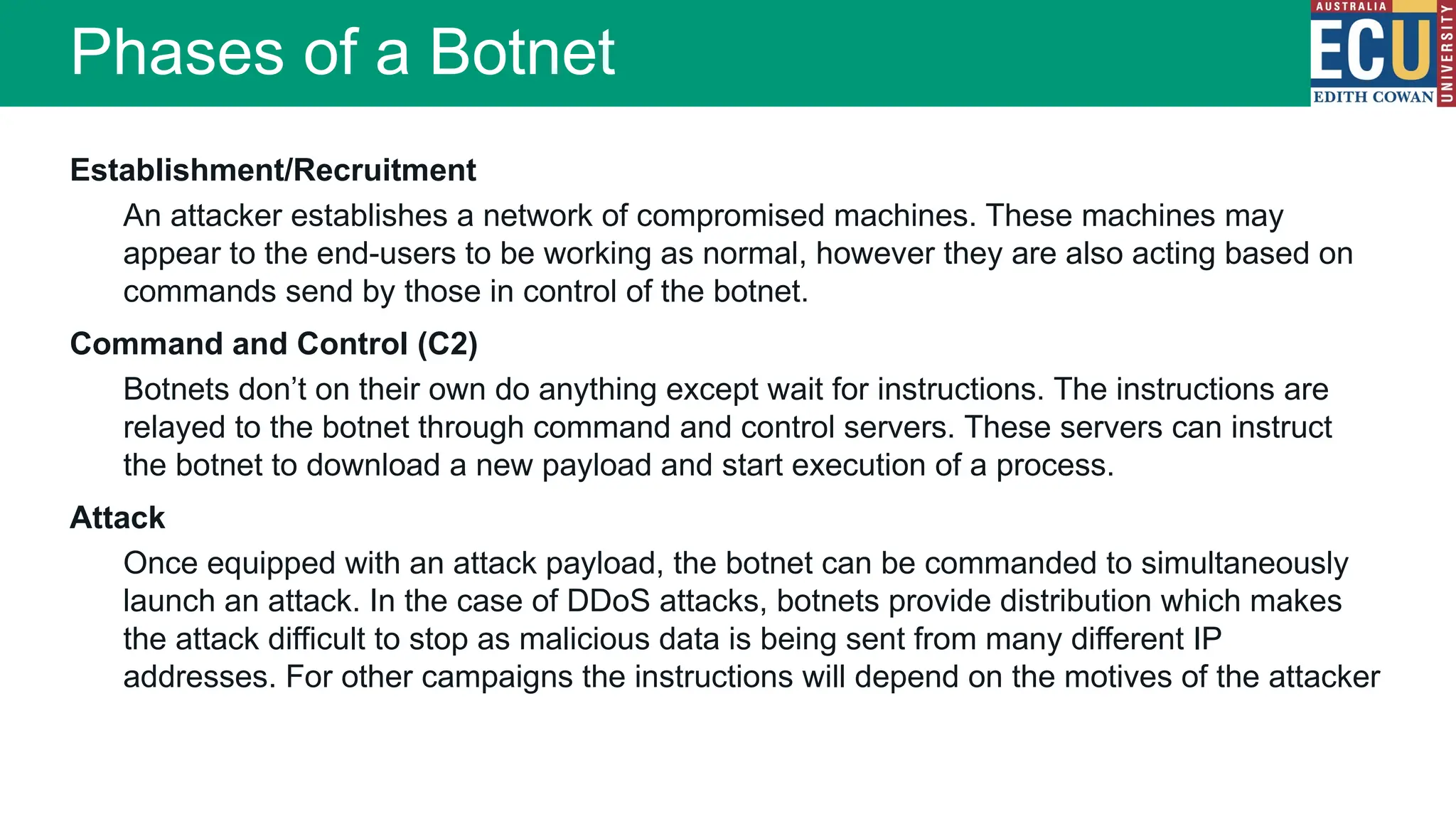
Establishment/Recruitment
An attacker establishes a network of compromised machines. These machines may
appear to the end-users to be working as normal, however they are also acting based on
commands send by those in control of the botnet.
Command and Control (C2)
Botnets don’t on their own do anything except wait for instructions. The instructions are
relayed to the botnet through command and control servers. These servers can instruct
the botnet to download a new payload and start execution of a process.
Attack
Once equipped with an attack payload, the botnet can be commanded to simultaneously
launch an attack. In the case of DDoS attacks, botnets provide distribution which makes
the attack difficult to stop as malicious data is being sent from many different IP
addresses. For other campaigns the instructions will depend on the motives of the attacker
Phases of a Botnet
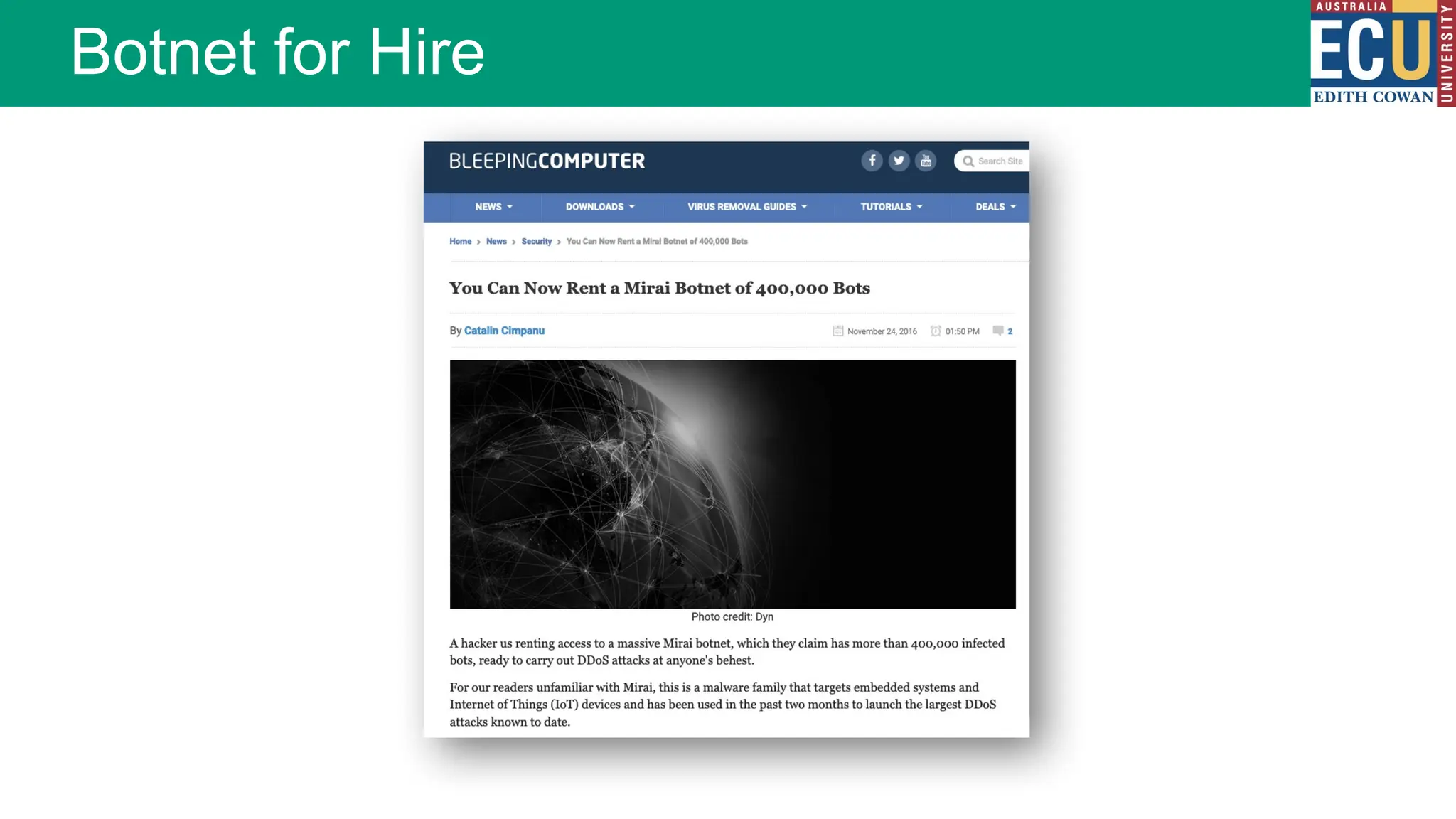
Botnet for Hire
Spyware, Adware and Scareware
Spyware: a type of malware that gathers
information from a user’s computer without
their knowledge or consent
Adware: a type of malware often linked to
spyware, which forces advertising upon the
victim
Scareware: a type of malware leveraging
social engineering techniques to entice a
victim to perform a specific task
Malware Countermeasures
Each malware specimen has a unique set of
instructions
Instructions form the signature or ‘fingerprint’
Anti-virus software uses a signature database to detect
known malware
A file is considered infected if it contains the known
signature or unique instructions
Malware Countermeasures - Signatures
Sometimes false positives occur…
A ‘safe’ file has instructions similar to a known virus
file
The vendors signature database is proprietary
Demand for vendors detecting and releasing an
updated database of signatures is high
Until your anti-virus software database is updated you
remain vulnerable
Malware Countermeasures - Signatures
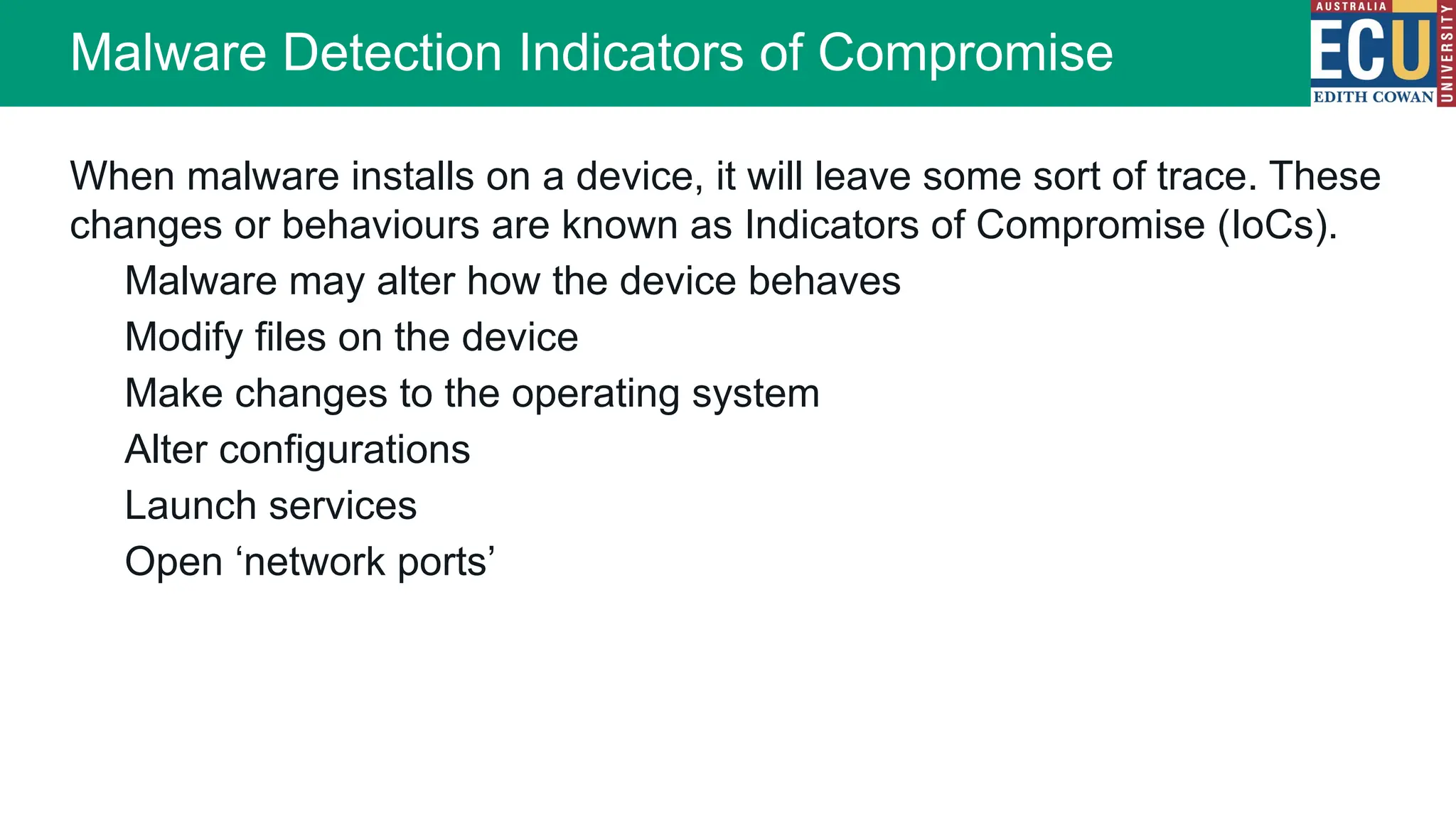
When malware installs on a device, it will leave some sort of trace. These
changes or behaviours are known as Indicators of Compromise (IoCs).
Malware may alter how the device behaves
Modify files on the device
Make changes to the operating system
Alter configurations
Launch services
Open ‘network ports’
Malware Detection Indicators of Compromise
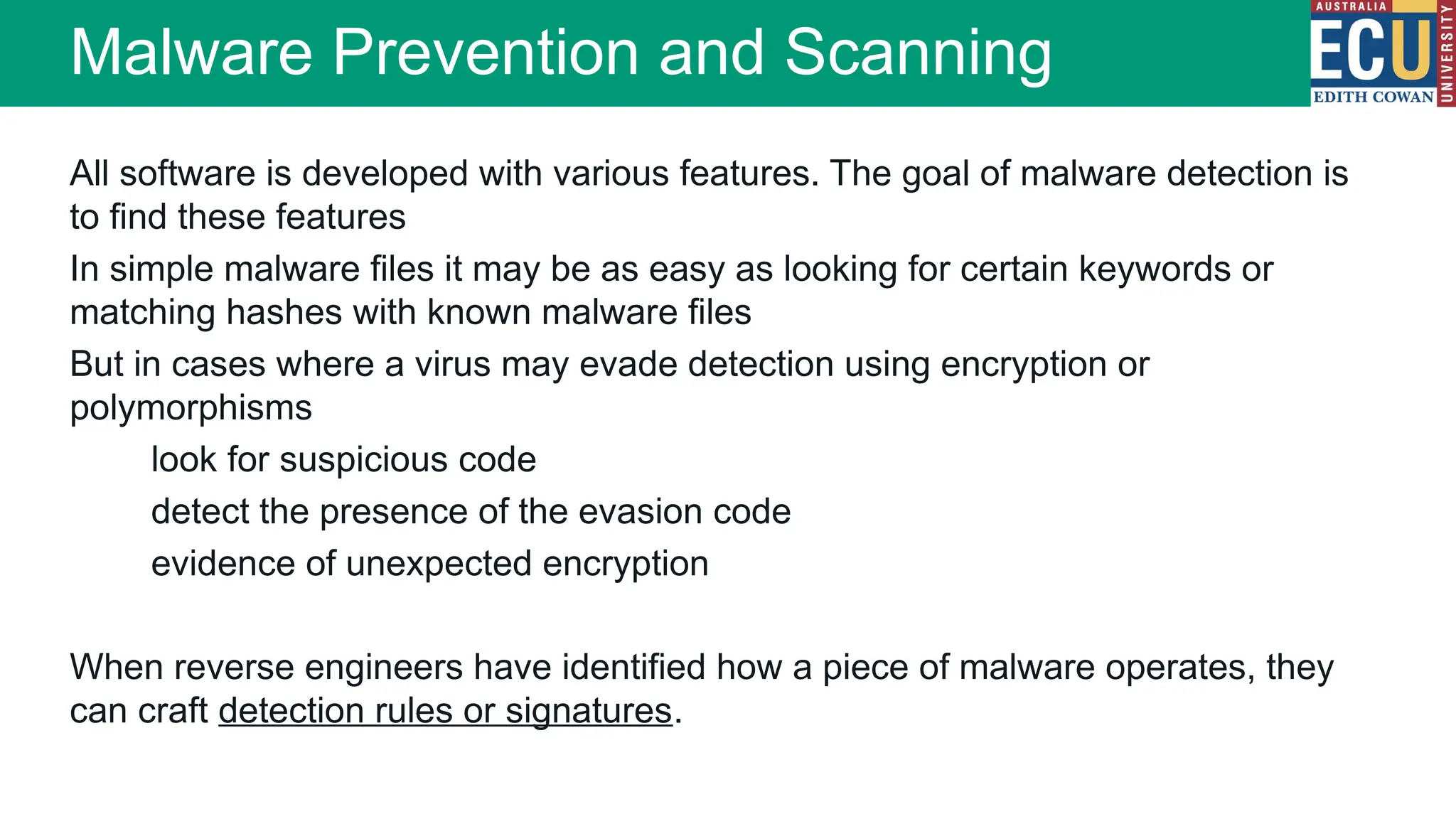
All software is developed with various features. The goal of malware detection is
to find these features
In simple malware files it may be as easy as looking for certain keywords or
matching hashes with known malware files
But in cases where a virus may evade detection using encryption or
polymorphisms
look for suspicious code
detect the presence of the evasion code
evidence of unexpected encryption
When reverse engineers have identified how a piece of malware operates, they
can craft detection rules or signatures.
Malware Prevention and Scanning
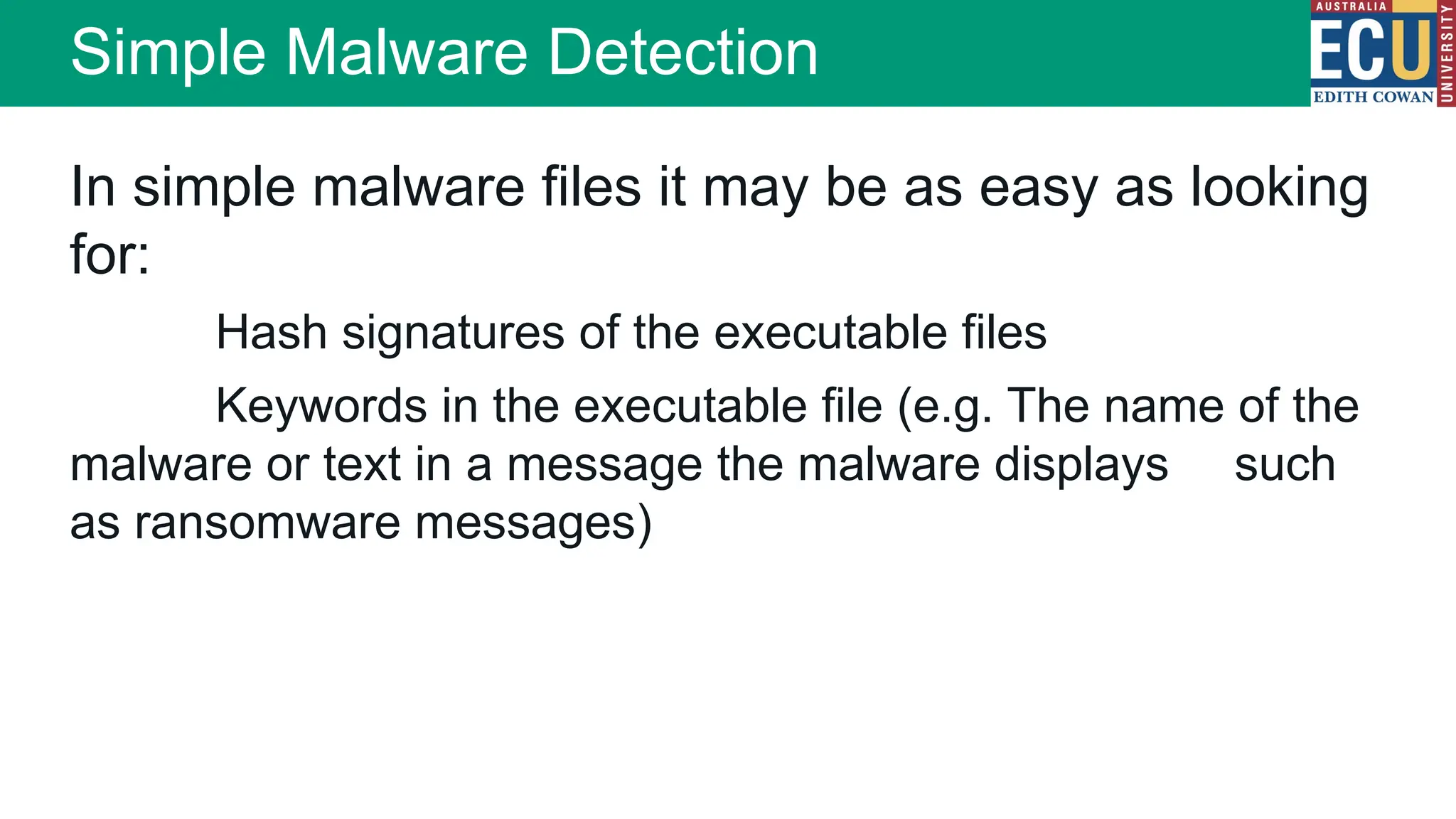
In simple malware files it may be as easy as looking
for:
Hash signatures of the executable files
Keywords in the executable file (e.g. The name of the
malware or text in a message the malware displays such
as ransomware messages)
Simple Malware Detection
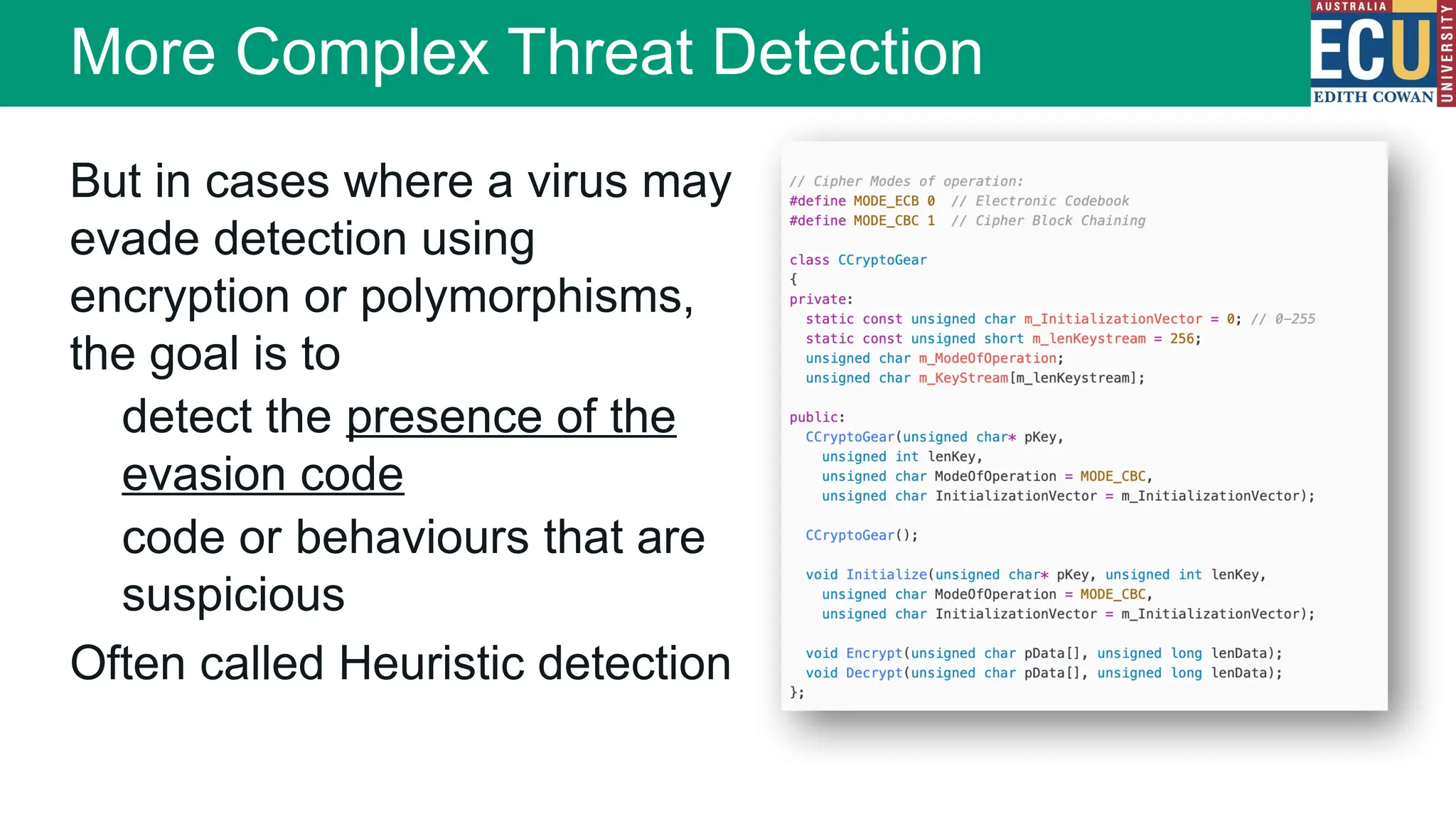
But in cases where a virus may
evade detection using
encryption or polymorphisms,
the goal is to
detect the presence of the
evasion code
code or behaviours that are
suspicious
Often called Heuristic detection
More Complex Threat Detection
Antivirus software vendors use a combination
of techniques:
Hash based detection for known strains
Hash detection of certain parts (headers)
Content and behavior detection
Heuristic analysis
Source code analysis
Reverse engineering
Sandbox execution and behaviour
analysis
Detection techniques
When reverse engineers have identified how a
piece of malware operates, they can craft
detection rules or signatures
Virus detection ‘rules’ are distributed by
antivirus vendors as virus definitions updates
AV Manufacturers generally store definitions
in a proprietary format and the manufacturers
detection signatures are closely guarded
trade secrets
Malware detection relies on up-to-date virus
definitions
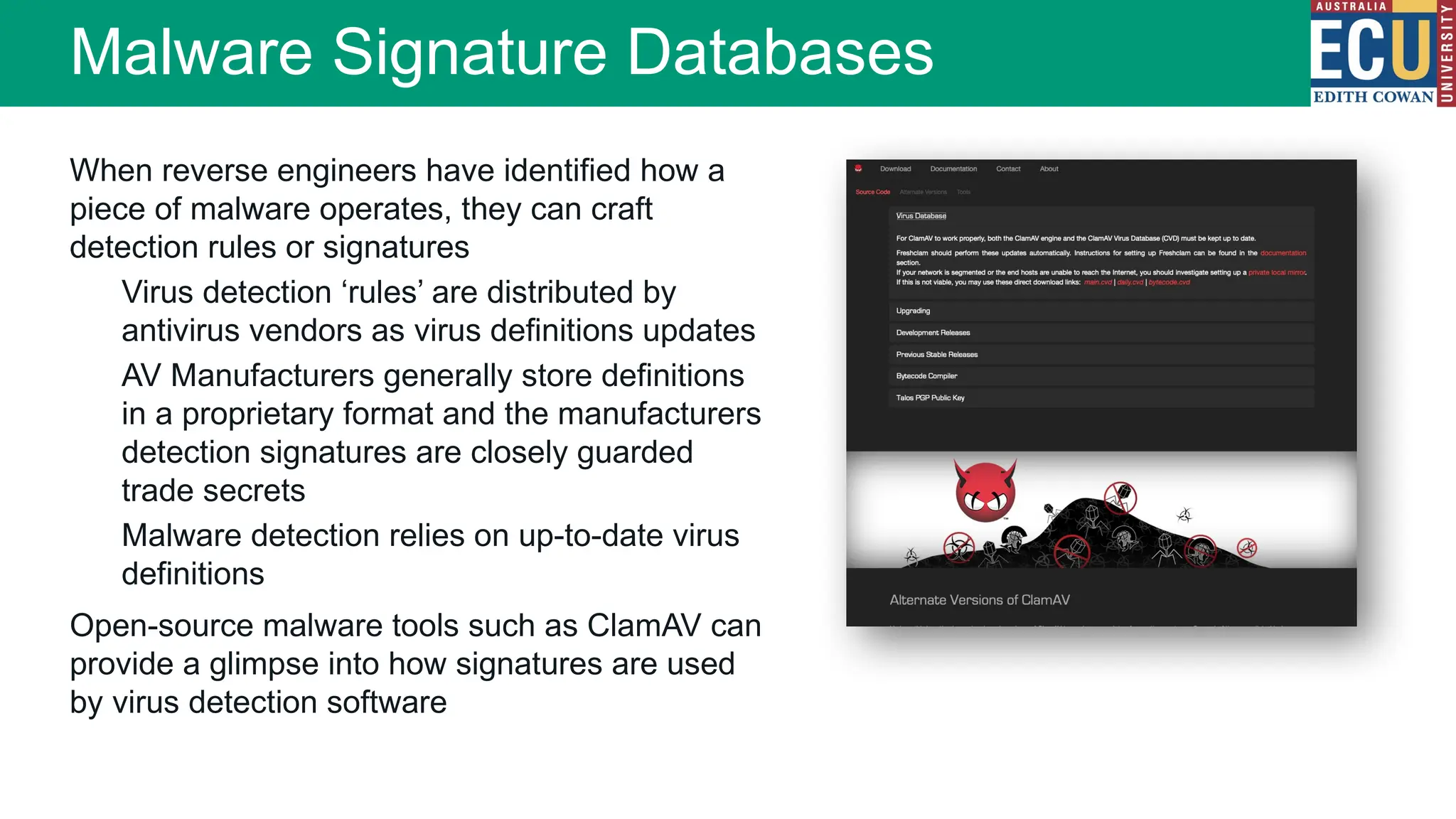
Open-source malware tools such as ClamAV can
provide a glimpse into how signatures are used
by virus detection software
Malware Signature Databases
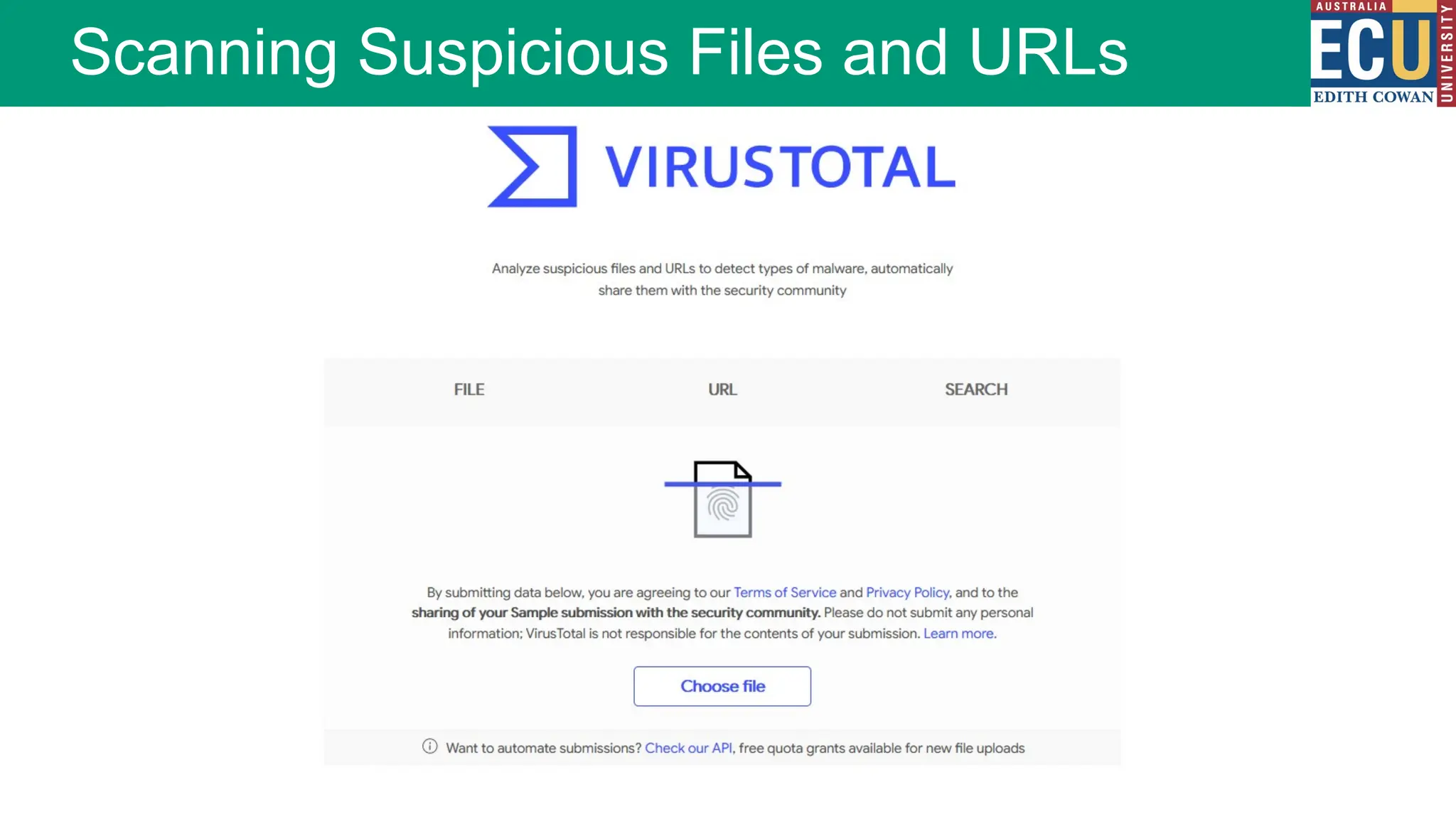
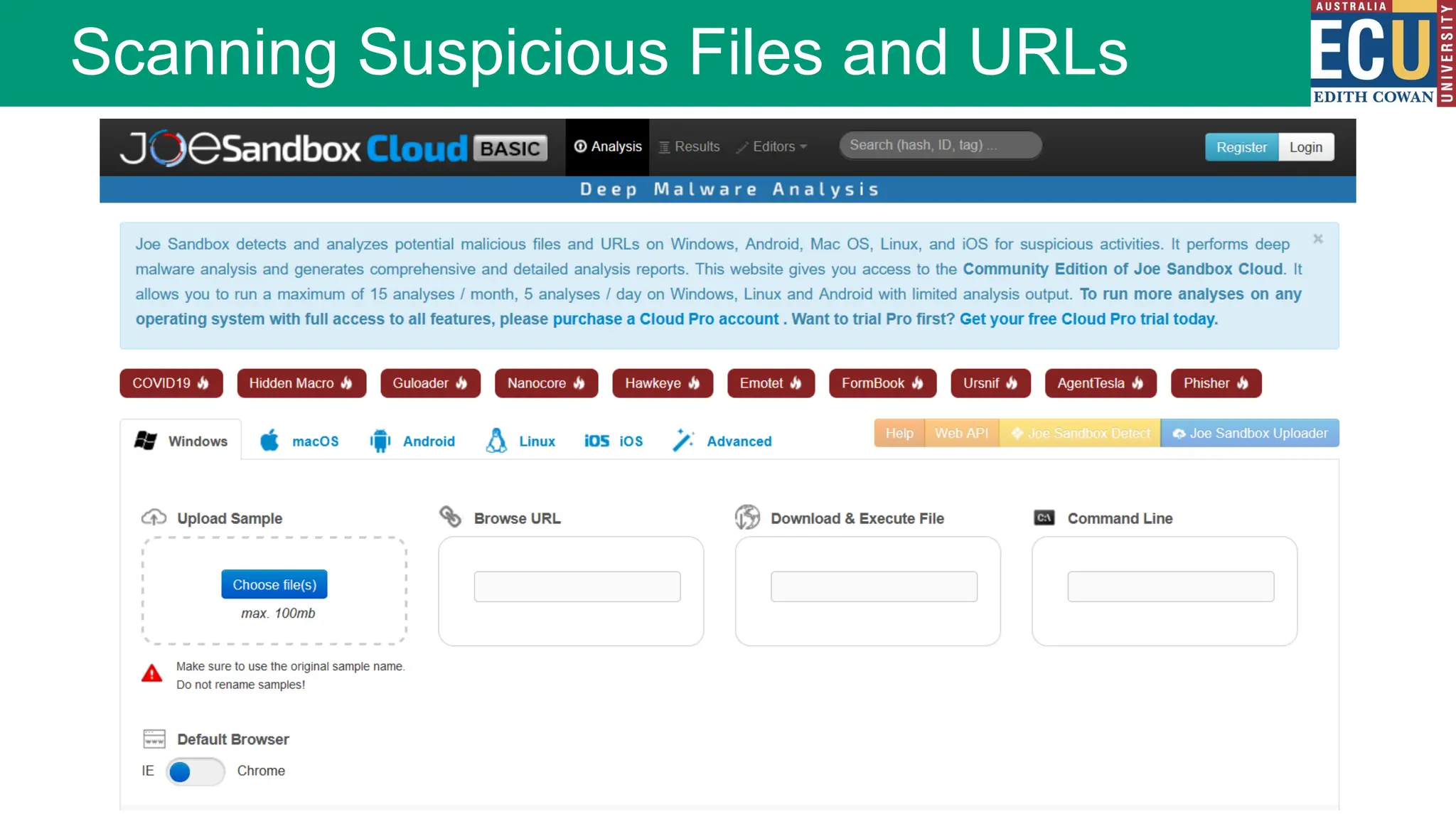
Scanning Suspicious Files and URLs
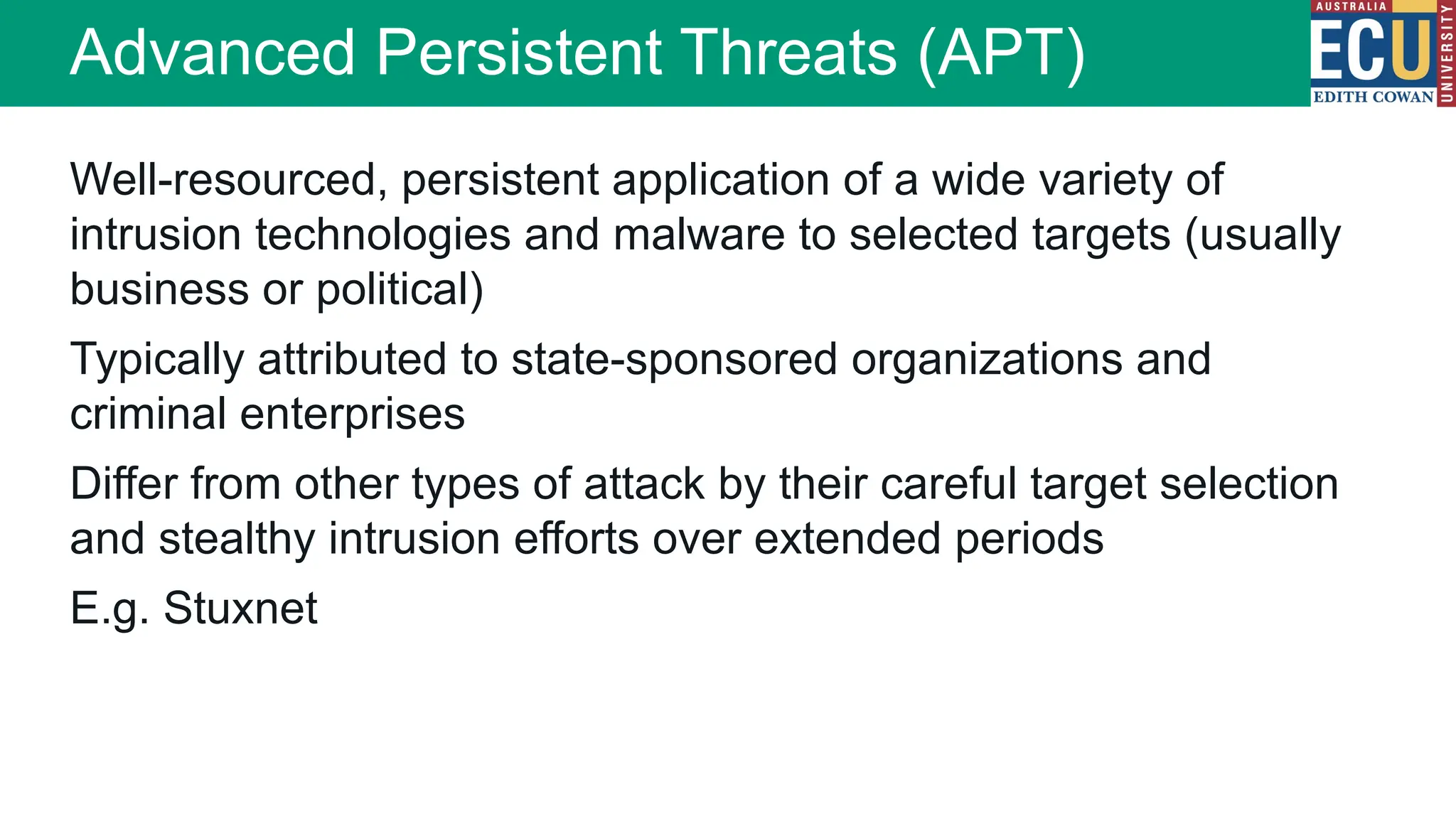
Well-resourced, persistent application of a wide variety of
intrusion technologies and malware to selected targets (usually
business or political)
Typically attributed to state-sponsored organizations and
criminal enterprises
Differ from other types of attack by their careful target selection
and stealthy intrusion efforts over extended periods
E.g. Stuxnet
Advanced Persistent Threats (APT)
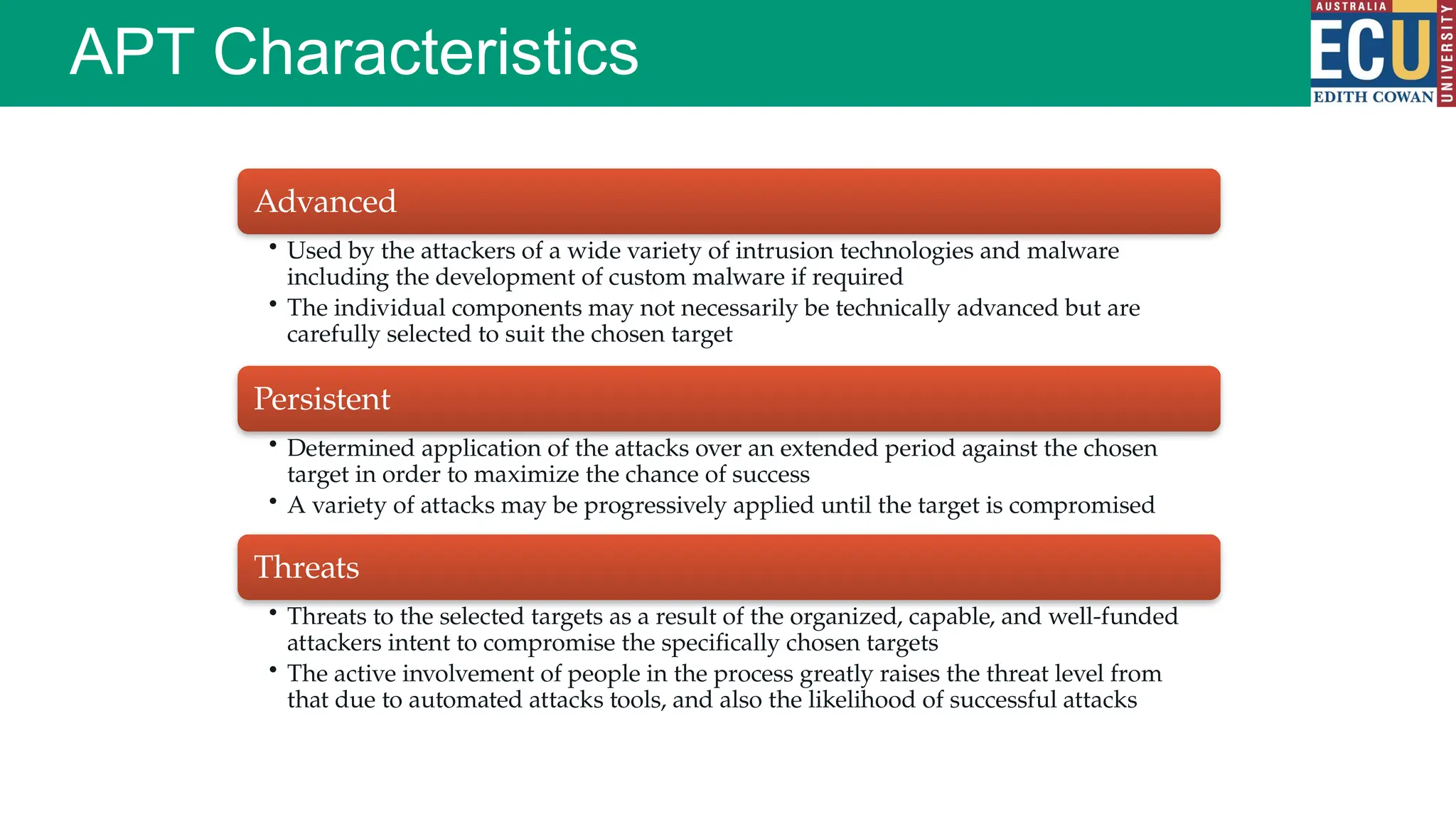
APT Characteristics
Advanced
• Used by the attackers of a wide variety of intrusion technologies and malware
including the development of custom malware if required
• The individual components may not necessarily be technically advanced but are
carefully selected to suit the chosen target
Persistent
• Determined application of the attacks over an extended period against the chosen
target in order to maximize the chance of success
• A variety of attacks may be progressively applied until the target is compromised
Threats
• Threats to the selected targets as a result of the organized, capable, and well-funded
attackers intent to compromise the specifically chosen targets
• The active involvement of people in the process greatly raises the threat level from
that due to automated attacks tools, and also the likelihood of successful attacks
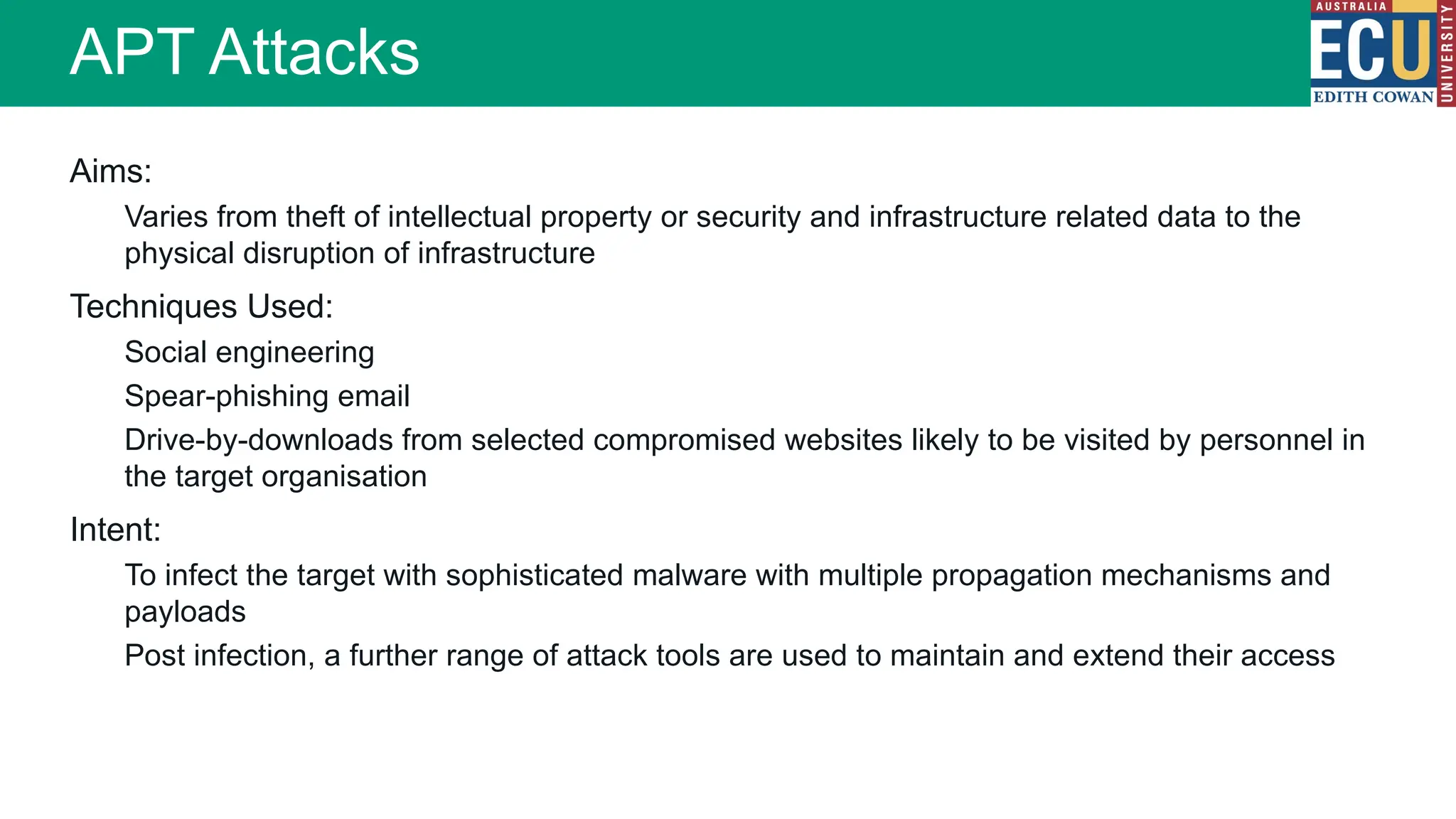
Aims:
Varies from theft of intellectual property or security and infrastructure related data to the
physical disruption of infrastructure
Techniques Used:
Social engineering
Spear-phishing email
Drive-by-downloads from selected compromised websites likely to be visited by personnel in
the target organisation
Intent:
To infect the target with sophisticated malware with multiple propagation mechanisms and
payloads
Post infection, a further range of attack tools are used to maintain and extend their access
APT Attacks
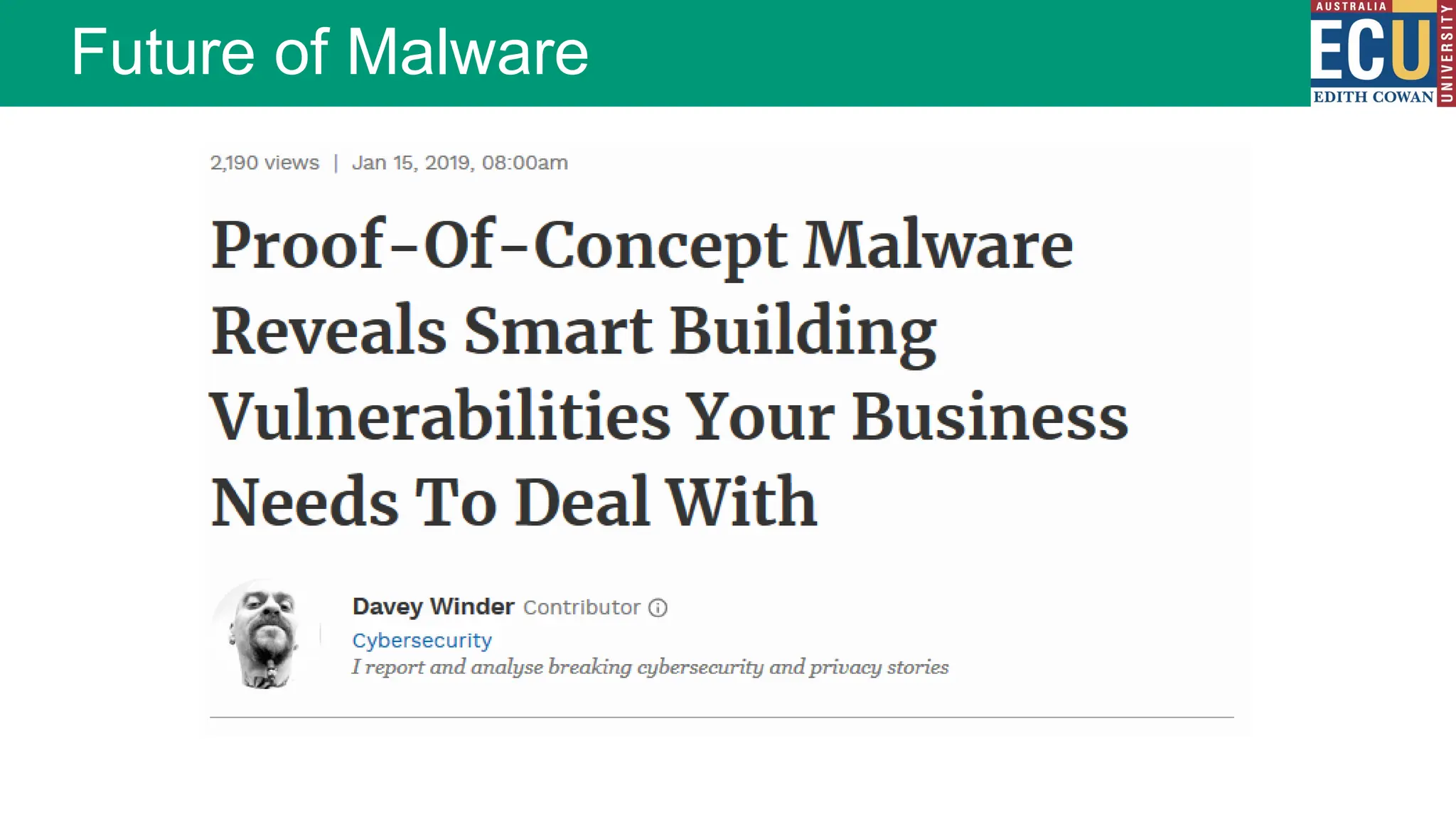
Future of Malware
Future of Malware

Module_09_Malware_Presentation_for_IT500.pptx

  • 2.
    Malware (malicious software) Softwaredesigned to infiltrate, damage or disrupt a computer system without the owner's informed consent A set of instructions that run on your electronic device and make it do something that an attacker wants it to do What is Malware?
  • 3.
    Malware may… Steal yourpersonal information Monitor your computer activity Install additional software Create backdoors Lower the overall state of security Display forced advertising Enable profiteering scams Use your computer resources (CPU, RAM etc.) Consequences of Malware?
  • 4.
    Flaws or bugsin software Over privileged users or system processes Design of software or a system Poorly implemented Standard Operating Environment (SOE) practices Lack of awareness/education surrounding the topic of malware How Systems Become Vulnerable to Malware?
  • 5.
  • 6.
  • 7.
    Evolution of Malware– 30 Years 1990 2000 2004 2009 2020 Attack complexity Attack: Against web server Motivation: Defacement and glory Attack: Against web server, data infrastructure Motivation: Corporate information and financial gain Attack: Against web server, data infrastructure and end-user computers Motivation: Corporate information and financial gain Attack: Against SCADA networks, servers, IoT Motivation: Corporate information, personal information, financial gain and computer resources Time
  • 8.
    Total Malware 1984-2018* *Thewebsite av-test.org stopped using this type of graph in 2018
  • 9.
  • 10.
  • 11.
  • 12.
    Malware Attack Kits Traditionallythe development of malware required considerable technical skills and knowledge Malware creation ‘kits’ have enhanced the ability for ‘anyone’ to develop and customise malware Malware toolkits also known as ‘Crimeware’ simplify the process of malware development Commonly used kits include; Zues, Blackhole, Sakura, Phoenix
  • 13.
  • 14.
    Zeus Trojan horse Commonlyspread by FaceBook messages Installed via drive-by-downloads and phishing Works on Microsoft Windows only Attacker fine tunes their Trojan to steal information of interest to them only Awakes when a particular site is accessed Malware Specimens
  • 15.
    Psyb0t Targets Linux basedADSL routers Infection occurs from an internal IP address Initially pre-populated with 6000 usernames and 13,000 passwords Generally exploits poorly configured devices When part of a botnet is receives commands via IRC command and control servers Malware Specimens
  • 16.
    Because malware issuch a broad concept, the ways malware can threaten an organisation’s security is extensive. Most malware is sent out through large scale campaigns, often through malicious spam emails (MalSpam). Large scale, indiscriminate attacks: This ‘spray and pray’ approach to finding targets is indiscriminate - the goal is to find ANY vulnerable target, not a specific target. Defence against this type of malware will mostly consist of preventing the large scale attacks through techniques such as firewall rules, application whitelisting, good patch management to reduce vulnerabilities, and virus and malware scanners. These large scale attacks usually also make the news (at least in cyber security circles). Targeted attacks: Less common, but potentially more dangerous is a directed or targeted malware attack. If an attacker is specifically attempting to breach an organisation’s security they may be much more deliberate in their actions. Performing reconnaissance, hacking and even crafting manual malicious payloads. Often directed at larger organisations or more public targets. Goals include everything from extortion to theft of secrets. Detection of these attacks requires more advanced threat hunting techniques. Auditing of log files, intrusion detection systems, email scanning. Threats to Organisations
  • 17.
    Classification of Malware Classifiedinto two broad categories: Based first on how it spreads or propagates to reach the desired targets Then on the actions or payloads it performs once a target is reached Also classified by: Those that need a host program (parasitic code such as viruses) Those that are independent, self-contained programs (worms, trojans, and bots) Malware that does not replicate (trojans and spam e-mail) Malware that does replicate (viruses and worms)
  • 18.
    Classification of Malware Propagationmechanisms may include: •Infection of existing content by viruses that is subsequently spread to other systems •Exploit of software vulnerabilities by worms or drive-by-downloads to allow the malware to replicate •Social engineering attacks that convince users to bypass security mechanisms to install Trojans or to respond to phishing attacks Payload actions performed by malware once it reaches a target system can include: •Corruption of system or data files •Theft of service/make the system a zombie agent of attack as part of a botnet •Theft of information from the system/keylogging •Stealthing/hiding its presence on the system
  • 19.
  • 20.
    A virus isa piece of malicious code that replicates by attaching itself to another piece of executable code When the other executable code is run, the virus also executes and has the opportunity to infect other files and perform any other nefarious actions it was design to do Viruses
  • 21.
    Virus Structure • Meansby which a virus spreads or propagates • Also referred to as the infection vector Infection mechanism • Event or condition that determines when the payload is activated or delivered • Sometimes known as a logic bomb Trigger • What the virus does (besides spreading) • May involve damage or benign but noticeable activity Payload
  • 22.
    Virus Phases Execution phase Functionis performed May be harmless or damaging Propagation phase Virus places a copy of itself into other programs or into certain system areas on the disk May not be identical to the propagating version Each infected program will now contain a clone of the virus which will itself enter a propagation phase Triggering phase Virus is activated to perform the function for which it was intended Can be caused by a variety of system events Dormant phase Virus is idle Will eventually be activated by some event Not all viruses have this stage
  • 23.
    Boot sector infector •Infects a master boot record or boot record and spreads when a system is booted from the disk containing the virus File infector • Infects files that the operating system or shell considers to be executable Macro virus • Infects files with macro or scripting code that is interpreted by an application Multipartite virus • Infects files in multiple ways Virus Classifications Encrypted virus • A portion of the virus creates a random encryption key and encrypts the remainder of the virus Stealth virus • A form of virus explicitly designed to hide itself from detection by anti-virus software Polymorphic virus • A virus that mutates with every infection Metamorphic virus • A virus that mutates and rewrites itself completely at each iteration and may change behavior as well as appearance By target.. By concealment strategy…
  • 24.
    Virus Code Execution NormalProgram Header Normal “main” code sections Additional/Modified Program Header Normal “main” code sections Malicious Code Normal Program Header Normal “main” code sections Malicious library (DLL/SO) injected Normal Program Header Memory mapped libraries (DLLs/Shared Objects) With modification of executable file Injection in to running process
  • 25.
    Worms Program that activelyseeks out machines to infect and each infected machine serves as an automated launching pad for attacks towards other machines Typically exploits vulnerabilities in client or server programs Makes use of network connections or portable storage Upon activation the worm may replicate and propagate again Usually carries some form of payload
  • 26.
    1. Scan fortargets on network 2. Locate a target with a vulnerability that could be exploited by the worm 3. Exploit the identified vulnerability and establishes itself on that host 4. Repeats the process by scanning for new targets that can be exploited Worm Propagation
  • 27.
    •Worm e-mails acopy of itself to other systems •Sends itself as an attachment via an instant message service Electronic mail or instant messenger facility •Creates a copy of itself or infects a file as a virus on removable media File sharing •Worm executes a copy of itself on another system Remote execution capability •Worm uses a remote file access or transfer service to copy itself from one system to the other Remote file access or transfer capability •Worm logs onto a remote system as a user and then uses commands to copy itself from one system to the other Remote login capability Worm Types
  • 28.
    Scanning (or fingerprinting)is the first function in the propagation phase for a network worm (i.e. search for other systems to infect) Scanning strategies that a worm can use include; Random • Each compromised host probes random addresses in the IP address space • This produces a high volume of Internet traffic which may cause generalized disruption even before the actual attack is launched Hit-list • The attacker first compiles a long list of potential vulnerable machines • Once the list is compiled the attacker begins infecting machines on the list • Each infected machine is provided with a portion of the list to scan Topological • This method uses information contained on an infected victim machine to find more hosts to scan Local subnet • If a host can be infected behind a firewall that host then looks for targets in its own local network • The host uses the subnet address structure to find other hosts that would otherwise be protected by the firewall Worm Target Discovery
  • 29.
  • 30.
  • 31.
    A Trojan horseis a program that appears to be useful, but also performs a negative task to the computer, smartphone, IoT device etc. Can be a resultant payload or its own program Common Trojan horse (social engineering) A functional program with an alternative malicious behaviour i.e. every time the 7 is pressed a file is deleted at random Files/partitions could be encrypted requiring payment before they are again accessible i.e. ransomware Trojan Horses
  • 32.
    Remote Access Trojanhorse (RAT) Allows the device to be controlled/monitored A backdoor into a system and allow an attacker to execute or monitor actions on the victim’s computer Allows the infected host to be access when behind a firewall/router/NAT (discussed in a later module) Trojan Horse Types
  • 33.
    Rootkits A stealthy applicationdesigned to hide the fact that an operating system has been compromised Typically encompasses three components Concealment Command and control Surveillance
  • 34.
    Rootkit Classification Characteristics Persistent Memory based Usermode Kernel mode Virtual machine based External mode
  • 35.
  • 36.
    A logic bomb(usually) performs a malicious action as a result of a certain logic condition A programmer puts code into software for the payroll system that makes the program crash should it ever process two consecutive payrolls without paying him  Some trial programs work for a certain period of time and then disable themselves Logic Bombs
  • 37.
    Software that ‘kidnaps’a user’s device by encrypting a drive or files, then demanding payment (usually in Bit coins) to decrypt it If not paid within a certain amount of time (usually 72 hours) the key will be destroyed Recent ransomware versions allow users to decrypt a few files for free to prove they can be recovered Ransomware
  • 38.
  • 39.
  • 40.
    Botnets BotNet – RobotNetwork A collection of machines under the control of a malicious actor. Sometimes known as a botherder (someone who controls multiple machines) Generally botnets are established through a range of malware propagation techniques from worms, through to viruses and trojans.
  • 41.
    Typically botnets areused to perform some massive simultaneous task. These can range from distributed denial of service (DDoS) attacks, through to sending out massive email spam or malspam campaigns DDoS Malspam Cryptocurrency mining Password cracking Uses for Botnets
  • 42.
    Establishment/Recruitment An attacker establishesa network of compromised machines. These machines may appear to the end-users to be working as normal, however they are also acting based on commands send by those in control of the botnet. Command and Control (C2) Botnets don’t on their own do anything except wait for instructions. The instructions are relayed to the botnet through command and control servers. These servers can instruct the botnet to download a new payload and start execution of a process. Attack Once equipped with an attack payload, the botnet can be commanded to simultaneously launch an attack. In the case of DDoS attacks, botnets provide distribution which makes the attack difficult to stop as malicious data is being sent from many different IP addresses. For other campaigns the instructions will depend on the motives of the attacker Phases of a Botnet
  • 43.
  • 44.
    Spyware, Adware andScareware Spyware: a type of malware that gathers information from a user’s computer without their knowledge or consent Adware: a type of malware often linked to spyware, which forces advertising upon the victim Scareware: a type of malware leveraging social engineering techniques to entice a victim to perform a specific task
  • 45.
  • 46.
    Each malware specimenhas a unique set of instructions Instructions form the signature or ‘fingerprint’ Anti-virus software uses a signature database to detect known malware A file is considered infected if it contains the known signature or unique instructions Malware Countermeasures - Signatures
  • 47.
    Sometimes false positivesoccur… A ‘safe’ file has instructions similar to a known virus file The vendors signature database is proprietary Demand for vendors detecting and releasing an updated database of signatures is high Until your anti-virus software database is updated you remain vulnerable Malware Countermeasures - Signatures
  • 48.
    When malware installson a device, it will leave some sort of trace. These changes or behaviours are known as Indicators of Compromise (IoCs). Malware may alter how the device behaves Modify files on the device Make changes to the operating system Alter configurations Launch services Open ‘network ports’ Malware Detection Indicators of Compromise
  • 49.
    All software isdeveloped with various features. The goal of malware detection is to find these features In simple malware files it may be as easy as looking for certain keywords or matching hashes with known malware files But in cases where a virus may evade detection using encryption or polymorphisms look for suspicious code detect the presence of the evasion code evidence of unexpected encryption When reverse engineers have identified how a piece of malware operates, they can craft detection rules or signatures. Malware Prevention and Scanning
  • 50.
    In simple malwarefiles it may be as easy as looking for: Hash signatures of the executable files Keywords in the executable file (e.g. The name of the malware or text in a message the malware displays such as ransomware messages) Simple Malware Detection
  • 51.
    But in caseswhere a virus may evade detection using encryption or polymorphisms, the goal is to detect the presence of the evasion code code or behaviours that are suspicious Often called Heuristic detection More Complex Threat Detection
  • 52.
    Antivirus software vendorsuse a combination of techniques: Hash based detection for known strains Hash detection of certain parts (headers) Content and behavior detection Heuristic analysis Source code analysis Reverse engineering Sandbox execution and behaviour analysis Detection techniques
  • 53.
    When reverse engineershave identified how a piece of malware operates, they can craft detection rules or signatures Virus detection ‘rules’ are distributed by antivirus vendors as virus definitions updates AV Manufacturers generally store definitions in a proprietary format and the manufacturers detection signatures are closely guarded trade secrets Malware detection relies on up-to-date virus definitions Open-source malware tools such as ClamAV can provide a glimpse into how signatures are used by virus detection software Malware Signature Databases
  • 54.
  • 55.
  • 56.
    Well-resourced, persistent applicationof a wide variety of intrusion technologies and malware to selected targets (usually business or political) Typically attributed to state-sponsored organizations and criminal enterprises Differ from other types of attack by their careful target selection and stealthy intrusion efforts over extended periods E.g. Stuxnet Advanced Persistent Threats (APT)
  • 57.
    APT Characteristics Advanced • Usedby the attackers of a wide variety of intrusion technologies and malware including the development of custom malware if required • The individual components may not necessarily be technically advanced but are carefully selected to suit the chosen target Persistent • Determined application of the attacks over an extended period against the chosen target in order to maximize the chance of success • A variety of attacks may be progressively applied until the target is compromised Threats • Threats to the selected targets as a result of the organized, capable, and well-funded attackers intent to compromise the specifically chosen targets • The active involvement of people in the process greatly raises the threat level from that due to automated attacks tools, and also the likelihood of successful attacks
  • 58.
    Aims: Varies from theftof intellectual property or security and infrastructure related data to the physical disruption of infrastructure Techniques Used: Social engineering Spear-phishing email Drive-by-downloads from selected compromised websites likely to be visited by personnel in the target organisation Intent: To infect the target with sophisticated malware with multiple propagation mechanisms and payloads Post infection, a further range of attack tools are used to maintain and extend their access APT Attacks
  • 59.
  • 60.

Editor's Notes

  • #22 During its lifetime, a typical virus goes through the following four phases: • Dormant phase: The virus is idle. The virus will eventually be activated by some event, such as a date, the presence of another program or file, or the capacity of the disk exceeding some limit. Not all viruses have this stage. • Propagation phase: The virus places a copy of itself into other programs or into certain system areas on the disk. The copy may not be identical to the propagating version; viruses often morph to evade detection. Each infected program will now contain a clone of the virus, which will itself enter a propagation phase. • Triggering phase: The virus is activated to perform the function for which it was intended. As with the dormant phase, the triggering phase can be caused by a variety of system events, including a count of the number of times that this copy of the virus has made copies of itself. • Execution phase: The function is performed. The function may be harmless, such as a message on the screen, or damaging, such as the destruction of programs and data files. Most viruses that infect executable program files carry out their work in a manner that is specific to a particular operating system and, in some cases, specific to a particular hardware platform. Thus, they are designed to take advantage of the details and weaknesses of particular systems. Macro viruses though, target specific document types, which are often supported on a variety of systems.
  • #28 The first function in the propagation phase for a network worm is for it to search for other systems to infect, a process known as scanning or fingerprinting. For such worms, which exploit software vulnerabilities in remotely accessible network services, it must identify potential systems running the vulnerable service, and then infect them. Then, typically, the worm code now installed on the infected machines repeats the same scanning process, until a large distributed network of infected machines is created. [MIRK04] lists the following types of network address scanning strategies that such a worm can use: • Random: Each compromised host probes random addresses in the IP address space, using a different seed. This technique produces a high volume of Internet traffic, which may cause generalized disruption even before the actual attack is launched. • Hit-List: The attacker first compiles a long list of potential vulnerable machines. This can be a slow process done over a long period to avoid detection that an attack is underway. Once the list is compiled, the attacker begins infecting machines on the list. Each infected machine is provided with a portion of the list to scan. This strategy results in a very short scanning period, which may make it difficult to detect that infection is taking place. • Topological: This method uses information contained on an infected victim machine to find more hosts to scan. • Local subnet: If a host can be infected behind a firewall, that host then looks for targets in its own local network. The host uses the subnet address structure to find other hosts that would otherwise be protected by the firewall.
  • #29 The state of the art in worm technology includes the following: • Multiplatform: Newer worms are not limited to Windows machines but can attack a variety of platforms, especially the popular varieties of UNIX; or exploit macro or scripting languages supported in popular document types. • Multi-exploit: New worms penetrate systems in a variety of ways, using exploits against Web servers, browsers, e-mail, file sharing, and other network-based applications; or via shared media. • Ultrafast spreading: Exploit various techniques to optimize the rate of spread of a worm to maximize its likelihood of locating as many vulnerable machines as possible in a short time period. • Polymorphic: To evade detection, skip past filters, and foil real-time analysis, worms adopt the virus polymorphic technique. Each copy of the worm has new code generated on the fly using functionally equivalent instructions and encryption techniques. • Metamorphic: In addition to changing their appearance, metamorphic worms have a repertoire of behavior patterns that are unleashed at different stages of propagation. • Transport vehicles: Because worms can rapidly compromise a large number of systems, they are ideal for spreading a wide variety of malicious payloads, such as distributed denial-of-service bots, rootkits, spam e-mail generators, and spyware. • Zero-day exploit : To achieve maximum surprise and distribution, a worm should exploit an unknown vulnerability that is only discovered by the general network community when the worm is launched.
  • #34 A rootkit can be classified using the following characteristics: • Persistent: Activates each time the system boots. The rootkit must store code in a persistent store, such as the registry or file system, and configure a method by which the code executes without user intervention. This means it is easier to detect, as the copy in persistent storage can potentially be scanned. • Memory based: Has no persistent code and therefore cannot survive a reboot. However, because it is only in memory, it can be harder to detect. • User mode: Intercepts calls to APIs (application program interfaces) and modifies returned results. For example, when an application performs a directory listing, the return results don’t include entries identifying the files associated with the rootkit. • Kernel mode: Can intercept calls to native APIs in kernel mode. The rootkit can also hide the presence of a malware process by removing it from the kernel’s list of active processes. • Virtual machine based: This type of rootkit installs a lightweight virtual machine monitor, and then runs the operating system in a virtual machine above it. The rootkit can then transparently intercept and modify states and events occurring in the virtualized system. • External mode: The malware is located outside the normal operation mode of the targeted system, in BIOS or system management mode, where it can directly access hardware. This classification shows a continuing arms race between rootkit authors, who exploit ever more stealthy mechanisms to hide their code, and those who develop mechanisms to harden systems against such subversion, or to detect when it has occurred. Much of this advance is associated with finding “layer-below” forms of attack. The early rootkits worked in user mode, modifying utility programs and libraries in order to hide their presence. The changes they made could be detected by code in the kernel, as this operated in the layer below the user. Later-generation rootkits used more stealthy techniques, as we discuss next.
  • #56 Advanced Persistent Threats (APTs) have risen to prominence in recent years. These are not a new type of malware, but rather the well-resourced, persistent application of a wide variety of intrusion technologies and malware to selected targets, usually business or political. APTs are typically attributed to state-sponsored organizations, with some attacks likely from criminal enterprises as well.