Sanity
Through a
Redesign!!!
Barbara Coll
NOLA2014
@webmama
@webmama
Maintaining... Through a Redesign
Sanity – insert your own definition
Visibility – in organic search results
The Realistic Ability to Measure – a
major redesign is going to make it
hard to compare apples to apples.
@webmama
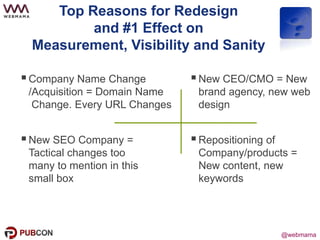
Top Reasons for Redesign
and #1 Effect on
Measurement, Visibility and Sanity
New SEO Company =
Tactical changes too
many to mention in this
small box
New CEO/CMO = New
brand agency, new web
design
Repositioning of
Company/products =
New content, new
keywords
Company Name Change
/Acquisition = Domain Name
Change. Every URL Changes
@webmama
Prepare for Redesign (1)
Keyword discovery research – what keywords
define the company
Which content drives traffic into site (review
landing pages) and set content/SEO strategy to
maintain that content
Look at Page Authority (moz.com) and don’t kill
pages with high page authority
@webmama
Keyword Category Domination
Company = VMware
Keyword = virtualization
@webmama
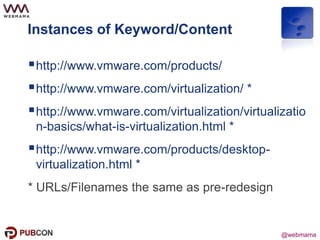
Instances of Keyword/Content
http://www.vmware.com/products/
http://www.vmware.com/virtualization/ *
http://www.vmware.com/virtualization/virtualizatio
n-basics/what-is-virtualization.html *
http://www.vmware.com/products/desktop-
virtualization.html *
* URLs/Filenames the same as pre-redesign
@webmama
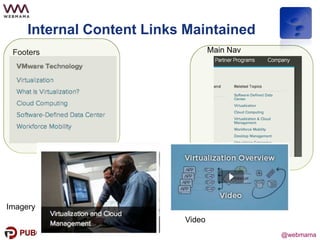
Internal Content Links Maintained
Footers
Imagery
Main Nav
Video
@webmama
Prepare for Redesign (2)
The Tedious Part
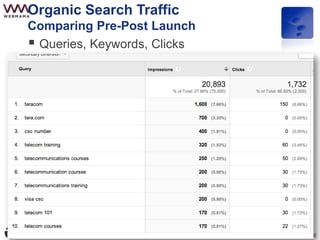
WebMaster Tools – Queries, Keywords, Clicks -
TAKE SCREENSHOTS!
What do search results look like today! TAKE
SCREENSHOTS!
As much as I hate to say it – run ranking reports
Set up redirect file for .htaccess
@webmama@webmama
Pre-Redesign (3)
Competitive Positioning – Who’s There in
search results
Paid Search – Gap Analysis – SearchLight
has been recommended
 Inventory which page names are changing
 Set up redirect list for .htaccess file
 Use 301 redirects
 Consider leaving high Page Authority pages’
URLs the same regardless of high value of
adding keywords to URL
 Test redirects before launch
Filename Changes
@webmama
@webmama
@webmama@webmama
Little Things
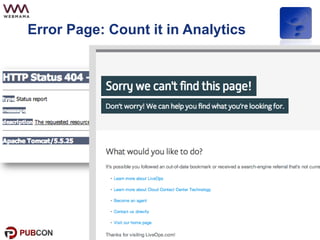
 Error Page in place?
 Turned on the tracking code (since it was
probably off on the beta site)?
 Filtered out the design/development team
(Search company too) from the analytics?
 Connected Google analytics and Google
Webmaster tools and have the same person
looking at both
 Don’t forget the marketing automation forms
since they tend to be on a subdomain of the
old domain which may get deleted
@webmama
Error Page: Count it in Analytics
Example of Error Page
@webmama@webmama
Launch
Sitemap.xml
Fetch in Google Webmaster tools
Ask for updates on key external links
Fingers crossed
24 hour surveillance
@webmama
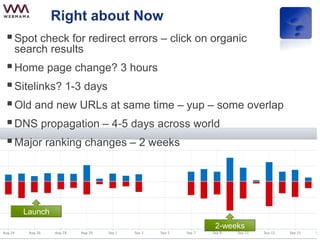
Right about Now
Spot check for redirect errors – click on organic
search results
Home page change? 3 hours
Sitelinks? 1-3 days
Old and new URLs at same time – yup – some overlap
DNS propagation – 4-5 days across world
Major ranking changes – 2 weeks
Launch
2-weeks
@webmama
What can you compare from
previous site?
@webmama
Organic Search Traffic
Comparing Pre-Post Launch
Traditional Analytics
Full site
Visits
Unique Visitors
Time on site
Bounce rate
Traffic to pages where URL has NOT changed
Questionable
Number of Pages Viewed/visit
Form completions
@webmama
Organic Search Traffic
Comparing Pre-Post Launch
 Queries, Keywords, Clicks
@webmama
What CAN’T you compare from
previous site?
@webmama
Organic Search Traffic
What you CAN’T Compare
Content by page (unless you kept the URLs the
same) (ie. Visits to company/mgt/ceo would need to
be mapped to company/management/ceo)
# of Pages visited
Path through site
Top content
Landing pages
Questionable
 Consumption of resources (whitepapers, etc)
@webmama@webmama
Suggestions / Observations
Go back and revisit your screenshots
of search results prior to redesign.
- Did it work?
- Do the snippets make sense?
Question – when do you intervene?
@webmama
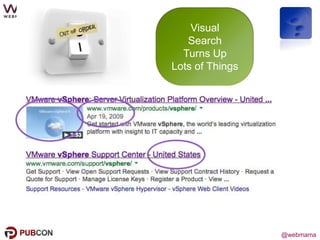
Visual
Search
Turns Up
Lots of Things
@webmama
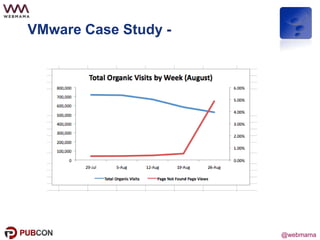
VMware Case Study -
DomainChan
ge Case
Study
@webmama
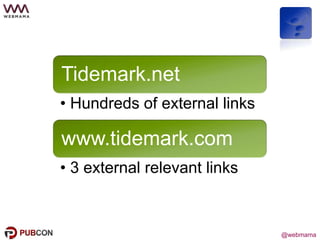
Tidemark.net
• Hundreds of external links
www.tidemark.com
• 3 external relevant links
@webmama
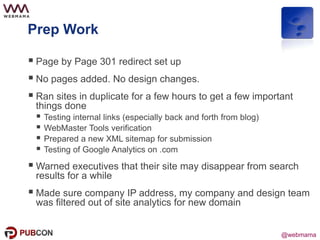
Prep Work
 Page by Page 301 redirect set up
 No pages added. No design changes.
 Ran sites in duplicate for a few hours to get a few important
things done
 Testing internal links (especially back and forth from blog)
 WebMaster Tools verification
 Prepared a new XML sitemap for submission
 Testing of Google Analytics on .com
 Warned executives that their site may disappear from search
results for a while
 Made sure company IP address, my company and design team
was filtered out of site analytics for new domain
@webmama
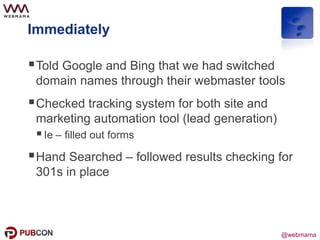
Immediately
Told Google and Bing that we had switched
domain names through their webmaster tools
Checked tracking system for both site and
marketing automation tool (lead generation)
Ie – filled out forms
Hand Searched – followed results checking for
301s in place
@webmama
Waited a few hours…then..
Turned on the redirects
Uploaded a new sitemap – wanted to make sure
the redirect was working as a 301 so I waited
about 4 hours
Used Webmaster Tools and Microsoft and did a
Fetch of the main pages
@webmama
Remember..
Change email addresses
@webmama
Initial Consequences
Nothing happened
Double listings on some page results
Loss of sitelinks
Switch over of brand search – no sitelinks or
even little links
Google+ got it all wrong (next story)
@webmama
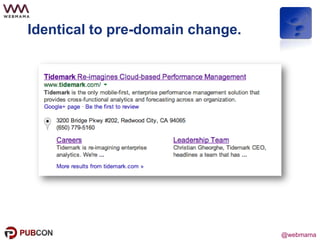
Identical to pre-domain change.
@webmama
Barbara Coll
@webmama
#PubCon

Maintaining High Search Visibility Through Redesigns - PubCon New Orleans 2014