ADF Mobile : Push Notifications 
DOAG ADF Spotlight Webinar, June 6th 2014
Who Am I 
• Luc Bors 
• Principal Consultant 
• AMIS, Netherlands
Agenda 
• ADF Mobile Overview Architecture 
• Push Notifications Overview 
• Push Notifications Cloud Messaging Part 
• Push Notifications Provider Part 
• Push Notifications ADF Mobile Part
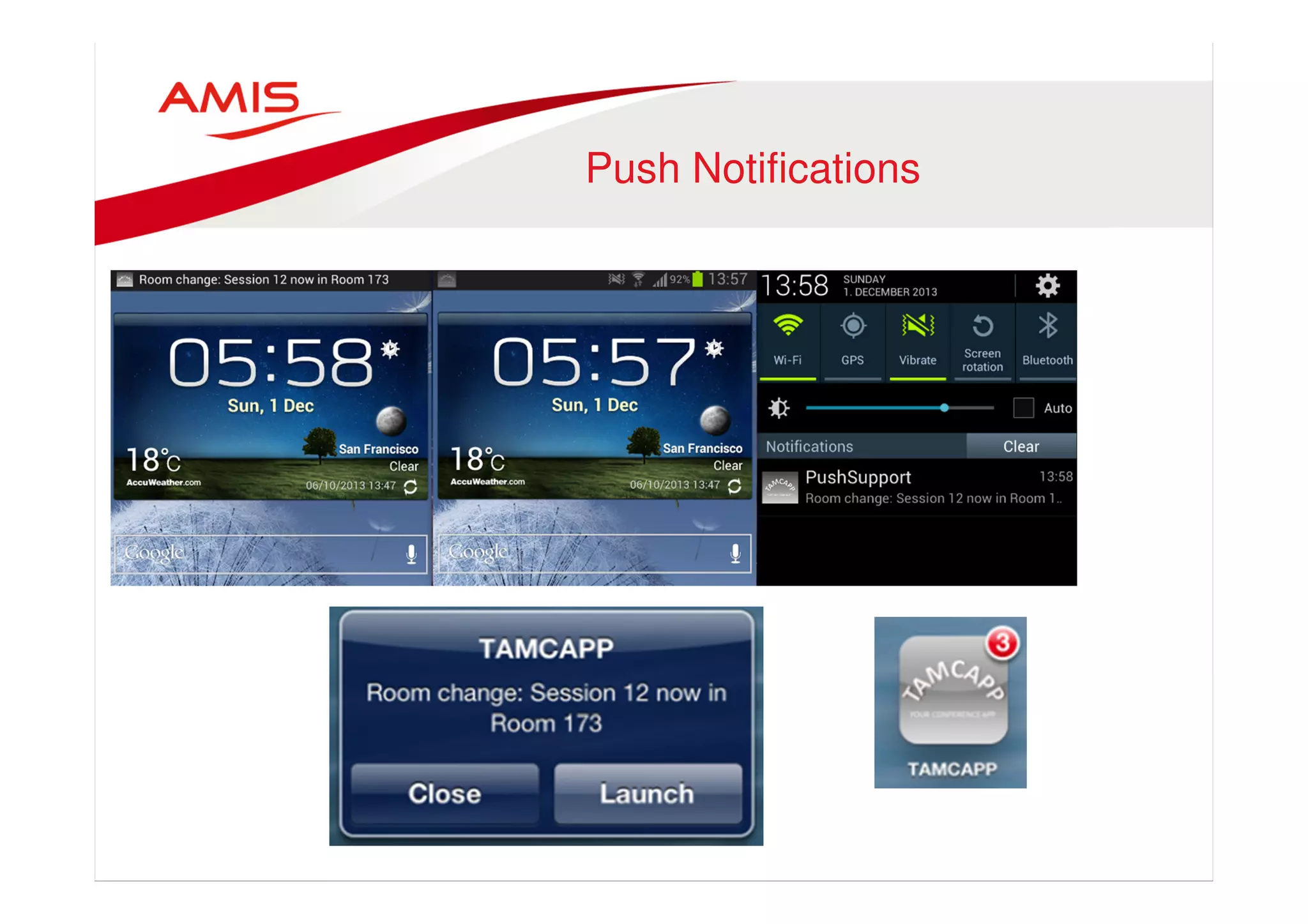
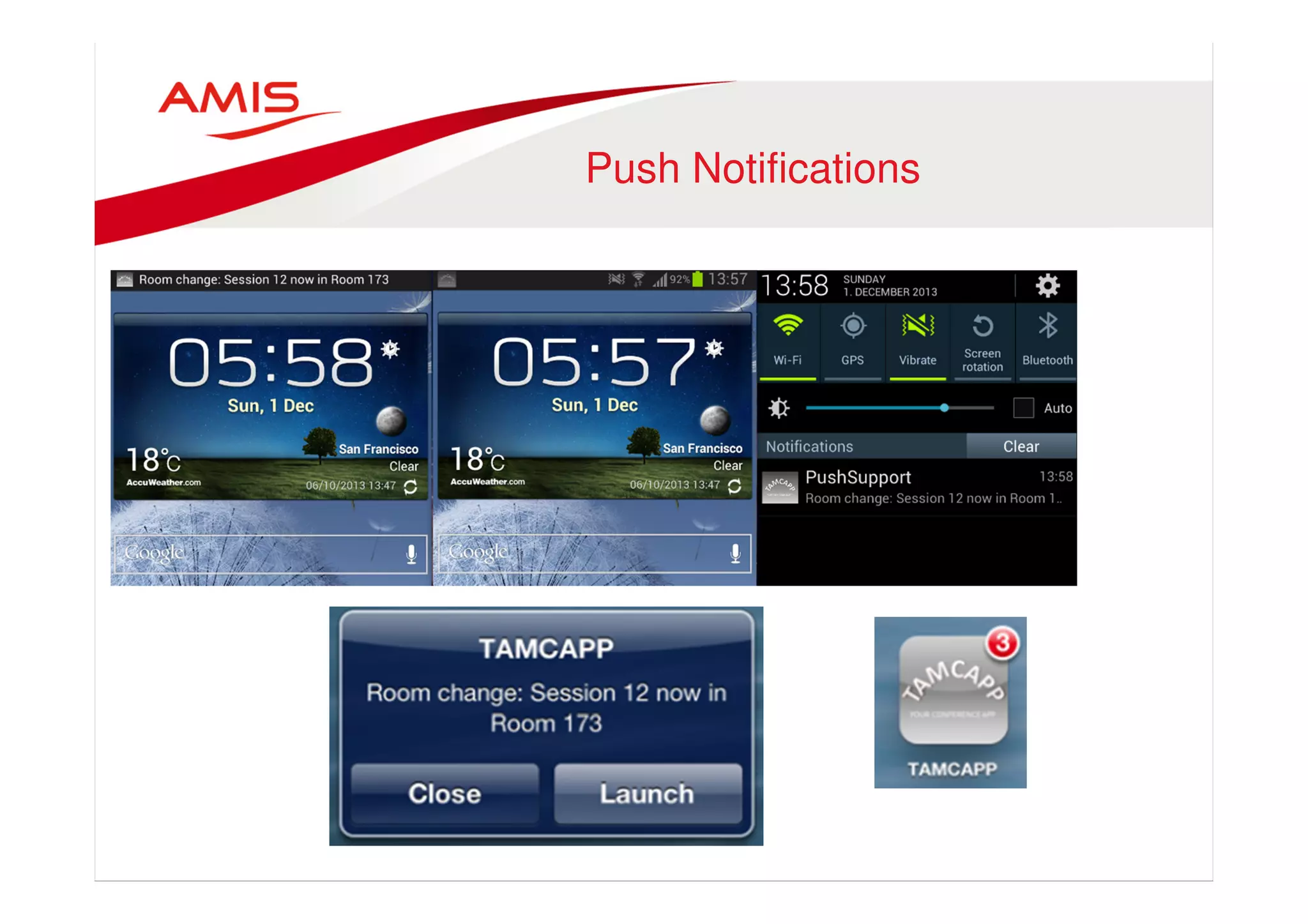
Push Notifications
Push Notifications 
•
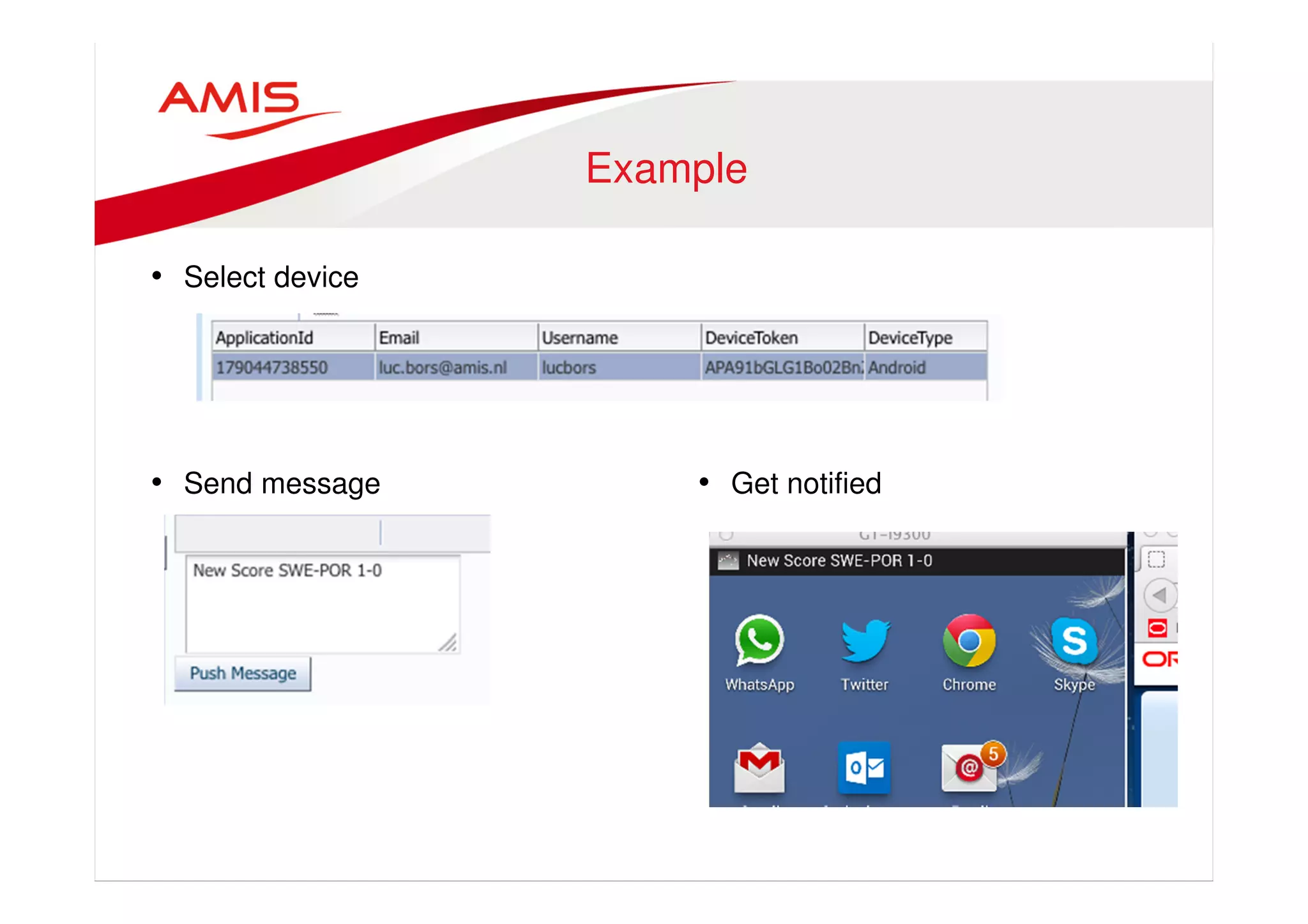
Example 
• Select device 
• Send message • Get notified
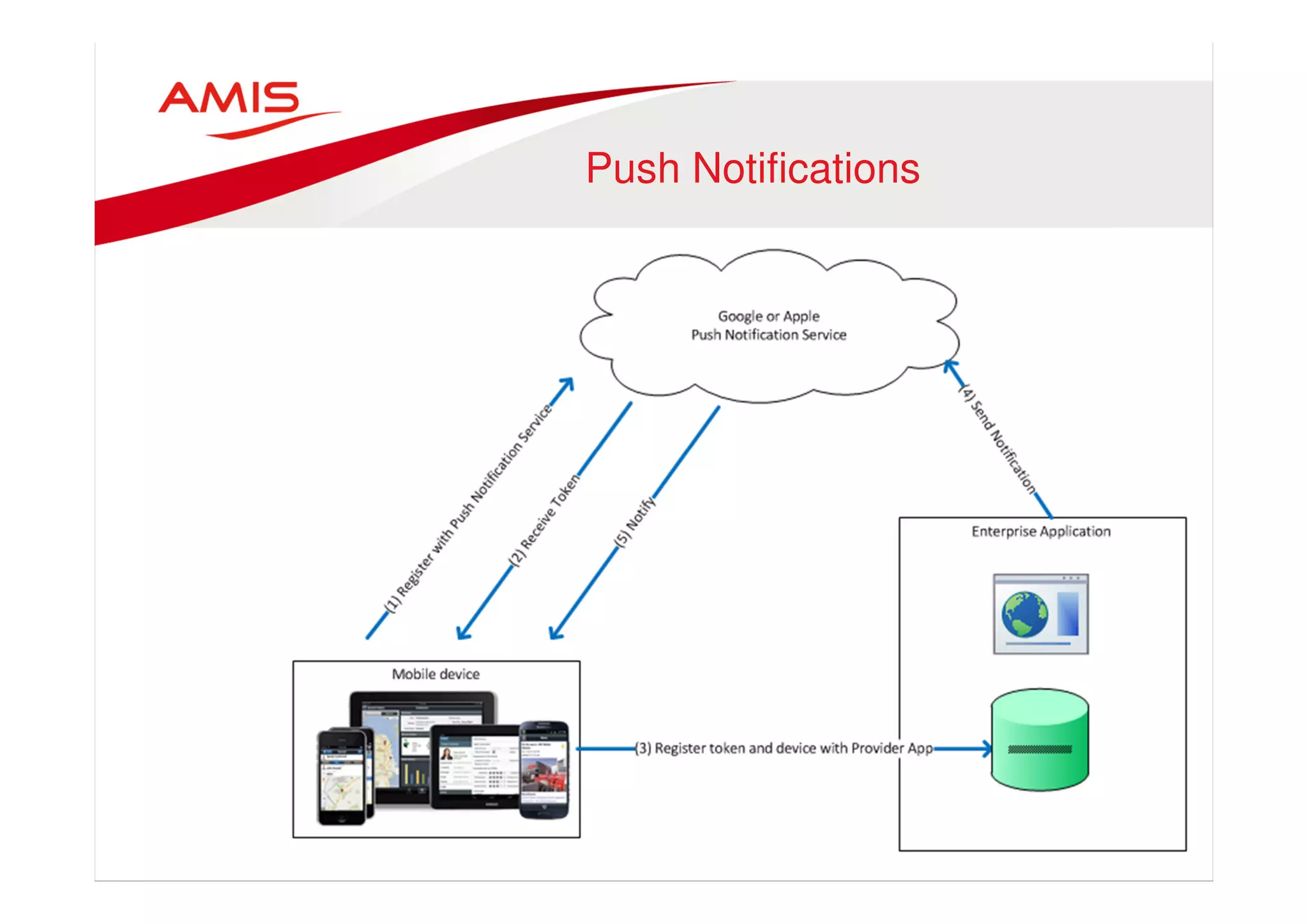
Push Notifications 
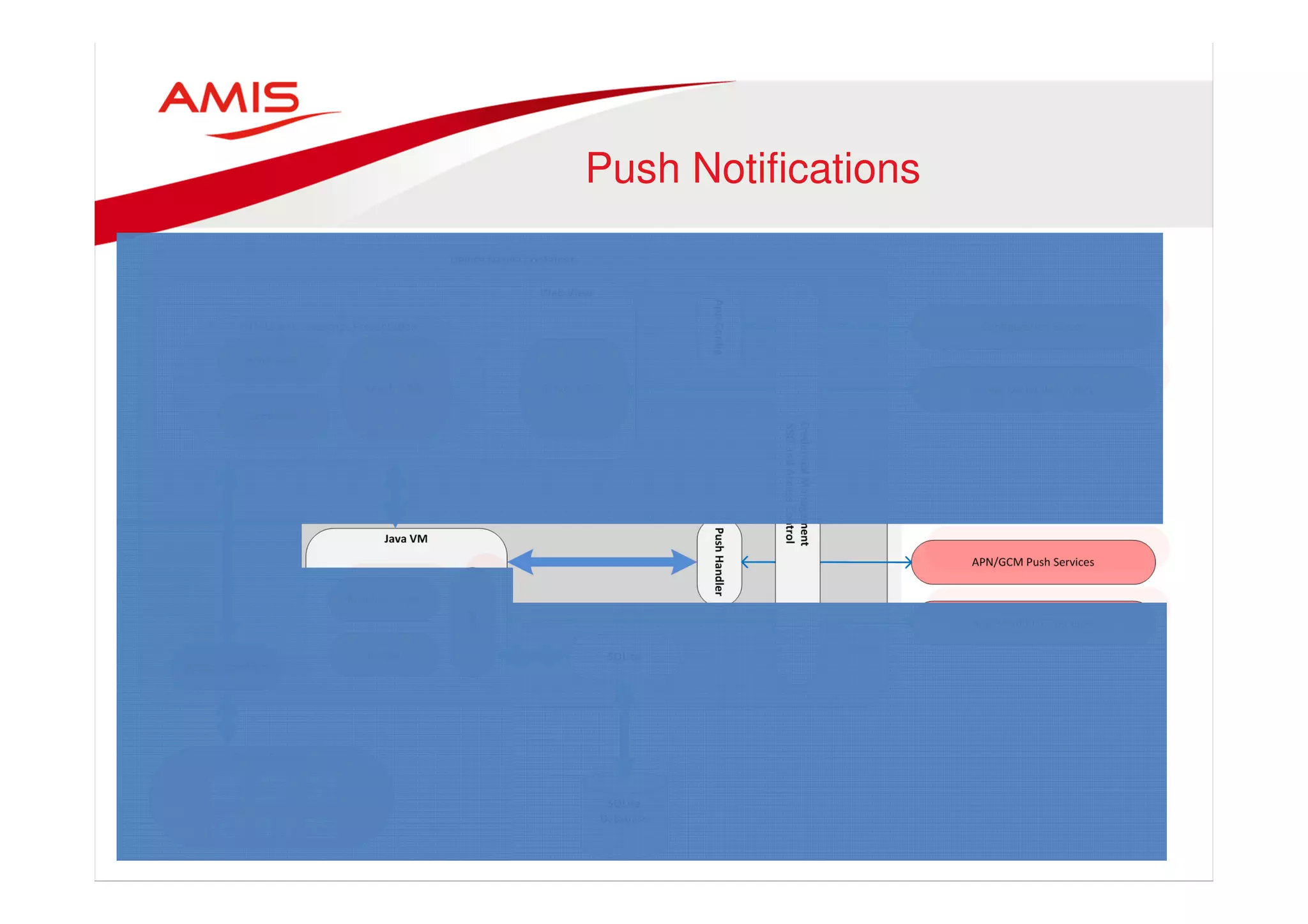
• Subscribe to Messaging Service 
• Receive token 
• Register with Enterprise app 
• Enterprise app Pushes message 
to Messaging Service 
• Messaging Service delegates 
message to device(s)
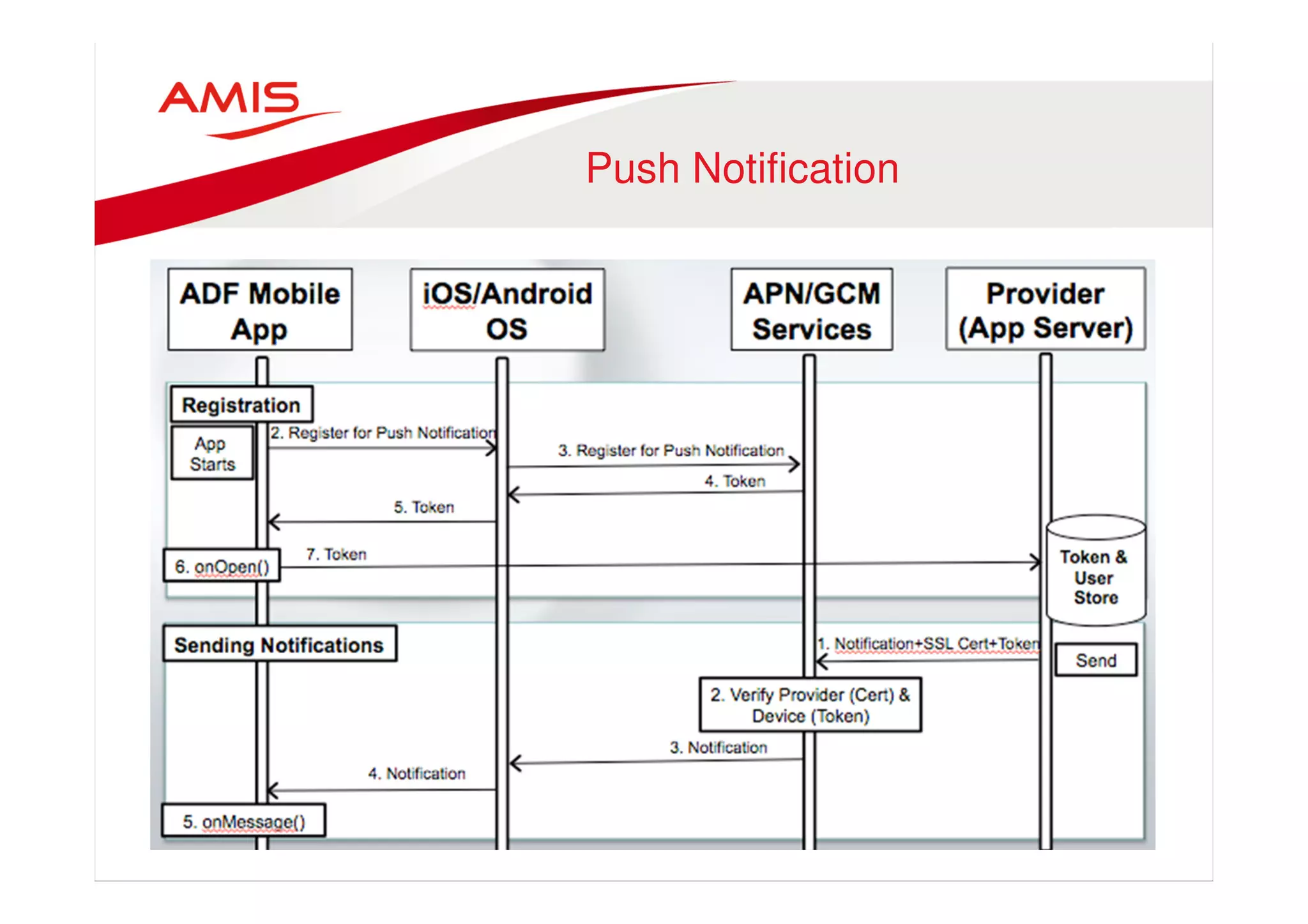
Push Notification
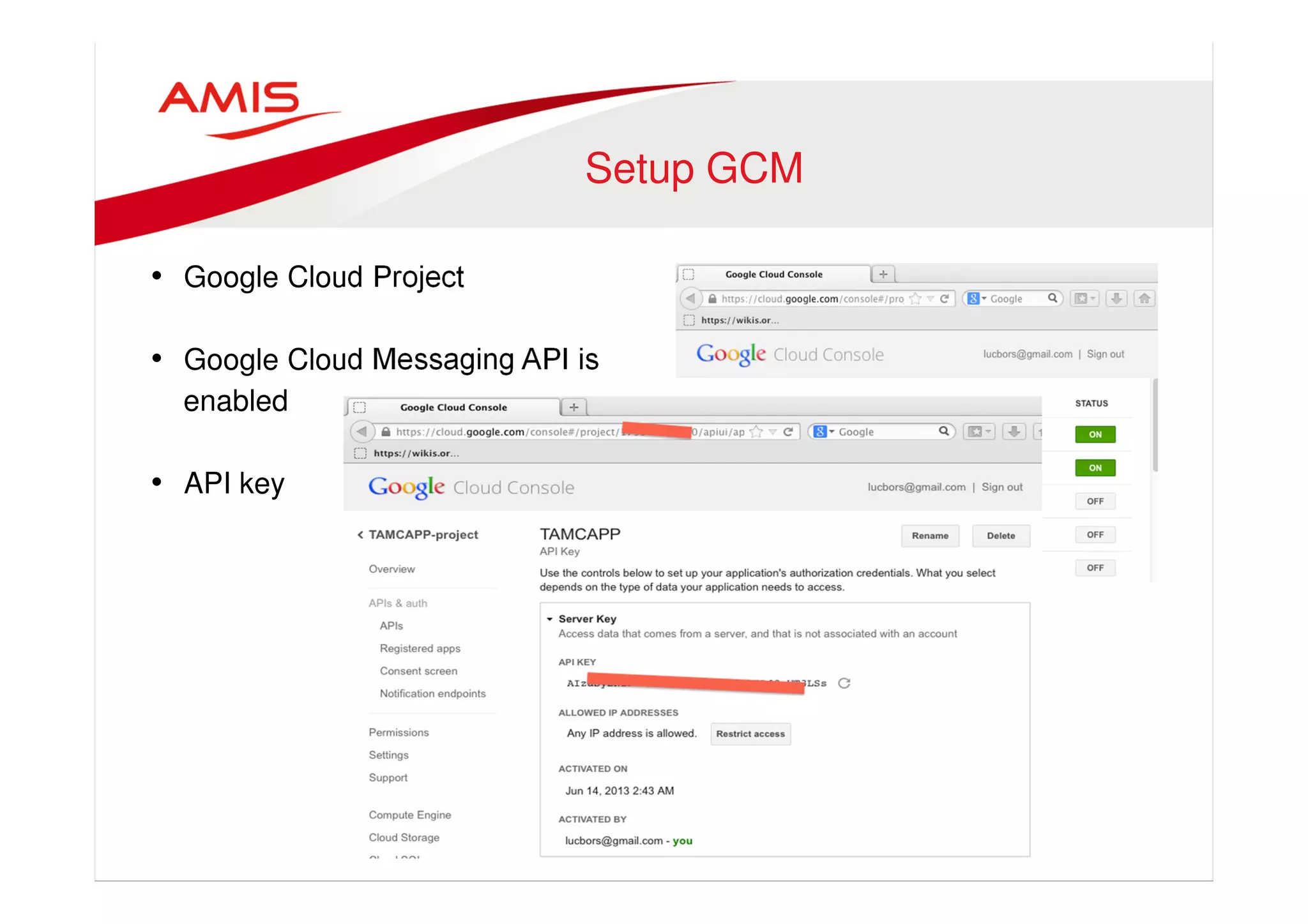
Setup GCM 
• Google Cloud Project 
• Google Cloud Messaging API is 
enabled 
• API key
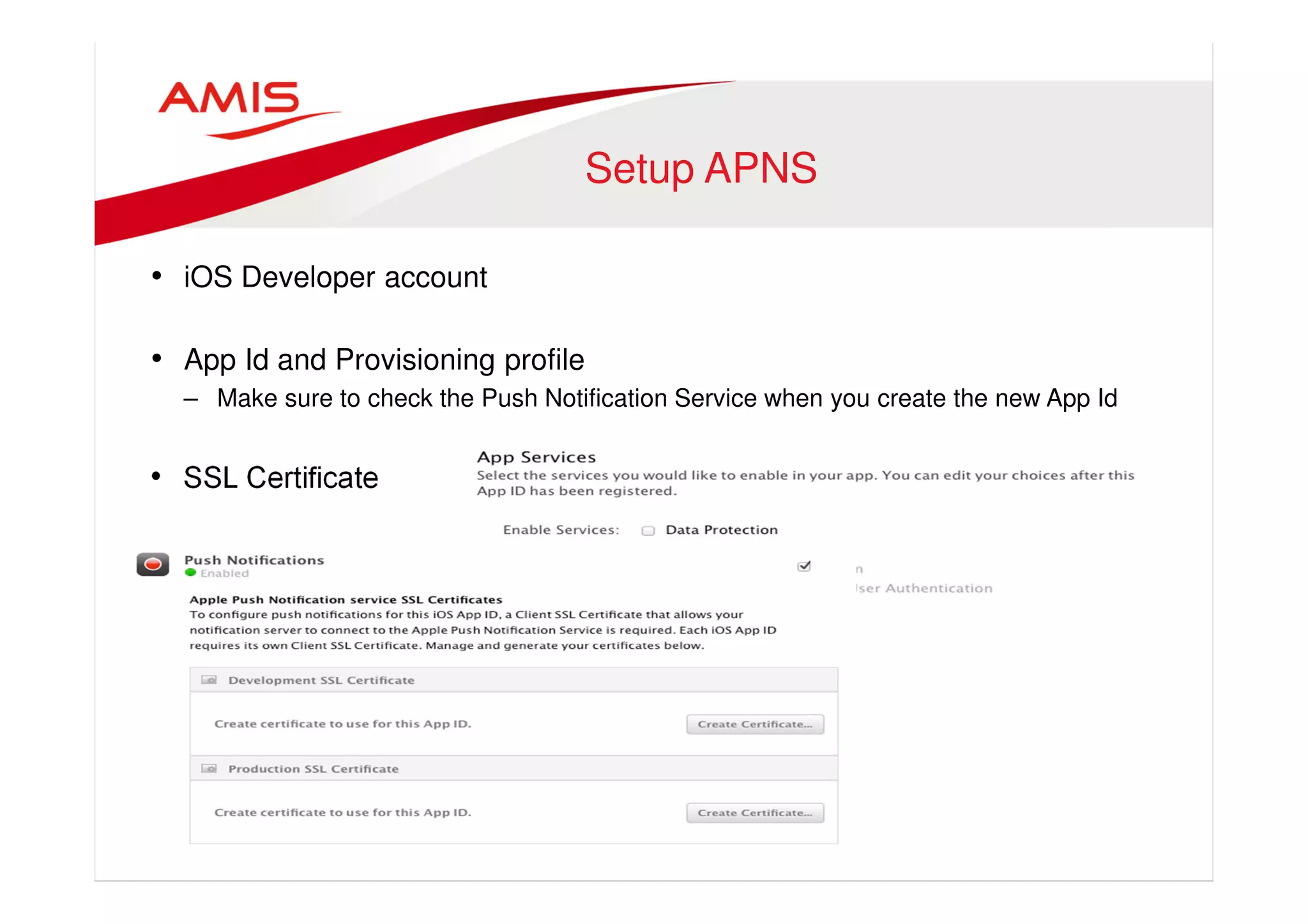
Setup APNS 
• iOS Developer account 
• App Id and Provisioning profile 
– Make sure to check the Push Notification Service when you create the new App Id 
• SSL Certificate
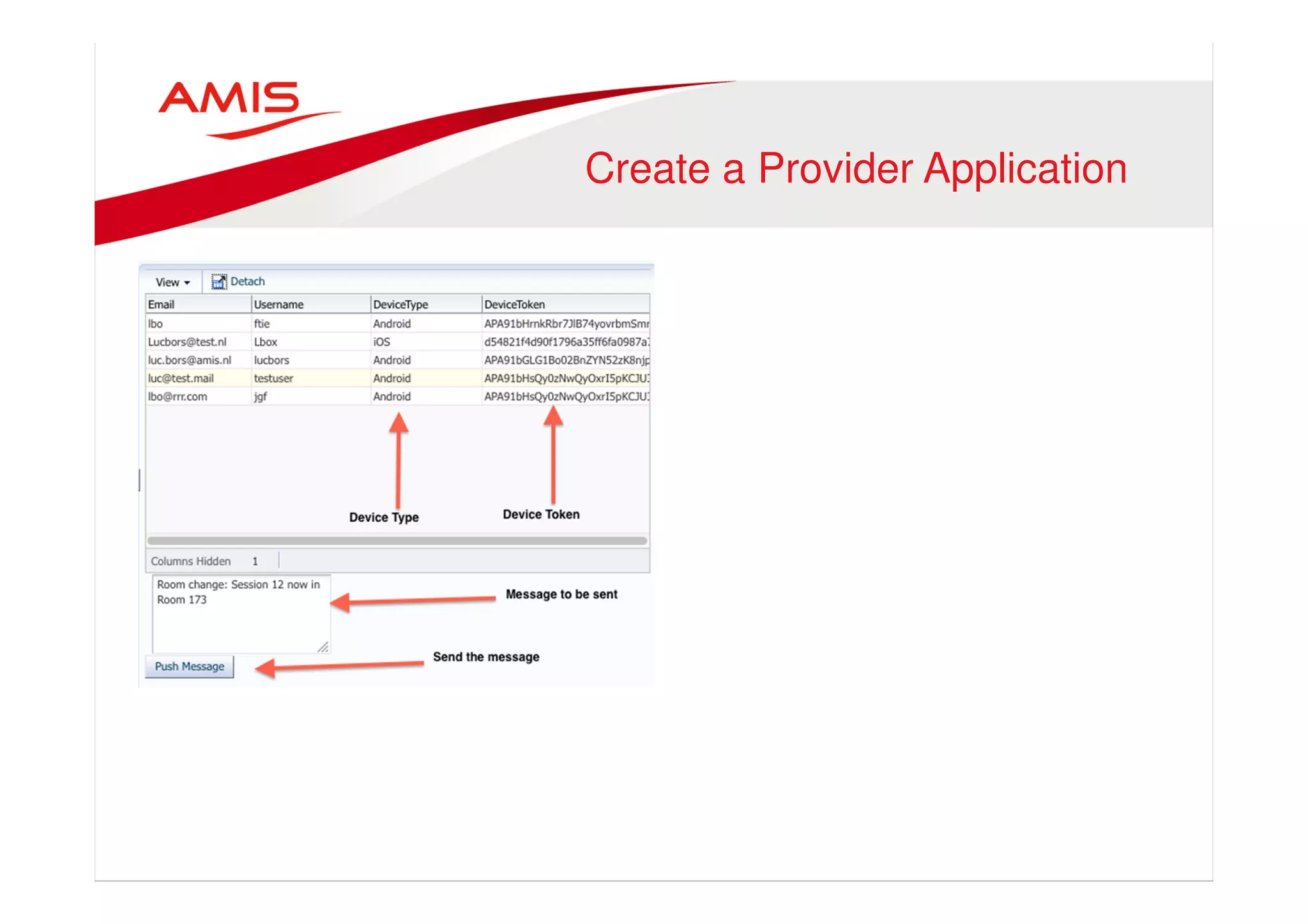
Create a Provider Application
Prepare Provider Application 
• Add gcm-server.jar (for GCMS) 
• Add javaPNS.jar (for APNS)
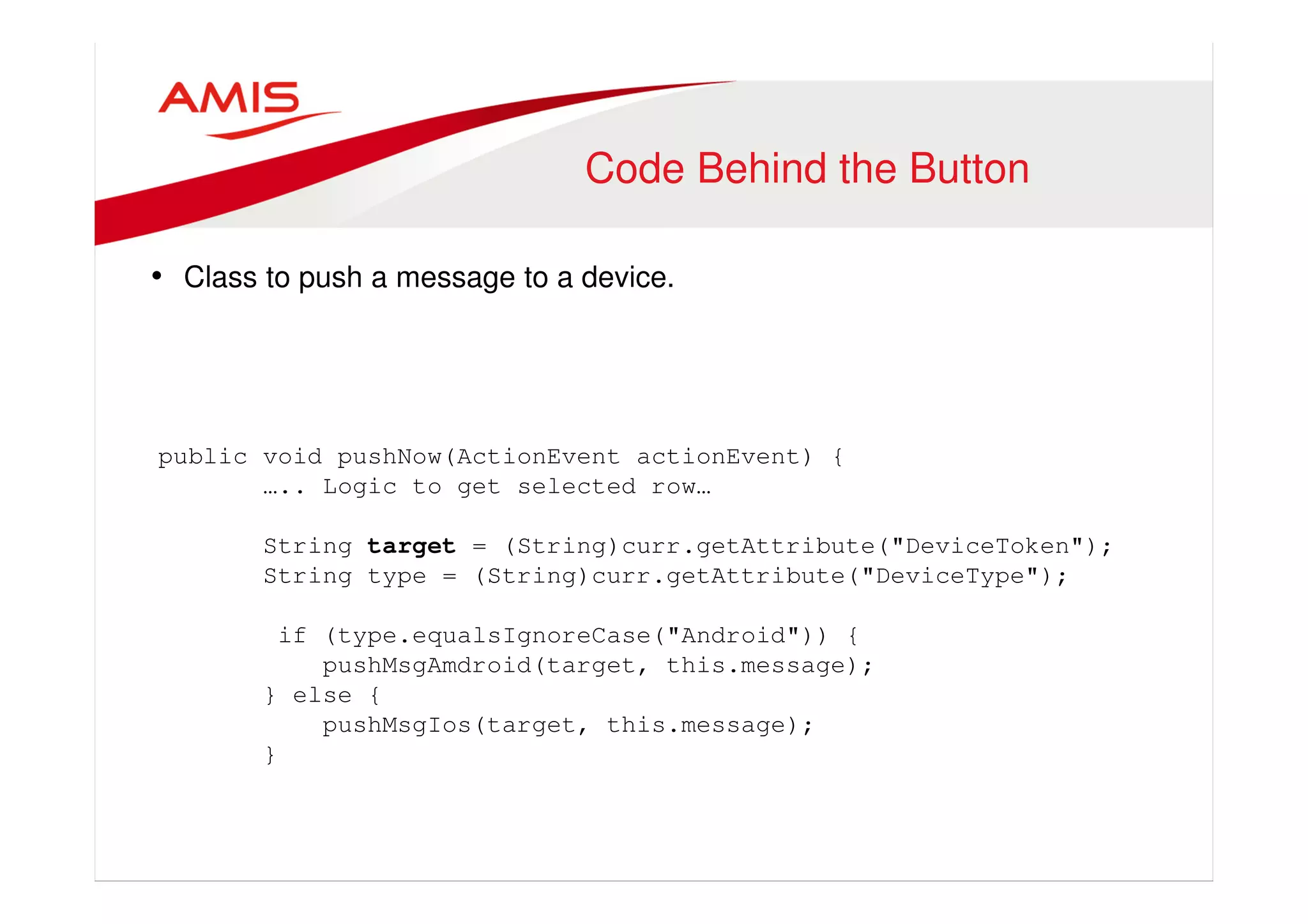
Code Behind the Button 
• Class to push a message to a device. 
public void pushNow(ActionEvent actionEvent) { 
….. Logic to get selected row… 
String target = (String)curr.getAttribute("DeviceToken"); 
String type = (String)curr.getAttribute("DeviceType"); 
if (type.equalsIgnoreCase("Android")) { 
pushMsgAmdroid(target, this.message); 
} else { 
pushMsgIos(target, this.message); 
}
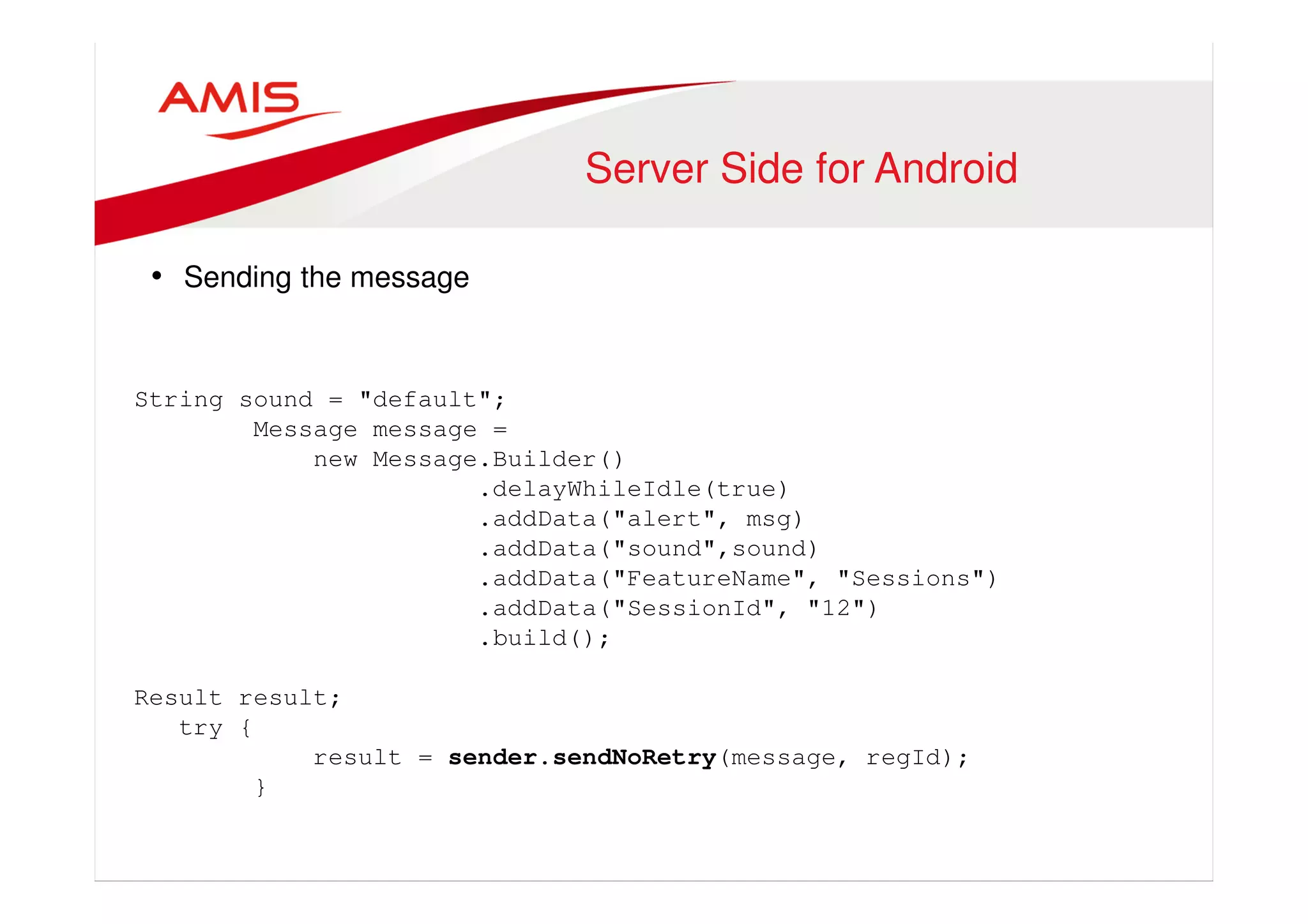
Server Side for Android 
• Sending the message 
String sound = "default"; 
Message message = 
new Message.Builder() 
.delayWhileIdle(true) 
.addData("alert", msg) 
.addData("sound",sound) 
.addData("FeatureName", "Sessions") 
.addData("SessionId", "12") 
.build(); 
Result result; 
try { 
result = sender.sendNoRetry(message, regId); 
}
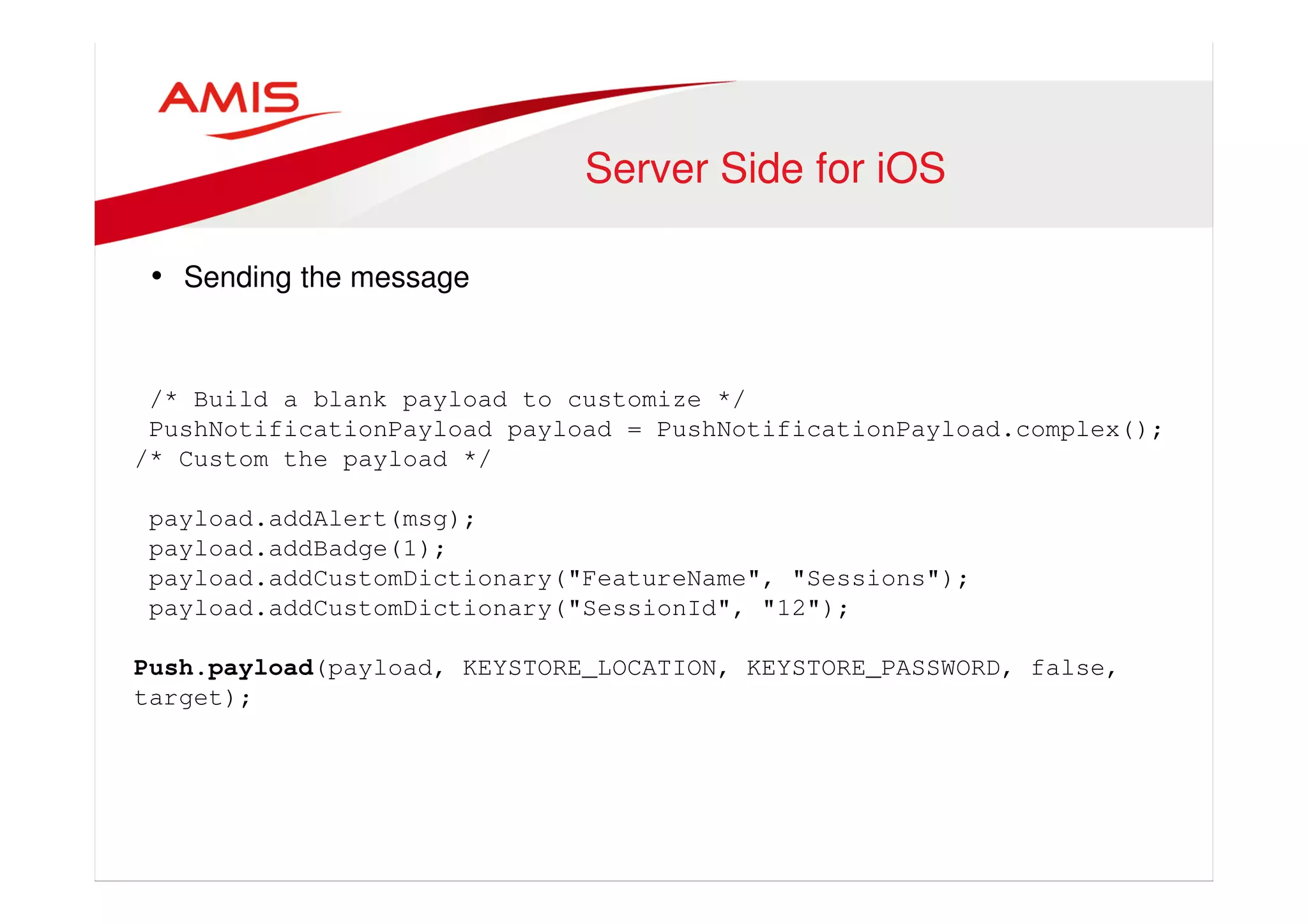
Server Side for iOS 
• Sending the message 
/* Build a blank payload to customize */ 
PushNotificationPayload payload = PushNotificationPayload.complex(); 
/* Custom the payload */ 
payload.addAlert(msg); 
payload.addBadge(1); 
payload.addCustomDictionary("FeatureName", "Sessions"); 
payload.addCustomDictionary("SessionId", "12"); 
Push.payload(payload, KEYSTORE_LOCATION, KEYSTORE_PASSWORD, false, 
target);
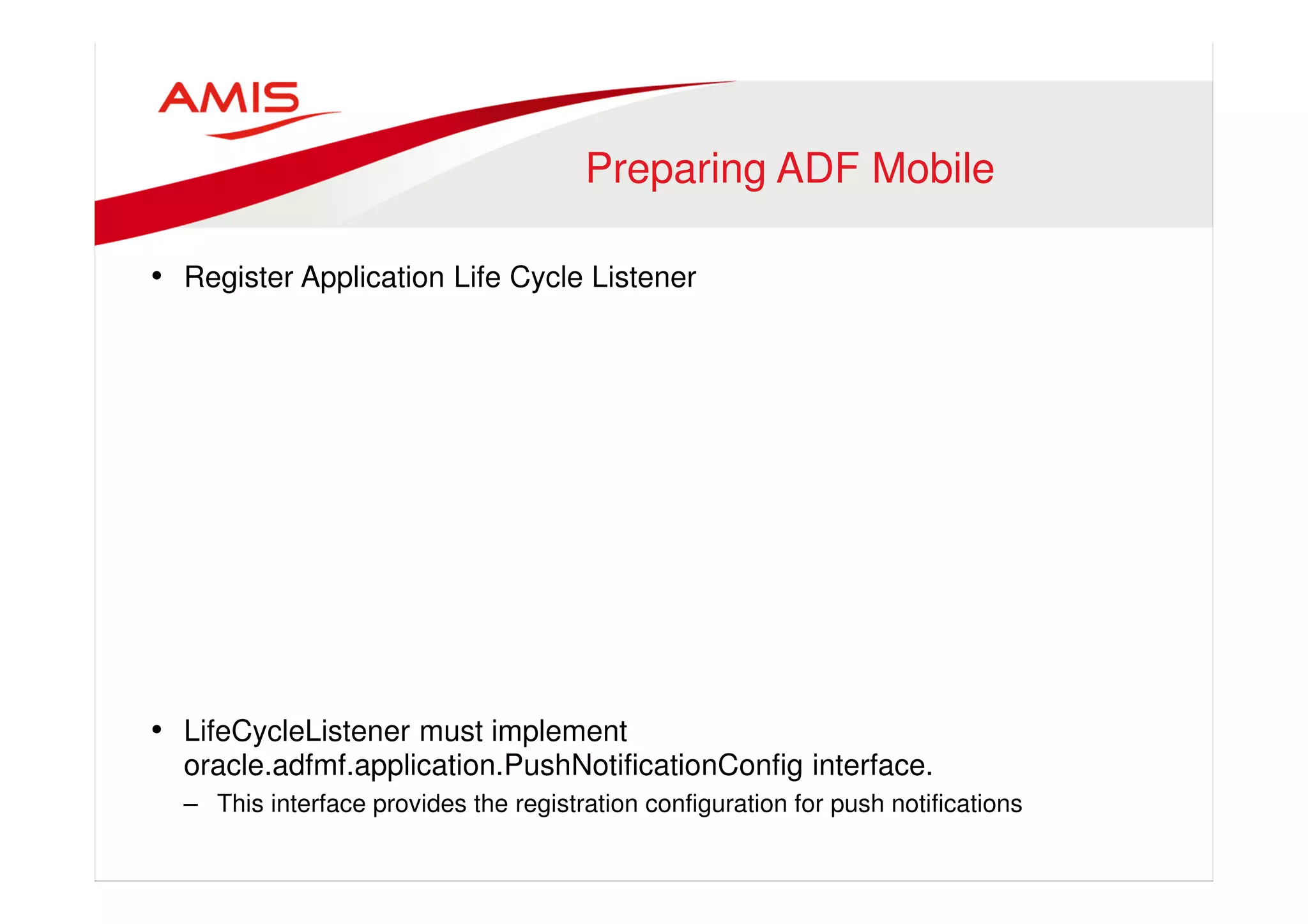
Preparing ADF Mobile 
• Register Application Life Cycle Listener 
• LifeCycleListener must implement 
oracle.adfmf.application.PushNotificationConfig interface. 
– This interface provides the registration configuration for push notifications
ApplicationLifeCycleListener 
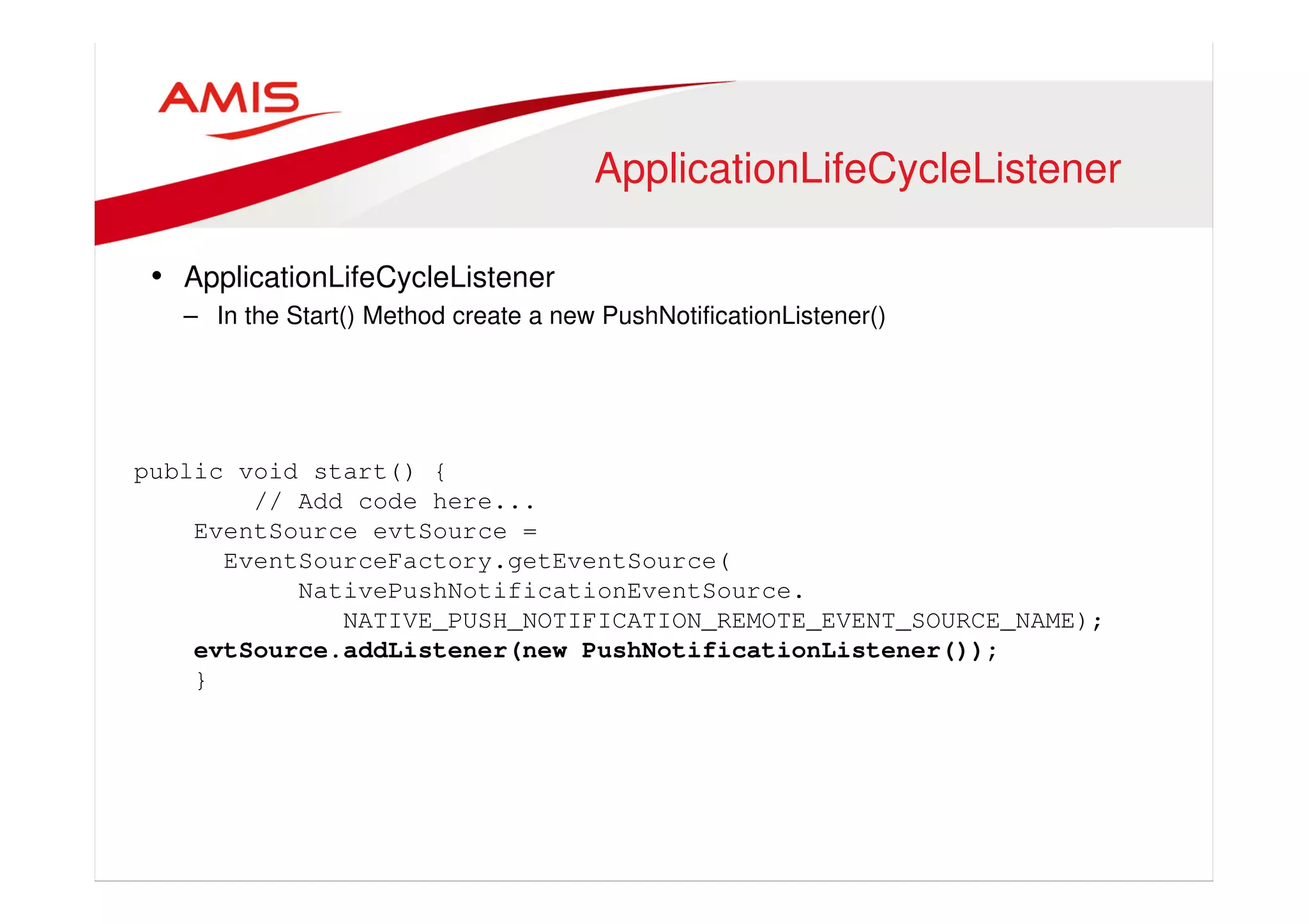
• ApplicationLifeCycleListener 
– In the Start() Method create a new PushNotificationListener() 
public void start() { 
// Add code here... 
EventSource evtSource = 
EventSourceFactory.getEventSource( 
NativePushNotificationEventSource. 
NATIVE_PUSH_NOTIFICATION_REMOTE_EVENT_SOURCE_NAME); 
evtSource.addListener(new PushNotificationListener()); 
}
The PushNotificationListener 
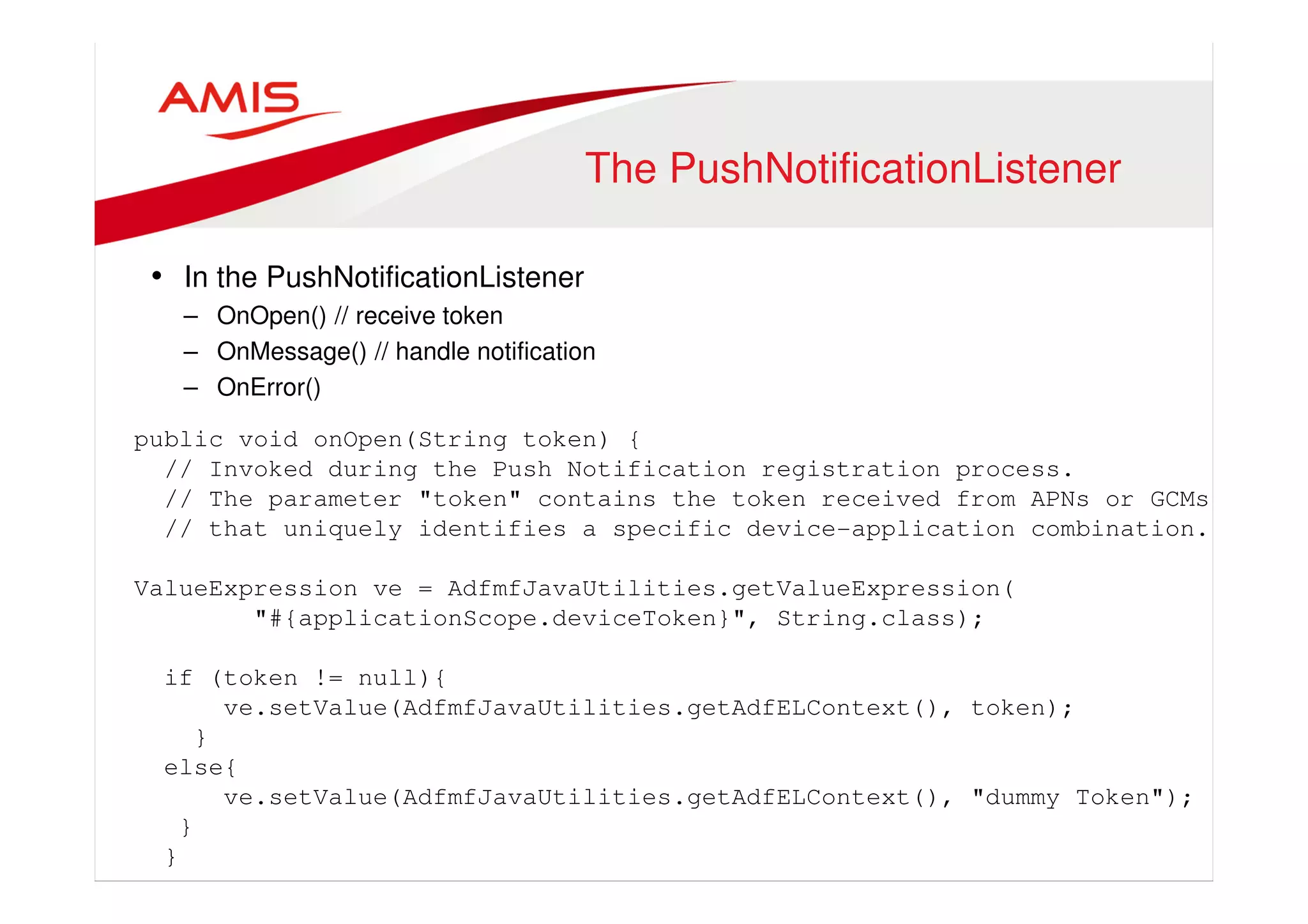
• In the PushNotificationListener 
– OnOpen() // receive token 
– OnMessage() // handle notification 
– OnError() 
public void onOpen(String token) { 
// Invoked during the Push Notification registration process. 
// The parameter "token" contains the token received from APNs or GCMs 
// that uniquely identifies a specific device-application combination. 
ValueExpression ve = AdfmfJavaUtilities.getValueExpression( 
"#{applicationScope.deviceToken}", String.class); 
if (token != null){ 
ve.setValue(AdfmfJavaUtilities.getAdfELContext(), token); 
} 
else{ 
ve.setValue(AdfmfJavaUtilities.getAdfELContext(), "dummy Token"); 
} 
}
Token Registration 
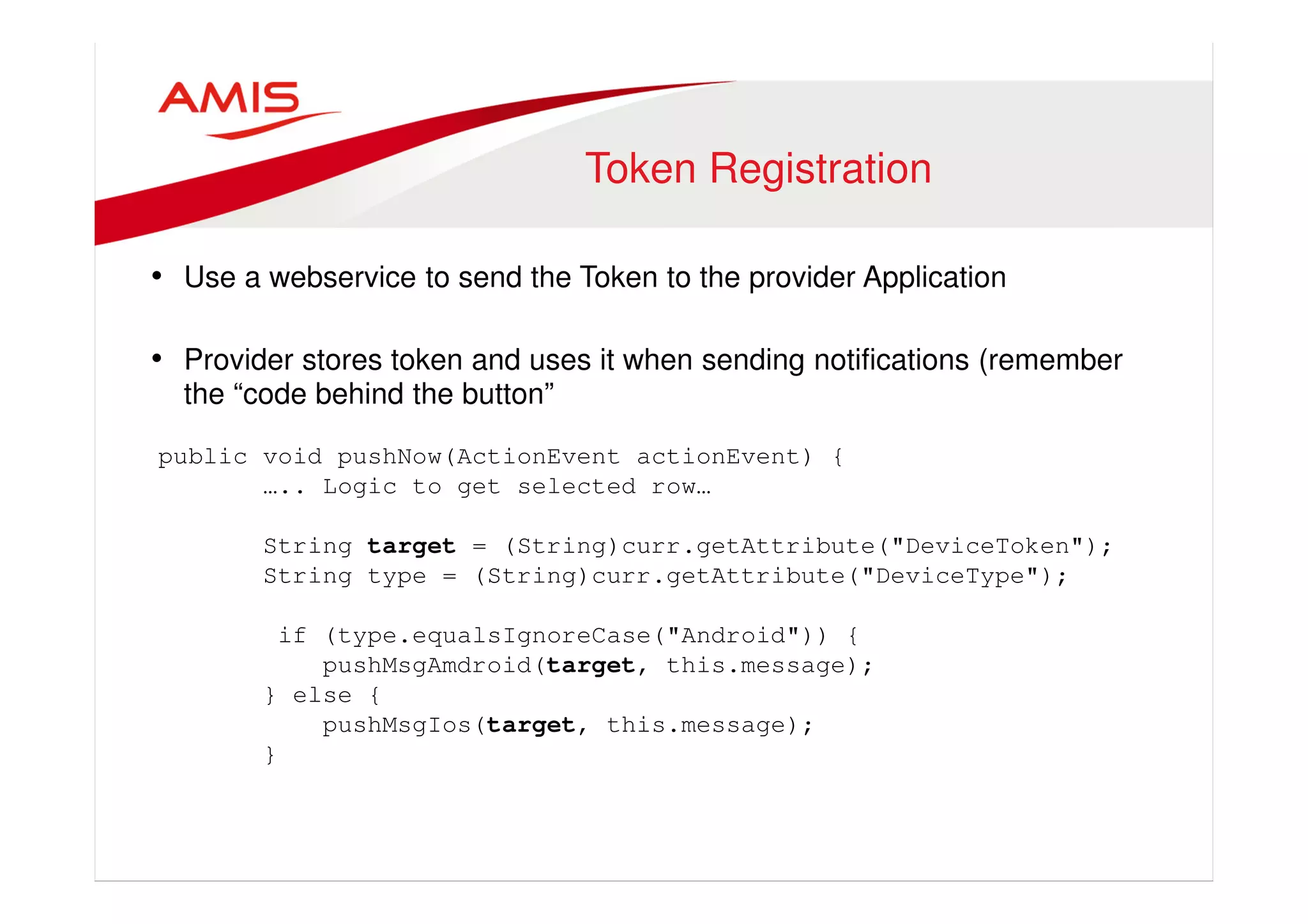
• Use a webservice to send the Token to the provider Application 
• Provider stores token and uses it when sending notifications (remember 
the “code behind the button” 
public void pushNow(ActionEvent actionEvent) { 
….. Logic to get selected row… 
String target = (String)curr.getAttribute("DeviceToken"); 
String type = (String)curr.getAttribute("DeviceType"); 
if (type.equalsIgnoreCase("Android")) { 
pushMsgAmdroid(target, this.message); 
} else { 
pushMsgIos(target, this.message); 
}
All is there. 
• Cloud Services are setup 
• Provider app is created 
• Device Token can be sent to and stored at provider app 
• LETS PUSH ! And work with the notification
Push Notifications 
•
onMessage() 
Working with the Notification 
public void onMessage(Event event) { 
AdfELContext adfELContext = AdfmfJavaUtilities.getAdfELContext(); 
JSONBeanSerializationHelper jsonHelper = 
new JSONBeanSerializationHelper(); 
try {PayloadServiceResponse serviceResponse = 
(PayloadServiceResponse)jsonHelper.fromJSON( 
PayloadServiceResponse.class, event.getPayload()); 
ValueExpression notificationPayloadBinding = 
AdfmfJavaUtilities.getValueExpression( 
"#{applicationScope.notificationSessionId}", String.class); 
notificationPayloadBinding.setValue( 
AdfmfJavaUtilities.getAdfELContext() 
, serviceResponse.getSessionId()); 
AdfmfContainerUtilities.gotoFeature( 
"com.tamcapp.mobilebook.ses.ConferenceSessions"); 
}
Badging 
// also, lets decrease the application icon badge by one 
int currentBadge = 
AdfmfContainerUtilities.getApplicationIconBadgeNumber(); 
if (currentBadge > 0) { 
AdfmfContainerUtilities.setApplicationIconBadgeNumber( 
currentBadge - 1); 
}
In the feature… 
• Use FeatureLifeCycleListener 
– Activate() Method 
public void activate() { 
Boolean notified = 
(Boolean)AdfmfJavaUtilities.evaluateELExpression( 
"#{applicationScope.notified}"); 
if(notified.booleanValue({ 
AdfmfContainerUtilities.invokeContainerJavaScriptFunction( 
AdfmfJavaUtilities.getFeatureName(), 
"adf.mf.api.amx.doNavigation”, 
new Object[] { "featureActivated" });} 
}
DEMO
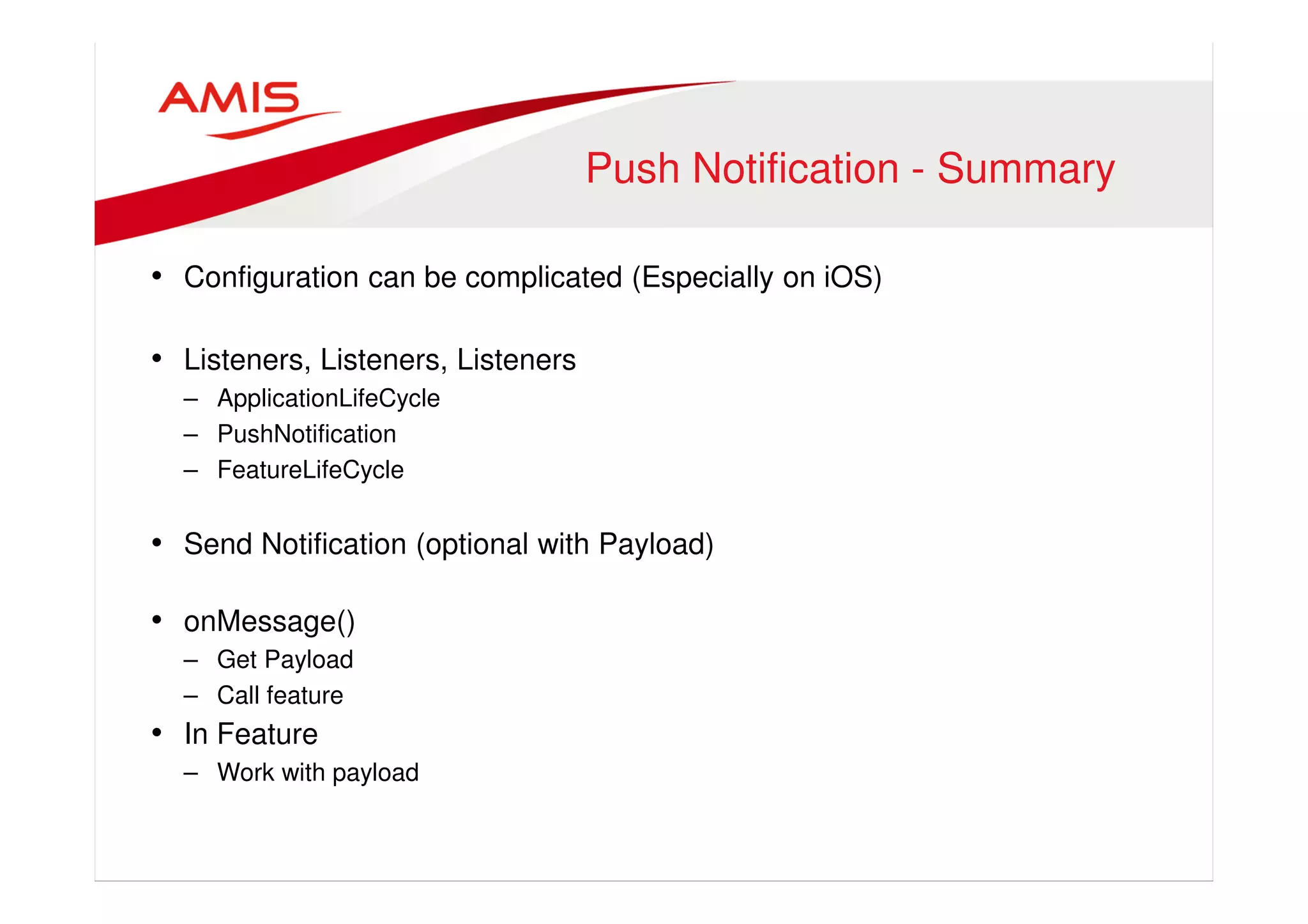
Push Notification - Summary 
• Configuration can be complicated (Especially on iOS) 
• Listeners, Listeners, Listeners 
– ApplicationLifeCycle 
– PushNotification 
– FeatureLifeCycle 
• Send Notification (optional with Payload) 
• onMessage() 
– Get Payload 
– Call feature 
• In Feature 
– Work with payload
Luc Bors, AMIS, The Netherlands 
Luc.Bors@amis.nl 
LucBors@gmail.com 
Follow me on : @lucb_

MAF push notifications

  • 1.
    ADF Mobile :Push Notifications DOAG ADF Spotlight Webinar, June 6th 2014
  • 2.
    Who Am I • Luc Bors • Principal Consultant • AMIS, Netherlands
  • 3.
    Agenda • ADFMobile Overview Architecture • Push Notifications Overview • Push Notifications Cloud Messaging Part • Push Notifications Provider Part • Push Notifications ADF Mobile Part
  • 4.
  • 5.
  • 6.
    Example • Selectdevice • Send message • Get notified
  • 7.
    Push Notifications •Subscribe to Messaging Service • Receive token • Register with Enterprise app • Enterprise app Pushes message to Messaging Service • Messaging Service delegates message to device(s)
  • 8.
  • 9.
    Setup GCM •Google Cloud Project • Google Cloud Messaging API is enabled • API key
  • 10.
    Setup APNS •iOS Developer account • App Id and Provisioning profile – Make sure to check the Push Notification Service when you create the new App Id • SSL Certificate
  • 11.
    Create a ProviderApplication
  • 12.
    Prepare Provider Application • Add gcm-server.jar (for GCMS) • Add javaPNS.jar (for APNS)
  • 13.
    Code Behind theButton • Class to push a message to a device. public void pushNow(ActionEvent actionEvent) { ….. Logic to get selected row… String target = (String)curr.getAttribute("DeviceToken"); String type = (String)curr.getAttribute("DeviceType"); if (type.equalsIgnoreCase("Android")) { pushMsgAmdroid(target, this.message); } else { pushMsgIos(target, this.message); }
  • 14.
    Server Side forAndroid • Sending the message String sound = "default"; Message message = new Message.Builder() .delayWhileIdle(true) .addData("alert", msg) .addData("sound",sound) .addData("FeatureName", "Sessions") .addData("SessionId", "12") .build(); Result result; try { result = sender.sendNoRetry(message, regId); }
  • 15.
    Server Side foriOS • Sending the message /* Build a blank payload to customize */ PushNotificationPayload payload = PushNotificationPayload.complex(); /* Custom the payload */ payload.addAlert(msg); payload.addBadge(1); payload.addCustomDictionary("FeatureName", "Sessions"); payload.addCustomDictionary("SessionId", "12"); Push.payload(payload, KEYSTORE_LOCATION, KEYSTORE_PASSWORD, false, target);
  • 16.
    Preparing ADF Mobile • Register Application Life Cycle Listener • LifeCycleListener must implement oracle.adfmf.application.PushNotificationConfig interface. – This interface provides the registration configuration for push notifications
  • 17.
    ApplicationLifeCycleListener • ApplicationLifeCycleListener – In the Start() Method create a new PushNotificationListener() public void start() { // Add code here... EventSource evtSource = EventSourceFactory.getEventSource( NativePushNotificationEventSource. NATIVE_PUSH_NOTIFICATION_REMOTE_EVENT_SOURCE_NAME); evtSource.addListener(new PushNotificationListener()); }
  • 18.
    The PushNotificationListener •In the PushNotificationListener – OnOpen() // receive token – OnMessage() // handle notification – OnError() public void onOpen(String token) { // Invoked during the Push Notification registration process. // The parameter "token" contains the token received from APNs or GCMs // that uniquely identifies a specific device-application combination. ValueExpression ve = AdfmfJavaUtilities.getValueExpression( "#{applicationScope.deviceToken}", String.class); if (token != null){ ve.setValue(AdfmfJavaUtilities.getAdfELContext(), token); } else{ ve.setValue(AdfmfJavaUtilities.getAdfELContext(), "dummy Token"); } }
  • 19.
    Token Registration •Use a webservice to send the Token to the provider Application • Provider stores token and uses it when sending notifications (remember the “code behind the button” public void pushNow(ActionEvent actionEvent) { ….. Logic to get selected row… String target = (String)curr.getAttribute("DeviceToken"); String type = (String)curr.getAttribute("DeviceType"); if (type.equalsIgnoreCase("Android")) { pushMsgAmdroid(target, this.message); } else { pushMsgIos(target, this.message); }
  • 20.
    All is there. • Cloud Services are setup • Provider app is created • Device Token can be sent to and stored at provider app • LETS PUSH ! And work with the notification
  • 21.
  • 22.
    onMessage() Working withthe Notification public void onMessage(Event event) { AdfELContext adfELContext = AdfmfJavaUtilities.getAdfELContext(); JSONBeanSerializationHelper jsonHelper = new JSONBeanSerializationHelper(); try {PayloadServiceResponse serviceResponse = (PayloadServiceResponse)jsonHelper.fromJSON( PayloadServiceResponse.class, event.getPayload()); ValueExpression notificationPayloadBinding = AdfmfJavaUtilities.getValueExpression( "#{applicationScope.notificationSessionId}", String.class); notificationPayloadBinding.setValue( AdfmfJavaUtilities.getAdfELContext() , serviceResponse.getSessionId()); AdfmfContainerUtilities.gotoFeature( "com.tamcapp.mobilebook.ses.ConferenceSessions"); }
  • 23.
    Badging // also,lets decrease the application icon badge by one int currentBadge = AdfmfContainerUtilities.getApplicationIconBadgeNumber(); if (currentBadge > 0) { AdfmfContainerUtilities.setApplicationIconBadgeNumber( currentBadge - 1); }
  • 24.
    In the feature… • Use FeatureLifeCycleListener – Activate() Method public void activate() { Boolean notified = (Boolean)AdfmfJavaUtilities.evaluateELExpression( "#{applicationScope.notified}"); if(notified.booleanValue({ AdfmfContainerUtilities.invokeContainerJavaScriptFunction( AdfmfJavaUtilities.getFeatureName(), "adf.mf.api.amx.doNavigation”, new Object[] { "featureActivated" });} }
  • 25.
  • 26.
    Push Notification -Summary • Configuration can be complicated (Especially on iOS) • Listeners, Listeners, Listeners – ApplicationLifeCycle – PushNotification – FeatureLifeCycle • Send Notification (optional with Payload) • onMessage() – Get Payload – Call feature • In Feature – Work with payload
  • 27.
    Luc Bors, AMIS,The Netherlands Luc.Bors@amis.nl LucBors@gmail.com Follow me on : @lucb_