A Serverless IoT Story
From Design to Production and Monitoring
Alex Pshul
Software Architect &
Consultant
@AlexPshul
alexp@codevalue.net
http://pshul.com
http://codevalue.net
Moaid Hathot
Senior Consultant
@MoaidHathot
moaidh@codevalue.net
http://www.moaid.codes
www.codevalue.net
Vision
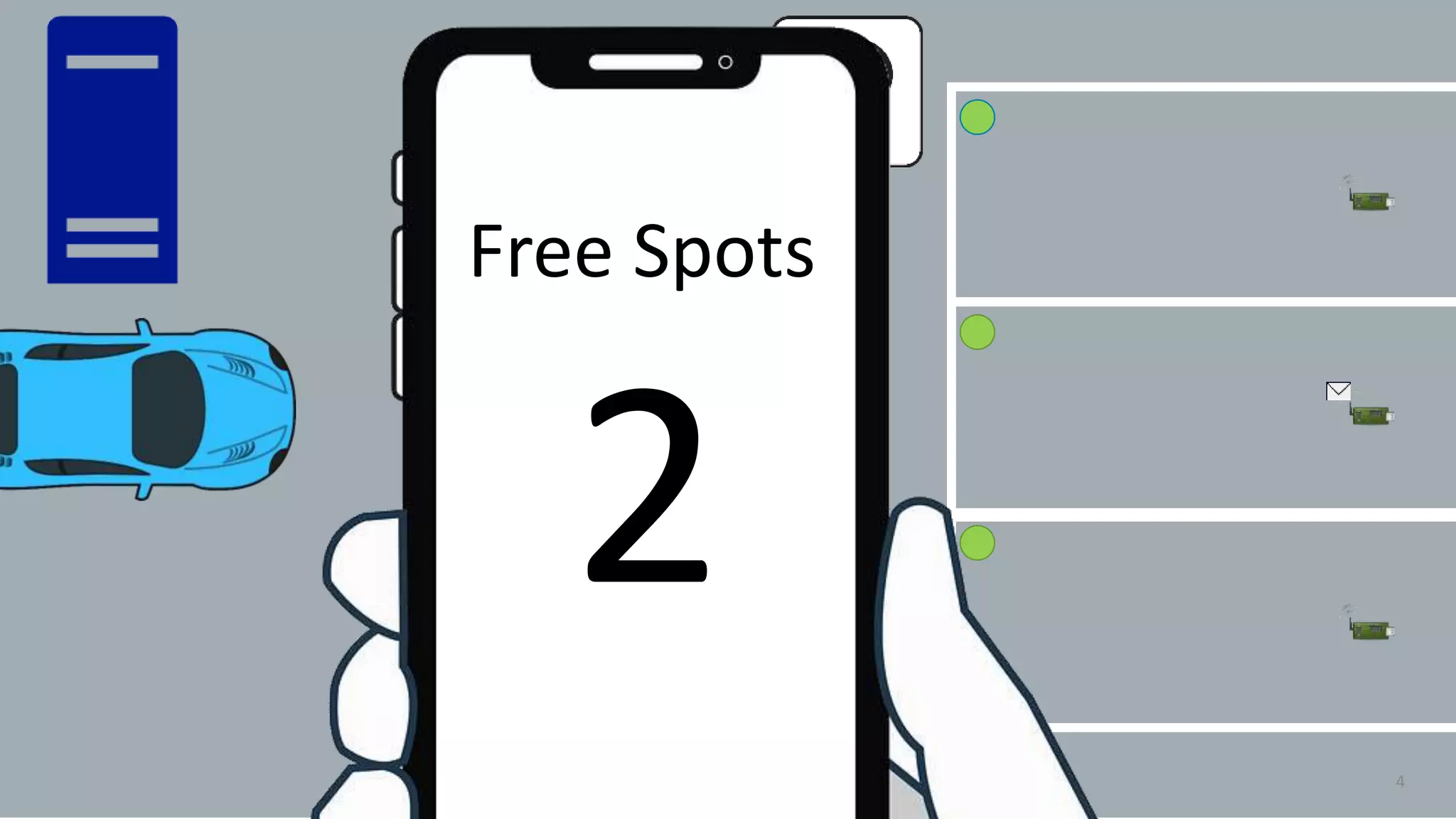
 Manage a parking lot
 Know which parking spot is occupied
3
4
Free Spots
32
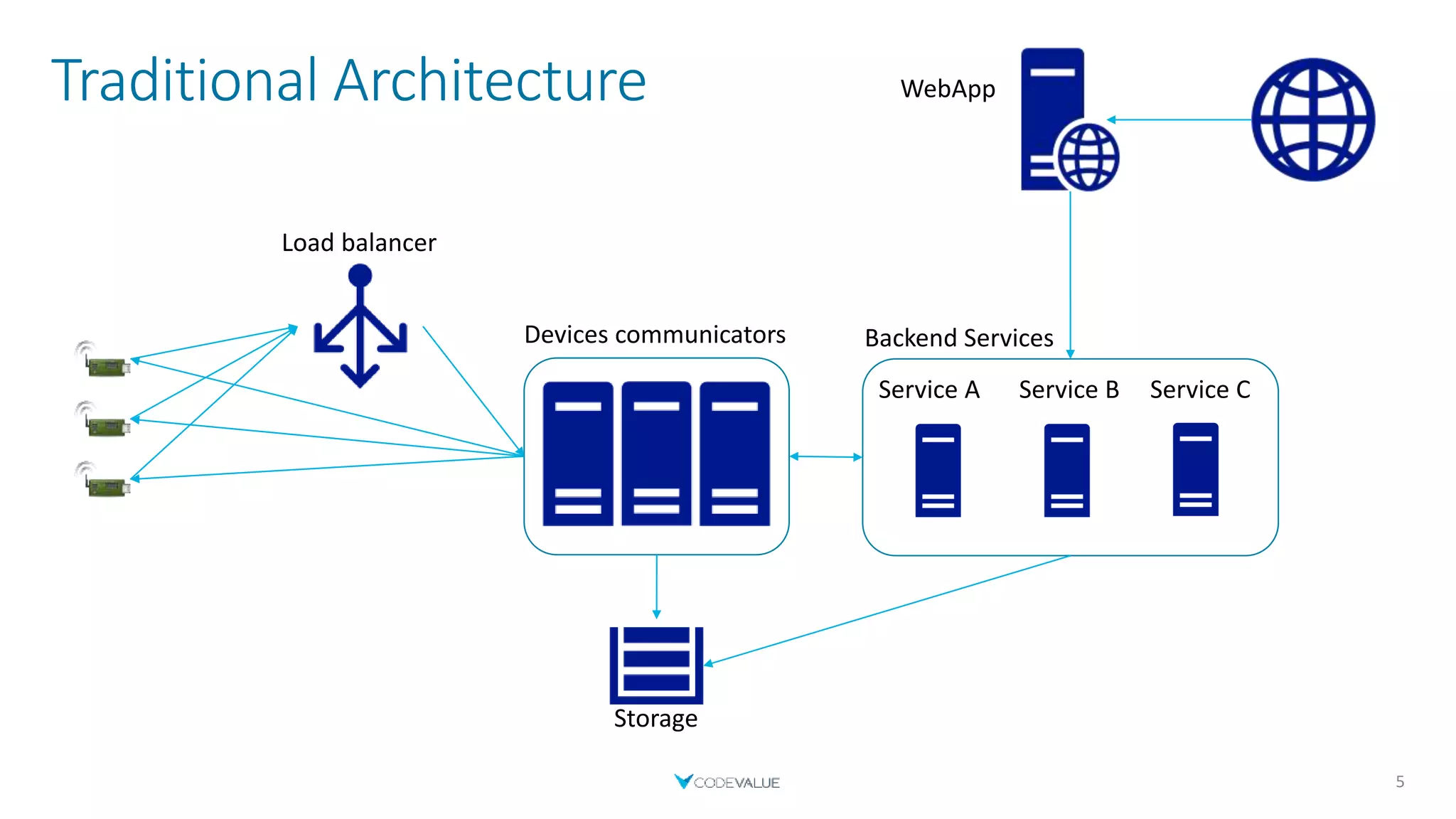
Traditional Architecture
5
Devices communicators
WebApp
Service A
Load balancer
Service B Service C
Backend Services
Storage
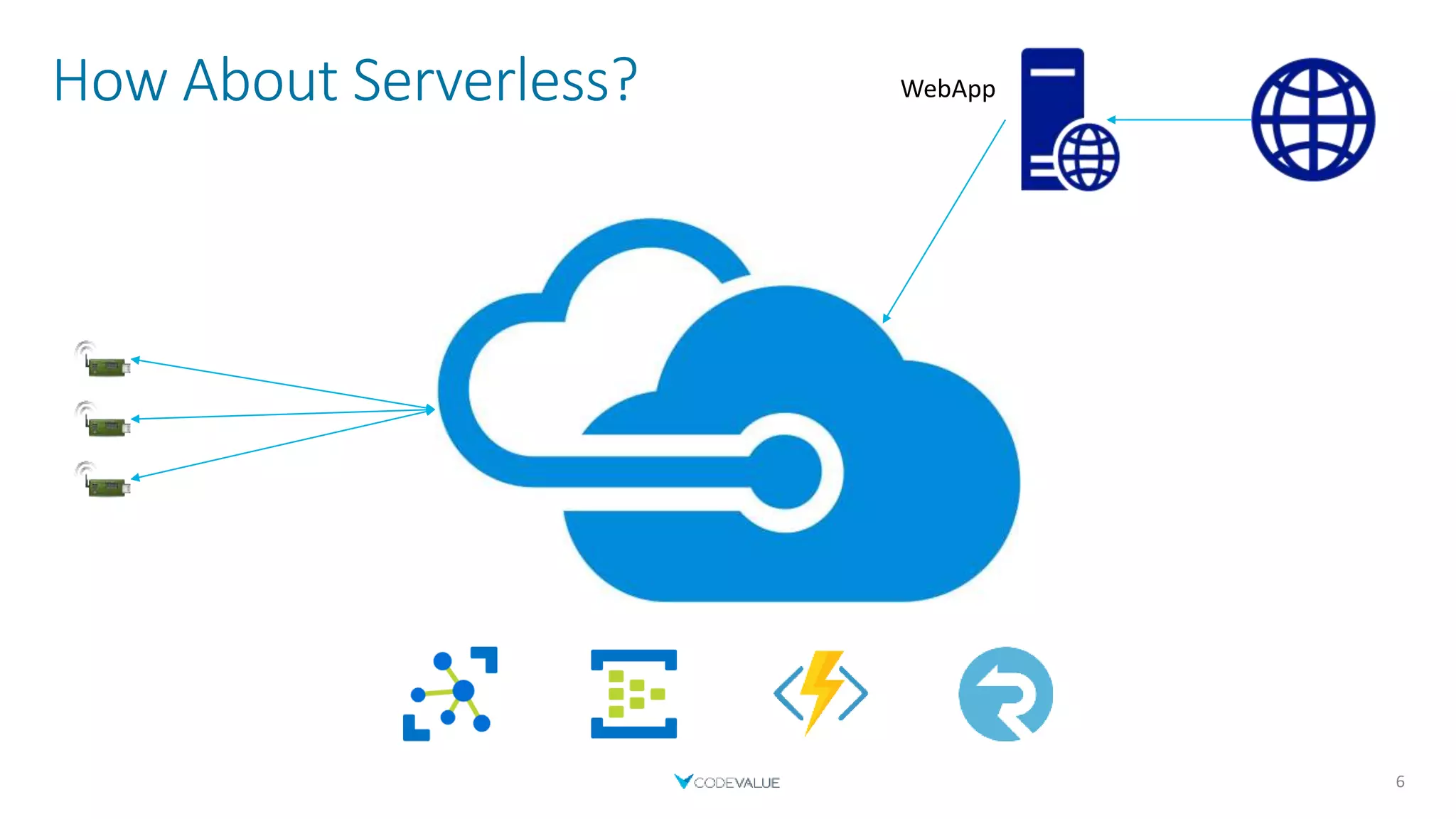
How About Serverless?
6
WebApp
About Us
7
Alex Pshul
 Architect, Consultant and lecturer
 More than 8 years of hands on experience
 Talk to me about:
 Software Development
 Hardware and Gadgets
 Gaming
 Animals
Moaid Hathot
 Software engineer, consultant and code Jedi
 Software Craftsmanship advocate
 Clean Coder
 OzCode Evangelist
Serverless
Save time and money
10
Time & Money
 Pay per use
 Don’t worry about server management
 Quicker time to release
 Faster to deploy new functionality
 Don’t have to manage scaling and load balancing
 Focus on business logic instead of servers and boilerplate.
 Inherent Auto-Scalability
11
When to Serverless
 Logic can be disassembled into small modules
 Irregular Workloads
 Hard to predict load peaks
 Run closer to the user
12
When not to Serverless
 Performance is important
 A consistently high and predictable workload
 Long running tasks that can’t be split into sub-tasks or multiple cycles
 Complex computing with high memory/CPU requirements.
13
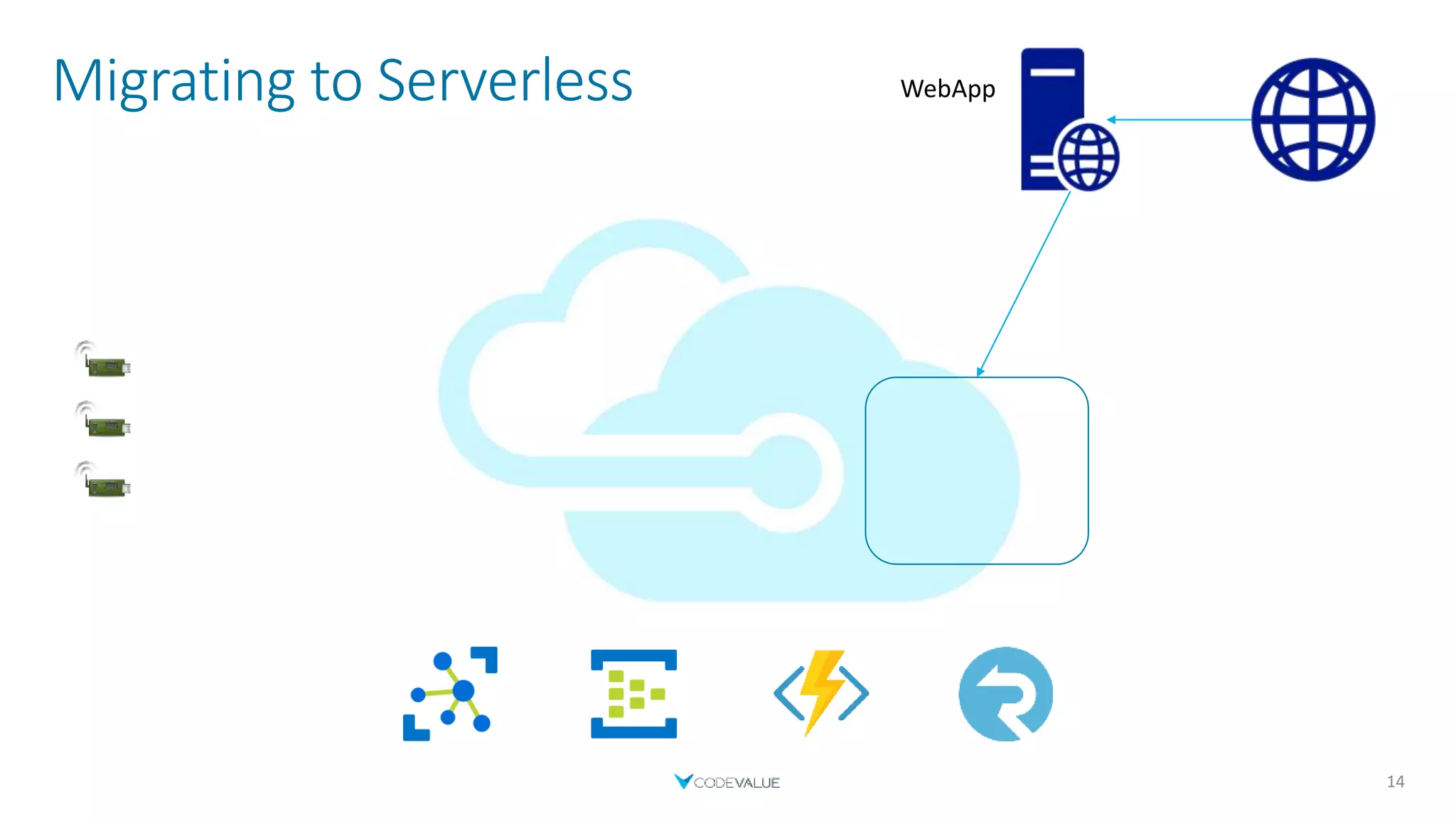
Migrating to Serverless
14
WebApp
Compute - FaaS
 FaaS – Function as a Service
 First mentioned by D. J. Wheeler in 1952- ‘The use of sub-routines in programmes’.
 Event-Driven serverless compute
 Examples:
 Azure Functions
 AWS Lambda
 Google Cloud Functions
15
FaaS – Azure Functions
 Trigger Oriented
 Input & Output Binding
 Dependency Injection
 Tackle Cold-Start performance hits by leaving host loaded
 Premium Plan
 AppService Plan
 Supports several frameworks and languages
 C#, JavaScript, Java, Python, F#, PowerShell & TypeScript
18
FaaS - Azure Functions
19
[FunctionName("EchoFunc")]
public static Task<IActionResult> EchoFunc(
[HttpTrigger(AuthorizationLevel.Anonymous, "get")]
HttpRequest request,
ILogger log)
{
string message = request.Query["message"];
//Do Something
var result = new OkObjectResult($"Message received: {message}");
return Task.FromResult((IActionResult) result);
}
FaaS – Azure Functions - Deployment
 Different ways to deploy your functions
 Visual Studio
 Using FTP
 Uploading a zip
 Continues deployment
 GitHub
 Dropbox
 Azure DevOps
 More…
21
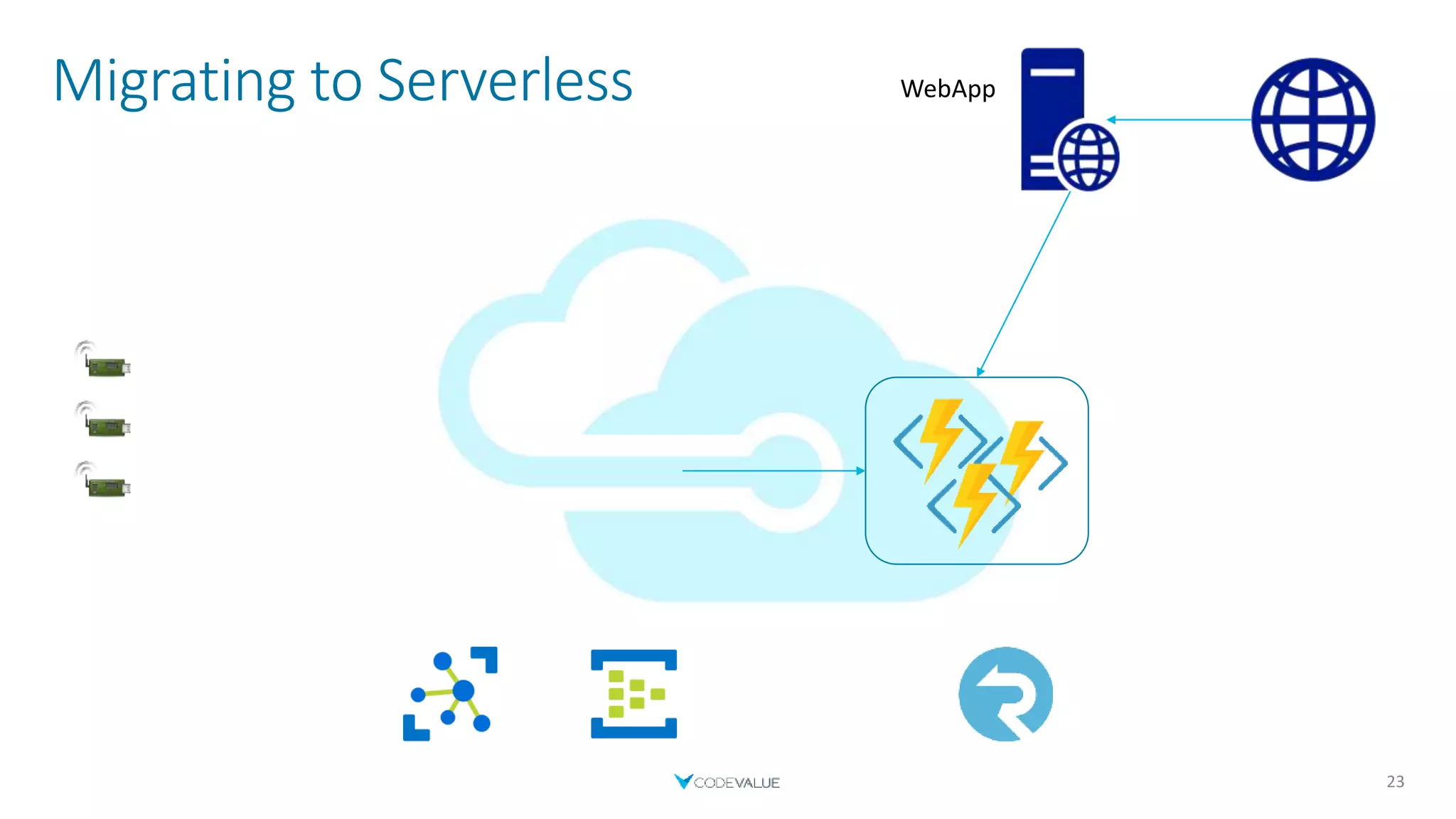
Migrating to Serverless
23
WebApp
Events
 Process a high number of events per second
 Decouple communication between components
 Store and transform events
 Integrate with other services
24
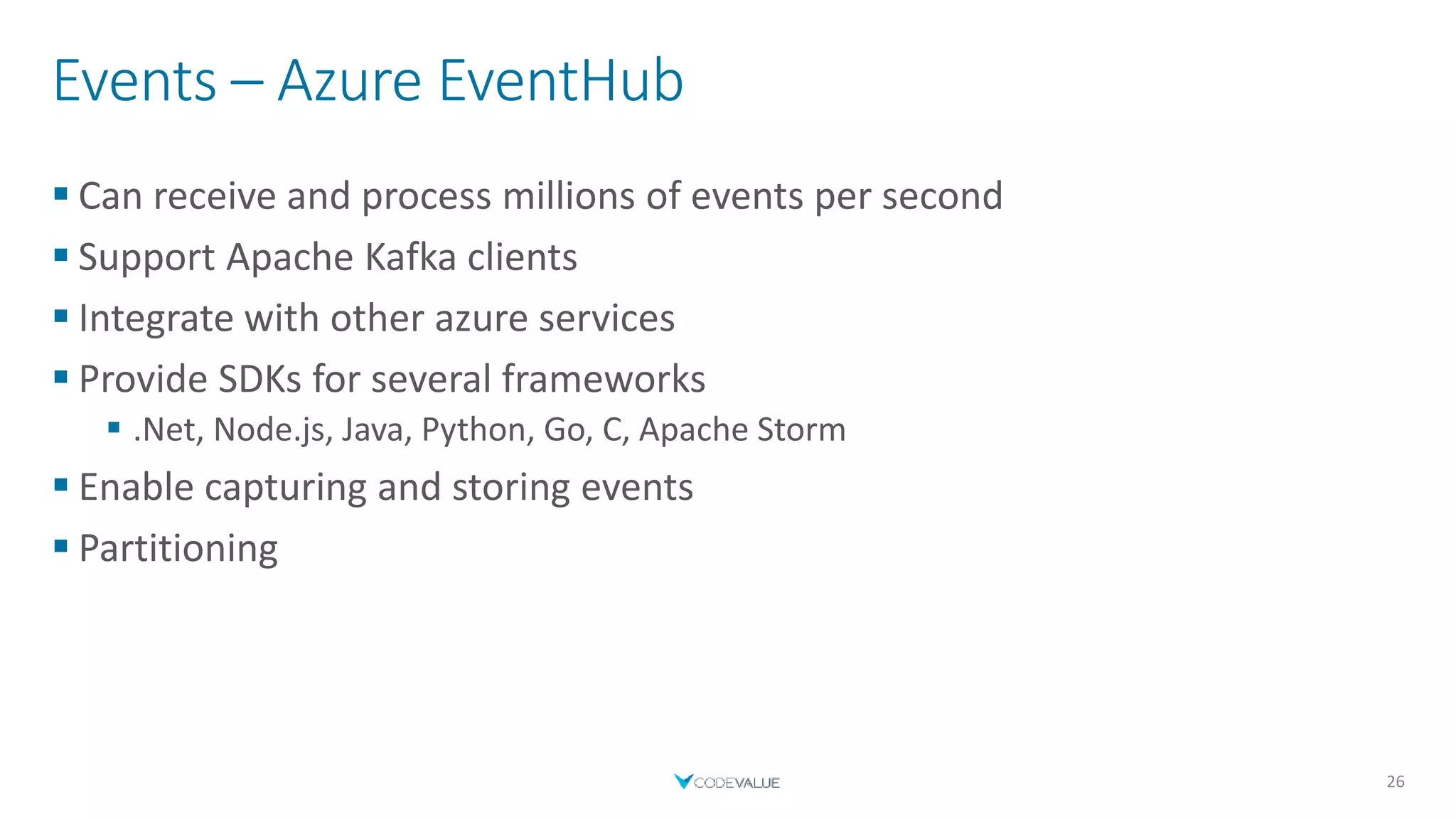
Events – Azure EventHub
 Can receive and process millions of events per second
 Support Apache Kafka clients
 Integrate with other azure services
 Provide SDKs for several frameworks
 .Net, Node.js, Java, Python, Go, C, Apache Storm
 Enable capturing and storing events
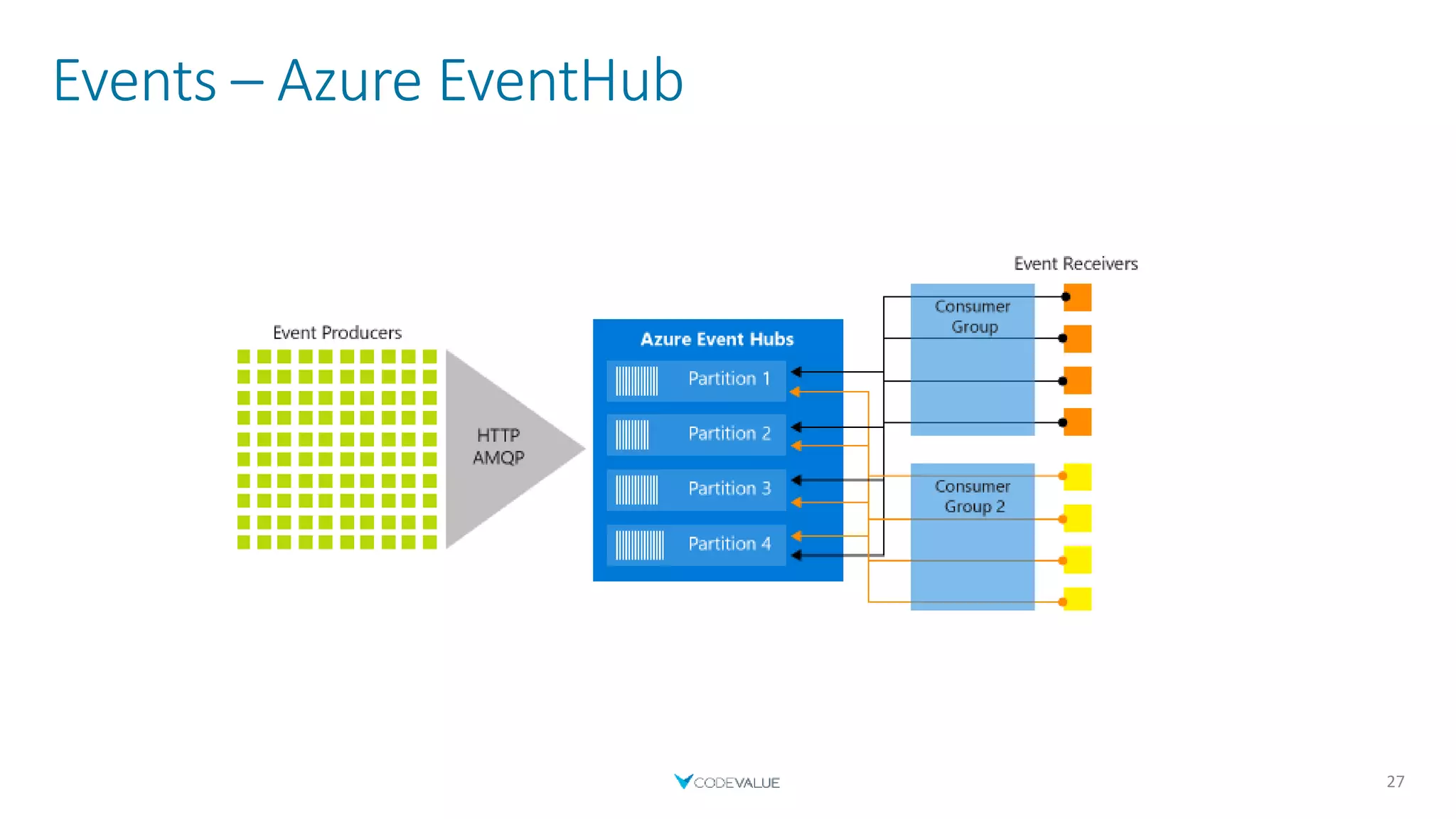
 Partitioning
26
Events – Azure EventHub
27
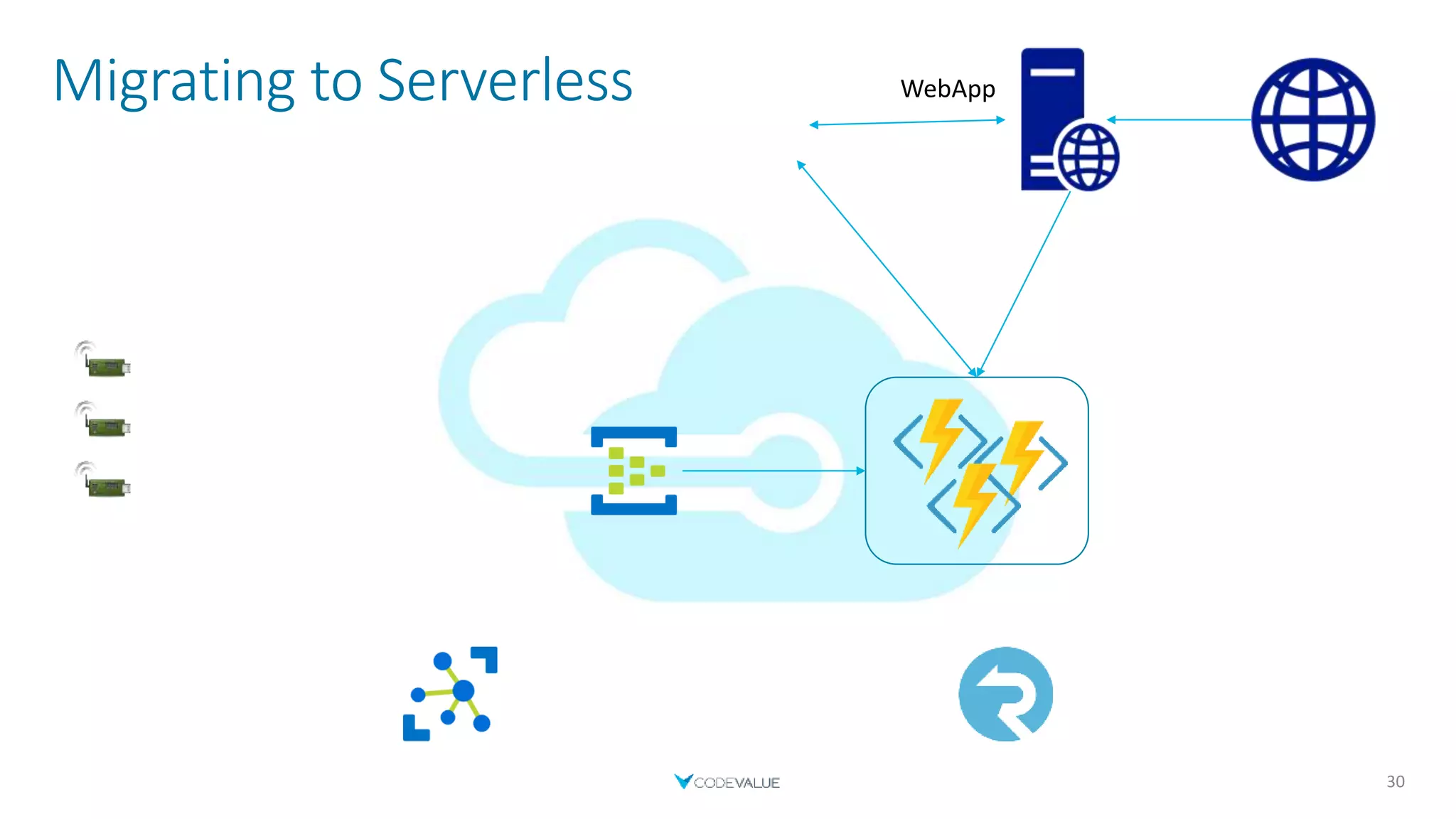
Migrating to Serverless
30
WebApp
Communication
 Real-time
 Bi-directional
 Scale
 Secure
31
Communication – SignalR Service
 Fully managed
 Cross Platform
 Easily integrated with other Azure resources
 Such as Azure Functions
 Provides abstractions
 WebSockets, Long Polling or Server-sent events (SSE)
 Send message to all or to a subset of users
32
Integration
33
[FunctionName("UpdateUsers")]
public static Task OnDeviceUpdated(
[EventHubTrigger("device-updates", Connection = "EventHubConnectionAppSetting")] EventData myEventHubMessage,
[SignalR(HubName = "updates")]IAsyncCollector<SignalRMessage> signalRMessages,
ILogger log)
{
string message = Encoding.UTF8.GetString(myEventHubMessage.Body);
//Do something
return signalRMessages.AddAsync(new SignalRMessage
{
Target = "updateReceived",
Arguments = new[] { message }
});
}
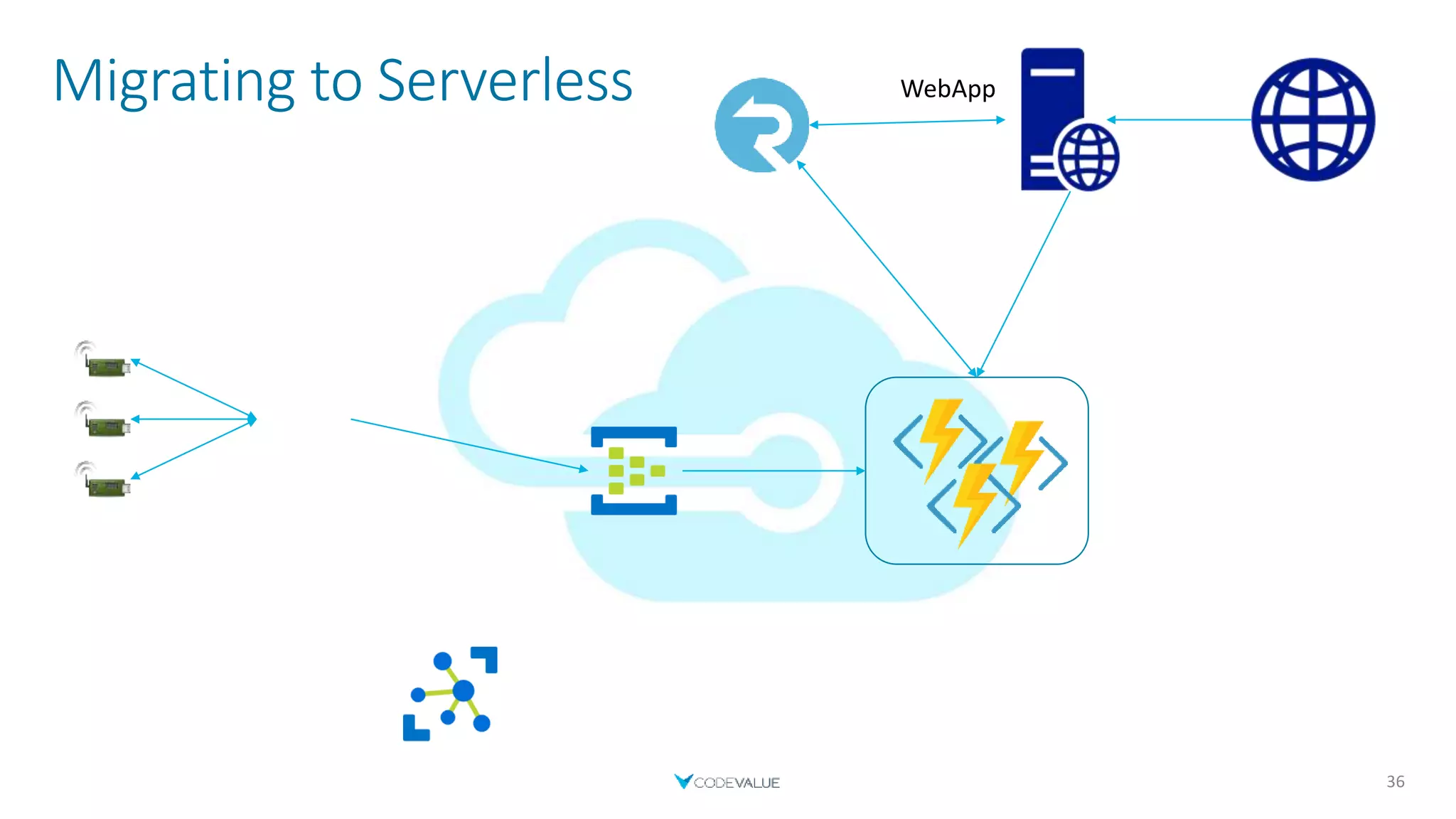
Migrating to Serverless
36
WebApp
IoT
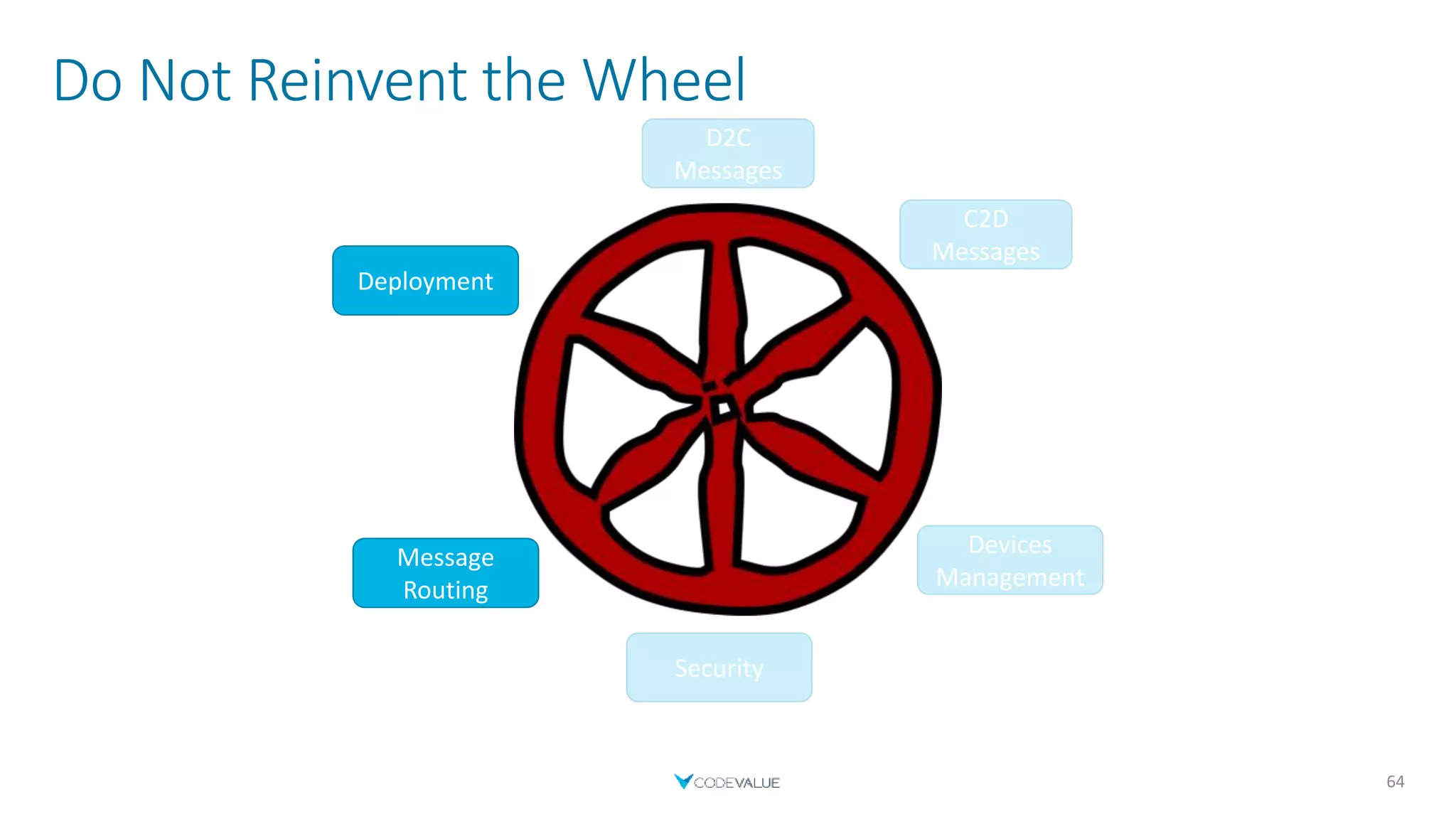
Avoid reinventing the wheel
37
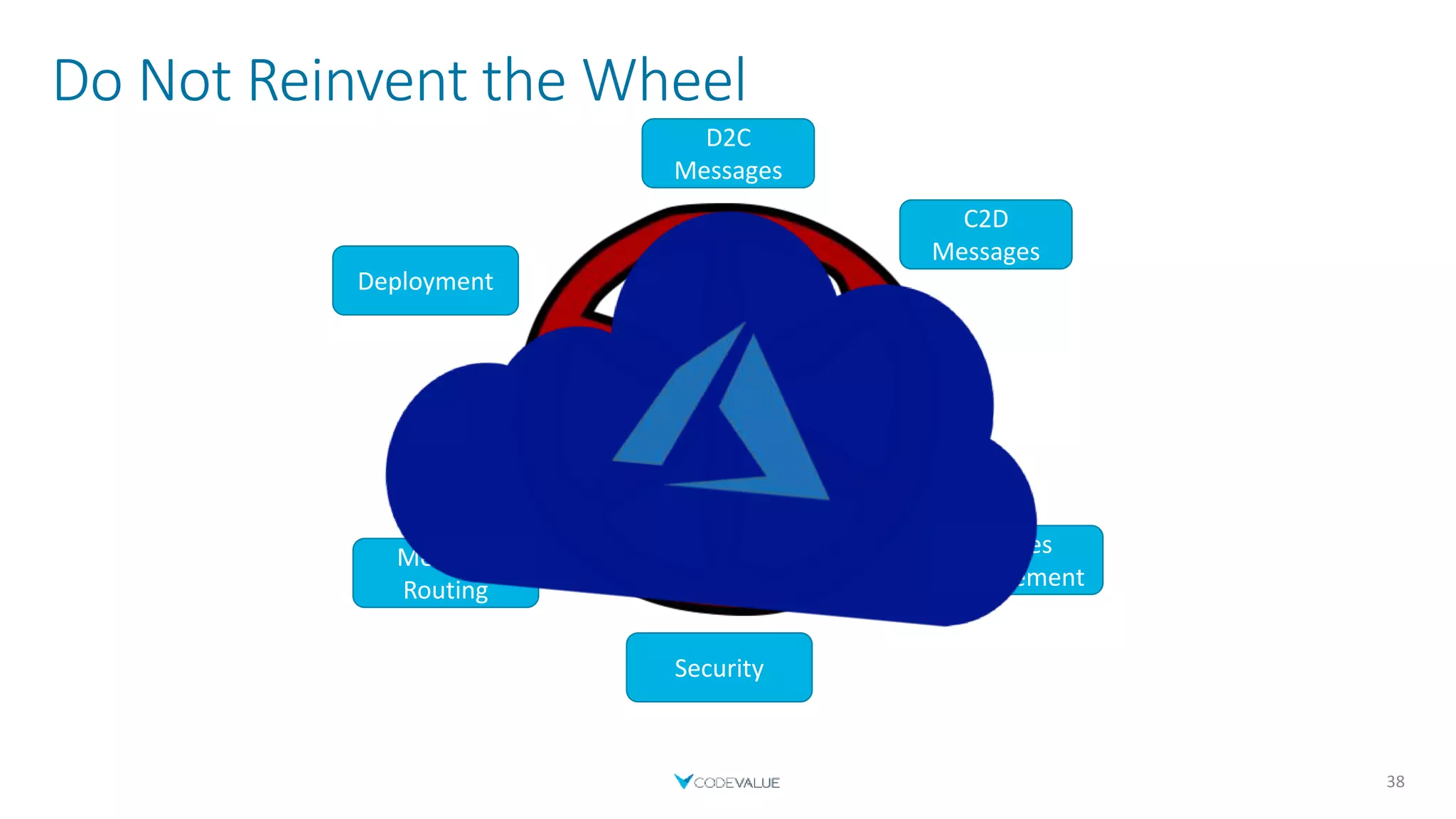
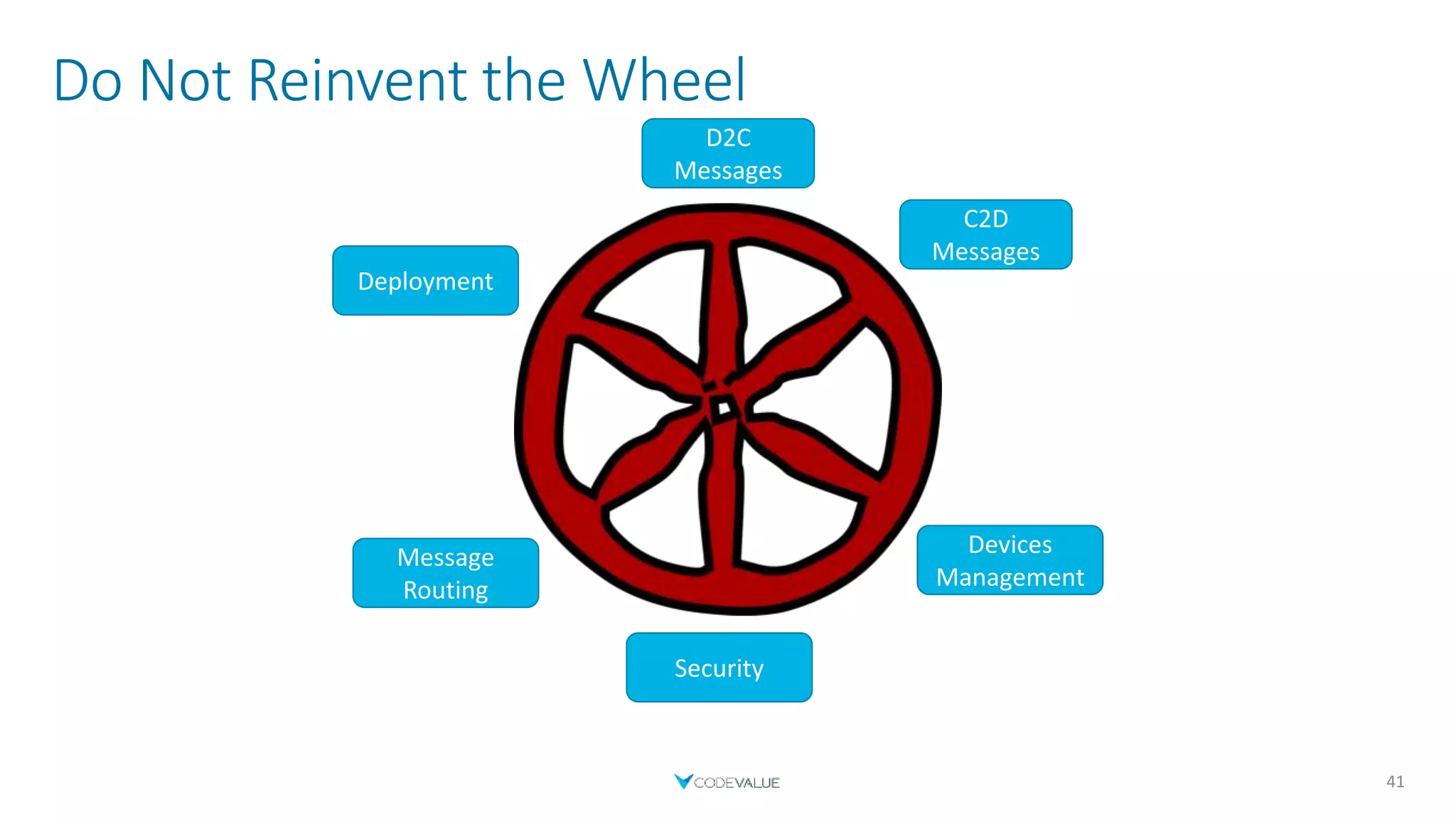
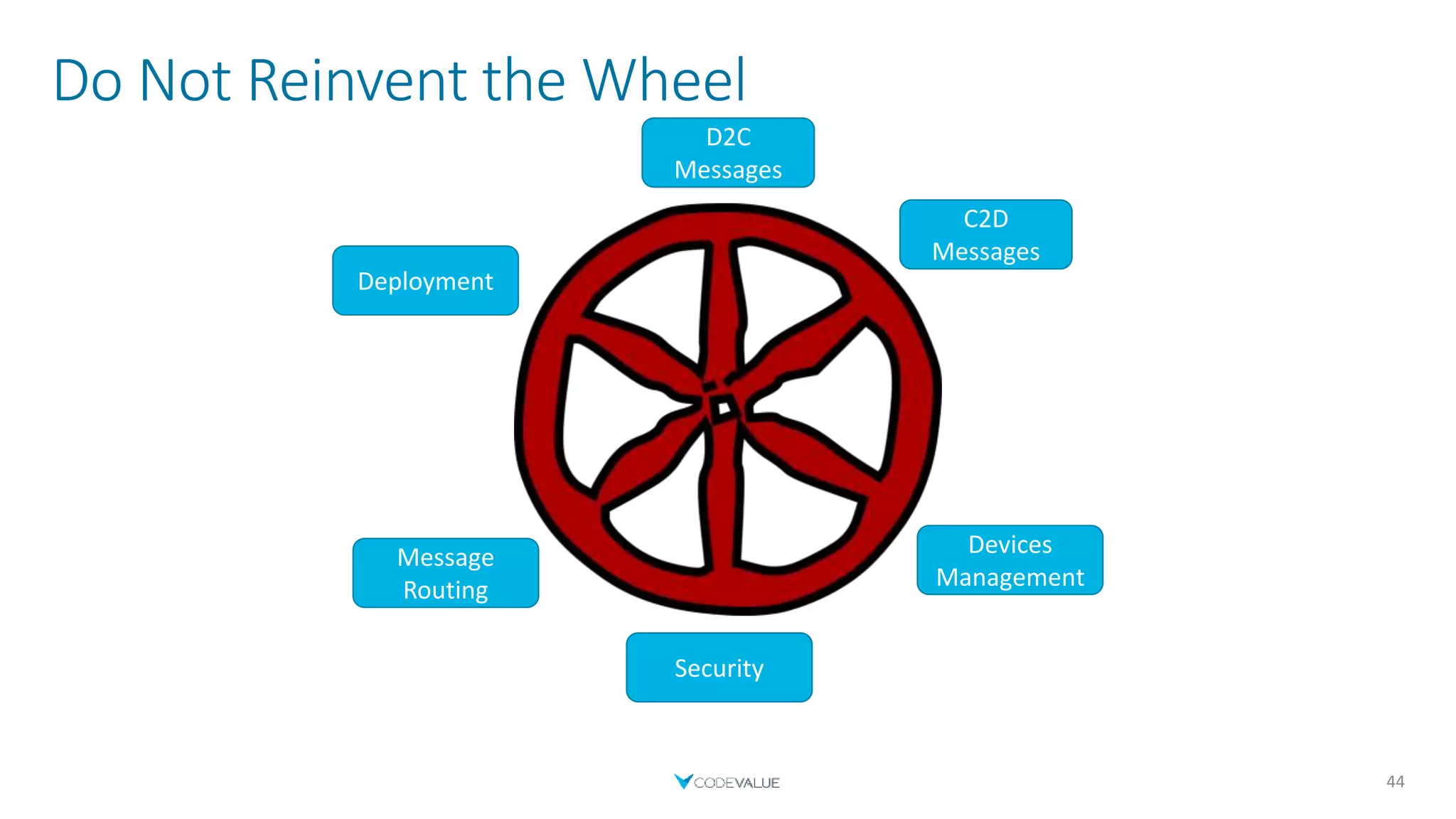
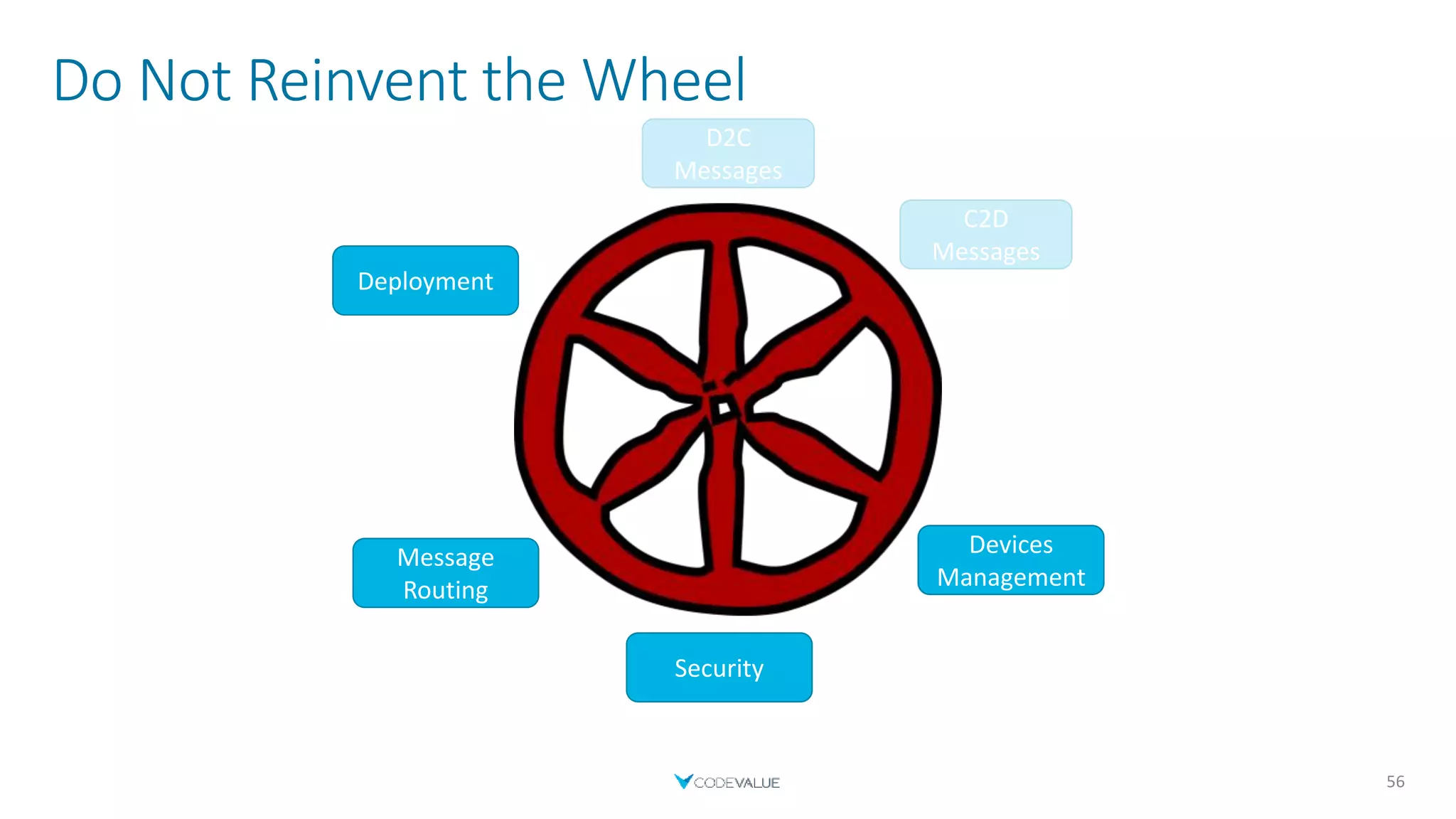
Do Not Reinvent the Wheel
38
D2C
Messages
C2D
Messages
Devices
Management
Security
Message
Routing
Deployment
IoT Hub
 One of Microsoft`s PaaS solutions for building IoT solutions
 Provides the infrastructure for working with devices
 Most of the work is defining the devices and coding
 SDKs for various languages (.NET, Java, Node.js, Python, C, iOS)
 Exposes various endpoints
 Integration with other Azure services
39
IoT Hub - Tiers
 Each tier has 3 paid editions
 Each tier provides higher throughput
 Makes the service more expensive
 Basic tier
 Limited features
 Cheaper (compared with same standard tier edition)
 Standard tier
 All features are available
 More expensive (compared with same basic tier edition)
 Contains a free edition
 Standard Free edition
 1 free IoT Hub allowed per subscription
 Encourages PoC projects
 Same features as the Standard tier (Not same throughput)
40
Do Not Reinvent the Wheel
41
D2C
Messages
C2D
Messages
Devices
Management
Security
Message
Routing
Deployment
Device to Cloud Messages
 Send device telemetry to the cloud
 Using an SDK
 Send a message directly using a protocol
 MQTT (+ over WebSocket)
 AMQP (+ over WebSocket)
 HTTPS
 Uses a connection string to identify the device in the IoT Hub
 Stored by IoT Hub, up to 7 days
 Up to 256-KB messages
 Frequency depends on the selected IoT Hub edition
42
Device to Cloud Messages
43
static async Task Main(string[] args)
{
// Initialize the device client object
DeviceClient deviceClient =
DeviceClient.CreateFromConnectionString("Device_Connection_String");
// Create the message
var data = new { Temperature = 30, Humidity = 37 };
var messageString = JsonConvert.SerializeObject(data);
Message message = new Message(Encoding.ASCII.GetBytes(messageString));
// Send the message
await deviceClient.SendEventAsync(message);
}
Do Not Reinvent the Wheel
44
D2C
Messages
C2D
Messages
Devices
Management
Security
Message
Routing
Deployment
D2C
Messages
Cloud to Device Messages – Regular Messages
 Not awaited
 Stored in the device queue
 If queue is full (>50) - results in an error
 Can Reject or Abandon messages (unless MQTT)
 Can set feedback for each message
45
Cloud to Device Messages
46
static async Task Main(string[] args)
{
// Initialize the device client object
DeviceClient deviceClient =
DeviceClient.CreateFromConnectionString("Device_Connection_String");
// Read message
Message receivedMessage = await deviceClient.ReceiveAsync();
string messageString = Encoding.ASCII.GetString(receivedMessage.GetBytes());
Console.WriteLine($"Received message: {messageString}");
// Acknowledge completion
await deviceClient.CompleteAsync(receivedMessage);}
}
Device
Cloud to Device Messages
47
static async Task Main(string[] args)
{
// Initialize the service client object
ServiceClient serviceClient =
ServiceClient.CreateFromConnectionString("Service_Connection_String");
// Create the message
byte[] messageBytes = Encoding.ASCII.GetBytes("Cloud to device message.");
Message message = new Message(messageBytes);
// Send to a specific device
await serviceClient.SendAsync("myDeviceId", message);
}
Backend
Cloud to Device Messages – Direct Methods
 Initiate an action on the device
 Receive immediate response
 Response contains
 Status Code
 Payload
48
Cloud to Device Messages
49
static async Task Main(string[] args)
{
// Initialize the device client object
DeviceClient deviceClient = DeviceClient.CreateFromConnectionString("Device_Connection_String");
// Register Method
await deviceClient.SetMethodHandlerAsync("GetData", GetData, null);
}
private static Task<MethodResponse> GetData(MethodRequest request, object userContext)
{
string someData = "My Cool Response!";
byte[] dataBytes = Encoding.ASCII.GetBytes(someData);
MethodResponse response = new MethodResponse(dataBytes, 200);
return Task.FromResult(response);
}
Device
Cloud to Device Messages
50
static async Task Main(string[] args)
{
// Initialize the service client object
ServiceClient serviceClient =
ServiceClient.CreateFromConnectionString("Service_Connection_String");
// Create method object
var methodInvocation = new CloudToDeviceMethod("GetData");
methodInvocation.SetPayloadJson("10");
// Invoke the direct method asynchronously and get the response from the simulated device.
CloudToDeviceMethodResult response =
await serviceClient.InvokeDeviceMethodAsync("MyDotnetDevice", methodInvocation);
Console.WriteLine($"Status: {response.Status}. Payload: {response.GetPayloadAsJson()}");
}
Backend
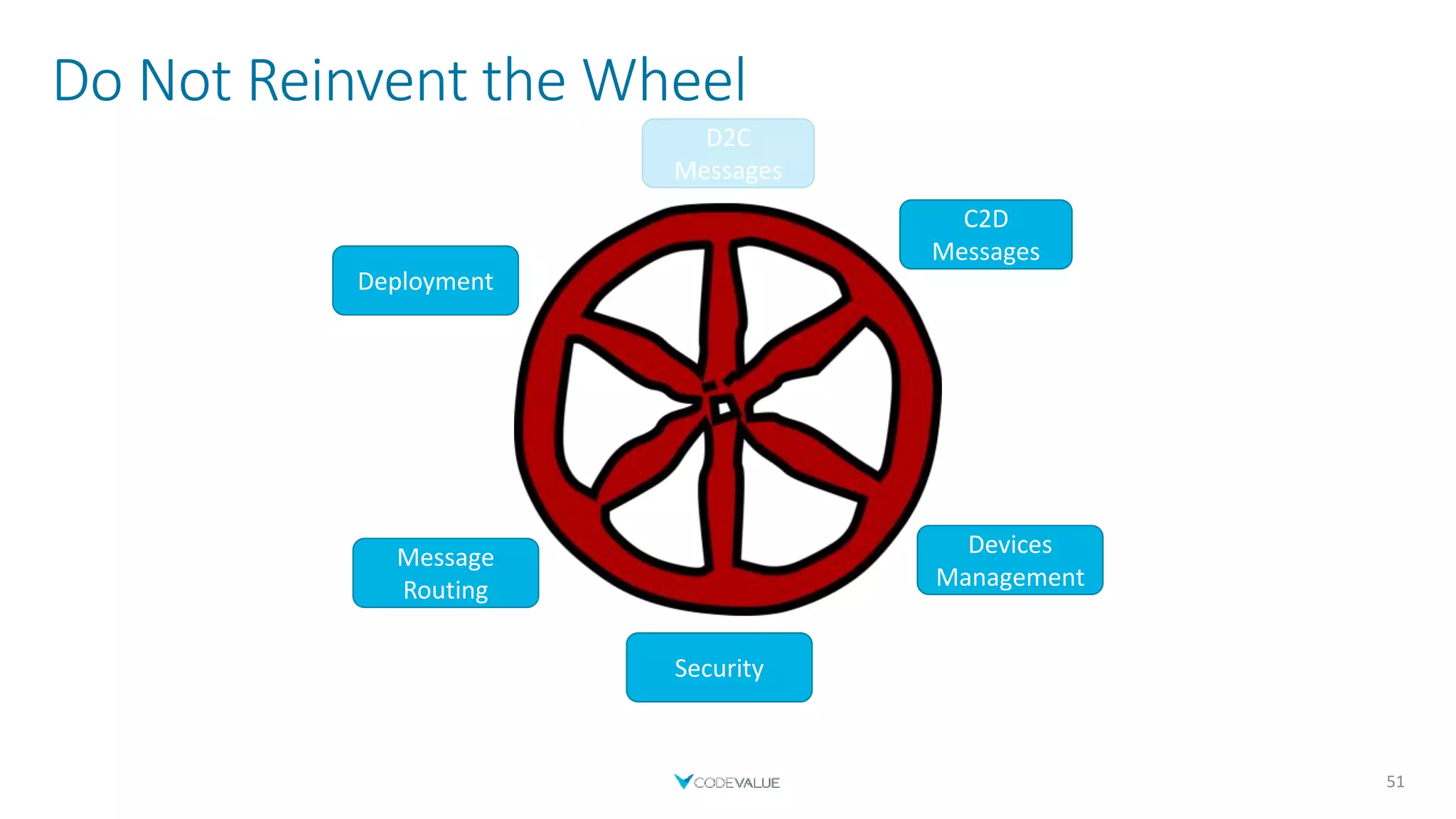
Do Not Reinvent the Wheel
51
C2D
Messages
Devices
Management
Security
Message
Routing
Deployment
D2C
Messages
C2D
Messages
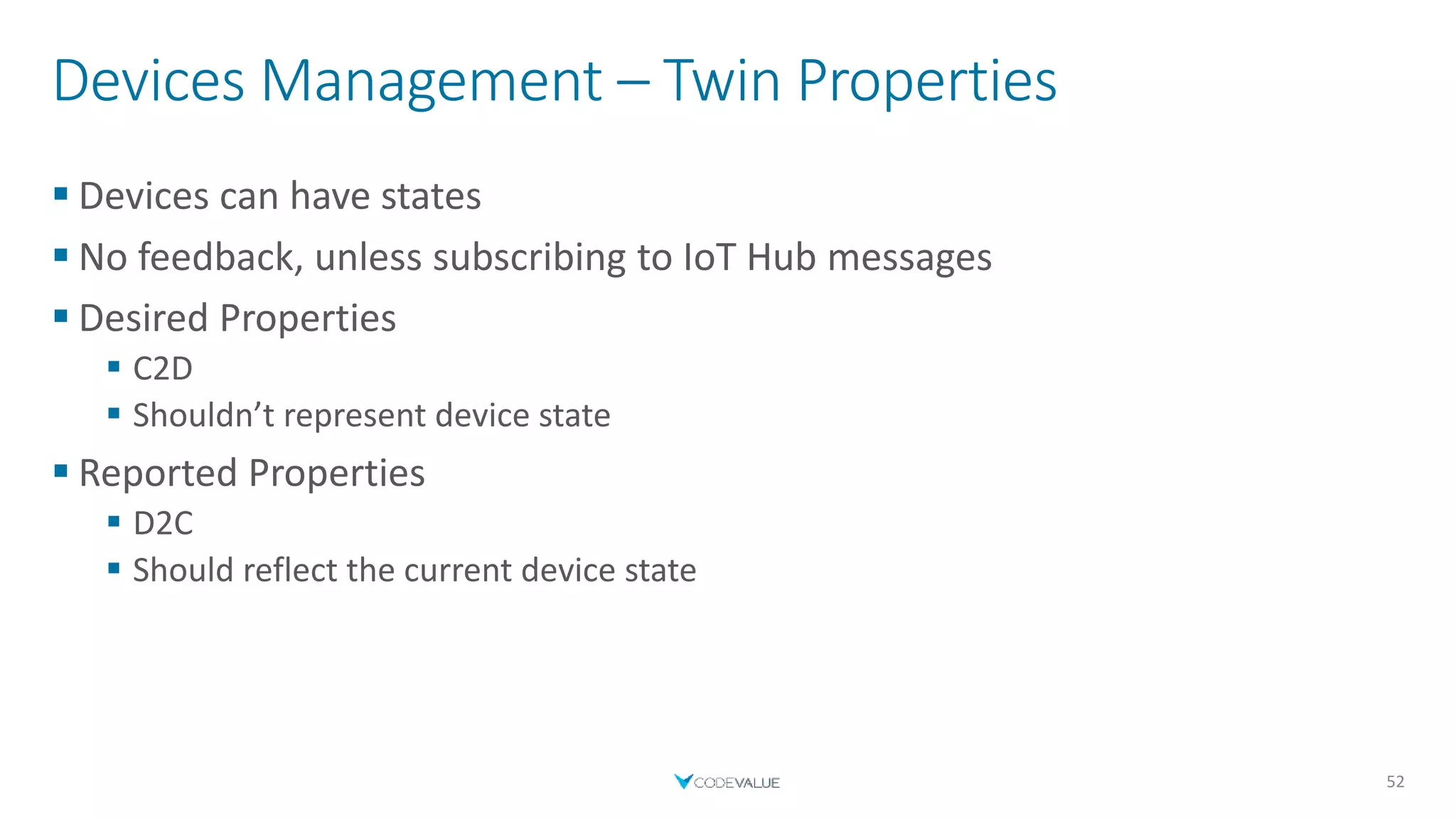
Devices Management – Twin Properties
 Devices can have states
 No feedback, unless subscribing to IoT Hub messages
 Desired Properties
 C2D
 Shouldn’t represent device state
 Reported Properties
 D2C
 Should reflect the current device state
52
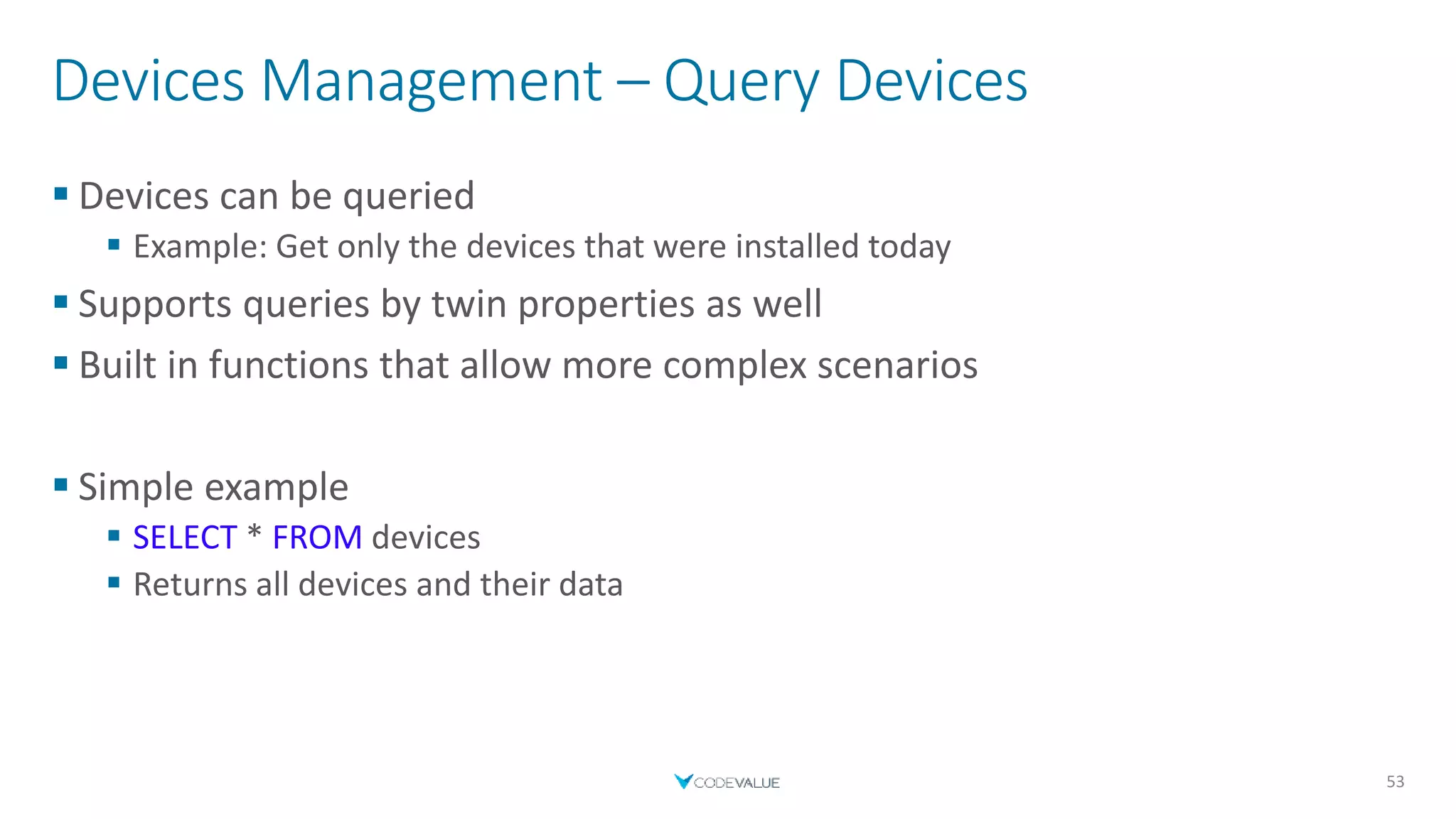
Devices Management – Query Devices
 Devices can be queried
 Example: Get only the devices that were installed today
 Supports queries by twin properties as well
 Built in functions that allow more complex scenarios
 Simple example
 SELECT * FROM devices
 Returns all devices and their data
53
Devices Management – Device Provisioning Service
 Zero-Touch Provisioning
 Single IoT Hub
 Multitenancy
 Solution Isolation
 Geo-Sharding
 Much more scenarios…
54
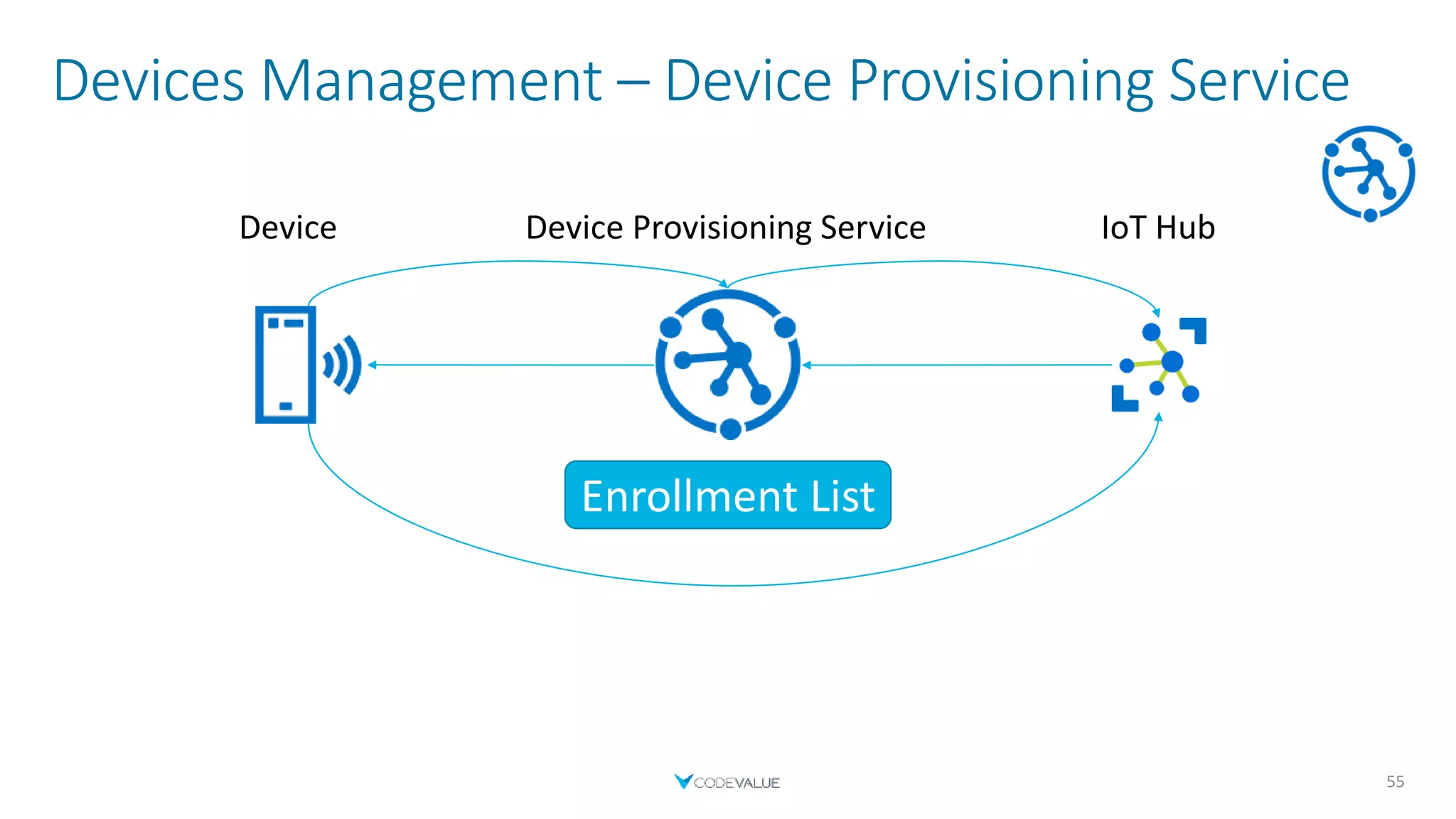
Devices Management – Device Provisioning Service
55
Enrollment List
Device Provisioning ServiceDevice IoT Hub
Do Not Reinvent the Wheel
56
C2D
Messages
Devices
Management
Security
Message
Routing
Deployment
D2C
Messages
Devices
Management
Security
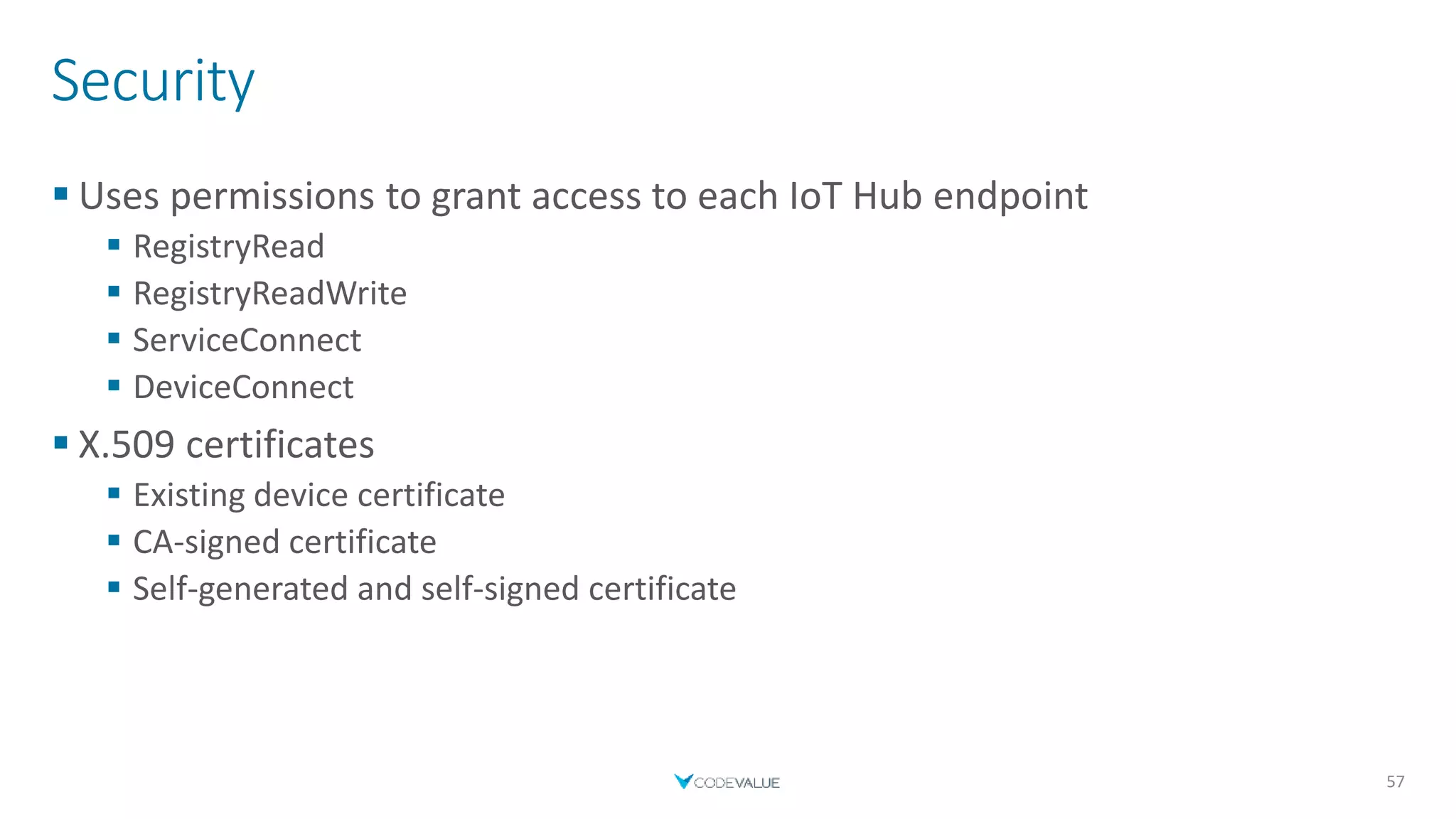
 Uses permissions to grant access to each IoT Hub endpoint
 RegistryRead
 RegistryReadWrite
 ServiceConnect
 DeviceConnect
 X.509 certificates
 Existing device certificate
 CA-signed certificate
 Self-generated and self-signed certificate
57
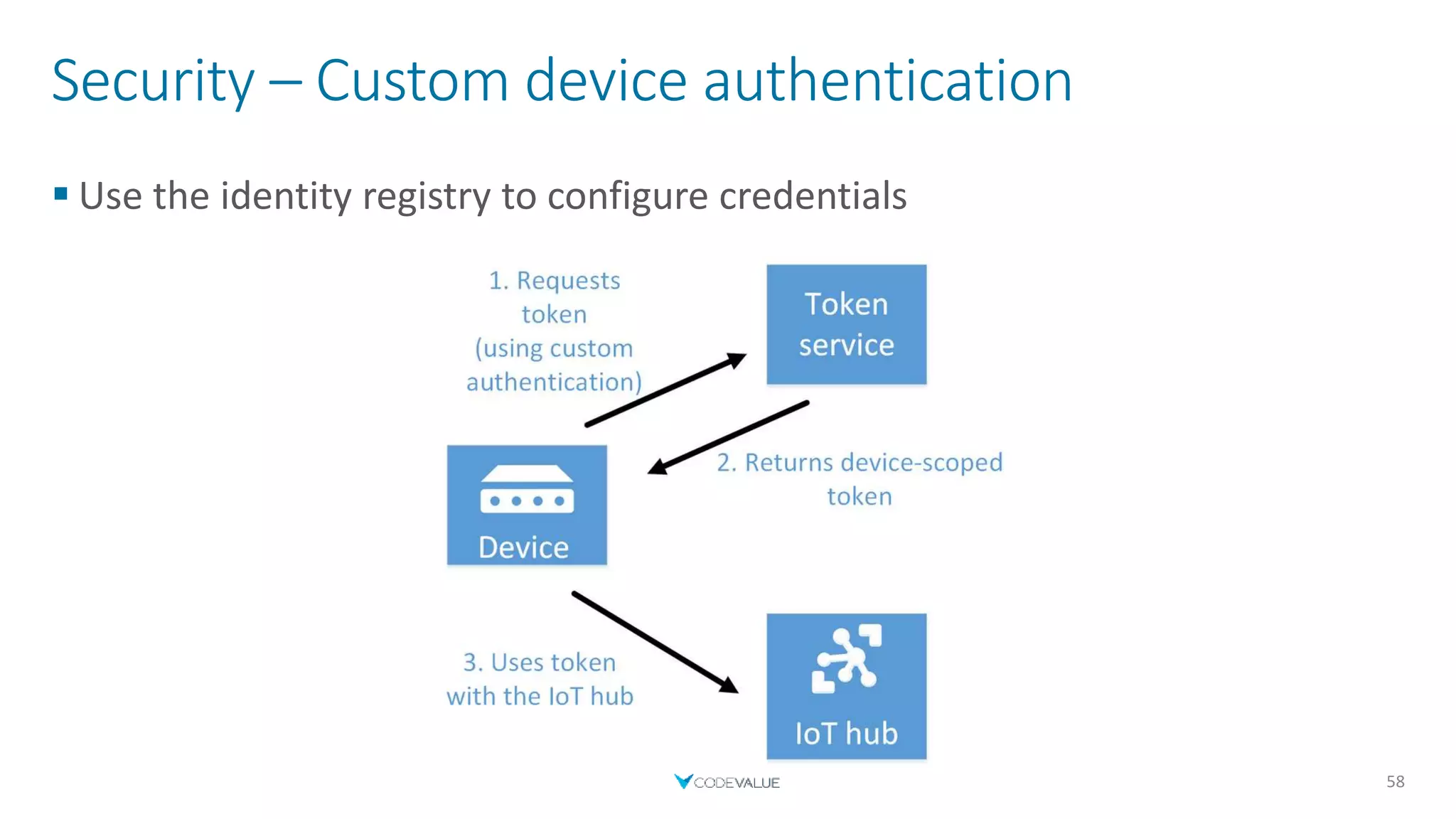
Security – Custom device authentication
 Use the identity registry to configure credentials
58
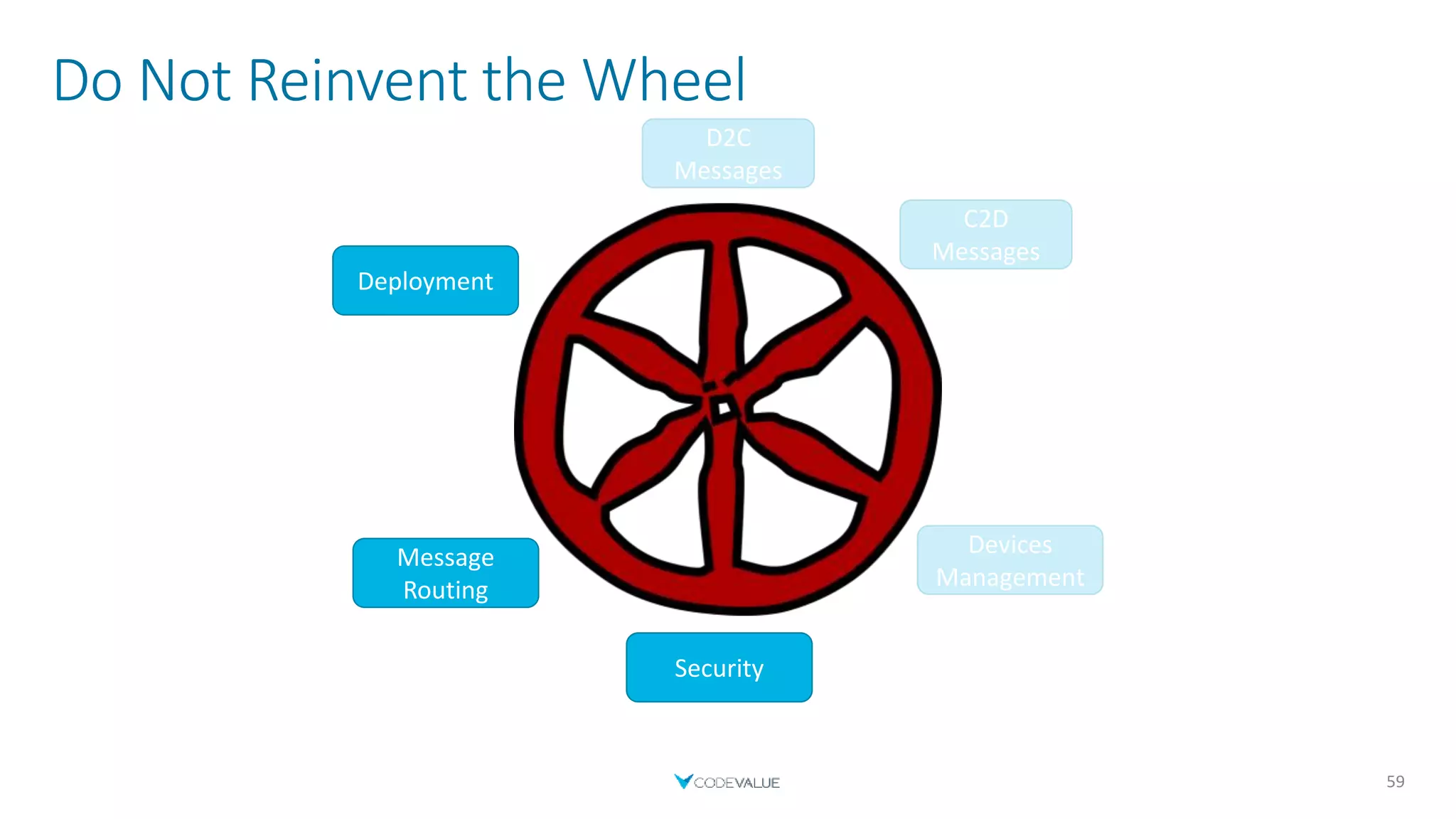
Do Not Reinvent the Wheel
59
C2D
Messages
Devices
Management
Security
Message
Routing
Deployment
D2C
Messages
Security
Message Routing
 Messages have a common format across protocols
 Routes send messages to different endpoints based on a query
 IoT Hub handles routing duplication
 Supports various endpoint types
 Built-in endpoint
 Azure Blob Storage
 Service Bus Queues and Service Bus Topics
 Event Hubs
60
Message Routing – Built-in endpoint & Event Hubs
 The Build-in endpoint is just like any other Event Hub endpoint
 Monitor build-in endpoint messages using Azure IoT Hub Toolkit extension
for VS/VS Code
 Stops receiving messages when another route is created
 Unless a route to the default endpoint is created explicitly
 Can add other Event Hubs for different routes
61
Message Routing – Azure Blob Storage
 Writes batches of data to the blob storage
 When size is reached
 When a certain time windows has passed
 Supports AVRO format only
 JSON format available as a preview
(Not supported in East US, West US and West Europe)
 A file is created for each batch of data
62
Message Routing – Service Bus Queues and Topics
 Session and Duplicate Detection must be disabled
 Endpoint will appear as unreachable if above is not met
63
Do Not Reinvent the Wheel
64
C2D
Messages
Devices
Management
Security
Message
Routing
Deployment
D2C
Messages
Message
Routing
Demo
IoT Hub
Device Deployment
65
*Show a picture of IoT Hub*
Monitoring
Full Solution
70
The Problem
 It is hard to debug remote resources
 Applications are built of small little modules
 Resources can be created and disposed of according to scale
 A monitoring approach is easier to achieve
 And is needed in any case
71
Monitor – Azure Functions
 Logging is your friend
 An ILogger object can be injected to your function
 Use Application Insights to view logs
72
Integration
73
[FunctionName("UpdateUsers")]
public static Task OnDeviceUpdated(
[EventHubTrigger("device-updates", Connection = "EventHubConnectionAppSetting")] EventData myEventHubMessage,
[SignalR(HubName = "updates")]IAsyncCollector<SignalRMessage> signalRMessages,
ILogger log)
{
log.LogDebug($"Body received with {myEventHubMessage.Body.Count} bytes");
string message = Encoding.UTF8.GetString(myEventHubMessage.Body);
log.LogInformation($"Message Extracted: {message}");
//Do something
return signalRMessages.AddAsync(new SignalRMessage
{
Target = "updateReceived",
Arguments = new[] { message }
});
}
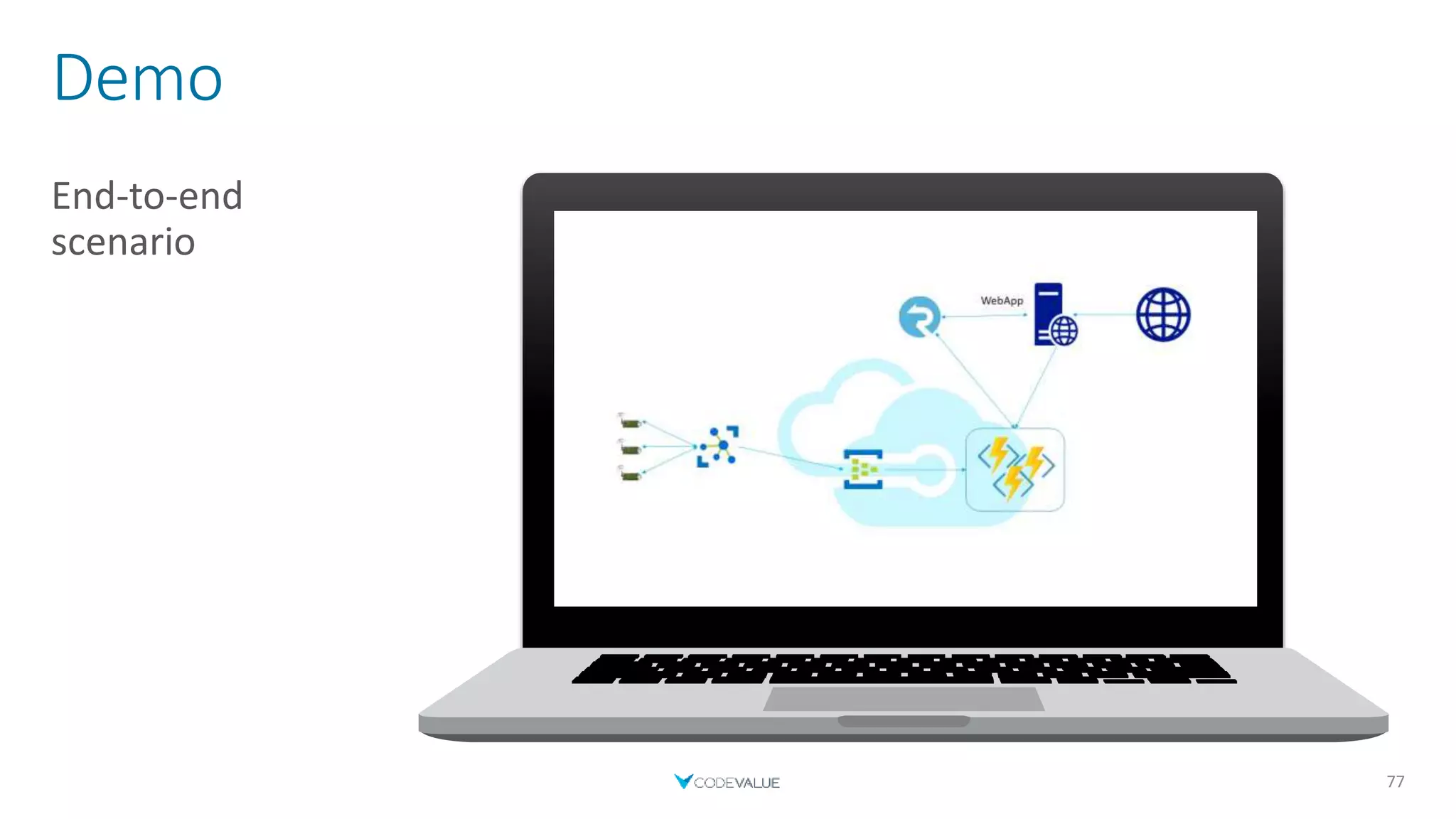
Demo
End-to-end
scenario
77
Summary
78
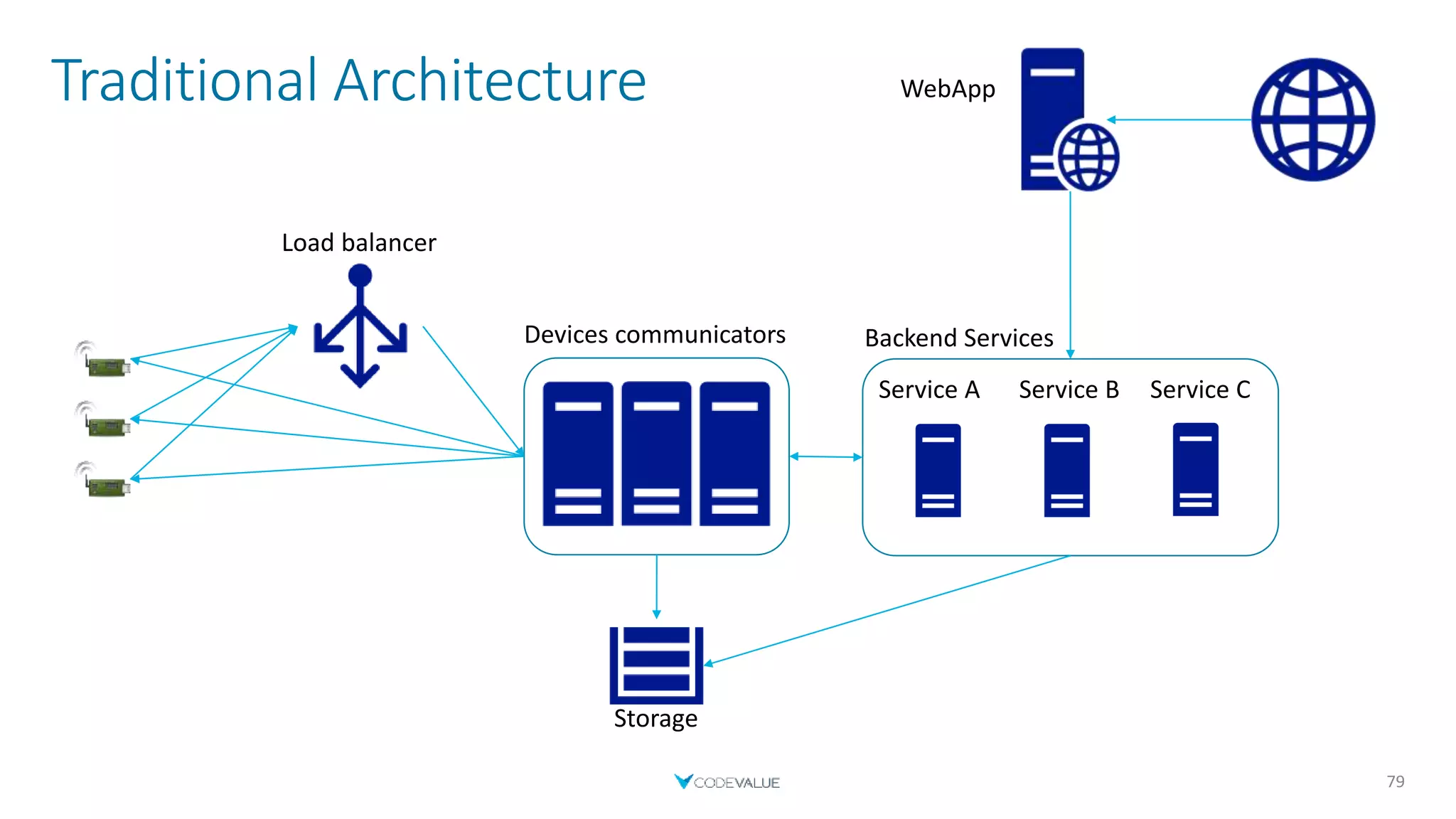
Traditional Architecture
79
Devices communicators
WebApp
Service A
Load balancer
Service B Service C
Backend Services
Storage
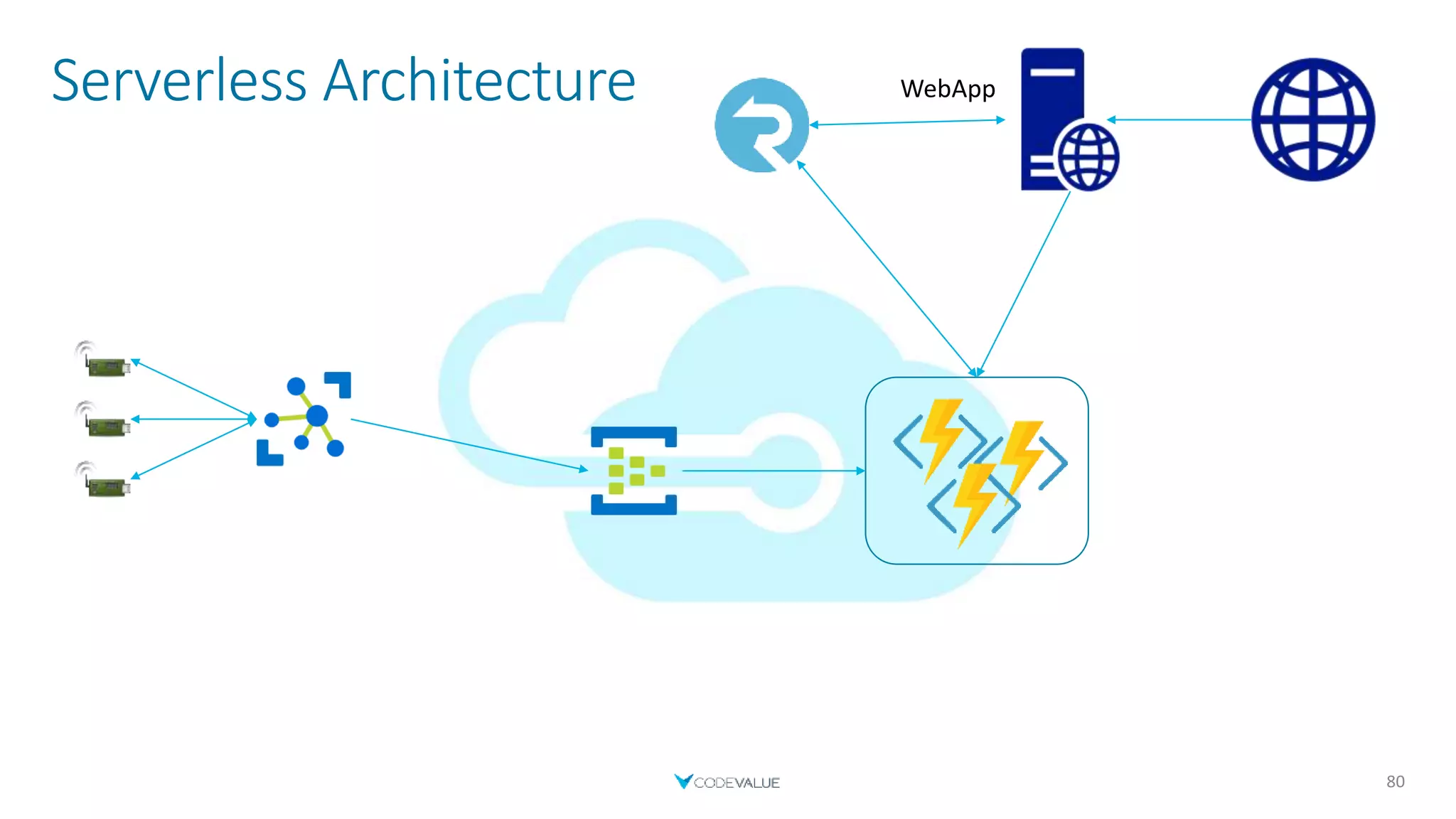
Serverless Architecture
80
WebApp
Summary
 Serverless is not always the option
 But very useful
 Saves money and time
 IoT solutions are available as PaaS
 Don’t reinvent the wheel
 Debugging is not easy, but it is possible
 Monitoring is your friend
81
Ales Pshul
Software Architect & Consultant
@AlexPshul
alexp@codevalue.net
http://pshul.com
http://codevalue.net
Moaid Hathot
Senior Consultant
@MoaidHathot
moaidh@codevalue.net
http://www.moaid.codes
www.codevalue.net

A serverless IoT Story From Design to Production and Monitoring

  • 1.
    A Serverless IoTStory From Design to Production and Monitoring Alex Pshul Software Architect & Consultant @AlexPshul alexp@codevalue.net http://pshul.com http://codevalue.net Moaid Hathot Senior Consultant @MoaidHathot moaidh@codevalue.net http://www.moaid.codes www.codevalue.net
  • 2.
    Vision  Manage aparking lot  Know which parking spot is occupied 3
  • 3.
  • 4.
    Traditional Architecture 5 Devices communicators WebApp ServiceA Load balancer Service B Service C Backend Services Storage
  • 5.
  • 6.
    About Us 7 Alex Pshul Architect, Consultant and lecturer  More than 8 years of hands on experience  Talk to me about:  Software Development  Hardware and Gadgets  Gaming  Animals Moaid Hathot  Software engineer, consultant and code Jedi  Software Craftsmanship advocate  Clean Coder  OzCode Evangelist
  • 7.
  • 8.
    Time & Money Pay per use  Don’t worry about server management  Quicker time to release  Faster to deploy new functionality  Don’t have to manage scaling and load balancing  Focus on business logic instead of servers and boilerplate.  Inherent Auto-Scalability 11
  • 9.
    When to Serverless Logic can be disassembled into small modules  Irregular Workloads  Hard to predict load peaks  Run closer to the user 12
  • 10.
    When not toServerless  Performance is important  A consistently high and predictable workload  Long running tasks that can’t be split into sub-tasks or multiple cycles  Complex computing with high memory/CPU requirements. 13
  • 11.
  • 12.
    Compute - FaaS FaaS – Function as a Service  First mentioned by D. J. Wheeler in 1952- ‘The use of sub-routines in programmes’.  Event-Driven serverless compute  Examples:  Azure Functions  AWS Lambda  Google Cloud Functions 15
  • 13.
    FaaS – AzureFunctions  Trigger Oriented  Input & Output Binding  Dependency Injection  Tackle Cold-Start performance hits by leaving host loaded  Premium Plan  AppService Plan  Supports several frameworks and languages  C#, JavaScript, Java, Python, F#, PowerShell & TypeScript 18
  • 14.
    FaaS - AzureFunctions 19 [FunctionName("EchoFunc")] public static Task<IActionResult> EchoFunc( [HttpTrigger(AuthorizationLevel.Anonymous, "get")] HttpRequest request, ILogger log) { string message = request.Query["message"]; //Do Something var result = new OkObjectResult($"Message received: {message}"); return Task.FromResult((IActionResult) result); }
  • 15.
    FaaS – AzureFunctions - Deployment  Different ways to deploy your functions  Visual Studio  Using FTP  Uploading a zip  Continues deployment  GitHub  Dropbox  Azure DevOps  More… 21
  • 16.
  • 17.
    Events  Process ahigh number of events per second  Decouple communication between components  Store and transform events  Integrate with other services 24
  • 18.
    Events – AzureEventHub  Can receive and process millions of events per second  Support Apache Kafka clients  Integrate with other azure services  Provide SDKs for several frameworks  .Net, Node.js, Java, Python, Go, C, Apache Storm  Enable capturing and storing events  Partitioning 26
  • 19.
    Events – AzureEventHub 27
  • 20.
  • 21.
  • 22.
    Communication – SignalRService  Fully managed  Cross Platform  Easily integrated with other Azure resources  Such as Azure Functions  Provides abstractions  WebSockets, Long Polling or Server-sent events (SSE)  Send message to all or to a subset of users 32
  • 23.
    Integration 33 [FunctionName("UpdateUsers")] public static TaskOnDeviceUpdated( [EventHubTrigger("device-updates", Connection = "EventHubConnectionAppSetting")] EventData myEventHubMessage, [SignalR(HubName = "updates")]IAsyncCollector<SignalRMessage> signalRMessages, ILogger log) { string message = Encoding.UTF8.GetString(myEventHubMessage.Body); //Do something return signalRMessages.AddAsync(new SignalRMessage { Target = "updateReceived", Arguments = new[] { message } }); }
  • 24.
  • 25.
  • 26.
    Do Not Reinventthe Wheel 38 D2C Messages C2D Messages Devices Management Security Message Routing Deployment
  • 27.
    IoT Hub  Oneof Microsoft`s PaaS solutions for building IoT solutions  Provides the infrastructure for working with devices  Most of the work is defining the devices and coding  SDKs for various languages (.NET, Java, Node.js, Python, C, iOS)  Exposes various endpoints  Integration with other Azure services 39
  • 28.
    IoT Hub -Tiers  Each tier has 3 paid editions  Each tier provides higher throughput  Makes the service more expensive  Basic tier  Limited features  Cheaper (compared with same standard tier edition)  Standard tier  All features are available  More expensive (compared with same basic tier edition)  Contains a free edition  Standard Free edition  1 free IoT Hub allowed per subscription  Encourages PoC projects  Same features as the Standard tier (Not same throughput) 40
  • 29.
    Do Not Reinventthe Wheel 41 D2C Messages C2D Messages Devices Management Security Message Routing Deployment
  • 30.
    Device to CloudMessages  Send device telemetry to the cloud  Using an SDK  Send a message directly using a protocol  MQTT (+ over WebSocket)  AMQP (+ over WebSocket)  HTTPS  Uses a connection string to identify the device in the IoT Hub  Stored by IoT Hub, up to 7 days  Up to 256-KB messages  Frequency depends on the selected IoT Hub edition 42
  • 31.
    Device to CloudMessages 43 static async Task Main(string[] args) { // Initialize the device client object DeviceClient deviceClient = DeviceClient.CreateFromConnectionString("Device_Connection_String"); // Create the message var data = new { Temperature = 30, Humidity = 37 }; var messageString = JsonConvert.SerializeObject(data); Message message = new Message(Encoding.ASCII.GetBytes(messageString)); // Send the message await deviceClient.SendEventAsync(message); }
  • 32.
    Do Not Reinventthe Wheel 44 D2C Messages C2D Messages Devices Management Security Message Routing Deployment D2C Messages
  • 33.
    Cloud to DeviceMessages – Regular Messages  Not awaited  Stored in the device queue  If queue is full (>50) - results in an error  Can Reject or Abandon messages (unless MQTT)  Can set feedback for each message 45
  • 34.
    Cloud to DeviceMessages 46 static async Task Main(string[] args) { // Initialize the device client object DeviceClient deviceClient = DeviceClient.CreateFromConnectionString("Device_Connection_String"); // Read message Message receivedMessage = await deviceClient.ReceiveAsync(); string messageString = Encoding.ASCII.GetString(receivedMessage.GetBytes()); Console.WriteLine($"Received message: {messageString}"); // Acknowledge completion await deviceClient.CompleteAsync(receivedMessage);} } Device
  • 35.
    Cloud to DeviceMessages 47 static async Task Main(string[] args) { // Initialize the service client object ServiceClient serviceClient = ServiceClient.CreateFromConnectionString("Service_Connection_String"); // Create the message byte[] messageBytes = Encoding.ASCII.GetBytes("Cloud to device message."); Message message = new Message(messageBytes); // Send to a specific device await serviceClient.SendAsync("myDeviceId", message); } Backend
  • 36.
    Cloud to DeviceMessages – Direct Methods  Initiate an action on the device  Receive immediate response  Response contains  Status Code  Payload 48
  • 37.
    Cloud to DeviceMessages 49 static async Task Main(string[] args) { // Initialize the device client object DeviceClient deviceClient = DeviceClient.CreateFromConnectionString("Device_Connection_String"); // Register Method await deviceClient.SetMethodHandlerAsync("GetData", GetData, null); } private static Task<MethodResponse> GetData(MethodRequest request, object userContext) { string someData = "My Cool Response!"; byte[] dataBytes = Encoding.ASCII.GetBytes(someData); MethodResponse response = new MethodResponse(dataBytes, 200); return Task.FromResult(response); } Device
  • 38.
    Cloud to DeviceMessages 50 static async Task Main(string[] args) { // Initialize the service client object ServiceClient serviceClient = ServiceClient.CreateFromConnectionString("Service_Connection_String"); // Create method object var methodInvocation = new CloudToDeviceMethod("GetData"); methodInvocation.SetPayloadJson("10"); // Invoke the direct method asynchronously and get the response from the simulated device. CloudToDeviceMethodResult response = await serviceClient.InvokeDeviceMethodAsync("MyDotnetDevice", methodInvocation); Console.WriteLine($"Status: {response.Status}. Payload: {response.GetPayloadAsJson()}"); } Backend
  • 39.
    Do Not Reinventthe Wheel 51 C2D Messages Devices Management Security Message Routing Deployment D2C Messages C2D Messages
  • 40.
    Devices Management –Twin Properties  Devices can have states  No feedback, unless subscribing to IoT Hub messages  Desired Properties  C2D  Shouldn’t represent device state  Reported Properties  D2C  Should reflect the current device state 52
  • 41.
    Devices Management –Query Devices  Devices can be queried  Example: Get only the devices that were installed today  Supports queries by twin properties as well  Built in functions that allow more complex scenarios  Simple example  SELECT * FROM devices  Returns all devices and their data 53
  • 42.
    Devices Management –Device Provisioning Service  Zero-Touch Provisioning  Single IoT Hub  Multitenancy  Solution Isolation  Geo-Sharding  Much more scenarios… 54
  • 43.
    Devices Management –Device Provisioning Service 55 Enrollment List Device Provisioning ServiceDevice IoT Hub
  • 44.
    Do Not Reinventthe Wheel 56 C2D Messages Devices Management Security Message Routing Deployment D2C Messages Devices Management
  • 45.
    Security  Uses permissionsto grant access to each IoT Hub endpoint  RegistryRead  RegistryReadWrite  ServiceConnect  DeviceConnect  X.509 certificates  Existing device certificate  CA-signed certificate  Self-generated and self-signed certificate 57
  • 46.
    Security – Customdevice authentication  Use the identity registry to configure credentials 58
  • 47.
    Do Not Reinventthe Wheel 59 C2D Messages Devices Management Security Message Routing Deployment D2C Messages Security
  • 48.
    Message Routing  Messageshave a common format across protocols  Routes send messages to different endpoints based on a query  IoT Hub handles routing duplication  Supports various endpoint types  Built-in endpoint  Azure Blob Storage  Service Bus Queues and Service Bus Topics  Event Hubs 60
  • 49.
    Message Routing –Built-in endpoint & Event Hubs  The Build-in endpoint is just like any other Event Hub endpoint  Monitor build-in endpoint messages using Azure IoT Hub Toolkit extension for VS/VS Code  Stops receiving messages when another route is created  Unless a route to the default endpoint is created explicitly  Can add other Event Hubs for different routes 61
  • 50.
    Message Routing –Azure Blob Storage  Writes batches of data to the blob storage  When size is reached  When a certain time windows has passed  Supports AVRO format only  JSON format available as a preview (Not supported in East US, West US and West Europe)  A file is created for each batch of data 62
  • 51.
    Message Routing –Service Bus Queues and Topics  Session and Duplicate Detection must be disabled  Endpoint will appear as unreachable if above is not met 63
  • 52.
    Do Not Reinventthe Wheel 64 C2D Messages Devices Management Security Message Routing Deployment D2C Messages Message Routing
  • 53.
  • 54.
  • 55.
    The Problem  Itis hard to debug remote resources  Applications are built of small little modules  Resources can be created and disposed of according to scale  A monitoring approach is easier to achieve  And is needed in any case 71
  • 56.
    Monitor – AzureFunctions  Logging is your friend  An ILogger object can be injected to your function  Use Application Insights to view logs 72
  • 57.
    Integration 73 [FunctionName("UpdateUsers")] public static TaskOnDeviceUpdated( [EventHubTrigger("device-updates", Connection = "EventHubConnectionAppSetting")] EventData myEventHubMessage, [SignalR(HubName = "updates")]IAsyncCollector<SignalRMessage> signalRMessages, ILogger log) { log.LogDebug($"Body received with {myEventHubMessage.Body.Count} bytes"); string message = Encoding.UTF8.GetString(myEventHubMessage.Body); log.LogInformation($"Message Extracted: {message}"); //Do something return signalRMessages.AddAsync(new SignalRMessage { Target = "updateReceived", Arguments = new[] { message } }); }
  • 58.
  • 59.
  • 60.
    Traditional Architecture 79 Devices communicators WebApp ServiceA Load balancer Service B Service C Backend Services Storage
  • 61.
  • 62.
    Summary  Serverless isnot always the option  But very useful  Saves money and time  IoT solutions are available as PaaS  Don’t reinvent the wheel  Debugging is not easy, but it is possible  Monitoring is your friend 81
  • 63.
    Ales Pshul Software Architect& Consultant @AlexPshul alexp@codevalue.net http://pshul.com http://codevalue.net Moaid Hathot Senior Consultant @MoaidHathot moaidh@codevalue.net http://www.moaid.codes www.codevalue.net