Sociology 317
cc: puntxote - https://www.flickr.com/photos/32432770@N06
HOME PAGE
NEW LIBRARY
cc: M i x y - https://www.flickr.com/photos/25159380@N00
What’s new?
1. Most important links are under big
search box
2. Big search box replaces our old
library catalog
3. You can now get items from every
single CSU Campus
Contains the databases: SocIndex, Sociological Abstracts, Psycinfo and ERIC
ONESEARCH
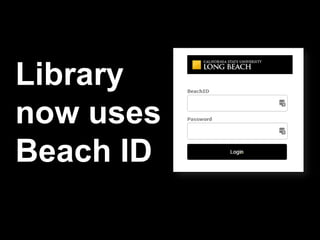
Library
now uses
Beach ID
What are the main issues.
Think of terms and variables that
characterize your thesis topic.
Think about what discipline in
addition to sociology would
research your topic.
Constructing searches
cc: puntxote - https://www.flickr.com/photos/32432770@N06
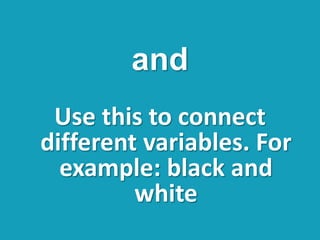
Use this to connect
different variables. For
example: black and
white
and
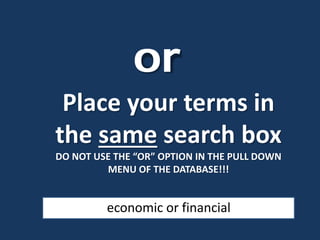
Place your terms in
the same search box
DO NOT USE THE “OR” OPTION IN THE PULL DOWN
MENU OF THE DATABASE!!!
or
economic or financial
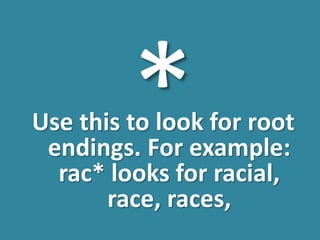
Use this to look for root
endings. For example:
rac* looks for racial,
race, races,
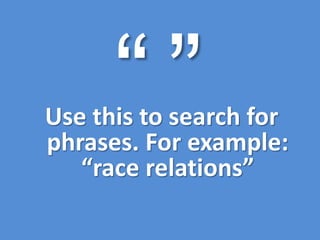
cUse this to search for
phrases. For example:
“race relations”
Pick the
correct
sources of
information
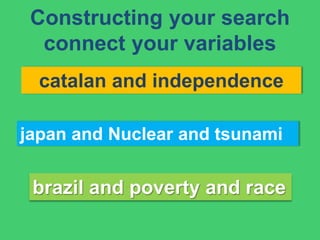
Constructing your search
connect your variables
catalan and independence
japan and Nuclear and tsunami
brazil and poverty and race
Photo by Jpek - Creative Commons Attribution-NonCommercial-ShareAlike License https://www.flickr.com/photos/95126063@N00 Created with Haiku Deck
Finding the article
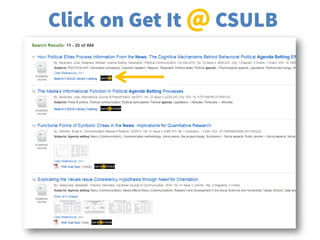
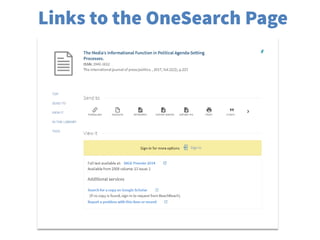
PDF - HTML - Full Text - Get it @ CSULB
cc: hartlandmartin - https://www.flickr.com/photos/83631655@N00
Click on Get It @ CSULB
Links to the OneSearch Page
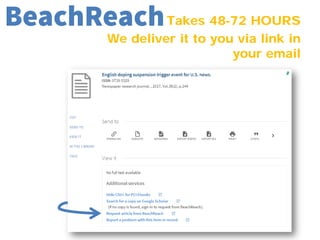
Takes 48-72 HOURS
We deliver it to you via link in
your email
BeachReach
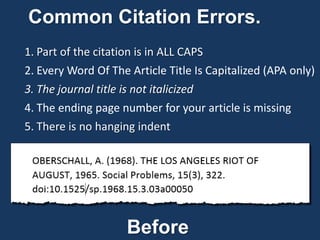
Common Citation Errors.
1. Part of the citation is in ALL CAPS
2. Every Word Of The Article Title Is Capitalized (APA only)
3. The journal title is not italicized
4. The ending page number for your article is missing
5. There is no hanging indent
Before
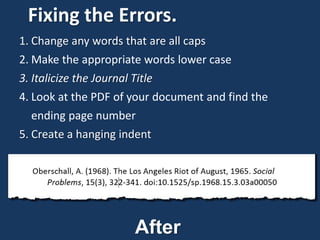
Fixing the Errors.
1. Change any words that are all caps
2. Make the appropriate words lower case
3. Italicize the Journal Title
4. Look at the PDF of your document and find the
ending page number
5. Create a hanging indent
After
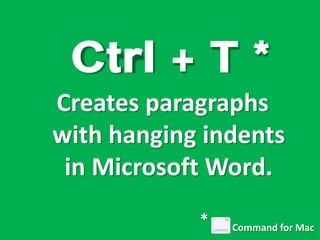
Ctrl + T *
Creates paragraphs
with hanging indents
in Microsoft Word.
Command for Mac
*
Photo by Hammonton Photography - Creative Commons Attribution-NonCommercial License https://www.flickr.com/photos/25880282@N04 Created with Haiku Deck

Sociology 317

  • 1.
    Sociology 317 cc: puntxote- https://www.flickr.com/photos/32432770@N06
  • 2.
    HOME PAGE NEW LIBRARY cc:M i x y - https://www.flickr.com/photos/25159380@N00
  • 3.
    What’s new? 1. Mostimportant links are under big search box 2. Big search box replaces our old library catalog 3. You can now get items from every single CSU Campus
  • 4.
    Contains the databases:SocIndex, Sociological Abstracts, Psycinfo and ERIC ONESEARCH
  • 5.
  • 6.
    What are themain issues. Think of terms and variables that characterize your thesis topic. Think about what discipline in addition to sociology would research your topic.
  • 7.
    Constructing searches cc: puntxote- https://www.flickr.com/photos/32432770@N06
  • 8.
    Use this toconnect different variables. For example: black and white and
  • 9.
    Place your termsin the same search box DO NOT USE THE “OR” OPTION IN THE PULL DOWN MENU OF THE DATABASE!!! or economic or financial
  • 10.
    Use this tolook for root endings. For example: rac* looks for racial, race, races,
  • 11.
    cUse this tosearch for phrases. For example: “race relations”
  • 12.
  • 13.
    Constructing your search connectyour variables catalan and independence japan and Nuclear and tsunami brazil and poverty and race
  • 14.
    Photo by Jpek- Creative Commons Attribution-NonCommercial-ShareAlike License https://www.flickr.com/photos/95126063@N00 Created with Haiku Deck
  • 15.
    Finding the article PDF- HTML - Full Text - Get it @ CSULB cc: hartlandmartin - https://www.flickr.com/photos/83631655@N00
  • 16.
    Click on GetIt @ CSULB
  • 17.
    Links to theOneSearch Page
  • 18.
    Takes 48-72 HOURS Wedeliver it to you via link in your email BeachReach
  • 19.
    Common Citation Errors. 1.Part of the citation is in ALL CAPS 2. Every Word Of The Article Title Is Capitalized (APA only) 3. The journal title is not italicized 4. The ending page number for your article is missing 5. There is no hanging indent Before
  • 20.
    Fixing the Errors. 1.Change any words that are all caps 2. Make the appropriate words lower case 3. Italicize the Journal Title 4. Look at the PDF of your document and find the ending page number 5. Create a hanging indent After
  • 21.
    Ctrl + T* Creates paragraphs with hanging indents in Microsoft Word. Command for Mac *
  • 22.
    Photo by HammontonPhotography - Creative Commons Attribution-NonCommercial License https://www.flickr.com/photos/25880282@N04 Created with Haiku Deck