Good web design
lists
HTML List Terminology
Courses open for enrolment:
 MSWORD
 MS EXCEL
 MS ACCESS
 MS OUTLOOK
 MS PUBLISHER
Payment options:
1. Cash payment of full course amount.
2. Monthly instalment-plan.
3. Two half-yearly payments.
4. Sponsored agreement option – subject to approval
of application
Accommodation options:
A. Hostel accommodation.
B. Student housing option.
C. Hotel booking for duration of course.
Unordered List
(ul)
Ordered List
(ol)
Ordered List
(ol)
List item (li)
List item (li)
List item (li)
List item (li)
List item (li)
List item (li)
List item (li)
List item (li)
List item (li)
List item (li)
List item (li)
List item (li)
Creating an unordered
list:
Specify that we want to start an unordered list in our page:
<ul>
Now we need to add each item in the list like this:
<li> List your item here </li>
After we finished adding the list items, we need to tell html that
our list is now complete:
</ul>
Lets play around…
add heading :” GautengTourist attractions”
Create the following unordered list:
• Maropeng “cradle of humankind”
• Museum Africa
• Gandhi Square
• ORTambo memorial
Your page should look like…
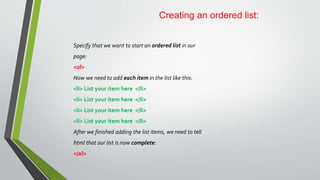
Creating an ordered list:
Specify that we want to start an ordered list in our
page:
<ol>
Now we need to add each item in the list like this:
<li> List your item here </li>
After we finished adding the list items, we need to tell
html that our list is now complete:
</ol>
Number/Bullet formats:
Default bullet format in unordered list: 
Default number format in ordered list: 1.
To change the default type of number format used:
<ol type=“1”> will use 1. 2. 3. 4. Closing tag stays </ol>
<ol type=“A”> will use A. B. C. D. Closing tag stays </ol>
<ol type=“a”> will use a. b. c. d. Closing tag stays </ol>
<ol type=“i”> will use i. ii. ii. iv. Closing tag stays </ol>
<ol type=“I”> will use I. II. III. IV. Closing tag stays </ol>
To change the default type of bullet format used:
<ul type=“disk”> will use  Closing tag stays </ul>
<ul type=“circle”> will use  Closing tag stays </ul>
<ul type=“square”> will use  Closing tag stays </ul>

Good web design

  • 1.
  • 2.
    HTML List Terminology Coursesopen for enrolment:  MSWORD  MS EXCEL  MS ACCESS  MS OUTLOOK  MS PUBLISHER Payment options: 1. Cash payment of full course amount. 2. Monthly instalment-plan. 3. Two half-yearly payments. 4. Sponsored agreement option – subject to approval of application Accommodation options: A. Hostel accommodation. B. Student housing option. C. Hotel booking for duration of course. Unordered List (ul) Ordered List (ol) Ordered List (ol) List item (li) List item (li) List item (li) List item (li) List item (li) List item (li) List item (li) List item (li) List item (li) List item (li) List item (li) List item (li)
  • 3.
    Creating an unordered list: Specifythat we want to start an unordered list in our page: <ul> Now we need to add each item in the list like this: <li> List your item here </li> <li> List your item here </li> <li> List your item here </li> <li> List your item here </li> After we finished adding the list items, we need to tell html that our list is now complete: </ul>
  • 4.
    Lets play around… addheading :” GautengTourist attractions” Create the following unordered list: • Maropeng “cradle of humankind” • Museum Africa • Gandhi Square • ORTambo memorial
  • 5.
    Your page shouldlook like…
  • 6.
    Creating an orderedlist: Specify that we want to start an ordered list in our page: <ol> Now we need to add each item in the list like this: <li> List your item here </li> <li> List your item here </li> <li> List your item here </li> <li> List your item here </li> After we finished adding the list items, we need to tell html that our list is now complete: </ol>
  • 7.
    Number/Bullet formats: Default bulletformat in unordered list:  Default number format in ordered list: 1. To change the default type of number format used: <ol type=“1”> will use 1. 2. 3. 4. Closing tag stays </ol> <ol type=“A”> will use A. B. C. D. Closing tag stays </ol> <ol type=“a”> will use a. b. c. d. Closing tag stays </ol> <ol type=“i”> will use i. ii. ii. iv. Closing tag stays </ol> <ol type=“I”> will use I. II. III. IV. Closing tag stays </ol> To change the default type of bullet format used: <ul type=“disk”> will use  Closing tag stays </ul> <ul type=“circle”> will use  Closing tag stays </ul> <ul type=“square”> will use  Closing tag stays </ul>