Researcher KnowHow:
Literature searching tips and tricks
Please turn microphones off and use
the chat box to ask questions
Say hello and share your research
area with us in the chat box 
Introductions
Catherine McManamon, Liaison Librarian, Histories, Languages and Cultures.
Helping today:
Clair Sharpe, Liaison Librarian, Chemistry - Earth, Ocean & Ecological Sciences - Geography & Planning
Objectives
• Plan an effective search
• Identify discovery tools for your subject area
• Perform effective searches
• Refine searches to improve results
• Perform cited reference searches
• Record and review strategy for later use
• Broad principles that can be applied for general literature searching (journal content
and books)
• Applies to many academic databases – though precise functionality can vary
• Literature searching – NOT a systematic review
Content
Discussion
• How do you search?
Starting a search
• Don’t start at a search engine
• Define what you are searching for
• Decide where to search
• Plan your strategy
• Search and review your results
Identify your key concepts
• QUESTION:
“What is the impact of learner motivation in learning English as a second language?”
• KEY CONCEPTS
Learner Motivation English as a second language
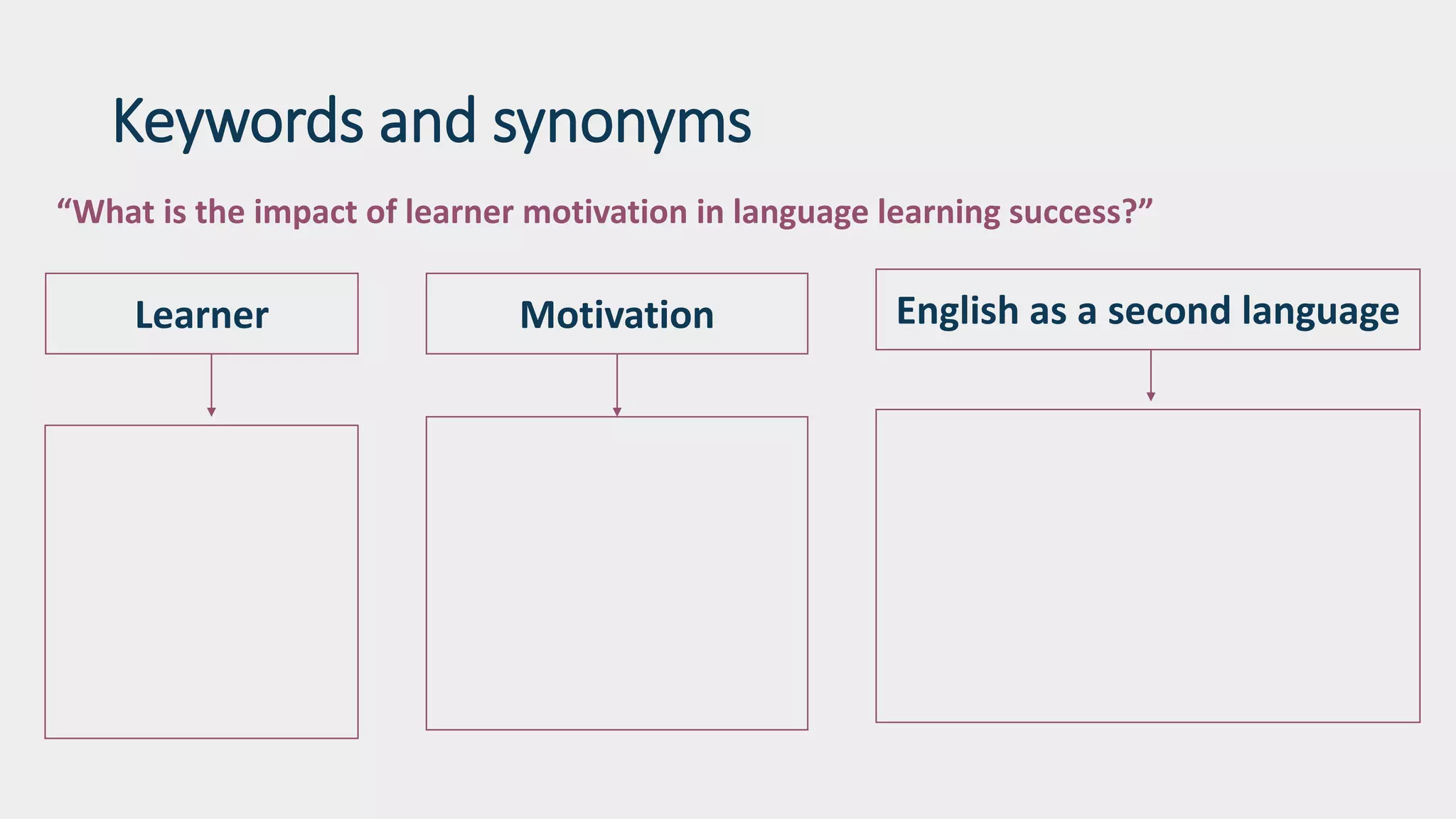
Keywords and synonyms
“What is the impact of learner motivation in language learning success?”
English as a second languageMotivationLearner
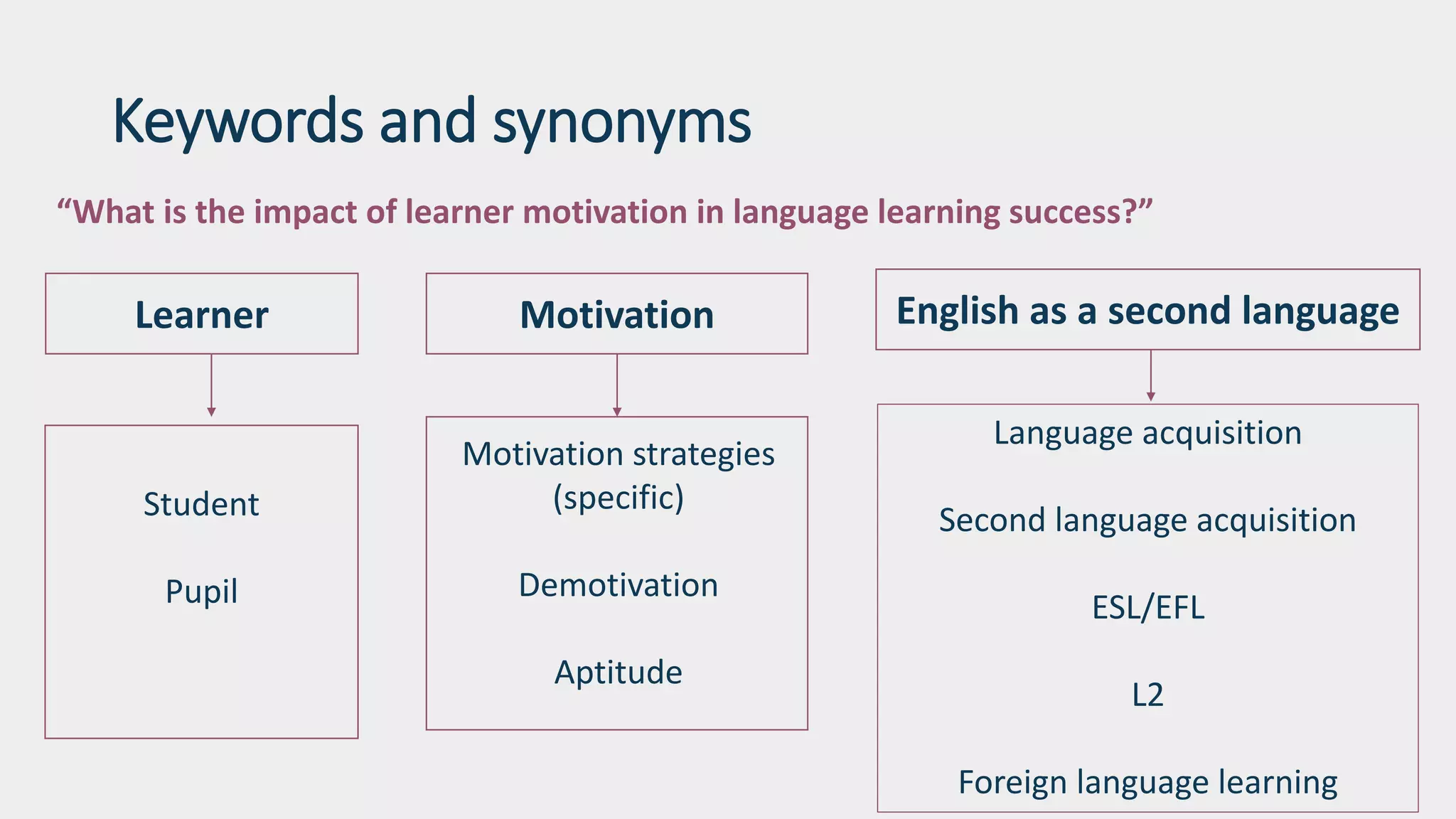
Keywords and synonyms
“What is the impact of learner motivation in language learning success?”
English as a second languageMotivationLearner
Motivation strategies
(specific)
Demotivation
Aptitude
Language acquisition
Second language acquisition
ESL/EFL
L2
Foreign language learning
Student
Pupil
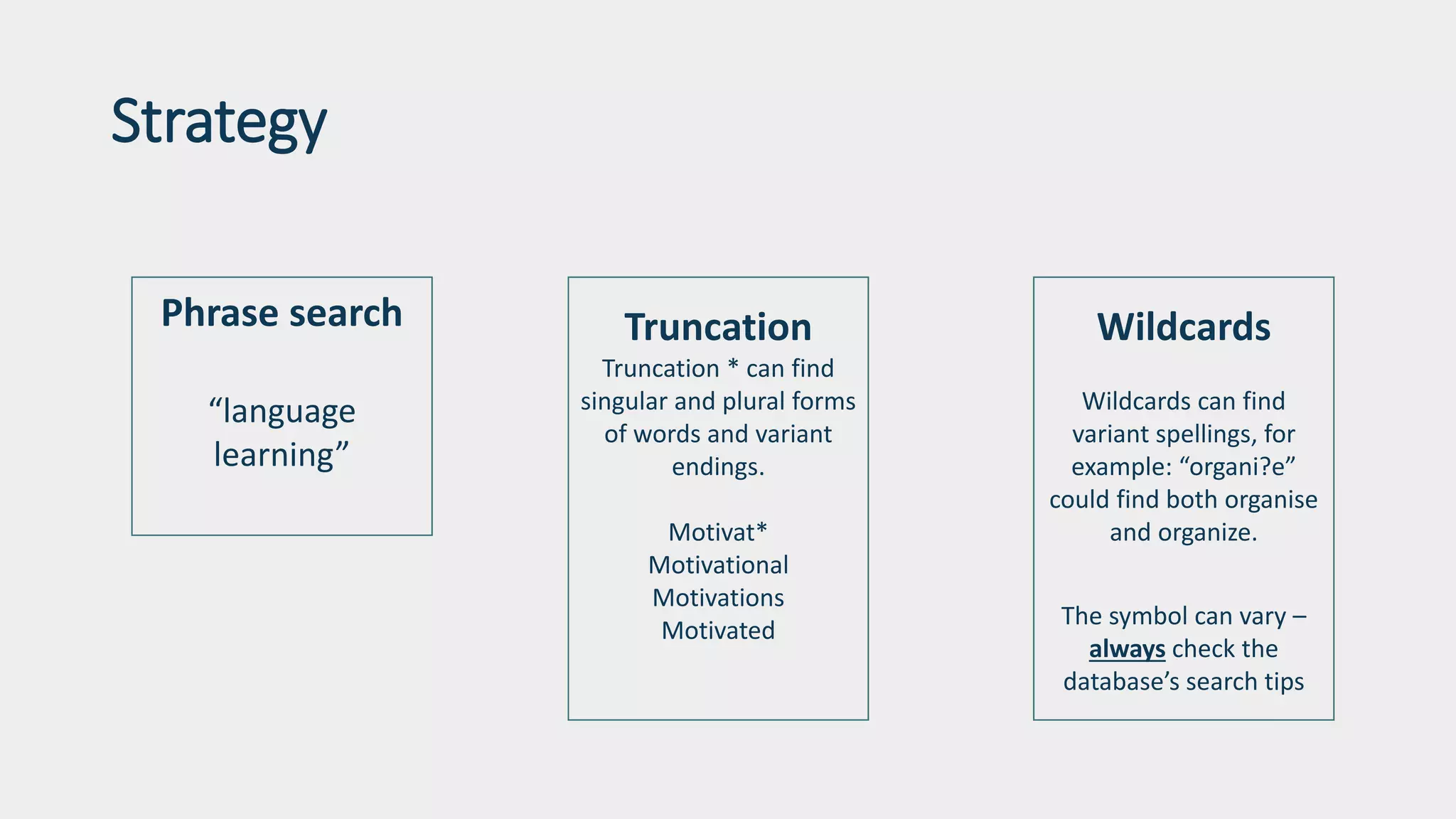
Strategy
Phrase search
“language
learning”
Truncation
Truncation * can find
singular and plural forms
of words and variant
endings.
Motivat*
Motivational
Motivations
Motivated
Wildcards
Wildcards can find
variant spellings, for
example: “organi?e”
could find both organise
and organize.
The symbol can vary –
always check the
database’s search tips
Strategy
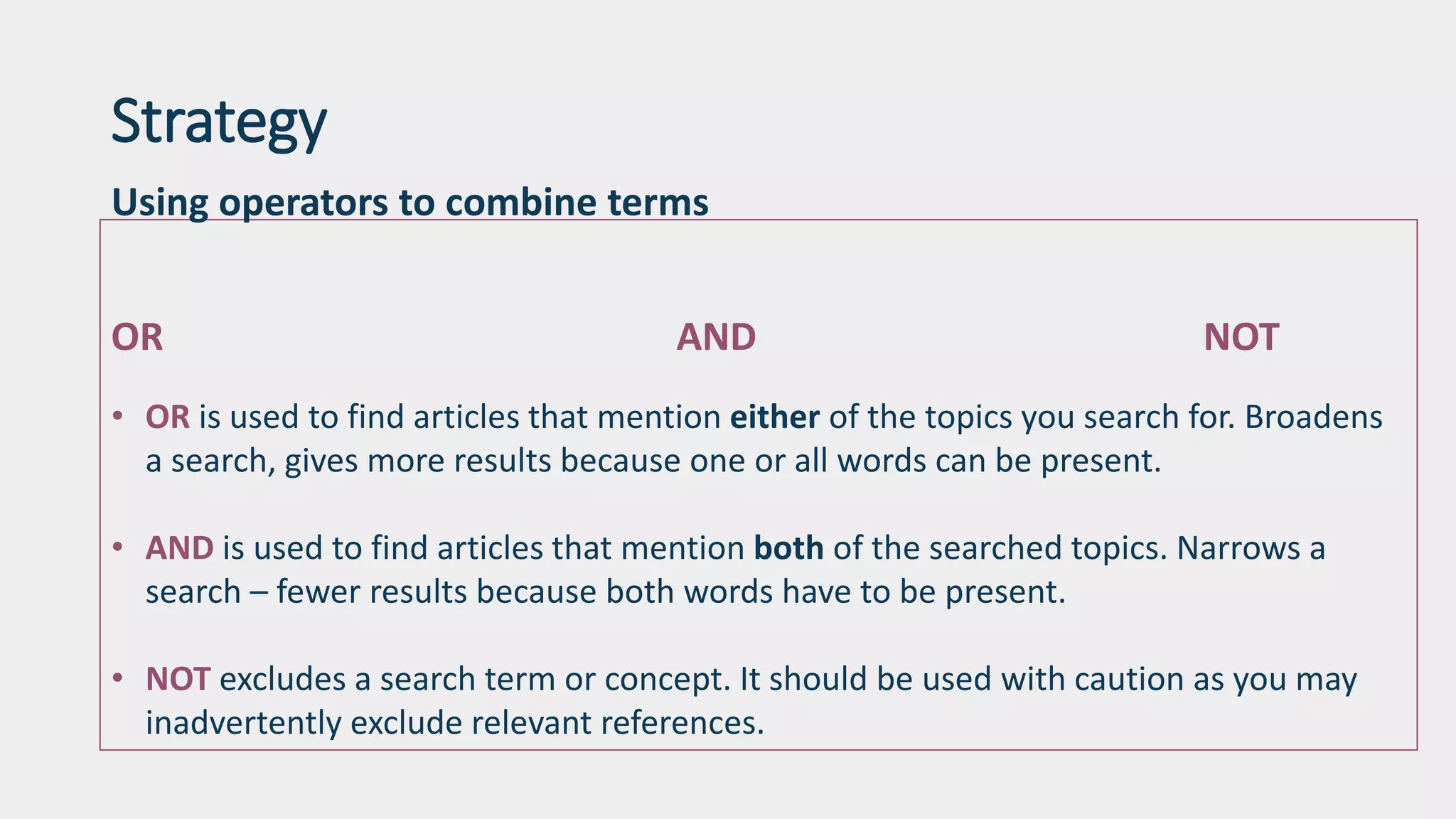
Using operators to combine terms
OR AND NOT
• OR is used to find articles that mention either of the topics you search for. Broadens
a search, gives more results because one or all words can be present.
• AND is used to find articles that mention both of the searched topics. Narrows a
search – fewer results because both words have to be present.
• NOT excludes a search term or concept. It should be used with caution as you may
inadvertently exclude relevant references.
Identify discovery tools for your subject
• DISCOVER
A good scoping tool, but very multi-disciplinary –
may impact relevance.
Build a search with your terms – review, from their
move on to subject specific databases.
Identify discovery tools for your subject
• Database listing on library website
• Library guide for subject area
• Contact your Liaison Librarian for recommendations
• Where you search is context dependent. Be mindful of quality, but be
cognizant that your topic may also require information from non peer-
reviewed / ‘scholarly’ sources e.g. grey literature, websites, newspapers,
or from specialist databases e.g. those that include financial reports,
law reports or primary sources.
Searching with subject headings
Subject headings can help you to find articles according to their subject, even if the article does not use your
chosen key words. Combining a mixture of key word searching AND subject heading searching can be
fruitful.
Not all databases use subject headings, and those that do might use different headings for the same subject!
Investigate each database separately to find the subject headings they use.
Very specific example for medicine and health science: Medline uses MeSH – ask your Liaison Librarian.
Searching with subject headings is not effective for everything. Searches on a very new or emerging topic, or
where little has been published. Keyword searching will be more fruitful.
Cited reference searching
Useful for:
Finding recent publications on the subject
Finding out whether articles have been cited by other authors
Discovering how the scholarly conversation around that topic has
evolved
Broadening your literature review
Cited reference searching
Web of Science
Scopus
Google Scholar
Beware! Citation counts aren’t a measure of quality.
Refine your search
Too many results? Use limits and set parameters:
Date / publication type / subject
Field searching – be more specific
Use NOT to filter out specific terms e.g. “motivation” AND L2* NOT Spanish
Not enough:
Check Boolean and truncation applied correctly; try search without
Try different combinations of words – start basic
Try a different search engine
Record your searches and use a reference management system
Record your search strategy as you go.
Create accounts and sign-in to databases to save your searches.
Export your references to a reference management system e.g. EndNote:
Preserve a library of references according to topic/chapter. Add PDFs. Create in-text
citations and bibliographies.
Database alerts
Be alerted to the cutting edge research published/indexed on your topic.
You can set search alerts in Scopus
Journal alerts such as ZETOC will send you a table of contents of new issues of any
journals you're interested in. Find Zetoc in the Library database A-Z list
Recap
Strategize – keywords, combinations and limits
Search is iterative and time consuming
Use bibliographies to traverse backwords and cited reference searching to go
forward
Different database = different functionality – review the help pages
Ask your Liaison Librarian for more help
References
Images – no attribution required licenced from Unsplash.com
University of Leeds Library (2020) Literature searching explained.
https://library.leeds.ac.uk/info/1404/literature_searching/14/literature_searching_explained
Scopus training video (2018) How to expand your search. Attribution-NonCommercial 4.0 International (CC BY-
NC 4.0) https://www.youtube.com/watch?v=qCu-obYMFsE

Literature searching tips and tricks

  • 1.
    Researcher KnowHow: Literature searchingtips and tricks Please turn microphones off and use the chat box to ask questions Say hello and share your research area with us in the chat box 
  • 2.
    Introductions Catherine McManamon, LiaisonLibrarian, Histories, Languages and Cultures. Helping today: Clair Sharpe, Liaison Librarian, Chemistry - Earth, Ocean & Ecological Sciences - Geography & Planning
  • 3.
    Objectives • Plan aneffective search • Identify discovery tools for your subject area • Perform effective searches • Refine searches to improve results • Perform cited reference searches • Record and review strategy for later use
  • 4.
    • Broad principlesthat can be applied for general literature searching (journal content and books) • Applies to many academic databases – though precise functionality can vary • Literature searching – NOT a systematic review Content
  • 5.
  • 6.
    Starting a search •Don’t start at a search engine • Define what you are searching for • Decide where to search • Plan your strategy • Search and review your results
  • 7.
    Identify your keyconcepts • QUESTION: “What is the impact of learner motivation in learning English as a second language?” • KEY CONCEPTS Learner Motivation English as a second language
  • 8.
    Keywords and synonyms “Whatis the impact of learner motivation in language learning success?” English as a second languageMotivationLearner
  • 9.
    Keywords and synonyms “Whatis the impact of learner motivation in language learning success?” English as a second languageMotivationLearner Motivation strategies (specific) Demotivation Aptitude Language acquisition Second language acquisition ESL/EFL L2 Foreign language learning Student Pupil
  • 10.
    Strategy Phrase search “language learning” Truncation Truncation *can find singular and plural forms of words and variant endings. Motivat* Motivational Motivations Motivated Wildcards Wildcards can find variant spellings, for example: “organi?e” could find both organise and organize. The symbol can vary – always check the database’s search tips
  • 11.
    Strategy Using operators tocombine terms OR AND NOT • OR is used to find articles that mention either of the topics you search for. Broadens a search, gives more results because one or all words can be present. • AND is used to find articles that mention both of the searched topics. Narrows a search – fewer results because both words have to be present. • NOT excludes a search term or concept. It should be used with caution as you may inadvertently exclude relevant references.
  • 12.
    Identify discovery toolsfor your subject • DISCOVER A good scoping tool, but very multi-disciplinary – may impact relevance. Build a search with your terms – review, from their move on to subject specific databases.
  • 13.
    Identify discovery toolsfor your subject • Database listing on library website • Library guide for subject area • Contact your Liaison Librarian for recommendations • Where you search is context dependent. Be mindful of quality, but be cognizant that your topic may also require information from non peer- reviewed / ‘scholarly’ sources e.g. grey literature, websites, newspapers, or from specialist databases e.g. those that include financial reports, law reports or primary sources.
  • 14.
    Searching with subjectheadings Subject headings can help you to find articles according to their subject, even if the article does not use your chosen key words. Combining a mixture of key word searching AND subject heading searching can be fruitful. Not all databases use subject headings, and those that do might use different headings for the same subject! Investigate each database separately to find the subject headings they use. Very specific example for medicine and health science: Medline uses MeSH – ask your Liaison Librarian. Searching with subject headings is not effective for everything. Searches on a very new or emerging topic, or where little has been published. Keyword searching will be more fruitful.
  • 15.
    Cited reference searching Usefulfor: Finding recent publications on the subject Finding out whether articles have been cited by other authors Discovering how the scholarly conversation around that topic has evolved Broadening your literature review
  • 16.
    Cited reference searching Webof Science Scopus Google Scholar Beware! Citation counts aren’t a measure of quality.
  • 17.
    Refine your search Toomany results? Use limits and set parameters: Date / publication type / subject Field searching – be more specific Use NOT to filter out specific terms e.g. “motivation” AND L2* NOT Spanish Not enough: Check Boolean and truncation applied correctly; try search without Try different combinations of words – start basic Try a different search engine
  • 18.
    Record your searchesand use a reference management system Record your search strategy as you go. Create accounts and sign-in to databases to save your searches. Export your references to a reference management system e.g. EndNote: Preserve a library of references according to topic/chapter. Add PDFs. Create in-text citations and bibliographies.
  • 19.
    Database alerts Be alertedto the cutting edge research published/indexed on your topic. You can set search alerts in Scopus Journal alerts such as ZETOC will send you a table of contents of new issues of any journals you're interested in. Find Zetoc in the Library database A-Z list
  • 20.
    Recap Strategize – keywords,combinations and limits Search is iterative and time consuming Use bibliographies to traverse backwords and cited reference searching to go forward Different database = different functionality – review the help pages Ask your Liaison Librarian for more help
  • 21.
    References Images – noattribution required licenced from Unsplash.com University of Leeds Library (2020) Literature searching explained. https://library.leeds.ac.uk/info/1404/literature_searching/14/literature_searching_explained Scopus training video (2018) How to expand your search. Attribution-NonCommercial 4.0 International (CC BY- NC 4.0) https://www.youtube.com/watch?v=qCu-obYMFsE

Editor's Notes

  • #4 Our areas of focus today will be guiding you to: Plan an effective search Identify discovery tools for your subject area Perform effective searches Refine searches to improve results Perform cited reference searches Record and review strategy for later use
  • #5 In terms of the content - Researcher Knowhow sessions are intended to have broad appeal so we will be exploring broad principles that can be applied for literature searching across most disciplines – focusing on secondary literature or criticism - ways to find books and articles – the key scholarship in your area. Many of these general principles can be applied to most academic databases, though it is important to note that the precise functionality can vary between platforms. What we are covering today is literature searching, and its important to note that the tips and techniques we discuss here does not constitute a systematic review – that is a different enterprise. Though it may have some shared elements – it is more meticulous, more systematic, as the name suggests! Elsewhere in the Researcher KnowHow programme you can find sessions on systematic reviews.
  • #7 A literature search should be structured and organised and it’s hard to achieve this if your search is limited to initial key words you think of. If you can’t articulate what you are looking for clearly, fluently, succinctly – then there’s no magic a database can apply to suddenly clarify your search and return exactly the literature you’re looking for. You have to do a certain amount of this yourself – before you get to search engine. There are several stages listed on the screen here. Note that this is not a quick, neat, 2 step process. It’s iterative. You must: Define what you are searching for Decide where to search Plan your strategy Search and review your results There is reflection and evaluation at every stage - this is what transforms a failed searched or a satisfactory search into a good search!
  • #8 For the purposes of today’s session and demonstrations, I have this sample research question. Once you have a question articulate your key concepts. It’s very easy to do in this example. These are the meaningful terms which should form the starting point for your searches. We intentionally want to strip out and disregard the other words in the statement at this stage, because they won’t add anything useful to our search. Here you have enough to do a search for some background reading – initial books and articles found through the catalogue and Discover, but you haven’t done quite enough thinking around your topic to ensure that your search is truly comprehensive. However, for now – let’s start with that background reading. Demonstrate the catalogue.
  • #9 To move beyond basic searching, you need to think about additional terms and phrases that encapsulate or describe your key concepts. Think of synonyms. It’s helpful to have a concept map so that you can distil synonyms for each concept. It can be columns, or it can be word clouds, or a mind map – what ever works for you. Academic databases respond to the exact command you type in. They don’t interpret your terms. So you think about and around your keywords to cover the bases, and you have to expect to perform more than one search, and determine which words bring back the most relevant results.
  • #10 Now if one word isn’t working – swap it. Now we have more than 3 terms. We can try different combinations and truly cover the bases.
  • #11 Some additional pieces of strategy you can apply to enhance your keywords are phrase searching, truncation and wildcards.
  • #12  You may have noticed that advanced search interfaces offer multiple search boxes. They are usually joined by default with “AND’ – this is an operator – a Boolean operator. There are 3 Boolean operators – AND , OR and not – using them alters your search.
  • #15 Database subject headings are another example of controlled vocabulary that we saw in the catalogue. Subject headings can help you to find articles according to their subject, even if the article does not use your chosen key words. Not all databases use subject headings, and those that do might use different headings for the same subject! Investigate each database separately to find the subject headings they use. Don’t assume you can search with a subject heading in one database and it will be the same in another. Try a combination of keyword or subject heading searching to see what is effective.
  • #18 If you are overwhelmed with results – think clearly about your parameters to narrow your focus e.g. dates, people, geography. Apply one at a time to monitor effect on search