Austin Linux Meetup
Linux Du Jour
A tour of Texas Linux Fest
in 5 little talks
Texas Linux Fest
June 13 - 14
Austin
texaslinuxfest.org
I’m Matthew
DevOps Engineer at RetailMeNot
We’re a Linux shop
systemd
Docker
Configuration Management
Distributed Log Collection
OpenStack
Topics
I’m not an expert in these technologies
Mostly learned about them in the last few days
systemd
system and service manager
(first program started by the kernel)
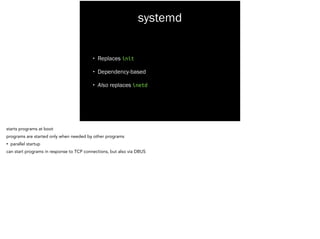
systemd
• Replaces init
• Dependency-based
• Also replaces inetd
starts programs at boot
programs are started only when needed by other programs
• parallel startup
can start programs in response to TCP connections, but also via DBUS
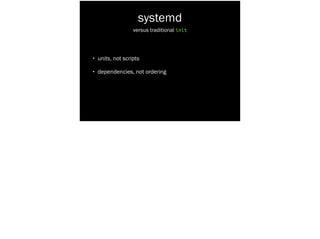
systemd
• units, not scripts
!
versus traditional init
Lines 77 - 162
/etc/init.d/ssh
Debian Squeeze
case "$1" in
start)
[...]
	
 ;;
!
stop)
[...]
	
 ;;
!
reload|force-reload)
[...]
	
 ;;
!
restart)
[...]
	
 ;;
!
try-restart)
[...]
	
 ;;
!
status)
[...]
	
 ;;
!
*)
[...]
esac
Hard to see, important thing is the case statement that responds to start, stop, etc.
86 lines, less than half the init script for ssh
[Unit]
Description=OpenSSH server daemon
After=syslog.target network.target auditd.service
!
[Service]
EnvironmentFile=/etc/sysconfig/sshd
ExecStartPre=/usr/sbin/sshd-keygen
ExecStart=/usr/sbin/sshd -D $OPTIONS
ExecReload=/bin/kill -HUP $MAINPID
KillMode=process
Restart=on-failure
RestartSec=42s
!
[Install]
WantedBy=multi-user.target
/usr/lib/systemd/system/sshd.service
Fedora 20
15 Lines
Contrast
15 lines!
systemd
• units, not scripts
• dependencies, not ordering
versus traditional init
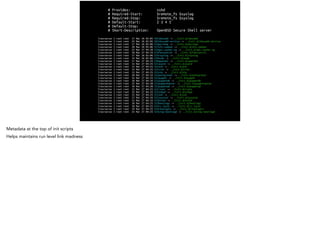
# Provides: sshd
# Required-Start: $remote_fs $syslog
# Required-Stop: $remote_fs $syslog
# Default-Start: 2 3 4 5
# Default-Stop:
# Short-Description: OpenBSD Secure Shell server
lrwxrwxrwx 1 root root 17 Mar 26 02:05 S01vboxadd -> ../init.d/vboxadd
lrwxrwxrwx 1 root root 25 Mar 26 02:05 S02vboxadd-service -> ../init.d/vboxadd-service
lrwxrwxrwx 1 root root 17 Mar 26 02:06 S16portmap -> ../init.d/portmap
lrwxrwxrwx 1 root root 20 Mar 26 02:06 S17nfs-common -> ../init.d/nfs-common
lrwxrwxrwx 1 root root 23 Mar 27 04:28 S19apt-cacher-ng -> ../init.d/apt-cacher-ng
lrwxrwxrwx 1 root root 20 Mar 27 04:33 S19fancontrol -> ../init.d/fancontrol
lrwxrwxrwx 1 root root 17 Mar 26 02:06 S19rsyslog -> ../init.d/rsyslog
lrwxrwxrwx 1 root root 14 Mar 26 02:06 S19sudo -> ../init.d/sudo
lrwxrwxrwx 1 root root 17 Mar 27 04:25 S20apache2 -> ../init.d/apache2
lrwxrwxrwx 1 root root 15 Mar 27 04:25 S21acpid -> ../init.d/acpid
lrwxrwxrwx 1 root root 13 Mar 27 04:25 S21atd -> ../init.d/atd
lrwxrwxrwx 1 root root 14 Mar 27 04:25 S21cron -> ../init.d/cron
lrwxrwxrwx 1 root root 13 Mar 27 04:25 S21ntp -> ../init.d/ntp
lrwxrwxrwx 1 root root 20 Mar 27 04:33 S21postgresql -> ../init.d/postgresql
lrwxrwxrwx 1 root root 16 Mar 27 04:25 S21puppet -> ../init.d/puppet
lrwxrwxrwx 1 root root 18 Mar 27 04:34 S21puppetdb -> ../init.d/puppetdb
lrwxrwxrwx 1 root root 22 Mar 27 04:28 S21puppetmaster -> ../init.d/puppetmaster
lrwxrwxrwx 1 root root 18 Mar 27 04:28 S21puppetqd -> ../init.d/puppetqd
lrwxrwxrwx 1 root root 15 Mar 27 04:25 S21rsync -> ../init.d/rsync
lrwxrwxrwx 1 root root 15 Mar 27 04:33 S21snmpd -> ../init.d/snmpd
lrwxrwxrwx 1 root root 13 Mar 27 04:25 S21ssh -> ../init.d/ssh
lrwxrwxrwx 1 root root 17 Mar 27 04:34 S21sysstat -> ../init.d/sysstat
lrwxrwxrwx 1 root root 15 Mar 27 04:33 S22exim4 -> ../init.d/exim4
lrwxrwxrwx 1 root root 18 Mar 27 04:25 S23bootlogs -> ../init.d/bootlogs
lrwxrwxrwx 1 root root 18 Mar 27 04:25 S24rc.local -> ../init.d/rc.local
lrwxrwxrwx 1 root root 19 Mar 27 04:25 S24rmnologin -> ../init.d/rmnologin
lrwxrwxrwx 1 root root 23 Mar 27 04:25 S24stop-bootlogd -> ../init.d/stop-bootlogd
Metadata at the top of init scripts
Helps maintains run level link madness
[Unit]
Description=OpenSSH server daemon
After=syslog.target network.target auditd.service
!
[Service]
EnvironmentFile=/etc/sysconfig/sshd
ExecStartPre=/usr/sbin/sshd-keygen
ExecStart=/usr/sbin/sshd -D $OPTIONS
ExecReload=/bin/kill -HUP $MAINPID
KillMode=process
Restart=on-failure
RestartSec=42s
!
[Install]
WantedBy=multi-user.target
Requirements
Target: runlevel equivalent
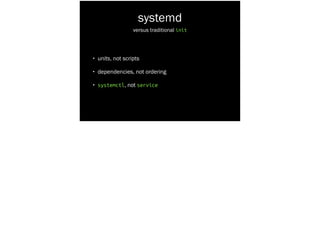
systemd
• units, not scripts
• dependencies, not ordering
• systemctl, not service
versus traditional init
root@box-sol-aus-eop-pup-aio-000-i-simulate:~# service --status-all
[ + ] acpid
[ + ] apache2
[ ? ] apt-cacher-ng
[ + ] atd
[ - ] bootlogd
[ - ] bootlogs
[ ? ] bootmisc.sh
[ ? ] checkfs.sh
[ - ] checkroot.sh
[ ? ] console-setup
[ ? ] cron
[ - ] exim4
[ - ] fancontrol
[ - ] hostname.sh
...
service(8) System Manager's Manual service(8)
!
[...]
!
DESCRIPTION
[...]
The SCRIPT parameter specifies a System V init script, located in
/etc/init.d/SCRIPT. The supported values of COMMAND depend on the
invoked script, service passes COMMAND and OPTIONS it to the init
script unmodified. All scripts should support at least the start
UNIT LOAD ACTIVE SUB DESCRIPTION
[...]
chronyd.service loaded active running NTP client/server
crond.service loaded active running Command Scheduler
cryptsetup.target loaded active active Encrypted Volumes
dbus.service loaded active running D-Bus System Message Bus
dbus.socket loaded active running D-Bus System Message Bus So
dev-dmx2d0.swap loaded active active /dev/dm-0
dev-hugepages.mount loaded active mounted Huge Pages File System
dev-mqueue.mount loaded active mounted POSIX Message Queue File Sy
dm-event.socket loaded active listening Device-mapper event daemon
docker.service loaded active running Docker Application Containe
fedora-readonly.service loaded active exited Configure read-only root su
firewalld.service loaded active running firewalld - dynamic firewal
getty.target loaded active active Login Prompts
getty@tty1.service loaded active running Getty on tty1
kmod-static-nodes.service loaded active exited Create list of required sta
local-fs-pre.target loaded active active Local File Systems (Pre)
local-fs.target loaded active active Local File Systems
lvm2-lvmetad.service loaded active running LVM2 metadata daemon
lvm2-lvmetad.socket loaded active running LVM2 metadata daemon socket
lvm2-monitor.service loaded active exited Monitoring of LVM2 mirrors,
lvm2-pvscan@8:2.service loaded active exited LVM2 PV scan on device 8:2
multi-user.target loaded active active Multi-User System
network.target loaded active active Network
paths.target loaded active active Paths
polkit.service loaded active running Authorization Manager
proc-sys...t_misc.automount loaded active waiting Arbitrary Executable File F
remote-fs.target loaded active active Remote File Systems
session-3.scope loaded active running Session 3 of user vagrant
slices.target loaded active active Slices
sockets.target loaded active active Sockets
sound.target loaded active active Sound Card
sshd.service loaded active running OpenSSH server daemon
[...]
Tracks state automatically
Unit Commands:
list-units List loaded units
list-sockets List loaded sockets ordered by address
start [NAME...] Start (activate) one or more units
stop [NAME...] Stop (deactivate) one or more units
reload [NAME...] Reload one or more units
restart [NAME...] Start or restart one or more units
try-restart [NAME...] Restart one or more units if active
reload-or-restart [NAME...] Reload one or more units if possible,
otherwise start or restart
reload-or-try-restart [NAME...] Reload one or more units if possible,
otherwise restart if active
isolate [NAME] Start one unit and stop all others
kill [NAME...] Send signal to processes of a unit
is-active [NAME...] Check whether units are active
is-failed [NAME...] Check whether units are failed
status [NAME...|PID...] Show runtime status of one or more units
show [NAME...|JOB...] Show properties of one or more
units/jobs or the manager
set-property [NAME] [ASSIGNMENT...]
Sets one or more properties of a unit
help [NAME...|PID...] Show manual for one or more units
reset-failed [NAME...] Reset failed state for all, one, or more
units
list-dependencies [NAME] Recursively show units which are required
or wanted by this unit or by which this
unit is required or wanted
Standard set of commands for all services
learning systemd
http://0pointer.de/blog/projects/inetd.html
(includes links to 10 predecessors)
Configuration
Management
tracking system changes
i.e. ansible, cfengine, chef, puppet, saltstack
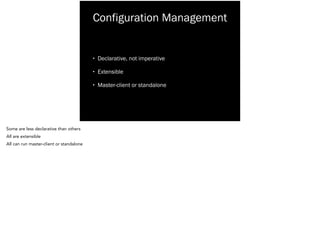
Configuration Management
• Declarative, not imperative
• Extensible
• Master-client or standalone
Some are less declarative than others
All are extensible
All can run master-client or standalone
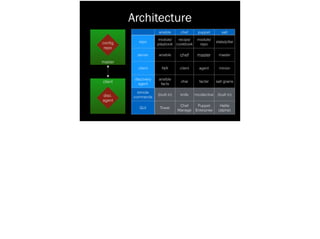
Architecture
master
client
config
repo
disc.
agent
ansible chef puppet salt
repo
module/
playbook
recipe/
cookbook
module/
repo
state/pillar
server ansible chef master master
client N/A client agent minion
discovery
agent
ansible
facts
ohai facter salt grains
remote
commands
(built in) knife mcollective (built in)
GUI Tower
Chef
Manage
Puppet
Enterprise
Halite
(alpha)
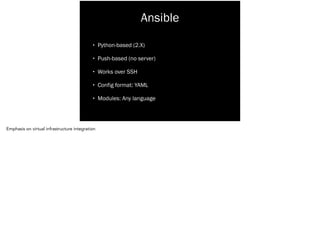
Ansible
• Python-based (2.X)
• Push-based (no server)
• Works over SSH
• Config format: YAML
• Modules: Any language
Emphasis on virtual infrastructure integration
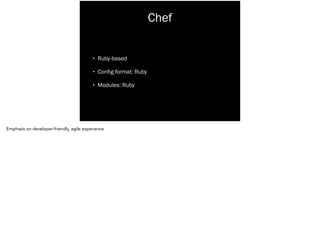
Chef
• Ruby-based
• Config format: Ruby
• Modules: Ruby
Emphasis on developer-friendly, agile experience
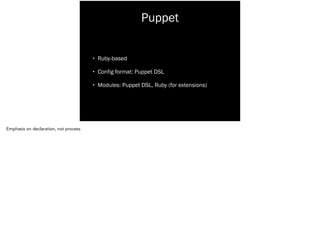
Puppet
• Ruby-based
• Config format: Puppet DSL
• Modules: Puppet DSL, Ruby (for extensions)
Emphasis on declaration, not process
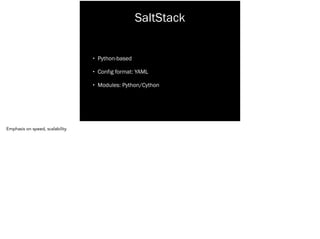
SaltStack
• Python-based
• Config format: YAML
• Modules: Python/Cython
Emphasis on speed, scalability
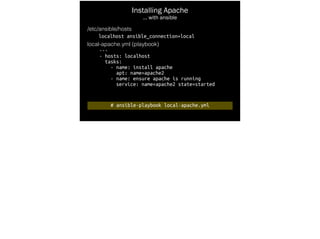
Installing Apache
… with ansible
/etc/ansible/hosts
localhost ansible_connection=local
local-apache.yml (playbook)
---
- hosts: localhost
tasks:
- name: install apache
apt: name=apache2
- name: ensure apache is running
service: name=apache2 state=started
# ansible-playbook local-apache.yml
# mkdir cache
# chef-solo --override-runlist 
"recipe[apache::install]" -c config.rb
Installing Apache
… with chef
config.rb
base_dir Dir.pwd + "/"
file_cache_path base_dir + "cache/"
cookbook_path base_dir + "cookbooks/"
cookbooks/apache/recipes/install.rb
package 'apache2' do
action :install
end
service 'apache2' do
action [ :enable, :start ]
end
# puppet apply apache-install.pp
Installing Apache
… with puppet
apache-install.pp
package {'apache2':
ensure => 'installed',
}
!
service {'apache2':
ensure => 'running',
enable => true,
require => Package['apache2'],
}
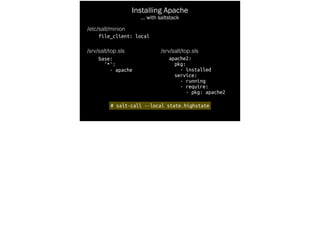
Installing Apache
… with saltstack
/etc/salt/minion
file_client: local
/srv/salt/top.sls
base:
'*':
- apache
# salt-call --local state.highstate
/srv/salt/top.sls
apache2:
pkg:
- installed
service:
- running
- require:
- pkg: apache2
learn more
ansible
http://docs.ansible.com/
chef
http://docs.opscode.com/
puppet
http://docs.puppetlabs.com/
saltstack
http://docs.saltstack.com/
docker
container deployment and management
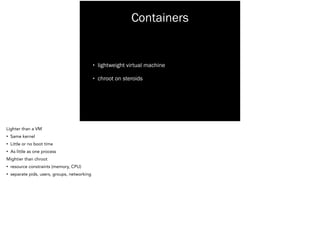
Containers
• lightweight virtual machine
• chroot on steroids
Lighter than a VM
• Same kernel
• Little or no boot time
• As little as one process
Mightier than chroot
• resource constraints (memory, CPU)
• separate pids, users, groups, networking
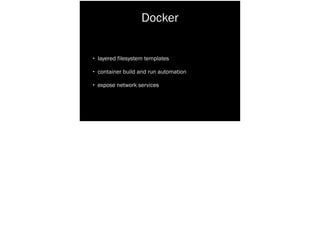
Docker
• layered filesystem templates
• container build and run automation
• expose network services
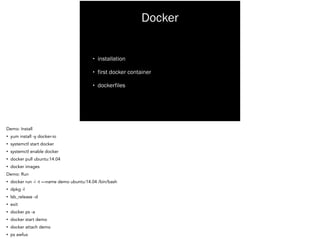
Docker
• installation
• first docker container
• dockerfiles
Demo: Install
• yum install -y docker-io
• systemctl start docker
• systemctl enable docker
• docker pull ubuntu:14.04
• docker images
Demo: Run
• docker run -i -t —name demo ubuntu:14.04 /bin/bash
• dpkg -l
• lsb_release -d
• exit
• docker ps -a
• docker start demo
• docker attach demo
• ps awfux
learning docker
http://docs.docker.io/introduction/working-with-docker/
https://www.stgraber.org (LXC itself)
Distributed Log Collection
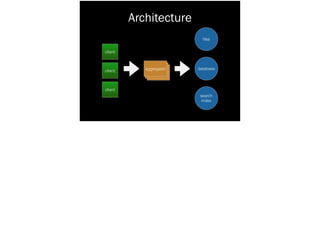
Architecture
client
client
client
aggregator
files
database
search
index
Aggregators
• Accept
• Transform
• Filter
• Forward
Accept
• native formats like system logs, message queues, snmp
• via client agents
Transform
• Add structure (json, etc)
• Extract data into fields (hostname, message, time, etc)
Filter
• Remove or combine entries
• combine multi-line
• criteria matching
Forward
• Send logs to their destination
• storage, notifications/alerts, message queues
What’s available?
logstash

fluentd

flume

http://logstash.net

http://fluentd.org

https://flume.apache.org/

Logstash - Aimed at flexibility
• includes tons of inputs, filters, and outputs
FluentD - Aimed at robustness
• built-in support for high availability, delivery assurance
Flume - Part of the Hadoop ecosystem
• stores data in HDFS
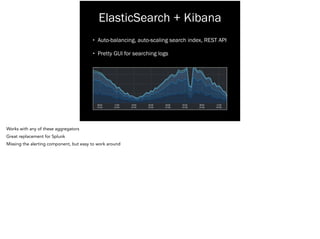
ElasticSearch + Kibana
• Auto-balancing, auto-scaling search index, REST API
• Pretty GUI for searching logs
Works with any of these aggregators
Great replacement for Splunk
Missing the alerting component, but easy to work around
learn more
http://jasonwilder.com/blog/2012/01/03/centralized-logging/

http://jasonwilder.com/blog/2013/11/19/fluentd-vs-logstash/
OpenStack
open source virtualization platform
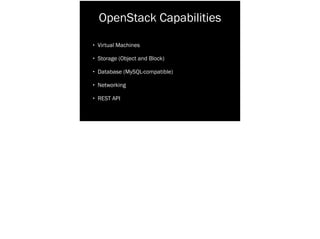
OpenStack Capabilities
• Virtual Machines
• Storage (Object and Block)
• Database (MySQL-compatible)
• Networking
• REST API
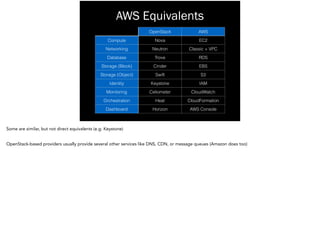
AWS Equivalents
OpenStack AWS
Compute Nova EC2
Networking Neutron Classic + VPC
Database Trove RDS
Storage (Block) Cinder EBS
Storage (Object) Swift S3
Identity Keystone IAM
Monitoring Celiometer CloudWatch
Orchestration Heat CloudFormation
Dashboard Horizon AWS Console
Some are similar, but not direct equivalents (e.g. Keystone)
!
OpenStack-based providers usually provide several other services like DNS, CDN, or message queues (Amazon does too)
Public OpenStack Clouds
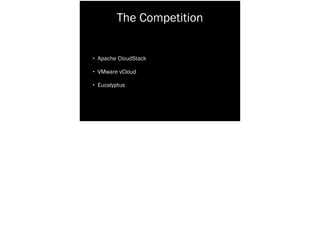
The Competition
• Apache CloudStack
• VMware vCloud
• Eucalyptus
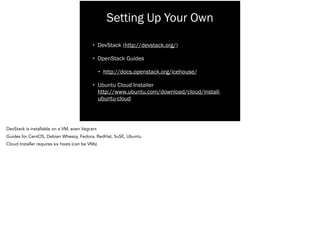
Setting Up Your Own
• DevStack (http://devstack.org/)
• OpenStack Guides
• http://docs.openstack.org/icehouse/
• Ubuntu Cloud Installer

http://www.ubuntu.com/download/cloud/install-
ubuntu-cloud
DevStack is installable on a VM, even Vagrant
Guides for CentOS, Debian Wheezy, Fedora, RedHat, SuSE, Ubuntu
Cloud Installer requires six hosts (can be VMs)
learn more
http://docs.openstack.org/
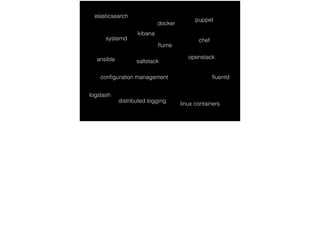
puppet
chef
saltstackansible openstack
fluentd
flume
logstash
docker
systemd
configuration management
distributed logging
linux containers
elasticsearch
kibana

Linux Du Jour

  • 1.
  • 2.
    Linux Du Jour Atour of Texas Linux Fest in 5 little talks
  • 3.
    Texas Linux Fest June13 - 14 Austin texaslinuxfest.org
  • 4.
    I’m Matthew DevOps Engineerat RetailMeNot We’re a Linux shop
  • 5.
    systemd Docker Configuration Management Distributed LogCollection OpenStack Topics I’m not an expert in these technologies Mostly learned about them in the last few days
  • 6.
    systemd system and servicemanager (first program started by the kernel)
  • 7.
    systemd • Replaces init •Dependency-based • Also replaces inetd starts programs at boot programs are started only when needed by other programs • parallel startup can start programs in response to TCP connections, but also via DBUS
  • 8.
    systemd • units, notscripts ! versus traditional init
  • 9.
    Lines 77 -162 /etc/init.d/ssh Debian Squeeze case "$1" in start) [...] ;; ! stop) [...] ;; ! reload|force-reload) [...] ;; ! restart) [...] ;; ! try-restart) [...] ;; ! status) [...] ;; ! *) [...] esac Hard to see, important thing is the case statement that responds to start, stop, etc. 86 lines, less than half the init script for ssh
  • 10.
    [Unit] Description=OpenSSH server daemon After=syslog.targetnetwork.target auditd.service ! [Service] EnvironmentFile=/etc/sysconfig/sshd ExecStartPre=/usr/sbin/sshd-keygen ExecStart=/usr/sbin/sshd -D $OPTIONS ExecReload=/bin/kill -HUP $MAINPID KillMode=process Restart=on-failure RestartSec=42s ! [Install] WantedBy=multi-user.target /usr/lib/systemd/system/sshd.service Fedora 20 15 Lines Contrast 15 lines!
  • 11.
    systemd • units, notscripts • dependencies, not ordering versus traditional init
  • 12.
    # Provides: sshd #Required-Start: $remote_fs $syslog # Required-Stop: $remote_fs $syslog # Default-Start: 2 3 4 5 # Default-Stop: # Short-Description: OpenBSD Secure Shell server lrwxrwxrwx 1 root root 17 Mar 26 02:05 S01vboxadd -> ../init.d/vboxadd lrwxrwxrwx 1 root root 25 Mar 26 02:05 S02vboxadd-service -> ../init.d/vboxadd-service lrwxrwxrwx 1 root root 17 Mar 26 02:06 S16portmap -> ../init.d/portmap lrwxrwxrwx 1 root root 20 Mar 26 02:06 S17nfs-common -> ../init.d/nfs-common lrwxrwxrwx 1 root root 23 Mar 27 04:28 S19apt-cacher-ng -> ../init.d/apt-cacher-ng lrwxrwxrwx 1 root root 20 Mar 27 04:33 S19fancontrol -> ../init.d/fancontrol lrwxrwxrwx 1 root root 17 Mar 26 02:06 S19rsyslog -> ../init.d/rsyslog lrwxrwxrwx 1 root root 14 Mar 26 02:06 S19sudo -> ../init.d/sudo lrwxrwxrwx 1 root root 17 Mar 27 04:25 S20apache2 -> ../init.d/apache2 lrwxrwxrwx 1 root root 15 Mar 27 04:25 S21acpid -> ../init.d/acpid lrwxrwxrwx 1 root root 13 Mar 27 04:25 S21atd -> ../init.d/atd lrwxrwxrwx 1 root root 14 Mar 27 04:25 S21cron -> ../init.d/cron lrwxrwxrwx 1 root root 13 Mar 27 04:25 S21ntp -> ../init.d/ntp lrwxrwxrwx 1 root root 20 Mar 27 04:33 S21postgresql -> ../init.d/postgresql lrwxrwxrwx 1 root root 16 Mar 27 04:25 S21puppet -> ../init.d/puppet lrwxrwxrwx 1 root root 18 Mar 27 04:34 S21puppetdb -> ../init.d/puppetdb lrwxrwxrwx 1 root root 22 Mar 27 04:28 S21puppetmaster -> ../init.d/puppetmaster lrwxrwxrwx 1 root root 18 Mar 27 04:28 S21puppetqd -> ../init.d/puppetqd lrwxrwxrwx 1 root root 15 Mar 27 04:25 S21rsync -> ../init.d/rsync lrwxrwxrwx 1 root root 15 Mar 27 04:33 S21snmpd -> ../init.d/snmpd lrwxrwxrwx 1 root root 13 Mar 27 04:25 S21ssh -> ../init.d/ssh lrwxrwxrwx 1 root root 17 Mar 27 04:34 S21sysstat -> ../init.d/sysstat lrwxrwxrwx 1 root root 15 Mar 27 04:33 S22exim4 -> ../init.d/exim4 lrwxrwxrwx 1 root root 18 Mar 27 04:25 S23bootlogs -> ../init.d/bootlogs lrwxrwxrwx 1 root root 18 Mar 27 04:25 S24rc.local -> ../init.d/rc.local lrwxrwxrwx 1 root root 19 Mar 27 04:25 S24rmnologin -> ../init.d/rmnologin lrwxrwxrwx 1 root root 23 Mar 27 04:25 S24stop-bootlogd -> ../init.d/stop-bootlogd Metadata at the top of init scripts Helps maintains run level link madness
  • 13.
    [Unit] Description=OpenSSH server daemon After=syslog.targetnetwork.target auditd.service ! [Service] EnvironmentFile=/etc/sysconfig/sshd ExecStartPre=/usr/sbin/sshd-keygen ExecStart=/usr/sbin/sshd -D $OPTIONS ExecReload=/bin/kill -HUP $MAINPID KillMode=process Restart=on-failure RestartSec=42s ! [Install] WantedBy=multi-user.target Requirements Target: runlevel equivalent
  • 14.
    systemd • units, notscripts • dependencies, not ordering • systemctl, not service versus traditional init
  • 15.
    root@box-sol-aus-eop-pup-aio-000-i-simulate:~# service --status-all [+ ] acpid [ + ] apache2 [ ? ] apt-cacher-ng [ + ] atd [ - ] bootlogd [ - ] bootlogs [ ? ] bootmisc.sh [ ? ] checkfs.sh [ - ] checkroot.sh [ ? ] console-setup [ ? ] cron [ - ] exim4 [ - ] fancontrol [ - ] hostname.sh ... service(8) System Manager's Manual service(8) ! [...] ! DESCRIPTION [...] The SCRIPT parameter specifies a System V init script, located in /etc/init.d/SCRIPT. The supported values of COMMAND depend on the invoked script, service passes COMMAND and OPTIONS it to the init script unmodified. All scripts should support at least the start
  • 16.
    UNIT LOAD ACTIVESUB DESCRIPTION [...] chronyd.service loaded active running NTP client/server crond.service loaded active running Command Scheduler cryptsetup.target loaded active active Encrypted Volumes dbus.service loaded active running D-Bus System Message Bus dbus.socket loaded active running D-Bus System Message Bus So dev-dmx2d0.swap loaded active active /dev/dm-0 dev-hugepages.mount loaded active mounted Huge Pages File System dev-mqueue.mount loaded active mounted POSIX Message Queue File Sy dm-event.socket loaded active listening Device-mapper event daemon docker.service loaded active running Docker Application Containe fedora-readonly.service loaded active exited Configure read-only root su firewalld.service loaded active running firewalld - dynamic firewal getty.target loaded active active Login Prompts getty@tty1.service loaded active running Getty on tty1 kmod-static-nodes.service loaded active exited Create list of required sta local-fs-pre.target loaded active active Local File Systems (Pre) local-fs.target loaded active active Local File Systems lvm2-lvmetad.service loaded active running LVM2 metadata daemon lvm2-lvmetad.socket loaded active running LVM2 metadata daemon socket lvm2-monitor.service loaded active exited Monitoring of LVM2 mirrors, lvm2-pvscan@8:2.service loaded active exited LVM2 PV scan on device 8:2 multi-user.target loaded active active Multi-User System network.target loaded active active Network paths.target loaded active active Paths polkit.service loaded active running Authorization Manager proc-sys...t_misc.automount loaded active waiting Arbitrary Executable File F remote-fs.target loaded active active Remote File Systems session-3.scope loaded active running Session 3 of user vagrant slices.target loaded active active Slices sockets.target loaded active active Sockets sound.target loaded active active Sound Card sshd.service loaded active running OpenSSH server daemon [...] Tracks state automatically
  • 17.
    Unit Commands: list-units Listloaded units list-sockets List loaded sockets ordered by address start [NAME...] Start (activate) one or more units stop [NAME...] Stop (deactivate) one or more units reload [NAME...] Reload one or more units restart [NAME...] Start or restart one or more units try-restart [NAME...] Restart one or more units if active reload-or-restart [NAME...] Reload one or more units if possible, otherwise start or restart reload-or-try-restart [NAME...] Reload one or more units if possible, otherwise restart if active isolate [NAME] Start one unit and stop all others kill [NAME...] Send signal to processes of a unit is-active [NAME...] Check whether units are active is-failed [NAME...] Check whether units are failed status [NAME...|PID...] Show runtime status of one or more units show [NAME...|JOB...] Show properties of one or more units/jobs or the manager set-property [NAME] [ASSIGNMENT...] Sets one or more properties of a unit help [NAME...|PID...] Show manual for one or more units reset-failed [NAME...] Reset failed state for all, one, or more units list-dependencies [NAME] Recursively show units which are required or wanted by this unit or by which this unit is required or wanted Standard set of commands for all services
  • 18.
  • 19.
    Configuration Management tracking system changes i.e.ansible, cfengine, chef, puppet, saltstack
  • 20.
    Configuration Management • Declarative,not imperative • Extensible • Master-client or standalone Some are less declarative than others All are extensible All can run master-client or standalone
  • 21.
    Architecture master client config repo disc. agent ansible chef puppetsalt repo module/ playbook recipe/ cookbook module/ repo state/pillar server ansible chef master master client N/A client agent minion discovery agent ansible facts ohai facter salt grains remote commands (built in) knife mcollective (built in) GUI Tower Chef Manage Puppet Enterprise Halite (alpha)
  • 22.
    Ansible • Python-based (2.X) •Push-based (no server) • Works over SSH • Config format: YAML • Modules: Any language Emphasis on virtual infrastructure integration
  • 23.
    Chef • Ruby-based • Configformat: Ruby • Modules: Ruby Emphasis on developer-friendly, agile experience
  • 24.
    Puppet • Ruby-based • Configformat: Puppet DSL • Modules: Puppet DSL, Ruby (for extensions) Emphasis on declaration, not process
  • 25.
    SaltStack • Python-based • Configformat: YAML • Modules: Python/Cython Emphasis on speed, scalability
  • 26.
    Installing Apache … withansible /etc/ansible/hosts localhost ansible_connection=local local-apache.yml (playbook) --- - hosts: localhost tasks: - name: install apache apt: name=apache2 - name: ensure apache is running service: name=apache2 state=started # ansible-playbook local-apache.yml
  • 27.
    # mkdir cache #chef-solo --override-runlist "recipe[apache::install]" -c config.rb Installing Apache … with chef config.rb base_dir Dir.pwd + "/" file_cache_path base_dir + "cache/" cookbook_path base_dir + "cookbooks/" cookbooks/apache/recipes/install.rb package 'apache2' do action :install end service 'apache2' do action [ :enable, :start ] end
  • 28.
    # puppet applyapache-install.pp Installing Apache … with puppet apache-install.pp package {'apache2': ensure => 'installed', } ! service {'apache2': ensure => 'running', enable => true, require => Package['apache2'], }
  • 29.
    Installing Apache … withsaltstack /etc/salt/minion file_client: local /srv/salt/top.sls base: '*': - apache # salt-call --local state.highstate /srv/salt/top.sls apache2: pkg: - installed service: - running - require: - pkg: apache2
  • 30.
  • 31.
  • 32.
    Containers • lightweight virtualmachine • chroot on steroids Lighter than a VM • Same kernel • Little or no boot time • As little as one process Mightier than chroot • resource constraints (memory, CPU) • separate pids, users, groups, networking
  • 33.
    Docker • layered filesystemtemplates • container build and run automation • expose network services
  • 34.
    Docker • installation • firstdocker container • dockerfiles Demo: Install • yum install -y docker-io • systemctl start docker • systemctl enable docker • docker pull ubuntu:14.04 • docker images Demo: Run • docker run -i -t —name demo ubuntu:14.04 /bin/bash • dpkg -l • lsb_release -d • exit • docker ps -a • docker start demo • docker attach demo • ps awfux
  • 35.
  • 36.
  • 37.
  • 38.
    Aggregators • Accept • Transform •Filter • Forward Accept • native formats like system logs, message queues, snmp • via client agents Transform • Add structure (json, etc) • Extract data into fields (hostname, message, time, etc) Filter • Remove or combine entries • combine multi-line • criteria matching Forward • Send logs to their destination • storage, notifications/alerts, message queues
  • 39.
    What’s available? logstash
 fluentd
 flume
 http://logstash.net
 http://fluentd.org
 https://flume.apache.org/
 Logstash -Aimed at flexibility • includes tons of inputs, filters, and outputs FluentD - Aimed at robustness • built-in support for high availability, delivery assurance Flume - Part of the Hadoop ecosystem • stores data in HDFS
  • 40.
    ElasticSearch + Kibana •Auto-balancing, auto-scaling search index, REST API • Pretty GUI for searching logs Works with any of these aggregators Great replacement for Splunk Missing the alerting component, but easy to work around
  • 41.
  • 42.
  • 43.
    OpenStack Capabilities • VirtualMachines • Storage (Object and Block) • Database (MySQL-compatible) • Networking • REST API
  • 44.
    AWS Equivalents OpenStack AWS ComputeNova EC2 Networking Neutron Classic + VPC Database Trove RDS Storage (Block) Cinder EBS Storage (Object) Swift S3 Identity Keystone IAM Monitoring Celiometer CloudWatch Orchestration Heat CloudFormation Dashboard Horizon AWS Console Some are similar, but not direct equivalents (e.g. Keystone) ! OpenStack-based providers usually provide several other services like DNS, CDN, or message queues (Amazon does too)
  • 45.
  • 46.
    The Competition • ApacheCloudStack • VMware vCloud • Eucalyptus
  • 47.
    Setting Up YourOwn • DevStack (http://devstack.org/) • OpenStack Guides • http://docs.openstack.org/icehouse/ • Ubuntu Cloud Installer
 http://www.ubuntu.com/download/cloud/install- ubuntu-cloud DevStack is installable on a VM, even Vagrant Guides for CentOS, Debian Wheezy, Fedora, RedHat, SuSE, Ubuntu Cloud Installer requires six hosts (can be VMs)
  • 48.
  • 49.

Editor's Notes

  • #5 We’re a Linux shop
  • #6 I’m not an expert in these technologies Mostly learned about them in the last few days
  • #8 starts programs at boot programs are started only when needed by other programs parallel startup can start programs in response to TCP connections, but also via DBUS
  • #10 Hard to see, important thing is the case statement that responds to start, stop, etc. 86 lines, less than half the init script for ssh
  • #11 Contrast 15 lines!
  • #13 Metadata at the top of init scripts Helps maintains run level link madness
  • #14 Requirements Target: runlevel equivalent
  • #17 Tracks state automatically
  • #18 Standard set of commands for all services
  • #21 Some are less declarative than others All are extensible All can run master-client or standalone
  • #23 Emphasis on virtual infrastructure integration
  • #24 Emphasis on developer-friendly, agile experience
  • #25 Emphasis on declaration, not process
  • #26 Emphasis on speed, scalability
  • #33 Lighter than a VM Same kernel Little or no boot time As little as one process Mightier than chroot resource constraints (memory, CPU) separate pids, users, groups, networking
  • #35 Demo: Install yum install -y docker-io systemctl start docker systemctl enable docker docker pull ubuntu:14.04 docker images Demo: Run docker run -i -t —name demo ubuntu:14.04 /bin/bash dpkg -l lsb_release -d exit docker ps -a docker start demo docker attach demo ps awfux
  • #39 Accept native formats like system logs, message queues, snmp via client agents Transform Add structure (json, etc) Extract data into fields (hostname, message, time, etc) Filter Remove or combine entries combine multi-line criteria matching Forward Send logs to their destination storage, notifications/alerts, message queues
  • #40 Logstash - Aimed at flexibility includes tons of inputs, filters, and outputs FluentD - Aimed at robustness built-in support for high availability, delivery assurance Flume - Part of the Hadoop ecosystem stores data in HDFS
  • #41 Works with any of these aggregators Great replacement for Splunk Missing the alerting component, but easy to work around
  • #45 Some are similar, but not direct equivalents (e.g. Keystone) OpenStack-based providers usually provide several other services like DNS, CDN, or message queues (Amazon does too)
  • #48 DevStack is installable on a VM, even Vagrant Guides for CentOS, Debian Wheezy, Fedora, RedHat, SuSE, Ubuntu Cloud Installer requires six hosts (can be VMs)