HADOOP SINGLE NODE
     SETUP
Software Versions Used

• Linux (Ubuntu-12.04)

• Java (Oracle Java 7)

• SSH

• Hadoop-1.0.3
Prerequisites
• Dedicated Hadoop User

• SSH

• Oracle Java

• KeyPair Generation
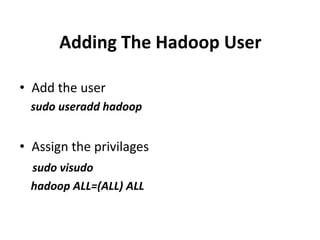
Adding The Hadoop User

• Add the user
  sudo useradd hadoop


• Assign the privilages
  sudo visudo
  hadoop ALL=(ALL) ALL
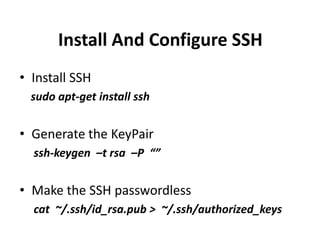
Install And Configure SSH
• Install SSH
  sudo apt-get install ssh


• Generate the KeyPair
  ssh-keygen –t rsa –P “”


• Make the SSH passwordless
  cat ~/.ssh/id_rsa.pub > ~/.ssh/authorized_keys
Install Java
• Add the “WEBUPD8″ PPA
  sudo add-apt-repository pa:webupd8team/java


• Update the repositories
  sudo apt-get update


• Begin the installation
  sudo apt-get install oracle-java7-installer
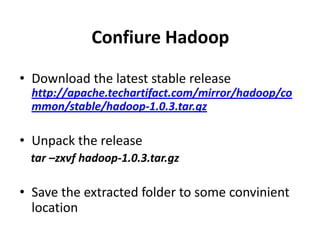
Confiure Hadoop

• Download the latest stable release
  http://apache.techartifact.com/mirror/hadoop/co
  mmon/stable/hadoop-1.0.3.tar.gz

• Unpack the release
 tar –zxvf hadoop-1.0.3.tar.gz

• Save the extracted folder to some convinient
  location
Confiure Hadoop Contd…
• Create HADOOP_HOME
  sudo gedit ~/.bashrc
  “export HADOOP_HOME=/user/home/hadoop-
   1.0.3”
• Edit the configuration files
  hadoop-env.sh
  core-site.xml
  hdfs-site.xml
  mapred-site.xml
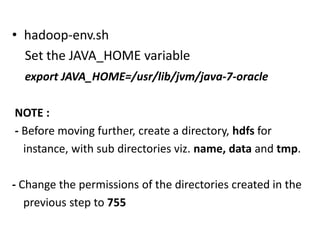
• hadoop-env.sh
  Set the JAVA_HOME variable
  export JAVA_HOME=/usr/lib/jvm/java-7-oracle

NOTE :
- Before moving further, create a directory, hdfs for
  instance, with sub directories viz. name, data and tmp.

- Change the permissions of the directories created in the
   previous step to 755
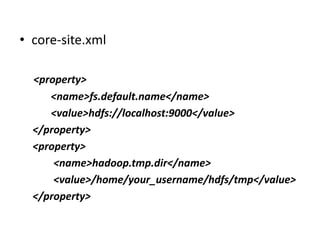
• core-site.xml

  <property>
     <name>fs.default.name</name>
     <value>hdfs://localhost:9000</value>
  </property>
  <property>
      <name>hadoop.tmp.dir</name>
      <value>/home/your_username/hdfs/tmp</value>
  </property>
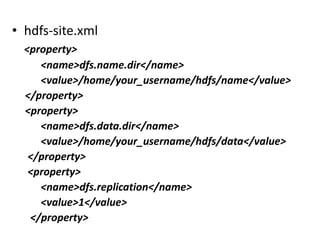
• hdfs-site.xml
  <property>
     <name>dfs.name.dir</name>
     <value>/home/your_username/hdfs/name</value>
  </property>
  <property>
     <name>dfs.data.dir</name>
     <value>/home/your_username/hdfs/data</value>
   </property>
   <property>
     <name>dfs.replication</name>
     <value>1</value>
   </property>
• mapred-site.xml
  <property>
      <name>mapred.job.tracker</name>
      <value>localhost:9001</value>
  </property>


• Format the NameNode
  bin/hadoop namenode -format

Hadoop single node setup

  • 1.
  • 2.
    Software Versions Used •Linux (Ubuntu-12.04) • Java (Oracle Java 7) • SSH • Hadoop-1.0.3
  • 3.
    Prerequisites • Dedicated HadoopUser • SSH • Oracle Java • KeyPair Generation
  • 4.
    Adding The HadoopUser • Add the user sudo useradd hadoop • Assign the privilages sudo visudo hadoop ALL=(ALL) ALL
  • 5.
    Install And ConfigureSSH • Install SSH sudo apt-get install ssh • Generate the KeyPair ssh-keygen –t rsa –P “” • Make the SSH passwordless cat ~/.ssh/id_rsa.pub > ~/.ssh/authorized_keys
  • 6.
    Install Java • Addthe “WEBUPD8″ PPA sudo add-apt-repository pa:webupd8team/java • Update the repositories sudo apt-get update • Begin the installation sudo apt-get install oracle-java7-installer
  • 7.
    Confiure Hadoop • Downloadthe latest stable release http://apache.techartifact.com/mirror/hadoop/co mmon/stable/hadoop-1.0.3.tar.gz • Unpack the release tar –zxvf hadoop-1.0.3.tar.gz • Save the extracted folder to some convinient location
  • 8.
    Confiure Hadoop Contd… •Create HADOOP_HOME sudo gedit ~/.bashrc “export HADOOP_HOME=/user/home/hadoop- 1.0.3” • Edit the configuration files hadoop-env.sh core-site.xml hdfs-site.xml mapred-site.xml
  • 9.
    • hadoop-env.sh Set the JAVA_HOME variable export JAVA_HOME=/usr/lib/jvm/java-7-oracle NOTE : - Before moving further, create a directory, hdfs for instance, with sub directories viz. name, data and tmp. - Change the permissions of the directories created in the previous step to 755
  • 10.
    • core-site.xml <property> <name>fs.default.name</name> <value>hdfs://localhost:9000</value> </property> <property> <name>hadoop.tmp.dir</name> <value>/home/your_username/hdfs/tmp</value> </property>
  • 11.
    • hdfs-site.xml <property> <name>dfs.name.dir</name> <value>/home/your_username/hdfs/name</value> </property> <property> <name>dfs.data.dir</name> <value>/home/your_username/hdfs/data</value> </property> <property> <name>dfs.replication</name> <value>1</value> </property>
  • 12.
    • mapred-site.xml <property> <name>mapred.job.tracker</name> <value>localhost:9001</value> </property> • Format the NameNode bin/hadoop namenode -format