Lecture 2
Operating Systems
CoSc2043 – Network and System Administration
1
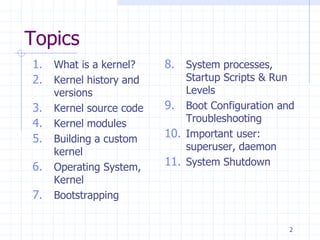
Topics
1. What is a kernel?
2. Kernel history and
versions
3. Kernel source code
4. Kernel modules
5. Building a custom
kernel
6. Operating System,
Kernel
7. Bootstrapping
8. System processes,
Startup Scripts & Run
Levels
9. Boot Configuration and
Troubleshooting
10. Important user:
superuser, daemon
11. System Shutdown
2
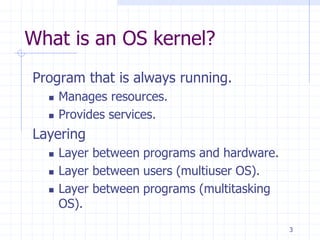
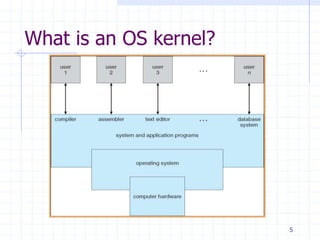
What is an OS kernel?
Program that is always running.
 Manages resources.
 Provides services.
Layering
 Layer between programs and hardware.
 Layer between users (multiuser OS).
 Layer between programs (multitasking
OS).
3
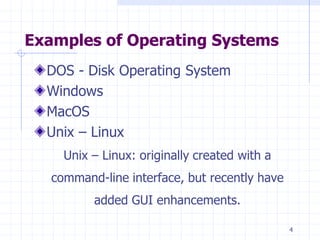
Examples of Operating Systems
DOS - Disk Operating System
Windows
MacOS
Unix – Linux
Unix – Linux: originally created with a
command-line interface, but recently have
added GUI enhancements.
4
What is an OS kernel?
5
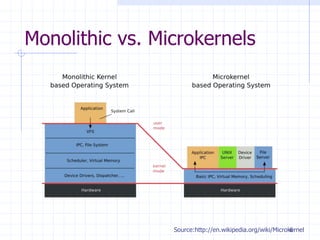
Monolithic vs. Microkernels
Source:http://en.wikipedia.org/wiki/Microkernel
6
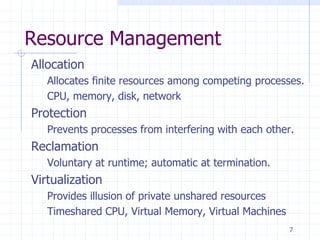
Resource Management
Allocation
Allocates finite resources among competing processes.
CPU, memory, disk, network
Protection
Prevents processes from interfering with each other.
Reclamation
Voluntary at runtime; automatic at termination.
Virtualization
Provides illusion of private unshared resources
Timeshared CPU, Virtual Memory, Virtual Machines
7
What is the Linux kernel?
Free open source UNIX-compatible kernel.
Created by Linus Torvalds.
Developed by thousands across the world.
Coordinated via linux-kernel mailing list.
8
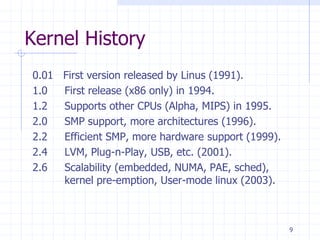
Kernel History
0.01 First version released by Linus (1991).
1.0 First release (x86 only) in 1994.
1.2 Supports other CPUs (Alpha, MIPS) in 1995.
2.0 SMP support, more architectures (1996).
2.2 Efficient SMP, more hardware support (1999).
2.4 LVM, Plug-n-Play, USB, etc. (2001).
2.6 Scalability (embedded, NUMA, PAE, sched),
kernel pre-emption, User-mode linux (2003).
9
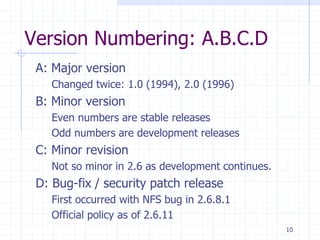
Version Numbering: A.B.C.D
A: Major version
Changed twice: 1.0 (1994), 2.0 (1996)
B: Minor version
Even numbers are stable releases
Odd numbers are development releases
C: Minor revision
Not so minor in 2.6 as development continues.
D: Bug-fix / security patch release
First occurred with NFS bug in 2.6.8.1
Official policy as of 2.6.11
10
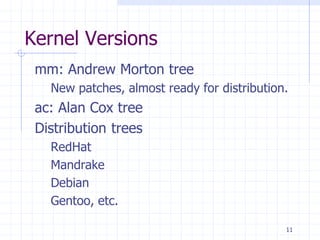
Kernel Versions
mm: Andrew Morton tree
New patches, almost ready for distribution.
ac: Alan Cox tree
Distribution trees
RedHat
Mandrake
Debian
Gentoo, etc.
11
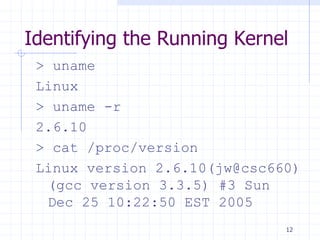
Identifying the Running Kernel
> uname
Linux
> uname -r
2.6.10
> cat /proc/version
Linux version 2.6.10(jw@csc660)
(gcc version 3.3.5) #3 Sun
Dec 25 10:22:50 EST 2005
12
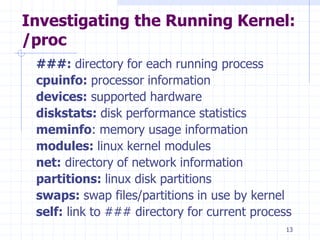
Investigating the Running Kernel:
/proc
###: directory for each running process
cpuinfo: processor information
devices: supported hardware
diskstats: disk performance statistics
meminfo: memory usage information
modules: linux kernel modules
net: directory of network information
partitions: linux disk partitions
swaps: swap files/partitions in use by kernel
self: link to ### directory for current process
13
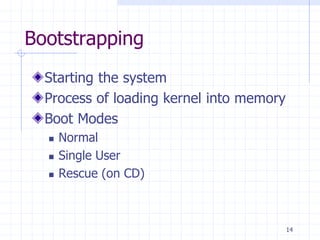
Bootstrapping
Starting the system
Process of loading kernel into memory
Boot Modes
 Normal
 Single User
 Rescue (on CD)
14
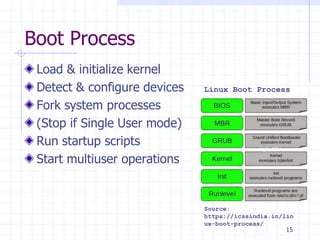
Boot Process
Load & initialize kernel
Detect & configure devices
Fork system processes
(Stop if Single User mode)
Run startup scripts
Start multiuser operations
Linux Boot Process
Source:
https://icssindia.in/lin
ux-boot-process/
15
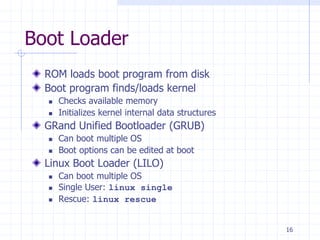
Boot Loader
ROM loads boot program from disk
Boot program finds/loads kernel
 Checks available memory
 Initializes kernel internal data structures
GRand Unified Bootloader (GRUB)
 Can boot multiple OS
 Boot options can be edited at boot
Linux Boot Loader (LILO)
 Can boot multiple OS
 Single User: linux single
 Rescue: linux rescue
16
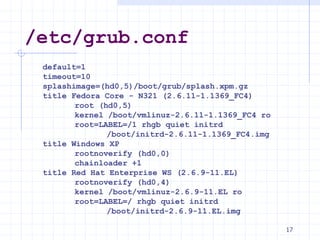
/etc/grub.conf
default=1
timeout=10
splashimage=(hd0,5)/boot/grub/splash.xpm.gz
title Fedora Core - N321 (2.6.11-1.1369_FC4)
root (hd0,5)
kernel /boot/vmlinuz-2.6.11-1.1369_FC4 ro
root=LABEL=/1 rhgb quiet initrd
/boot/initrd-2.6.11-1.1369_FC4.img
title Windows XP
rootnoverify (hd0,0)
chainloader +1
title Red Hat Enterprise WS (2.6.9-11.EL)
rootnoverify (hd0,4)
kernel /boot/vmlinuz-2.6.9-11.EL ro
root=LABEL=/ rhgb quiet initrd
/boot/initrd-2.6.9-11.EL.img
17
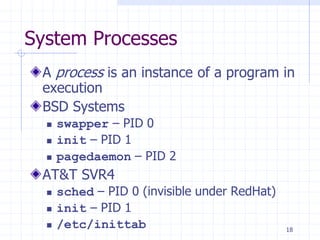
System Processes
A process is an instance of a program in
execution
BSD Systems
 swapper – PID 0
 init – PID 1
 pagedaemon – PID 2
AT&T SVR4
 sched – PID 0 (invisible under RedHat)
 init – PID 1
 /etc/inittab 18
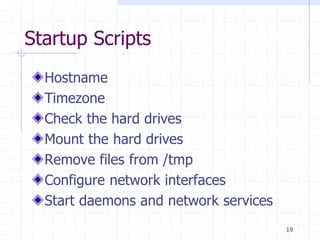
Startup Scripts
Hostname
Timezone
Check the hard drives
Mount the hard drives
Remove files from /tmp
Configure network interfaces
Start daemons and network services
19
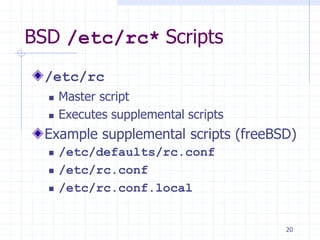
BSD /etc/rc* Scripts
/etc/rc
 Master script
 Executes supplemental scripts
Example supplemental scripts (freeBSD)
 /etc/defaults/rc.conf
 /etc/rc.conf
 /etc/rc.conf.local
20
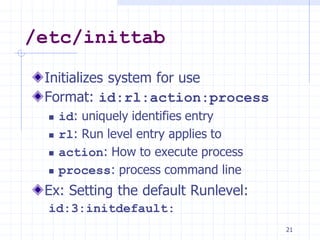
/etc/inittab
Initializes system for use
Format: id:rl:action:process
 id: uniquely identifies entry
 rl: Run level entry applies to
 action: How to execute process
 process: process command line
Ex: Setting the default Runlevel:
id:3:initdefault:
21
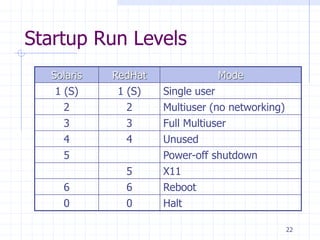
Startup Run Levels
Solaris RedHat Mode
1 (S) 1 (S) Single user
2 2 Multiuser (no networking)
3 3 Full Multiuser
4 4 Unused
5 Power-off shutdown
5 X11
6 6 Reboot
0 0 Halt
22
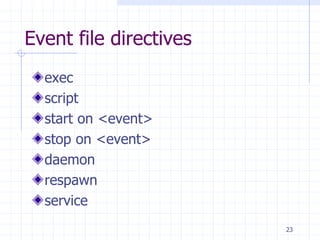
Event file directives
exec
script
start on <event>
stop on <event>
daemon
respawn
service
23
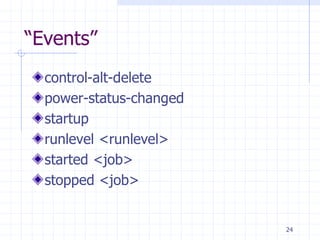
“Events”
control-alt-delete
power-status-changed
startup
runlevel <runlevel>
started <job>
stopped <job>
24
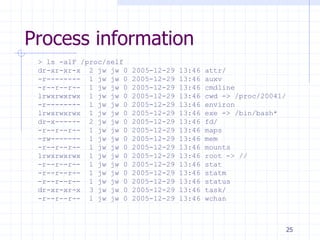
Process information
> ls -alF /proc/self
dr-xr-xr-x 2 jw jw 0 2005-12-29 13:46 attr/
-r-------- 1 jw jw 0 2005-12-29 13:46 auxv
-r--r--r-- 1 jw jw 0 2005-12-29 13:46 cmdline
lrwxrwxrwx 1 jw jw 0 2005-12-29 13:46 cwd -> /proc/20041/
-r-------- 1 jw jw 0 2005-12-29 13:46 environ
lrwxrwxrwx 1 jw jw 0 2005-12-29 13:46 exe -> /bin/bash*
dr-x------ 2 jw jw 0 2005-12-29 13:46 fd/
-r--r--r-- 1 jw jw 0 2005-12-29 13:46 maps
-rw------- 1 jw jw 0 2005-12-29 13:46 mem
-r--r--r-- 1 jw jw 0 2005-12-29 13:46 mounts
lrwxrwxrwx 1 jw jw 0 2005-12-29 13:46 root -> //
-r--r--r-- 1 jw jw 0 2005-12-29 13:46 stat
-r--r--r-- 1 jw jw 0 2005-12-29 13:46 statm
-r--r--r-- 1 jw jw 0 2005-12-29 13:46 status
dr-xr-xr-x 3 jw jw 0 2005-12-29 13:46 task/
-r--r--r-- 1 jw jw 0 2005-12-29 13:46 wchan
25
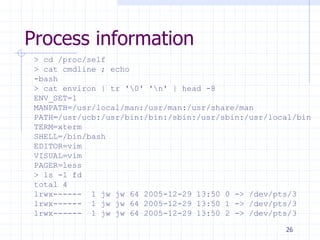
Process information
> cd /proc/self
> cat cmdline ; echo
-bash
> cat environ | tr '0' 'n' | head -8
ENV_SET=1
MANPATH=/usr/local/man:/usr/man:/usr/share/man
PATH=/usr/ucb:/usr/bin:/bin:/sbin:/usr/sbin:/usr/local/bin
TERM=xterm
SHELL=/bin/bash
EDITOR=vim
VISUAL=vim
PAGER=less
> ls -l fd
total 4
lrwx------ 1 jw jw 64 2005-12-29 13:50 0 -> /dev/pts/3
lrwx------ 1 jw jw 64 2005-12-29 13:50 1 -> /dev/pts/3
lrwx------ 1 jw jw 64 2005-12-29 13:50 2 -> /dev/pts/3
26
Slide #27
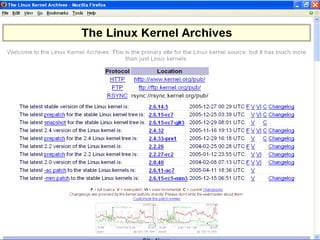
Obtaining the Kernel
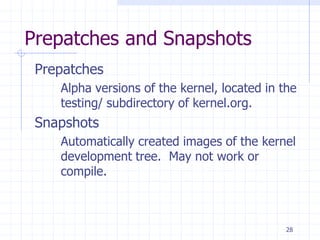
Prepatches and Snapshots
Prepatches
Alpha versions of the kernel, located in the
testing/ subdirectory of kernel.org.
Snapshots
Automatically created images of the kernel
development tree. May not work or
compile.
28
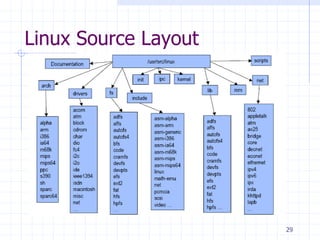
Linux Source Layout
29
Documentation
Text files documenting various aspects of
kernel
Can be very useful.
Not well organized.
Not always up to date.
30
What are Kernel Modules?
Parcels of code that can be dynamically
inserted or removed from kernel at run
time.
31
Why use Kernel Modules?
Ease of maintenance
Compile kernel once.
Build, add, and remove modules afterwards.
Ease of distribution
Compile single kernel for all machines.
Include drivers / options as modules.
Vendors can distribute drivers as modules.
32
Why not use kernel modules?
Performance
 There is a minor performance hit to using.
 Doesn’t save RAM like dynamic user libraries,
since there are no other kernels to share with.
Security
 If attacker can load module, can control kernel.
 Kernel mode rootkits control system invisibly
 Hides attacker processes, files, network connections.
 Runs backdoors, sniffers, etc. w/o starting
processes.
33
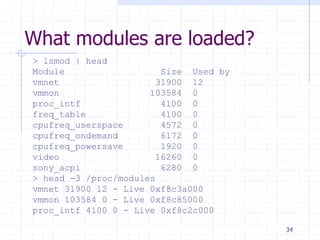
What modules are loaded?
> lsmod | head
Module Size Used by
vmnet 31900 12
vmmon 103584 0
proc_intf 4100 0
freq_table 4100 0
cpufreq_userspace 4572 0
cpufreq_ondemand 6172 0
cpufreq_powersave 1920 0
video 16260 0
sony_acpi 6280 0
> head -3 /proc/modules
vmnet 31900 12 - Live 0xf8c3a000
vmmon 103584 0 - Live 0xf8c85000
proc_intf 4100 0 - Live 0xf8c2c000
34
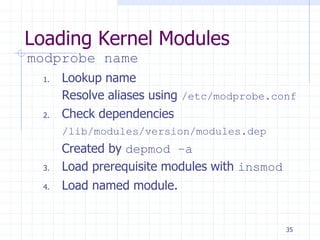
Loading Kernel Modules
modprobe name
1. Lookup name
Resolve aliases using /etc/modprobe.conf
2. Check dependencies
/lib/modules/version/modules.dep
Created by depmod –a
3. Load prerequisite modules with insmod
4. Load named module.
35
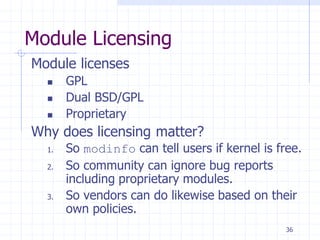
Module Licensing
Module licenses
 GPL
 Dual BSD/GPL
 Proprietary
Why does licensing matter?
1. So modinfo can tell users if kernel is free.
2. So community can ignore bug reports
including proprietary modules.
3. So vendors can do likewise based on their
own policies.
36
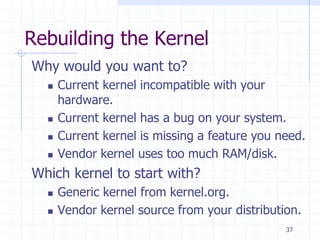
Rebuilding the Kernel
Why would you want to?
 Current kernel incompatible with your
hardware.
 Current kernel has a bug on your system.
 Current kernel is missing a feature you need.
 Vendor kernel uses too much RAM/disk.
Which kernel to start with?
 Generic kernel from kernel.org.
 Vendor kernel source from your distribution.
37
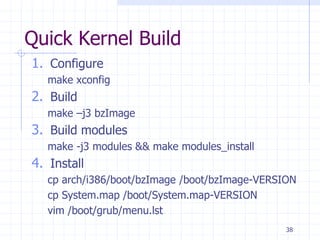
Quick Kernel Build
1. Configure
make xconfig
2. Build
make –j3 bzImage
3. Build modules
make -j3 modules && make modules_install
4. Install
cp arch/i386/boot/bzImage /boot/bzImage-VERSION
cp System.map /boot/System.map-VERSION
vim /boot/grub/menu.lst
38
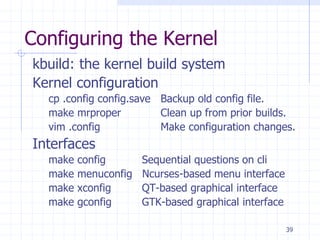
Configuring the Kernel
kbuild: the kernel build system
Kernel configuration
cp .config config.save Backup old config file.
make mrproper Clean up from prior builds.
vim .config Make configuration changes.
Interfaces
make config Sequential questions on cli
make menuconfig Ncurses-based menu interface
make xconfig QT-based graphical interface
make gconfig GTK-based graphical interface
39
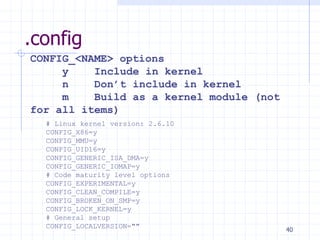
.config
# Linux kernel version: 2.6.10
CONFIG_X86=y
CONFIG_MMU=y
CONFIG_UID16=y
CONFIG_GENERIC_ISA_DMA=y
CONFIG_GENERIC_IOMAP=y
# Code maturity level options
CONFIG_EXPERIMENTAL=y
CONFIG_CLEAN_COMPILE=y
CONFIG_BROKEN_ON_SMP=y
CONFIG_LOCK_KERNEL=y
# General setup
CONFIG_LOCALVERSION=""
CONFIG_<NAME> options
y Include in kernel
n Don’t include in kernel
m Build as a kernel module (not
for all items)
40
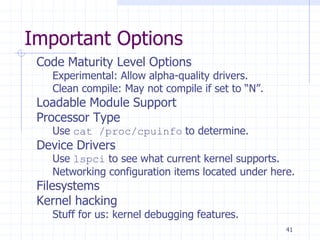
Important Options
Code Maturity Level Options
Experimental: Allow alpha-quality drivers.
Clean compile: May not compile if set to “N”.
Loadable Module Support
Processor Type
Use cat /proc/cpuinfo to determine.
Device Drivers
Use lspci to see what current kernel supports.
Networking configuration items located under here.
Filesystems
Kernel hacking
Stuff for us: kernel debugging features.
41
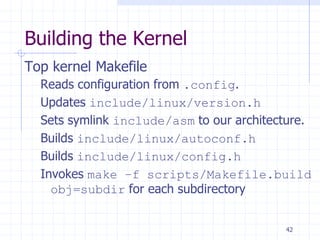
Building the Kernel
Top kernel Makefile
Reads configuration from .config.
Updates include/linux/version.h
Sets symlink include/asm to our architecture.
Builds include/linux/autoconf.h
Builds include/linux/config.h
Invokes make –f scripts/Makefile.build
obj=subdir for each subdirectory
42
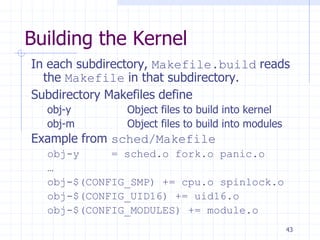
Building the Kernel
In each subdirectory, Makefile.build reads
the Makefile in that subdirectory.
Subdirectory Makefiles define
obj-y Object files to build into kernel
obj-m Object files to build into modules
Example from sched/Makefile
obj-y = sched.o fork.o panic.o
…
obj-$(CONFIG_SMP) += cpu.o spinlock.o
obj-$(CONFIG_UID16) += uid16.o
obj-$(CONFIG_MODULES) += module.o
43
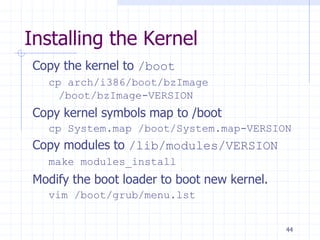
Installing the Kernel
Copy the kernel to /boot
cp arch/i386/boot/bzImage
/boot/bzImage-VERSION
Copy kernel symbols map to /boot
cp System.map /boot/System.map-VERSION
Copy modules to /lib/modules/VERSION
make modules_install
Modify the boot loader to boot new kernel.
vim /boot/grub/menu.lst
44
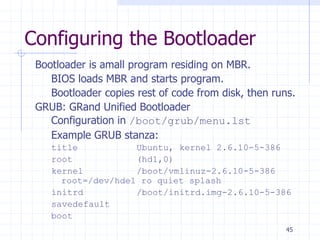
Configuring the Bootloader
Bootloader is amall program residing on MBR.
BIOS loads MBR and starts program.
Bootloader copies rest of code from disk, then runs.
GRUB: GRand Unified Bootloader
Configuration in /boot/grub/menu.lst
Example GRUB stanza:
title Ubuntu, kernel 2.6.10-5-386
root (hd1,0)
kernel /boot/vmlinuz-2.6.10-5-386
root=/dev/hde1 ro quiet splash
initrd /boot/initrd.img-2.6.10-5-386
savedefault
boot
45
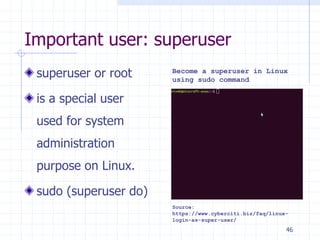
Important user: superuser
superuser or root
is a special user
used for system
administration
purpose on Linux.
sudo (superuser do)
Source:
https://www.cyberciti.biz/faq/linux-
login-as-super-user/
Become a superuser in Linux
using sudo command
46
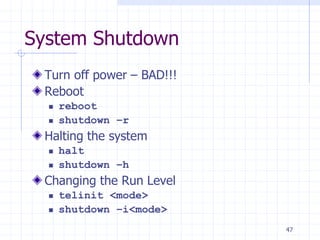
System Shutdown
Turn off power – BAD!!!
Reboot
 reboot
 shutdown –r
Halting the system
 halt
 shutdown –h
Changing the Run Level
 telinit <mode>
 shutdown –i<mode>
47
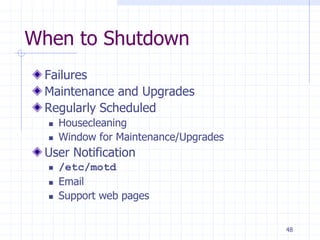
When to Shutdown
Failures
Maintenance and Upgrades
Regularly Scheduled
 Housecleaning
 Window for Maintenance/Upgrades
User Notification
 /etc/motd
 Email
 Support web pages
48
References
1. Daniel P. Bovet and Marco Cesati, Understanding the Linux Kernel, 3rd
edition, O’Reilly, 2005.
2. Robert Love, Linux Kernel Development, 2nd edition, Prentice-Hall, 2005.
3. Kwan Lowe, Kernel Rebuild Guide,
http://www.digitalhermit.com/linux/Kernel-Build-HOWTO.html, 2004.
4. LWN, “Another Look at the New Development Model,”
http://lwn.net/Articles/94605/, 2004.
5. Joseph Pranovitch, Wonderful World of Linux 2.2,
http://kniggit.net/wwol22.html, 1999.
6. Joseph Pranovitch, Wonderful World of Linux 2.4,
http://kniggit.net/wwol24.html, 2001.
7. Joseph Pranovitch, Wonderful World of Linux 2.6,
http://kniggit.net/wwol24.html, 2003.
8. Claudia Rodriguez et al, The Linux Kernel Primer, Prentice-Hall, 2005.
9. Andrew S. Tanenbaum, Modern Operating Systems, 2nd edition, Prentice-
Hall, 2001.
10. Linus Torvalds and David Diamond, Just For Fun: The Story of an Accidental
Revolutionary, Collins, 2001.
49

Operating-Systems-Network-System-Lecture 2.pdf

  • 1.
    Lecture 2 Operating Systems CoSc2043– Network and System Administration 1
  • 2.
    Topics 1. What isa kernel? 2. Kernel history and versions 3. Kernel source code 4. Kernel modules 5. Building a custom kernel 6. Operating System, Kernel 7. Bootstrapping 8. System processes, Startup Scripts & Run Levels 9. Boot Configuration and Troubleshooting 10. Important user: superuser, daemon 11. System Shutdown 2
  • 3.
    What is anOS kernel? Program that is always running.  Manages resources.  Provides services. Layering  Layer between programs and hardware.  Layer between users (multiuser OS).  Layer between programs (multitasking OS). 3
  • 4.
    Examples of OperatingSystems DOS - Disk Operating System Windows MacOS Unix – Linux Unix – Linux: originally created with a command-line interface, but recently have added GUI enhancements. 4
  • 5.
    What is anOS kernel? 5
  • 6.
  • 7.
    Resource Management Allocation Allocates finiteresources among competing processes. CPU, memory, disk, network Protection Prevents processes from interfering with each other. Reclamation Voluntary at runtime; automatic at termination. Virtualization Provides illusion of private unshared resources Timeshared CPU, Virtual Memory, Virtual Machines 7
  • 8.
    What is theLinux kernel? Free open source UNIX-compatible kernel. Created by Linus Torvalds. Developed by thousands across the world. Coordinated via linux-kernel mailing list. 8
  • 9.
    Kernel History 0.01 Firstversion released by Linus (1991). 1.0 First release (x86 only) in 1994. 1.2 Supports other CPUs (Alpha, MIPS) in 1995. 2.0 SMP support, more architectures (1996). 2.2 Efficient SMP, more hardware support (1999). 2.4 LVM, Plug-n-Play, USB, etc. (2001). 2.6 Scalability (embedded, NUMA, PAE, sched), kernel pre-emption, User-mode linux (2003). 9
  • 10.
    Version Numbering: A.B.C.D A:Major version Changed twice: 1.0 (1994), 2.0 (1996) B: Minor version Even numbers are stable releases Odd numbers are development releases C: Minor revision Not so minor in 2.6 as development continues. D: Bug-fix / security patch release First occurred with NFS bug in 2.6.8.1 Official policy as of 2.6.11 10
  • 11.
    Kernel Versions mm: AndrewMorton tree New patches, almost ready for distribution. ac: Alan Cox tree Distribution trees RedHat Mandrake Debian Gentoo, etc. 11
  • 12.
    Identifying the RunningKernel > uname Linux > uname -r 2.6.10 > cat /proc/version Linux version 2.6.10(jw@csc660) (gcc version 3.3.5) #3 Sun Dec 25 10:22:50 EST 2005 12
  • 13.
    Investigating the RunningKernel: /proc ###: directory for each running process cpuinfo: processor information devices: supported hardware diskstats: disk performance statistics meminfo: memory usage information modules: linux kernel modules net: directory of network information partitions: linux disk partitions swaps: swap files/partitions in use by kernel self: link to ### directory for current process 13
  • 14.
    Bootstrapping Starting the system Processof loading kernel into memory Boot Modes  Normal  Single User  Rescue (on CD) 14
  • 15.
    Boot Process Load &initialize kernel Detect & configure devices Fork system processes (Stop if Single User mode) Run startup scripts Start multiuser operations Linux Boot Process Source: https://icssindia.in/lin ux-boot-process/ 15
  • 16.
    Boot Loader ROM loadsboot program from disk Boot program finds/loads kernel  Checks available memory  Initializes kernel internal data structures GRand Unified Bootloader (GRUB)  Can boot multiple OS  Boot options can be edited at boot Linux Boot Loader (LILO)  Can boot multiple OS  Single User: linux single  Rescue: linux rescue 16
  • 17.
    /etc/grub.conf default=1 timeout=10 splashimage=(hd0,5)/boot/grub/splash.xpm.gz title Fedora Core- N321 (2.6.11-1.1369_FC4) root (hd0,5) kernel /boot/vmlinuz-2.6.11-1.1369_FC4 ro root=LABEL=/1 rhgb quiet initrd /boot/initrd-2.6.11-1.1369_FC4.img title Windows XP rootnoverify (hd0,0) chainloader +1 title Red Hat Enterprise WS (2.6.9-11.EL) rootnoverify (hd0,4) kernel /boot/vmlinuz-2.6.9-11.EL ro root=LABEL=/ rhgb quiet initrd /boot/initrd-2.6.9-11.EL.img 17
  • 18.
    System Processes A processis an instance of a program in execution BSD Systems  swapper – PID 0  init – PID 1  pagedaemon – PID 2 AT&T SVR4  sched – PID 0 (invisible under RedHat)  init – PID 1  /etc/inittab 18
  • 19.
    Startup Scripts Hostname Timezone Check thehard drives Mount the hard drives Remove files from /tmp Configure network interfaces Start daemons and network services 19
  • 20.
    BSD /etc/rc* Scripts /etc/rc Master script  Executes supplemental scripts Example supplemental scripts (freeBSD)  /etc/defaults/rc.conf  /etc/rc.conf  /etc/rc.conf.local 20
  • 21.
    /etc/inittab Initializes system foruse Format: id:rl:action:process  id: uniquely identifies entry  rl: Run level entry applies to  action: How to execute process  process: process command line Ex: Setting the default Runlevel: id:3:initdefault: 21
  • 22.
    Startup Run Levels SolarisRedHat Mode 1 (S) 1 (S) Single user 2 2 Multiuser (no networking) 3 3 Full Multiuser 4 4 Unused 5 Power-off shutdown 5 X11 6 6 Reboot 0 0 Halt 22
  • 23.
    Event file directives exec script starton <event> stop on <event> daemon respawn service 23
  • 24.
  • 25.
    Process information > ls-alF /proc/self dr-xr-xr-x 2 jw jw 0 2005-12-29 13:46 attr/ -r-------- 1 jw jw 0 2005-12-29 13:46 auxv -r--r--r-- 1 jw jw 0 2005-12-29 13:46 cmdline lrwxrwxrwx 1 jw jw 0 2005-12-29 13:46 cwd -> /proc/20041/ -r-------- 1 jw jw 0 2005-12-29 13:46 environ lrwxrwxrwx 1 jw jw 0 2005-12-29 13:46 exe -> /bin/bash* dr-x------ 2 jw jw 0 2005-12-29 13:46 fd/ -r--r--r-- 1 jw jw 0 2005-12-29 13:46 maps -rw------- 1 jw jw 0 2005-12-29 13:46 mem -r--r--r-- 1 jw jw 0 2005-12-29 13:46 mounts lrwxrwxrwx 1 jw jw 0 2005-12-29 13:46 root -> // -r--r--r-- 1 jw jw 0 2005-12-29 13:46 stat -r--r--r-- 1 jw jw 0 2005-12-29 13:46 statm -r--r--r-- 1 jw jw 0 2005-12-29 13:46 status dr-xr-xr-x 3 jw jw 0 2005-12-29 13:46 task/ -r--r--r-- 1 jw jw 0 2005-12-29 13:46 wchan 25
  • 26.
    Process information > cd/proc/self > cat cmdline ; echo -bash > cat environ | tr '0' 'n' | head -8 ENV_SET=1 MANPATH=/usr/local/man:/usr/man:/usr/share/man PATH=/usr/ucb:/usr/bin:/bin:/sbin:/usr/sbin:/usr/local/bin TERM=xterm SHELL=/bin/bash EDITOR=vim VISUAL=vim PAGER=less > ls -l fd total 4 lrwx------ 1 jw jw 64 2005-12-29 13:50 0 -> /dev/pts/3 lrwx------ 1 jw jw 64 2005-12-29 13:50 1 -> /dev/pts/3 lrwx------ 1 jw jw 64 2005-12-29 13:50 2 -> /dev/pts/3 26
  • 27.
  • 28.
    Prepatches and Snapshots Prepatches Alphaversions of the kernel, located in the testing/ subdirectory of kernel.org. Snapshots Automatically created images of the kernel development tree. May not work or compile. 28
  • 29.
  • 30.
    Documentation Text files documentingvarious aspects of kernel Can be very useful. Not well organized. Not always up to date. 30
  • 31.
    What are KernelModules? Parcels of code that can be dynamically inserted or removed from kernel at run time. 31
  • 32.
    Why use KernelModules? Ease of maintenance Compile kernel once. Build, add, and remove modules afterwards. Ease of distribution Compile single kernel for all machines. Include drivers / options as modules. Vendors can distribute drivers as modules. 32
  • 33.
    Why not usekernel modules? Performance  There is a minor performance hit to using.  Doesn’t save RAM like dynamic user libraries, since there are no other kernels to share with. Security  If attacker can load module, can control kernel.  Kernel mode rootkits control system invisibly  Hides attacker processes, files, network connections.  Runs backdoors, sniffers, etc. w/o starting processes. 33
  • 34.
    What modules areloaded? > lsmod | head Module Size Used by vmnet 31900 12 vmmon 103584 0 proc_intf 4100 0 freq_table 4100 0 cpufreq_userspace 4572 0 cpufreq_ondemand 6172 0 cpufreq_powersave 1920 0 video 16260 0 sony_acpi 6280 0 > head -3 /proc/modules vmnet 31900 12 - Live 0xf8c3a000 vmmon 103584 0 - Live 0xf8c85000 proc_intf 4100 0 - Live 0xf8c2c000 34
  • 35.
    Loading Kernel Modules modprobename 1. Lookup name Resolve aliases using /etc/modprobe.conf 2. Check dependencies /lib/modules/version/modules.dep Created by depmod –a 3. Load prerequisite modules with insmod 4. Load named module. 35
  • 36.
    Module Licensing Module licenses GPL  Dual BSD/GPL  Proprietary Why does licensing matter? 1. So modinfo can tell users if kernel is free. 2. So community can ignore bug reports including proprietary modules. 3. So vendors can do likewise based on their own policies. 36
  • 37.
    Rebuilding the Kernel Whywould you want to?  Current kernel incompatible with your hardware.  Current kernel has a bug on your system.  Current kernel is missing a feature you need.  Vendor kernel uses too much RAM/disk. Which kernel to start with?  Generic kernel from kernel.org.  Vendor kernel source from your distribution. 37
  • 38.
    Quick Kernel Build 1.Configure make xconfig 2. Build make –j3 bzImage 3. Build modules make -j3 modules && make modules_install 4. Install cp arch/i386/boot/bzImage /boot/bzImage-VERSION cp System.map /boot/System.map-VERSION vim /boot/grub/menu.lst 38
  • 39.
    Configuring the Kernel kbuild:the kernel build system Kernel configuration cp .config config.save Backup old config file. make mrproper Clean up from prior builds. vim .config Make configuration changes. Interfaces make config Sequential questions on cli make menuconfig Ncurses-based menu interface make xconfig QT-based graphical interface make gconfig GTK-based graphical interface 39
  • 40.
    .config # Linux kernelversion: 2.6.10 CONFIG_X86=y CONFIG_MMU=y CONFIG_UID16=y CONFIG_GENERIC_ISA_DMA=y CONFIG_GENERIC_IOMAP=y # Code maturity level options CONFIG_EXPERIMENTAL=y CONFIG_CLEAN_COMPILE=y CONFIG_BROKEN_ON_SMP=y CONFIG_LOCK_KERNEL=y # General setup CONFIG_LOCALVERSION="" CONFIG_<NAME> options y Include in kernel n Don’t include in kernel m Build as a kernel module (not for all items) 40
  • 41.
    Important Options Code MaturityLevel Options Experimental: Allow alpha-quality drivers. Clean compile: May not compile if set to “N”. Loadable Module Support Processor Type Use cat /proc/cpuinfo to determine. Device Drivers Use lspci to see what current kernel supports. Networking configuration items located under here. Filesystems Kernel hacking Stuff for us: kernel debugging features. 41
  • 42.
    Building the Kernel Topkernel Makefile Reads configuration from .config. Updates include/linux/version.h Sets symlink include/asm to our architecture. Builds include/linux/autoconf.h Builds include/linux/config.h Invokes make –f scripts/Makefile.build obj=subdir for each subdirectory 42
  • 43.
    Building the Kernel Ineach subdirectory, Makefile.build reads the Makefile in that subdirectory. Subdirectory Makefiles define obj-y Object files to build into kernel obj-m Object files to build into modules Example from sched/Makefile obj-y = sched.o fork.o panic.o … obj-$(CONFIG_SMP) += cpu.o spinlock.o obj-$(CONFIG_UID16) += uid16.o obj-$(CONFIG_MODULES) += module.o 43
  • 44.
    Installing the Kernel Copythe kernel to /boot cp arch/i386/boot/bzImage /boot/bzImage-VERSION Copy kernel symbols map to /boot cp System.map /boot/System.map-VERSION Copy modules to /lib/modules/VERSION make modules_install Modify the boot loader to boot new kernel. vim /boot/grub/menu.lst 44
  • 45.
    Configuring the Bootloader Bootloaderis amall program residing on MBR. BIOS loads MBR and starts program. Bootloader copies rest of code from disk, then runs. GRUB: GRand Unified Bootloader Configuration in /boot/grub/menu.lst Example GRUB stanza: title Ubuntu, kernel 2.6.10-5-386 root (hd1,0) kernel /boot/vmlinuz-2.6.10-5-386 root=/dev/hde1 ro quiet splash initrd /boot/initrd.img-2.6.10-5-386 savedefault boot 45
  • 46.
    Important user: superuser superuseror root is a special user used for system administration purpose on Linux. sudo (superuser do) Source: https://www.cyberciti.biz/faq/linux- login-as-super-user/ Become a superuser in Linux using sudo command 46
  • 47.
    System Shutdown Turn offpower – BAD!!! Reboot  reboot  shutdown –r Halting the system  halt  shutdown –h Changing the Run Level  telinit <mode>  shutdown –i<mode> 47
  • 48.
    When to Shutdown Failures Maintenanceand Upgrades Regularly Scheduled  Housecleaning  Window for Maintenance/Upgrades User Notification  /etc/motd  Email  Support web pages 48
  • 49.
    References 1. Daniel P.Bovet and Marco Cesati, Understanding the Linux Kernel, 3rd edition, O’Reilly, 2005. 2. Robert Love, Linux Kernel Development, 2nd edition, Prentice-Hall, 2005. 3. Kwan Lowe, Kernel Rebuild Guide, http://www.digitalhermit.com/linux/Kernel-Build-HOWTO.html, 2004. 4. LWN, “Another Look at the New Development Model,” http://lwn.net/Articles/94605/, 2004. 5. Joseph Pranovitch, Wonderful World of Linux 2.2, http://kniggit.net/wwol22.html, 1999. 6. Joseph Pranovitch, Wonderful World of Linux 2.4, http://kniggit.net/wwol24.html, 2001. 7. Joseph Pranovitch, Wonderful World of Linux 2.6, http://kniggit.net/wwol24.html, 2003. 8. Claudia Rodriguez et al, The Linux Kernel Primer, Prentice-Hall, 2005. 9. Andrew S. Tanenbaum, Modern Operating Systems, 2nd edition, Prentice- Hall, 2001. 10. Linus Torvalds and David Diamond, Just For Fun: The Story of an Accidental Revolutionary, Collins, 2001. 49