







LINKEDIN INTRODUCTION
Learning Objectives A brief introduction to the professional networking site LinkedIn. Instructions to create and personalize your account. LinkedIn Apps Learn about network invites and about first, second and third level connections. LinkedIn’s internal messaging system. Guevara
What is LinkedIn? LinkedIn is a professional networking site that allows users to take the classic card exchange into the online realm. LinkedIn provides users with the ability to connect with first degree connections and be introduced to second and third degree connections. Put together a summary of your expertise and accomplishments. Guevara
LinkedIn Today Started in 2003, the site has over 63 million members.  Members are from 200 countries. The service is free but fee-based memberships are available. The site is available in the following languages: English, French, German, Italian, Portuguese and Spanish Both job seekers and employers can connect.  Guevara
CREATING YOUR LINKEDIN ACCOUNT Guevara
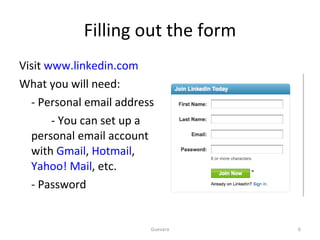
Filling out the form Visit  www.linkedin.com What you will need: - Personal email address   - You can set up a personal email account with  Gmail ,  Hotmail ,  Yahoo! Mail , etc.  - Password  Guevara
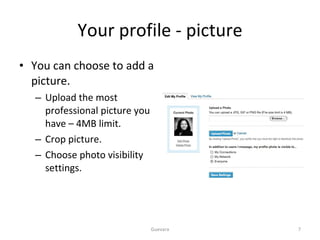
Your profile - picture You can choose to add a picture. Upload the most professional picture you have – 4MB limit. Crop picture. Choose photo visibility settings. Guevara
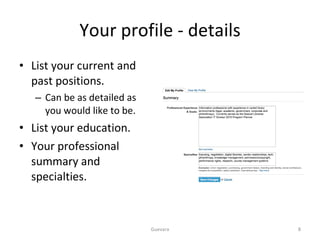
Your profile - details List your current and past positions. Can be as detailed as you would like to be. List your education. Your professional summary and specialties. Guevara
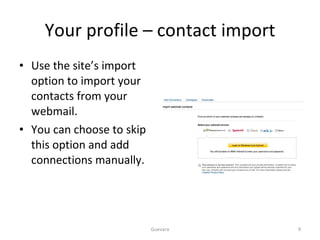
Your profile – contact import Use the site’s import option to import your contacts from your webmail. You can choose to skip this option and add connections manually. Guevara
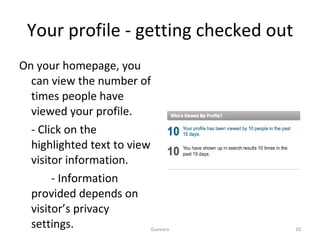
Your profile - getting checked out On your homepage, you can view the number of times people have viewed your profile. - Click on the highlighted text to view visitor information. - Information provided depends on visitor’s privacy settings.  Guevara
INVITATIONS Guevara
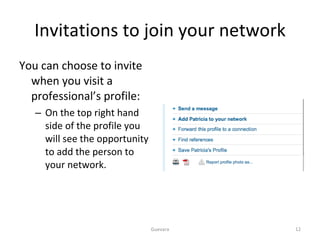
Invitations to join your network You can choose to invite when you visit a professional’s profile: On the top right hand side of the profile you will see the opportunity to add the person to your network. Guevara
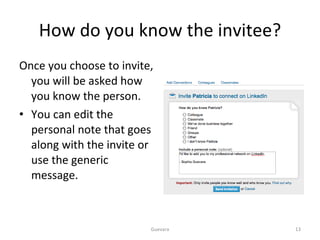
How do you know the invitee? Once you choose to invite, you will be asked how you know the person.  You can edit the personal note that goes along with the invite or use the generic message. Guevara
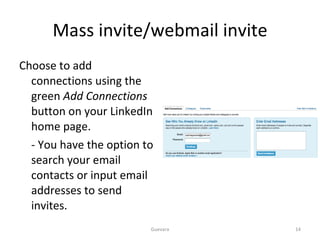
Mass invite/webmail invite Choose to add connections using the green  Add Connections  button on your LinkedIn home page. - You have the option to search your email contacts or input email addresses to send invites. Guevara
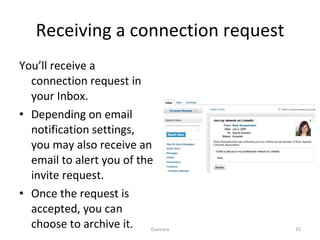
Receiving a connection request You’ll receive a connection request in your Inbox. Depending on email notification settings, you may also receive an email to alert you of the invite request. Once the request is accepted, you can choose to archive it. Guevara
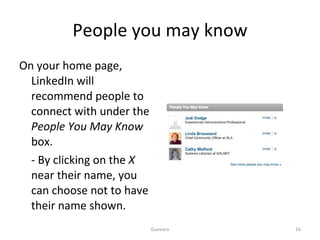
People you may know On your home page, LinkedIn will recommend people to connect with under the  People You May Know  box. - By clicking on the  X  near their name, you can choose not to have their name shown. Guevara
Connecting styles LinkedIn preferred way of connecting Only connect to those you know. Unless you disallow, your connections will be able to see your network and ask for introductions. Your connections may ask you to recommend them on their work. LinkedIn Open Networker (LION) Very open to making as many connections as possible. May include their email address on their profile. Will receive warning email if enough invitees indicate they do not them. Guevara
CONNECTIONS AND YOUR NETWORK Guevara
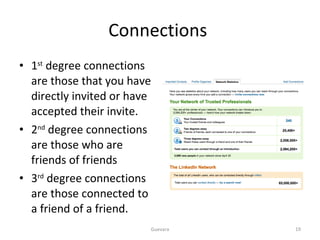
Connections  1 st  degree connections are those that you have directly invited or have accepted their invite. 2 nd  degree connections are those who are friends of friends 3 rd  degree connections are those connected to a friend of a friend. Guevara
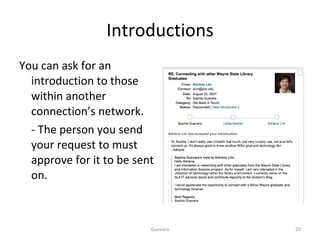
Introductions You can ask for an introduction to those within another connection’s network. - The person you send your request to must approve for it to be sent on. Guevara
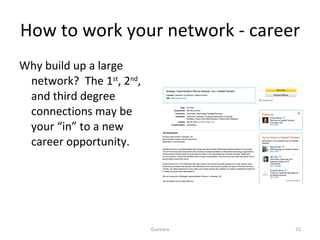
How to work your network - career Why build up a large network?  The 1 st , 2 nd , and third degree connections may be your “in” to a new career opportunity. Guevara
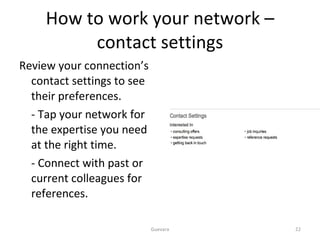
How to work your network – contact settings Review your connection’s contact settings to see their preferences.  - Tap your network for the expertise you need at the right time. - Connect with past or current colleagues for references. Guevara
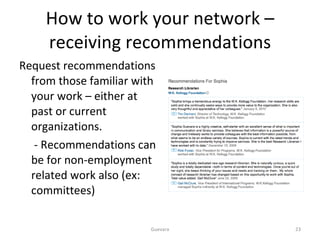
How to work your network – receiving recommendations Request recommendations from those familiar with your work – either at past or current organizations.   - Recommendations can be for non-employment related work also (ex: committees) Guevara
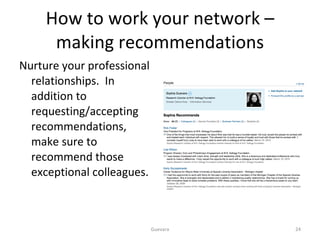
How to work your network – making recommendations Nurture your professional relationships.  In addition to requesting/accepting recommendations, make sure to recommend those exceptional colleagues.  Guevara
LINKEDIN INTERNAL MESSAGING SYSTEM Guevara
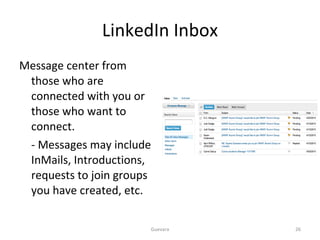
LinkedIn Inbox Message center from those who are connected with you or those who want to connect. - Messages may include InMails, Introductions,  requests to join groups you have created, etc.  Guevara
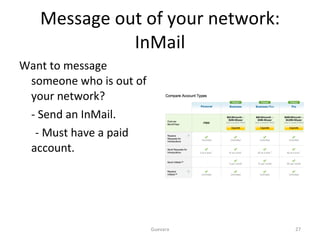
Message out of your network: InMail Want to message someone who is out of your network? - Send an InMail. - Must have a paid account. Guevara
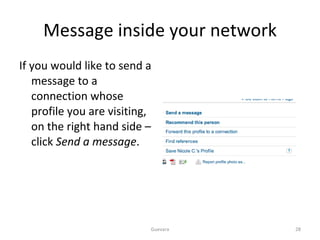
Message inside your network If you would like to send a message to a connection whose profile you are visiting, on the right hand side – click  Send a message . Guevara
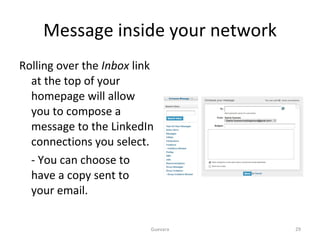
Message inside your network Rolling over the  Inbox  link at the top of your homepage will allow you to compose a message to the LinkedIn connections you select.  - You can choose to have a copy sent to your email. Guevara
LINKEDIN APPS Guevara
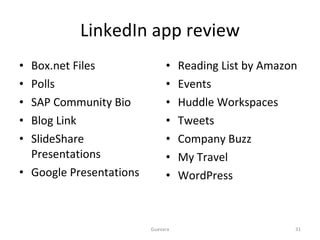
LinkedIn app review Box.net Files Polls SAP Community Bio Blog Link SlideShare Presentations Google Presentations Reading List by Amazon Events Huddle Workspaces Tweets Company Buzz My Travel WordPress Guevara
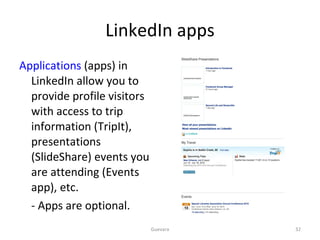
LinkedIn apps Applications  (apps) in LinkedIn allow you to provide profile visitors with access to trip information (TripIt), presentations (SlideShare) events you are attending (Events app), etc.  - Apps are optional. Guevara
CONCLUSION Guevara

LinkedIn Introduction

  • 1.
  • 2.
    Learning Objectives Abrief introduction to the professional networking site LinkedIn. Instructions to create and personalize your account. LinkedIn Apps Learn about network invites and about first, second and third level connections. LinkedIn’s internal messaging system. Guevara
  • 3.
    What is LinkedIn?LinkedIn is a professional networking site that allows users to take the classic card exchange into the online realm. LinkedIn provides users with the ability to connect with first degree connections and be introduced to second and third degree connections. Put together a summary of your expertise and accomplishments. Guevara
  • 4.
    LinkedIn Today Startedin 2003, the site has over 63 million members. Members are from 200 countries. The service is free but fee-based memberships are available. The site is available in the following languages: English, French, German, Italian, Portuguese and Spanish Both job seekers and employers can connect. Guevara
  • 5.
    CREATING YOUR LINKEDINACCOUNT Guevara
  • 6.
    Filling out theform Visit www.linkedin.com What you will need: - Personal email address - You can set up a personal email account with Gmail , Hotmail , Yahoo! Mail , etc. - Password Guevara
  • 7.
    Your profile -picture You can choose to add a picture. Upload the most professional picture you have – 4MB limit. Crop picture. Choose photo visibility settings. Guevara
  • 8.
    Your profile -details List your current and past positions. Can be as detailed as you would like to be. List your education. Your professional summary and specialties. Guevara
  • 9.
    Your profile –contact import Use the site’s import option to import your contacts from your webmail. You can choose to skip this option and add connections manually. Guevara
  • 10.
    Your profile -getting checked out On your homepage, you can view the number of times people have viewed your profile. - Click on the highlighted text to view visitor information. - Information provided depends on visitor’s privacy settings. Guevara
  • 11.
  • 12.
    Invitations to joinyour network You can choose to invite when you visit a professional’s profile: On the top right hand side of the profile you will see the opportunity to add the person to your network. Guevara
  • 13.
    How do youknow the invitee? Once you choose to invite, you will be asked how you know the person. You can edit the personal note that goes along with the invite or use the generic message. Guevara
  • 14.
    Mass invite/webmail inviteChoose to add connections using the green Add Connections button on your LinkedIn home page. - You have the option to search your email contacts or input email addresses to send invites. Guevara
  • 15.
    Receiving a connectionrequest You’ll receive a connection request in your Inbox. Depending on email notification settings, you may also receive an email to alert you of the invite request. Once the request is accepted, you can choose to archive it. Guevara
  • 16.
    People you mayknow On your home page, LinkedIn will recommend people to connect with under the People You May Know box. - By clicking on the X near their name, you can choose not to have their name shown. Guevara
  • 17.
    Connecting styles LinkedInpreferred way of connecting Only connect to those you know. Unless you disallow, your connections will be able to see your network and ask for introductions. Your connections may ask you to recommend them on their work. LinkedIn Open Networker (LION) Very open to making as many connections as possible. May include their email address on their profile. Will receive warning email if enough invitees indicate they do not them. Guevara
  • 18.
    CONNECTIONS AND YOURNETWORK Guevara
  • 19.
    Connections 1st degree connections are those that you have directly invited or have accepted their invite. 2 nd degree connections are those who are friends of friends 3 rd degree connections are those connected to a friend of a friend. Guevara
  • 20.
    Introductions You canask for an introduction to those within another connection’s network. - The person you send your request to must approve for it to be sent on. Guevara
  • 21.
    How to workyour network - career Why build up a large network? The 1 st , 2 nd , and third degree connections may be your “in” to a new career opportunity. Guevara
  • 22.
    How to workyour network – contact settings Review your connection’s contact settings to see their preferences. - Tap your network for the expertise you need at the right time. - Connect with past or current colleagues for references. Guevara
  • 23.
    How to workyour network – receiving recommendations Request recommendations from those familiar with your work – either at past or current organizations. - Recommendations can be for non-employment related work also (ex: committees) Guevara
  • 24.
    How to workyour network – making recommendations Nurture your professional relationships. In addition to requesting/accepting recommendations, make sure to recommend those exceptional colleagues. Guevara
  • 25.
  • 26.
    LinkedIn Inbox Messagecenter from those who are connected with you or those who want to connect. - Messages may include InMails, Introductions, requests to join groups you have created, etc. Guevara
  • 27.
    Message out ofyour network: InMail Want to message someone who is out of your network? - Send an InMail. - Must have a paid account. Guevara
  • 28.
    Message inside yournetwork If you would like to send a message to a connection whose profile you are visiting, on the right hand side – click Send a message . Guevara
  • 29.
    Message inside yournetwork Rolling over the Inbox link at the top of your homepage will allow you to compose a message to the LinkedIn connections you select. - You can choose to have a copy sent to your email. Guevara
  • 30.
  • 31.
    LinkedIn app reviewBox.net Files Polls SAP Community Bio Blog Link SlideShare Presentations Google Presentations Reading List by Amazon Events Huddle Workspaces Tweets Company Buzz My Travel WordPress Guevara
  • 32.
    LinkedIn apps Applications (apps) in LinkedIn allow you to provide profile visitors with access to trip information (TripIt), presentations (SlideShare) events you are attending (Events app), etc. - Apps are optional. Guevara
  • 33.