LinkedIn for College Students
               Charles Garrett
     Charles.Garrett.Linkedin@gmail.com
What is Linkedin?


LinkedIn is the world’s largest professional network with over
120 million members and growing rapidly.

LinkedIn connects you to your trusted contacts and helps you
exchange knowledge, ideas, and opportunities with a broader
network of professionals.
How Can it Benefit Me?


Linkedin provides you with the opportunity to market yourself
online for FREE.

Helps you to keep your online presence professional.

Help you to find jobs when you graduate.

Meet professionals in your field of interest.
Before You Set Up a Profile…


Focus in on what field you are studying.
(IT, Nursing, Business, and etc.)

Brainstorm what kind of job you would want when you
graduate, what industry, and the geographical location of where
you want to work.

Ensure to develop a “target audience”.

A “target audience” consists of titles of people with ability to
hire you and companies you would like to work for.
Create Your Account!


Visit http://www.linkedin.com

Fill out your current information that includes work
history, education, and other extracurricular
activities such as clubs and organizations.

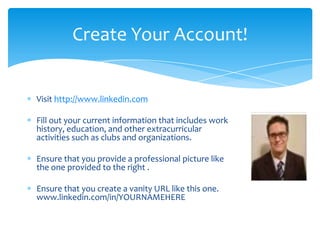
Ensure that you provide a professional picture like
the one provided to the right .

Ensure that you create a vanity URL like this one.
www.linkedin.com/in/YOURNAMEHERE
A Few Things to Remember….


Make sure you use as many keywords for your specific field. This
will help with search engine optimization (SEO). Keeps you on
the top of the list in search results.

Linkedin is about quality and quantity with contacts and
connections.

Linkedin is not a single solution to professional development and
is not a replacement for an actual resume.
Optimize Your Profile: Headline


 Think of your headline as an “elevator pitch” a way to sell
 yourself to prospective recruiters.

 Ensure that is something really do. It can be derived from
 extracurricular activities like student organizations or
 nonprofit volunteer opportunities.

 Ex. Helping nonprofits to educate the local community
 about digital citizenship and identity theft prevention.
Optimize Your Profile: Headline Part
               Two

  Realize you have a 150 character limit. Like Twitter, you have to
  be creative.

  Make sure to update it from time to time to keep it fresh.

  Make sure it flows seamlessly with the rest with your summary
  and other information that you add to your profile.
Optimizing Your Profile: Summary


  Your summary is spaced used for you to describe who you are
  “professionally”, what you do “professionally” and what you
  have done “professionally”. In our case this is our studies and
  activities we participated in while studying.

  Make sure the first sentence has punch.

  I live in breath using technology as a tool to create efficiencies
  and increase productivity.

  Use keywords as much as possible.
Optimizing Your Profile: Summary
             Cont’d

 Ensure that your summary is free of grammatical and spelling
 errors.

 Write it as if you were writing a cover letter for a job application.

 Ensure your profile tells your “target audience”: who you
 are, what you have done, and your goals are for the future.

 Use examples from other Linkedin profiles or advice from Blue
 Sky Resumes.
Optimizing Your Profile: Experience &
             Education

   List your experiences in chronological order.

   Make sure are clear about what you did and present it as if you
   were marketing yourself. QUANTIFY!!!!

   Ex. created professional development opportunities for students
   that raised student involvement by 50%.

   Even if it does not relate to your field put your volunteer
   experience down. It shows your character!
Optimizing Your Profile: Applications


 Make sure to use appropriate applications that
 will help you to market yourself to potential
 employers.

 Box.net is a internet based program that will let
 you store files that can be viewed publically.

 Add a professional twitter account so you can
 update your followers on what you are doing
 “professionally”.

 Add a WordPress blog to blog about your
 career field and your “professional
 experiences”.
Optimizing Your Profile:
         Recommendations

Make sure keep positive professional relationships with your
professors and other professionals throughout your collegiate
endeavors.

Ask for recommendations as you come closer to graduation.
Make sure to diversify them. A few professors, professionals out
in the field, nonprofit professionals, and etc.

Make sure they really know you and can vouch for your work
ethic and or character. Ask them to talk about a particular
project or aspect of your character that will help to market
yourself.
Developing a Professional Network


 The best and easiest way to meet people on LinkedIn is to
 provide meaningful and thoughtful posts in Linkedin Groups.
 There are hundreds of groups for any career field.

 Ask appropriate and relevant questions.

 If you are looking for a job, be tactful and not broadcast it to the
 world.

 Connections can be your ticket to where the jobs are when you
 are transitioning from collegiate to corporate.
Rules of the Linkedin Road.


Make sure you do not randomly connect with people you do not
know. You will be banded if keep trying to connect with people
you do not know.

Have connections come to you.

Have your contacts introduce you to their set of contacts “2nd
degree”.

REMEBER QUALITY OVER QUANITITY.
Insight From a Linkedin Networker


 Realize that professionals are busy and may or may not respond
 to you in what you define a timely manner. They also can
 sometimes be bombarded random requests.

 Try to give more than ask.

 Remember Linkedin is a marketing tool. Become friends with
 marketing majors.

 The best way to network is to talk to people in your chosen
 career field in the specific geographical area you want to work
 in.
Other Suggestions/Insights


If someone does something for you add the “personal touch” by
sending them a thank you card. It speaks a lot in the online
world we live in. People will bend over backwards for you
sometimes.

Also, if you are not a good “sales writer” you can ask help from
your friends. Make sure that it is still you and who you are.

When you become a senior make business cards and do not put
STUDENT on them BE CREATIVE!
Questions?

LinkedIn For College Students

  • 1.
    LinkedIn for CollegeStudents Charles Garrett Charles.Garrett.Linkedin@gmail.com
  • 2.
    What is Linkedin? LinkedInis the world’s largest professional network with over 120 million members and growing rapidly. LinkedIn connects you to your trusted contacts and helps you exchange knowledge, ideas, and opportunities with a broader network of professionals.
  • 3.
    How Can itBenefit Me? Linkedin provides you with the opportunity to market yourself online for FREE. Helps you to keep your online presence professional. Help you to find jobs when you graduate. Meet professionals in your field of interest.
  • 4.
    Before You SetUp a Profile… Focus in on what field you are studying. (IT, Nursing, Business, and etc.) Brainstorm what kind of job you would want when you graduate, what industry, and the geographical location of where you want to work. Ensure to develop a “target audience”. A “target audience” consists of titles of people with ability to hire you and companies you would like to work for.
  • 5.
    Create Your Account! Visithttp://www.linkedin.com Fill out your current information that includes work history, education, and other extracurricular activities such as clubs and organizations. Ensure that you provide a professional picture like the one provided to the right . Ensure that you create a vanity URL like this one. www.linkedin.com/in/YOURNAMEHERE
  • 6.
    A Few Thingsto Remember…. Make sure you use as many keywords for your specific field. This will help with search engine optimization (SEO). Keeps you on the top of the list in search results. Linkedin is about quality and quantity with contacts and connections. Linkedin is not a single solution to professional development and is not a replacement for an actual resume.
  • 7.
    Optimize Your Profile:Headline Think of your headline as an “elevator pitch” a way to sell yourself to prospective recruiters. Ensure that is something really do. It can be derived from extracurricular activities like student organizations or nonprofit volunteer opportunities. Ex. Helping nonprofits to educate the local community about digital citizenship and identity theft prevention.
  • 8.
    Optimize Your Profile:Headline Part Two Realize you have a 150 character limit. Like Twitter, you have to be creative. Make sure to update it from time to time to keep it fresh. Make sure it flows seamlessly with the rest with your summary and other information that you add to your profile.
  • 9.
    Optimizing Your Profile:Summary Your summary is spaced used for you to describe who you are “professionally”, what you do “professionally” and what you have done “professionally”. In our case this is our studies and activities we participated in while studying. Make sure the first sentence has punch. I live in breath using technology as a tool to create efficiencies and increase productivity. Use keywords as much as possible.
  • 10.
    Optimizing Your Profile:Summary Cont’d Ensure that your summary is free of grammatical and spelling errors. Write it as if you were writing a cover letter for a job application. Ensure your profile tells your “target audience”: who you are, what you have done, and your goals are for the future. Use examples from other Linkedin profiles or advice from Blue Sky Resumes.
  • 11.
    Optimizing Your Profile:Experience & Education List your experiences in chronological order. Make sure are clear about what you did and present it as if you were marketing yourself. QUANTIFY!!!! Ex. created professional development opportunities for students that raised student involvement by 50%. Even if it does not relate to your field put your volunteer experience down. It shows your character!
  • 12.
    Optimizing Your Profile:Applications Make sure to use appropriate applications that will help you to market yourself to potential employers. Box.net is a internet based program that will let you store files that can be viewed publically. Add a professional twitter account so you can update your followers on what you are doing “professionally”. Add a WordPress blog to blog about your career field and your “professional experiences”.
  • 13.
    Optimizing Your Profile: Recommendations Make sure keep positive professional relationships with your professors and other professionals throughout your collegiate endeavors. Ask for recommendations as you come closer to graduation. Make sure to diversify them. A few professors, professionals out in the field, nonprofit professionals, and etc. Make sure they really know you and can vouch for your work ethic and or character. Ask them to talk about a particular project or aspect of your character that will help to market yourself.
  • 14.
    Developing a ProfessionalNetwork The best and easiest way to meet people on LinkedIn is to provide meaningful and thoughtful posts in Linkedin Groups. There are hundreds of groups for any career field. Ask appropriate and relevant questions. If you are looking for a job, be tactful and not broadcast it to the world. Connections can be your ticket to where the jobs are when you are transitioning from collegiate to corporate.
  • 15.
    Rules of theLinkedin Road. Make sure you do not randomly connect with people you do not know. You will be banded if keep trying to connect with people you do not know. Have connections come to you. Have your contacts introduce you to their set of contacts “2nd degree”. REMEBER QUALITY OVER QUANITITY.
  • 16.
    Insight From aLinkedin Networker Realize that professionals are busy and may or may not respond to you in what you define a timely manner. They also can sometimes be bombarded random requests. Try to give more than ask. Remember Linkedin is a marketing tool. Become friends with marketing majors. The best way to network is to talk to people in your chosen career field in the specific geographical area you want to work in.
  • 17.
    Other Suggestions/Insights If someonedoes something for you add the “personal touch” by sending them a thank you card. It speaks a lot in the online world we live in. People will bend over backwards for you sometimes. Also, if you are not a good “sales writer” you can ask help from your friends. Make sure that it is still you and who you are. When you become a senior make business cards and do not put STUDENT on them BE CREATIVE!
  • 18.

Editor's Notes

  • #13 Blogging may be common place in your field “IT” but in other fields it may be uncharted territory.
  • #14 Make it easy for them and provide a sample of what you would like them to discuss. It’s all about making it easy for them to vouch for you in best way possible.
  • #16 Connections coming to you…this can be done by interacting with groups. I group of people to invite me through asking if they could review an ID theft presentation that they would like.