Are You Connected?
Get LinkedIn!
Joe Kovacs, APR
June 6, 2013
Are You Connected? Get LinkedIn!
Social Media – Moving Online
 We are not doing anything new, we
are just doing the same things with
new tools, more often and with more
personal power (public
relations, networking)
 The “Caveman Principle”
Are You Connected? Get LinkedIn!
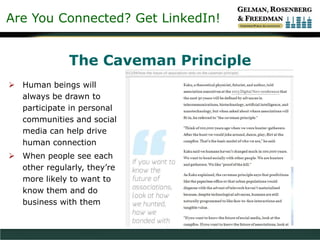
The Caveman Principle
 Human beings will
always be drawn to
participate in personal
communities and social
media can help drive
human connection
 When people see each
other regularly, they’re
more likely to want to
know them and do
business with them
Are You Connected? Get LinkedIn!
Social Media – Moving Online
 Social media is part of a communications
revolution (telephone, radio, television, etc.)
 Demographic trends point toward
technology as an increasingly popular
means of communication and not just
among particular age groups
 AICPA Horizons 2025
Are You Connected? Get LinkedIn!
Social Media – Moving Online
 Adapt!
 Before we start, let’s hear about you, your
experience with LinkedIn and what you
want to get from this workshop
Are You Connected? Get LinkedIn!
What Exactly is LinkedIn?
 A network where networking never ends
– Executives/board members: build
relationships with
donors, partners, media, industry
stakeholders, find board members
– Finance directors: find other CFOs, controllers
to solve common problems and challenges; talk
about compliance requirements
– Development directors: build fundraising
awareness and relationships with donors
– Public relations executives: stakeholder
relationship building
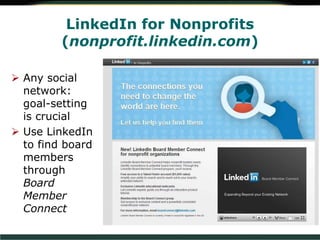
LinkedIn for Nonprofits
(nonprofit.linkedin.com)
 Any social
network:
goal-setting
is crucial
 Use LinkedIn
to find board
members
through
Board
Member
Connect
Are You Connected? Get LinkedIn!
How to Use LinkedIn Successfully
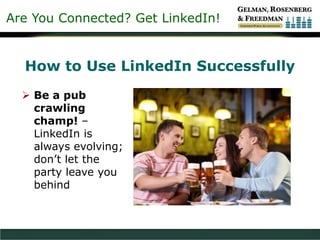
 Be a pub
crawling
champ! –
LinkedIn is
always evolving;
don’t let the
party leave you
behind
Are You Connected? Get LinkedIn!
How to Use LinkedIn Successfully
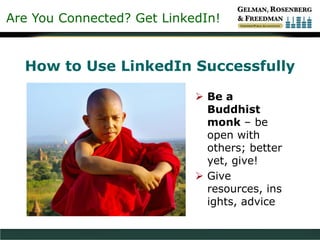
 Be a
Buddhist
monk – be
open with
others; better
yet, give!
 Give
resources, ins
ights, advice
Are You Connected? Get LinkedIn!
How to Use LinkedIn Successfully
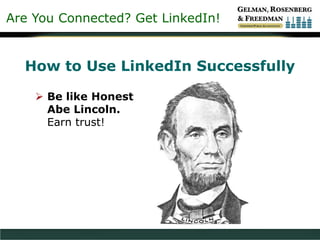
 Be like Honest
Abe Lincoln.
Earn trust!
Are You Connected? Get LinkedIn!
BE THERE
“80 Percent of Success is
Just Showing Up”
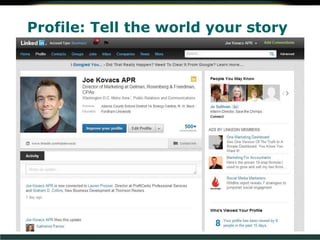
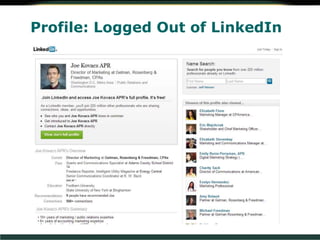
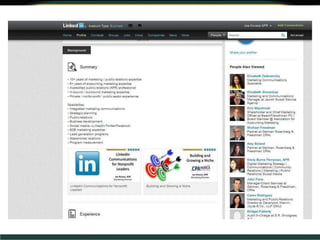
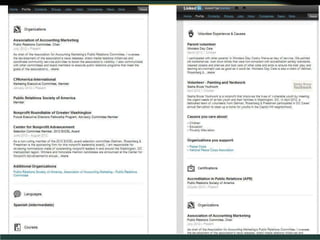
Profile: Tell the world your story
Profile: Logged Out of LinkedIn
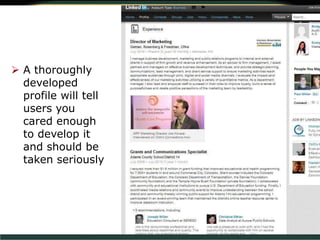
 A thoroughly
developed
profile will tell
users you
cared enough
to develop it
and should be
taken seriously
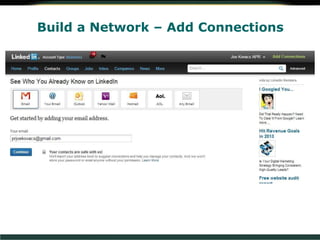
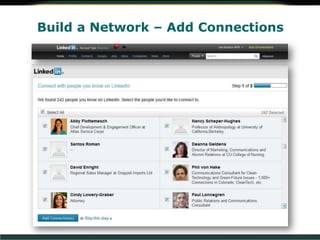
Build a Network – Add Connections
Are You Connected? Get LinkedIn!
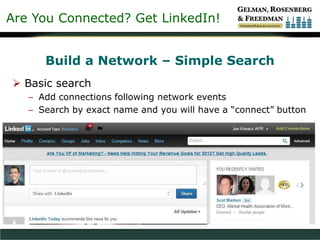
Build a Network – Simple Search
 Basic search
– Add connections following network events
– Search by exact name and you will have a “connect” button
Are You Connected? Get LinkedIn!
Build a Network – Simple Search
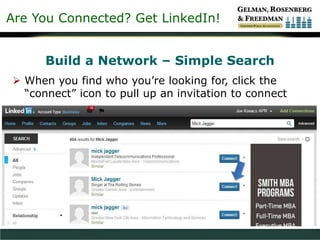
 When you find who you’re looking for, click the
“connect” icon to pull up an invitation to connect
Are You Connected? Get LinkedIn!
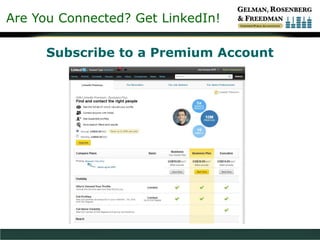
Subscribe to a Premium Account
Are You Connected? Get LinkedIn!
Build a Network – Simple Search
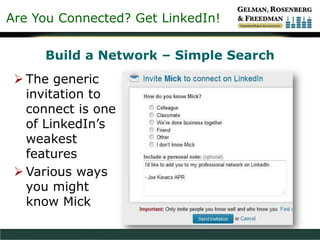
 The generic
invitation to
connect is one
of LinkedIn’s
weakest
features
 Various ways
you might
know Mick
Are You Connected? Get LinkedIn!
Build a Network – Simple/Advanced Search
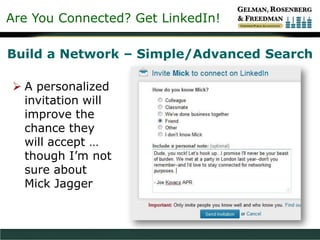
 A personalized
invitation will
improve the
chance they
will accept …
though I’m not
sure about
Mick Jagger
Are You Connected? Get LinkedIn!
Build a Network – Simple/Advanced Search
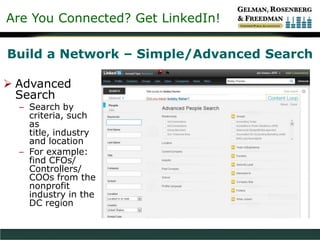
 Advanced
Search
– Search by
criteria, such
as
title, industry
and location
– For example:
find CFOs/
Controllers/
COOs from the
nonprofit
industry in the
DC region
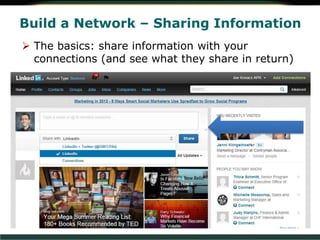
Build a Network – Sharing Information
 The basics: share information with your
connections (and see what they share in return)
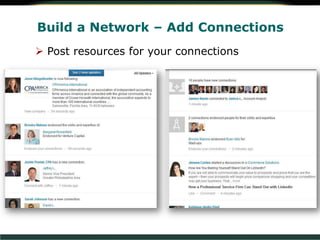
Build a Network – Add Connections
 Post resources for your connections
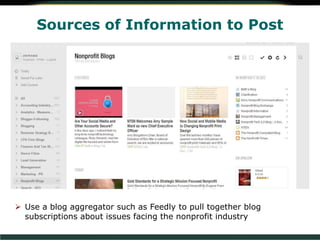
Sources of Information to Post
 Use a blog aggregator such as Feedly to pull together blog
subscriptions about issues facing the nonprofit industry
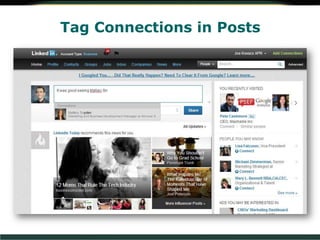
Tag Connections in Posts
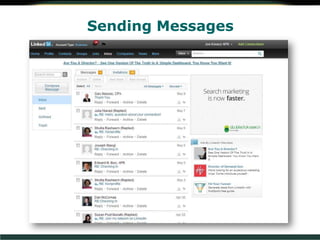
Sending Messages
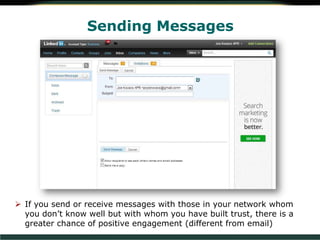
Sending Messages
 If you send or receive messages with those in your network whom
you don’t know well but with whom you have built trust, there is a
greater chance of positive engagement (different from email)
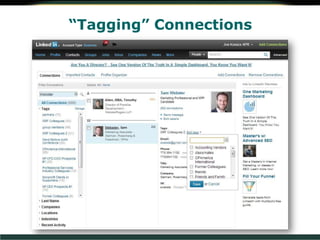
“Tagging” Connections
Removing Connections
 Cull your lists
occasionally to
keep the content
in your feed
current and
interesting
 Connections
interface on
LinkedIn is not
its greatest
strength
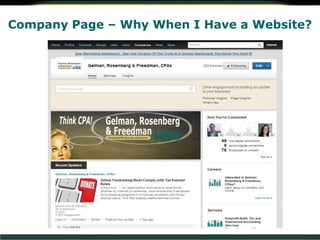
Company Page – Why When I Have a Website?
People visit LinkedIn to learn about topics,
individuals & companies
Public relations – Good for fundraising
campaigns esp. in connection w/Facebook
Tip: “like” every company post to share it
with your connections
Drive website traffic with appropriate links
Career opportunities will be discussed later
in the presentation
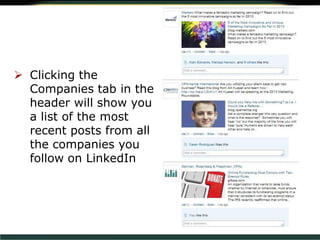
 Clicking the
Companies tab in the
header will show you
a list of the most
recent posts from all
the companies you
follow on LinkedIn
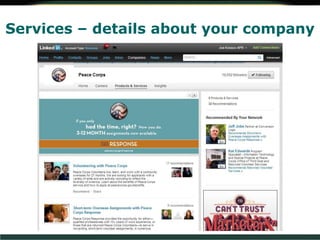
Services – details about your company
Are You Connected? Get LinkedIn!
Network!
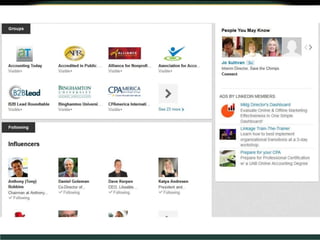
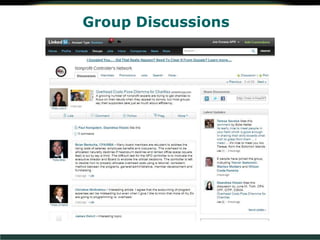
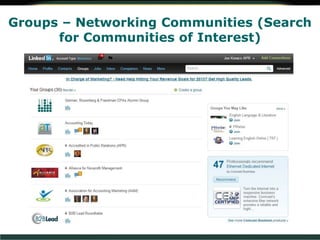
Groups – Networking Communities (Search
for Communities of Interest)
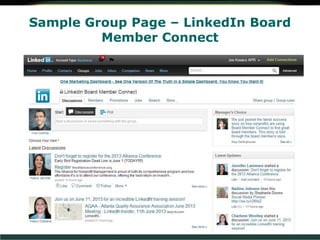
Sample Group Page – LinkedIn Board
Member Connect
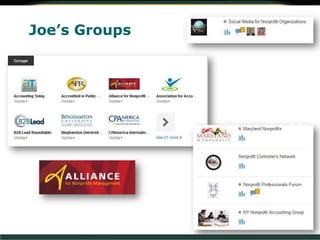
Joe’s Groups
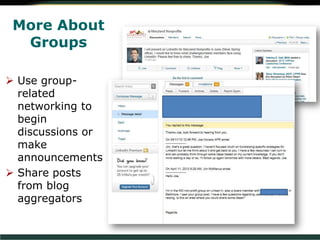
More About
Groups
 Use group-
related
networking to
begin
discussions or
make
announcements
 Share posts
from blog
aggregators
Group Discussions
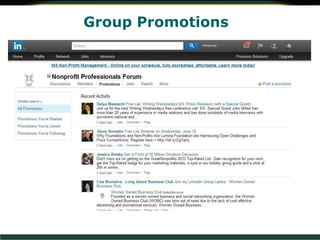
Group Promotions
Are You Connected? Get LinkedIn!
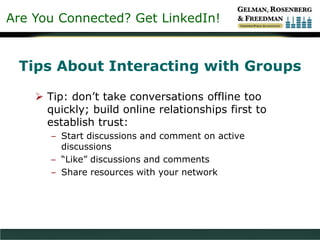
Tips About Interacting with Groups
 Tip: don’t take conversations offline too
quickly; build online relationships first to
establish trust:
– Start discussions and comment on active
discussions
– “Like” discussions and comments
– Share resources with your network
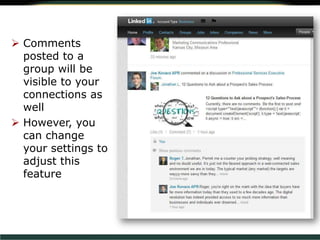
 Comments
posted to a
group will be
visible to your
connections as
well
 However, you
can change
your settings to
adjust this
feature
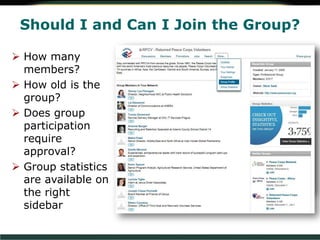
Should I and Can I Join the Group?
 How many
members?
 How old is the
group?
 Does group
participation
require
approval?
 Group statistics
are available on
the right
sidebar
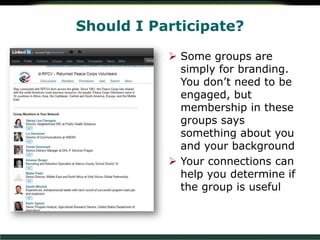
Should I Participate?
 Some groups are
simply for branding.
You don’t need to be
engaged, but
membership in these
groups says
something about you
and your background
 Your connections can
help you determine if
the group is useful
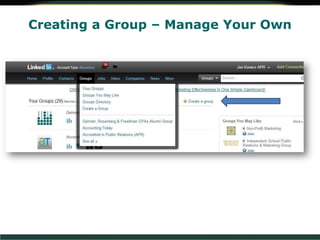
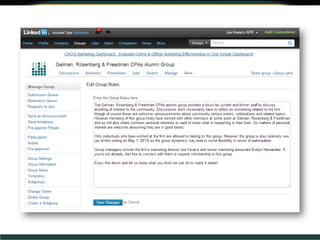
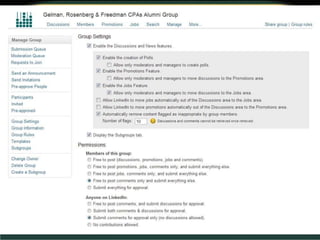
Creating a Group – Manage Your Own
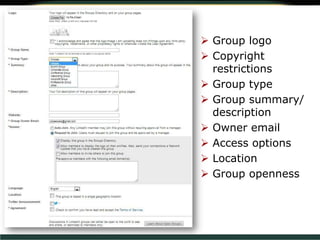
 Group logo
 Copyright
restrictions
 Group type
 Group summary/
description
 Owner email
 Access options
 Location
 Group openness
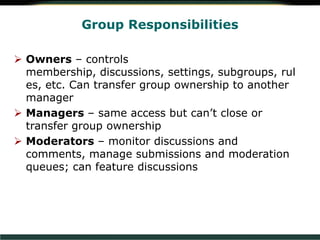
 Owners – controls
membership, discussions, settings, subgroups, rul
es, etc. Can transfer group ownership to another
manager
 Managers – same access but can’t close or
transfer group ownership
 Moderators – monitor discussions and
comments, manage submissions and moderation
queues; can feature discussions
Group Responsibilities
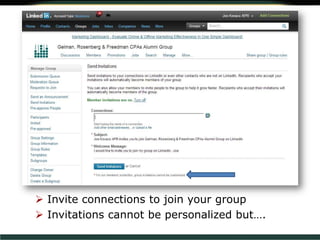
 Invite connections to join your group
 Invitations cannot be personalized but….
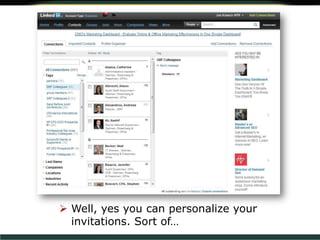
 Well, yes you can personalize your
invitations. Sort of…
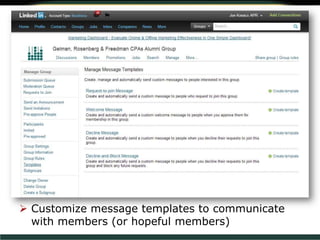
 Customize message templates to communicate
with members (or hopeful members)
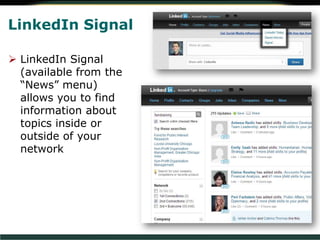
LinkedIn Signal
 LinkedIn Signal
(available from the
“News” menu)
allows you to find
information about
topics inside or
outside of your
network
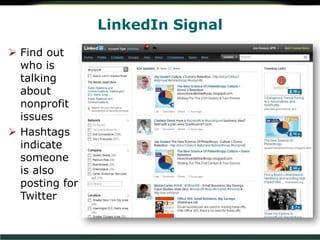
LinkedIn Signal
 Find out
who is
talking
about
nonprofit
issues
 Hashtags
indicate
someone
is also
posting for
Twitter
Are You Connected? Get LinkedIn!
Managing Information
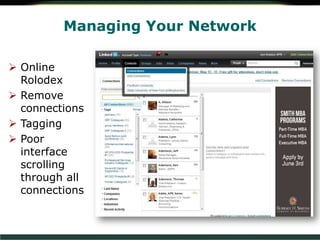
Managing Your Network
 Online
Rolodex
 Remove
connections
 Tagging
 Poor
interface
scrolling
through all
connections
Are You Connected? Get LinkedIn!
Gather Information About Your Profession,
Not What People Are Eating for Breakfast
 “It’s not the amount of information in social
networks that is the problem, it is the lack of
appropriate filters”
 Be selective about who you accept into your
network
– Accepting invitations from strangers may devalue
your feed
– Look for mutual connections or commonalities from
strangers
– Students and newbies to LinkedIn are often okay
– Avoid politics, unless connected to your nonprofit
mission
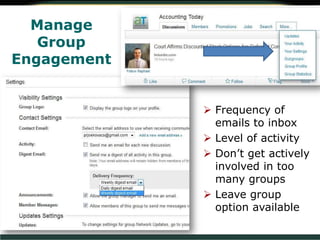
Manage
Group
Engagement
 Frequency of
emails to inbox
 Level of activity
 Don’t get actively
involved in too
many groups
 Leave group
option available
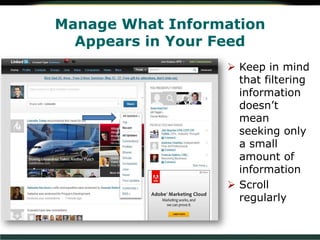
Manage What Information
Appears in Your Feed
 Keep in mind
that filtering
information
doesn’t
mean
seeking only
a small
amount of
information
 Scroll
regularly
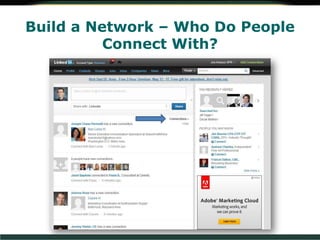
Build a Network – Who Do People
Connect With?
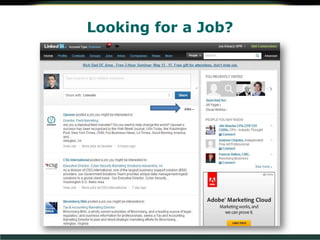
Looking for a Job?
Are You Connected? Get LinkedIn!
Using LinkedIn Today to
Access the Latest
Insights about
Nonprofits and
Other Topics
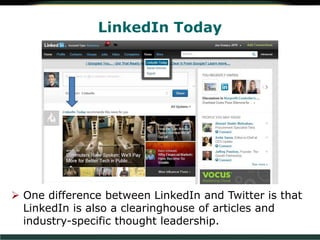
LinkedIn Today
 One difference between LinkedIn and Twitter is that
LinkedIn is also a clearinghouse of articles and
industry-specific thought leadership.
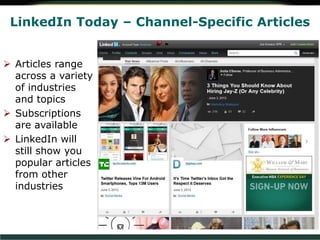
LinkedIn Today – Channel-Specific Articles
 Articles range
across a variety
of industries
and topics
 Subscriptions
are available
 LinkedIn will
still show you
popular articles
from other
industries
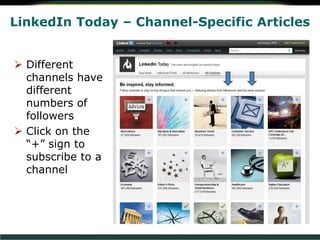
LinkedIn Today – Channel-Specific Articles
 Different
channels have
different
numbers of
followers
 Click on the
“+” sign to
subscribe to a
channel
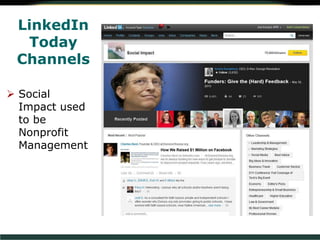
LinkedIn
Today
Channels
 Social
Impact used
to be
Nonprofit
Management
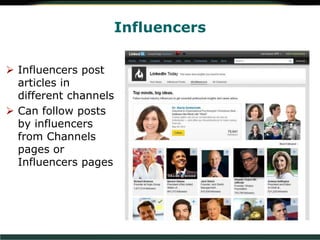
Influencers
 Influencers post
articles in
different channels
 Can follow posts
by influencers
from Channels
pages or
Influencers pages
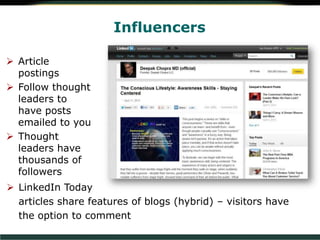
Influencers
 Article
postings
 Follow thought
leaders to
have posts
emailed to you
 Thought
leaders have
thousands of
followers
 LinkedIn Today
articles share features of blogs (hybrid) – visitors have
the option to comment
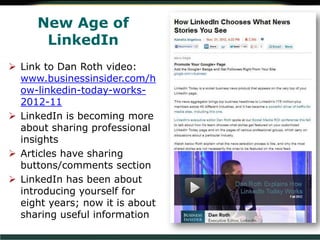
New Age of
LinkedIn
 Link to Dan Roth video:
www.businessinsider.com/h
ow-linkedin-today-works-
2012-11
 LinkedIn is becoming more
about sharing professional
insights
 Articles have sharing
buttons/comments section
 LinkedIn has been about
introducing yourself for
eight years; now it is about
sharing useful information
Are You Connected? Get LinkedIn!
Jobs!
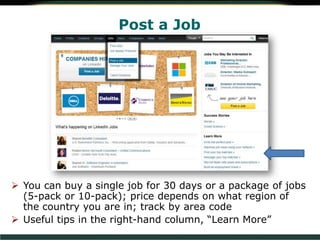
Post a Job
 You can buy a single job for 30 days or a package of jobs
(5-pack or 10-pack); price depends on what region of
the country you are in; track by area code
 Useful tips in the right-hand column, “Learn More”
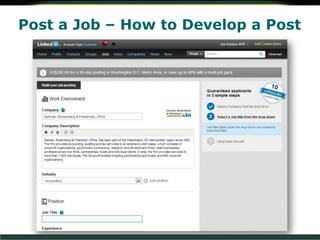
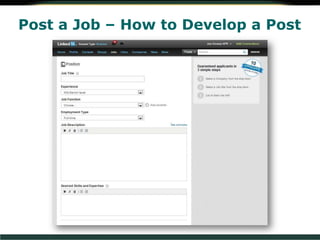
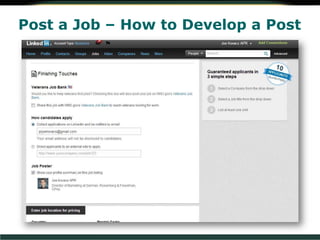
Post a Job – How to Develop a Post
Are You Connected? Get LinkedIn!
Include Recruiter Details?
 Human Resources – at high risk for
connection requests? My human
resources specialist will accept
connection requests from strangers in
our industry but not from anyone else
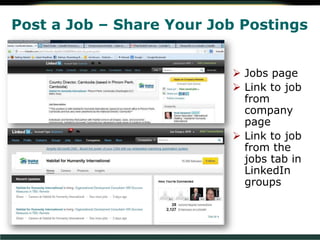
Post a Job – Share Your Job Postings
 Jobs page
 Link to job
from
company
page
 Link to job
from the
jobs tab in
LinkedIn
groups
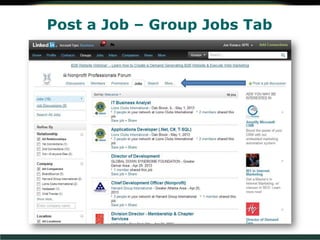
Post a Job – Group Jobs Tab
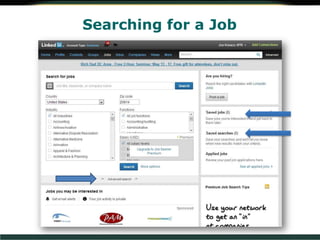
Searching for a Job
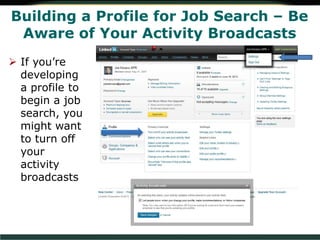
Building a Profile for Job Search – Be
Aware of Your Activity Broadcasts
 If you’re
developing
a profile to
begin a job
search, you
might want
to turn off
your
activity
broadcasts
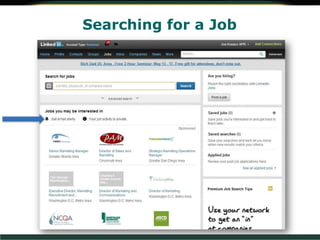
Searching for a Job
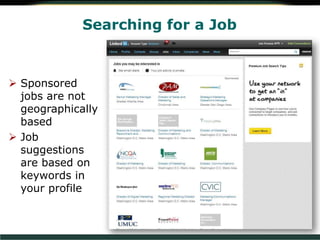
Searching for a Job
 Sponsored
jobs are not
geographically
based
 Job
suggestions
are based on
keywords in
your profile
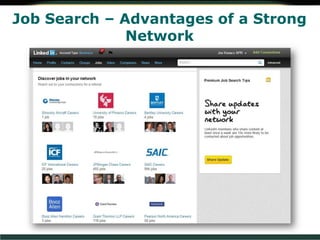
Job Search – Advantages of a Strong
Network
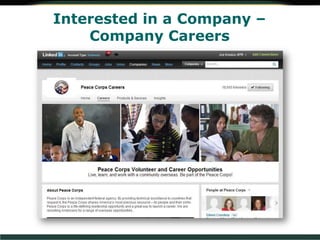
Interested in a Company –
Company Careers
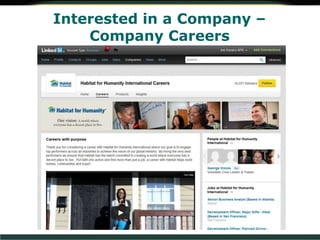
Interested in a Company –
Company Careers
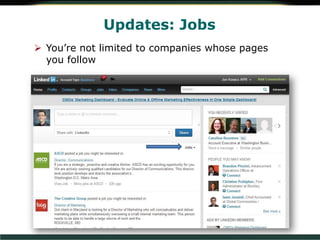
Updates: Jobs
 You’re not limited to companies whose pages
you follow
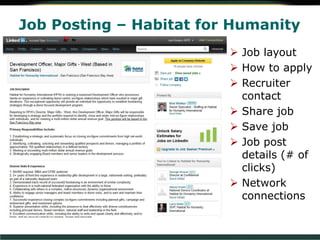
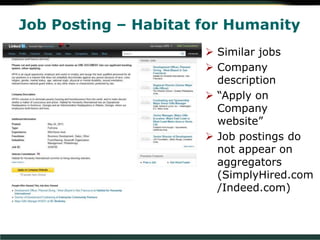
Job Posting – Habitat for Humanity
 Job layout
 How to apply
 Recruiter
contact
 Share job
 Save job
 Job post
details (# of
clicks)
 Network
connections
Job Posting – Habitat for Humanity
 Similar jobs
 Company
description
 “Apply on
Company
website”
 Job postings do
not appear on
aggregators
(SimplyHired.com
/Indeed.com)
Are You Connected? Get LinkedIn!
Additional LinkedIn
Features
Additional Features and
Considerations
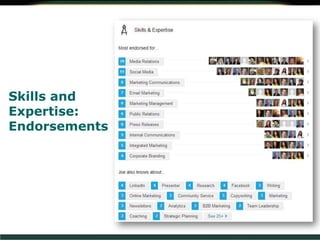
Recommendations and endorsements
LinkedIn Premium
LinkedIn blog – stay current with
updates & strategies for using Linked
Skills and
Expertise:
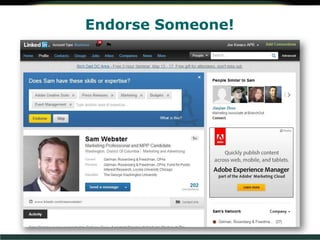
Endorsements
Endorse Someone!
Recommend Someone!
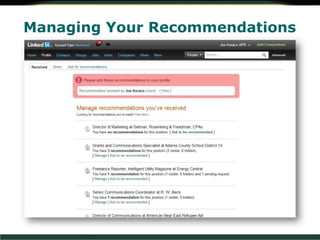
Managing Your Recommendations
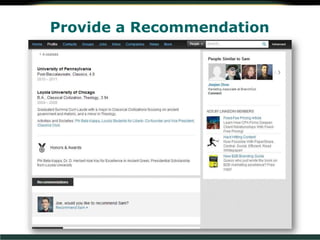
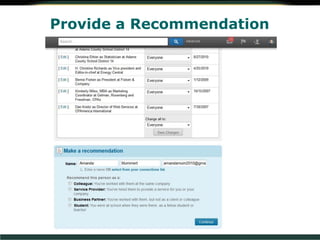
Provide a Recommendation
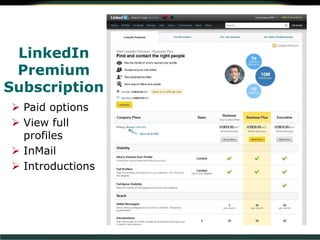
LinkedIn
Premium
Subscription
 Paid options
 View full
profiles
 InMail
 Introductions
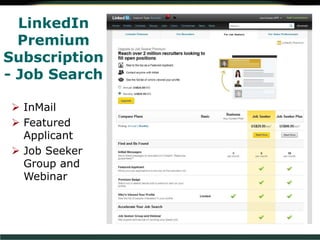
LinkedIn
Premium
Subscription
- Job Search
 InMail
 Featured
Applicant
 Job Seeker
Group and
Webinar
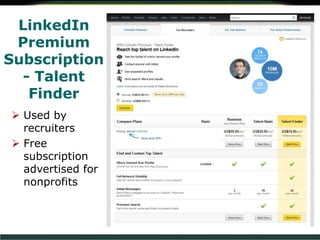
LinkedIn
Premium
Subscription
- Talent
Finder
 Used by
recruiters
 Free
subscription
advertised for
nonprofits
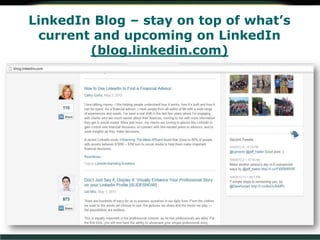
LinkedIn Blog – stay on top of what’s
current and upcoming on LinkedIn
(blog.linkedin.com)
4550 Montgomery Avenue, Suite 650N • Bethesda, MD 20814
Joe Kovacs, APR, Director of
Marketing
Email: jkovacs@grfcpa.com
Telephone: (301) 951 – 9090
Website: www.grfcpa.com
Questions & Answers

Are You Connected? - Get LinkedIn!

  • 1.
    Are You Connected? GetLinkedIn! Joe Kovacs, APR June 6, 2013
  • 2.
    Are You Connected?Get LinkedIn! Social Media – Moving Online  We are not doing anything new, we are just doing the same things with new tools, more often and with more personal power (public relations, networking)  The “Caveman Principle”
  • 3.
    Are You Connected?Get LinkedIn! The Caveman Principle  Human beings will always be drawn to participate in personal communities and social media can help drive human connection  When people see each other regularly, they’re more likely to want to know them and do business with them
  • 4.
    Are You Connected?Get LinkedIn! Social Media – Moving Online  Social media is part of a communications revolution (telephone, radio, television, etc.)  Demographic trends point toward technology as an increasingly popular means of communication and not just among particular age groups  AICPA Horizons 2025
  • 5.
    Are You Connected?Get LinkedIn! Social Media – Moving Online  Adapt!  Before we start, let’s hear about you, your experience with LinkedIn and what you want to get from this workshop
  • 6.
    Are You Connected?Get LinkedIn! What Exactly is LinkedIn?  A network where networking never ends – Executives/board members: build relationships with donors, partners, media, industry stakeholders, find board members – Finance directors: find other CFOs, controllers to solve common problems and challenges; talk about compliance requirements – Development directors: build fundraising awareness and relationships with donors – Public relations executives: stakeholder relationship building
  • 7.
    LinkedIn for Nonprofits (nonprofit.linkedin.com) Any social network: goal-setting is crucial  Use LinkedIn to find board members through Board Member Connect
  • 8.
    Are You Connected?Get LinkedIn! How to Use LinkedIn Successfully  Be a pub crawling champ! – LinkedIn is always evolving; don’t let the party leave you behind
  • 9.
    Are You Connected?Get LinkedIn! How to Use LinkedIn Successfully  Be a Buddhist monk – be open with others; better yet, give!  Give resources, ins ights, advice
  • 10.
    Are You Connected?Get LinkedIn! How to Use LinkedIn Successfully  Be like Honest Abe Lincoln. Earn trust!
  • 11.
    Are You Connected?Get LinkedIn! BE THERE “80 Percent of Success is Just Showing Up”
  • 12.
    Profile: Tell theworld your story
  • 13.
  • 15.
     A thoroughly developed profilewill tell users you cared enough to develop it and should be taken seriously
  • 18.
    Build a Network– Add Connections
  • 19.
    Build a Network– Add Connections
  • 20.
    Are You Connected?Get LinkedIn! Build a Network – Simple Search  Basic search – Add connections following network events – Search by exact name and you will have a “connect” button
  • 21.
    Are You Connected?Get LinkedIn! Build a Network – Simple Search  When you find who you’re looking for, click the “connect” icon to pull up an invitation to connect
  • 22.
    Are You Connected?Get LinkedIn! Subscribe to a Premium Account
  • 23.
    Are You Connected?Get LinkedIn! Build a Network – Simple Search  The generic invitation to connect is one of LinkedIn’s weakest features  Various ways you might know Mick
  • 24.
    Are You Connected?Get LinkedIn! Build a Network – Simple/Advanced Search  A personalized invitation will improve the chance they will accept … though I’m not sure about Mick Jagger
  • 25.
    Are You Connected?Get LinkedIn! Build a Network – Simple/Advanced Search  Advanced Search – Search by criteria, such as title, industry and location – For example: find CFOs/ Controllers/ COOs from the nonprofit industry in the DC region
  • 26.
    Build a Network– Sharing Information  The basics: share information with your connections (and see what they share in return)
  • 27.
    Build a Network– Add Connections  Post resources for your connections
  • 28.
    Sources of Informationto Post  Use a blog aggregator such as Feedly to pull together blog subscriptions about issues facing the nonprofit industry
  • 29.
  • 30.
  • 31.
    Sending Messages  Ifyou send or receive messages with those in your network whom you don’t know well but with whom you have built trust, there is a greater chance of positive engagement (different from email)
  • 32.
  • 33.
    Removing Connections  Cullyour lists occasionally to keep the content in your feed current and interesting  Connections interface on LinkedIn is not its greatest strength
  • 34.
    Company Page –Why When I Have a Website?
  • 35.
    Company Page –Why When I Have a Website? People visit LinkedIn to learn about topics, individuals & companies Public relations – Good for fundraising campaigns esp. in connection w/Facebook Tip: “like” every company post to share it with your connections Drive website traffic with appropriate links Career opportunities will be discussed later in the presentation
  • 36.
     Clicking the Companiestab in the header will show you a list of the most recent posts from all the companies you follow on LinkedIn
  • 37.
    Services – detailsabout your company
  • 38.
    Are You Connected?Get LinkedIn! Network!
  • 39.
    Groups – NetworkingCommunities (Search for Communities of Interest)
  • 40.
    Sample Group Page– LinkedIn Board Member Connect
  • 41.
  • 42.
    More About Groups  Usegroup- related networking to begin discussions or make announcements  Share posts from blog aggregators
  • 43.
  • 44.
  • 45.
    Are You Connected?Get LinkedIn! Tips About Interacting with Groups  Tip: don’t take conversations offline too quickly; build online relationships first to establish trust: – Start discussions and comment on active discussions – “Like” discussions and comments – Share resources with your network
  • 46.
     Comments posted toa group will be visible to your connections as well  However, you can change your settings to adjust this feature
  • 47.
    Should I andCan I Join the Group?  How many members?  How old is the group?  Does group participation require approval?  Group statistics are available on the right sidebar
  • 48.
    Should I Participate? Some groups are simply for branding. You don’t need to be engaged, but membership in these groups says something about you and your background  Your connections can help you determine if the group is useful
  • 49.
    Creating a Group– Manage Your Own
  • 50.
     Group logo Copyright restrictions  Group type  Group summary/ description  Owner email  Access options  Location  Group openness
  • 53.
     Owners –controls membership, discussions, settings, subgroups, rul es, etc. Can transfer group ownership to another manager  Managers – same access but can’t close or transfer group ownership  Moderators – monitor discussions and comments, manage submissions and moderation queues; can feature discussions Group Responsibilities
  • 54.
     Invite connectionsto join your group  Invitations cannot be personalized but….
  • 55.
     Well, yesyou can personalize your invitations. Sort of…
  • 56.
     Customize messagetemplates to communicate with members (or hopeful members)
  • 57.
    LinkedIn Signal  LinkedInSignal (available from the “News” menu) allows you to find information about topics inside or outside of your network
  • 58.
    LinkedIn Signal  Findout who is talking about nonprofit issues  Hashtags indicate someone is also posting for Twitter
  • 59.
    Are You Connected?Get LinkedIn! Managing Information
  • 60.
    Managing Your Network Online Rolodex  Remove connections  Tagging  Poor interface scrolling through all connections
  • 61.
    Are You Connected?Get LinkedIn! Gather Information About Your Profession, Not What People Are Eating for Breakfast  “It’s not the amount of information in social networks that is the problem, it is the lack of appropriate filters”  Be selective about who you accept into your network – Accepting invitations from strangers may devalue your feed – Look for mutual connections or commonalities from strangers – Students and newbies to LinkedIn are often okay – Avoid politics, unless connected to your nonprofit mission
  • 62.
    Manage Group Engagement  Frequency of emailsto inbox  Level of activity  Don’t get actively involved in too many groups  Leave group option available
  • 63.
    Manage What Information Appearsin Your Feed  Keep in mind that filtering information doesn’t mean seeking only a small amount of information  Scroll regularly
  • 64.
    Build a Network– Who Do People Connect With?
  • 65.
  • 66.
    Are You Connected?Get LinkedIn! Using LinkedIn Today to Access the Latest Insights about Nonprofits and Other Topics
  • 67.
    LinkedIn Today  Onedifference between LinkedIn and Twitter is that LinkedIn is also a clearinghouse of articles and industry-specific thought leadership.
  • 68.
    LinkedIn Today –Channel-Specific Articles  Articles range across a variety of industries and topics  Subscriptions are available  LinkedIn will still show you popular articles from other industries
  • 69.
    LinkedIn Today –Channel-Specific Articles  Different channels have different numbers of followers  Click on the “+” sign to subscribe to a channel
  • 70.
  • 71.
    Influencers  Influencers post articlesin different channels  Can follow posts by influencers from Channels pages or Influencers pages
  • 72.
    Influencers  Article postings  Followthought leaders to have posts emailed to you  Thought leaders have thousands of followers  LinkedIn Today articles share features of blogs (hybrid) – visitors have the option to comment
  • 73.
    New Age of LinkedIn Link to Dan Roth video: www.businessinsider.com/h ow-linkedin-today-works- 2012-11  LinkedIn is becoming more about sharing professional insights  Articles have sharing buttons/comments section  LinkedIn has been about introducing yourself for eight years; now it is about sharing useful information
  • 74.
    Are You Connected?Get LinkedIn! Jobs!
  • 75.
    Post a Job You can buy a single job for 30 days or a package of jobs (5-pack or 10-pack); price depends on what region of the country you are in; track by area code  Useful tips in the right-hand column, “Learn More”
  • 76.
    Post a Job– How to Develop a Post
  • 77.
    Post a Job– How to Develop a Post
  • 78.
    Post a Job– How to Develop a Post
  • 79.
    Are You Connected?Get LinkedIn! Include Recruiter Details?  Human Resources – at high risk for connection requests? My human resources specialist will accept connection requests from strangers in our industry but not from anyone else
  • 80.
    Post a Job– Share Your Job Postings  Jobs page  Link to job from company page  Link to job from the jobs tab in LinkedIn groups
  • 81.
    Post a Job– Group Jobs Tab
  • 82.
  • 83.
    Building a Profilefor Job Search – Be Aware of Your Activity Broadcasts  If you’re developing a profile to begin a job search, you might want to turn off your activity broadcasts
  • 84.
  • 85.
    Searching for aJob  Sponsored jobs are not geographically based  Job suggestions are based on keywords in your profile
  • 86.
    Job Search –Advantages of a Strong Network
  • 87.
    Interested in aCompany – Company Careers
  • 88.
    Interested in aCompany – Company Careers
  • 89.
    Updates: Jobs  You’renot limited to companies whose pages you follow
  • 90.
    Job Posting –Habitat for Humanity  Job layout  How to apply  Recruiter contact  Share job  Save job  Job post details (# of clicks)  Network connections
  • 91.
    Job Posting –Habitat for Humanity  Similar jobs  Company description  “Apply on Company website”  Job postings do not appear on aggregators (SimplyHired.com /Indeed.com)
  • 92.
    Are You Connected?Get LinkedIn! Additional LinkedIn Features
  • 93.
    Additional Features and Considerations Recommendationsand endorsements LinkedIn Premium LinkedIn blog – stay current with updates & strategies for using Linked
  • 94.
  • 95.
  • 96.
  • 97.
  • 98.
  • 99.
  • 100.
    LinkedIn Premium Subscription  Paid options View full profiles  InMail  Introductions
  • 101.
    LinkedIn Premium Subscription - Job Search InMail  Featured Applicant  Job Seeker Group and Webinar
  • 102.
    LinkedIn Premium Subscription - Talent Finder  Usedby recruiters  Free subscription advertised for nonprofits
  • 103.
    LinkedIn Blog –stay on top of what’s current and upcoming on LinkedIn (blog.linkedin.com)
  • 104.
    4550 Montgomery Avenue,Suite 650N • Bethesda, MD 20814 Joe Kovacs, APR, Director of Marketing Email: jkovacs@grfcpa.com Telephone: (301) 951 – 9090 Website: www.grfcpa.com Questions & Answers

Editor's Notes

  • #30 Test during presentation – will you be notified?
  • #33 Organize your contacts for groups – check out Imported Contacts tabs (for those via email you haven’t connected with) and Profile Organizer
  • #34 They’ll never know! No message gets sent to them.