This was the image that I originally
                                 started with, we made this image
                                 by one person in our group standing
                                 behind the person that is displayed
                                 in the photograph and the person
                                 behind swung around Christmas
                                 tree lights and then by taking the
                                 photograph with the shutter speed
                                 on we produced this photo.

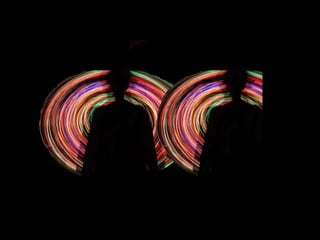
I then took this image to             I coloured the background
Photoshop and began editing it        black to ensure that the light
to get this image:                    painting stands out the best it
                                      could and also to make it
                                      stand out I changed the
                                      brightness and contrast, this
                                      also made the person in the
                                      picture the same colour as the
                                      background which I really
                                      liked and thought it improved
                                      the picture making it looking
                                      better. I then made a copy of
                                      the image and put them next
                                      to each other.
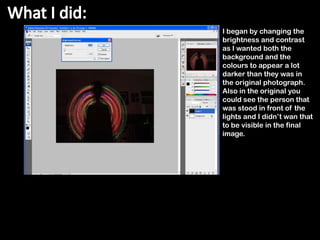
I began by changing the
brightness and contrast
as I wanted both the
background and the
colours to appear a lot
darker than they was in
the original photograph.
Also in the original you
could see the person that
was stood in front of the
lights and I didn’t wan that
to be visible in the final
image.
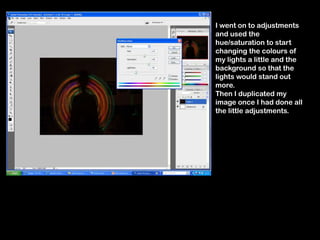
I went on to adjustments
and used the
hue/saturation to start
changing the colours of
my lights a little and the
background so that the
lights would stand out
more.
Then I duplicated my
image once I had done all
the little adjustments.
Light painting presentation

Light painting presentation

  • 4.
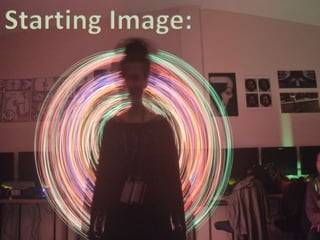
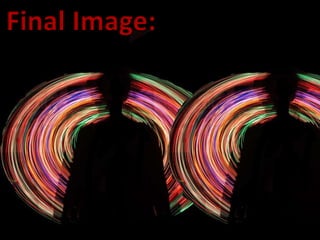
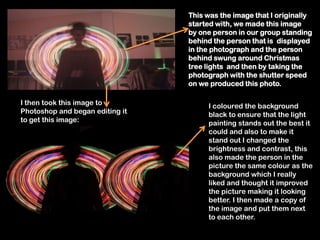
    This was theimage that I originally started with, we made this image by one person in our group standing behind the person that is displayed in the photograph and the person behind swung around Christmas tree lights and then by taking the photograph with the shutter speed on we produced this photo. I then took this image to I coloured the background Photoshop and began editing it black to ensure that the light to get this image: painting stands out the best it could and also to make it stand out I changed the brightness and contrast, this also made the person in the picture the same colour as the background which I really liked and thought it improved the picture making it looking better. I then made a copy of the image and put them next to each other.
  • 5.
    I began bychanging the brightness and contrast as I wanted both the background and the colours to appear a lot darker than they was in the original photograph. Also in the original you could see the person that was stood in front of the lights and I didn’t wan that to be visible in the final image.
  • 6.
    I went onto adjustments and used the hue/saturation to start changing the colours of my lights a little and the background so that the lights would stand out more. Then I duplicated my image once I had done all the little adjustments.