* Improved readability, increased fault-tolerance, and more
security
Michael Boelen
michael.boelen@cisofy.com
NLUUG, November 2019
Let's make better*
scripts
Before we begin...
Topics (blue pill)
● Why Shell Scripting?
● Challenges
● Reliability
● Style
● Tools
● Tips and Tricks
4
Topics (red pill)
● When shell (and why not)
● Common mistakes
● More reliable scripts
● and readable...
● Tools for the lazy
● Tips and tricks (no time for that, homework)
5
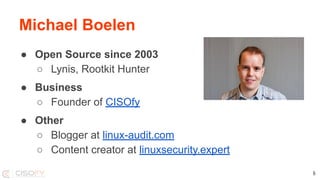
Michael Boelen
● Open Source since 2003
○ Lynis, Rootkit Hunter
● Business
○ Founder of CISOfy
● Other
○ Blogger at linux-audit.com
○ Content creator at linuxsecurity.expert
6
Let’s do this together
Assumptions
You do Dev || Ops
Linux, BSD, macOS,
Created a script before
Input welcome
Alternatives, feedback
7
Questions
During, at the end, and after
the talk
Share
@mboelen @nluug #nluug
Lynis
● Security: system auditing tool
● 2007
● GPLv3
● 25000+ lines of code
● POSIX
● #!/bin/sh
8
My goals for today
1. Share my knowledge
2. Learn from yours
3. Improve your project (or mine)
9
Why Shell Scripting?
● Powerful
● Quick
● Low on dependencies
Why?
11
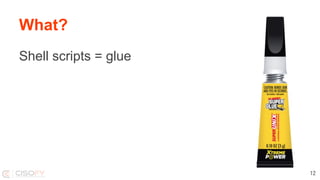
What?
Shell scripts = glue
12
Potential
Small scripts can
grow...
… and become an
open source project!
13
Why not?
Challenges and Common Mistakes
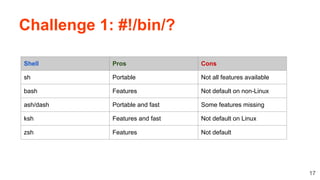
Challenge 1: #!/bin/?
17
Shell Pros Cons
sh Portable Not all features available
bash Features Not default on non-Linux
ash/dash Portable and fast Some features missing
ksh Features and fast Not default on Linux
zsh Features Not default
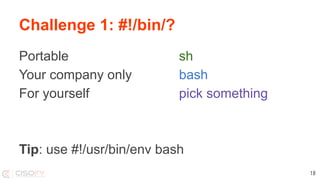
Challenge 1: #!/bin/?
18
Portable sh
Your company only bash
For yourself pick something
Tip: use #!/usr/bin/env bash
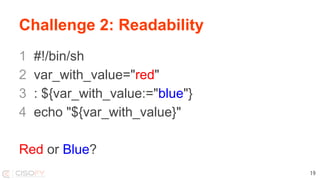
Challenge 2: Readability
1 #!/bin/sh
2 var_with_value="red"
3 : ${var_with_value:="blue"}
4 echo "${var_with_value}"
Red or Blue?
19
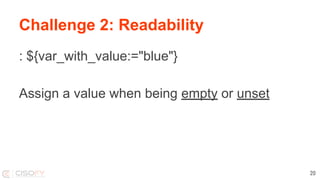
Challenge 2: Readability
: ${var_with_value:="blue"}
Assign a value when being empty or unset
20
Challenge 3: The Unexpected
#!/bin/sh
filename="test me.txt"
if [ $filename = "test me.txt" ]; then
echo "Filename is correct"
fi
3: [: test: unexpected operator
21
You VS Script
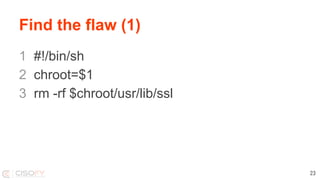
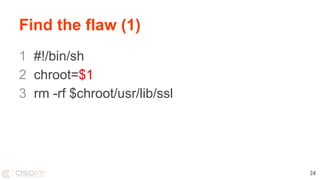
Find the flaw (1)
1 #!/bin/sh
2 chroot=$1
3 rm -rf $chroot/usr/lib/ssl
23
Find the flaw (1)
1 #!/bin/sh
2 chroot=$1
3 rm -rf $chroot/usr/lib/ssl
24
You VS Script
1 - 0
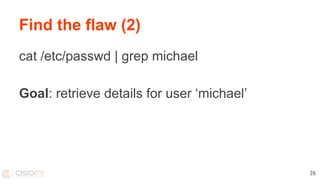
Find the flaw (2)
cat /etc/passwd | grep michael
Goal: retrieve details for user ‘michael’
26
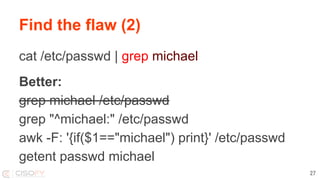
Find the flaw (2)
cat /etc/passwd | grep michael
Better:
grep michael /etc/passwd
grep "^michael:" /etc/passwd
awk -F: '{if($1=="michael") print}' /etc/passwd
getent passwd michael
27
You VS Script
2 - 0
Find the flaw (2)
1 if [-d $i]
2 then
3 echo "$i is a directory! Yay!"
4 else
5 echo "$i is not a directory!"
6 fi
29
Find the flaw (2)
if [ -d $i ]
then
echo "$i is a directory!"
else
echo "$i is not a directory!"
fi
30
You VS Script
3 - 0
Style
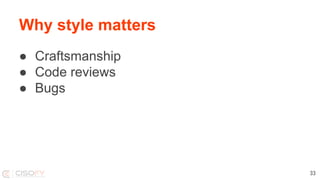
Why style matters
● Craftsmanship
● Code reviews
● Bugs
33
Example
Option 1
if [ "${var}" = "text" ]; then
echo "found text"
fi
Option 2
[ "${var}" = "text" ] && echo "found text"
34
Example: be concise?
Option 1
command
if [ $? -ne 0 ]; then
echo "command failed"; exit 1
fi
Option 2
command || { echo "command failed"; exit 1; }
Option 3
if ! command; then echo "command failed"; exit 1; fi
35
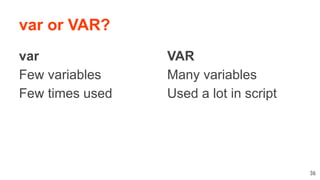
var or VAR?
var
Few variables
Few times used
36
VAR
Many variables
Used a lot in script
Commands
Use full options
--quiet instead of -q
--verbose instead -v
etc
37
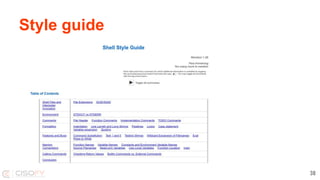
Style guide
38
Focus on reliability
● Quality
● Do(n’t) make assumptions
● Expect the unexpected
● Consider worst case scenario
● Practice defensive programming
Reliability
40
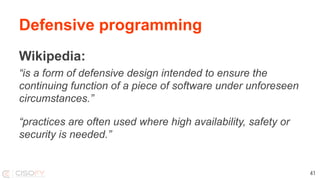
Defensive programming
Wikipedia:
“is a form of defensive design intended to ensure the
continuing function of a piece of software under unforeseen
circumstances.”
“practices are often used where high availability, safety or
security is needed.”
41
Defenses
Intended operating system?
1 #!/bin/sh
2 if [ ! "$(uname)" = "Linux" ]; then
3 echo "This is not a Linux system and unsupported"
4 exit 1
5 fi
42
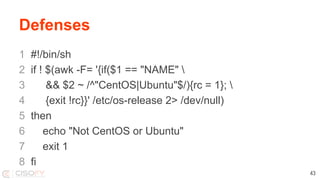
Defenses
1 #!/bin/sh
2 if ! $(awk -F= '{if($1 == "NAME" 
3 && $2 ~ /^"CentOS|Ubuntu"$/){rc = 1}; 
4 {exit !rc}}' /etc/os-release 2> /dev/null)
5 then
6 echo "Not CentOS or Ubuntu"
7 exit 1
8 fi
43
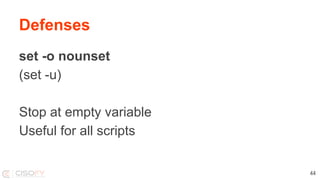
Defenses
set -o nounset
(set -u)
Stop at empty variable
Useful for all scripts
44
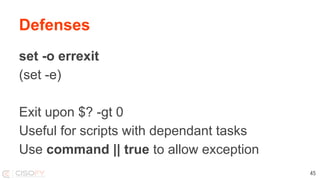
Defenses
set -o errexit
(set -e)
Exit upon $? -gt 0
Useful for scripts with dependant tasks
Use command || true to allow exception
45
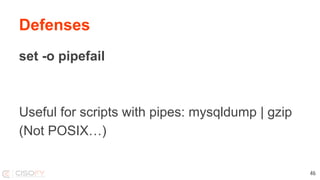
Defenses
set -o pipefail
Useful for scripts with pipes: mysqldump | gzip
(Not POSIX…)
46
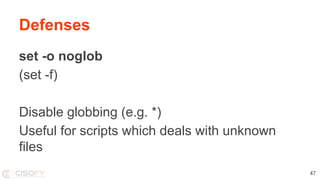
Defenses
set -o noglob
(set -f)
Disable globbing (e.g. *)
Useful for scripts which deals with unknown
files
47
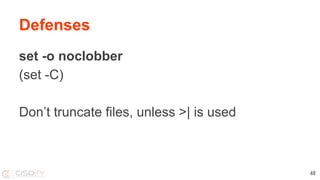
Defenses
set -o noclobber
(set -C)
Don’t truncate files, unless >| is used
48
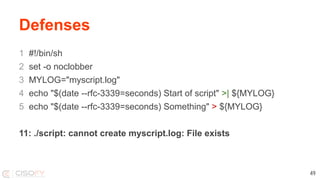
Defenses
1 #!/bin/sh
2 set -o noclobber
3 MYLOG="myscript.log"
4 echo "$(date --rfc-3339=seconds) Start of script" >| ${MYLOG}
5 echo "$(date --rfc-3339=seconds) Something" > ${MYLOG}
11: ./script: cannot create myscript.log: File exists
49
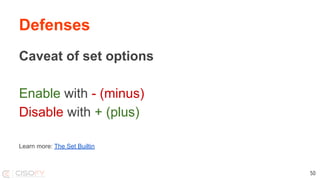
Defenses
Caveat of set options
Enable with - (minus)
Disable with + (plus)
Learn more: The Set Builtin
50
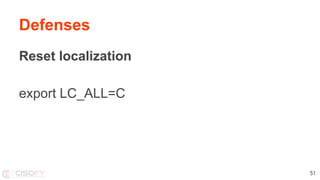
Defenses
Reset localization
export LC_ALL=C
51
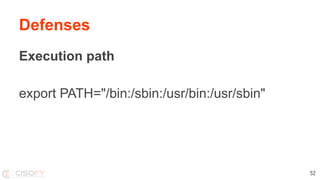
Defenses
Execution path
export PATH="/bin:/sbin:/usr/bin:/usr/sbin"
52
Defenses
Use quotes and curly brackets, they are free
[ $foo = "bar" ]
[ "$foo" = "bar" ]
[ "${foo}" = "bar" ]
53
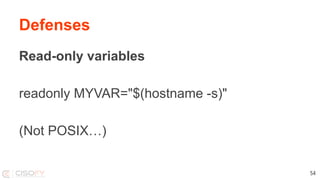
Defenses
Read-only variables
readonly MYVAR="$(hostname -s)"
(Not POSIX…)
54
Defenses
Use traps
trap cleanup INT TERM
trap status USR1
55
Defenses
Untrap
trap - EXIT
56
Defenses
Temporary files
mktemp /tmp/data.XXXXXXXXXX
57
Tools
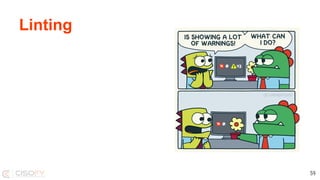
Linting
59
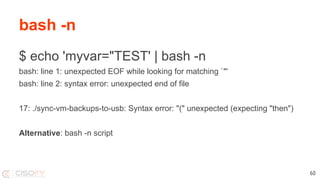
$ echo 'myvar="TEST' | bash -n
bash: line 1: unexpected EOF while looking for matching `"'
bash: line 2: syntax error: unexpected end of file
17: ./sync-vm-backups-to-usb: Syntax error: "(" unexpected (expecting "then")
Alternative: bash -n script
bash -n
60
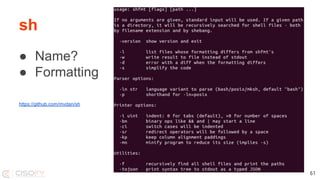
sh
● Name?
● Formatting
https://github.com/mvdan/sh
61
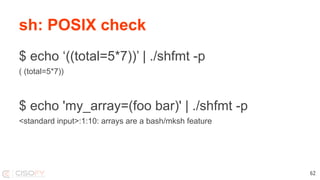
sh: POSIX check
$ echo ‘((total=5*7))’ | ./shfmt -p
( (total=5*7))
$ echo 'my_array=(foo bar)' | ./shfmt -p
<standard input>:1:10: arrays are a bash/mksh feature
62
Tool: checkbashisms
$ checkbashisms
Usage: checkbashisms [-n] [-f] [-x] script ...
or: checkbashisms --help
or: checkbashisms --version
This script performs basic checks for the presence of
bashisms
in /bin/sh scripts and the lack of bashisms in /bin/bash
ones.
63
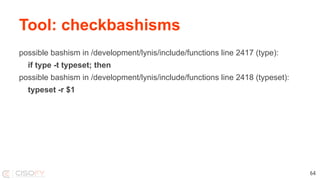
Tool: checkbashisms
possible bashism in /development/lynis/include/functions line 2417 (type):
if type -t typeset; then
possible bashism in /development/lynis/include/functions line 2418 (typeset):
typeset -r $1
64
Tool: ShellCheck
Usage: shellcheck [OPTIONS...] FILES...
--check-sourced Include warnings from sourced files
--color[=WHEN] Use color (auto, always, never)
--include=CODE1,CODE2.. Consider only given types of warnings
--exclude=CODE1,CODE2.. Exclude types of warnings
--format=FORMAT Output format (checkstyle, diff, gcc, json, json1, quiet, tty)
--enable=check1,check2.. List of optional checks to enable (or 'all')
--source-path=SOURCEPATHS Specify path when looking for sourced files ("SCRIPTDIR" for script's dir)
--shell=SHELLNAME Specify dialect (sh, bash, dash, ksh)
--severity=SEVERITY Minimum severity of errors to consider (error, warning, info, style)
--external-sources Allow 'source' outside of FILES
65
Tool: aspell
Grammar check?
66
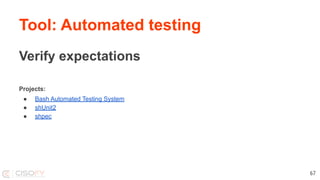
Tool: Automated testing
Verify expectations
Projects:
● Bash Automated Testing System
● shUnit2
● shpec
67
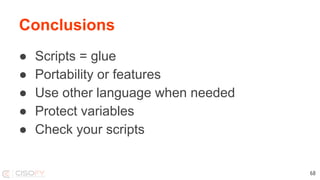
Conclusions
● Scripts = glue
● Portability or features
● Use other language when needed
● Protect variables
● Check your scripts
68
What questions do you have?
Get connected
● Twitter (@mboelen)
● LinkedIn (Michael Boelen)
69
Tips and Tricks
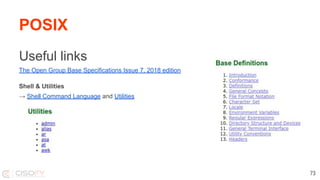
Useful links
The Open Group Base Specifications Issue 7, 2018 edition
Shell & Utilities
→ Shell Command Language and Utilities
POSIX
73
When to use bash
74
declare/typeset Define a variable type (integer, array)
arrays Data entries
type Describe command
extended globbing Expand file names
for loops with integers for ((i=0; i<10; i++)); do echo $i; done
extended operator if [[ "$1" =~ ^m*$ ]]; then
and more...
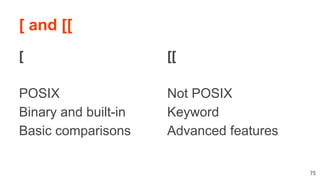
[ and [[
[
POSIX
Binary and built-in
Basic comparisons
75
[[
Not POSIX
Keyword
Advanced features
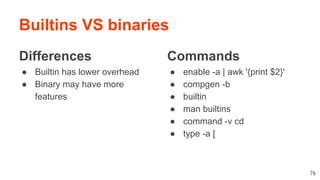
Builtins VS binaries
Differences
● Builtin has lower overhead
● Binary may have more
features
Commands
● enable -a | awk '{print $2}'
● compgen -b
● builtin
● man builtins
● command -v cd
● type -a [
76
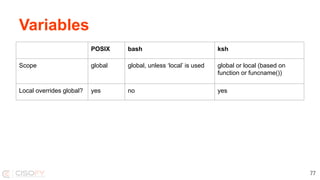
Variables
77
POSIX bash ksh
Scope global global, unless ‘local’ is used global or local (based on
function or funcname())
Local overrides global? yes no yes
Variables
Variable possibly unset? Use:
if [ "${name:-}" = "Michael" ]; then
…
fi
78
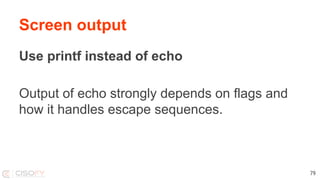
Screen output
Use printf instead of echo
Output of echo strongly depends on flags and
how it handles escape sequences.
79
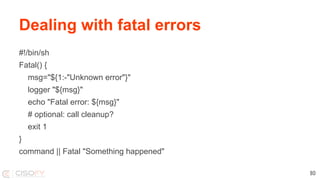
Dealing with fatal errors
#!/bin/sh
Fatal() {
msg="${1:-"Unknown error"}"
logger "${msg}"
echo "Fatal error: ${msg}"
# optional: call cleanup?
exit 1
}
command || Fatal "Something happened"
80
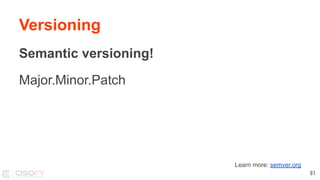
Versioning
Semantic versioning!
Major.Minor.Patch
81
Learn more: semver.org
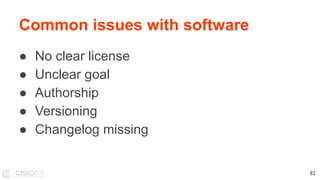
Common issues with software
● No clear license
● Unclear goal
● Authorship
● Versioning
● Changelog missing
82
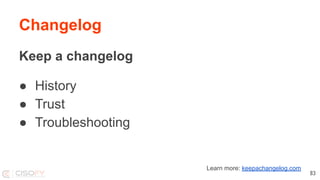
Changelog
Keep a changelog
● History
● Trust
● Troubleshooting
83
Learn more: keepachangelog.com
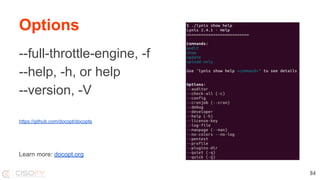
Options
--full-throttle-engine, -f
--help, -h, or help
--version, -V
https://github.com/docopt/docopts
84
Learn more: docopt.org
Troubleshooting
Use ‘set’ options for debugging:
-v (verbose) - input is written stderr
-x (xtrace) - show what is executed
85
FOSS tool? Focus areas
Basics
Project description
Tool category
Typical user
License
Author
Language
Keywords
Latest release
86
Quality
Changelog
Popularity
Documentation
Code
Releases
Usage
Installation
Ease of use
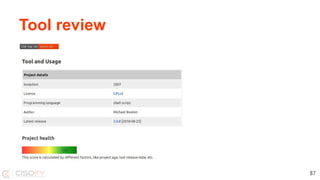
Tool review
87
Let’s torn down something!
#!/bin/sh
set -u
hostname=$(hostname)
lockfile=/var/lock/create-backups
timestamp=$(date "+%s")
today=$(date "+%F")
gpgkey=$(gpg --keyid-format LONG --list-keys backup@rootkit.nl 2> /dev/null | awk '/^pub/ { print $2 }' | awk -F/ '{ print $2 }' | head -1)
if [ -z "${hostname}" ]; then echo "Error: no hostname found"; exit 1; fi
if [ ! -z "${lockfile}" ]; then
if [ -f ${lockfile} ]; then
echo "Error: Backup still running. Removing lock file to prevent backup script running next day"
rm ${lockfile}
exit 1
fi
fi
touch ${lockfile}
# Add a daily timestamp to the file for restore checking
echo "${hostname}-${timestamp}-${today}" > /etc/backup.data
88
Useful reads
Bash documentation: https://www.gnu.org/software/bash/manual/html_node/
The Bash Hackers Wiki: https://wiki-dev.bash-hackers.org/
Bash pitfalls: http://mywiki.wooledge.org/BashPitfalls
Cheat sheet: https://devhints.io/bash
Rich’s sh (POSIX shell) tricks: www.etalabs.net/sh_tricks.html
And check out Lynis source code: https://github.com/CISOfy/lynis
89
Credits
Images
Where possible the origin of the used images are included in the slides. Some came without an origin from social media
and therefore have no source. If you are the owner, let us know and we add the source.
90
Lets make better scripts

Lets make better scripts

  • 1.
    * Improved readability,increased fault-tolerance, and more security Michael Boelen michael.boelen@cisofy.com NLUUG, November 2019 Let's make better* scripts
  • 2.
  • 4.
    Topics (blue pill) ●Why Shell Scripting? ● Challenges ● Reliability ● Style ● Tools ● Tips and Tricks 4
  • 5.
    Topics (red pill) ●When shell (and why not) ● Common mistakes ● More reliable scripts ● and readable... ● Tools for the lazy ● Tips and tricks (no time for that, homework) 5
  • 6.
    Michael Boelen ● OpenSource since 2003 ○ Lynis, Rootkit Hunter ● Business ○ Founder of CISOfy ● Other ○ Blogger at linux-audit.com ○ Content creator at linuxsecurity.expert 6
  • 7.
    Let’s do thistogether Assumptions You do Dev || Ops Linux, BSD, macOS, Created a script before Input welcome Alternatives, feedback 7 Questions During, at the end, and after the talk Share @mboelen @nluug #nluug
  • 8.
    Lynis ● Security: systemauditing tool ● 2007 ● GPLv3 ● 25000+ lines of code ● POSIX ● #!/bin/sh 8
  • 9.
    My goals fortoday 1. Share my knowledge 2. Learn from yours 3. Improve your project (or mine) 9
  • 10.
  • 11.
    ● Powerful ● Quick ●Low on dependencies Why? 11
  • 12.
  • 13.
    Potential Small scripts can grow... …and become an open source project! 13
  • 14.
  • 16.
  • 17.
    Challenge 1: #!/bin/? 17 ShellPros Cons sh Portable Not all features available bash Features Not default on non-Linux ash/dash Portable and fast Some features missing ksh Features and fast Not default on Linux zsh Features Not default
  • 18.
    Challenge 1: #!/bin/? 18 Portablesh Your company only bash For yourself pick something Tip: use #!/usr/bin/env bash
  • 19.
    Challenge 2: Readability 1#!/bin/sh 2 var_with_value="red" 3 : ${var_with_value:="blue"} 4 echo "${var_with_value}" Red or Blue? 19
  • 20.
    Challenge 2: Readability :${var_with_value:="blue"} Assign a value when being empty or unset 20
  • 21.
    Challenge 3: TheUnexpected #!/bin/sh filename="test me.txt" if [ $filename = "test me.txt" ]; then echo "Filename is correct" fi 3: [: test: unexpected operator 21
  • 22.
  • 23.
    Find the flaw(1) 1 #!/bin/sh 2 chroot=$1 3 rm -rf $chroot/usr/lib/ssl 23
  • 24.
    Find the flaw(1) 1 #!/bin/sh 2 chroot=$1 3 rm -rf $chroot/usr/lib/ssl 24
  • 25.
  • 26.
    Find the flaw(2) cat /etc/passwd | grep michael Goal: retrieve details for user ‘michael’ 26
  • 27.
    Find the flaw(2) cat /etc/passwd | grep michael Better: grep michael /etc/passwd grep "^michael:" /etc/passwd awk -F: '{if($1=="michael") print}' /etc/passwd getent passwd michael 27
  • 28.
  • 29.
    Find the flaw(2) 1 if [-d $i] 2 then 3 echo "$i is a directory! Yay!" 4 else 5 echo "$i is not a directory!" 6 fi 29
  • 30.
    Find the flaw(2) if [ -d $i ] then echo "$i is a directory!" else echo "$i is not a directory!" fi 30
  • 31.
  • 32.
  • 33.
    Why style matters ●Craftsmanship ● Code reviews ● Bugs 33
  • 34.
    Example Option 1 if ["${var}" = "text" ]; then echo "found text" fi Option 2 [ "${var}" = "text" ] && echo "found text" 34
  • 35.
    Example: be concise? Option1 command if [ $? -ne 0 ]; then echo "command failed"; exit 1 fi Option 2 command || { echo "command failed"; exit 1; } Option 3 if ! command; then echo "command failed"; exit 1; fi 35
  • 36.
    var or VAR? var Fewvariables Few times used 36 VAR Many variables Used a lot in script
  • 37.
    Commands Use full options --quietinstead of -q --verbose instead -v etc 37
  • 38.
  • 39.
  • 40.
    ● Quality ● Do(n’t)make assumptions ● Expect the unexpected ● Consider worst case scenario ● Practice defensive programming Reliability 40
  • 41.
    Defensive programming Wikipedia: “is aform of defensive design intended to ensure the continuing function of a piece of software under unforeseen circumstances.” “practices are often used where high availability, safety or security is needed.” 41
  • 42.
    Defenses Intended operating system? 1#!/bin/sh 2 if [ ! "$(uname)" = "Linux" ]; then 3 echo "This is not a Linux system and unsupported" 4 exit 1 5 fi 42
  • 43.
    Defenses 1 #!/bin/sh 2 if! $(awk -F= '{if($1 == "NAME" 3 && $2 ~ /^"CentOS|Ubuntu"$/){rc = 1}; 4 {exit !rc}}' /etc/os-release 2> /dev/null) 5 then 6 echo "Not CentOS or Ubuntu" 7 exit 1 8 fi 43
  • 44.
    Defenses set -o nounset (set-u) Stop at empty variable Useful for all scripts 44
  • 45.
    Defenses set -o errexit (set-e) Exit upon $? -gt 0 Useful for scripts with dependant tasks Use command || true to allow exception 45
  • 46.
    Defenses set -o pipefail Usefulfor scripts with pipes: mysqldump | gzip (Not POSIX…) 46
  • 47.
    Defenses set -o noglob (set-f) Disable globbing (e.g. *) Useful for scripts which deals with unknown files 47
  • 48.
    Defenses set -o noclobber (set-C) Don’t truncate files, unless >| is used 48
  • 49.
    Defenses 1 #!/bin/sh 2 set-o noclobber 3 MYLOG="myscript.log" 4 echo "$(date --rfc-3339=seconds) Start of script" >| ${MYLOG} 5 echo "$(date --rfc-3339=seconds) Something" > ${MYLOG} 11: ./script: cannot create myscript.log: File exists 49
  • 50.
    Defenses Caveat of setoptions Enable with - (minus) Disable with + (plus) Learn more: The Set Builtin 50
  • 51.
  • 52.
  • 53.
    Defenses Use quotes andcurly brackets, they are free [ $foo = "bar" ] [ "$foo" = "bar" ] [ "${foo}" = "bar" ] 53
  • 54.
  • 55.
    Defenses Use traps trap cleanupINT TERM trap status USR1 55
  • 56.
  • 57.
  • 58.
  • 59.
  • 60.
    $ echo 'myvar="TEST'| bash -n bash: line 1: unexpected EOF while looking for matching `"' bash: line 2: syntax error: unexpected end of file 17: ./sync-vm-backups-to-usb: Syntax error: "(" unexpected (expecting "then") Alternative: bash -n script bash -n 60
  • 61.
  • 62.
    sh: POSIX check $echo ‘((total=5*7))’ | ./shfmt -p ( (total=5*7)) $ echo 'my_array=(foo bar)' | ./shfmt -p <standard input>:1:10: arrays are a bash/mksh feature 62
  • 63.
    Tool: checkbashisms $ checkbashisms Usage:checkbashisms [-n] [-f] [-x] script ... or: checkbashisms --help or: checkbashisms --version This script performs basic checks for the presence of bashisms in /bin/sh scripts and the lack of bashisms in /bin/bash ones. 63
  • 64.
    Tool: checkbashisms possible bashismin /development/lynis/include/functions line 2417 (type): if type -t typeset; then possible bashism in /development/lynis/include/functions line 2418 (typeset): typeset -r $1 64
  • 65.
    Tool: ShellCheck Usage: shellcheck[OPTIONS...] FILES... --check-sourced Include warnings from sourced files --color[=WHEN] Use color (auto, always, never) --include=CODE1,CODE2.. Consider only given types of warnings --exclude=CODE1,CODE2.. Exclude types of warnings --format=FORMAT Output format (checkstyle, diff, gcc, json, json1, quiet, tty) --enable=check1,check2.. List of optional checks to enable (or 'all') --source-path=SOURCEPATHS Specify path when looking for sourced files ("SCRIPTDIR" for script's dir) --shell=SHELLNAME Specify dialect (sh, bash, dash, ksh) --severity=SEVERITY Minimum severity of errors to consider (error, warning, info, style) --external-sources Allow 'source' outside of FILES 65
  • 66.
  • 67.
    Tool: Automated testing Verifyexpectations Projects: ● Bash Automated Testing System ● shUnit2 ● shpec 67
  • 68.
    Conclusions ● Scripts =glue ● Portability or features ● Use other language when needed ● Protect variables ● Check your scripts 68
  • 69.
    What questions doyou have? Get connected ● Twitter (@mboelen) ● LinkedIn (Michael Boelen) 69
  • 72.
  • 73.
    Useful links The OpenGroup Base Specifications Issue 7, 2018 edition Shell & Utilities → Shell Command Language and Utilities POSIX 73
  • 74.
    When to usebash 74 declare/typeset Define a variable type (integer, array) arrays Data entries type Describe command extended globbing Expand file names for loops with integers for ((i=0; i<10; i++)); do echo $i; done extended operator if [[ "$1" =~ ^m*$ ]]; then and more...
  • 75.
    [ and [[ [ POSIX Binaryand built-in Basic comparisons 75 [[ Not POSIX Keyword Advanced features
  • 76.
    Builtins VS binaries Differences ●Builtin has lower overhead ● Binary may have more features Commands ● enable -a | awk '{print $2}' ● compgen -b ● builtin ● man builtins ● command -v cd ● type -a [ 76
  • 77.
    Variables 77 POSIX bash ksh Scopeglobal global, unless ‘local’ is used global or local (based on function or funcname()) Local overrides global? yes no yes
  • 78.
    Variables Variable possibly unset?Use: if [ "${name:-}" = "Michael" ]; then … fi 78
  • 79.
    Screen output Use printfinstead of echo Output of echo strongly depends on flags and how it handles escape sequences. 79
  • 80.
    Dealing with fatalerrors #!/bin/sh Fatal() { msg="${1:-"Unknown error"}" logger "${msg}" echo "Fatal error: ${msg}" # optional: call cleanup? exit 1 } command || Fatal "Something happened" 80
  • 81.
  • 82.
    Common issues withsoftware ● No clear license ● Unclear goal ● Authorship ● Versioning ● Changelog missing 82
  • 83.
    Changelog Keep a changelog ●History ● Trust ● Troubleshooting 83 Learn more: keepachangelog.com
  • 84.
    Options --full-throttle-engine, -f --help, -h,or help --version, -V https://github.com/docopt/docopts 84 Learn more: docopt.org
  • 85.
    Troubleshooting Use ‘set’ optionsfor debugging: -v (verbose) - input is written stderr -x (xtrace) - show what is executed 85
  • 86.
    FOSS tool? Focusareas Basics Project description Tool category Typical user License Author Language Keywords Latest release 86 Quality Changelog Popularity Documentation Code Releases Usage Installation Ease of use
  • 87.
  • 88.
    Let’s torn downsomething! #!/bin/sh set -u hostname=$(hostname) lockfile=/var/lock/create-backups timestamp=$(date "+%s") today=$(date "+%F") gpgkey=$(gpg --keyid-format LONG --list-keys backup@rootkit.nl 2> /dev/null | awk '/^pub/ { print $2 }' | awk -F/ '{ print $2 }' | head -1) if [ -z "${hostname}" ]; then echo "Error: no hostname found"; exit 1; fi if [ ! -z "${lockfile}" ]; then if [ -f ${lockfile} ]; then echo "Error: Backup still running. Removing lock file to prevent backup script running next day" rm ${lockfile} exit 1 fi fi touch ${lockfile} # Add a daily timestamp to the file for restore checking echo "${hostname}-${timestamp}-${today}" > /etc/backup.data 88
  • 89.
    Useful reads Bash documentation:https://www.gnu.org/software/bash/manual/html_node/ The Bash Hackers Wiki: https://wiki-dev.bash-hackers.org/ Bash pitfalls: http://mywiki.wooledge.org/BashPitfalls Cheat sheet: https://devhints.io/bash Rich’s sh (POSIX shell) tricks: www.etalabs.net/sh_tricks.html And check out Lynis source code: https://github.com/CISOfy/lynis 89
  • 90.
    Credits Images Where possible theorigin of the used images are included in the slides. Some came without an origin from social media and therefore have no source. If you are the owner, let us know and we add the source. 90