









https://commons.wikimedia.org/wiki/File:Bivalve_Sea_Shell.png
SHELL SCRIPT
SHELL SCRIPT
IN A
NUTSHELL
https://commons.wikimedia.org/wiki/File:Noix_Fernor_Cl_J_weber06_(23675300905).jpg
SHELL SCRIPT
IN A
NUTSHELL
http://www.dublinconcerts.ie/band/xzibit/
Why
“in a nutshell?”
Scripting is
more practice
than concepts.
How can shell
script help me?
“Many C/C++/Java candidates, even some with
10+ years of experience, would happily spend a
week writing a 2,500-line program to do
something you could do in 30 seconds with a
simple Unix command.”
– Steve Yegge
https://sites.google.com/site/steveyegge2/five-essential-phone-screen-questions
How can shell scripts help me?
● As developers, we make computers work for
others.
● Computers could work a lot for ourselves, too.
● Shell script is a faster way to get work done.
Which shell
should I use?
Whatever you prefer!
(But we will talk about Bash here.)
How good is
shell script?
How good is shell script?
● Very good for quick, one-off tasks.
● Great for small tasks.
● Also good to deal with a lot of files, download
stuff.
● Great option to automate a set of steps.
● Can get confusing fast.
Peter H. Salus. A Quarter-Century of Unix apud http://www.catb.org/~esr/writings/taoup/html/ch01s06.html
“Python [and other languages -me] scales up to
thousand of lines, shell script scales down to a
few keystrokes.”
– Somebody at Stack Overflow
Alas, I couldn’t find the link, not even the name of the user :(
Unix Philosophy
Unix Philosophy
● Write programs that do one thing and do it well.
● Write programs to work together.
● Write programs to handle text streams.
Peter H. Salus. A Quarter-Century of Unix apud http://www.catb.org/~esr/writings/taoup/html/ch01s06.html
Unix Philosophy
● Small utilities.
● Pipes and redirects.
● “Everything is a file.”
– Including standard input/output/error.
Peter H. Salus. A Quarter-Century of Unix apud http://www.catb.org/~esr/writings/taoup/html/ch01s06.html
Simplest
Tools
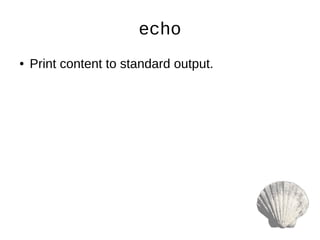
echo
● Print content to standard output.
echo
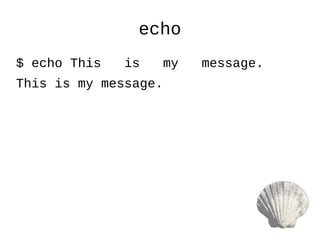
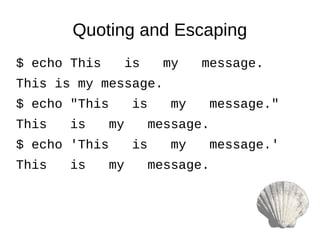
$ echo This is my message.
This is my message.
echo
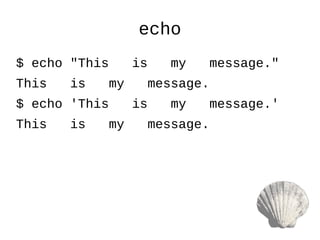
$ echo "This is my message."
This is my message.
$ echo 'This is my message.'
This is my message.
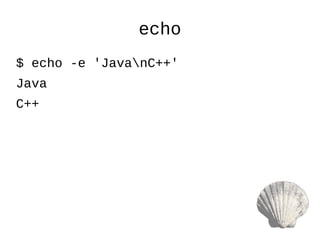
echo
$ echo -e 'JavanC++'
Java
C++
cat
● Concatenate files.
● Good for showing content.
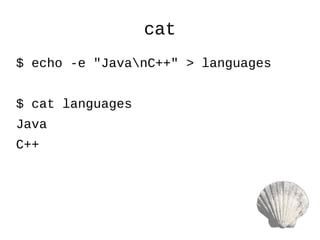
cat
$ echo -e "JavanC++" > languages
$ cat languages
Java
C++
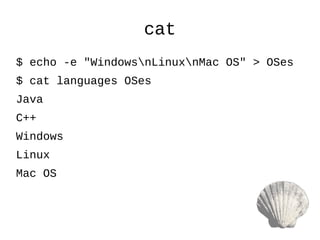
cat
$ echo -e "WindowsnLinuxnMac OS" > OSes
$ cat languages OSes
Java
C++
Windows
Linux
Mac OS
Quoting
and
Escaping
https://twitter.com/YossiKreinin/status/778552625310625792
Quoting and Escaping
$ echo This is my message.
This is my message.
$ echo "This is my message."
This is my message.
$ echo 'This is my message.'
This is my message.
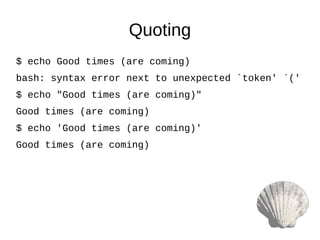
$ echo Good times (are coming)
bash: syntax error next to unexpected `token' `('
$ echo "Good times (are coming)"
Good times (are coming)

$ echo 'Good times (are coming)'
Good times (are coming)
Quoting
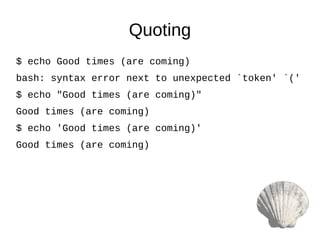
$ echo Good times (are coming)
bash: syntax error next to unexpected `token' `('
$ echo "Good times (are coming)"
Good times (are coming)
$ echo 'Good times (are coming)'
Good times (are coming)
Quoting
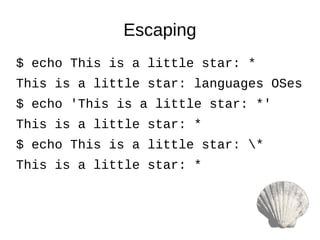
$ echo This is a little star: *
This is a little star: languages OSes
$ echo 'This is a little star: *'
This is a little star: *
$ echo This is a little star: *
This is a little star: *
Escaping
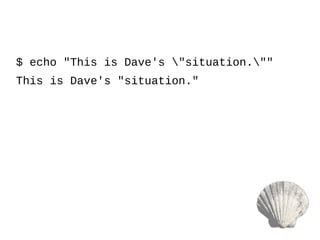
What if my parameter
has quotes?
$ echo "This is Dave's "situation.""
This is Dave's "situation."
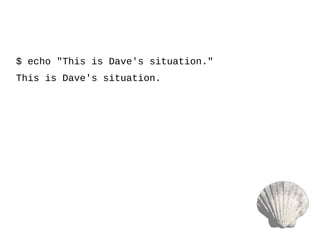
What if my parameter
both types of quotes?
$ echo "This is Dave's situation."
This is Dave's situation.
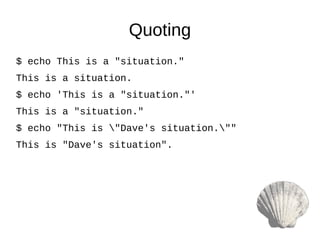
$ echo This is a "situation."
This is a situation.
$ echo 'This is a "situation."'
This is a "situation."
$ echo "This is "Dave's situation.""
This is "Dave's situation".
Quoting
https://twitter.com/YossiKreinin/status/778552625310625792
Variables
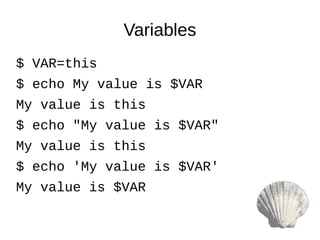
$ VAR=this
$ echo My value is $VAR
My value is this
$ echo "My value is $VAR"
My value is this
$ echo 'My value is $VAR'
My value is $VAR
Variables
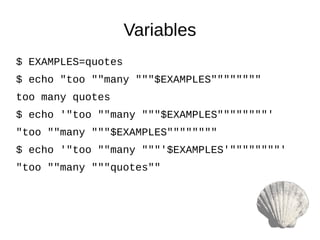
$ EXAMPLES=quotes
$ echo "too ""many """$EXAMPLES""""""""
too many quotes
$ echo '"too ""many """$EXAMPLES""""""""'
"too ""many """$EXAMPLES""""""""
$ echo '"too ""many """'$EXAMPLES'""""""""'
"too ""many """quotes""
Variables
https://twitter.com/YossiKreinin/status/778552625310625792
The Triad of
Searching
grep
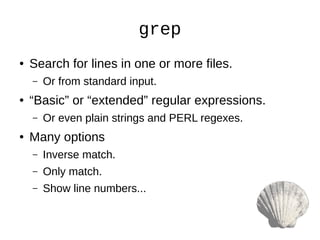
● Search for lines in one or more files.
– Or from standard input.
● “Basic” or “extended” regular expressions.
– Or even plain strings and PERL regexes.
● Many options
– Inverse match.
– Only match.
– Show line numbers...
grep
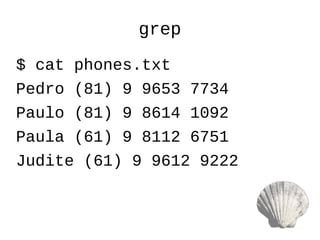
$ cat phones.txt
Pedro (81) 9 9653 7734
Paulo (81) 9 8614 1092
Paula (61) 9 8112 6751
Judite (61) 9 9612 9222
grep
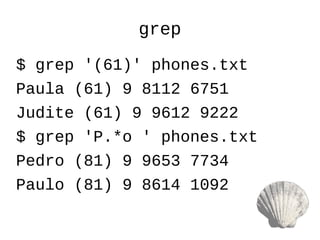
$ grep '(61)' phones.txt
Paula (61) 9 8112 6751
Judite (61) 9 9612 9222
$ grep 'P.*o ' phones.txt
Pedro (81) 9 9653 7734
Paulo (81) 9 8614 1092
grep
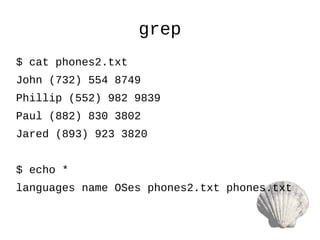
$ cat phones2.txt
John (732) 554 8749
Phillip (552) 982 9839
Paul (882) 830 3802
Jared (893) 923 3820
$ echo *
languages name OSes phones2.txt phones.txt
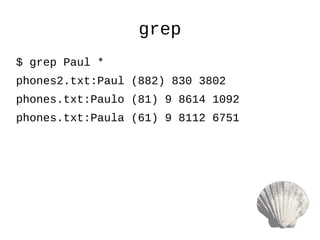
grep
$ grep Paul *
phones2.txt:Paul (882) 830 3802
phones.txt:Paulo (81) 9 8614 1092
phones.txt:Paula (61) 9 8112 6751
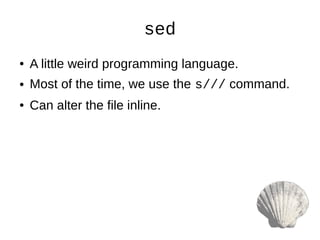
sed
● A little weird programming language.
● Most of the time, we use the s/// command.
● Can alter the file inline.
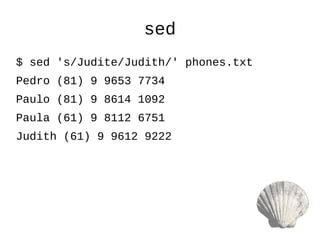
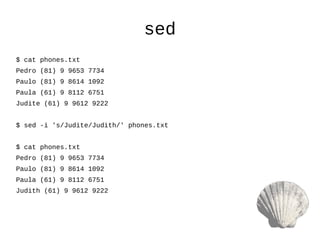
sed
$ sed 's/Judite/Judith/' phones.txt
Pedro (81) 9 9653 7734
Paulo (81) 9 8614 1092
Paula (61) 9 8112 6751
Judith (61) 9 9612 9222
sed
$ cat phones.txt
Pedro (81) 9 9653 7734
Paulo (81) 9 8614 1092
Paula (61) 9 8112 6751
Judite (61) 9 9612 9222
$ sed -i 's/Judite/Judith/' phones.txt
$ cat phones.txt
Pedro (81) 9 9653 7734
Paulo (81) 9 8614 1092
Paula (61) 9 8112 6751
Judith (61) 9 9612 9222
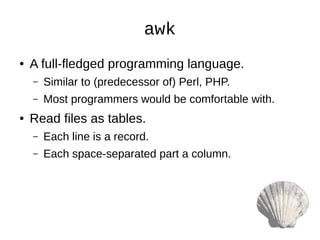
awk
● A full-fledged programming language.
– Similar to (predecessor of) Perl, PHP.
– Most programmers would be comfortable with.
● Read files as tables.
– Each line is a record.
– Each space-separated part a column.
awk
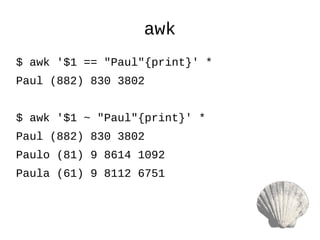
$ awk '$1 == "Paul"{print}' *
Paul (882) 830 3802
$ awk '$1 ~ "Paul"{print}' *
Paul (882) 830 3802
Paulo (81) 9 8614 1092
Paula (61) 9 8112 6751
Pipes
and
Command
Substitution
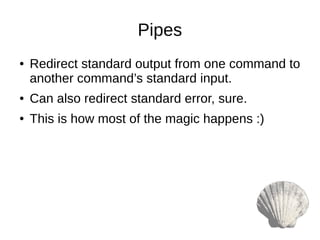
Pipes
● Redirect standard output from one command to
another command’s standard input.
● Can also redirect standard error, sure.
● This is how most of the magic happens :)
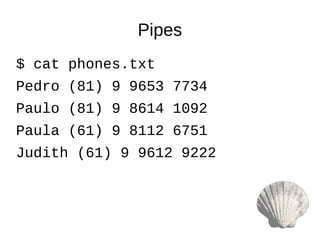
Pipes
$ cat phones.txt
Pedro (81) 9 9653 7734
Paulo (81) 9 8614 1092
Paula (61) 9 8112 6751
Judith (61) 9 9612 9222
Pipes
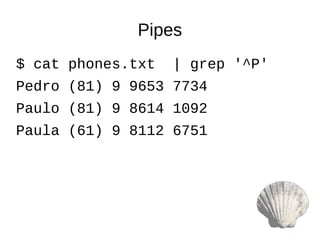
$ cat phones.txt | grep '^P'
Pedro (81) 9 9653 7734
Paulo (81) 9 8614 1092
Paula (61) 9 8112 6751
Pipes
$ cat phones.txt | grep '^P' | sed 's/ [0-9]+$/ ****/'
Pedro (81) 9 9653 ****
Paulo (81) 9 8614 ****
Paula (61) 9 8112 ****
Command Substitution
● Adds one command’s output to another
command.
Abrupt End

Shell Script