Internet Applications: File Transfer Protocol (FTP)
Data transfer before Internet Magnetic media like tapes and disks: An application transferred data on magnetic media The medium was physically moved from one computer to another; Drawback: SLOW Fax: Use the telephone lines; A fax machine consists of a printer, a scanner, a dial-up modem, and a dedicated computer; Drawbacks: requires a dedicated machine and a fax transmission is as expensive as a phone conversation.
The Internet can be used to transfer data Benefits: Efficient: Internet is designed for sending digital data; Less expensive than fax: Internet access is billed a flat rate; Can transfer more types of data than fax, including  audio and video.
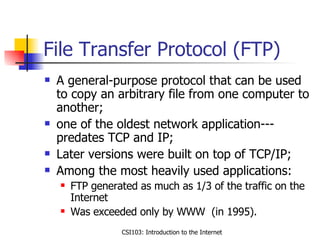
File Transfer Protocol (FTP) A general-purpose protocol that can be used to copy an arbitrary file from one computer to another; one of the oldest network application---predates TCP and IP; Later versions were built on top of TCP/IP; Among the most heavily used applications: FTP generated as much as 1/3 of the traffic on the Internet Was exceeded only by WWW  (in 1995).
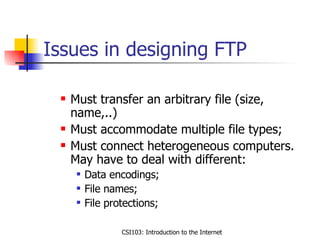
Issues in designing FTP Must transfer an arbitrary file (size, name,..) Must accommodate multiple file types; Must connect heterogeneous computers. May have to deal with different: Data encodings; File names; File protections;
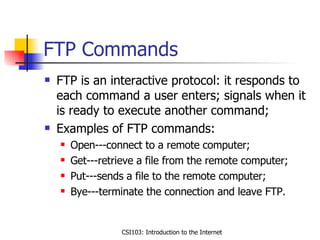
FTP Commands FTP is an interactive protocol: it responds to each command a user enters; signals when it is ready to execute another command; Examples of FTP commands: Open---connect to a remote computer; Get---retrieve a file from the remote computer; Put---sends a file to the remote computer; Bye---terminate the connection and leave FTP.
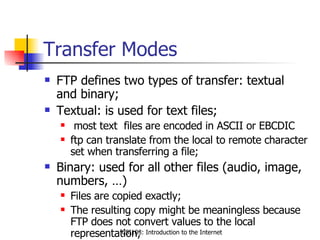
Transfer Modes FTP defines two types of transfer: textual  and binary; Textual: is used for text files; most text  files are encoded in ASCII or EBCDIC ftp can translate from the local to remote character set when transferring a file; Binary: used for all other files (audio, image, numbers, …) Files are copied exactly; The resulting copy might be meaningless because FTP does not convert values to the local representation;
Connections, authorizations and file permissions The remote system has to verify that the user is authorized to access files: The user has to provide a login name and a password; If the user is authorized he/she may start transferring files; What if the user does not have an account? System administrator can configure FTP to support anonymous FTP; Login name anonymous and password guest (or e-mail address) allows a user access to public files.
A browser can use FTP  A WWW browser can be used to FTP  instead of a dedicated  interface; A browser uses FTP as the transfer protocol, when the URL starts with ftp (instead of http) EX: ftp://ftp.acunix.albany.edu/as7656/temp --- instructs  the browser to get file “as7656/temp” from machine  ftp.acunix.edu ftp://ftp.acunix.edu/as7656 --- displays all files in the directory “as7656”
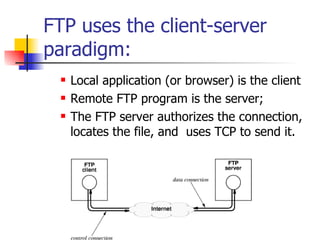
FTP uses the client-server paradigm: Local application (or browser) is the client Remote FTP program is the server; The FTP server authorizes the connection, locates the file, and  uses TCP to send it.

This presentation uploaded by me makesame for software testing tools used for testing web and desctop applicatons on network this is slides share

  • 1.
    Internet Applications: FileTransfer Protocol (FTP)
  • 2.
    Data transfer beforeInternet Magnetic media like tapes and disks: An application transferred data on magnetic media The medium was physically moved from one computer to another; Drawback: SLOW Fax: Use the telephone lines; A fax machine consists of a printer, a scanner, a dial-up modem, and a dedicated computer; Drawbacks: requires a dedicated machine and a fax transmission is as expensive as a phone conversation.
  • 3.
    The Internet canbe used to transfer data Benefits: Efficient: Internet is designed for sending digital data; Less expensive than fax: Internet access is billed a flat rate; Can transfer more types of data than fax, including audio and video.
  • 4.
    File Transfer Protocol(FTP) A general-purpose protocol that can be used to copy an arbitrary file from one computer to another; one of the oldest network application---predates TCP and IP; Later versions were built on top of TCP/IP; Among the most heavily used applications: FTP generated as much as 1/3 of the traffic on the Internet Was exceeded only by WWW (in 1995).
  • 5.
    Issues in designingFTP Must transfer an arbitrary file (size, name,..) Must accommodate multiple file types; Must connect heterogeneous computers. May have to deal with different: Data encodings; File names; File protections;
  • 6.
    FTP Commands FTPis an interactive protocol: it responds to each command a user enters; signals when it is ready to execute another command; Examples of FTP commands: Open---connect to a remote computer; Get---retrieve a file from the remote computer; Put---sends a file to the remote computer; Bye---terminate the connection and leave FTP.
  • 7.
    Transfer Modes FTPdefines two types of transfer: textual and binary; Textual: is used for text files; most text files are encoded in ASCII or EBCDIC ftp can translate from the local to remote character set when transferring a file; Binary: used for all other files (audio, image, numbers, …) Files are copied exactly; The resulting copy might be meaningless because FTP does not convert values to the local representation;
  • 8.
    Connections, authorizations andfile permissions The remote system has to verify that the user is authorized to access files: The user has to provide a login name and a password; If the user is authorized he/she may start transferring files; What if the user does not have an account? System administrator can configure FTP to support anonymous FTP; Login name anonymous and password guest (or e-mail address) allows a user access to public files.
  • 9.
    A browser canuse FTP A WWW browser can be used to FTP instead of a dedicated interface; A browser uses FTP as the transfer protocol, when the URL starts with ftp (instead of http) EX: ftp://ftp.acunix.albany.edu/as7656/temp --- instructs the browser to get file “as7656/temp” from machine ftp.acunix.edu ftp://ftp.acunix.edu/as7656 --- displays all files in the directory “as7656”
  • 10.
    FTP uses theclient-server paradigm: Local application (or browser) is the client Remote FTP program is the server; The FTP server authorizes the connection, locates the file, and uses TCP to send it.