Control Structures (Part 1)
Md. Imran Hossain Showrov (showrovsworld@gmail.com)
9
1
Outline
 Control Statements
 Branching:The if-else statement
 The nested if-else statement
 Looping:The while Statement
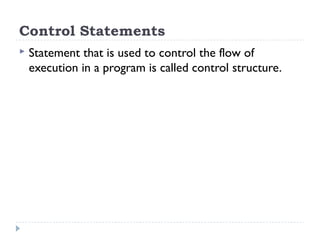
Control Statements
 Statement that is used to control the flow of
execution in a program is called control structure.
Branching: The if-else statement
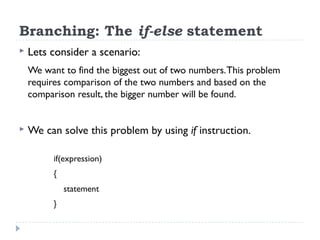
 Lets consider a scenario:
We want to find the biggest out of two numbers.This problem
requires comparison of the two numbers and based on the
comparison result, the bigger number will be found.
 We can solve this problem by using if instruction.
if(expression)
{
statement
}
Branching: The if-else statement (cont..)
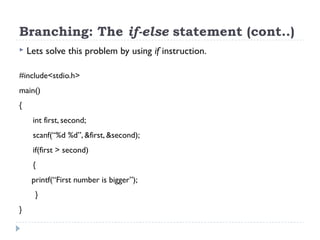
 Lets solve this problem by using if instruction.
#include<stdio.h>
main()
{
int first, second;
scanf(“%d %d”, &first, &second);
if(first > second)
{
printf(“First number is bigger”);
}
}
Branching: The if-else statement (cont..)
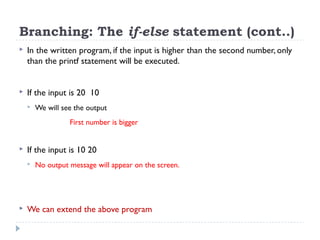
 In the written program, if the input is higher than the second number, only
than the printf statement will be executed.
 If the input is 20 10
 We will see the output
First number is bigger
 If the input is 10 20
 No output message will appear on the screen.
 We can extend the above program
Branching: The if-else statement (cont..)
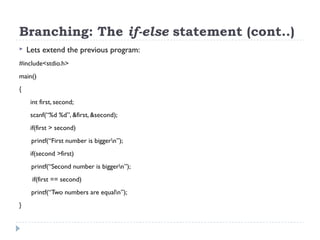
 Lets extend the previous program:
#include<stdio.h>
main()
{
int first, second;
scanf(“%d %d”, &first, &second);
if(first > second)
printf(“First number is biggern”);
if(second >first)
printf(“Second number is biggern”);
if(first == second)
printf(“Two numbers are equaln”);
}
Branching: The if-else statement (cont..)
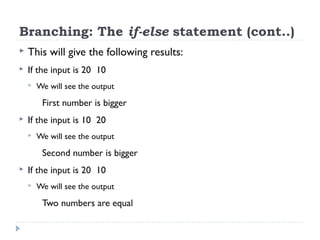
 This will give the following results:
 If the input is 20 10
 We will see the output
First number is bigger
 If the input is 10 20
 We will see the output
Second number is bigger
 If the input is 20 10
 We will see the output
Two numbers are equal
Branching: The if-else statement (cont..)
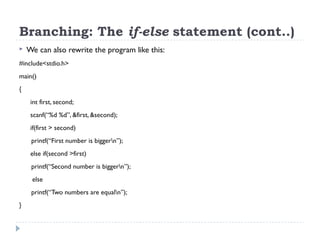
 We can also rewrite the program like this:
#include<stdio.h>
main()
{
int first, second;
scanf(“%d %d”, &first, &second);
if(first > second)
printf(“First number is biggern”);
else if(second >first)
printf(“Second number is biggern”);
else
printf(“Two numbers are equaln”);
}
Branching: The if-else statement (cont..)
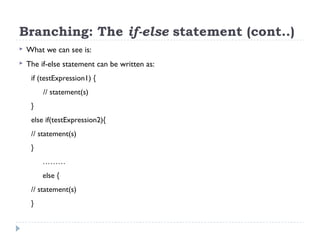
 What we can see is:
 The if-else statement can be written as:
if (testExpression1) {
// statement(s)
}
else if(testExpression2){
// statement(s)
}
………
else {
// statement(s)
}
Branching: The if-else statement (cont..)
The if-else statement (More Examples)
 Example 2: Suppose, we want to calculate the
biggest among three numbers. So, how can we
solve this problem?
The if-else statement (More Examples)
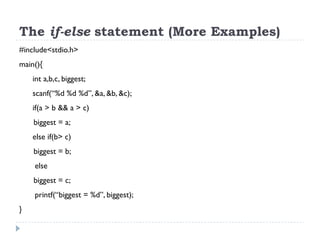
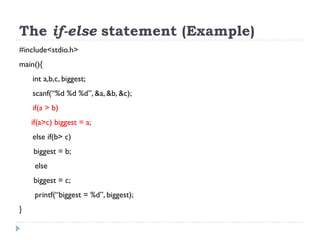
#include<stdio.h>
main(){
int a,b,c, biggest;
scanf(“%d %d %d”, &a, &b, &c);
if(a > b && a > c)
biggest = a;
else if(b> c)
biggest = b;
else
biggest = c;
printf(“biggest = %d”, biggest);
}
The nested if-else statement
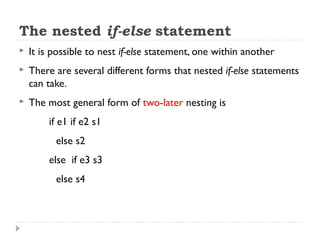
 It is possible to nest if-else statement, one within another
 There are several different forms that nested if-else statements
can take.
 The most general form of two-later nesting is
if e1 if e2 s1
else s2
else if e3 s3
else s4
The nested if-else statement (Example)
 Recall the previous Example: Suppose, we want
to calculate the biggest among three numbers.
So, how can we solve this problem?
The if-else statement (Example)
#include<stdio.h>
main(){
int a,b,c, biggest;
scanf(“%d %d %d”, &a, &b, &c);
if(a > b)
if(a>c) biggest = a;
else if(b> c)
biggest = b;
else
biggest = c;
printf(“biggest = %d”, biggest);
}
Looping
 We may encounter situations, when a block of code needs to
be executed several number of times.
 In general, statements are executed sequentially:The first
statement in a function is executed first, followed by the
second, and so on.
 A loop statement allows us to execute a statement or group
of statements multiple times.
Looping (cont..)
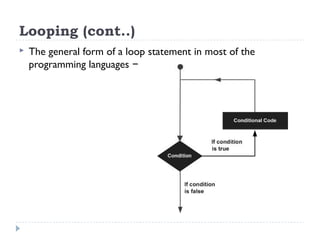
 The general form of a loop statement in most of the
programming languages −
Looping (cont..)
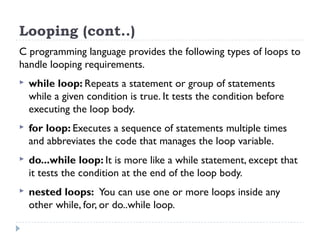
C programming language provides the following types of loops to
handle looping requirements.
 while loop: Repeats a statement or group of statements
while a given condition is true. It tests the condition before
executing the loop body.
 for loop: Executes a sequence of statements multiple times
and abbreviates the code that manages the loop variable.
 do...while loop: It is more like a while statement, except that
it tests the condition at the end of the loop body.
 nested loops: You can use one or more loops inside any
other while, for, or do..while loop.
Looping: The while Statement
 Suppose we want to display “hello” on output screen five
times in five different lines, we might think of writing either
five printf statements or one printf statement consisting of
constant string “hellon” five times.
 Now, if we want to display “hello” 500 times, what will
happen?
 To solve this, we need some programming facility to repeat
certain works.
The while Statement
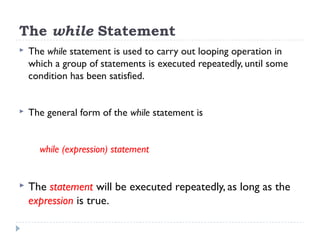
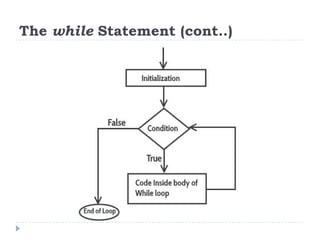
 The while statement is used to carry out looping operation in
which a group of statements is executed repeatedly, until some
condition has been satisfied.
 The general form of the while statement is
while (expression) statement
 The statement will be executed repeatedly, as long as the
expression is true.
The while Statement (cont..)
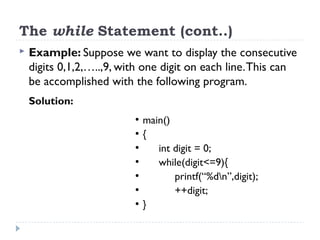
 Example: Suppose we want to display the consecutive
digits 0,1,2,…..,9, with one digit on each line.This can
be accomplished with the following program.
Solution:
●
main()
●
{
●
int digit = 0;
●
while(digit<=9){
●
printf(“%dn”,digit);
●
++digit;
●
}
The while Statement (cont..)
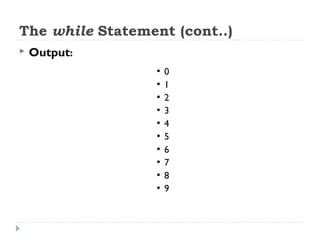
 Output:
●
0
●
1
●
2
●
3
●
4
●
5
●
6
●
7
●
8
●
9
The while Statement (More Examples)
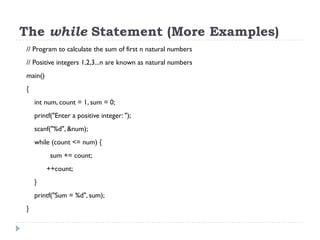
// Program to calculate the sum of first n natural numbers
// Positive integers 1,2,3...n are known as natural numbers
main()
{
int num, count = 1, sum = 0;
printf("Enter a positive integer: ");
scanf("%d", &num);
while (count <= num) {
sum += count;
++count;
}
printf("Sum = %d", sum);
}
The while Statement: Infinite Loop
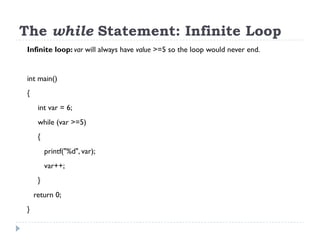
Infinite loop: var will always have value >=5 so the loop would never end.
int main()
{
int var = 6;
while (var >=5)
{
printf("%d", var);
var++;
}
return 0;
}
The while Statement: Infinite Loop
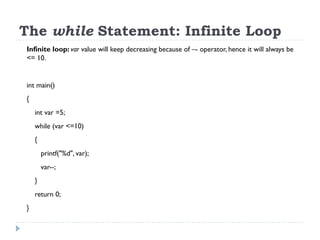
Infinite loop: var value will keep decreasing because of –- operator, hence it will always be
<= 10.
int main()
{
int var =5;
while (var <=10)
{
printf("%d", var);
var--;
}
return 0;
}
Lecture 9- Control Structures 1

Lecture 9- Control Structures 1

  • 1.
    Control Structures (Part1) Md. Imran Hossain Showrov (showrovsworld@gmail.com) 9 1
  • 2.
    Outline  Control Statements Branching:The if-else statement  The nested if-else statement  Looping:The while Statement
  • 3.
    Control Statements  Statementthat is used to control the flow of execution in a program is called control structure.
  • 4.
    Branching: The if-elsestatement  Lets consider a scenario: We want to find the biggest out of two numbers.This problem requires comparison of the two numbers and based on the comparison result, the bigger number will be found.  We can solve this problem by using if instruction. if(expression) { statement }
  • 5.
    Branching: The if-elsestatement (cont..)  Lets solve this problem by using if instruction. #include<stdio.h> main() { int first, second; scanf(“%d %d”, &first, &second); if(first > second) { printf(“First number is bigger”); } }
  • 6.
    Branching: The if-elsestatement (cont..)  In the written program, if the input is higher than the second number, only than the printf statement will be executed.  If the input is 20 10  We will see the output First number is bigger  If the input is 10 20  No output message will appear on the screen.  We can extend the above program
  • 7.
    Branching: The if-elsestatement (cont..)  Lets extend the previous program: #include<stdio.h> main() { int first, second; scanf(“%d %d”, &first, &second); if(first > second) printf(“First number is biggern”); if(second >first) printf(“Second number is biggern”); if(first == second) printf(“Two numbers are equaln”); }
  • 8.
    Branching: The if-elsestatement (cont..)  This will give the following results:  If the input is 20 10  We will see the output First number is bigger  If the input is 10 20  We will see the output Second number is bigger  If the input is 20 10  We will see the output Two numbers are equal
  • 9.
    Branching: The if-elsestatement (cont..)  We can also rewrite the program like this: #include<stdio.h> main() { int first, second; scanf(“%d %d”, &first, &second); if(first > second) printf(“First number is biggern”); else if(second >first) printf(“Second number is biggern”); else printf(“Two numbers are equaln”); }
  • 10.
    Branching: The if-elsestatement (cont..)  What we can see is:  The if-else statement can be written as: if (testExpression1) { // statement(s) } else if(testExpression2){ // statement(s) } ……… else { // statement(s) }
  • 11.
    Branching: The if-elsestatement (cont..)
  • 12.
    The if-else statement(More Examples)  Example 2: Suppose, we want to calculate the biggest among three numbers. So, how can we solve this problem?
  • 13.
    The if-else statement(More Examples) #include<stdio.h> main(){ int a,b,c, biggest; scanf(“%d %d %d”, &a, &b, &c); if(a > b && a > c) biggest = a; else if(b> c) biggest = b; else biggest = c; printf(“biggest = %d”, biggest); }
  • 14.
    The nested if-elsestatement  It is possible to nest if-else statement, one within another  There are several different forms that nested if-else statements can take.  The most general form of two-later nesting is if e1 if e2 s1 else s2 else if e3 s3 else s4
  • 15.
    The nested if-elsestatement (Example)  Recall the previous Example: Suppose, we want to calculate the biggest among three numbers. So, how can we solve this problem?
  • 16.
    The if-else statement(Example) #include<stdio.h> main(){ int a,b,c, biggest; scanf(“%d %d %d”, &a, &b, &c); if(a > b) if(a>c) biggest = a; else if(b> c) biggest = b; else biggest = c; printf(“biggest = %d”, biggest); }
  • 17.
    Looping  We mayencounter situations, when a block of code needs to be executed several number of times.  In general, statements are executed sequentially:The first statement in a function is executed first, followed by the second, and so on.  A loop statement allows us to execute a statement or group of statements multiple times.
  • 18.
    Looping (cont..)  Thegeneral form of a loop statement in most of the programming languages −
  • 19.
    Looping (cont..) C programminglanguage provides the following types of loops to handle looping requirements.  while loop: Repeats a statement or group of statements while a given condition is true. It tests the condition before executing the loop body.  for loop: Executes a sequence of statements multiple times and abbreviates the code that manages the loop variable.  do...while loop: It is more like a while statement, except that it tests the condition at the end of the loop body.  nested loops: You can use one or more loops inside any other while, for, or do..while loop.
  • 20.
    Looping: The whileStatement  Suppose we want to display “hello” on output screen five times in five different lines, we might think of writing either five printf statements or one printf statement consisting of constant string “hellon” five times.  Now, if we want to display “hello” 500 times, what will happen?  To solve this, we need some programming facility to repeat certain works.
  • 21.
    The while Statement The while statement is used to carry out looping operation in which a group of statements is executed repeatedly, until some condition has been satisfied.  The general form of the while statement is while (expression) statement  The statement will be executed repeatedly, as long as the expression is true.
  • 22.
  • 23.
    The while Statement(cont..)  Example: Suppose we want to display the consecutive digits 0,1,2,…..,9, with one digit on each line.This can be accomplished with the following program. Solution: ● main() ● { ● int digit = 0; ● while(digit<=9){ ● printf(“%dn”,digit); ● ++digit; ● }
  • 24.
    The while Statement(cont..)  Output: ● 0 ● 1 ● 2 ● 3 ● 4 ● 5 ● 6 ● 7 ● 8 ● 9
  • 25.
    The while Statement(More Examples) // Program to calculate the sum of first n natural numbers // Positive integers 1,2,3...n are known as natural numbers main() { int num, count = 1, sum = 0; printf("Enter a positive integer: "); scanf("%d", &num); while (count <= num) { sum += count; ++count; } printf("Sum = %d", sum); }
  • 26.
    The while Statement:Infinite Loop Infinite loop: var will always have value >=5 so the loop would never end. int main() { int var = 6; while (var >=5) { printf("%d", var); var++; } return 0; }
  • 27.
    The while Statement:Infinite Loop Infinite loop: var value will keep decreasing because of –- operator, hence it will always be <= 10. int main() { int var =5; while (var <=10) { printf("%d", var); var--; } return 0; }