Web Technologies – CS 382
Shehzad Aslam
Lecture 5
3 Hrs
 DOM
 Understanding jQuery
 Form validation
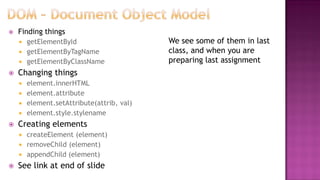
 Document object that represent web page
 When page is loaded browser create DOM (tree)
 Defines how to get, add, delete, change HTML elements
 Finding things
 getElementById
 getElementByTagName
 getElementByClassName
 Changing things
 element.innerHTML
 element.attribute
 element.setAttribute(attrib, val)
 element.style.stylename
 Creating elements
 createElement (element)
 removeChild (element)
 appendChild (element)
 See link at end of slide
We see some of them in last
class, and when you are
preparing last assignment
 John Resig invented in Jan 2006
 Cross platform JavaScript library
 Make easier to navigate document DOM (use CSS selectors)
 Provide event handling to DOM rather than HTML event
attribute
 Event handling & call backs done in simple steps
 Easier to write AJAX
 Also have some Effects & animations
 Browsers are programmed to recognize events
 Pageload
 Click
 Mouse movement etc
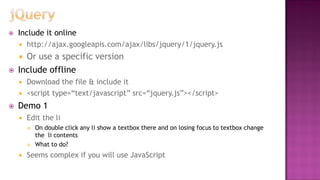
 Include it online
 http://ajax.googleapis.com/ajax/libs/jquery/1/jquery.js
 Or use a specific version
 Include offline
 Download the file & include it
 <script type=“text/javascript” src=“jquery.js”></script>
 Demo 1
 Edit the li
 On double click any li show a textbox there and on losing focus to textbox change
the li contents
 What to do?
 Seems complex if you will use JavaScript
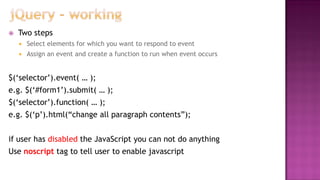
 Two steps
 Select elements for which you want to respond to event
 Assign an event and create a function to run when event occurs
$(„selector‟).event( … );
e.g. $(„#form1‟).submit( … );
$(„selector‟).function( … );
e.g. $(„p‟).html(“change all paragraph contents”);
if user has disabled the JavaScript you can not do anything
Use noscript tag to tell user to enable javascript
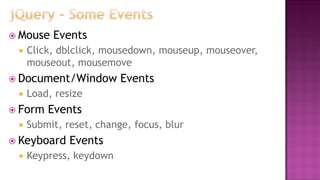
 Mouse Events
 Click, dblclick, mousedown, mouseup, mouseover,
mouseout, mousemove
 Document/Window Events
 Load, resize
 Form Events
 Submit, reset, change, focus, blur
 Keyboard Events
 Keypress, keydown
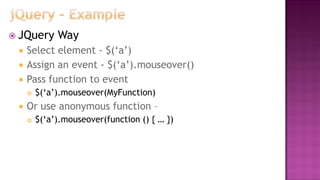
 JQuery Way
 Select element - $(„a‟)
 Assign an event - $(„a‟).mouseover()
 Pass function to event
 $(„a‟).mouseover(MyFunction)
 Or use anonymous function –
 $(„a‟).mouseover(function () { … })
 Demo 1
 Edit the li
 On double click any li show a textbox there and on losing focus to textbox change
the li contents
 What to do?
 Seems complex if you will use JavaScript
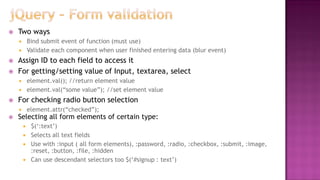
 Two ways
 Bind submit event of function (must use)
 Validate each component when user finished entering data (blur event)
 Assign ID to each field to access it
 For getting/setting value of Input, textarea, select
 element.val(); //return element value
 element.val(“some value”); //set element value
 For checking radio button selection
 element.attr(“checked”);
 Selecting all form elements of certain type:
 $(„:text‟)
 Selects all text fields
 Use with :input ( all form elements), :password, :radio, :checkbox, :submit, :image,
:reset, :button, :file, :hidden
 Can use descendant selectors too $(„#signup : text‟)
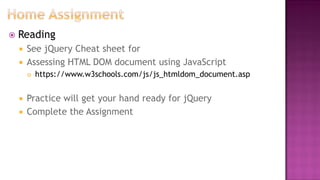
 Reading
 See jQuery Cheat sheet for
 Assessing HTML DOM document using JavaScript
 https://www.w3schools.com/js/js_htmldom_document.asp
 Practice will get your hand ready for jQuery
 Complete the Assignment

Lec 5

  • 1.
    Web Technologies –CS 382 Shehzad Aslam Lecture 5 3 Hrs
  • 2.
     DOM  UnderstandingjQuery  Form validation
  • 3.
     Document objectthat represent web page  When page is loaded browser create DOM (tree)  Defines how to get, add, delete, change HTML elements
  • 4.
     Finding things getElementById  getElementByTagName  getElementByClassName  Changing things  element.innerHTML  element.attribute  element.setAttribute(attrib, val)  element.style.stylename  Creating elements  createElement (element)  removeChild (element)  appendChild (element)  See link at end of slide We see some of them in last class, and when you are preparing last assignment
  • 5.
     John Resiginvented in Jan 2006  Cross platform JavaScript library  Make easier to navigate document DOM (use CSS selectors)  Provide event handling to DOM rather than HTML event attribute  Event handling & call backs done in simple steps  Easier to write AJAX  Also have some Effects & animations  Browsers are programmed to recognize events  Pageload  Click  Mouse movement etc
  • 6.
     Include itonline  http://ajax.googleapis.com/ajax/libs/jquery/1/jquery.js  Or use a specific version  Include offline  Download the file & include it  <script type=“text/javascript” src=“jquery.js”></script>  Demo 1  Edit the li  On double click any li show a textbox there and on losing focus to textbox change the li contents  What to do?  Seems complex if you will use JavaScript
  • 7.
     Two steps Select elements for which you want to respond to event  Assign an event and create a function to run when event occurs $(„selector‟).event( … ); e.g. $(„#form1‟).submit( … ); $(„selector‟).function( … ); e.g. $(„p‟).html(“change all paragraph contents”); if user has disabled the JavaScript you can not do anything Use noscript tag to tell user to enable javascript
  • 8.
     Mouse Events Click, dblclick, mousedown, mouseup, mouseover, mouseout, mousemove  Document/Window Events  Load, resize  Form Events  Submit, reset, change, focus, blur  Keyboard Events  Keypress, keydown
  • 9.
     JQuery Way Select element - $(„a‟)  Assign an event - $(„a‟).mouseover()  Pass function to event  $(„a‟).mouseover(MyFunction)  Or use anonymous function –  $(„a‟).mouseover(function () { … })
  • 10.
     Demo 1 Edit the li  On double click any li show a textbox there and on losing focus to textbox change the li contents  What to do?  Seems complex if you will use JavaScript
  • 11.
     Two ways Bind submit event of function (must use)  Validate each component when user finished entering data (blur event)  Assign ID to each field to access it  For getting/setting value of Input, textarea, select  element.val(); //return element value  element.val(“some value”); //set element value  For checking radio button selection  element.attr(“checked”);  Selecting all form elements of certain type:  $(„:text‟)  Selects all text fields  Use with :input ( all form elements), :password, :radio, :checkbox, :submit, :image, :reset, :button, :file, :hidden  Can use descendant selectors too $(„#signup : text‟)
  • 12.
     Reading  SeejQuery Cheat sheet for  Assessing HTML DOM document using JavaScript  https://www.w3schools.com/js/js_htmldom_document.asp  Practice will get your hand ready for jQuery  Complete the Assignment