AJAX, JSON, jQuery, livequery Pradeep Kumar Silamkoti
Agenda AJAX JSON jQuery and livequery Payment central
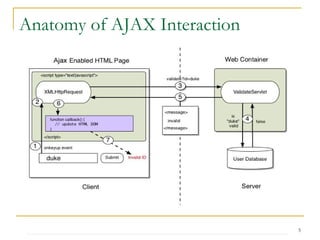
AJAX Rich User Experience Rich internet applications (RIA) AJAX = DHTML + Asynchronous communication using XMLHttpRequest Asynchronous communication replaces "synchronous request/response model."
Technologies used in AJAX •  Javascript Loosely typed scripting language JavaScript function is called when an event in a page occurs Glue for the whole AJAX operation •  DOM API for accessing and manipulating structured documents Represents the structure of XML and HTML documents •  CSS Allows for a clear separation of the presentation style from the content and may be changed programmatically by JavaScript •  XMLHttpRequest JavaScript object that performs asynchronous interaction with the server
Anatomy of AJAX Interaction
What is JSON? Why we use JSON? JSON structure JSON Object JSON text to JSON object and vice-versa in JavaScript JSONObject Java class JSON - RPC JSON
jQuery is a fast and concise JavaScript Library that simplifies HTML document traversing, event handling, animating, and Ajax interactions for rapid web development.  jQuery is designed to change the way that you write JavaScript. Selectors Attributes Traversing Manipulation Events Ajax Utilities  jQuery
jQuery selectors are used for selecting the area of the document where we want to apply styles.  Uses XPath and CSS $('p') —Accesses all the paragraph elements in the HTML file $('div') —Accesses all the  div  elements in the HTML file $('#A') —Accesses all the HTML elements with  id=A $('.b') —Accesses all the HTML elements with  class=b Ex:   $(document).ready(function() { $('p').addClass('highlight'); }); Selectors
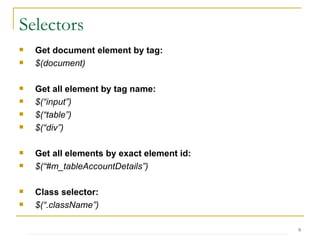
Selectors Get document element by tag: $(document) Get all element by tag name: $(“input”) $(“table”) $(“div”) Get all elements by exact element id: $(“#m_tableAccountDetails”) Class selector: $(“.className”)
Selectors Get a specific element where ID like “m_tabel”: $(“table[id*=m_table]”) Attribute filters: =  equal to !=  not equal to *= contains given substring ^= starts with string |= starts with given string or starts with string and ‘-‘ $= ends with Multiple selector: $(“input[id*=DescriptionBlock][type=text]”)
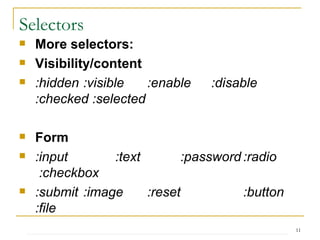
Selectors More selectors: Visibility/content :hidden :visible :enable :disable  :checked :selected Form :input :text   :password :radio   :checkbox :submit :image :reset :button :file Child :nth-child(index) :first-child :last-child :only-child
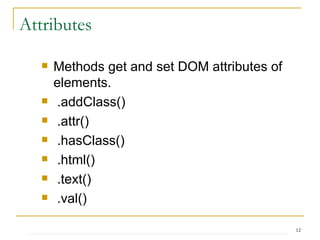
Methods get and set DOM attributes of elements.  .addClass()  .attr() .hasClass() .html() .text() .val() Attributes
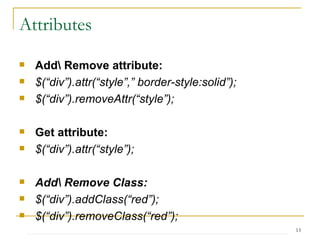
Attributes Add\ Remove attribute: $(“div”).attr(“style”,” border-style:solid”); $(“div”).removeAttr(“style”); Get attribute: $(“div”).attr(“style”); Add\ Remove Class: $(“div”).addClass(“red”); $(“div”).removeClass(“red”); Has Class: (true/false) $(“div”).hasClass(“red”);
Attributes Toggle Class: $(“div”).toggleClass(“red”);  Get\Set HTML: $(“div”).html(); var  html_value = “<div id=’m_dv’>New Div</>”; $(“div”).html(html_value); Get\Set value: $(“input[id*=txtName]”).val(); $(“ input[id*=txtName]”).val(“Example”);
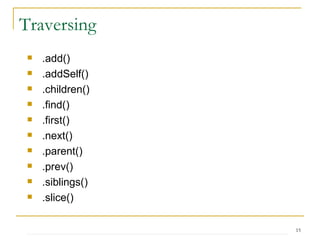
.add() .addSelf() .children() .find() .first() .next() .parent() .prev() .siblings() .slice() Traversing
Traversing Find elements under a parent element: $(“#m_divSection”).find([selector]) Get children: $(“#m_divSection”).children([selector]) Get first or first matching parent: $(“#m_txtName”).parent([selector]) Get parents by selector: $(“#m_txtName”).parents([selector]) Get next node: $(“#m_txtName”).next([selector])
Traversing Get all next node: $(“#m_txtName”).nextAll([selector]) Get previous node: $(“#m_txtName”).prev([selector]) Get all previous node: $(“#m_txtName”).prevAll([selector]) Get siblings: $(“#m_txtName”).sibling([selector])
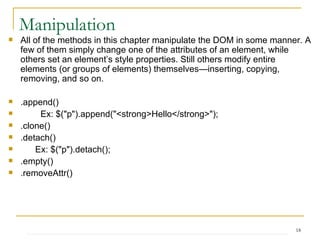
All of the methods in this chapter manipulate the DOM in some manner. A few of them simply change one of the attributes of an element, while others set an element’s style properties. Still others modify entire elements (or groups of elements) themselves—inserting, copying, removing, and so on.  .append() Ex: $(&quot;p&quot;).append(&quot;<strong>Hello</strong>&quot;);  .clone() .detach() Ex: $(&quot;p&quot;).detach();  .empty() .removeAttr() Manipulation
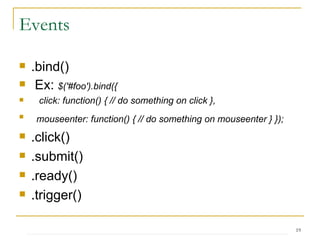
Events .bind() Ex:  $('#foo').bind({ click: function() { // do something on click }, mouseenter: function() { // do something on mouseenter } });   .click() .submit() .ready() .trigger()
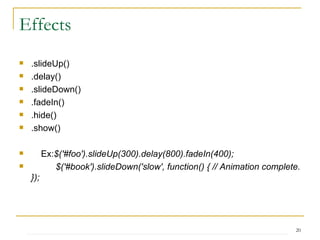
Effects .slideUp() .delay() .slideDown() .fadeIn() .hide() .show() Ex: $('#foo').slideUp(300).delay(800).fadeIn(400);  $('#book').slideDown('slow', function() { // Animation complete. });
AJAX jQuery.ajax() $.ajax({ url: 'ajax/test.html', success: function(data) { $('.result').html(data); alert('Load was performed.');  } });  Callback functions: beforeSend ,  error ,  dataFilter ,  success  and  complete   .ajaxComplete() .ajaxError() .ajaxSuccess() jQuery.getJSON() jQuery.getJSON( url, [ data ], [ callback(data, textStatus) ] )
jQuery UI Interactions Draggabble Droppable Resizable Selectable Sortable Widgets Autocomplete Accordian Button Dialog Datepicker Effects
Live Query utilizes the power of jQuery selectors by binding events or firing callbacks for matched elements auto-magically, even after the page has been loaded and the DOM updated.   For example you could use the following code to bind a click event to all A tags, even any A tags you might add via AJAX. $('a') .livequery('click', function(event) {   alert('clicked');  return false;  });  Livequery
Assignment 1) Create a new Javascript file called “main.js” and properly import it into the HTML document. 2) In main.js, write the code to make a Javascript alert pop up when the pages loads saying “ Thank you for visiting my site.” 3) In main.js, write the code to make the input button labeled #hide, when clicked, hide all <ul> elements on the page. 4) In main.js, write the code to make the input button labeled #show, when clicked, show all <ul> elements on the page. 5) In main.js, write the code to hide the elements labeled #more_1 #more_2 and #more_3 when the document is loaded. 6) Create a new “Read More” input buttons in the HTML document for each blog post. In main.js, write the code that enables the buttons to toggle their respective #more_1 #more_2 and #more_3 elements.
Assignment 7) Create a new input button in the HTML document at the bottom of the page, it should be labeled “Change Color”. When the button is clicked, all text on the page should be changed to the color red. HINT: To select all of the elements on the page in jQuery, use the asterisk: $(“*”) 8) Write the code in main.js so that when the page is loaded, an <hr /> element is appended to each blog post element. 9) Demonstrate various effects using jQuery 10) Demonstrate calendar functionality using jQuery
Thank you

J Query Public

  • 1.
    AJAX, JSON, jQuery,livequery Pradeep Kumar Silamkoti
  • 2.
    Agenda AJAX JSONjQuery and livequery Payment central
  • 3.
    AJAX Rich UserExperience Rich internet applications (RIA) AJAX = DHTML + Asynchronous communication using XMLHttpRequest Asynchronous communication replaces &quot;synchronous request/response model.&quot;
  • 4.
    Technologies used inAJAX • Javascript Loosely typed scripting language JavaScript function is called when an event in a page occurs Glue for the whole AJAX operation • DOM API for accessing and manipulating structured documents Represents the structure of XML and HTML documents • CSS Allows for a clear separation of the presentation style from the content and may be changed programmatically by JavaScript • XMLHttpRequest JavaScript object that performs asynchronous interaction with the server
  • 5.
    Anatomy of AJAXInteraction
  • 6.
    What is JSON?Why we use JSON? JSON structure JSON Object JSON text to JSON object and vice-versa in JavaScript JSONObject Java class JSON - RPC JSON
  • 7.
    jQuery is afast and concise JavaScript Library that simplifies HTML document traversing, event handling, animating, and Ajax interactions for rapid web development. jQuery is designed to change the way that you write JavaScript. Selectors Attributes Traversing Manipulation Events Ajax Utilities jQuery
  • 8.
    jQuery selectors areused for selecting the area of the document where we want to apply styles. Uses XPath and CSS $('p') —Accesses all the paragraph elements in the HTML file $('div') —Accesses all the div elements in the HTML file $('#A') —Accesses all the HTML elements with id=A $('.b') —Accesses all the HTML elements with class=b Ex: $(document).ready(function() { $('p').addClass('highlight'); }); Selectors
  • 9.
    Selectors Get documentelement by tag: $(document) Get all element by tag name: $(“input”) $(“table”) $(“div”) Get all elements by exact element id: $(“#m_tableAccountDetails”) Class selector: $(“.className”)
  • 10.
    Selectors Get aspecific element where ID like “m_tabel”: $(“table[id*=m_table]”) Attribute filters: = equal to != not equal to *= contains given substring ^= starts with string |= starts with given string or starts with string and ‘-‘ $= ends with Multiple selector: $(“input[id*=DescriptionBlock][type=text]”)
  • 11.
    Selectors More selectors:Visibility/content :hidden :visible :enable :disable :checked :selected Form :input :text :password :radio :checkbox :submit :image :reset :button :file Child :nth-child(index) :first-child :last-child :only-child
  • 12.
    Methods get andset DOM attributes of elements. .addClass() .attr() .hasClass() .html() .text() .val() Attributes
  • 13.
    Attributes Add\ Removeattribute: $(“div”).attr(“style”,” border-style:solid”); $(“div”).removeAttr(“style”); Get attribute: $(“div”).attr(“style”); Add\ Remove Class: $(“div”).addClass(“red”); $(“div”).removeClass(“red”); Has Class: (true/false) $(“div”).hasClass(“red”);
  • 14.
    Attributes Toggle Class:$(“div”).toggleClass(“red”); Get\Set HTML: $(“div”).html(); var html_value = “<div id=’m_dv’>New Div</>”; $(“div”).html(html_value); Get\Set value: $(“input[id*=txtName]”).val(); $(“ input[id*=txtName]”).val(“Example”);
  • 15.
    .add() .addSelf() .children().find() .first() .next() .parent() .prev() .siblings() .slice() Traversing
  • 16.
    Traversing Find elementsunder a parent element: $(“#m_divSection”).find([selector]) Get children: $(“#m_divSection”).children([selector]) Get first or first matching parent: $(“#m_txtName”).parent([selector]) Get parents by selector: $(“#m_txtName”).parents([selector]) Get next node: $(“#m_txtName”).next([selector])
  • 17.
    Traversing Get allnext node: $(“#m_txtName”).nextAll([selector]) Get previous node: $(“#m_txtName”).prev([selector]) Get all previous node: $(“#m_txtName”).prevAll([selector]) Get siblings: $(“#m_txtName”).sibling([selector])
  • 18.
    All of themethods in this chapter manipulate the DOM in some manner. A few of them simply change one of the attributes of an element, while others set an element’s style properties. Still others modify entire elements (or groups of elements) themselves—inserting, copying, removing, and so on. .append() Ex: $(&quot;p&quot;).append(&quot;<strong>Hello</strong>&quot;); .clone() .detach() Ex: $(&quot;p&quot;).detach(); .empty() .removeAttr() Manipulation
  • 19.
    Events .bind() Ex: $('#foo').bind({ click: function() { // do something on click }, mouseenter: function() { // do something on mouseenter } }); .click() .submit() .ready() .trigger()
  • 20.
    Effects .slideUp() .delay().slideDown() .fadeIn() .hide() .show() Ex: $('#foo').slideUp(300).delay(800).fadeIn(400); $('#book').slideDown('slow', function() { // Animation complete. });
  • 21.
    AJAX jQuery.ajax() $.ajax({url: 'ajax/test.html', success: function(data) { $('.result').html(data); alert('Load was performed.'); } }); Callback functions: beforeSend ,  error ,  dataFilter ,  success  and  complete .ajaxComplete() .ajaxError() .ajaxSuccess() jQuery.getJSON() jQuery.getJSON( url, [ data ], [ callback(data, textStatus) ] )
  • 22.
    jQuery UI InteractionsDraggabble Droppable Resizable Selectable Sortable Widgets Autocomplete Accordian Button Dialog Datepicker Effects
  • 23.
    Live Query utilizesthe power of jQuery selectors by binding events or firing callbacks for matched elements auto-magically, even after the page has been loaded and the DOM updated. For example you could use the following code to bind a click event to all A tags, even any A tags you might add via AJAX. $('a') .livequery('click', function(event) { alert('clicked'); return false; }); Livequery
  • 24.
    Assignment 1) Createa new Javascript file called “main.js” and properly import it into the HTML document. 2) In main.js, write the code to make a Javascript alert pop up when the pages loads saying “ Thank you for visiting my site.” 3) In main.js, write the code to make the input button labeled #hide, when clicked, hide all <ul> elements on the page. 4) In main.js, write the code to make the input button labeled #show, when clicked, show all <ul> elements on the page. 5) In main.js, write the code to hide the elements labeled #more_1 #more_2 and #more_3 when the document is loaded. 6) Create a new “Read More” input buttons in the HTML document for each blog post. In main.js, write the code that enables the buttons to toggle their respective #more_1 #more_2 and #more_3 elements.
  • 25.
    Assignment 7) Createa new input button in the HTML document at the bottom of the page, it should be labeled “Change Color”. When the button is clicked, all text on the page should be changed to the color red. HINT: To select all of the elements on the page in jQuery, use the asterisk: $(“*”) 8) Write the code in main.js so that when the page is loaded, an <hr /> element is appended to each blog post element. 9) Demonstrate various effects using jQuery 10) Demonstrate calendar functionality using jQuery
  • 26.

Editor's Notes

  • #4 RUE: Gives responses initiatively and quickly. Things happens naturally. AJAX: • Pros Most viable RIA technology so far Tremendous industry momentum Several toolkits and frameworks are emerging No need to download code &amp; no plug-in required • Cons Still browser incompatibility JavaScript is hard to maintain and debug