A brief view at client web


                      Markiyan Matsekh
                             Web developer
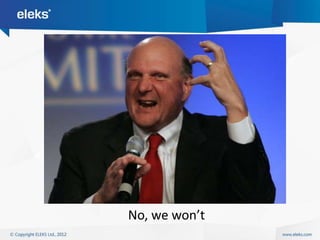
No, we won’t
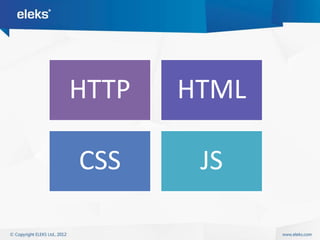
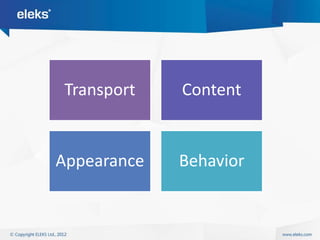
HTTP   HTML

CSS     JS
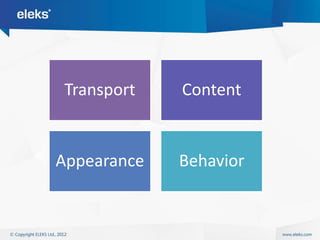
Transport    Content


Appearance   Behavior
Http (HyperText Transfer Protocol) –
is a deal between client and server on
how to deliver data
Http
- Request/Response model
- Stateless
- Operates with text
How to transfer large binary files
       through protocol
  which operates with text?
How to maintain state
in stateless protocol?
How to get updates from server
when all you can do is ask for?
Http methods
-   Get
-   Post
-   Put
-   Delete
-   (few less used)
Time for a small demo
What about security?
Https
- Agree on PreMasterSecret
- Encrypt traffic with it
- Send data safely
Html (HyperText Markup Language) –
is a tool for describing contents with
pre-defined limited set of words
Is a set of rules,
   by which browser
reads this description
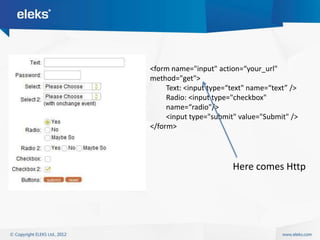
<form name="input" action=“your_url"
method="get">
     Text: <input type=“text" name=“text” />
     Radio: <input type="checkbox"
     name=“radio"/>
     <input type="submit" value="Submit" />
</form>


                        Here comes Http
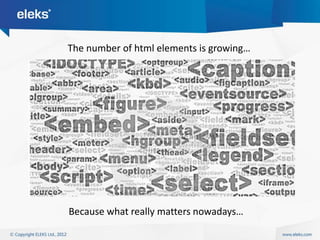
The number of html elements is growing…


Because what really matters nowadays…
Html5 is just a logical step in evolution of web

             ordo ab chao
               After chaos comes order
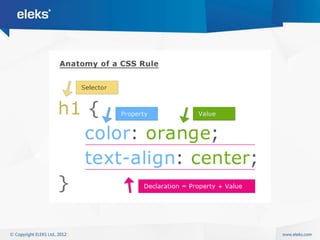
Css (Cascading Style Sheets) –
is a way of describing how your contents
should look
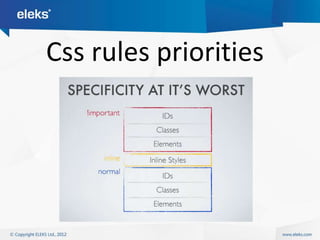
Css rules priorities
        -   #id == 3
        -   .classname == 2
        -   [attr] == 2
        -   el == 1


  Sum = … -> order -> priority = …
JavaScript –
is a powerful programming language,
embedded into the browsers,
letting us control the behavior of contents
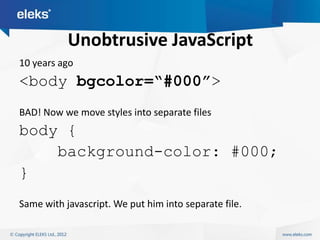
Unobtrusive JavaScript
10 years ago
<body bgcolor=“#000”>
BAD! Now we move styles into separate files
body {
    background-color: #000;
}
Same with javascript. We put him into separate file.
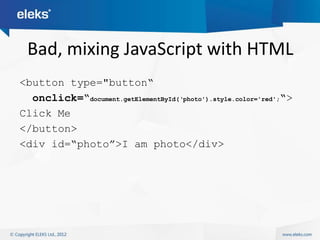
Bad, mixing JavaScript with HTML
<button type="button“
  onclick=“document.getElementById(„photo').style.color='red';“>
Click Me
</button>
<div id=“photo”>I am photo</div>
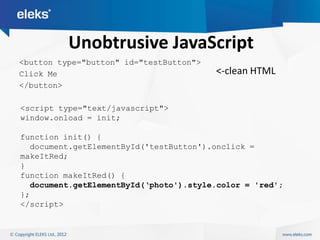
Unobtrusive JavaScript
<button type="button" id="testButton">
Click Me                                 <-clean HTML
</button>

<script type="text/javascript">
window.onload = init;

function init() {
  document.getElementById('testButton').onclick =
makeItRed;
}
function makeItRed() {
  document.getElementById(„photo').style.color = 'red';
};
</script>
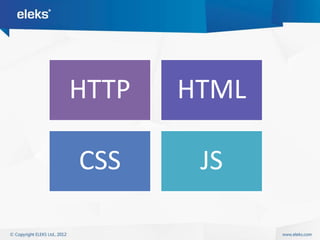
HTTP   HTML

CSS     JS
Transport    Content


Appearance   Behavior
Separation of concerns
Events
• World Wide Web – it’s events that make it all
  happen

1 Set up the user interface.
2 Wait for something interesting to happen.
3 React accordingly.
4 Repeat.
Netscape Event Model (march 1996)
                   DOM Level 0 Event Model
•   Hanlder function is assigned to attribtues on html element (onclick)

    <button id=“button1” value=“I‟m button”
         onclick=“alert(„I‟am clicked‟)” />

    <script type="text/javascript">
      $(function() {
        $(„#button1‟)[0].onfocus = function(event) {
            console.log(„Focused!‟);
        }
      });
    </script>
Across the browsers?
1. IE doesn’t invoke function with ‘event’
   $(„#button1‟)[0].onfocus = function(event) {
      if (!event) event = window.event;
   }

2. IE has event.target instead of event.srcElement:
   var target = (event.target)
       ? event.target : event.srcElement;


$(„#button1‟)[0].onfocus = function(event) {
  if (!event) event = window.event;
  var target = (event.target)
      ? event.target : event.srcElement;
}
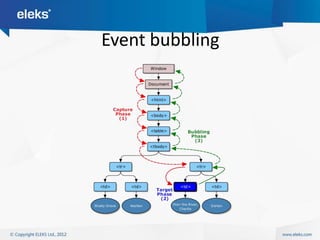
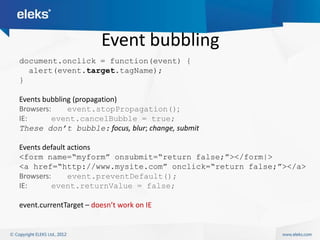
Event bubbling
Event bubbling
document.onclick = function(event) {
  alert(event.target.tagName);
}

Events bubbling (propagation)
Browsers:     event.stopPropagation();
IE:       event.cancelBubble = true;
These don’t bubble: focus, blur; change, submit

Events default actions
<form name=“myform” onsubmit=“return false;”></form|>
<a href=“http://www.mysite.com” onclick=“return false;”></a>
Browsers:      event.preventDefault();
IE:       event.returnValue = false;

event.currentTarget – doesn’t work on IE
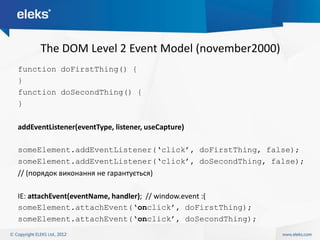
The DOM Level 2 Event Model (november2000)
function doFirstThing() {
}
function doSecondThing() {
}

addEventListener(eventType, listener, useCapture)

someElement.addEventListener(„click‟, doFirstThing, false);
someElement.addEventListener(„click‟, doSecondThing, false);
// (порядок виконання не гарантується)

IE: attachEvent(eventName, handler); // window.event :(
someElement.attachEvent(„onclick‟, doFirstThing);
someElement.attachEvent(„onclick‟, doSecondThing);
jQuery
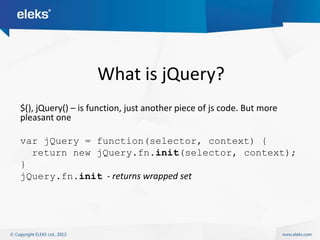
What is jQuery?
$(), jQuery() – is function, just another piece of js code. But more
pleasant one

var jQuery = function(selector, context) {
  return new jQuery.fn.init(selector, context);
}
jQuery.fn.init - returns wrapped set
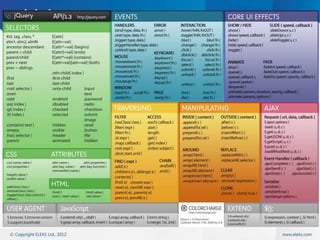
What does jQuery do?
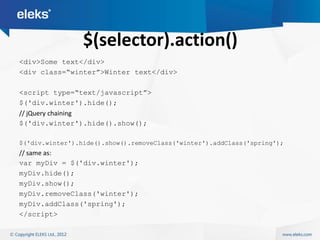
$(selector).action()
<div>Some text</div>
<div class=“winter”>Winter text</div>

<script type=“text/javascript”>
$('div.winter').hide();
// jQuery chaining
$('div.winter').hide().show();

$('div.winter').hide().show().removeClass('winter').addClass('spring');
// same as:
var myDiv = $('div.winter');
myDiv.hide();
myDiv.show();
myDiv.removeClass('winter');
myDiv.addClass('spring');
</script>
CSS, or jQuery selectors
p a { color: green; }
$(“p a”).css(„color‟, „green‟);
$("p:even");
$("tr:nth-child(1)");
$("body > div");
$("a[href$=pdf]");
$("body > div:has(a)");
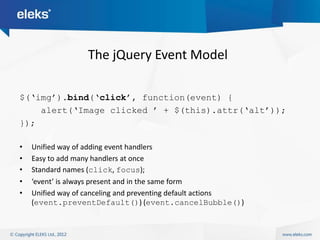
The jQuery Event Model

$(„img‟).bind(„click‟, function(event) {
    alert(„Image clicked ‟ + $(this).attr(„alt‟));
});

•   Unified way of adding event handlers
•   Easy to add many handlers at once
•   Standard names (click, focus);
•   ‘event’ is always present and in the same form
•   Unified way of canceling and preventing default actions
    (event.preventDefault()) (event.cancelBubble())
Ajax (Asynchronous JavaScript and Xml) –
is a chance to reload the content
without reloading the whole page
Usual Ajax workflow
1. Simple HTTP Get through click
2. Page loads javascript logic for ajax
3. Certain actions lead user to async ajax requests
4. Browser sends request to server without reloading page
5. Server examines that the request is async
6. Server s sends back piece of html or json
7. Client gets response and applies it to page
Ajax lets us use more HTTP then
         <form> element
Don’t forget!

•   Javascript is tricky
•   Javascript is single-threaded
•   Events run it all
•   Use Ajax wisely
•   Use Cookies wisely
And now time for
another demo
Client Web

Client Web

  • 1.
    A brief viewat client web Markiyan Matsekh Web developer
  • 6.
  • 7.
    HTTP HTML CSS JS
  • 8.
    Transport Content Appearance Behavior
  • 10.
    Http (HyperText TransferProtocol) – is a deal between client and server on how to deliver data
  • 11.
    Http - Request/Response model -Stateless - Operates with text
  • 12.
    How to transferlarge binary files through protocol which operates with text?
  • 13.
    How to maintainstate in stateless protocol?
  • 14.
    How to getupdates from server when all you can do is ask for?
  • 15.
    Http methods - Get - Post - Put - Delete - (few less used)
  • 17.
    Time for asmall demo
  • 18.
  • 19.
    Https - Agree onPreMasterSecret - Encrypt traffic with it - Send data safely
  • 21.
    Html (HyperText MarkupLanguage) – is a tool for describing contents with pre-defined limited set of words
  • 22.
    Is a setof rules, by which browser reads this description
  • 24.
    <form name="input" action=“your_url" method="get"> Text: <input type=“text" name=“text” /> Radio: <input type="checkbox" name=“radio"/> <input type="submit" value="Submit" /> </form> Here comes Http
  • 25.
    The number ofhtml elements is growing… Because what really matters nowadays…
  • 28.
    Html5 is justa logical step in evolution of web ordo ab chao After chaos comes order
  • 30.
    Css (Cascading StyleSheets) – is a way of describing how your contents should look
  • 33.
  • 34.
    Css rules priorities - #id == 3 - .classname == 2 - [attr] == 2 - el == 1 Sum = … -> order -> priority = …
  • 37.
    JavaScript – is apowerful programming language, embedded into the browsers, letting us control the behavior of contents
  • 38.
    Unobtrusive JavaScript 10 yearsago <body bgcolor=“#000”> BAD! Now we move styles into separate files body { background-color: #000; } Same with javascript. We put him into separate file.
  • 39.
    Bad, mixing JavaScriptwith HTML <button type="button“ onclick=“document.getElementById(„photo').style.color='red';“> Click Me </button> <div id=“photo”>I am photo</div>
  • 40.
    Unobtrusive JavaScript <button type="button"id="testButton"> Click Me <-clean HTML </button> <script type="text/javascript"> window.onload = init; function init() { document.getElementById('testButton').onclick = makeItRed; } function makeItRed() { document.getElementById(„photo').style.color = 'red'; }; </script>
  • 41.
    HTTP HTML CSS JS
  • 42.
    Transport Content Appearance Behavior
  • 43.
  • 44.
    Events • World WideWeb – it’s events that make it all happen 1 Set up the user interface. 2 Wait for something interesting to happen. 3 React accordingly. 4 Repeat.
  • 45.
    Netscape Event Model(march 1996) DOM Level 0 Event Model • Hanlder function is assigned to attribtues on html element (onclick) <button id=“button1” value=“I‟m button” onclick=“alert(„I‟am clicked‟)” /> <script type="text/javascript"> $(function() { $(„#button1‟)[0].onfocus = function(event) { console.log(„Focused!‟); } }); </script>
  • 46.
    Across the browsers? 1.IE doesn’t invoke function with ‘event’ $(„#button1‟)[0].onfocus = function(event) { if (!event) event = window.event; } 2. IE has event.target instead of event.srcElement: var target = (event.target) ? event.target : event.srcElement; $(„#button1‟)[0].onfocus = function(event) { if (!event) event = window.event; var target = (event.target) ? event.target : event.srcElement; }
  • 47.
  • 48.
    Event bubbling document.onclick =function(event) { alert(event.target.tagName); } Events bubbling (propagation) Browsers: event.stopPropagation(); IE: event.cancelBubble = true; These don’t bubble: focus, blur; change, submit Events default actions <form name=“myform” onsubmit=“return false;”></form|> <a href=“http://www.mysite.com” onclick=“return false;”></a> Browsers: event.preventDefault(); IE: event.returnValue = false; event.currentTarget – doesn’t work on IE
  • 49.
    The DOM Level2 Event Model (november2000) function doFirstThing() { } function doSecondThing() { } addEventListener(eventType, listener, useCapture) someElement.addEventListener(„click‟, doFirstThing, false); someElement.addEventListener(„click‟, doSecondThing, false); // (порядок виконання не гарантується) IE: attachEvent(eventName, handler); // window.event :( someElement.attachEvent(„onclick‟, doFirstThing); someElement.attachEvent(„onclick‟, doSecondThing);
  • 50.
  • 51.
    What is jQuery? $(),jQuery() – is function, just another piece of js code. But more pleasant one var jQuery = function(selector, context) { return new jQuery.fn.init(selector, context); } jQuery.fn.init - returns wrapped set
  • 52.
  • 54.
    $(selector).action() <div>Some text</div> <div class=“winter”>Wintertext</div> <script type=“text/javascript”> $('div.winter').hide(); // jQuery chaining $('div.winter').hide().show(); $('div.winter').hide().show().removeClass('winter').addClass('spring'); // same as: var myDiv = $('div.winter'); myDiv.hide(); myDiv.show(); myDiv.removeClass('winter'); myDiv.addClass('spring'); </script>
  • 55.
    CSS, or jQueryselectors p a { color: green; } $(“p a”).css(„color‟, „green‟); $("p:even"); $("tr:nth-child(1)"); $("body > div"); $("a[href$=pdf]"); $("body > div:has(a)");
  • 56.
    The jQuery EventModel $(„img‟).bind(„click‟, function(event) { alert(„Image clicked ‟ + $(this).attr(„alt‟)); }); • Unified way of adding event handlers • Easy to add many handlers at once • Standard names (click, focus); • ‘event’ is always present and in the same form • Unified way of canceling and preventing default actions (event.preventDefault()) (event.cancelBubble())
  • 58.
    Ajax (Asynchronous JavaScriptand Xml) – is a chance to reload the content without reloading the whole page
  • 59.
    Usual Ajax workflow 1.Simple HTTP Get through click 2. Page loads javascript logic for ajax 3. Certain actions lead user to async ajax requests 4. Browser sends request to server without reloading page 5. Server examines that the request is async 6. Server s sends back piece of html or json 7. Client gets response and applies it to page
  • 60.
    Ajax lets ususe more HTTP then <form> element
  • 61.
    Don’t forget! • Javascript is tricky • Javascript is single-threaded • Events run it all • Use Ajax wisely • Use Cookies wisely
  • 63.
    And now timefor another demo

Editor's Notes

  • #4 Intensive development of the web caused too hasty decisions and lack of standards. Later monopolization of the market be IE killed web for years…
  • #6 You can make add any features to your toy, as long as it conforms standards
  • #7 You can make add any features to your toy, as long as it conforms standards
  • #8 These are the 4 main concepts of client web
  • #12 No questions? Then let me ask you – how do you transfer binary data as text? Big data?And how do you maintain state?
  • #27 Why? Remember mobile phones boom? And planshets? They all render data as the user got used to, not how we want it to be rendered.
  • #42 These are the 4 main concepts of client web