The Fine Art of JavaScript
Event Handling
Yorick Phoenix
slides: bit.ly/FineArtJSEvents
yorick@issio.net
about.me/yorickphoenix | @scribblings | github.com/yphoenix
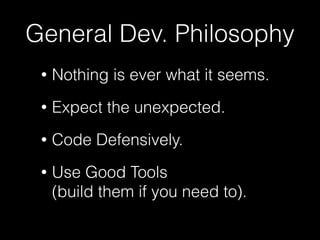
General Dev. Philosophy
• Nothing is ever what it seems.
• Expect the unexpected.
• Code Defensively.
• Use Good Tools

(build them if you need to).
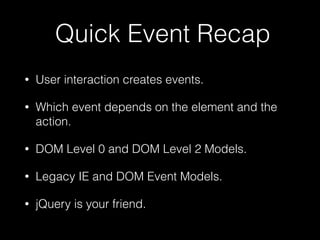
Quick Event Recap
• User interaction creates events.
• Which event depends on the element and the
action.
• DOM Level 0 and DOM Level 2 Models.
• Legacy IE and DOM Event Models.
• jQuery is your friend.
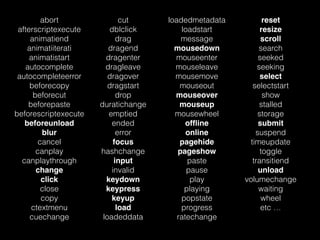
abort
afterscriptexecute
animatiend
animatiiterati
animatistart
autocomplete
autocompleteerror
beforecopy
beforecut
beforepaste
beforescriptexecute
beforeunload
blur
cancel
canplay
canplaythrough
change
click
close
copy
ctextmenu
cuechange
cut
dblclick
drag
dragend
dragenter
dragleave
dragover
dragstart
drop
duratichange
emptied
ended
error
focus
hashchange
input
invalid
keydown
keypress
keyup
load
loadeddata
loadedmetadata
loadstart
message
mousedown
mouseenter
mouseleave
mousemove
mouseout
mouseover
mouseup
mousewheel
offline
online
pagehide
pageshow
paste
pause
play
playing
popstate
progress
ratechange
reset
resize
scroll
search
seeked
seeking
select
selectstart
show
stalled
storage
submit
suspend
timeupdate
toggle
transitiend
unload
volumechange
waiting
wheel
etc …
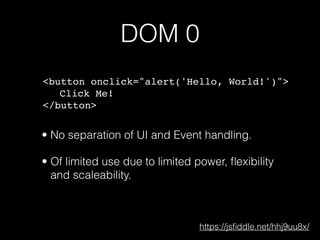
DOM 0
<button onclick="alert('Hello, World!')">
Click Me!
</button>
https://jsfiddle.net/hhj9uu8x/
• No separation of UI and Event handling.
• Of limited use due to limited power, flexibility
and scaleability.
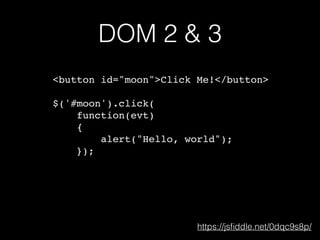
DOM 2 & 3
<button id="moon">Click Me!</button>
$('#moon').click(
function(evt)
{
alert("Hello, world");
});
https://jsfiddle.net/0dqc9s8p/
<Element>
mouseenter
mousemove
mouseleave
mousedown
[blur]
[focusout]
[focus]
[focusin]
mouseup
click
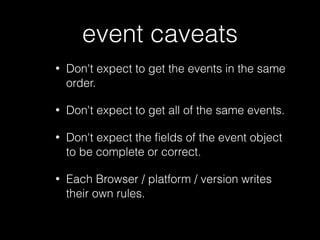
event caveats
• Don't expect to get the events in the same
order.
• Don't expect to get all of the same events.
• Don't expect the fields of the event object
to be complete or correct.
• Each Browser / platform / version writes
their own rules.
Not Sure which events?
TRY IT
EXPERIMENT
detecting user hit
• Don't look at mousedown or mouseup
events.
• look for 'click' events.
• This works for touch devices.
• This works for assisted devices.
click event gotchas
• disabled buttons receive clicks in IE
• readonly text fields get click events
• readonly or disabled div elements get
click events
detecting content change
• Don't look at click, keydown, keyup,
keypress, etc events.
• look for 'change' or 'input' events.
• This works for touch devices.
• This works for assisted devices.
input vs change
• input events indicate that an element
received some input somehow.
• a change event (normally) indicates that
an element has finished changing.
• change events often fire after loss of
focus.
input event gotchas
• checkboxes don't get input events
• input type="file" // receives input events
in IE
• Editable Divs don't get input events in IE
but do everywhere else, you have to use
keyPress too (ugh)
change event gotchas
• unset radio buttons don't get a change
event
• some elements send an input and
change event for every user input
• input type="date" or "time"
• input type="range" // Firefox only
touch events
• Get mapped to mouse & click events
• touchstart, touchmove, touchend
• mouseover, mousemove, mousedown,
mouseup, click
• 300ms delay
avoiding the 300ms delay
• <meta name="viewport"

content="width=device-width, user-scalable=no">
• Handle touchstart, touchmove, touchend events
• Use a library: FTLabs FastClick or Tappy
• http://www.sitepoint.com/5-ways-prevent-300ms-
click-delay-mobile-devices/
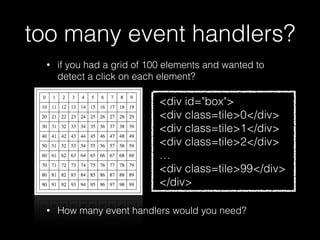
too many event handlers?
• if you had a grid of 100 elements and wanted to
detect a click on each element?
• How many event handlers would you need?
<div id="box">
<div class=tile>0</div>
<div class=tile>1</div>
<div class=tile>2</div>
…
<div class=tile>99</div>
</div>
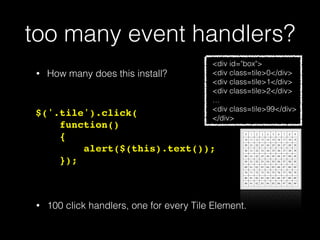
too many event handlers?
$('.tile').click(
function()
{
alert($(this).text());
});
• 100 click handlers, one for every Tile Element.
<div id="box">
<div class=tile>0</div>
<div class=tile>1</div>
<div class=tile>2</div>
…
<div class=tile>99</div>
</div>
• How many does this install?
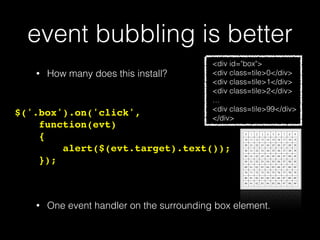
event bubbling is better
$('.box').on('click',
function(evt)
{
alert($(evt.target).text());
});
• One event handler on the surrounding box element.
<div id="box">
<div class=tile>0</div>
<div class=tile>1</div>
<div class=tile>2</div>
…
<div class=tile>99</div>
</div>
• How many does this install?
event bubbling?
• All events are targeted at an element.
• If that element doesn't have an event handler (that
completely handles the event).
• The event is offered to event handlers of the parent
element, and its parent, etc.
• Until the top of the hierarchy is reached (document)
• Or an event handler indicates that bubbling should
stop.
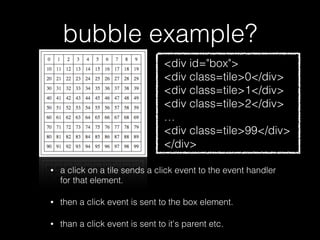
bubble example?
• a click on a tile sends a click event to the event handler
for that element.
• then a click event is sent to the box element.
• than a click event is sent to it's parent etc.
<div id="box">
<div class=tile>0</div>
<div class=tile>1</div>
<div class=tile>2</div>
…
<div class=tile>99</div>
</div>
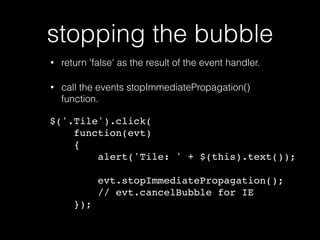
stopping the bubble
• return 'false' as the result of the event handler.
• call the events stopImmediatePropagation()
function.
$('.Tile').click(
function(evt)
{
alert('Tile: ' + $(this).text());
evt.stopImmediatePropagation();
// evt.cancelBubble for IE
});
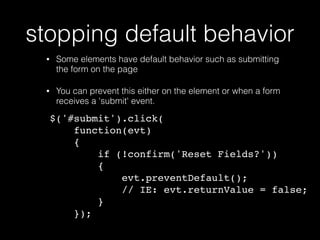
stopping default behavior
• Some elements have default behavior such as submitting
the form on the page
• You can prevent this either on the element or when a form
receives a 'submit' event.
$('#submit').click(
function(evt)
{
if (!confirm('Reset Fields?'))
{
evt.preventDefault();
// IE: evt.returnValue = false;
}
});
event bubble gotchas
• all events bubble except for:
• focus
• blur
• If you use jQuery you can use focusin and focusout
events if you need ones that bubble.
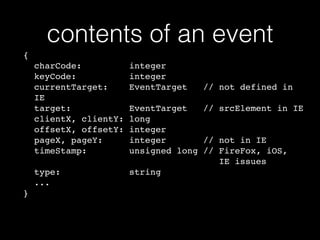
contents of an event
{
charCode: integer

keyCode: integer 

currentTarget: EventTarget // not defined in
IE

target: EventTarget // srcElement in IE

clientX, clientY: long

offsetX, offsetY: integer

pageX, pageY: integer // not in IE

timeStamp: unsigned long // FireFox, iOS,

IE issues

type: string

...
}
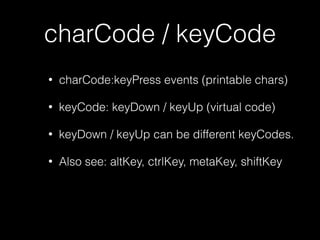
charCode / keyCode
• charCode:keyPress events (printable chars)
• keyCode: keyDown / keyUp (virtual code)
• keyDown / keyUp can be different keyCodes.
• Also see: altKey, ctrlKey, metaKey, shiftKey
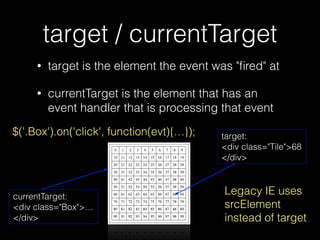
target / currentTarget
• target is the element the event was "fired" at
• currentTarget is the element that has an
event handler that is processing that event
target:
<div class="Tile">68
</div>
currentTarget:
<div class="Box">…
</div>
$('.Box').on('click', function(evt){…});
Legacy IE uses
srcElement
instead of target
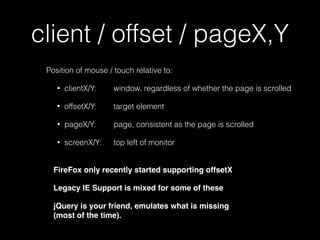
client / offset / pageX,Y
Position of mouse / touch relative to:
• clientX/Y: window, regardless of whether the page is scrolled
• offsetX/Y: target element
• pageX/Y: page, consistent as the page is scrolled
• screenX/Y: top left of monitor

FireFox only recently started supporting offsetX
Legacy IE Support is mixed for some of these
jQuery is your friend, emulates what is missing

(most of the time).
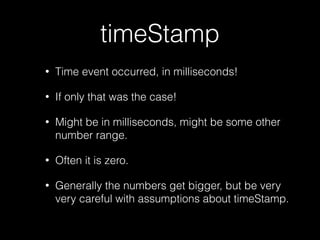
timeStamp
• Time event occurred, in milliseconds!
• If only that was the case!
• Might be in milliseconds, might be some other
number range.
• Often it is zero.
• Generally the numbers get bigger, but be very
very careful with assumptions about timeStamp.
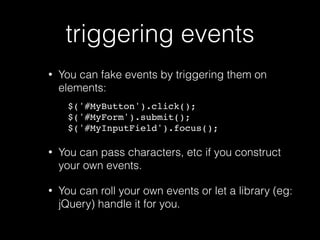
triggering events
• You can fake events by triggering them on
elements:
$('#MyButton').click();
$('#MyForm').submit();
$('#MyInputField').focus();
• You can pass characters, etc if you construct
your own events.
• You can roll your own events or let a library (eg:
jQuery) handle it for you.
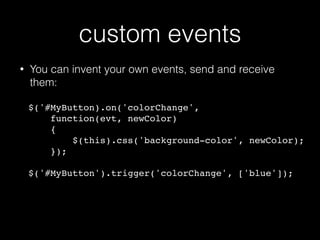
custom events
• You can invent your own events, send and receive
them:

$('#MyButton).on('colorChange',

function(evt, newColor)

{

$(this).css('background-color', newColor);
});
$('#MyButton').trigger('colorChange', ['blue']);

Sites
w3schools.com/jsref/dom_obj_event.asp
api.jquery.com/category/events/
caniuse.com
Tools
Chrome Debugging Tools
Safari iOS Debugger / Emulator
github.com/yphoenix/jsEventTracer
On the Fly Tracer
$.getScript('http://yphoenix.github.io/
jsEventTracer/Demo/jsEventTracer.js');
// OR
(function(u)
{var s=document.createElement("script");s.setAttribute("
type","text/
javascript");s.setAttribute("src",u);document.getElement
sByTagName("head")[0].appendChild(s);})('http://
yphoenix.github.io/jsEventTracer/Demo/
jsEventTracer.js');
Books
JavaScript: The Good Parts
JavaScript: The Definitive Guide
JavaScript Pocket Reference
Secrets of the JavaScript Ninja
Lint
JSLint.com
JSHint.com
ESLint.org
FlowType.org
General Dev. Philosophy
• Nothing is ever what it seems.
• Expect the unexpected.
• Code Defensively.
• Use Good Tools

(build them if you need to).
Q & A
Yorick Phoenix
slides: bit.ly/FineArtJSEvents
yorick@issio.net
about.me/yorickphoenix | @scribblings | github.com/yphoenix

The Fine Art of JavaScript Event Handling

  • 1.
    The Fine Artof JavaScript Event Handling Yorick Phoenix slides: bit.ly/FineArtJSEvents yorick@issio.net about.me/yorickphoenix | @scribblings | github.com/yphoenix
  • 2.
    General Dev. Philosophy •Nothing is ever what it seems. • Expect the unexpected. • Code Defensively. • Use Good Tools
 (build them if you need to).
  • 3.
    Quick Event Recap •User interaction creates events. • Which event depends on the element and the action. • DOM Level 0 and DOM Level 2 Models. • Legacy IE and DOM Event Models. • jQuery is your friend.
  • 4.
  • 5.
    DOM 0 <button onclick="alert('Hello,World!')"> Click Me! </button> https://jsfiddle.net/hhj9uu8x/ • No separation of UI and Event handling. • Of limited use due to limited power, flexibility and scaleability.
  • 6.
    DOM 2 &3 <button id="moon">Click Me!</button> $('#moon').click( function(evt) { alert("Hello, world"); }); https://jsfiddle.net/0dqc9s8p/
  • 7.
  • 8.
    event caveats • Don'texpect to get the events in the same order. • Don't expect to get all of the same events. • Don't expect the fields of the event object to be complete or correct. • Each Browser / platform / version writes their own rules.
  • 9.
    Not Sure whichevents? TRY IT EXPERIMENT
  • 10.
    detecting user hit •Don't look at mousedown or mouseup events. • look for 'click' events. • This works for touch devices. • This works for assisted devices.
  • 11.
    click event gotchas •disabled buttons receive clicks in IE • readonly text fields get click events • readonly or disabled div elements get click events
  • 12.
    detecting content change •Don't look at click, keydown, keyup, keypress, etc events. • look for 'change' or 'input' events. • This works for touch devices. • This works for assisted devices.
  • 13.
    input vs change •input events indicate that an element received some input somehow. • a change event (normally) indicates that an element has finished changing. • change events often fire after loss of focus.
  • 14.
    input event gotchas •checkboxes don't get input events • input type="file" // receives input events in IE • Editable Divs don't get input events in IE but do everywhere else, you have to use keyPress too (ugh)
  • 15.
    change event gotchas •unset radio buttons don't get a change event • some elements send an input and change event for every user input • input type="date" or "time" • input type="range" // Firefox only
  • 16.
    touch events • Getmapped to mouse & click events • touchstart, touchmove, touchend • mouseover, mousemove, mousedown, mouseup, click • 300ms delay
  • 17.
    avoiding the 300msdelay • <meta name="viewport"
 content="width=device-width, user-scalable=no"> • Handle touchstart, touchmove, touchend events • Use a library: FTLabs FastClick or Tappy • http://www.sitepoint.com/5-ways-prevent-300ms- click-delay-mobile-devices/
  • 18.
    too many eventhandlers? • if you had a grid of 100 elements and wanted to detect a click on each element? • How many event handlers would you need? <div id="box"> <div class=tile>0</div> <div class=tile>1</div> <div class=tile>2</div> … <div class=tile>99</div> </div>
  • 19.
    too many eventhandlers? $('.tile').click( function() { alert($(this).text()); }); • 100 click handlers, one for every Tile Element. <div id="box"> <div class=tile>0</div> <div class=tile>1</div> <div class=tile>2</div> … <div class=tile>99</div> </div> • How many does this install?
  • 20.
    event bubbling isbetter $('.box').on('click', function(evt) { alert($(evt.target).text()); }); • One event handler on the surrounding box element. <div id="box"> <div class=tile>0</div> <div class=tile>1</div> <div class=tile>2</div> … <div class=tile>99</div> </div> • How many does this install?
  • 21.
    event bubbling? • Allevents are targeted at an element. • If that element doesn't have an event handler (that completely handles the event). • The event is offered to event handlers of the parent element, and its parent, etc. • Until the top of the hierarchy is reached (document) • Or an event handler indicates that bubbling should stop.
  • 22.
    bubble example? • aclick on a tile sends a click event to the event handler for that element. • then a click event is sent to the box element. • than a click event is sent to it's parent etc. <div id="box"> <div class=tile>0</div> <div class=tile>1</div> <div class=tile>2</div> … <div class=tile>99</div> </div>
  • 23.
    stopping the bubble •return 'false' as the result of the event handler. • call the events stopImmediatePropagation() function. $('.Tile').click( function(evt) { alert('Tile: ' + $(this).text()); evt.stopImmediatePropagation(); // evt.cancelBubble for IE });
  • 24.
    stopping default behavior •Some elements have default behavior such as submitting the form on the page • You can prevent this either on the element or when a form receives a 'submit' event. $('#submit').click( function(evt) { if (!confirm('Reset Fields?')) { evt.preventDefault(); // IE: evt.returnValue = false; } });
  • 25.
    event bubble gotchas •all events bubble except for: • focus • blur • If you use jQuery you can use focusin and focusout events if you need ones that bubble.
  • 26.
    contents of anevent { charCode: integer
 keyCode: integer 
 currentTarget: EventTarget // not defined in IE
 target: EventTarget // srcElement in IE
 clientX, clientY: long
 offsetX, offsetY: integer
 pageX, pageY: integer // not in IE
 timeStamp: unsigned long // FireFox, iOS,
 IE issues
 type: string
 ... }
  • 27.
    charCode / keyCode •charCode:keyPress events (printable chars) • keyCode: keyDown / keyUp (virtual code) • keyDown / keyUp can be different keyCodes. • Also see: altKey, ctrlKey, metaKey, shiftKey
  • 28.
    target / currentTarget •target is the element the event was "fired" at • currentTarget is the element that has an event handler that is processing that event target: <div class="Tile">68 </div> currentTarget: <div class="Box">… </div> $('.Box').on('click', function(evt){…}); Legacy IE uses srcElement instead of target
  • 29.
    client / offset/ pageX,Y Position of mouse / touch relative to: • clientX/Y: window, regardless of whether the page is scrolled • offsetX/Y: target element • pageX/Y: page, consistent as the page is scrolled • screenX/Y: top left of monitor
 FireFox only recently started supporting offsetX Legacy IE Support is mixed for some of these jQuery is your friend, emulates what is missing
 (most of the time).
  • 30.
    timeStamp • Time eventoccurred, in milliseconds! • If only that was the case! • Might be in milliseconds, might be some other number range. • Often it is zero. • Generally the numbers get bigger, but be very very careful with assumptions about timeStamp.
  • 31.
    triggering events • Youcan fake events by triggering them on elements: $('#MyButton').click(); $('#MyForm').submit(); $('#MyInputField').focus(); • You can pass characters, etc if you construct your own events. • You can roll your own events or let a library (eg: jQuery) handle it for you.
  • 32.
    custom events • Youcan invent your own events, send and receive them:
 $('#MyButton).on('colorChange',
 function(evt, newColor)
 {
 $(this).css('background-color', newColor); }); $('#MyButton').trigger('colorChange', ['blue']);

  • 33.
  • 34.
    Tools Chrome Debugging Tools SafariiOS Debugger / Emulator github.com/yphoenix/jsEventTracer
  • 35.
    On the FlyTracer $.getScript('http://yphoenix.github.io/ jsEventTracer/Demo/jsEventTracer.js'); // OR (function(u) {var s=document.createElement("script");s.setAttribute(" type","text/ javascript");s.setAttribute("src",u);document.getElement sByTagName("head")[0].appendChild(s);})('http:// yphoenix.github.io/jsEventTracer/Demo/ jsEventTracer.js');
  • 36.
    Books JavaScript: The GoodParts JavaScript: The Definitive Guide JavaScript Pocket Reference Secrets of the JavaScript Ninja
  • 37.
  • 38.
    General Dev. Philosophy •Nothing is ever what it seems. • Expect the unexpected. • Code Defensively. • Use Good Tools
 (build them if you need to).
  • 39.
    Q & A YorickPhoenix slides: bit.ly/FineArtJSEvents yorick@issio.net about.me/yorickphoenix | @scribblings | github.com/yphoenix