Web Technologies – CS 382
Lecture 2
3 Hrs
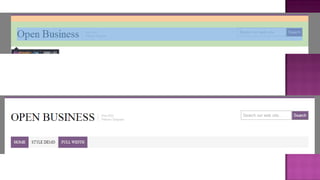
 Inspecting the layout
 How to represent in HTML
 How to find elements
 Floating, Positioning, Stacking
 Layouts
 Creating From wireframe OR PSD
 Shaking Hands with Photoshop
 And of course CSS …
 Structure of
 page
 Or even a specific element
 Structure of
 page
 Or even a specific element
 Styles of
 page
 Or even a specific
element
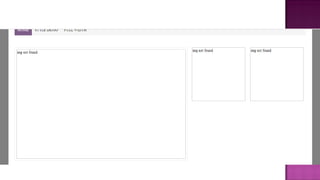
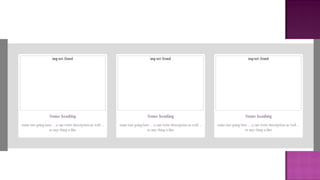
 Its structure is based on some
wireframe
 Style is upto designer ability to
visulize
 Float
 Values: left | right | none | inherit
 Default: none
 Inherit: no
 Always mention width of elements
 Clearing Floated elements
 Clear: both | right | left | none | inherit
 Floating multiple elements
 You can create columns using floats
 position
 Values: static | relative | absolute |
fixed | inherit
 Default: static
 Inherit: no
 Relative
 Move relative to original position
 Actual position is preserved as space
 Absolute
 Removed from flow
 positioned with respect to the
browser window or a containing
element
 Fixed
 Stays in document window even
scroll
 Specify using offset
 Top | left | right | bottom
 Z-index
 Values: number | auto | inherit
 Default: auto
 Inherit: no
 See page 367
 Fixed
 Fixed in pixels
 Scrolls when window get smaller
 Fluid (liquid)
 Adjust according to window
 % used
 Elastic
 Width change, element size change
 Em used
 Hybrid
 Combination of px, em, %
 See Chapter 16
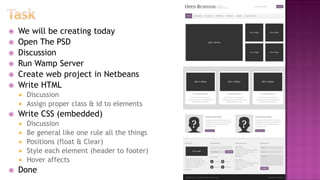
 We will be creating today
 Open The PSD
 Discussion
 Run Wamp Server
 Create web project in Netbeans
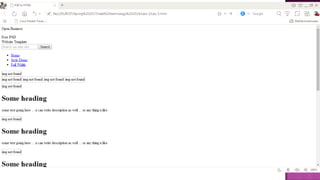
 Write HTML
 Discussion
 Assign proper class & id to elements
 Write CSS (embedded)
 Discussion
 Be general like one rule all the things
 Positions (float & Clear)
 Style each element (header to footer)
 Hover affects
 Done
 Find PSD
 Apply formula to get your PSD
 Group# % 6
 Due Date
 16 Feb 2016 8:45AM
 Email: shehzadaslam@uet.edu.pk
 Subject: WT 2014-AS2
 Folder name must be group member rollnos
 Book Reading
 Chapter 15, 16 from Learning web design
 Chapter 17 for more visual affects if you want (DYS)

Lec 2

  • 1.
    Web Technologies –CS 382 Lecture 2 3 Hrs
  • 2.
     Inspecting thelayout  How to represent in HTML  How to find elements  Floating, Positioning, Stacking  Layouts  Creating From wireframe OR PSD  Shaking Hands with Photoshop  And of course CSS …
  • 3.
     Structure of page  Or even a specific element
  • 4.
     Structure of page  Or even a specific element  Styles of  page  Or even a specific element  Its structure is based on some wireframe  Style is upto designer ability to visulize
  • 5.
     Float  Values:left | right | none | inherit  Default: none  Inherit: no  Always mention width of elements  Clearing Floated elements  Clear: both | right | left | none | inherit  Floating multiple elements  You can create columns using floats
  • 6.
     position  Values:static | relative | absolute | fixed | inherit  Default: static  Inherit: no  Relative  Move relative to original position  Actual position is preserved as space  Absolute  Removed from flow  positioned with respect to the browser window or a containing element
  • 7.
     Fixed  Staysin document window even scroll  Specify using offset  Top | left | right | bottom
  • 8.
     Z-index  Values:number | auto | inherit  Default: auto  Inherit: no  See page 367
  • 9.
     Fixed  Fixedin pixels  Scrolls when window get smaller  Fluid (liquid)  Adjust according to window  % used  Elastic  Width change, element size change  Em used  Hybrid  Combination of px, em, %  See Chapter 16
  • 10.
     We willbe creating today  Open The PSD  Discussion  Run Wamp Server  Create web project in Netbeans  Write HTML  Discussion  Assign proper class & id to elements  Write CSS (embedded)  Discussion  Be general like one rule all the things  Positions (float & Clear)  Style each element (header to footer)  Hover affects  Done
  • 19.
     Find PSD Apply formula to get your PSD  Group# % 6  Due Date  16 Feb 2016 8:45AM  Email: shehzadaslam@uet.edu.pk  Subject: WT 2014-AS2  Folder name must be group member rollnos  Book Reading  Chapter 15, 16 from Learning web design  Chapter 17 for more visual affects if you want (DYS)