BDotNet UG Meet
May 12,2012
Nasim Ahmad Ansari
ghnash@gmail.com
   … write ASP.net Application?
   … write non-ASP.net Application like PHP?
   … write javascript?
   … write cascading style sheets (css)
   … enjoy writing javascript?
   … write lots of client side script?
   … Ajax?
 JavaScript Library
 Functionality
     DOM scripting & event handling
     Ajax
     User interface effects
     Form validation
   All for Rapid Web Development
   Powerful JavaScript library
     Simplify common JavaScript tasks
     Access parts of a page
        ▪ using CSS or XPath-like expressions
       Modify the appearance of a page
       Alter the content of a page
       Change the user’s interaction with a page
       Add animation to a page
       Provide AJAX support
   Lightweight – 32kb (Minified )
   Cross-browser support (IE 6.0+, FF 1.5+, Safari 2.0+, Opera 9.0+) jQuery rescues
    us by working the same in all browsers!
   CSS-like syntax – easy for developers/non-developers to understand
   Intellisense for VS.
   Active developer community
   Extensible – Plugins
   Active Community
   Easier to write jQuery than pure JavaScript
   Microsoft has even elected to distribute jQuery with its Visual Studio tool, and
    Nokia uses jQuery on all its phones that include their Web Runtime component.
   Compared with other toolkits that focus heavily on clever JavaScript techniques,
     jQuery aims to change the way that web developers think about creating rich
    functionality in their pages. Rather than spending time juggling the complexities
    of advanced JavaScript, designers can leverage their existing knowledge of
    Cascading Style Sheets (CSS), Hypertext Markup Language (HTML), Extensible
    Hypertext Markup Language (XHTML), and good old straightforward JavaScript
    to manipulate page elements directly, making rapid development a reality.
   As jQuery tag line says “write less do more” 
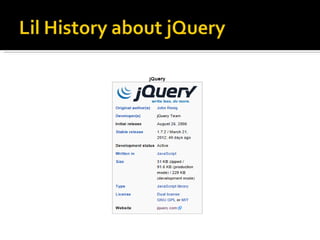
John Resig
John Resig is the Dean of Computer Science
at Khan Academy and the creator of
the jQuery JavaScript library.
He’s also the author of the
books Pro JavaScript Techniques and
Secrets of the JavaScript Ninja.
Currently, John is located in Boston, MA and
enjoys studying
Ukiyo-e (Japanese Woodblock Printing) in
his spare time.

His Personal Website : http://ejohn.org
   John Resig says “I was, originally, going to
    use JSelect, but all the domain names were
    taken already. I then did a search before I
    decided to call the project jQuery”
 So now you know what is jQuery.
 So what’s next ?
 Are you curious and want to know how to get
  started?
 Then Lets See……. 
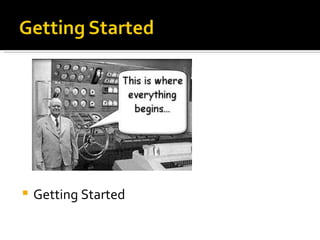
   Getting Started
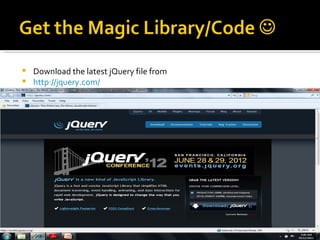
 Download the latest jQuery file from
 http://jquery.com/
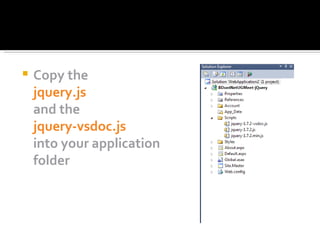
   Copy the
    jquery.js
    and the
    jquery-vsdoc.js
    into your application
    folder
   Locally
     <script src="Scripts/jquery-1.7.2.js" ></script>
   Using CDN
     Microsoft
     <script type="text/javascript"
      src="http://ajax.aspnetcdn.com/ajax/jQuery/jquery-1.7.2.min.js"></script>

     Google
     <script type="text/javascript" src="http://ajax.googleapis.com/ajax/libs/jquery/
      1.7.2/jquery.min.js"></script>

     Jquery
     <script type="text/javascript"
      src="http://code.jquery.com/jquery-1.7.2.min.js"></script>
 Download Faster (Performance)
 Caching

   What if the CDN is down? – Don’t worry there
    is way 
   <script type="text/javascript"
    src="http://ajax.googleapis.com/ajax/libs/jquery/1.7.2/jquery.min.js">
    </script>

   <script type="text/javascript">
 if(typeof jQuery=='undefined')
    document.write(unscape("%3Cscript src='jQuery.js' type='text/javascript'%3E
    %3C/script%3E"));
</script>
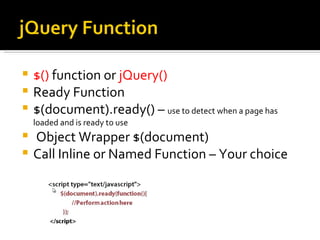
 $() function or jQuery()
 Ready Function
 $(document).ready() – use to detect when a page has
    loaded and is ready to use
   Object Wrapper $(document)
   Call Inline or Named Function – Your choice
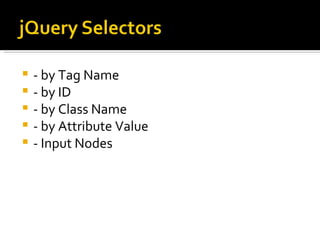
   - by Tag Name
   - by ID
   - by Class Name
   - by Attribute Value
   - Input Nodes
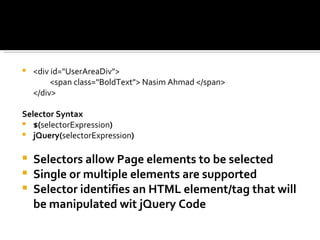
   <div id="UserAreaDiv">
         <span class="BoldText"> Nasim Ahmad </span>
    </div>

Selector Syntax
 $(selectorExpression)
 jQuery(selectorExpression)


   Selectors allow Page elements to be selected
   Single or multiple elements are supported
   Selector identifies an HTML element/tag that will
    be manipulated wit jQuery Code
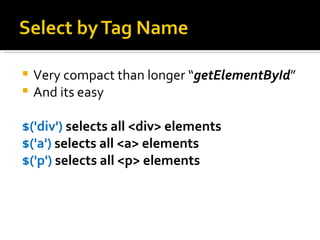
 Very compact than longer “getElementById”
 And its easy


$('div') selects all <div> elements
$('a') selects all <a> elements
$('p') selects all <p> elements
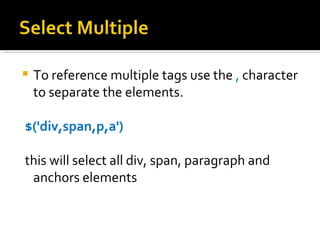
   To reference multiple tags use the , character
    to separate the elements.

$('div,span,p,a')

this will select all div, span, paragraph and
 anchors elements
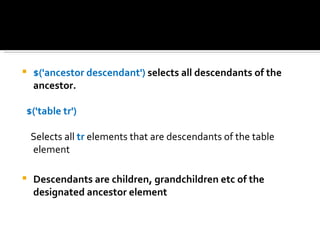
   $('ancestor descendant') selects all descendants of the
    ancestor.

$('table tr')

    Selects all tr elements that are descendants of the table
    element

   Descendants are children, grandchildren etc of the
    designated ancestor element
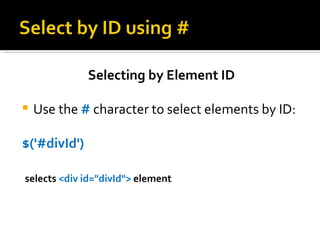
Selecting by Element ID

   Use the # character to select elements by ID:

$('#divId')

selects <div id="divId"> element
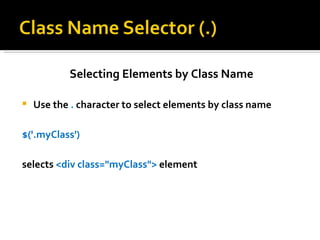
Selecting Elements by Class Name

   Use the . character to select elements by class name

$('.myClass')

selects <div class="myClass"> element
Selecting By Attribute Value

    Use brackets [attribute] to select based on attribute name
     and/or attribute value

    $('a[title]')

selects all <a> elements that have title attribute

$('a[title="BDotnet UG Link"]')

    selects all anchor element which has a "BDotnet UG Link"
     title attribute value
Selecting Input Elements

    $(':input') selects all input elements :
    input,select,textarea,button,image,radio ,
     etc.. & more

$(':input[type="radio"]')
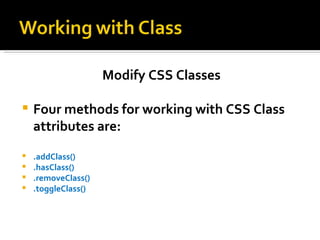
Modify CSS Classes

   Four methods for working with CSS Class
    attributes are:
   .addClass()
   .hasClass()
   .removeClass()
   .toggleClass()
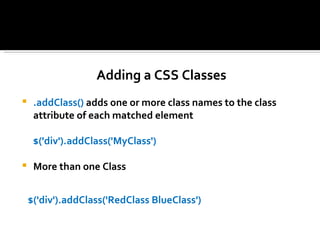
Adding a CSS Classes
    .addClass() adds one or more class names to the class
     attribute of each matched element

     $('div').addClass('MyClass')

    More than one Class


    $('div').addClass('RedClass BlueClass')
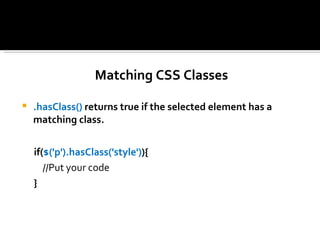
Matching CSS Classes

   .hasClass() returns true if the selected element has a
    matching class.


    if($('p').hasClass('style')){
       //Put your code
    }
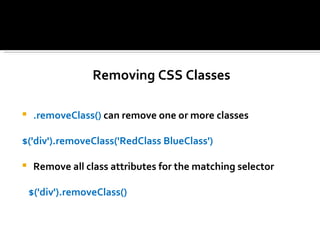
Removing CSS Classes

    .removeClass() can remove one or more classes

$('div').removeClass('RedClass BlueClass')

    Remove all class attributes for the matching selector

    $('div').removeClass()
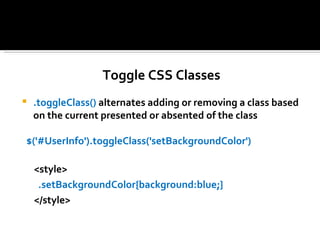
Toggle CSS Classes
   .toggleClass() alternates adding or removing a class based
    on the current presented or absented of the class

$('#UserInfo').toggleClass('setBackgroundColor')

    <style>
     .setBackgroundColor{background:blue;}
    </style>
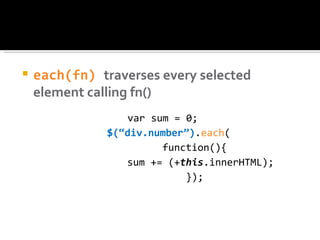
   each(fn) traverses every selected
    element calling fn()
                  var sum = 0;
               $(“div.number”).each(
                        function(){
                  sum += (+this.innerHTML);
                            });
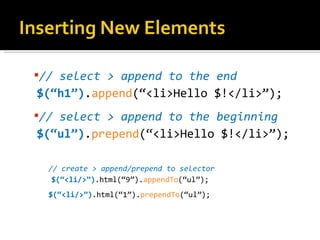
// select > append to the end
$(“h1”).append(“<li>Hello $!</li>”);
// select > append to the beginning
$(“ul”).prepend(“<li>Hello $!</li>”);

  // create > append/prepend to selector
   $(“<li/>”).html(“9”).appendTo(“ul”);
  $(“<li/>”).html(“1”).prependTo(“ul”);
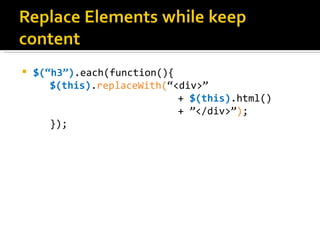
   $(“h3”).each(function(){
       $(this).replaceWith(“<div>”
                             + $(this).html()
                             + ”</div>”);
       });
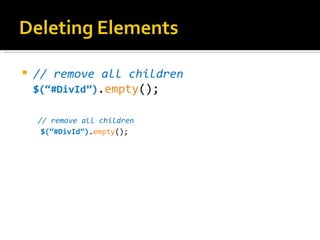
   // remove all children
    $(“#DivId”).empty();

    // remove all children
     $(“#DivId”).empty();
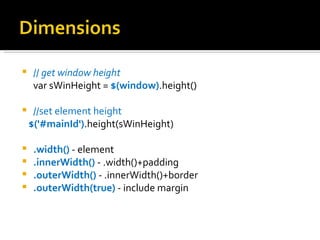
    // get window height
     var sWinHeight = $(window).height()

    //set element height
    $('#mainId').height(sWinHeight)

    .width() - element
    .innerWidth() - .width()+padding
    .outerWidth() - .innerWidth()+border
    .outerWidth(true) - include margin
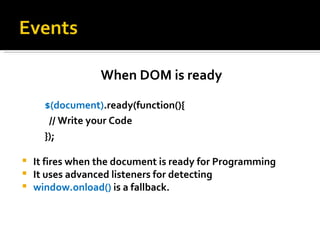
When DOM is ready

      $(document).ready(function(){
       // Write your Code
      });

   It fires when the document is ready for Programming
   It uses advanced listeners for detecting
   window.onload() is a fallback.
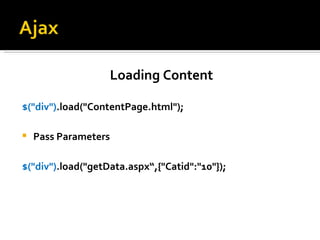
Loading Content

$("div").load("ContentPage.html");

   Pass Parameters

$("div").load("getData.aspx“,{"Catid":"10"});
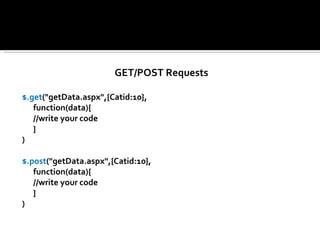
GET/POST Requests

$.get("getData.aspx",{Catid:10},
   function(data){
   //write your code
   }
)

$.post("getData.aspx",{Catid:10},
   function(data){
   //write your code
   }
)
Retrieving JSON Data

$.getJSON("getData.aspx",{CatId:10},
    function(categories){
   //alert(categories[0].Name);
})
Questions ?

J query b_dotnet_ug_meet_12_may_2012

  • 1.
    BDotNet UG Meet May12,2012 Nasim Ahmad Ansari ghnash@gmail.com
  • 2.
    … write ASP.net Application?  … write non-ASP.net Application like PHP?  … write javascript?  … write cascading style sheets (css)  … enjoy writing javascript?  … write lots of client side script?  … Ajax?
  • 4.
     JavaScript Library Functionality  DOM scripting & event handling  Ajax  User interface effects  Form validation  All for Rapid Web Development
  • 5.
    Powerful JavaScript library  Simplify common JavaScript tasks  Access parts of a page ▪ using CSS or XPath-like expressions  Modify the appearance of a page  Alter the content of a page  Change the user’s interaction with a page  Add animation to a page  Provide AJAX support
  • 6.
    Lightweight – 32kb (Minified )  Cross-browser support (IE 6.0+, FF 1.5+, Safari 2.0+, Opera 9.0+) jQuery rescues us by working the same in all browsers!  CSS-like syntax – easy for developers/non-developers to understand  Intellisense for VS.  Active developer community  Extensible – Plugins  Active Community  Easier to write jQuery than pure JavaScript  Microsoft has even elected to distribute jQuery with its Visual Studio tool, and Nokia uses jQuery on all its phones that include their Web Runtime component.  Compared with other toolkits that focus heavily on clever JavaScript techniques, jQuery aims to change the way that web developers think about creating rich functionality in their pages. Rather than spending time juggling the complexities of advanced JavaScript, designers can leverage their existing knowledge of Cascading Style Sheets (CSS), Hypertext Markup Language (HTML), Extensible Hypertext Markup Language (XHTML), and good old straightforward JavaScript to manipulate page elements directly, making rapid development a reality.  As jQuery tag line says “write less do more” 
  • 7.
    John Resig John Resigis the Dean of Computer Science at Khan Academy and the creator of the jQuery JavaScript library. He’s also the author of the books Pro JavaScript Techniques and Secrets of the JavaScript Ninja. Currently, John is located in Boston, MA and enjoys studying Ukiyo-e (Japanese Woodblock Printing) in his spare time. His Personal Website : http://ejohn.org
  • 8.
    John Resig says “I was, originally, going to use JSelect, but all the domain names were taken already. I then did a search before I decided to call the project jQuery”
  • 9.
     So nowyou know what is jQuery.  So what’s next ?  Are you curious and want to know how to get started?  Then Lets See……. 
  • 10.
    Getting Started
  • 11.
     Download thelatest jQuery file from  http://jquery.com/
  • 12.
    Copy the jquery.js and the jquery-vsdoc.js into your application folder
  • 13.
    Locally  <script src="Scripts/jquery-1.7.2.js" ></script>  Using CDN  Microsoft  <script type="text/javascript" src="http://ajax.aspnetcdn.com/ajax/jQuery/jquery-1.7.2.min.js"></script>  Google  <script type="text/javascript" src="http://ajax.googleapis.com/ajax/libs/jquery/ 1.7.2/jquery.min.js"></script>  Jquery  <script type="text/javascript" src="http://code.jquery.com/jquery-1.7.2.min.js"></script>
  • 14.
     Download Faster(Performance)  Caching  What if the CDN is down? – Don’t worry there is way   <script type="text/javascript" src="http://ajax.googleapis.com/ajax/libs/jquery/1.7.2/jquery.min.js"> </script>  <script type="text/javascript"> if(typeof jQuery=='undefined') document.write(unscape("%3Cscript src='jQuery.js' type='text/javascript'%3E %3C/script%3E")); </script>
  • 16.
     $() functionor jQuery()  Ready Function  $(document).ready() – use to detect when a page has loaded and is ready to use  Object Wrapper $(document)  Call Inline or Named Function – Your choice
  • 17.
    - by Tag Name  - by ID  - by Class Name  - by Attribute Value  - Input Nodes
  • 18.
    <div id="UserAreaDiv"> <span class="BoldText"> Nasim Ahmad </span> </div> Selector Syntax  $(selectorExpression)  jQuery(selectorExpression)  Selectors allow Page elements to be selected  Single or multiple elements are supported  Selector identifies an HTML element/tag that will be manipulated wit jQuery Code
  • 19.
     Very compactthan longer “getElementById”  And its easy $('div') selects all <div> elements $('a') selects all <a> elements $('p') selects all <p> elements
  • 20.
    To reference multiple tags use the , character to separate the elements. $('div,span,p,a') this will select all div, span, paragraph and anchors elements
  • 21.
    $('ancestor descendant') selects all descendants of the ancestor. $('table tr') Selects all tr elements that are descendants of the table element  Descendants are children, grandchildren etc of the designated ancestor element
  • 22.
    Selecting by ElementID  Use the # character to select elements by ID: $('#divId') selects <div id="divId"> element
  • 23.
    Selecting Elements byClass Name  Use the . character to select elements by class name $('.myClass') selects <div class="myClass"> element
  • 24.
    Selecting By AttributeValue  Use brackets [attribute] to select based on attribute name and/or attribute value $('a[title]') selects all <a> elements that have title attribute $('a[title="BDotnet UG Link"]') selects all anchor element which has a "BDotnet UG Link" title attribute value
  • 25.
    Selecting Input Elements  $(':input') selects all input elements : input,select,textarea,button,image,radio , etc.. & more $(':input[type="radio"]')
  • 26.
    Modify CSS Classes  Four methods for working with CSS Class attributes are:  .addClass()  .hasClass()  .removeClass()  .toggleClass()
  • 27.
    Adding a CSSClasses  .addClass() adds one or more class names to the class attribute of each matched element $('div').addClass('MyClass')  More than one Class $('div').addClass('RedClass BlueClass')
  • 28.
    Matching CSS Classes  .hasClass() returns true if the selected element has a matching class. if($('p').hasClass('style')){ //Put your code }
  • 29.
    Removing CSS Classes  .removeClass() can remove one or more classes $('div').removeClass('RedClass BlueClass')  Remove all class attributes for the matching selector $('div').removeClass()
  • 30.
    Toggle CSS Classes  .toggleClass() alternates adding or removing a class based on the current presented or absented of the class $('#UserInfo').toggleClass('setBackgroundColor') <style> .setBackgroundColor{background:blue;} </style>
  • 31.
    each(fn) traverses every selected element calling fn() var sum = 0; $(“div.number”).each( function(){ sum += (+this.innerHTML); });
  • 32.
    // select >append to the end $(“h1”).append(“<li>Hello $!</li>”); // select > append to the beginning $(“ul”).prepend(“<li>Hello $!</li>”); // create > append/prepend to selector $(“<li/>”).html(“9”).appendTo(“ul”); $(“<li/>”).html(“1”).prependTo(“ul”);
  • 33.
    $(“h3”).each(function(){ $(this).replaceWith(“<div>” + $(this).html() + ”</div>”); });
  • 34.
    // remove all children $(“#DivId”).empty(); // remove all children $(“#DivId”).empty();
  • 35.
    // get window height var sWinHeight = $(window).height()  //set element height $('#mainId').height(sWinHeight)  .width() - element  .innerWidth() - .width()+padding  .outerWidth() - .innerWidth()+border  .outerWidth(true) - include margin
  • 36.
    When DOM isready $(document).ready(function(){ // Write your Code });  It fires when the document is ready for Programming  It uses advanced listeners for detecting  window.onload() is a fallback.
  • 37.
    Loading Content $("div").load("ContentPage.html");  Pass Parameters $("div").load("getData.aspx“,{"Catid":"10"});
  • 38.
    GET/POST Requests $.get("getData.aspx",{Catid:10}, function(data){ //write your code } ) $.post("getData.aspx",{Catid:10}, function(data){ //write your code } )
  • 39.
    Retrieving JSON Data $.getJSON("getData.aspx",{CatId:10}, function(categories){ //alert(categories[0].Name); })
  • 40.